Take-Home Pay Calculator Essentials Template
Estimate net pay after federal, state, and payroll tax deductions. Enter gross salary and withholding details to see take-home amount.
What's Included
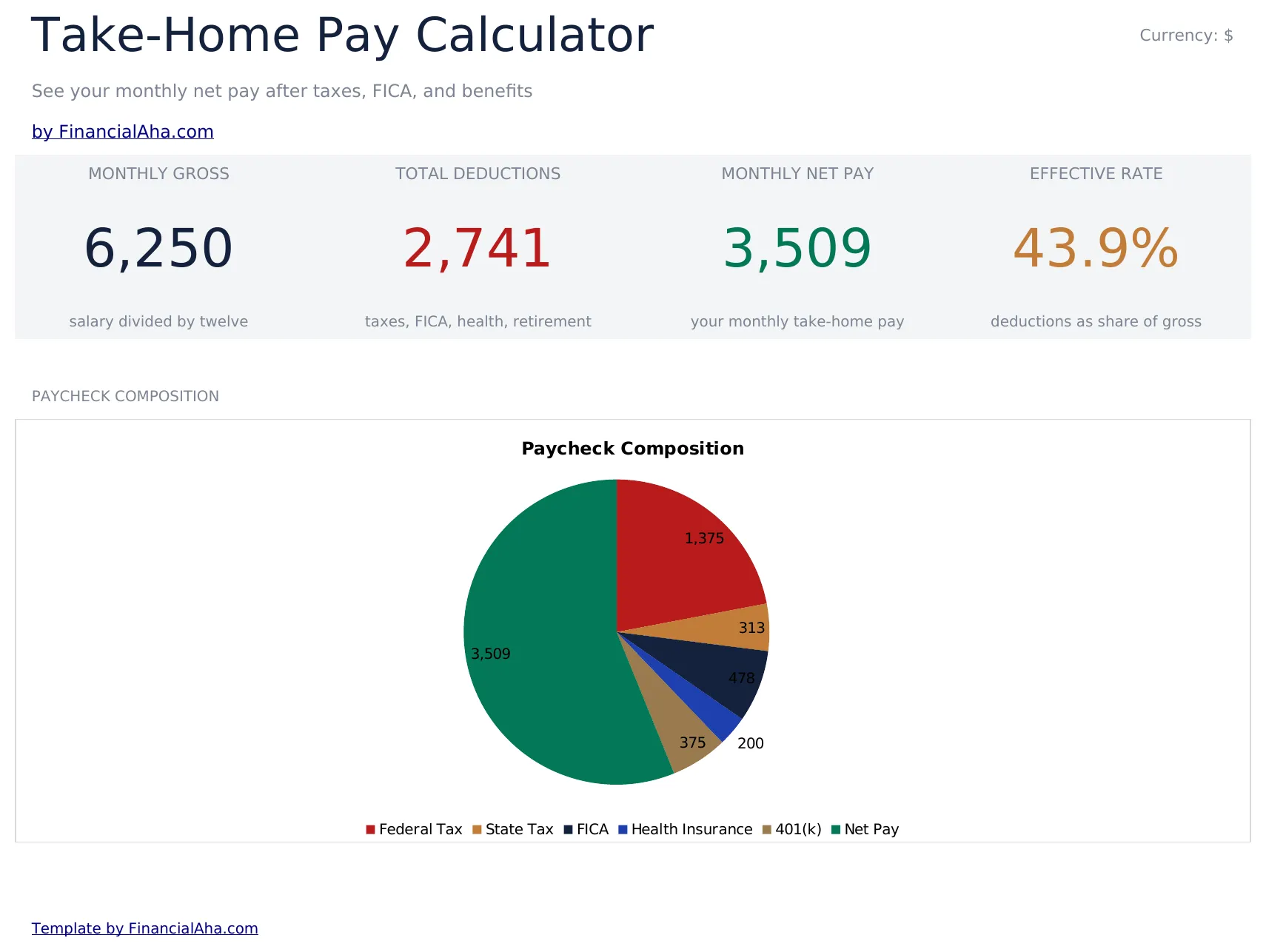
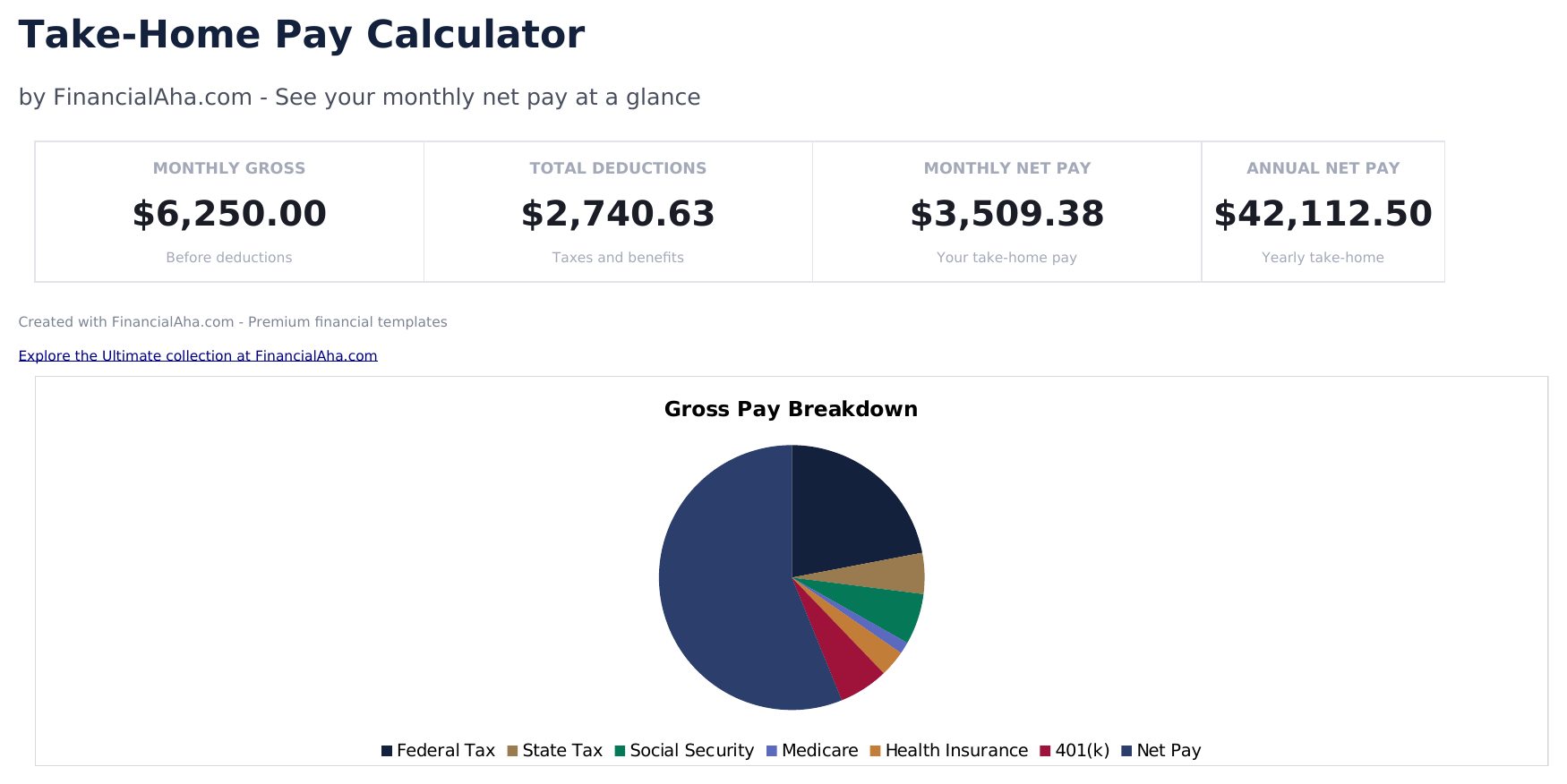
- Dashboard with net pay summary showing gross income, total deductions, total taxes, and final take-home amount
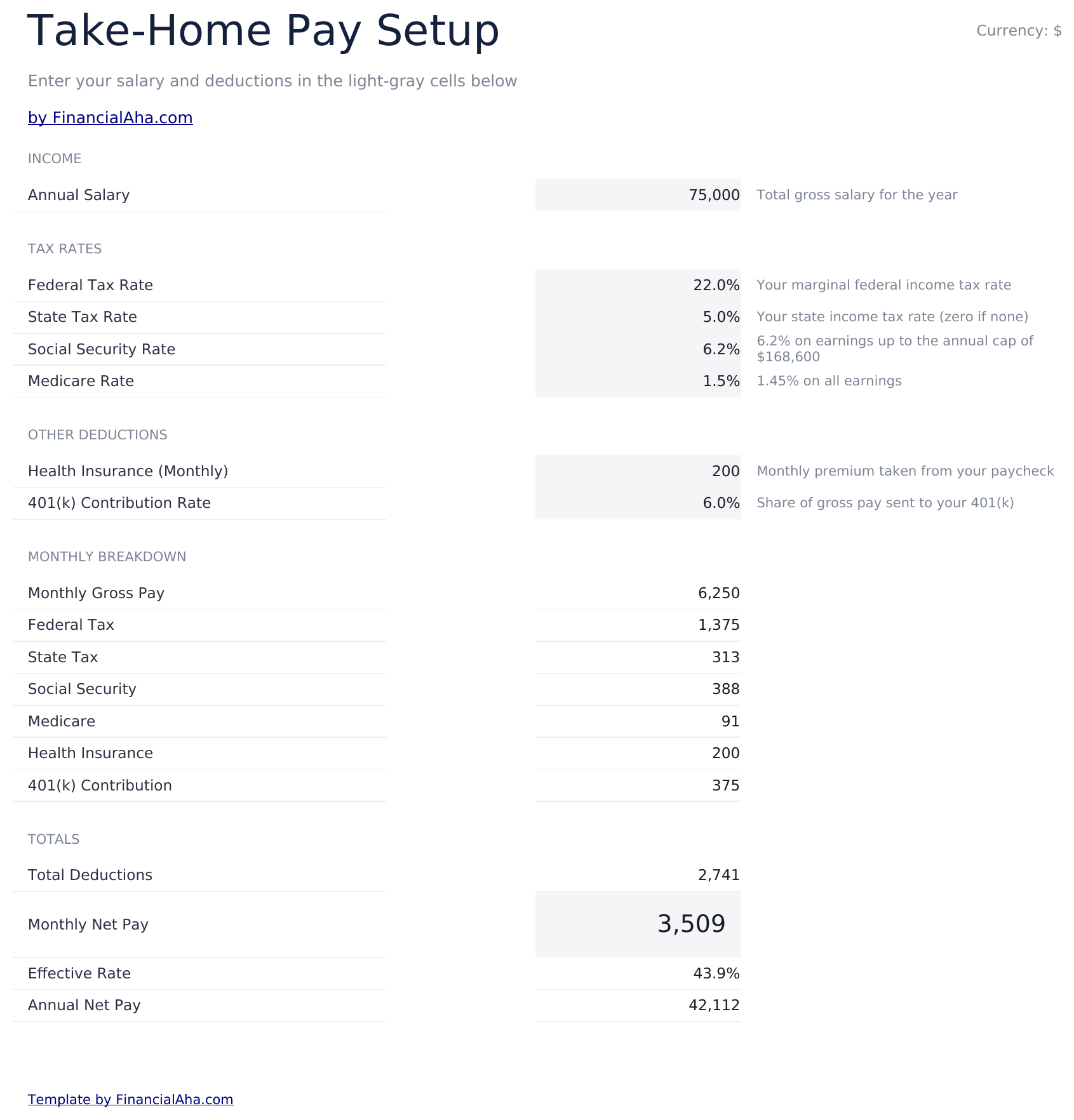
- Calculator with gross salary, filing status, allowances, and pre-tax deduction inputs for complete modeling
- Federal and state tax estimates based on income bracket with separate line items for each tax type
- Payroll tax calculations for Social Security (6.2%) and Medicare (1.45%) computed from gross earnings
- Annual and per-paycheck breakdowns with color-coded input cells (yellow) and auto-calculated results (blue)
- Works in Microsoft Excel, Google Sheets, and LibreOffice Calc with no setup required
Preview
See what's inside this template
How to Use This Take-Home Pay Calculator Template
Enter gross salary
Input your annual or per-paycheck gross salary amount. This is the starting figure before any deductions.
Add withholding details
Enter filing status, federal and state tax estimates, and pre-tax deductions like health insurance and 401k contributions.
Review tax calculations
The template estimates federal income tax, state tax, Social Security (6.2%), and Medicare (1.45%) deductions.
See take-home amount
The dashboard shows your estimated net pay per paycheck and annually, with a full breakdown of every deduction.
Customer Reviews
What Our Customers Say
"If I get half as good at handling my finances as you are at customer service, this'll be the best $26 I've spent lately."
"Great tool! Simplifies financial planning without the hassle of complex spreadsheets."
"I recently purchased your super convenient spreadsheet, it really helps me!"
"They're great and super intuitive. Thank you!"
Built by Claude AI. Perfected by us.
We use Claude AI to draft each template, after a deep research. Then our team steps in. We refine the layout, stress-test every formula, fix edge cases, and polish the design until it feels like something we would actually use ourselves. The AI gets us 80% there. The last 20% is all human judgment.
Frequently Asked Questions
How accurate are the tax estimates?
The calculator provides estimates based on standard brackets and rates. Actual withholding may differ based on your W-4 elections and specific state rules.
Does it include state taxes?
Yes. Enter your state tax rate or estimated amount. The template includes it alongside federal and payroll tax deductions.
What pre-tax deductions can I include?
Enter health insurance premiums, 401k contributions, HSA contributions, and other pre-tax deductions that reduce taxable income.
Can I see both annual and per-paycheck?
Yes. The dashboard shows the full breakdown on both an annual basis and per-paycheck basis depending on your pay frequency.
How do I open this in Google Sheets?
Upload the .xlsx file to Google Drive, then open it with Google Sheets. All formulas and formatting will be preserved.
More Essentials Payroll & HR Templates
Highlights:
Looking for premium spreadsheet templates?
Our paid templates include advanced multi-sheet dashboards, native Excel charts, and ongoing updates.
Get every Ultimate template instead
All 58 Ultimate templates in one purchase for $299 - $1,102 value, you keep $803.