Bester Wert All-in-One Finanzplanungs-Bundle
✓ Finanzplanung✓ Vermögens-Tracker✓ Monatliches Budget✓ Reisebudget-Planer✓ Jahresbudget-Planer✓ Monatlicher Ausgaben-Tracker✓ Jährlicher Steuerplaner✓ Altersvorsorgeplanung
Bundle ansehen →
Essentials-Vorlage - Excel & Google Sheets

Depreciation Schedule Essentials-Vorlage

Track asset depreciation over time using standard methods. Log assets with purchase dates, costs, and useful life to calculate annual depreciation.

Depreciation Schedule preview

Was enthalten ist

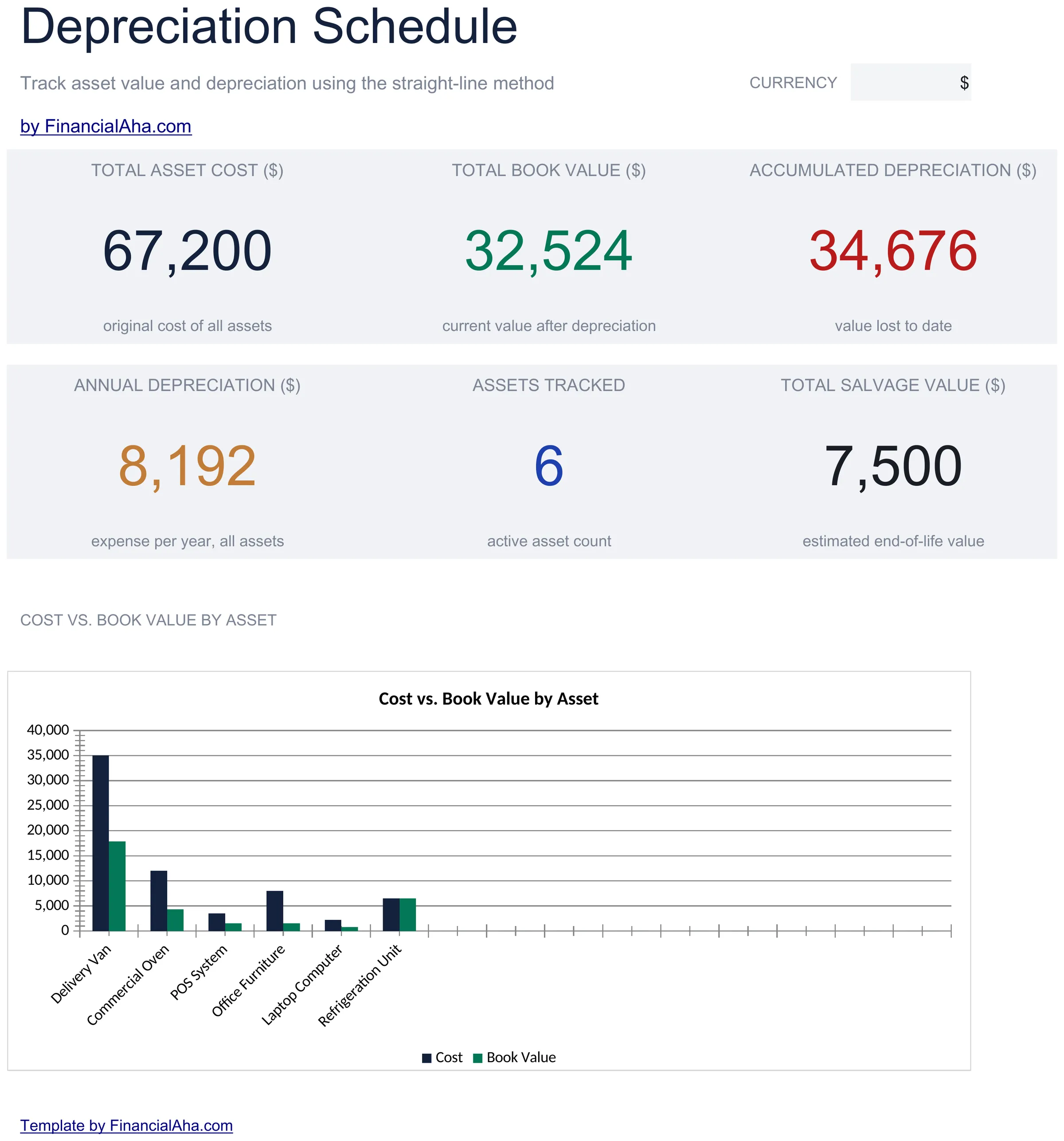
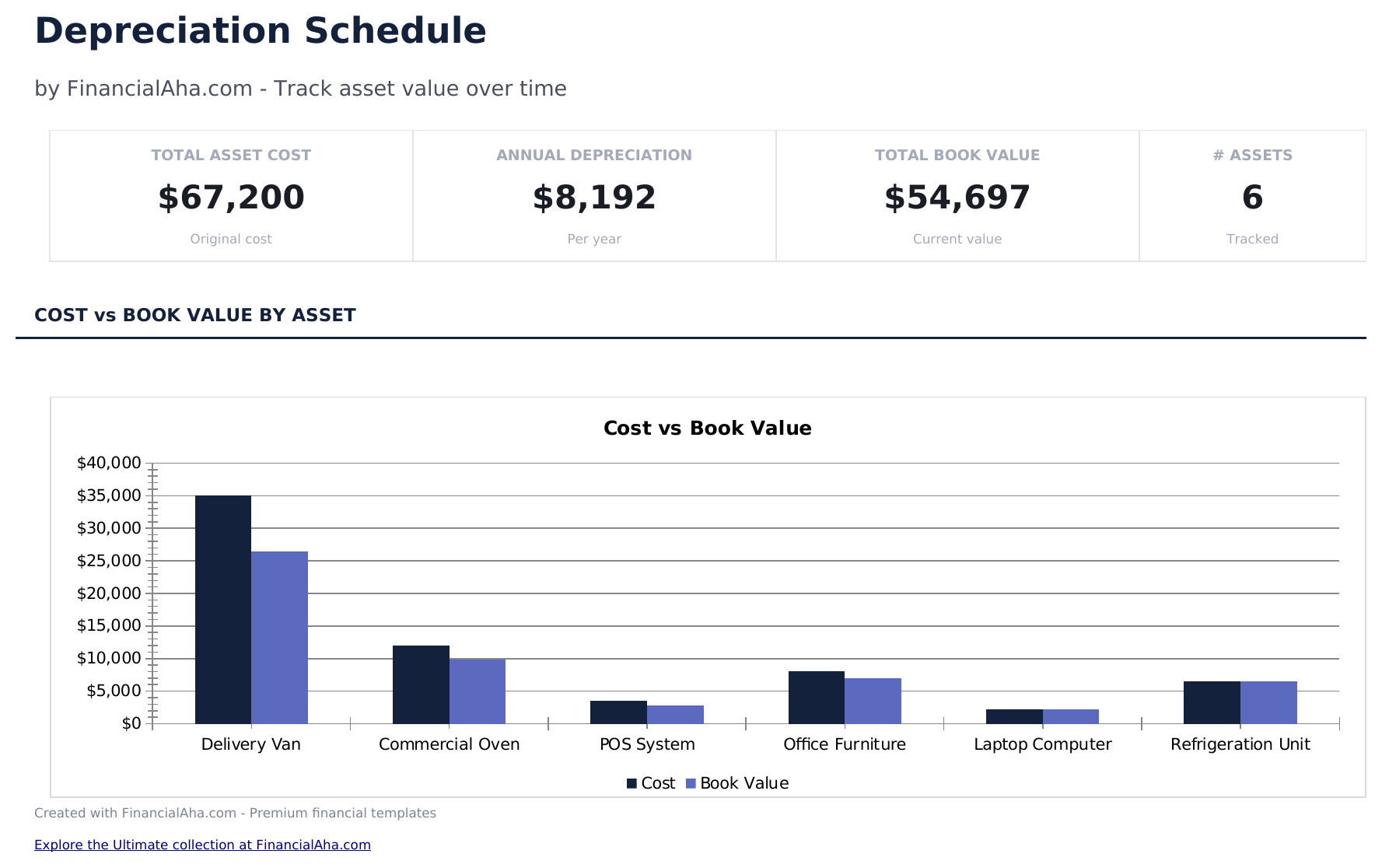
  • Dashboard with depreciation summary showing total asset cost, accumulated depreciation, and current book value
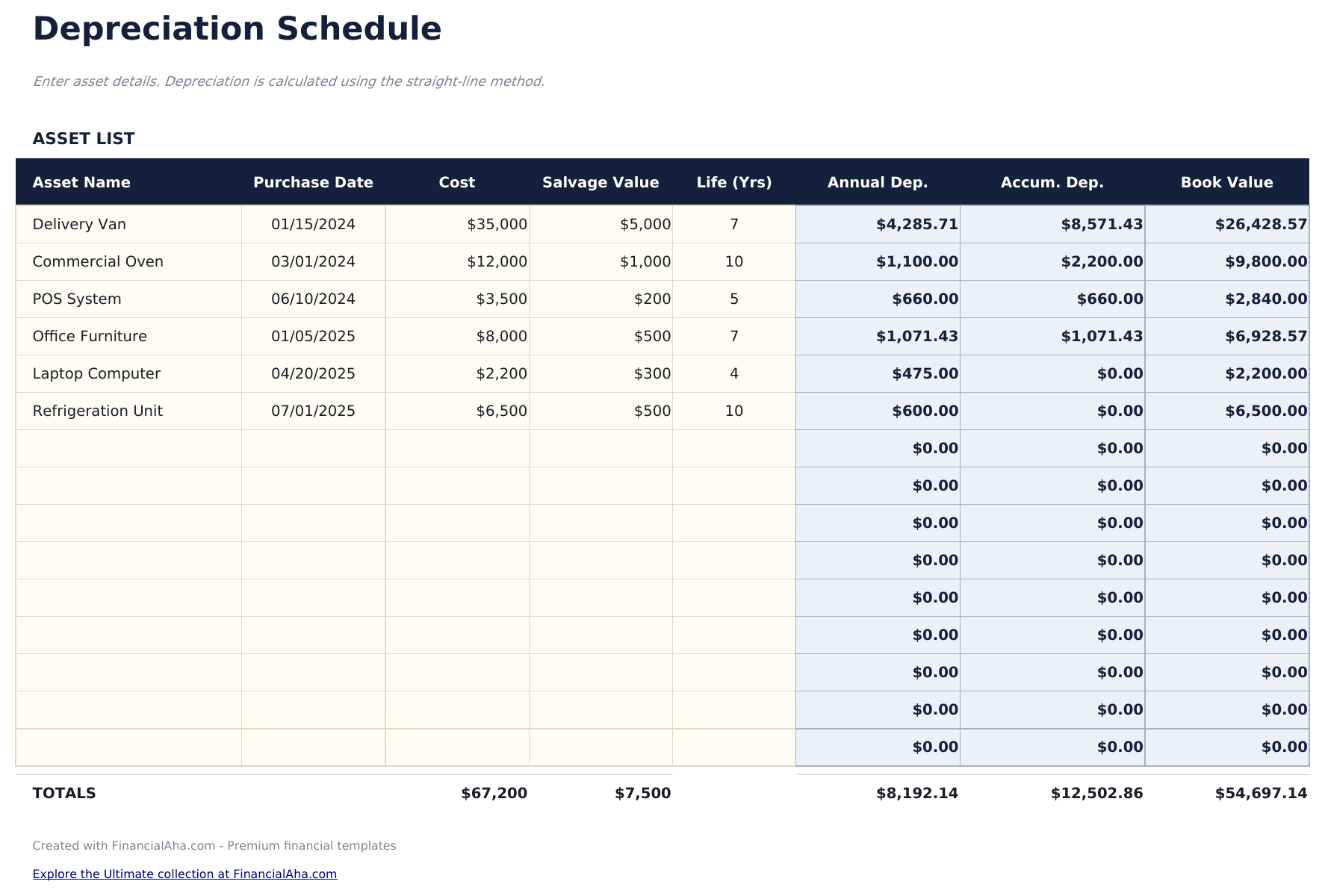
  • Asset schedule with columns for asset name, purchase date, original cost, useful life, and salvage value
  • Straight-line depreciation calculations that automatically compute annual depreciation for each listed asset
  • Book value tracking per asset showing the declining value from purchase year through the end of useful life
  • Annual depreciation totals with color-coded input cells (yellow) and formula-driven schedule entries (blue)
  • Works in Microsoft Excel, Google Sheets, and LibreOffice Calc with no setup required

So verwenden Sie diese Depreciation Schedule-Vorlage

1

Enter asset details

For each asset, input the name, purchase date, original cost, useful life in years, and salvage value.

2

Review annual depreciation

The template calculates straight-line depreciation for each asset - the annual expense amount that spreads the cost over its useful life.

3

Track book value

The schedule shows the declining book value for each asset from the purchase year through the end of its useful life.

4

Check totals

The dashboard summarizes total asset cost, accumulated depreciation to date, and current total book value across all assets.

Erstellt von Claude AI. Verfeinert von uns.

Wir verwenden Claude AI, um jede Vorlage nach gründlicher Recherche zu entwerfen. Dann greift unser Team ein. Wir verfeinern das Layout, testen jede Formel auf Herz und Nieren, beheben Grenzfälle und polieren das Design, bis es sich anfühlt wie etwas, das wir selbst verwenden würden. Die KI bringt uns 80 % ans Ziel. Die letzten 20 % sind rein menschliches Urteilsvermögen.

Häufig gestellte Fragen

What depreciation method does this use?

The template uses straight-line depreciation, dividing the depreciable amount (cost minus salvage) evenly across the useful life.

What is salvage value?

Salvage value is the estimated worth of the asset at the end of its useful life. The template subtracts it from cost before calculating annual depreciation.

Can I track multiple assets?

Yes. Add a row for each asset. The dashboard totals depreciation across all assets for the current period and cumulatively.

Does it support other methods like MACRS?

This template covers straight-line only. MACRS and double-declining balance methods require different calculation logic.

Wie öffne ich diese Vorlage in Google Sheets?

Laden Sie die .xlsx-Datei auf Google Drive hoch und öffnen Sie sie mit Google Sheets. Alle Formeln und Formatierungen bleiben erhalten.

Weitere Essentials-Vorlagen: Business Finance

Auf der Suche nach Premium-Tabellenvorlagen?

Unsere kostenpflichtigen Vorlagen umfassen erweiterte mehrseitige Dashboards, native Excel-Diagramme und laufende Aktualisierungen.

Privat & sicher

Ihre Finanzdaten bleiben auf Ihrem Gerät. Wir sehen sie nie.

Mehr erfahren →

Brauchen Sie Hilfe?

Schauen Sie in unsere Anleitungen oder kontaktieren Sie uns.

FAQ ansehen →