أفضل قيمة حزمة التخطيط المالي الشاملة
✓ التخطيط المالي✓ متتبع صافي الثروة✓ الميزانية الشهرية✓ مخطط ميزانية السفر✓ مخطط الميزانية السنوية✓ متتبع النفقات الشهرية✓ مخطط الضرائب السنوي✓ تخطيط التقاعد
عرض الحزمة →
احترافي النسخة الاحترافية متوفرة - متتبع الخصومات الضريبية Ultimate
قالب احترافي - Excel و Google Sheets

Tax Deduction Tracker قالب Essentials

Log tax-deductible expenses throughout the year. Organize deductions by category for easier tax preparation.

عرض نسخة Ultimate ←
Tax Deduction Tracker preview

ماذا يتضمن

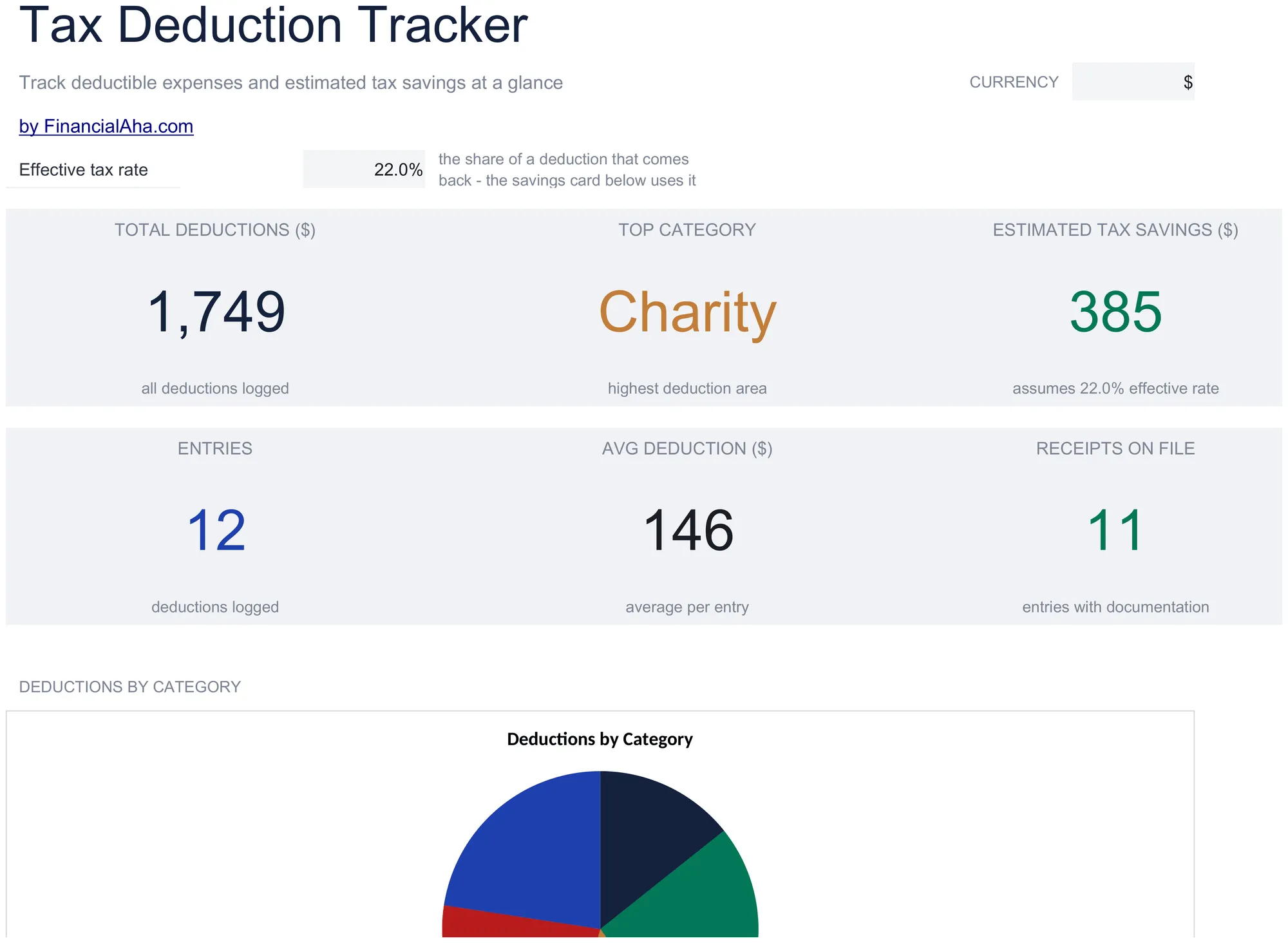
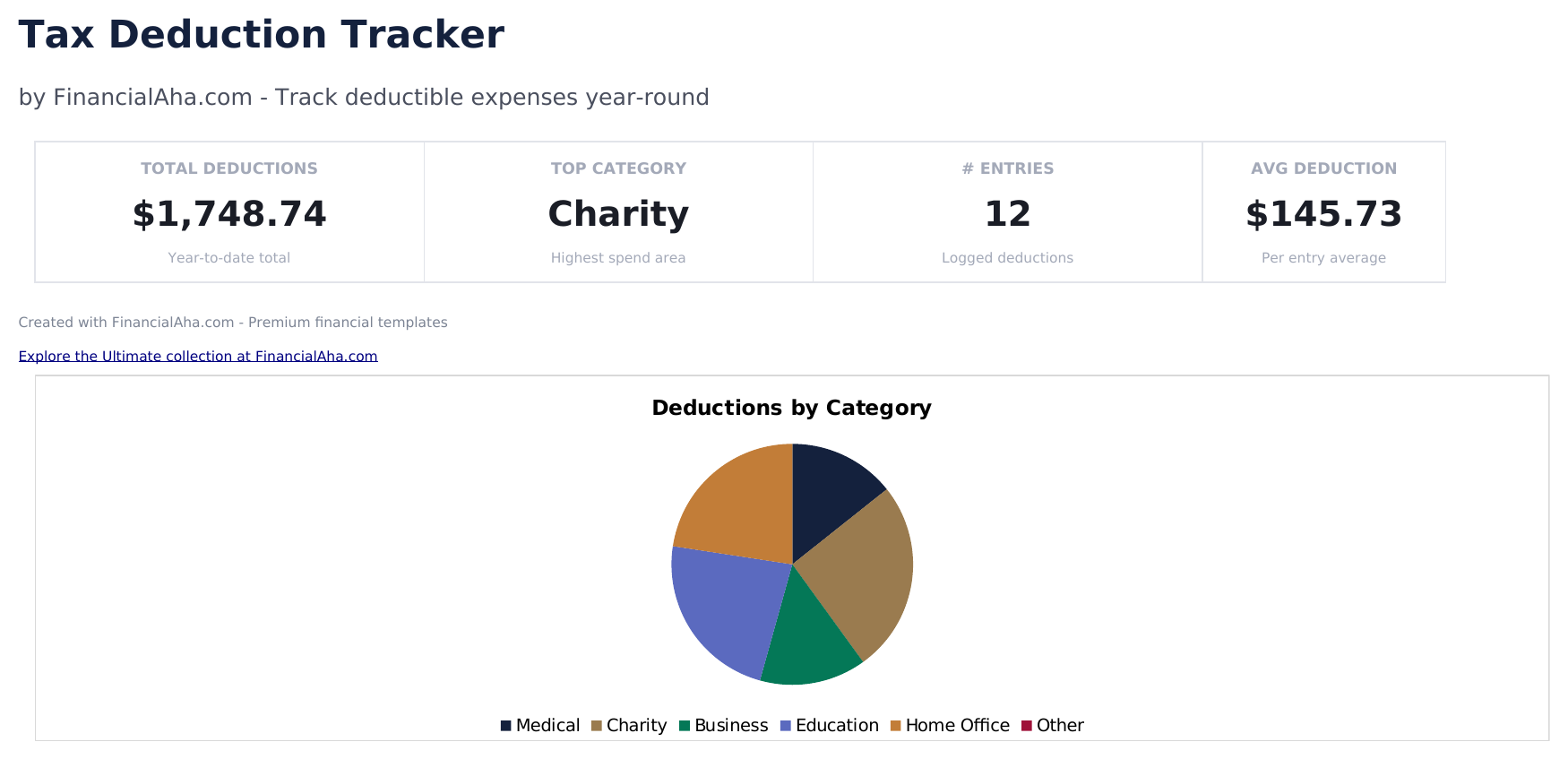
  • Dashboard with deduction totals by category showing medical, charitable, business, education, and other deduction sums
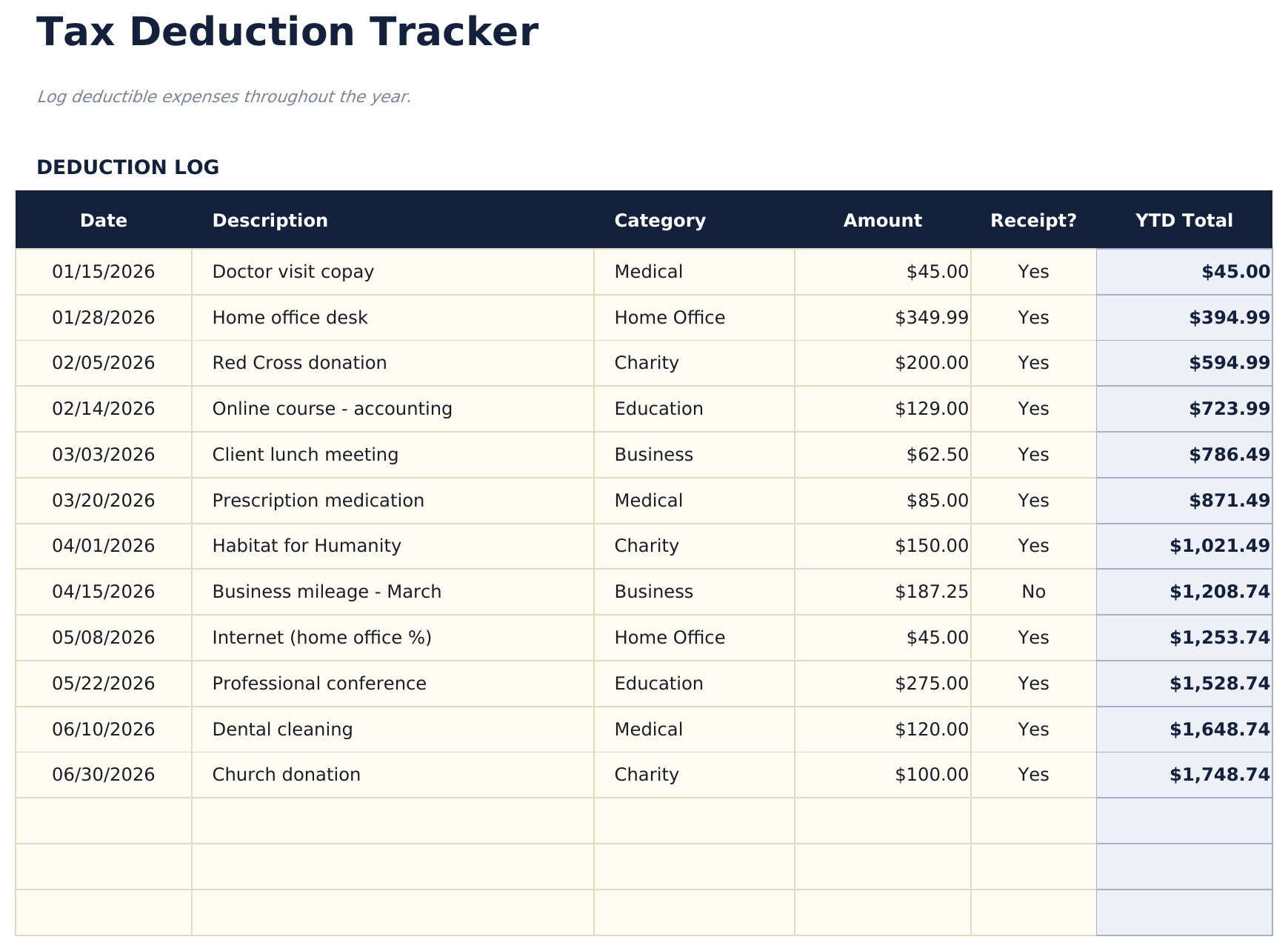
  • Deductions log with date, payee, description, amount, and category columns for recording each deductible expense
  • Category groupings matching common tax form line items such as Schedule A, Schedule C, and education credits
  • Receipt reference tracking with fields for receipt number or file name linked to each deduction entry
  • Annual deduction summary with color-coded input cells (yellow) and auto-calculated category totals (blue)
  • Works in Microsoft Excel, Google Sheets, and LibreOffice Calc with no setup required
Ultimate Version Available

Need more from this template?

The Essentials version covers everyday tracking. Ultimate goes further with multi-entity support, scenario analysis, and ultimate-grade reporting.

Essentials - $12
  • Dashboard with deduction totals by category showing medical, charitable, business, education, and other deduction sums
  • Deductions log with date, payee, description, amount, and category columns for recording each deductible expense
  • Category groupings matching common tax form line items such as Schedule A, Schedule C, and education credits
  • Receipt reference tracking with fields for receipt number or file name linked to each deduction entry
Ultimate - $19
  • سجل حتى 150 خصماً مع التاريخ والوصف والفئة والجدول (قائمة منسدلة) والمبلغ وحالة الإيصال
  • لوحة معلومات مع 6 بطاقات KPI: إجمالي الخصومات والتوفير الضريبي المقدر وعدد الخصومات وأكبر فئة وإجمالي ربع سنوي ومتوسط الخصم
  • ورقة ملخص الفئات تعرض إجمالي الخصومات والعدد لكل فئة مع النسبة المئوية من الإجمالي
  • ورقة تحليل الجداول تجمع الخصومات حسب الجدول الضريبي - Schedule A و Schedule C و Schedule E وأخرى - مع إجماليات فرعية
  • ملخص ربع سنوي يعرض إجماليات الخصومات حسب الربع مع مقارنة ربعية وإجمالي تراكمي من بداية السنة
See what's in the Ultimate version One-time purchase. No subscription.

كيفية استخدام قالب Tax Deduction Tracker هذا

1

Log each deduction

Enter the date, payee, description, amount, and category for every tax-deductible expense throughout the year.

2

Categorize by tax form

Assign each deduction to the matching tax category - Schedule A itemized, Schedule C business, education credits, or other.

3

Attach receipt references

Record the receipt number or file name for each entry so documentation is easy to find at tax time.

4

Review category totals

The dashboard shows deduction totals by category, making it easy to transfer figures to tax forms or share with a preparer.

صُممت بواسطة Claude AI. أتقنّاها نحن.

نستخدم Claude AI لصياغة كل قالب بعد بحث معمّق. ثم يتدخل فريقنا. نحسّن التصميم، ونختبر كل صيغة، ونعالج الحالات الاستثنائية، وننقّح التصميم حتى يصبح شيئاً نستخدمه نحن فعلاً. الذكاء الاصطناعي يوصلنا إلى 80%. الـ 20% المتبقية هي حكم بشري بالكامل.

عرض نسخة Ultimate ←

الأسئلة الشائعة

What categories are included?

Categories include medical, charitable giving, mortgage interest, state and local taxes, business expenses, and education. Rename or add categories for your situation.

Do I need to track receipts?

The IRS requires documentation for deductions. The receipt reference field links each entry to its proof of payment for audit preparedness.

When should I start tracking?

Start at the beginning of the tax year and log deductible expenses throughout the year. Doing it as expenses occur is easier than reconstructing at year end.

Does it tell me if I should itemize?

The template totals your deductions so you can compare to the standard deduction. If your total exceeds the standard deduction, itemizing may be beneficial.

كيف أفتح هذا في Google Sheets؟

ارفع ملف .xlsx إلى Google Drive، ثم افتحه باستخدام Google Sheets. جميع الصيغ والتنسيقات ستبقى محفوظة.

المزيد من قوالب Essentials في Tax Planning

تبحث عن قوالب جداول بيانات احترافية؟

القوالب المدفوعة تشمل لوحات معلومات متعددة الأوراق متقدمة، ورسوم بيانية أصلية في Excel، وتحديثات مستمرة.

خاص وآمن

بياناتك المالية تبقى على جهازك. نحن لا نراها أبداً.

تعرف على المزيد →

هل تحتاج مساعدة؟

راجع أدلتنا أو تواصل معنا لأي أسئلة.

عرض الأسئلة الشائعة →