أفضل قيمة حزمة التخطيط المالي الشاملة
✓ التخطيط المالي✓ متتبع صافي الثروة✓ الميزانية الشهرية✓ مخطط ميزانية السفر✓ مخطط الميزانية السنوية✓ متتبع النفقات الشهرية✓ مخطط الضرائب السنوي✓ تخطيط التقاعد
عرض الحزمة →
احترافي النسخة الاحترافية متوفرة - متتبع مالية المستقل Ultimate
قالب احترافي - Excel و Google Sheets

Freelancer Finance Tracker قالب Essentials

Track freelance projects, client payments, and business expenses in one spreadsheet. See total income, outstanding invoices, and profit margins.

عرض نسخة Ultimate ←
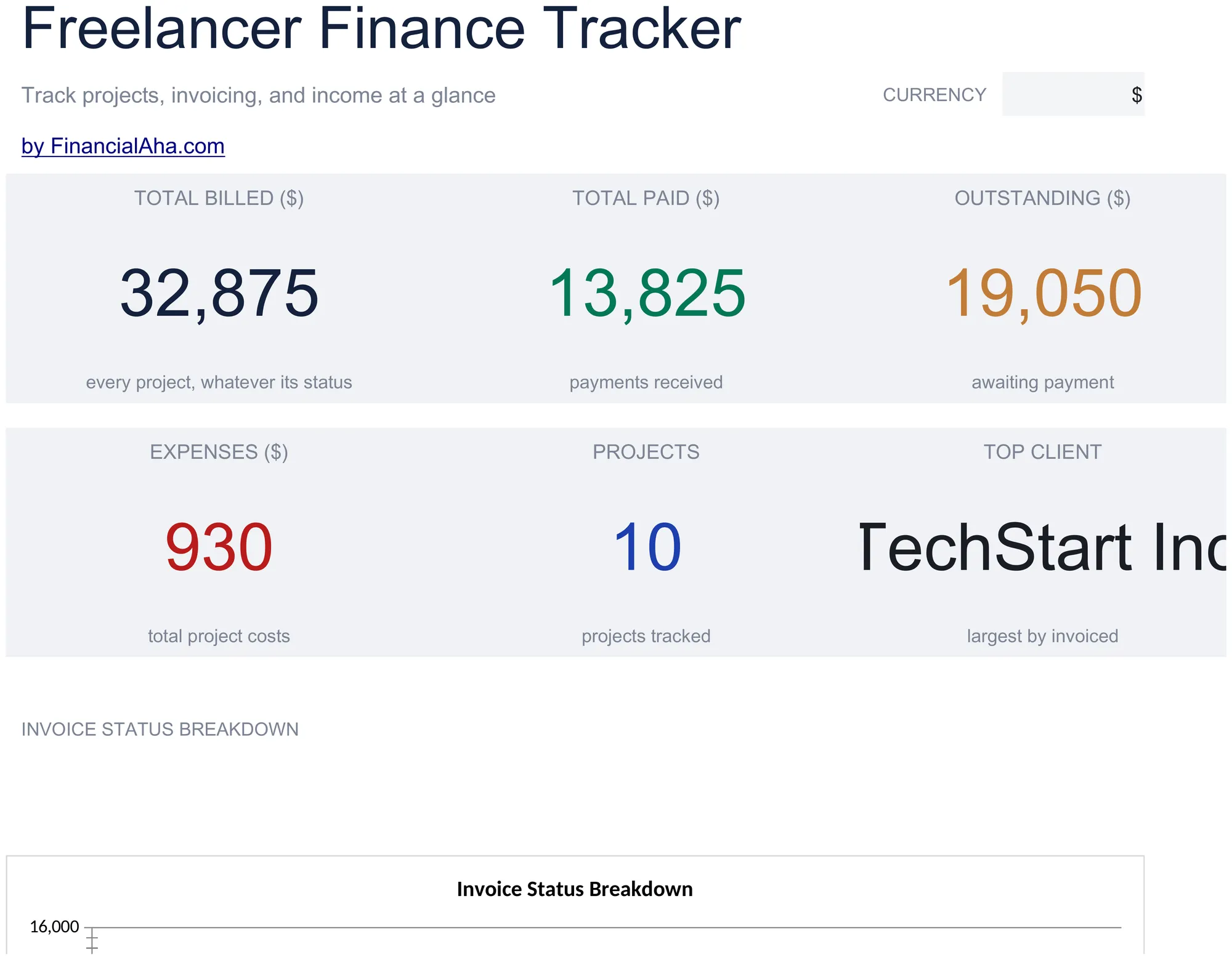
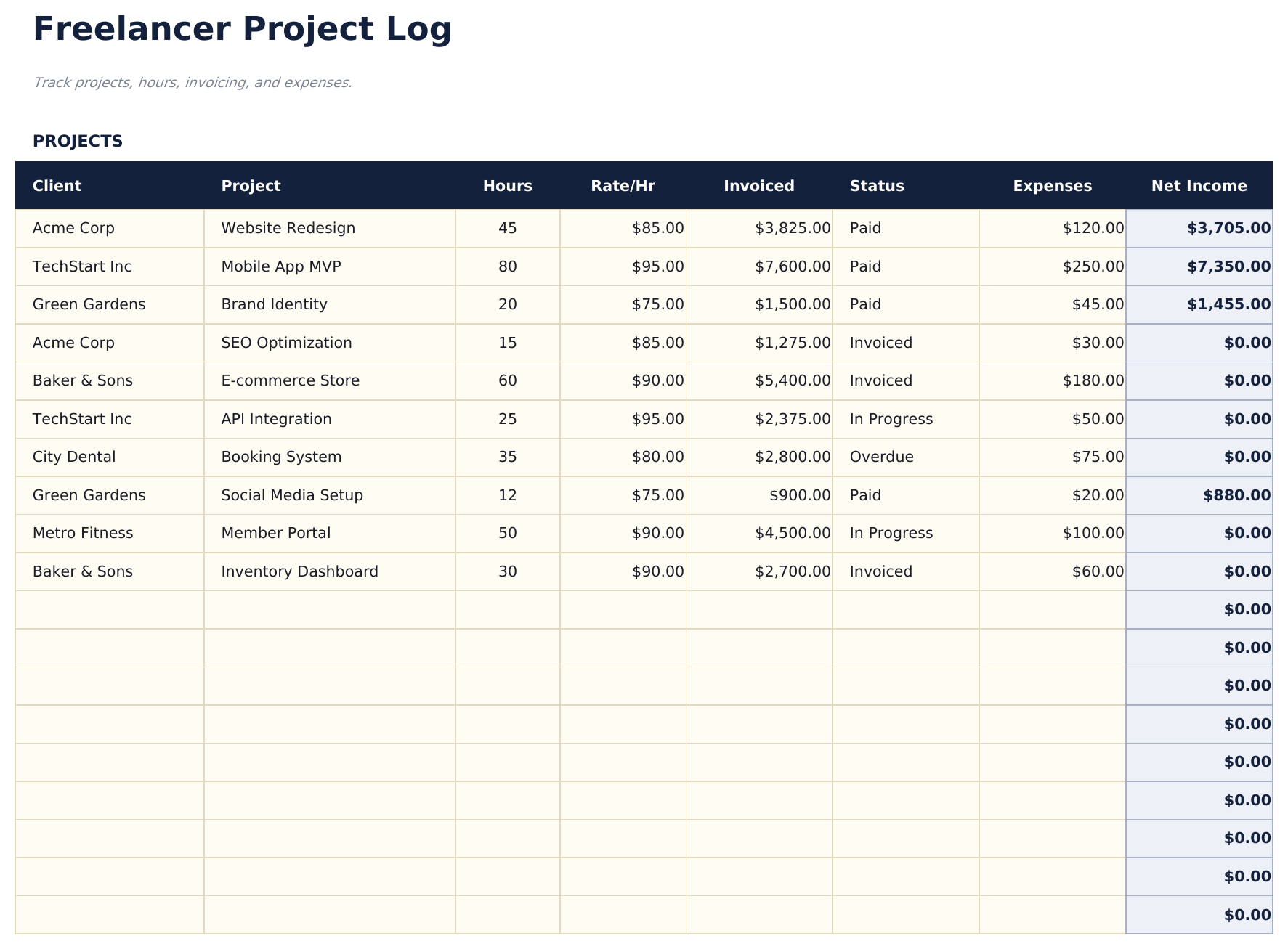
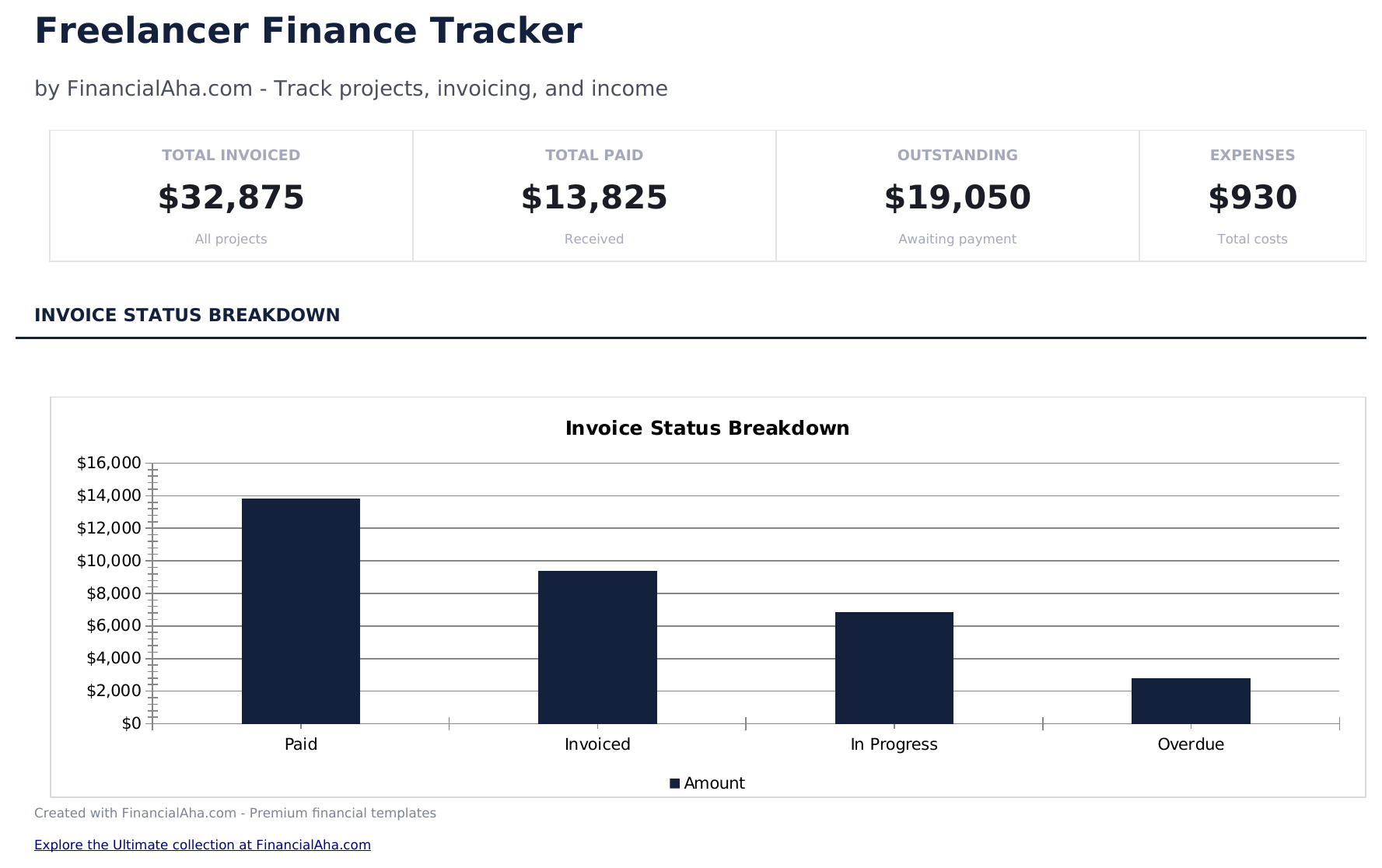
Freelancer Finance Tracker preview

ماذا يتضمن

  • Dashboard with freelance income overview showing total earned, outstanding invoices, expenses, and net profit
  • Project log with client name, project description, invoice amount, date sent, date paid, and payment status columns
  • Income and expense tracking with categories for software, equipment, marketing, travel, and other business costs
  • Outstanding payment monitoring that highlights unpaid invoices and calculates total amount still owed by clients
  • Monthly profit summaries with color-coded input cells (yellow) and auto-calculated income vs. expense totals (blue)
  • Works in Microsoft Excel, Google Sheets, and LibreOffice Calc with no setup required
Ultimate Version Available

Need more from this template?

The Essentials version covers everyday tracking. Ultimate goes further with multi-entity support, scenario analysis, and ultimate-grade reporting.

Essentials - $12
  • Dashboard with freelance income overview showing total earned, outstanding invoices, expenses, and net profit
  • Project log with client name, project description, invoice amount, date sent, date paid, and payment status columns
  • Income and expense tracking with categories for software, equipment, marketing, travel, and other business costs
  • Outstanding payment monitoring that highlights unpaid invoices and calculates total amount still owed by clients
Ultimate - $19
  • سجل إدخالات دخل غير محدودة مع التاريخ والعميل والمشروع ورقم الفاتورة والمبلغ وحالة الدفع
  • سجل نفقات غير محدودة مع التاريخ والمورد والفئة والمبلغ وطريقة الدفع وعلامة قابلية الخصم الضريبي
  • لوحة معلومات مع 6 بطاقات KPI: إجمالي الإيرادات وإجمالي النفقات وصافي الربح وهامش الربح والفواتير المستحقة والتقدير الضريبي من بداية السنة
  • ورقة ربحية العملاء تصنف العملاء حسب الإيرادات والساعات المفوترة والمعدل الفعلي للساعة مع نسبة المساهمة في الربح
  • مقدر الضرائب الربعي يحسب ضريبة العمل الحر وضريبة الدخل بناءً على صافي الربح ومعدلات ضريبية قابلة للتعديل
See what's in the Ultimate version One-time purchase. No subscription.

كيفية استخدام قالب Freelancer Finance Tracker هذا

1

Log projects and invoices

Enter each project with the client name, invoice amount, date sent, and payment status in the project log.

2

Track business expenses

Record expenses like software, equipment, marketing, and travel with dates and amounts in the expense section.

3

Monitor outstanding payments

The template highlights unpaid invoices and totals the amount clients still owe. Follow up on overdue payments.

4

Review profit summary

The dashboard shows total income, total expenses, outstanding invoices, and net profit for your freelance business.

صُممت بواسطة Claude AI. أتقنّاها نحن.

نستخدم Claude AI لصياغة كل قالب بعد بحث معمّق. ثم يتدخل فريقنا. نحسّن التصميم، ونختبر كل صيغة، ونعالج الحالات الاستثنائية، وننقّح التصميم حتى يصبح شيئاً نستخدمه نحن فعلاً. الذكاء الاصطناعي يوصلنا إلى 80%. الـ 20% المتبقية هي حكم بشري بالكامل.

عرض نسخة Ultimate ←

الأسئلة الشائعة

Can I track multiple clients?

Yes. Each project row has a client name field. The dashboard can show totals per client or across all clients.

Does it track time spent?

The template focuses on financial tracking - invoices, payments, and expenses. For time tracking, use a separate timesheet template.

How do I handle partial payments?

Enter the amount received and mark the status as partially paid. The outstanding balance calculates from the invoice total minus payments received.

Can I use this for taxes?

Yes. The income and expense totals organize freelance finances for tax reporting. Export the data or reference it when preparing Schedule C.

كيف أفتح هذا في Google Sheets؟

ارفع ملف .xlsx إلى Google Drive، ثم افتحه باستخدام Google Sheets. جميع الصيغ والتنسيقات ستبقى محفوظة.

المزيد من قوالب Essentials في Business Finance

تبحث عن قوالب جداول بيانات احترافية؟

القوالب المدفوعة تشمل لوحات معلومات متعددة الأوراق متقدمة، ورسوم بيانية أصلية في Excel، وتحديثات مستمرة.

خاص وآمن

بياناتك المالية تبقى على جهازك. نحن لا نراها أبداً.

تعرف على المزيد →

هل تحتاج مساعدة؟

راجع أدلتنا أو تواصل معنا لأي أسئلة.

عرض الأسئلة الشائعة →