Student Loan Payoff Essentials 模板
Map out student loan payoff with support for multiple loans and repayment plans. See projected timelines and total cost under different payment scenarios.
包含内容
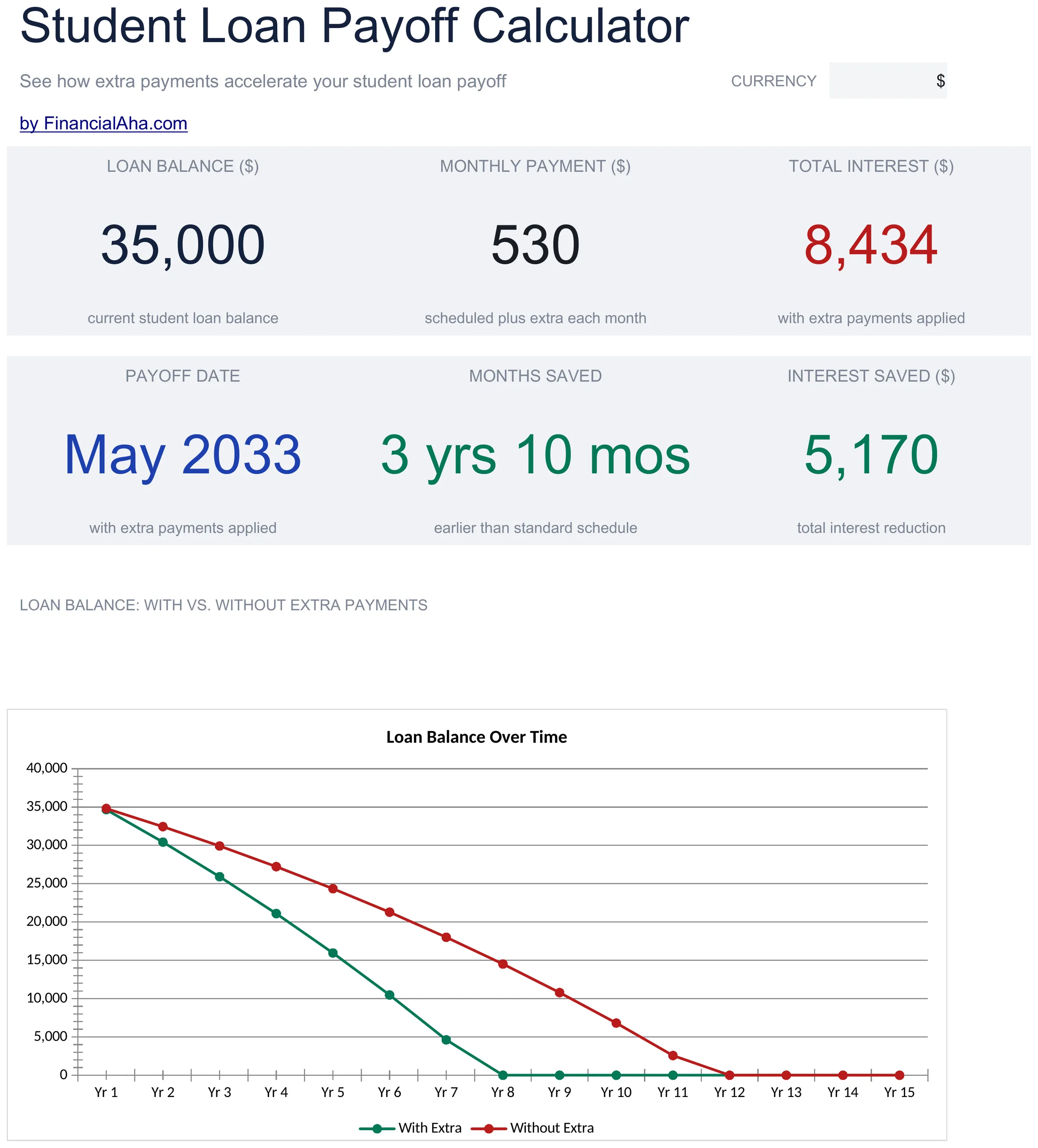
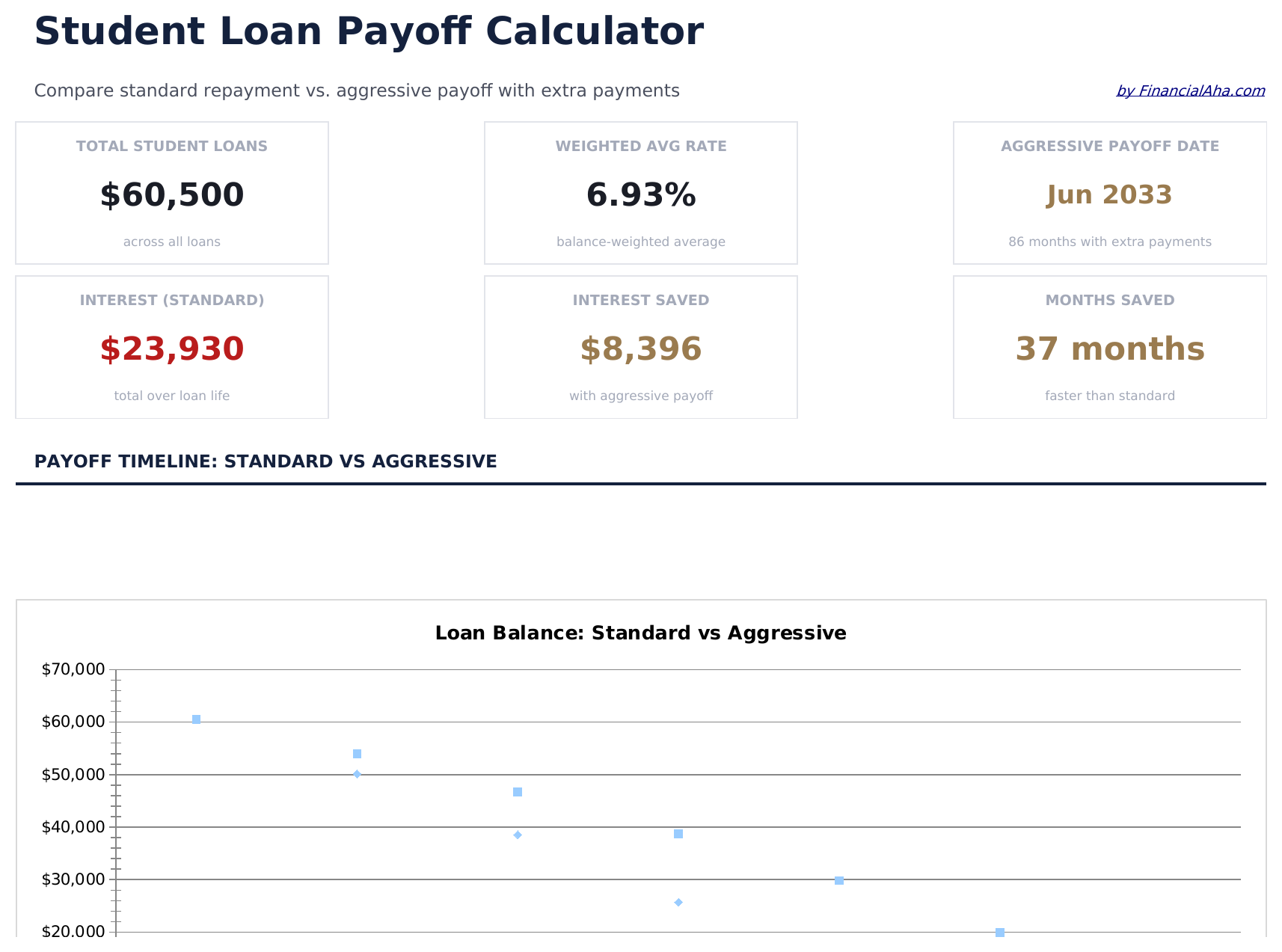
- Dashboard with total loan overview showing combined balance, weighted average rate, and payoff date
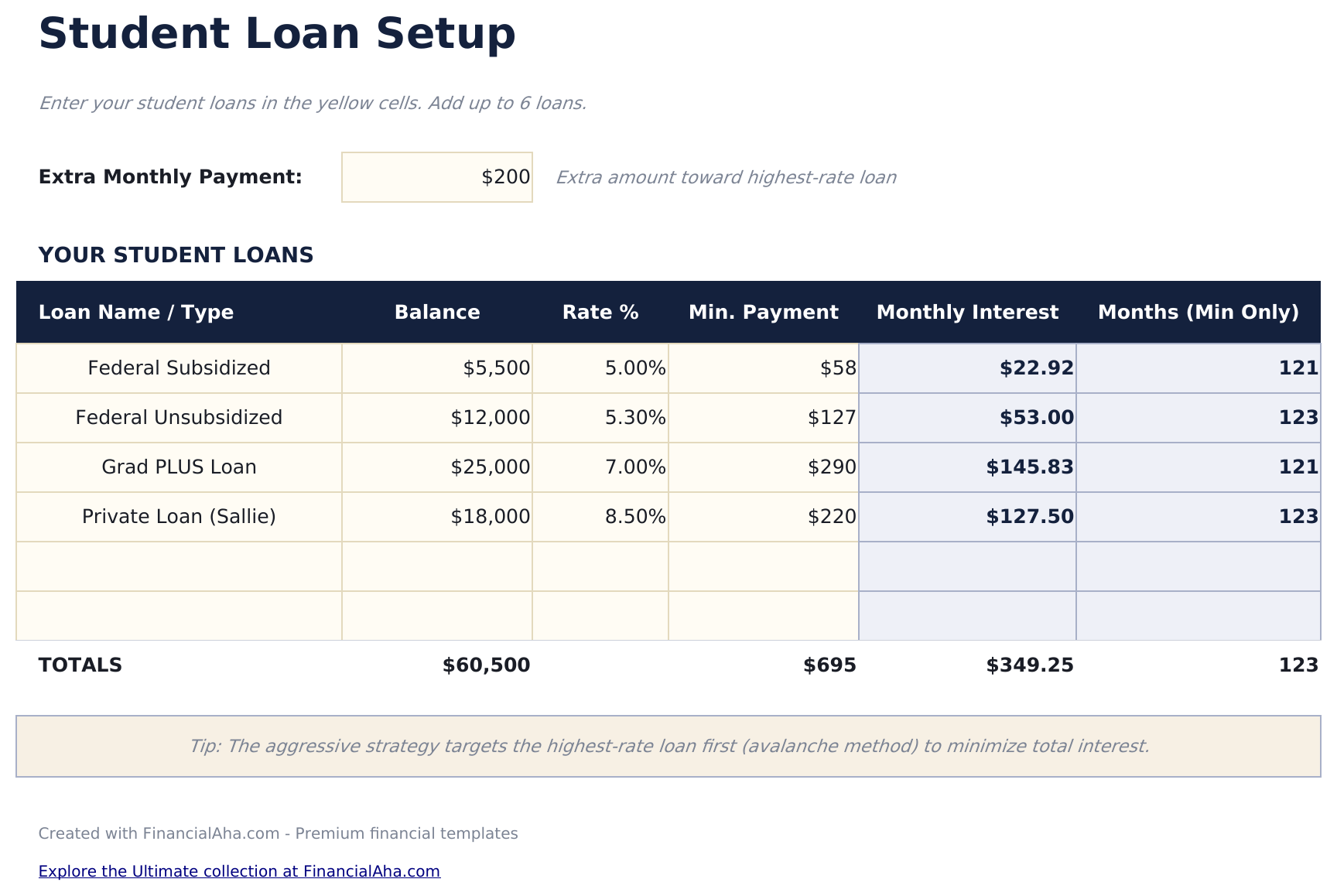
- Loan setup for multiple student loans with fields for lender, balance, interest rate, and minimum payment
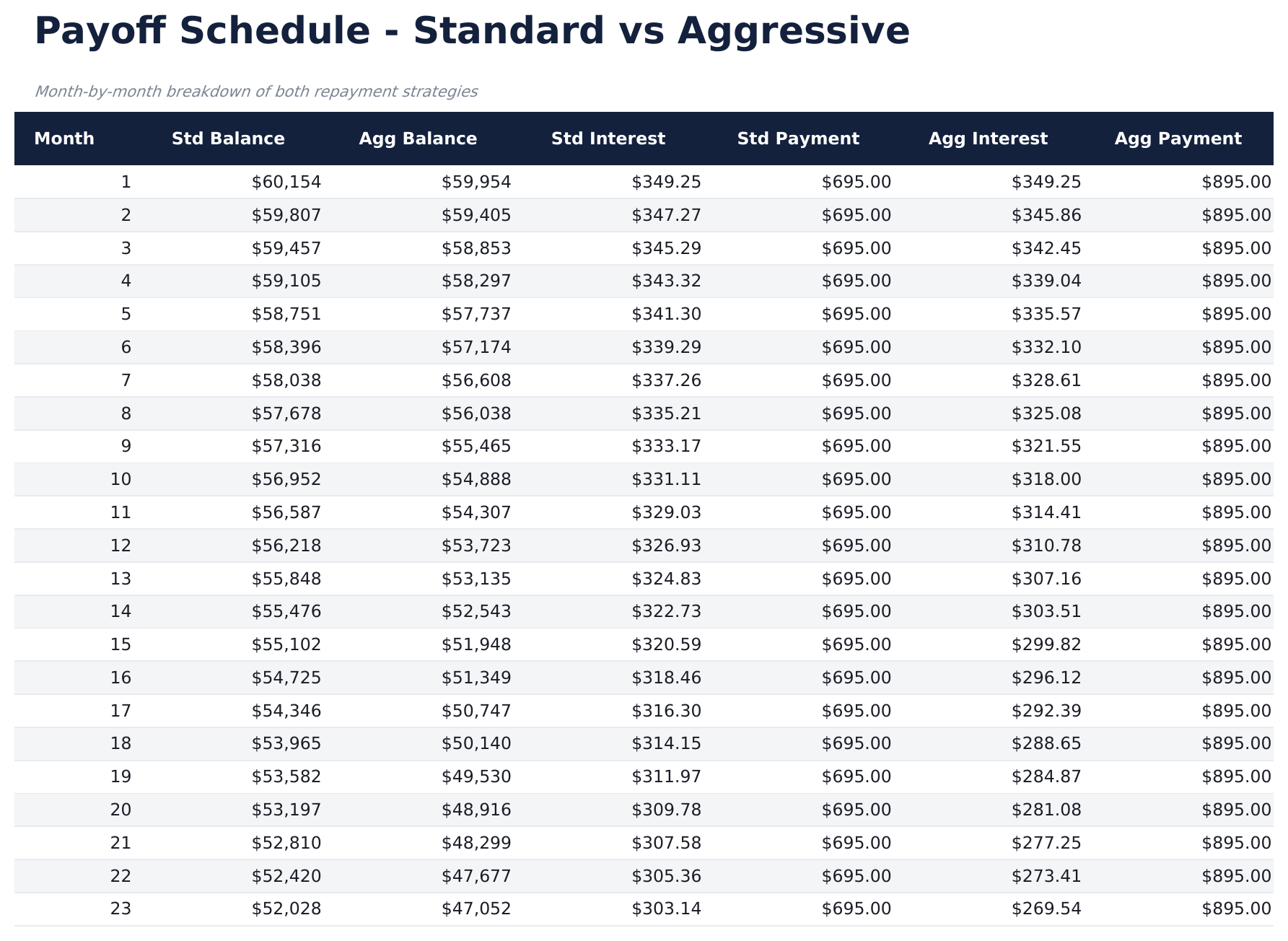
- Payoff schedule with month-by-month breakdown of principal, interest, and remaining balance per loan
- Extra payment scenario modeling that shows how additional monthly payments accelerate the payoff timeline
- Color-coded input cells and auto-calculated projections with total interest comparison across scenarios
- Works in Microsoft Excel, Google Sheets, and LibreOffice Calc with no setup required
Need more from this template?
The Essentials version covers everyday tracking. Ultimate goes further with multi-entity support, scenario analysis, and ultimate-grade reporting.
- Dashboard with total loan overview showing combined balance, weighted average rate, and payoff date
- Loan setup for multiple student loans with fields for lender, balance, interest rate, and minimum payment
- Payoff schedule with month-by-month breakdown of principal, interest, and remaining balance per loan
- Extra payment scenario modeling that shows how additional monthly payments accelerate the payoff timeline
- 追踪多达15笔学生贷款,包含贷款机构、余额、利率、最低还款额、贷款类型(联邦/私人)和服务商
- 仪表板包含6个关键指标:学生贷款总额、加权平均利率、月还款总额、预计还清日期、总利息成本和贷款笔数
- 还款计划对比,并排模拟标准、递增和加速还款方案的时间线和总利息
- 再融资分析,对比当前条款与合并再融资贷款的新利率和期限
- 每笔贷款的逐月还款计划,显示还款金额、利息费用和剩余余额
预览
查看此模板的内容


如何使用这个Student Loan Payoff模板
Enter each loan
List every student loan with the lender name, balance, interest rate, and minimum monthly payment on the loan setup sheet.
Add extra payment amount
Enter any additional monthly payment beyond minimums. The calculator shows how this accelerates the payoff timeline.
Review the schedule
The payoff schedule shows month-by-month principal, interest, and remaining balance for each individual loan.
Compare scenarios
The dashboard shows total interest under different payment scenarios so you can see the impact of paying more.
由 Claude AI 构建,经我们精心打磨。
我们使用 Claude AI 在深入研究后起草每个模板。然后由团队接手,优化布局、全面测试每个公式、修复边界情况,并打磨设计,直到达到我们自己愿意使用的标准。AI 完成了 80% 的工作,最后 20% 靠的是人工判断。
常见问题
Can I enter both federal and private loans?
Yes. The template handles any student loan regardless of type. Enter each loan on its own row with its specific rate and balance.
How does it handle different interest rates?
Each loan has its own interest rate field. The schedule calculates interest separately for each loan based on its individual rate.
Does it show a weighted average rate?
Yes. The dashboard calculates a weighted average interest rate across all loans based on their individual balances and rates.
Can I model refinancing?
Replace the individual loans with a single refinanced loan entry - new balance, new rate, new term. The schedule recalculates for the consolidated loan.
如何在 Google Sheets 中打开?
将 .xlsx 文件上传到 Google Drive,然后使用 Google Sheets 打开。所有公式和格式都会保留。
更多 Debt Management Essentials 模板
Debt Payoff Calculator
Compare snowball and avalanche payoff strategies side by side. Enter multiple debts and see projected payoff timelines and total interest for each method.
$12Credit Card Payoff
Calculate how long it takes to pay off credit card debt at various payment amounts. See the impact of paying more than the minimum each month.
$12Debt Snowball
Plan debt payoff using the snowball method - pay off smallest balances first. Track progress as each debt is eliminated and payments roll into the next.
$12Balance Transfer Calculator
Compare the cost of keeping current credit card debt versus transferring to a lower-rate card. Factor in transfer fees, promotional rates, and payoff timelines.
$12