Monthly Expenses Tracker
Monthly Expenses Tracker for Therapists
Track office rent, licensing fees, insurance costs, and practice overhead to see what running a therapy practice actually costs each month.
In Depth
Understanding the Financial Side of Running a Practice
Therapy practice income is fundamentally session-based, which creates a direct relationship between hours worked and revenue generated. A therapist seeing 22 clients per week at $150 per session grosses $3,300 weekly - but that number assumes full attendance. Cancellations, no-shows (even with a cancellation policy), vacation weeks, and sick days reduce the actual session count. Most private practice therapists report delivering 85-90% of scheduled sessions over a full year. Tracking sessions delivered versus sessions scheduled reveals the realistic revenue baseline that expenses need to be measured against.
Insurance reimbursement tracking adds a layer of complexity that cash-pay practices avoid. Therapists who accept insurance panel clients submit claims that may be reimbursed at rates ranging from $80 to $130 per session depending on the payer and the CPT code. The gap between the billed rate and the reimbursed rate, the time delay between session and payment (often 2-6 weeks), and the occasional denied claim all affect monthly cash flow. Tracking each payer's reimbursement rate and turnaround time shows which insurance panels are financially viable and which ones pay below the cost of providing the session.
Continuing education costs are a permanent fixture of therapy practice finances. Most state licenses require 20-40 CEU credits per renewal cycle (typically every two years), and the cost ranges from $10 per credit for online courses to $50+ per credit for specialized in-person trainings. A therapist pursuing additional certifications in EMDR, DBT, or somatic experiencing can spend $2,000-$5,000 on training alone. Adding consultation group fees ($100-$300/month), professional association dues ($200-$500/year), and the books and materials that clinical development requires, the annual professional development expense easily reaches $3,000-$6,000.
Practice overhead allocation - understanding what each client hour costs to deliver - is a useful exercise that expense tracking makes possible. Monthly rent ($800-$2,500 depending on location and arrangement), liability insurance ($30-$100/month), EHR and billing software ($50-$200/month), telehealth platform ($30-$80/month), and business phone service ($30-$50/month) represent fixed costs that do not change with session volume. Dividing total monthly overhead by sessions delivered gives the cost per session. For many solo practitioners, this number falls between $15 and $40 per session - a figure worth knowing when setting rates or evaluating insurance panel participation.
The Challenge
Why Therapists Need Practice Expense Visibility
Session fees look like good income until practice overhead is subtracted. Many therapists in private practice are surprised by the gap between gross revenue and actual take-home pay.
Office costs are substantial and ongoing
Rent for a therapy office, utilities, furnishing, soundproofing, waiting room maintenance - the space where you see clients is one of the largest ongoing expenses. Tracking reveals the full monthly cost.
Insurance and licensing fees add up
Malpractice insurance, liability insurance, state licensing renewal, professional association dues, and panel credentialing fees create a steady drain of professional costs.
Continuing education is a recurring expense
CEU requirements, specialized training, supervision hours, conferences - these are mandatory for maintaining licensure and represent real costs throughout the year.
Practice management tools cost money
EHR systems, scheduling software, billing services, secure messaging platforms, and telehealth tools each carry monthly or annual fees that are easy to lose track of.
Ready to take control of your therapist finances?
What You Get
Expense Tracking Features for Therapists
Practice expense categories
Pre-built categories for office rent, insurance, licensing, CEUs, software, marketing, and supervision.
Home expenses separated from practice costs
Separate section for personal living expenses so practice costs and personal costs stay distinct.
Automatic totals
Category totals update as you enter expenses. See practice overhead at any point in the month.
Practice cost totals for the month
Total practice expenses, total personal expenses, and combined total. Compare practice costs against session revenue.
Categories for therapy practice expenses
Add categories for your specific practice - group room rental, assessment tools, play therapy supplies, or consultation groups.
No budgeting required
Pure tracking. Record what you spend and see where it goes. No targets to set up.
See It In Action
What the template looks like
Browse through the template to see how it handles expense logging, category breakdowns, and spending analysis.
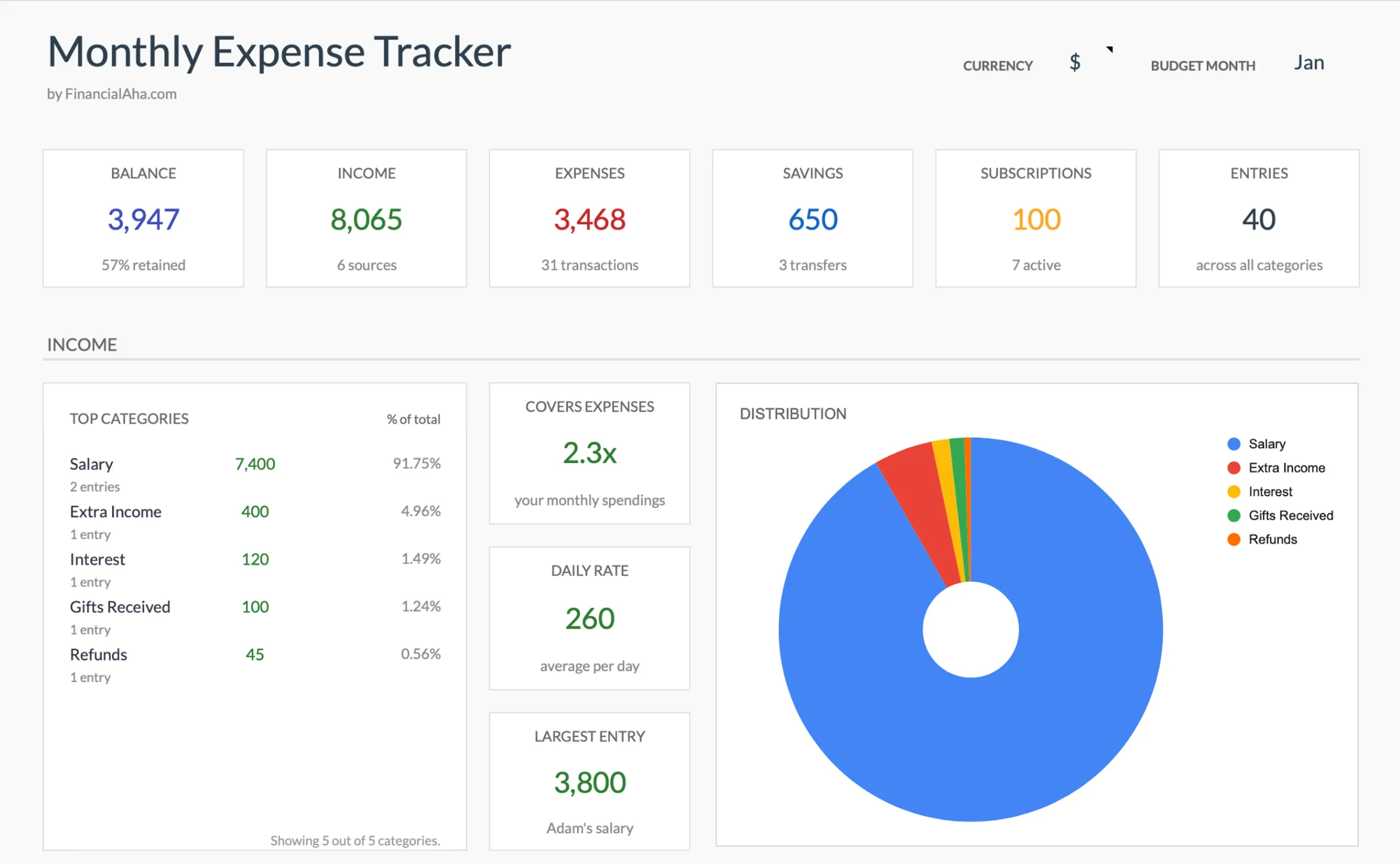
- Dashboard with key metrics at a glance
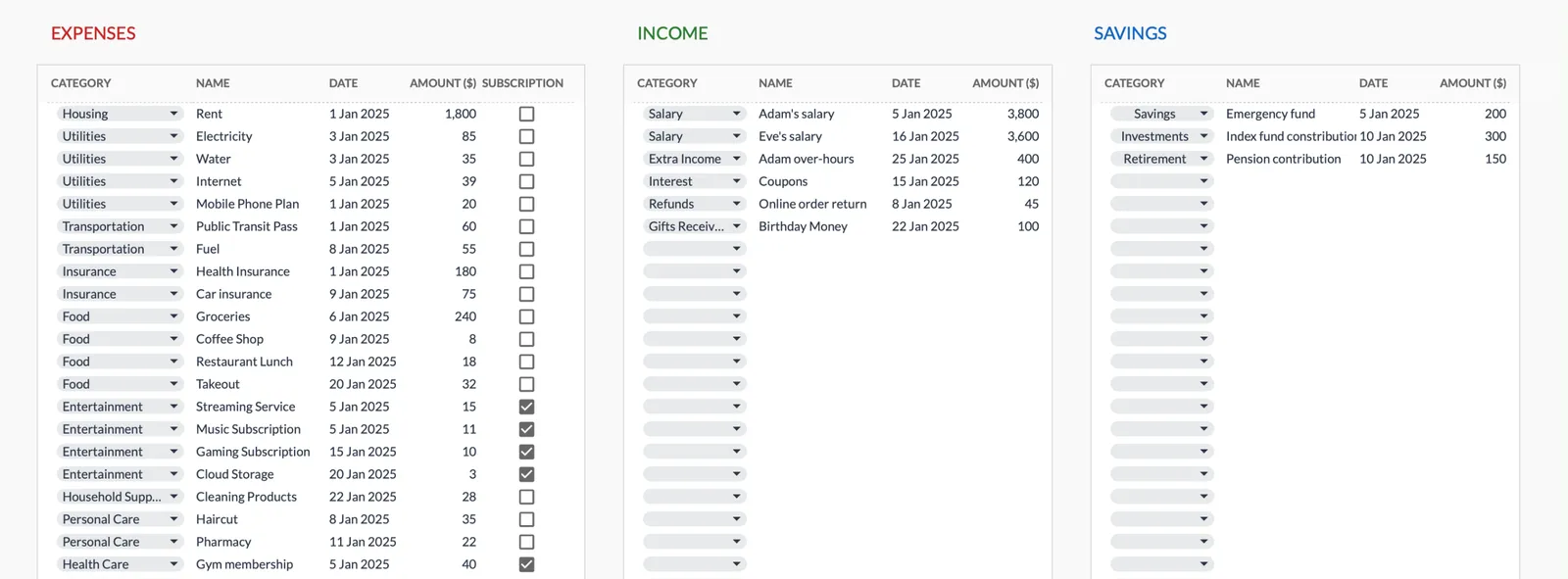
- Transaction logging with categories
- Expense tracking and summaries
- Visual charts and breakdowns
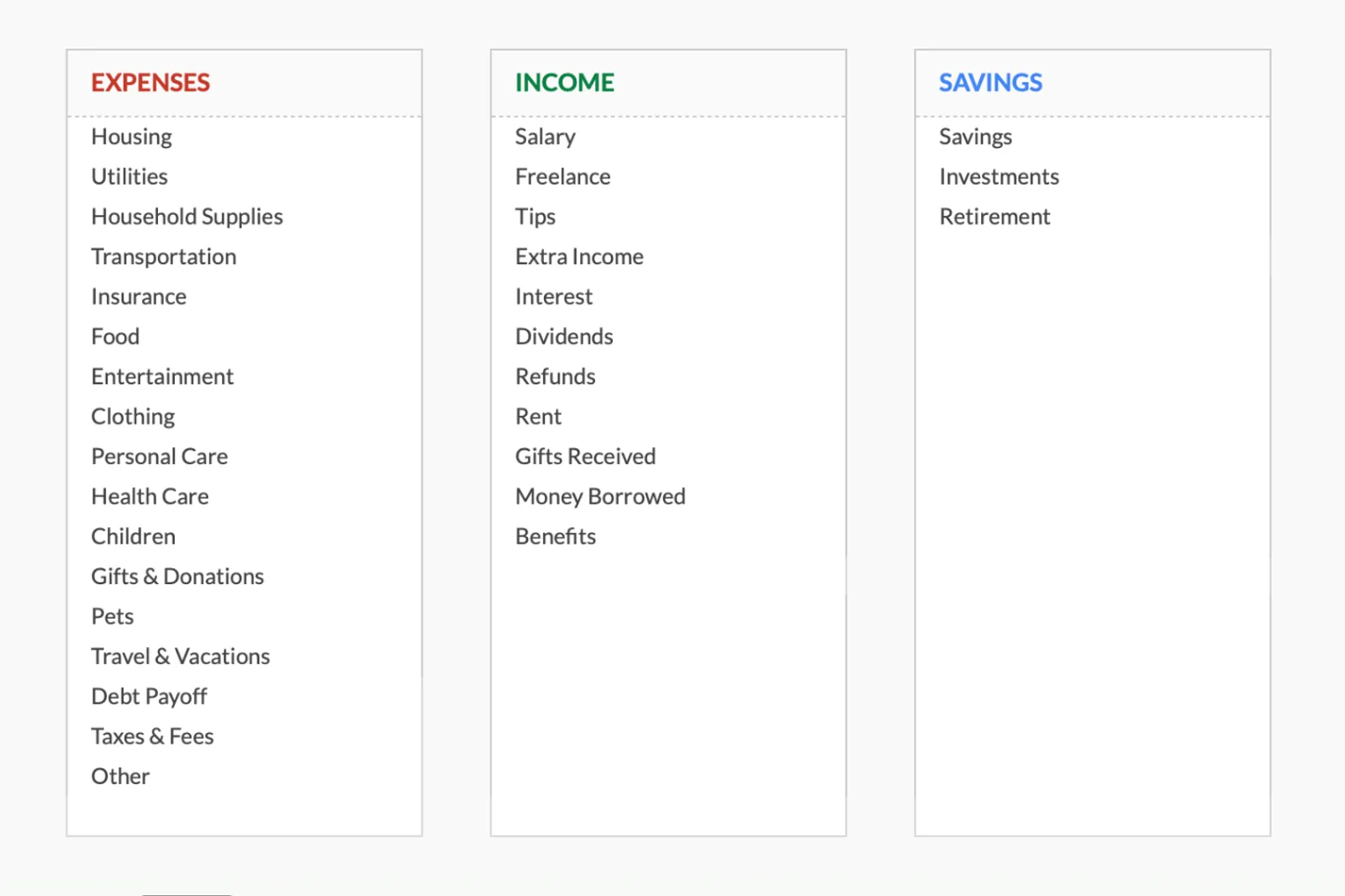
- Fully customizable categories
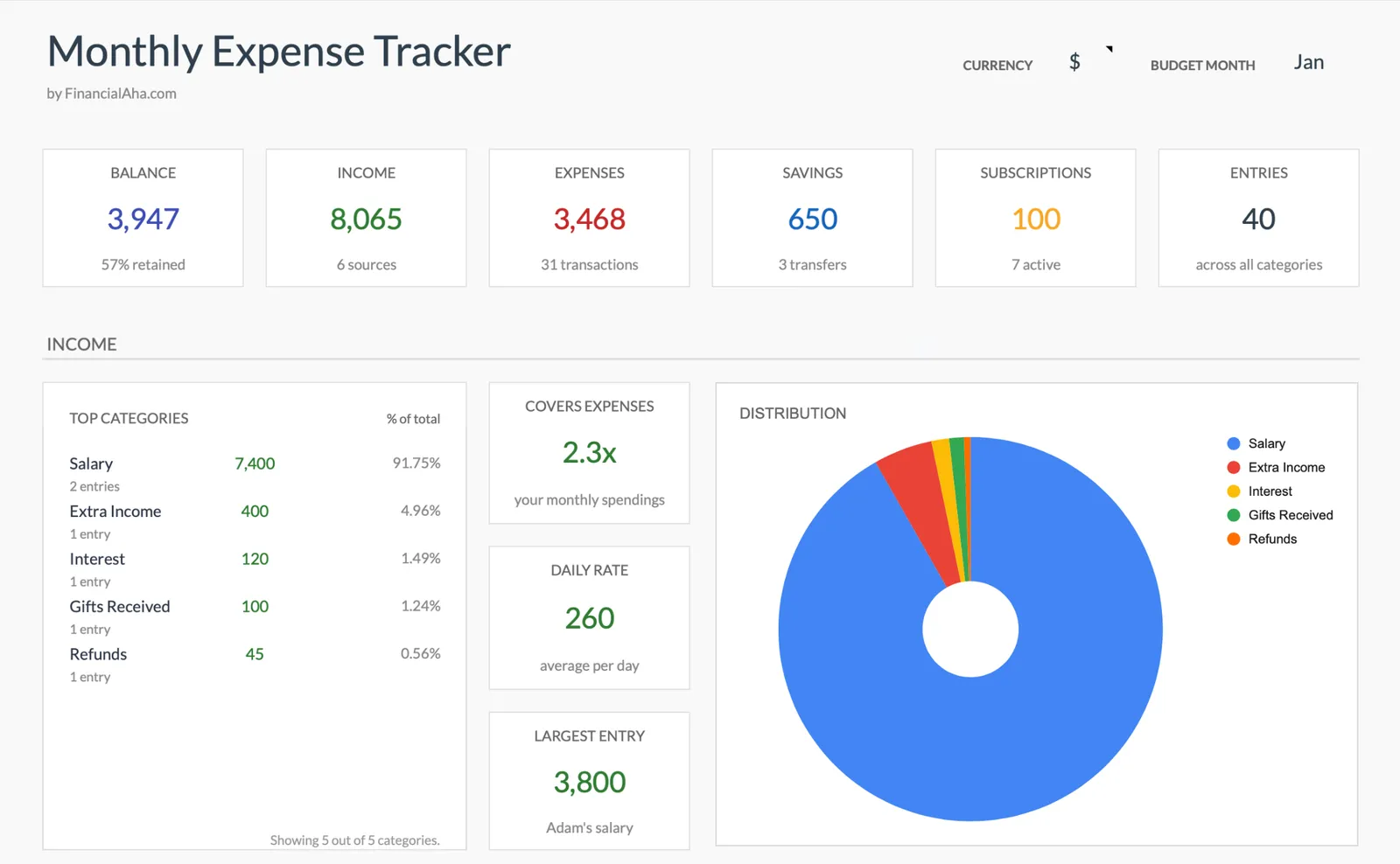
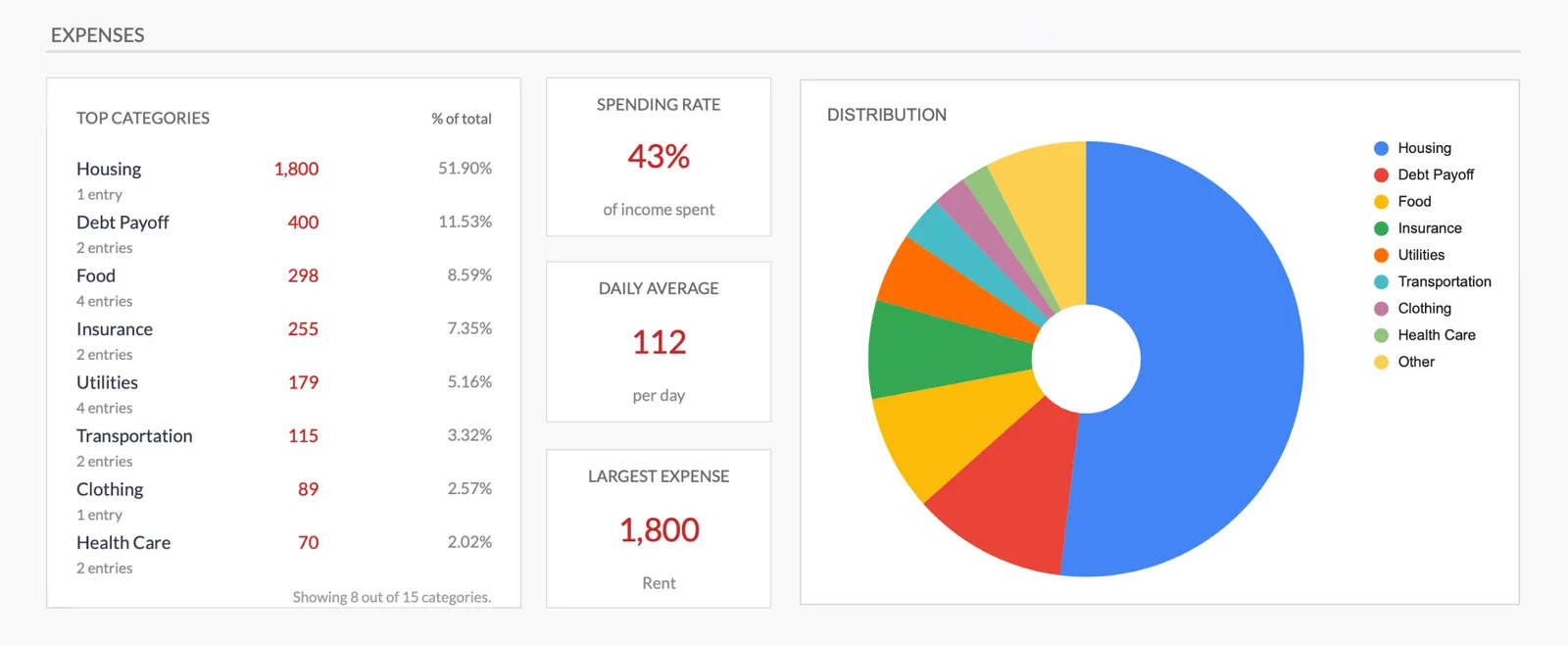
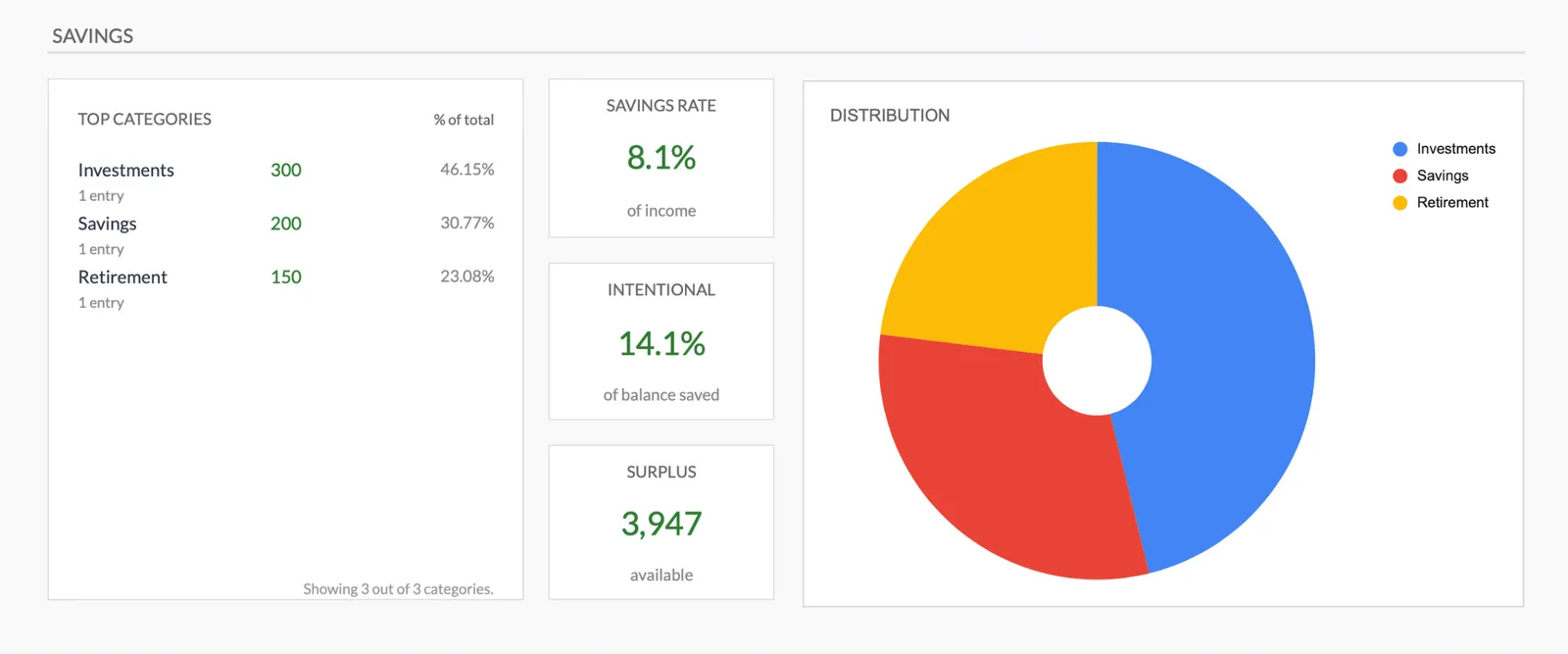
Monthly expense overview with charts
Log every expense with dates and categories
Organize spending into customizable categories
Detailed breakdown of all expenses
Track savings alongside expenses
Getting Started
Begin Tracking Your Practice Expenses
Set up practice-specific categories
Review the pre-built categories and add any specific to your specialty or practice model.
Log practice expenses as they occur
Office rent, software fees, CEU courses, insurance payments - enter each in its category.
Track personal expenses separately
Keep living expenses in their own section. This separation shows true practice profitability.
Review monthly
Compare total practice expenses against your session revenue to understand your actual take-home.
Use for tax preparation
Twelve months of categorized practice expenses makes tax filing straightforward and maximizes deductions.
Common Questions
Expenses Tracker for Therapists - FAQ
What counts as a practice expense?
Anything you spend to run your therapy practice - office space, insurance, software, supplies, continuing education, supervision, marketing, and professional memberships. If it supports your practice, it is a business expense.
How do I track telehealth expenses?
Add categories for telehealth platform fees, internet costs (business portion), and any equipment like cameras or lighting. These are real costs of offering virtual sessions.
What about insurance panel fees?
Credentialing costs, billing service fees, and claim processing expenses are practice expenses. Track them to see the true cost of accepting insurance.
Is this useful if I rent by the hour?
Yes. Hourly office rental is a variable expense that changes with your caseload. Tracking it shows the relationship between client volume and office costs.
Can I use this alongside my EHR system?
EHR systems track client sessions and billing. This template tracks your expenses. Together they provide both sides of the financial picture.
How is this different from a full practice budget?
A budget includes income tracking and spending targets. This is simpler - just expense recording. It is the starting point for understanding what your practice costs to operate.
How do I track insurance reimbursement versus my billed rate?
Record each insurance payment with the payer name, billed amount, and reimbursed amount. Over time, you see each panel's actual reimbursement rate and payment timeline. This data is useful for evaluating which panels are worth remaining on.
How do I calculate my cost per session?
Add up total monthly practice overhead - rent, insurance, software, phone, supplies - and divide by the number of sessions delivered that month. This gives the fixed cost per session before you factor in your own time. Knowing this number helps evaluate whether your rates cover the full cost of operating.
Can't find the answer you're looking for? Contact our team
Start tracking expenses as a therapist
One-time purchase. No subscription. Your financial data stays in your Google Drive.