Monthly Expenses Tracker
Monthly Expenses Tracker for Freelancers
Track every expense and see exactly where freelance income goes - with clear separation between business and personal spending.
In Depth
Seeing the True Cost of Freelance Life
Freelancers often know their income down to the dollar but have a much hazier picture of their expenses. This is partly because freelance expenses blur the line between business and personal - a home office is both a living space and a workplace, an internet bill serves both clients and Netflix, and a laptop is both a work tool and a personal device. Tracking all expenses creates the clarity needed to understand what freelancing actually costs.
Variable income makes expense tracking more important for freelancers than for salaried workers. When income fluctuates, knowing the baseline monthly cost of living becomes essential information. That number - the minimum needed to keep everything running - is the foundation for decisions about which projects to take, when to raise rates, and how large an emergency buffer to maintain.
Tax-related expenses are another area where tracking pays off for freelancers. Self-employment tax, quarterly estimated payments, and deductible business expenses all require documentation. A consistent expense tracking habit produces the records needed at tax time without the frantic January search through bank statements and receipts.
Many freelancers also discover through tracking that their effective hourly rate is lower than they thought. When the hours spent on invoicing, marketing, client communication, and administrative tasks are factored in alongside the expenses of running a solo business, the per-hour number changes. Expense tracking is one piece of that calculation.
The Challenge
Why Freelancers Need Expense Visibility
Freelance income is hard enough to predict. Knowing exactly where it goes after it arrives is the minimum level of financial awareness that keeps a freelance business sustainable.
You cannot manage what you cannot see
When income varies, expense awareness becomes critical. A month when you earned $6,000 but spent $6,500 only shows up as a problem if you are tracking both numbers.
Business expenses hide in personal spending
That coffee meeting, the coworking day pass, the phone bill that is partly business - without tracking, these expenses are invisible at tax time and unmanaged in between.
Tax deductions require records
Every uncategorized business expense is a missed deduction. Tracking expenses consistently through the year means tax time is a review, not a reconstruction project.
Spending awareness informs pricing
When you know your actual monthly costs - business and personal - you can make informed decisions about rates and project selection. Many freelancers undercharge because they do not know their true cost of operating.
Ready to take control of your freelancer finances?
What You Get
Tracking Features for Freelance Expenses
Simple expense logging
Enter amount, category, and a brief note. Quick enough to do after every transaction.
Business and personal categories
Pre-built categories for both business expenses (software, travel, equipment) and personal spending (rent, food, entertainment).
Automatic category totals
See how much you spent in each category without any manual math. Totals update as you add entries.
Monthly spending summary
Total business expenses, total personal expenses, and combined total. Three numbers that tell the whole story.
Categories designed for freelance expenses
Add categories for your specific freelance costs - whether that is stock photos, domain names, or professional insurance.
No budgeting required
Pure tracking. No targets to set up, no goals to configure. Record what you spend and see where it goes.
See It In Action
What the template looks like
Browse through the template to see how it handles expense logging, category breakdowns, and spending analysis.
- Dashboard with key metrics at a glance
- Transaction logging with categories
- Expense tracking and summaries
- Visual charts and breakdowns
- Fully customizable categories
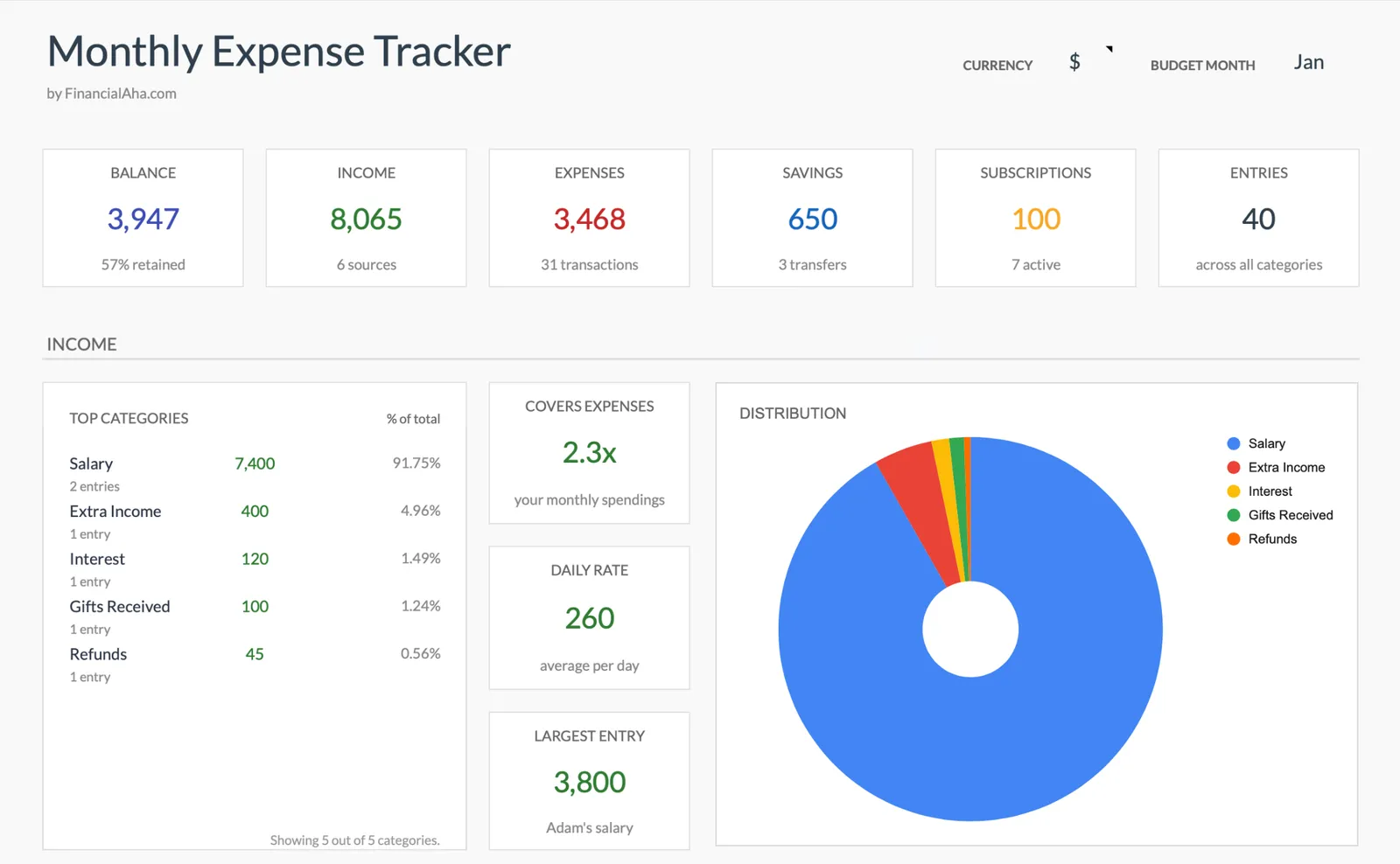
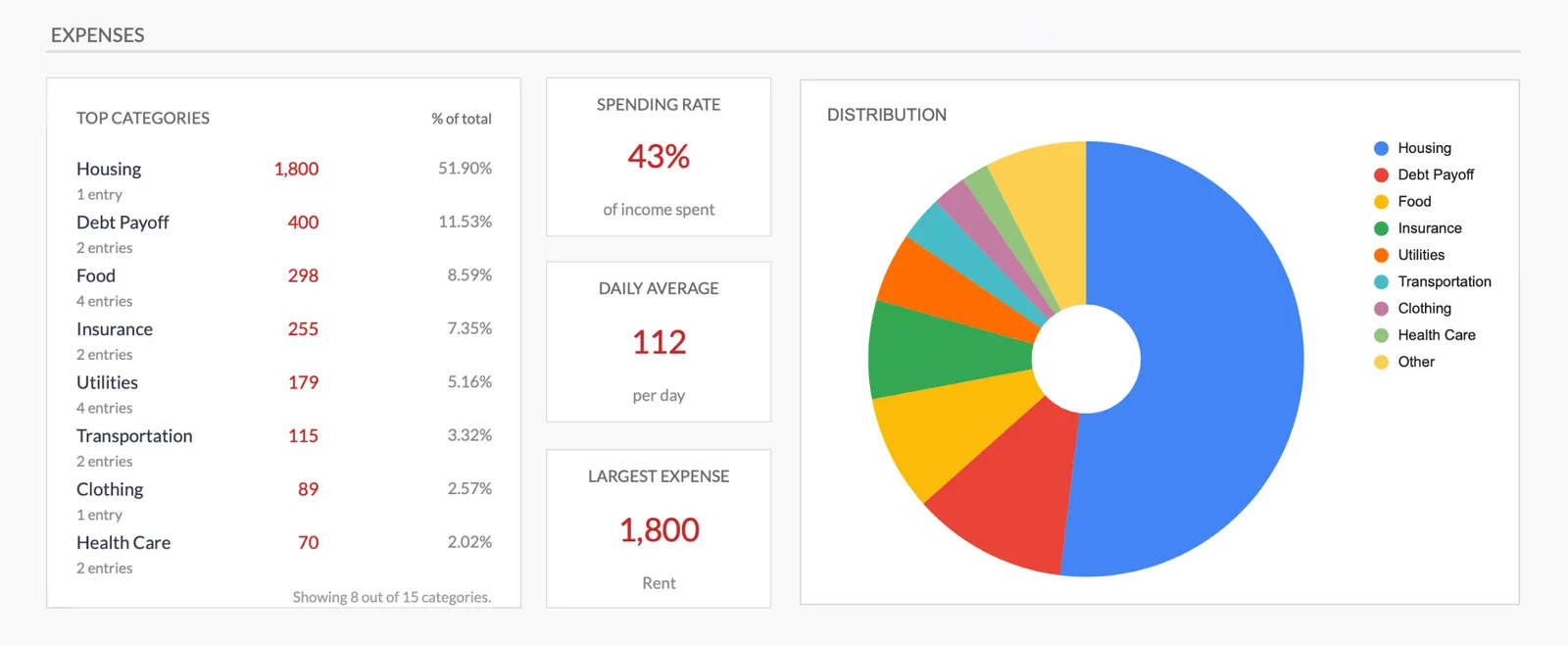
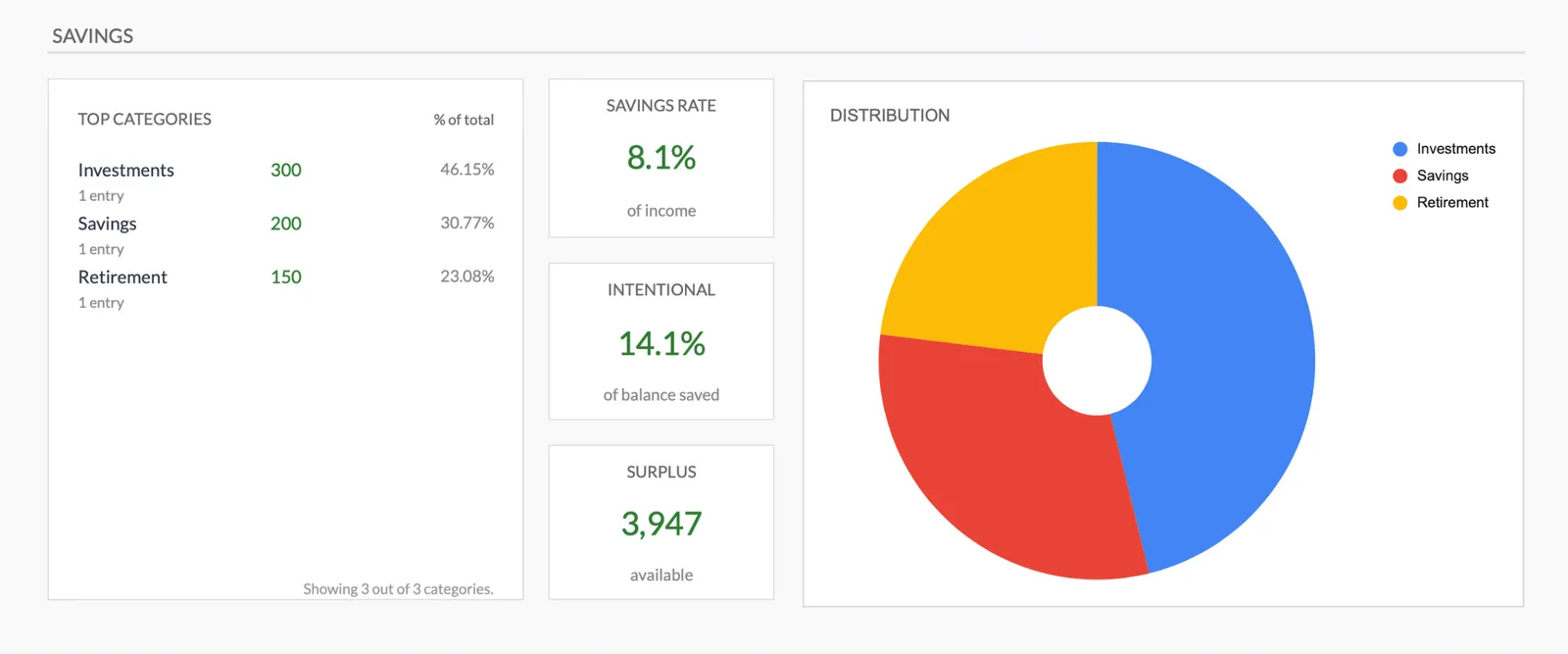
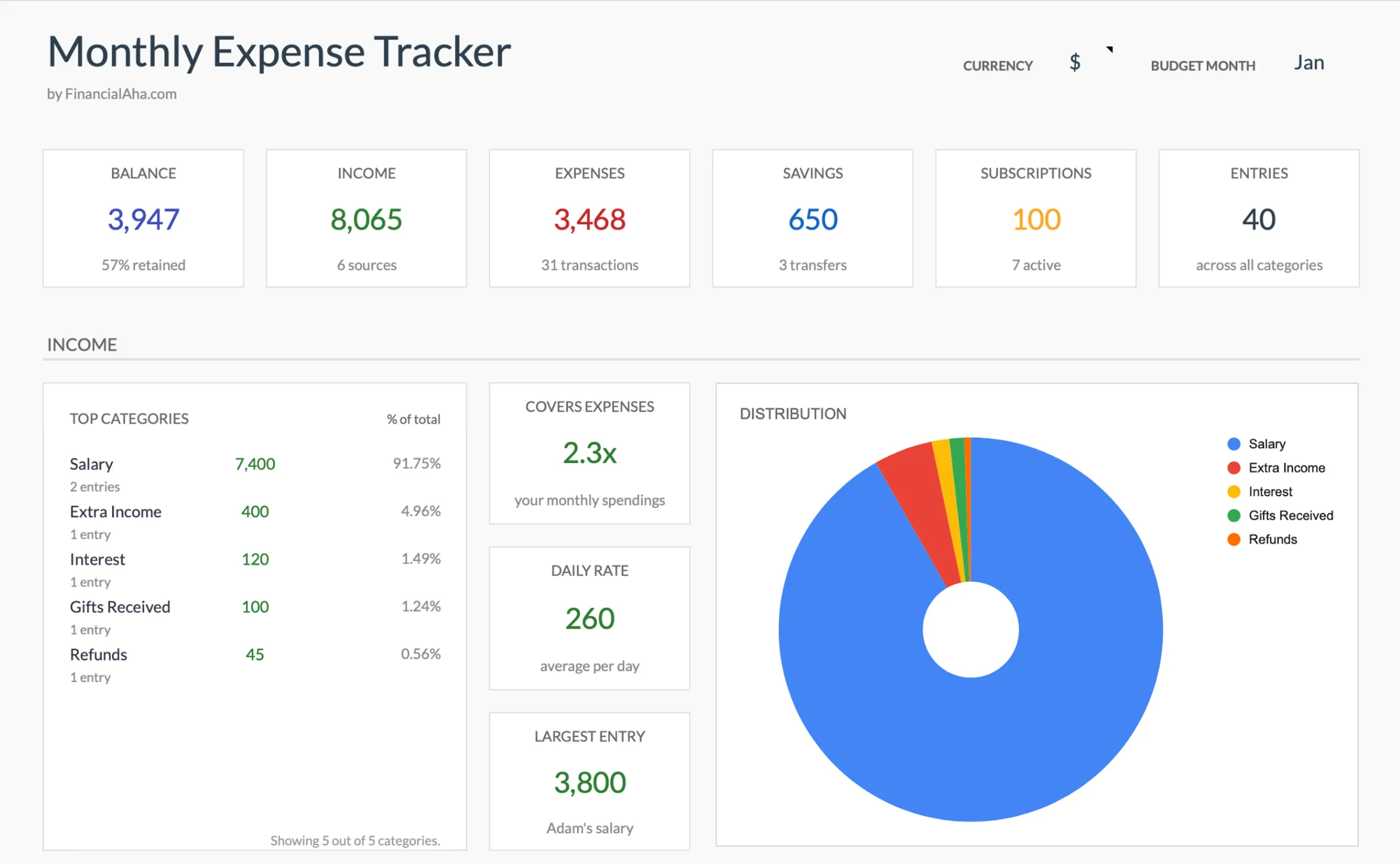
Monthly expense overview with charts
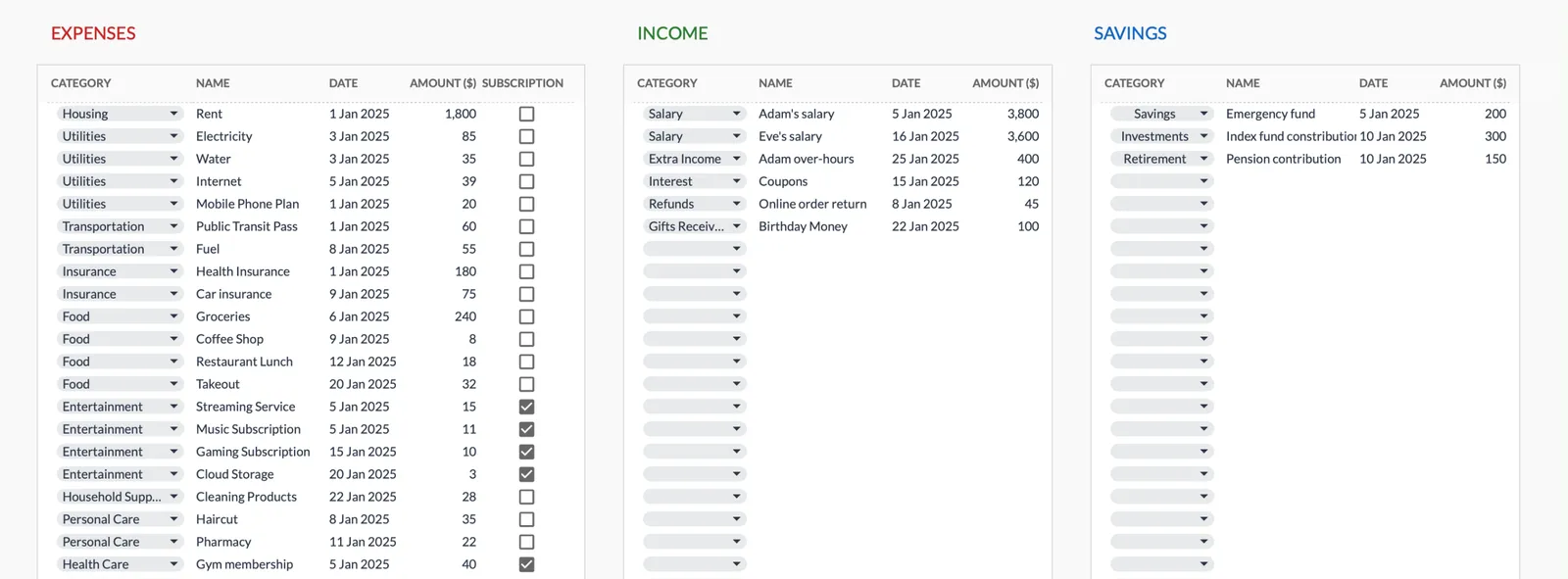
Log every expense with dates and categories
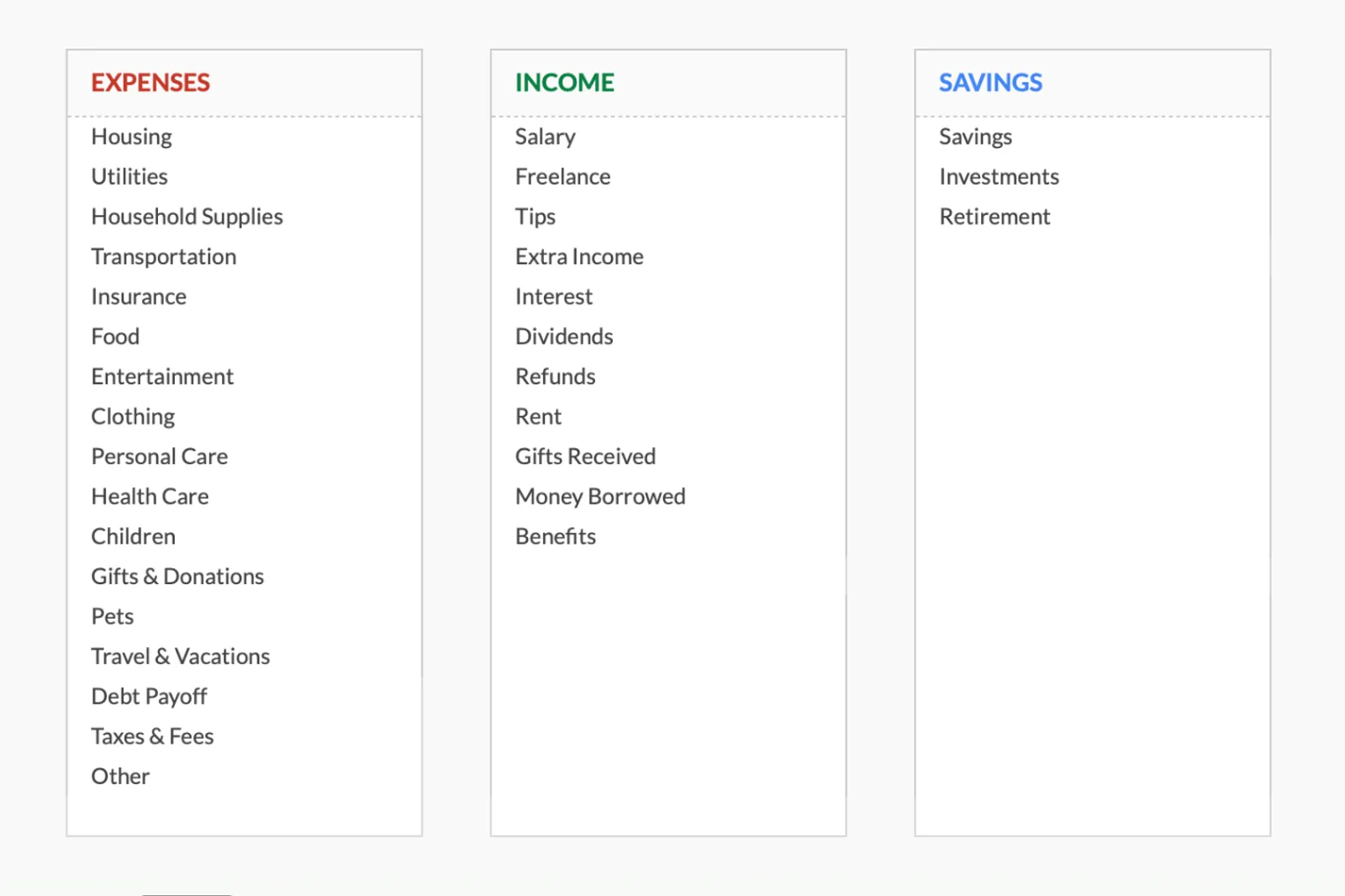
Organize spending into customizable categories
Detailed breakdown of all expenses
Track savings alongside expenses
Getting Started
Start Tracking Freelance Expenses
Set up your categories
Review the pre-built categories and add any that are specific to your freelance work. This takes five minutes.
Log every expense
Business and personal. Tag each one correctly. The separation pays off at tax time and helps you understand your true costs.
Check totals weekly
A quick weekly glance shows whether spending is on pace with income. No formal review needed - just awareness.
Review the monthly summary
See where money went this month. Compare total spending against total income for the month.
Use the data at tax time
Business expense categories become a ready-made list of potential deductions. No more digging through bank statements.
Common Questions
Expenses Tracker for Freelancers - FAQ
How is this different from the monthly budget template for freelancers?
The budget template includes income tracking, spending targets, and tax set-asides. This expense tracker is simpler - it just records where money goes. It is the starting point if you want visibility before full budgeting.
Can I use this for tax preparation?
The business expense categories give you a categorized record of deductible expenses. It is not a substitute for accounting software, but it provides useful organized data for your tax preparer.
What if an expense is partly business and partly personal?
Log it in the most appropriate category and note the split. For example, a phone bill that is 60% business can be entered as business with a note about the personal portion.
How often should I log expenses?
Daily is ideal - it takes seconds per entry and you remember details. Weekly is workable if you reference bank statements. Monthly catch-ups are unreliable because memory fades.
Should I track cash expenses?
Yes. Cash spending is the easiest to lose track of. Even approximate amounts for cash purchases give a more complete picture than ignoring them.
Will this work alongside invoicing software?
Yes. Invoicing software tracks income and client billing. This template tracks spending. Together they give you both sides of the equation.
Can't find the answer you're looking for? Contact our team
Start tracking expenses as a freelancer
One-time purchase. No subscription. Your financial data stays in your Google Drive.