Miglior valore Pacchetto Completo di Pianificazione Finanziaria
✓ Pianificazione Finanziaria✓ Tracker Patrimonio Netto✓ Budget Mensile✓ Pianificatore Budget Viaggio✓ Pianificatore Budget Annuale✓ Tracker Spese Mensili✓ Pianificatore Fiscale Annuale✓ Pianificazione Pensione
Vedi pacchetto →
Ultimate Versione Ultimate disponibile - Budget 80/20 Ultimate
Modello Essentials - Excel e Google Sheets

80/20 Budget Modello Essentials

A simplified two-bucket approach - save 20% and spend the remaining 80% however needed. For those who prefer minimal budget categories.

Vedi la versione Ultimate →
80/20 Budget preview

Cosa include

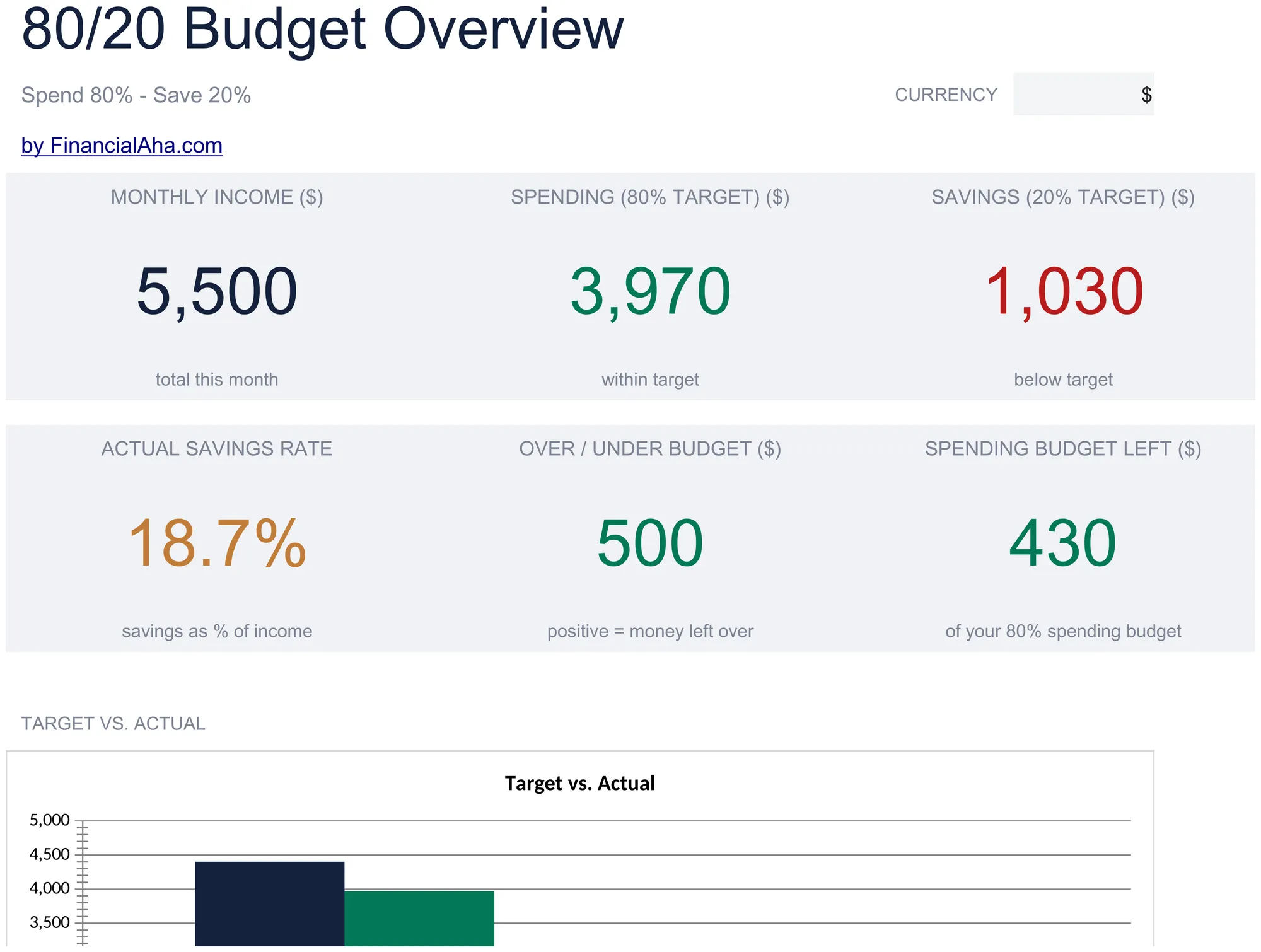
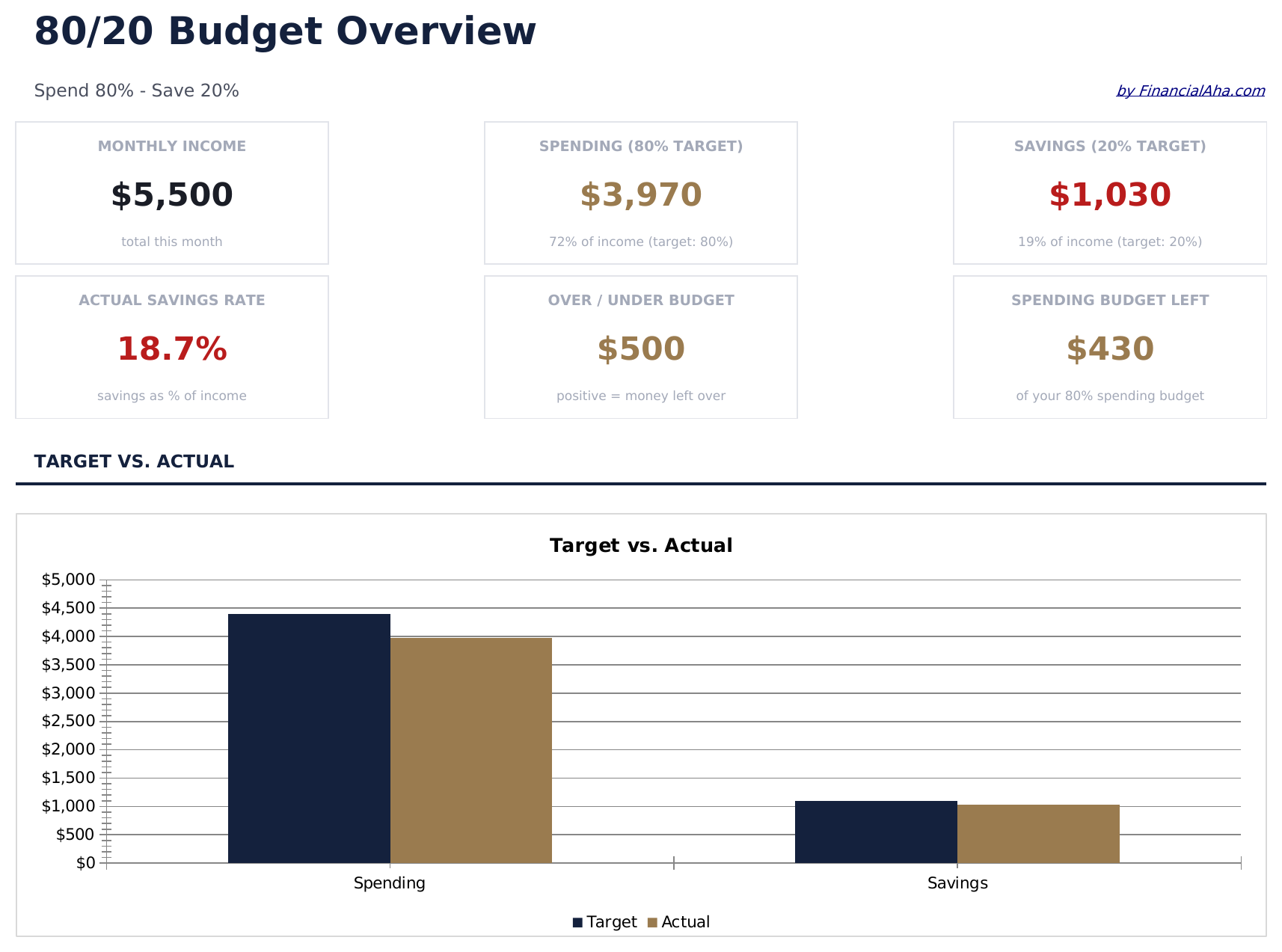
  • Dashboard with 80/20 allocation view showing total income split into spending and savings buckets
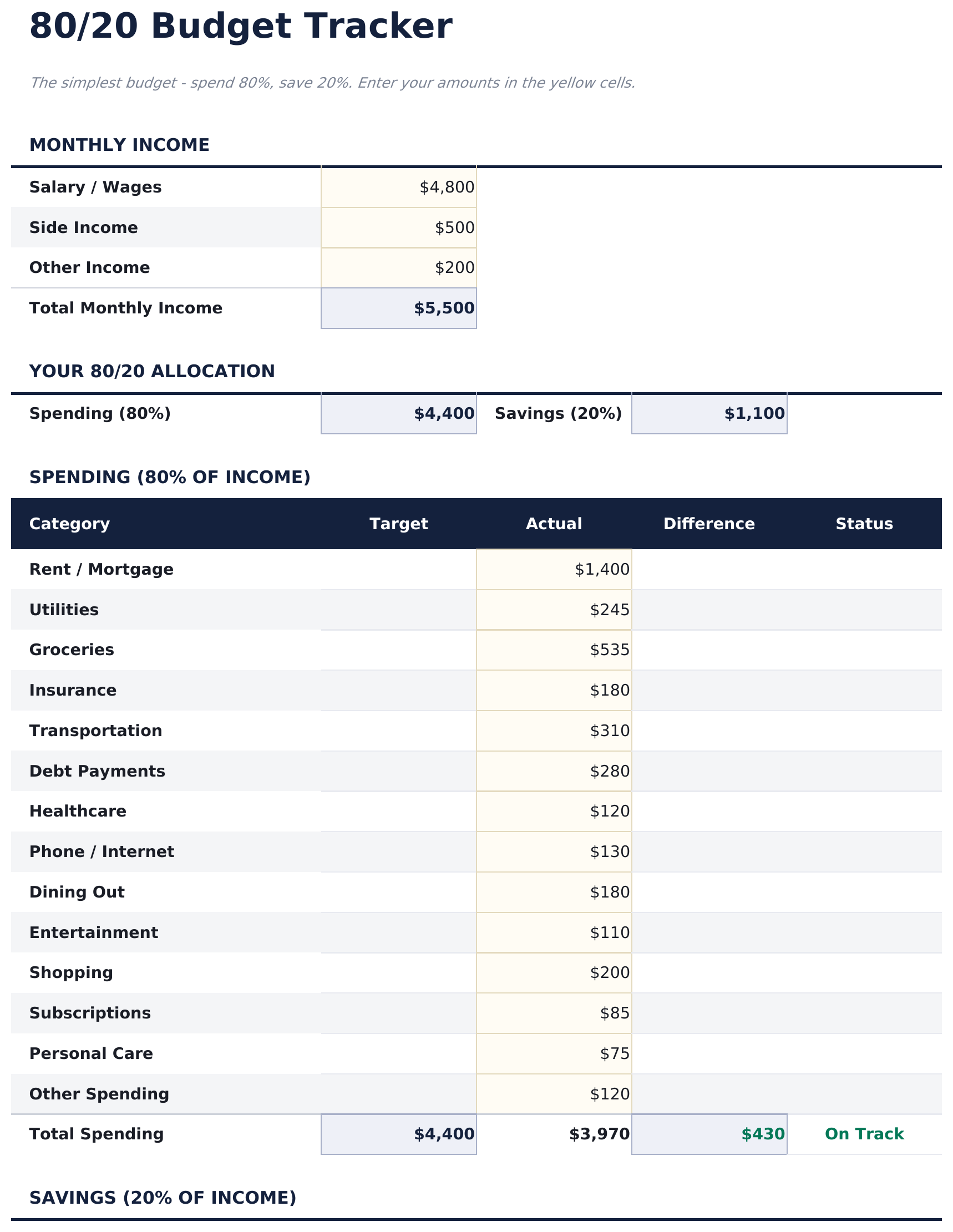
  • Two-bucket budget tracker that separates all spending (80%) from savings and investments (20%)
  • Automatic savings target calculation that updates the 20% goal whenever income amounts change
  • Flexible spending section within the 80% bucket - no rigid categories, just total spending tracked
  • Color-coded input cells and clean summary layout with automatic income-based percentage updates
  • Works in Microsoft Excel, Google Sheets, and LibreOffice Calc with no setup required
Ultimate Version Available

Need more from this template?

The Essentials version covers everyday tracking. Ultimate goes further with multi-entity support, scenario analysis, and ultimate-grade reporting.

Essentials - $12
  • Dashboard with 80/20 allocation view showing total income split into spending and savings buckets
  • Two-bucket budget tracker that separates all spending (80%) from savings and investments (20%)
  • Automatic savings target calculation that updates the 20% goal whenever income amounts change
  • Flexible spending section within the 80% bucket - no rigid categories, just total spending tracked
Ultimate - $19
  • Dashboard con 6 schede KPI: reddito mensile, totale risparmi, totale spese, saldo complessivo, tasso di risparmio e risparmi annuali cumulativi
  • Foglio Tracker Budget che calcola l'obiettivo risparmio 20% e il limite spesa 80% dal reddito mensile
  • Foglio Spese per tutte le spese di vita e stile di vita su 12 categorie - la categoria 80% senza ulteriori suddivisioni richieste
  • Foglio Risparmi che monitora contributi a obiettivi specifici, investimenti e fondo emergenza nella categoria 20%
  • Foglio Storico Mensile che registra totali spese e risparmi per tutti i 12 mesi con scostamento per categoria
See what's in the Ultimate version One-time purchase. No subscription.

Come usare questo modello 80/20 Budget

1

Enter your income

Type your monthly after-tax income at the top. The template calculates the 80% spending limit and 20% savings target automatically.

2

Track total spending

Record all expenses in the spending section. The template focuses on total spending rather than detailed category breakdowns.

3

Verify your savings

Check whether the 20% savings target is met. The dashboard shows how much has been saved vs the target amount.

4

Adjust the balance

If total spending exceeds 80%, review the largest expense items. The simple two-bucket view makes it easy to see where you stand.

Creati da Claude AI. Perfezionati da noi.

Utilizziamo Claude AI per creare ogni modello, dopo una ricerca approfondita. Poi interviene il nostro team. Miglioriamo il layout, testiamo ogni formula, correggiamo i casi limite e rifiniamo il design fino a ottenere qualcosa che useremmo noi stessi. L'AI ci porta all'80%. L'ultimo 20% è tutto giudizio umano.

Vedi la versione Ultimate →

Domande frequenti

Why only two buckets?

The 80/20 approach simplifies budgeting to one rule - save 20% and spend the rest however you need. It is designed for people who do not want detailed category tracking.

Do I need to categorize my expenses?

No. The template tracks total spending against the 80% limit. You can add categories if you want, but the core design does not require them.

Can I change the savings percentage?

Yes. The percentage fields are editable. Adjust the split to 85/15, 75/25, or any ratio that fits your situation.

Where does debt payment go?

Minimum debt payments are part of the 80% spending bucket. Extra payments beyond minimums can go in the 20% savings bucket since they build net worth.

Come posso aprirlo in Google Sheets?

Carica il file .xlsx su Google Drive, poi aprilo con Google Sheets. Tutte le formule e la formattazione saranno conservate.

Altri modelli Essentials Personal Budgeting

Cerchi modelli di fogli di calcolo premium?

I nostri modelli a pagamento includono dashboard multi-foglio avanzate, grafici nativi Excel e aggiornamenti continui.

Privato e sicuro

I tuoi dati finanziari restano sul tuo dispositivo. Non li vediamo mai.

Scopri di piu →

Hai bisogno di aiuto?

Consulta le nostre guide o contattaci per domande.

Vedi FAQ →