South Africa
Monthly Budget Template for South Africa
Track your income in ZAR, manage PAYE deductions, retirement annuity contributions, and everyday expenses - all in a Google Sheets template you own.
South Africa
Budgeting in South Africa: What's Different
South Africa's financial landscape has features that affect how you approach budgeting. Understanding these helps you set up a template that fits your actual situation.
Progressive income tax affects take-home pay significantly
South Africa's personal income tax rates range from 18% to 45% across seven brackets. PAYE (Pay As You Earn) is deducted from your salary monthly by your employer. UIF (Unemployment Insurance Fund) contributions of 1% are also deducted. Using your actual take-home pay after these deductions gives the most accurate starting point for budgeting.
Retirement annuity contributions offer tax benefits
Contributions to retirement annuities, pension funds, and provident funds are tax-deductible up to 27.5% of the greater of remuneration or taxable income, capped at R350,000 per year. For those making voluntary RA contributions, these are worth tracking as a budget category since they reduce both retirement savings gaps and tax bills.
Medical aid and medical tax credits
Medical aid (health insurance) premiums are a significant monthly expense for many South Africans. Medical tax credits (currently R364/month for the first two members and R246 for each additional member) help offset the cost. Some people find that comparing medical aid plans annually can reveal meaningful savings.
Load shedding and utility costs add unpredictability
Electricity costs from Eskom or municipal providers have risen substantially in recent years. Load shedding (scheduled power cuts) has led many households to invest in inverters, batteries, or solar panels - significant capital expenses worth planning for. Water and property rates vary by municipality.
Get the Monthly Budget Template
Getting Started
How to Set Up This Template for South Africa
Switch the currency to ZAR
The template includes a currency selector in the top-right corner of the dashboard. Switch it to ZAR or the R symbol. The calculations stay the same - only the display changes.
Enter your after-tax take-home pay
Use the amount that actually hits your bank account after PAYE, UIF, and any pension fund deductions. Your payslip shows the breakdown - the "net pay" or "amount due to you" is the figure to use.
Customize expense categories for South African life
Add categories that reflect local expenses: rent or bond (mortgage) repayment, municipal rates, electricity (prepaid or post-paid), water, medical aid, car insurance, vehicle finance, petrol, groceries, domestic worker salary, security services, school fees, and DSTV or streaming subscriptions.
Add retirement annuity contributions if applicable
If you're making voluntary RA contributions (separate from employer pension fund), add these as a budget category. Monthly debit orders for RAs are common - tracking them ensures they're accounted for in your spending plan.
Plan for South African seasonal expenses
Account for annual expenses like car licence renewals, insurance premium increases (usually in January), school fee increases, medical aid adjustments, and higher electricity usage in winter months (June-August). Planning for these avoids cash flow surprises.
See It In Action
What the template looks like
Browse through the template to see how it handles budgeting, categories, and expense tracking - all adaptable to your local financial setup.
- Built-in currency selector
- Customizable categories
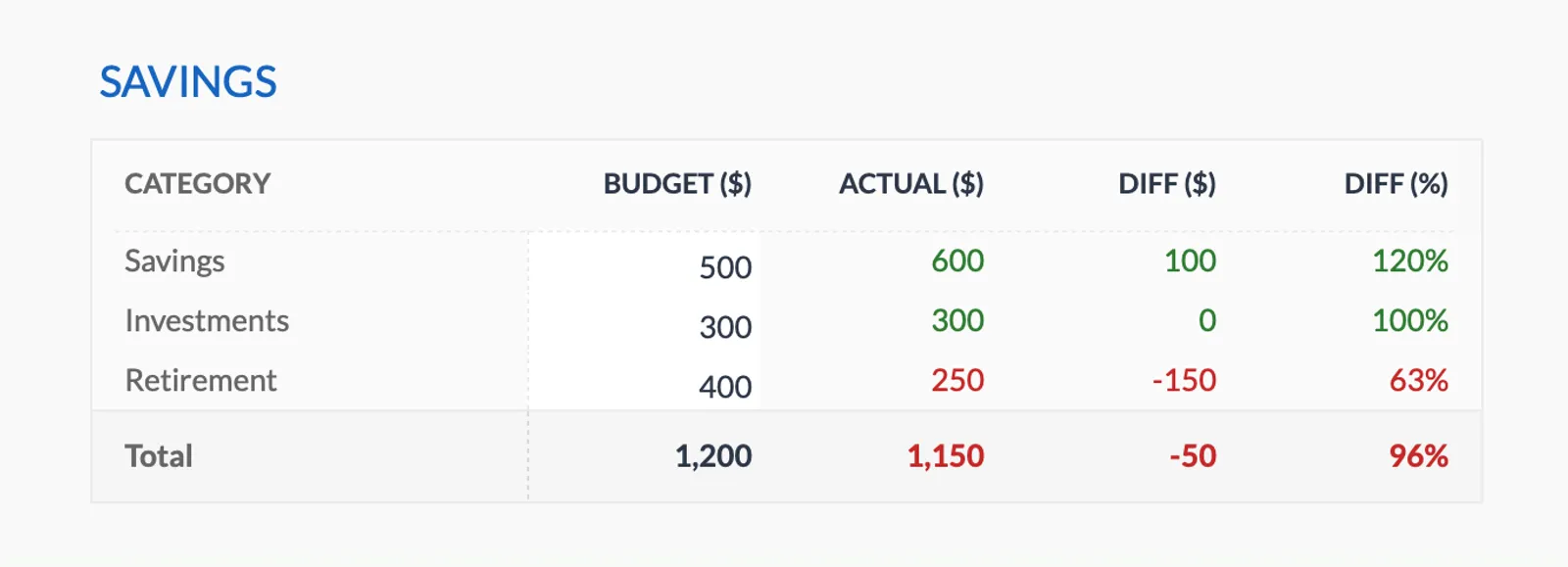
- Budget vs actual tracking
- Visual charts and summaries

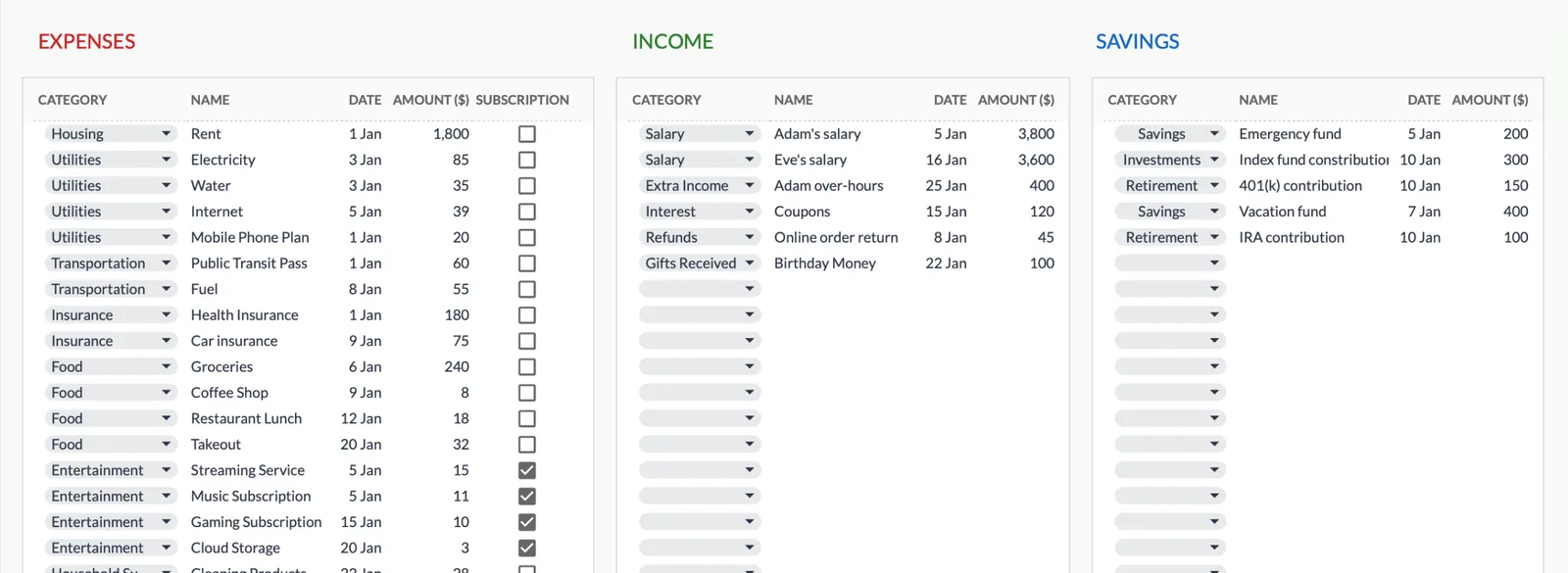
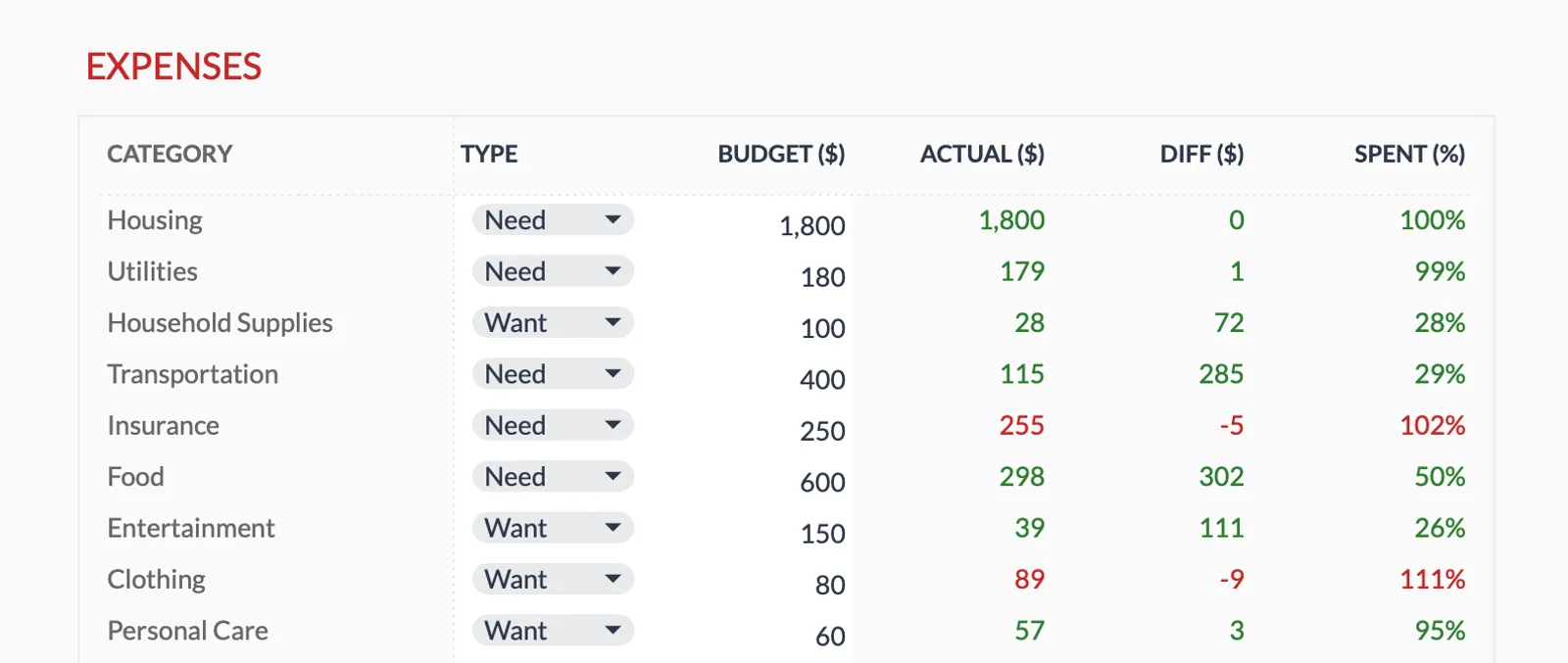
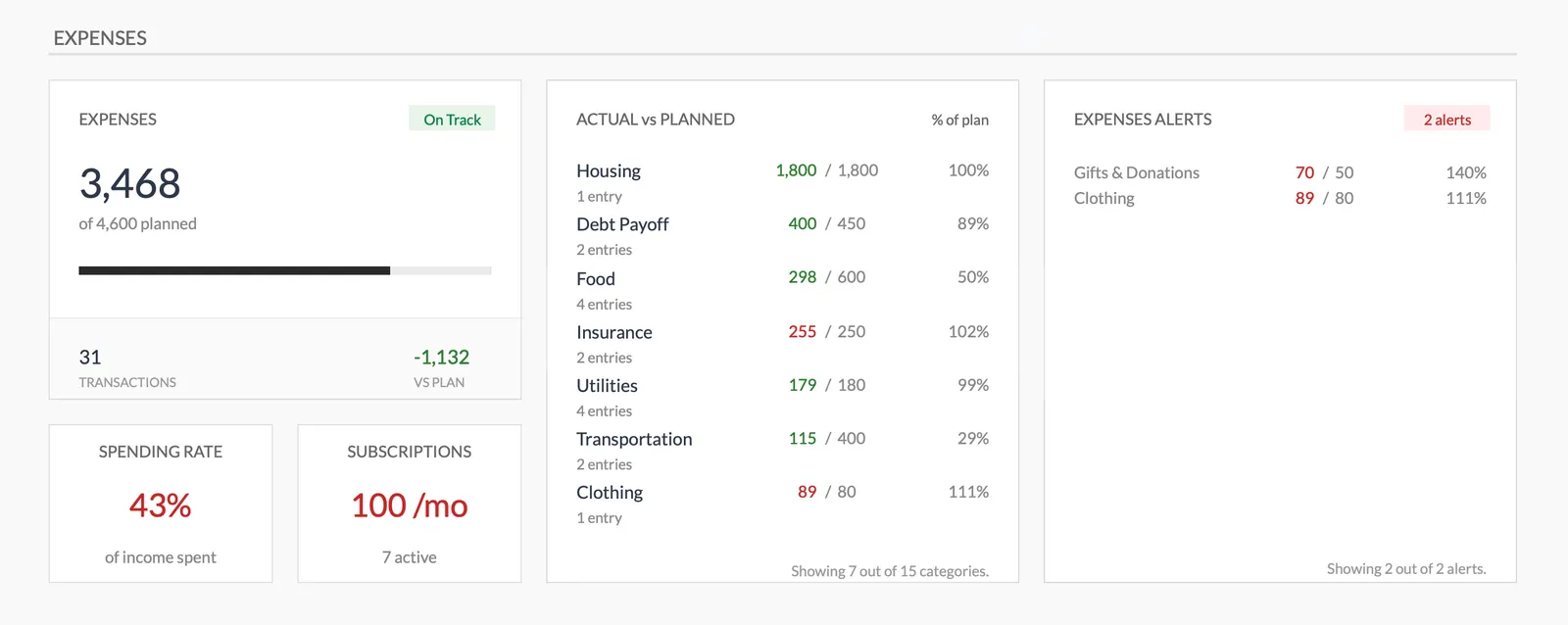
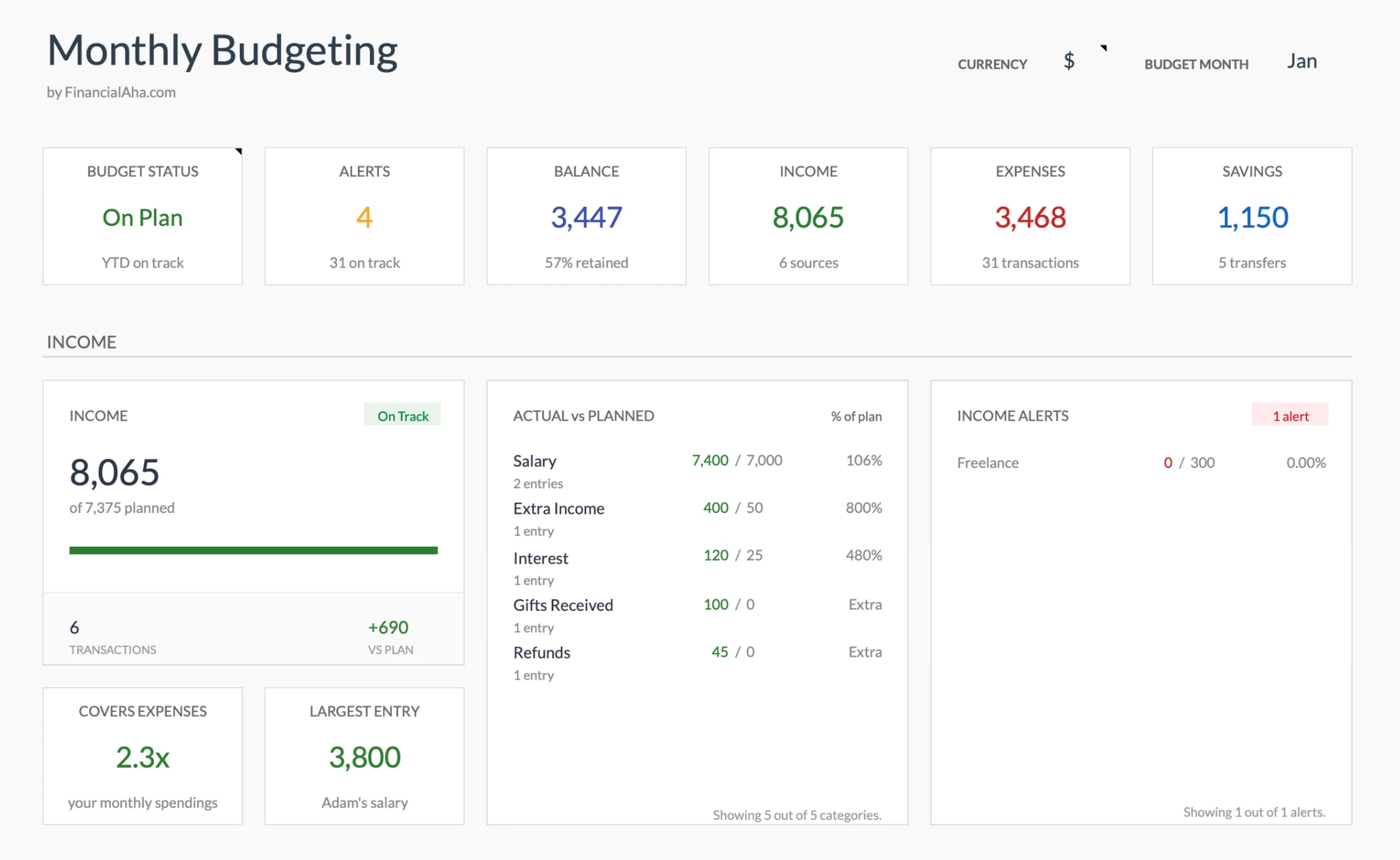
Dashboard with income, expenses, and savings at a glance
Log transactions with automatic categorization
Set targets per category and track actual spending
Visual breakdown of where your money goes
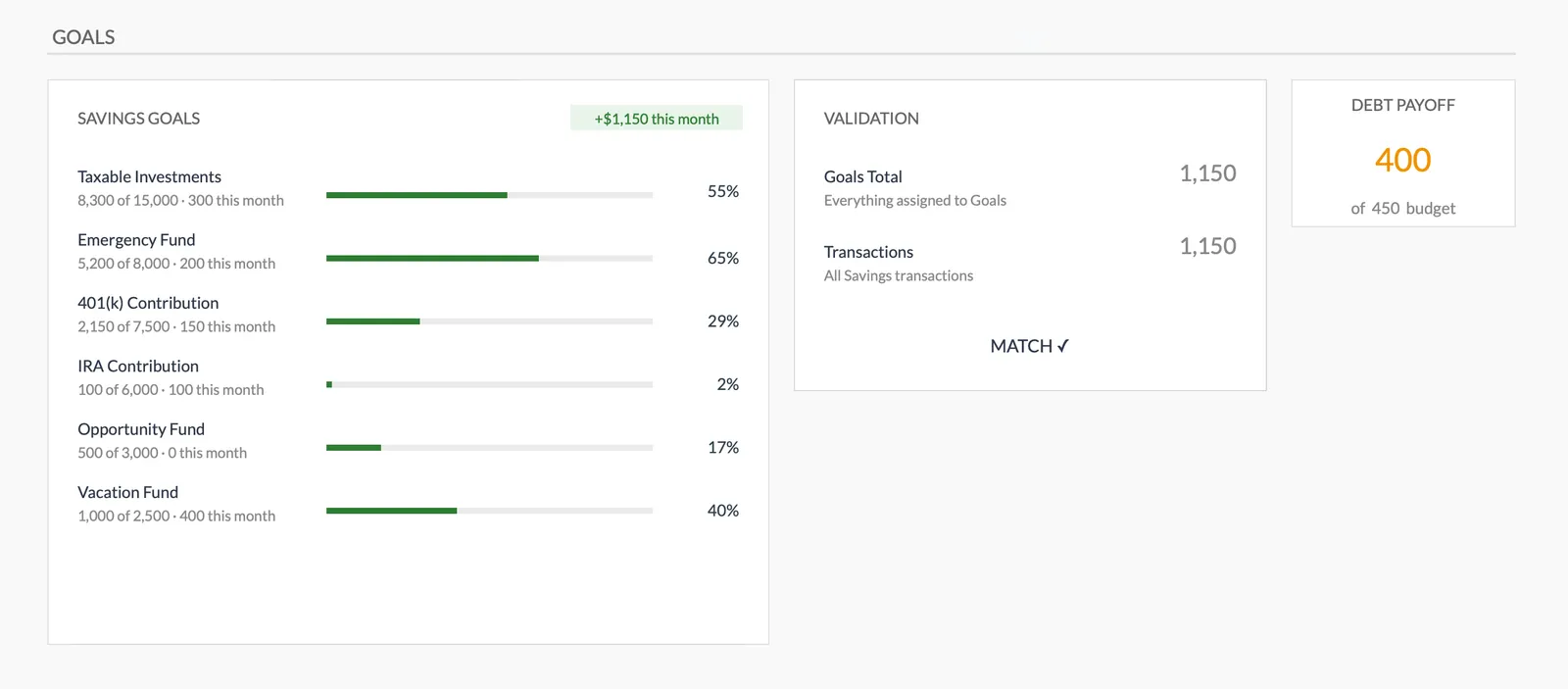
Track savings goals alongside your budget
Monitor progress toward financial goals
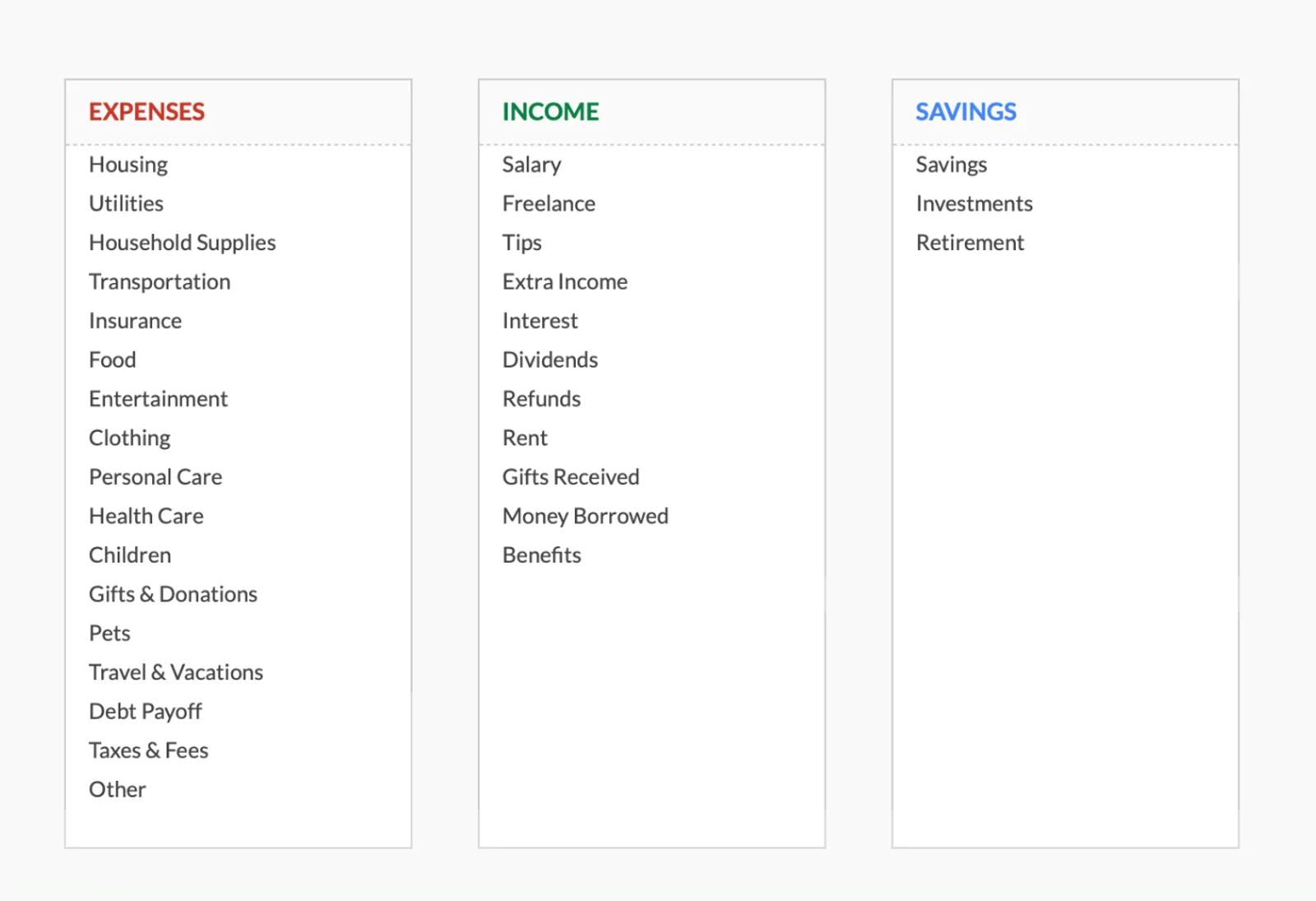
Fully customizable expense, income, and savings categories
Common Questions
Monthly Budget Template for South Africa - FAQ
Does this template use South African rand?
The template includes a built-in currency selector - switch it to ZAR or R. All calculations are currency-agnostic, so the math works the same regardless of the display currency.
Can I track retirement annuity contributions?
Yes. Add a category for RA contributions. If your employer already deducts pension fund contributions from your salary, those don't need a line item - just use your net pay. Only track voluntary contributions that come from your take-home pay.
How do I handle medical aid in my budget?
If medical aid premiums are deducted from your salary before you receive it, they're already accounted for. If you pay directly, add medical aid as an expense category. Remember that medical tax credits offset some of the cost at tax time.
Can I budget in USD and ZAR?
The template works in one currency at a time. Choose ZAR as your primary currency. If you have income or expenses in other currencies, convert them to ZAR when entering. The currency selector changes the display symbol, not the calculation.
Is there a South Africa-specific version?
The template is the same worldwide - designed to be customizable. This page explains how to adapt it for South African finances. You can rename categories, adjust formatting, and set it up to match your specific situation.
How does this compare to South African apps like 22seven or Moneysmart?
Apps like 22seven connect to your bank accounts for automated categorization. This template requires manual entry but offers more customization, costs a one-time fee instead of ongoing data sharing, and keeps your financial data in your own Google Drive. The tradeoff is convenience vs. control and privacy.
Can't find the answer you're looking for? Contact our team
Ready to get started?
Download instantly and start managing your finances, or contact us to design a custom template package for your needs.