Singapore
Monthly Budget Template for Singapore
Track your income in SGD, manage CPF contributions, and everyday expenses - all in a Google Sheets template you own.
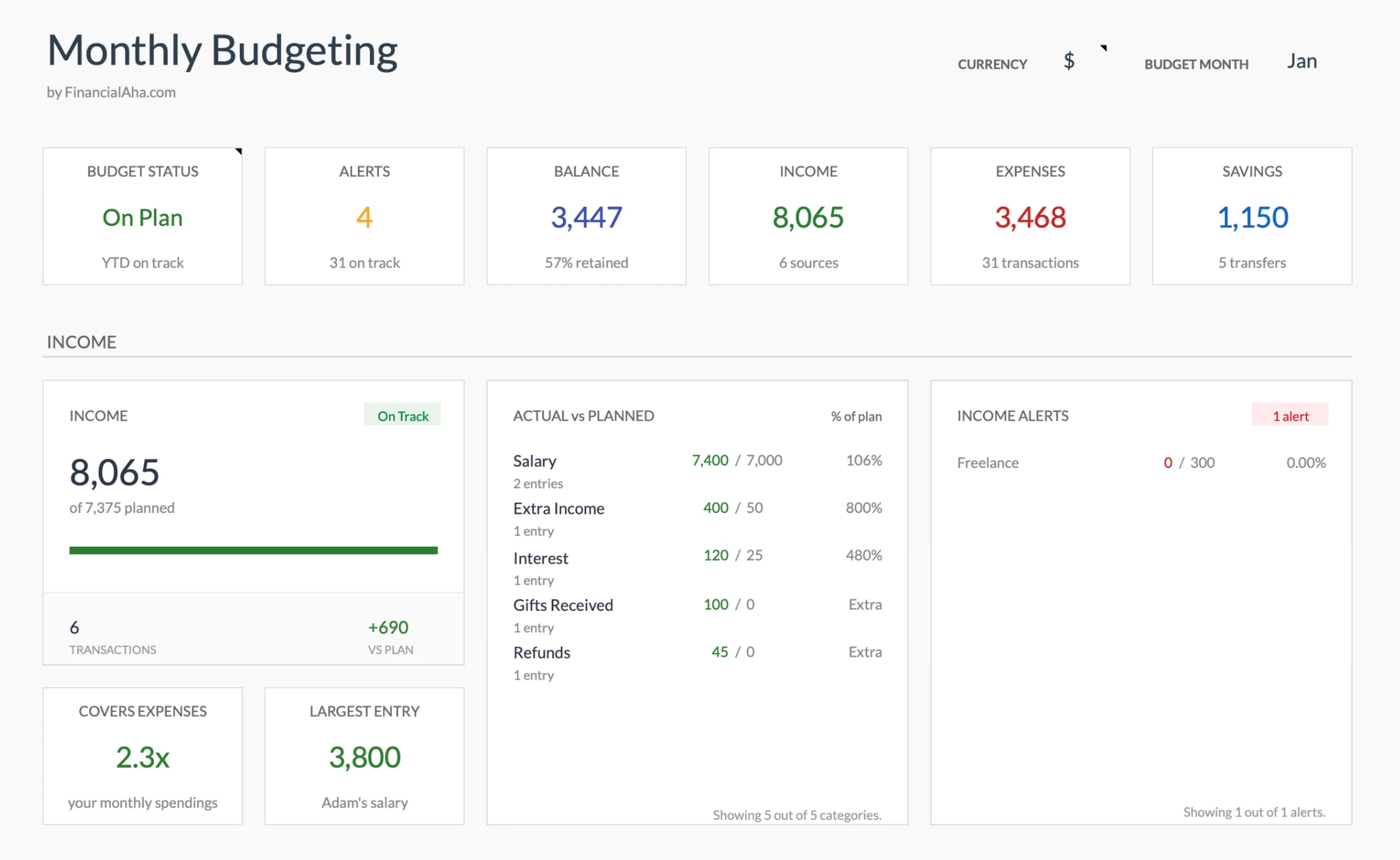
Singapore
Budgeting in Singapore: What's Different
Singapore's financial system has distinct features that shape how budgeting works. Understanding these helps you set up a template that matches your actual financial life.
CPF contributions significantly reduce take-home pay
Central Provident Fund contributions take 20% of your salary (employee share, for those under 55), with your employer contributing another 17%. This means your take-home pay is roughly 80% of your gross salary. Budgeting from the amount actually credited to your bank account - after CPF - gives a more realistic picture.
Income tax rates are low but still worth understanding
Singapore's personal income tax rates range from 0% to 24% (for income above SGD 1 million), with the first SGD 20,000 tax-free. For most residents, the effective tax rate is relatively low compared to other developed countries. Tax is assessed annually rather than withheld monthly, so setting aside money for the annual tax bill is worth planning for.
No capital gains tax simplifies investment tracking
Singapore does not impose capital gains tax for individuals. This means investment gains from stocks, property, and other assets are not taxed. For budgeting purposes, investment returns don't create a separate tax liability - a simpler picture compared to many other countries.
Singapore's cost of living requires careful tracking
Housing (HDB or private), food (hawker centres to restaurants), transport (COE and car costs, or public transit), and education can vary dramatically based on lifestyle choices. Singapore ranks among the world's most expensive cities, but costs are highly dependent on personal choices around housing type and lifestyle.
Get the Monthly Budget Template
Getting Started
How to Set Up This Template for Singapore
Switch the currency to SGD
The template includes a currency selector in the top-right corner of the dashboard. Switch it to SGD. The calculations stay the same - only the display currency changes.
Enter your after-CPF take-home pay
Use your actual credited salary - the amount that hits your bank account after CPF deductions. If you earn SGD 6,000 gross, your take-home after the 20% employee CPF contribution is roughly SGD 4,800. Use that figure.
Customize expense categories for Singapore
Add categories relevant to Singapore life: HDB mortgage or rental, utilities (SP Group), mobile and broadband, hawker/food court meals vs. restaurant dining, public transport (EZ-Link/SimplyGo), insurance premiums, and any car-related expenses (loan, insurance, road tax, petrol, parking).
Set aside money for annual income tax
Unlike countries that withhold tax monthly, Singapore assesses income tax annually (typically due in April/May). Setting aside a monthly amount based on your expected tax bill avoids a lump-sum surprise. IRAS provides an estimated tax calculator for reference.
Track voluntary CPF top-ups if applicable
Voluntary top-ups to CPF Special Account or MediSave qualify for tax relief up to SGD 8,000 each. If you're making these contributions, track them as a budget category to monitor against the annual cap.
See It In Action
What the template looks like
Browse through the template to see how it handles budgeting, categories, and expense tracking - all adaptable to your local financial setup.
- Built-in currency selector
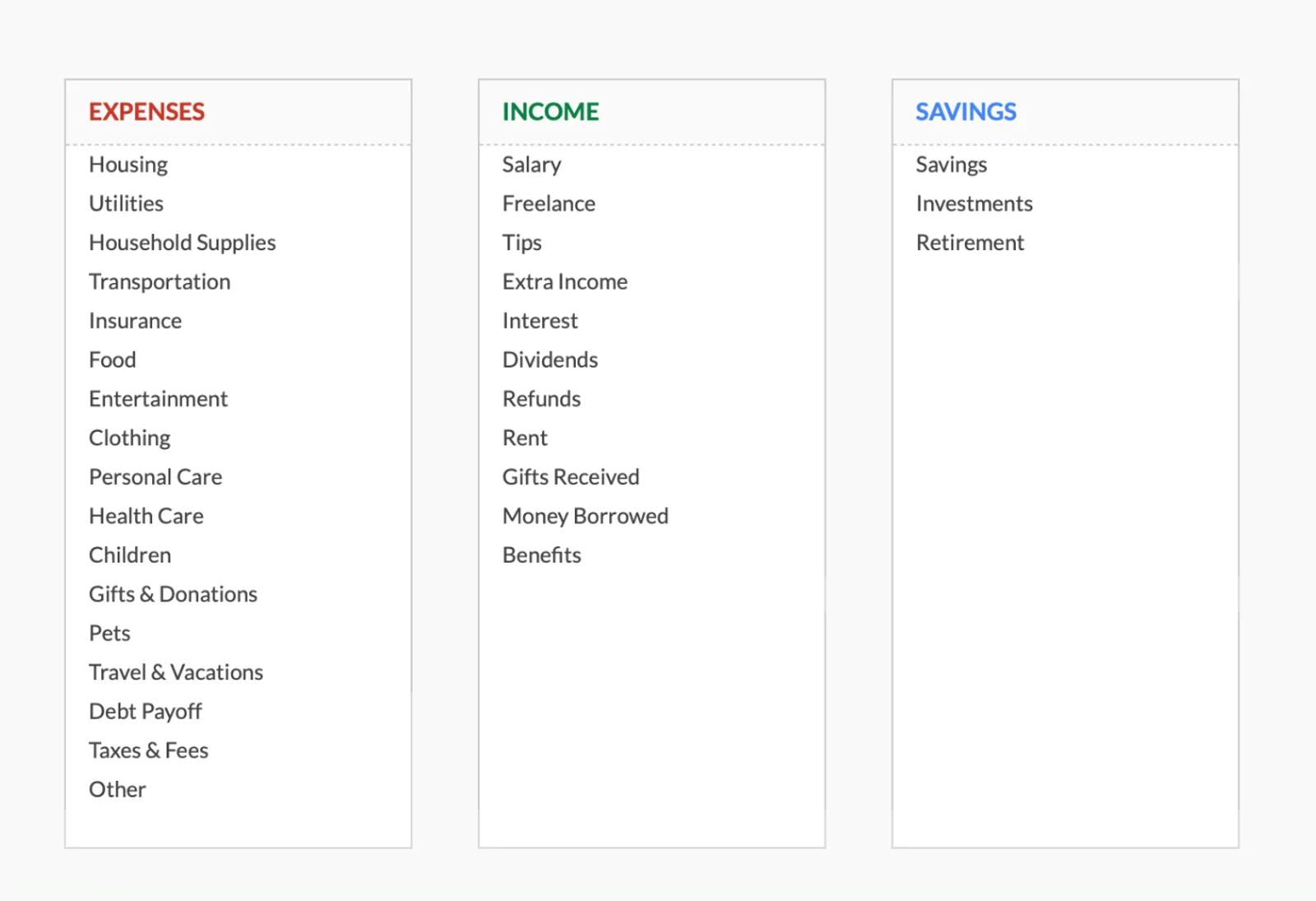
- Customizable categories
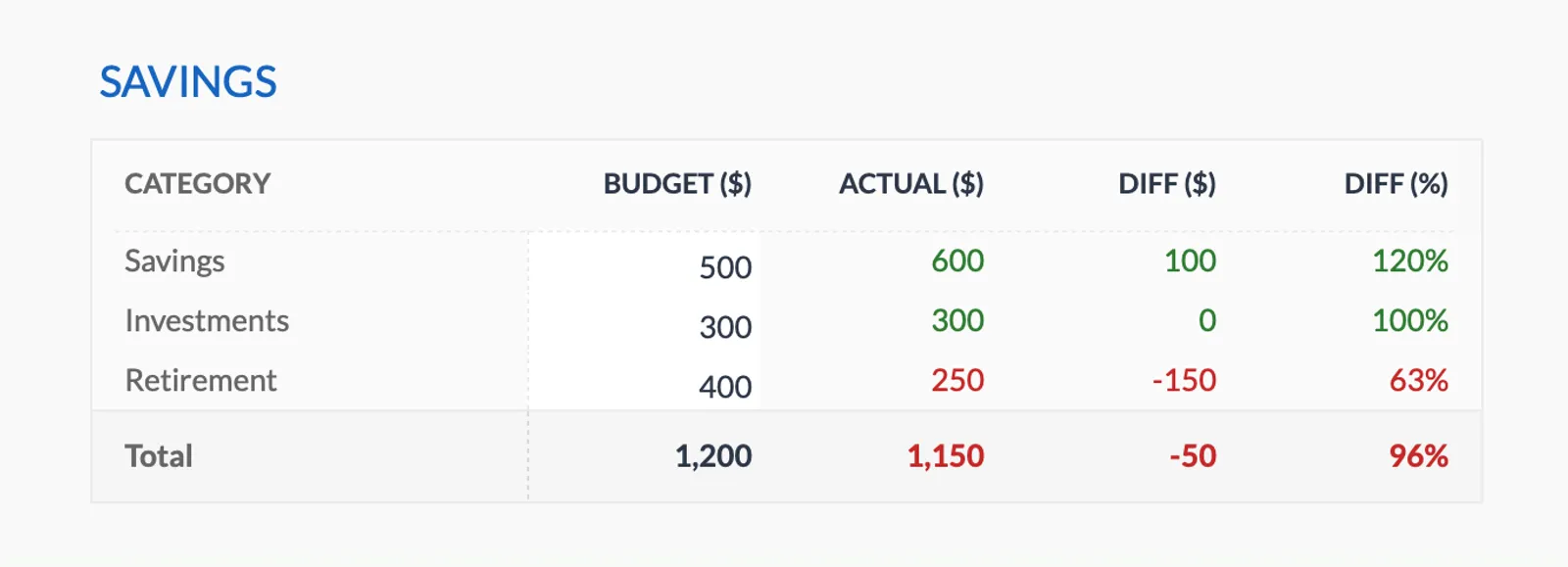
- Budget vs actual tracking
- Visual charts and summaries

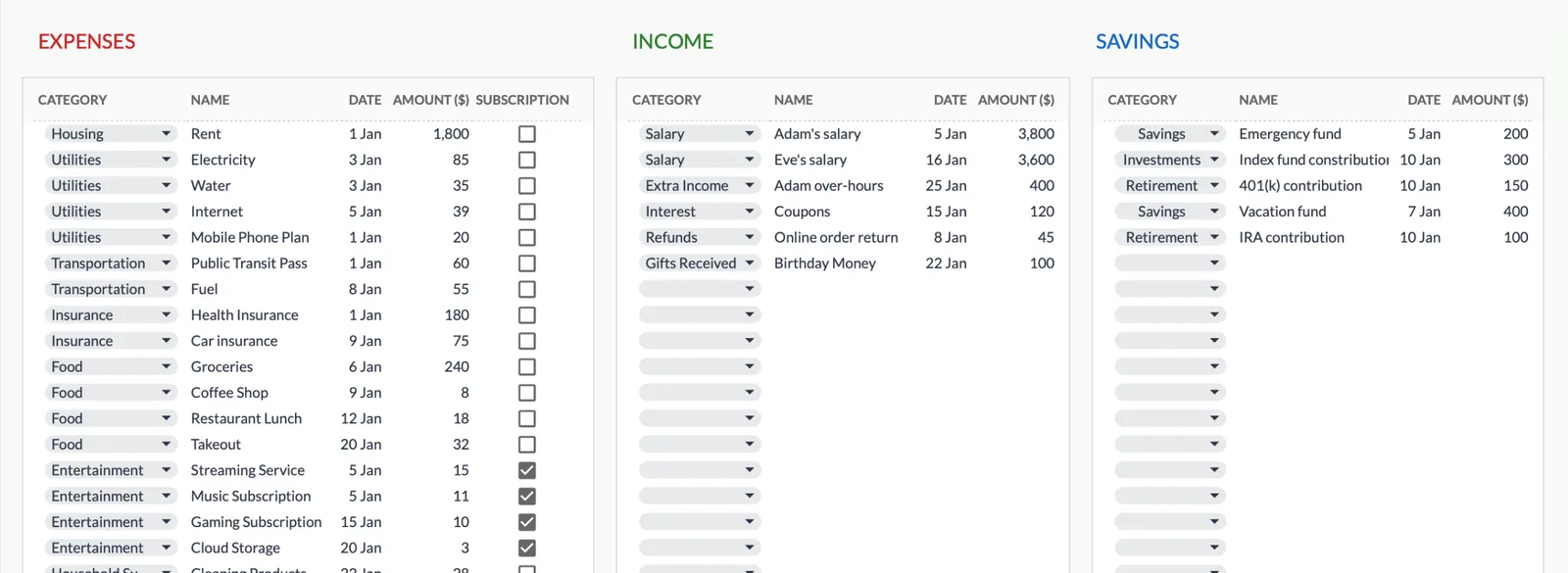
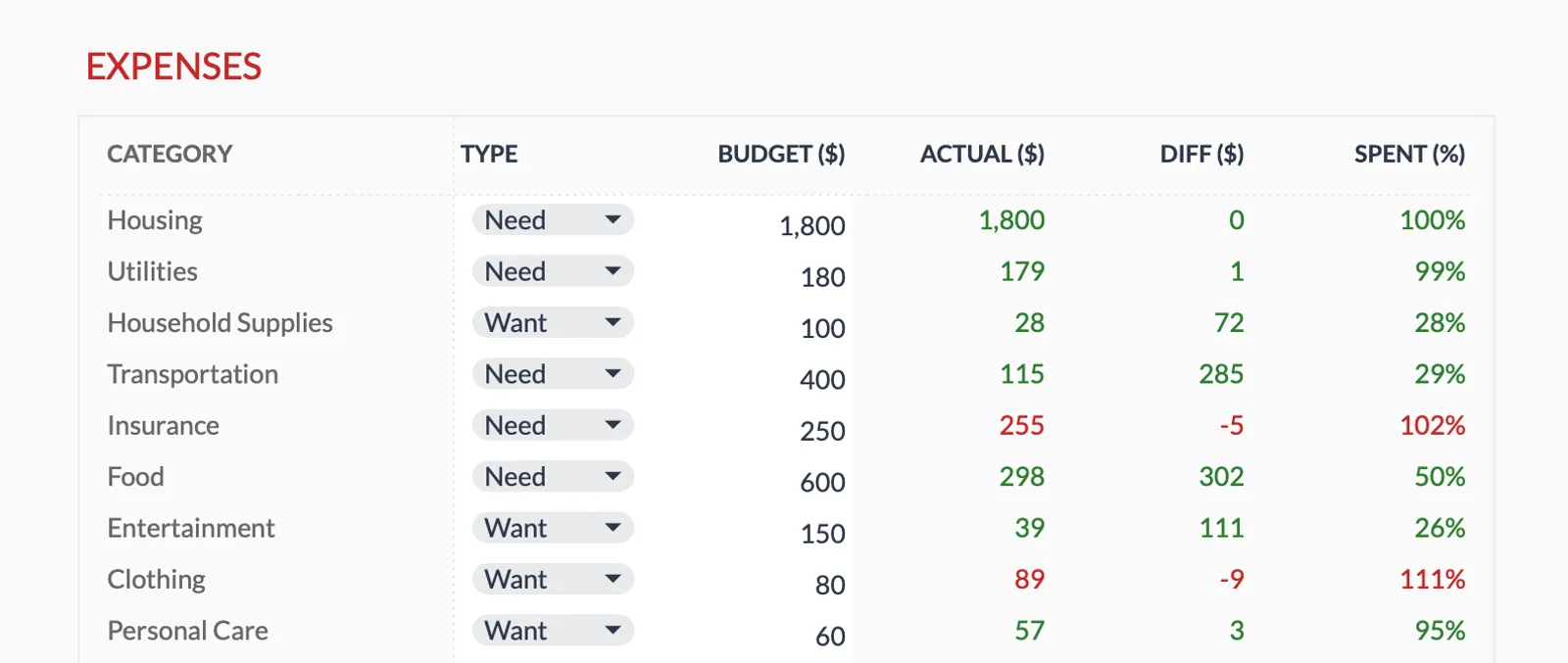
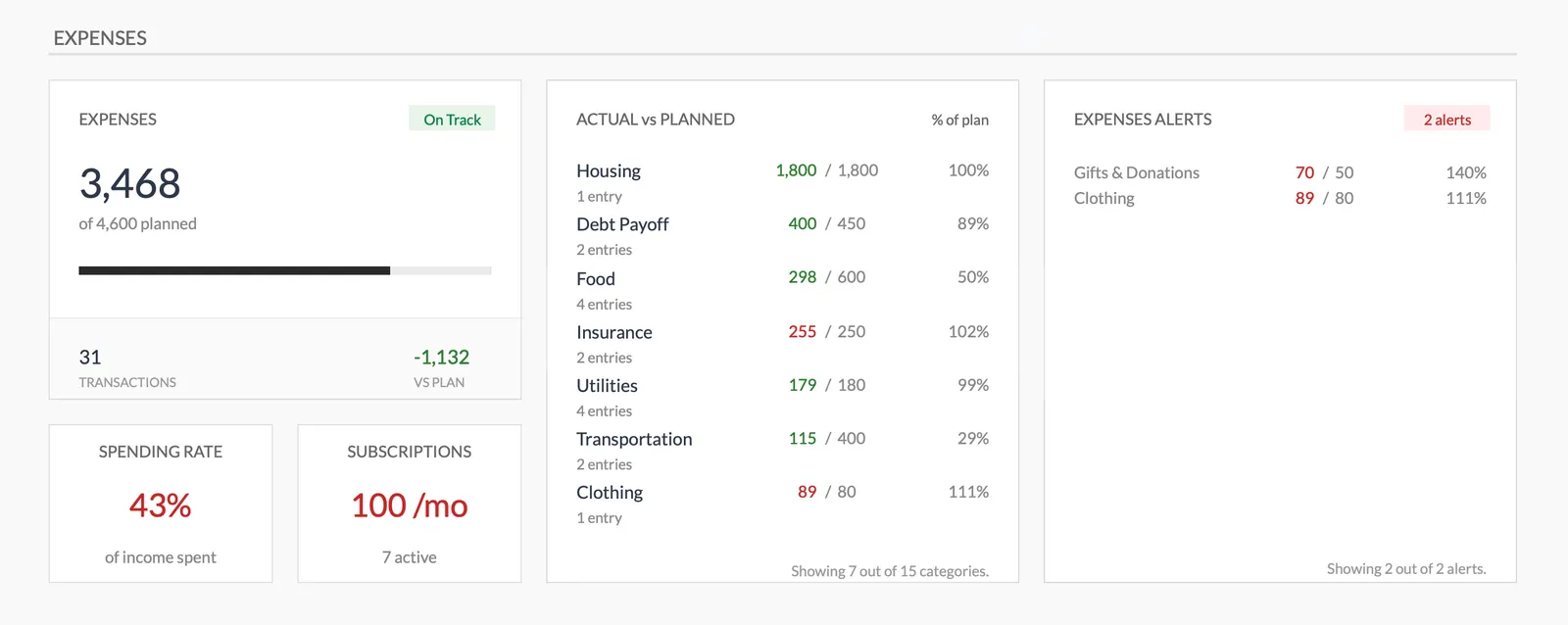
Dashboard with income, expenses, and savings at a glance
Log transactions with automatic categorization
Set targets per category and track actual spending
Visual breakdown of where your money goes
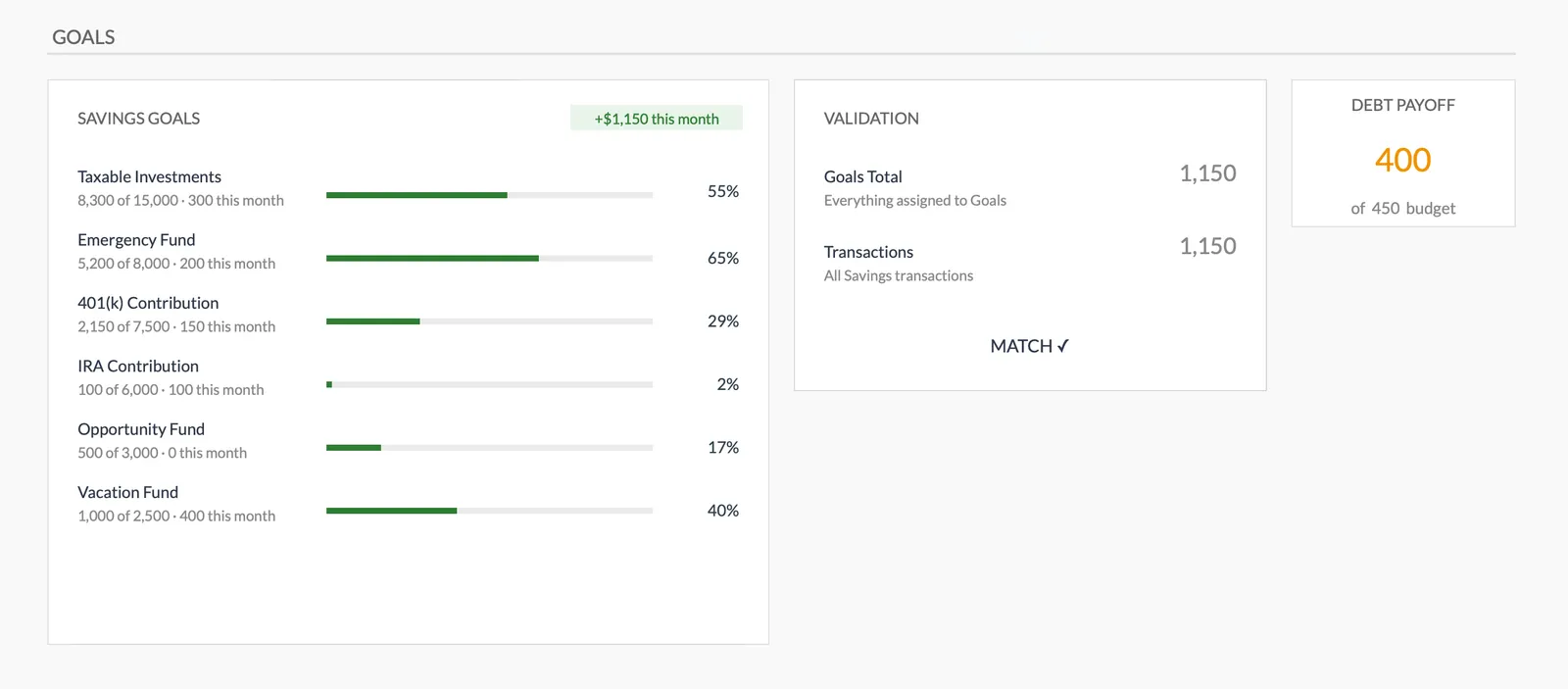
Track savings goals alongside your budget
Monitor progress toward financial goals
Fully customizable expense, income, and savings categories
Common Questions
Monthly Budget Template for Singapore - FAQ
Does this template use Singapore dollars?
The template includes a built-in currency selector - switch it to SGD. All calculations are currency-agnostic, so the math works the same regardless of the display currency.
Should I track CPF contributions in my budget?
CPF is deducted before your take-home pay, so it doesn't need a budget line. Just use your actual credited salary as income. If you make voluntary CPF top-ups, track those as a separate category since they come from your disposable income.
How do I budget for annual income tax?
Divide your expected annual tax bill by 12 and set that aside monthly. Singapore allows GIRO installments for tax payment, which effectively spreads the bill across the year. Check IRAS for your estimated tax based on income level.
Can I track SRS contributions?
Yes. Supplementary Retirement Scheme contributions (up to SGD 15,300 for citizens/PRs) qualify for tax relief. Add SRS as a budget category if you're making regular contributions.
Is there a Singapore-specific version?
The template is the same worldwide - designed to be customizable. This page explains how to adapt it for Singapore. The flexibility of Google Sheets means you can rename categories and set up the budget to match your financial situation.
How does this compare to Singapore budgeting apps like Seedly or DBS NAV Planner?
Apps like Seedly and DBS NAV Planner connect to your bank accounts for automated tracking. This template requires manual entry but offers more customization, costs a one-time fee, and keeps your data in your own Google Drive rather than shared with a financial institution.
Can't find the answer you're looking for? Contact our team
Ready to get started?
Download instantly and start managing your finances, or contact us to design a custom template package for your needs.