Philippines
Monthly Budget Template for Philippines
Track your income in PHP, manage mandatory contributions, and everyday expenses - all in a Google Sheets template you own.
Philippines
Budgeting in the Philippines: What's Different
The Philippine financial system has features that affect how you approach budgeting. Understanding these helps you set up a template that matches your reality.
TRAIN law tax brackets determine your take-home pay
Under the TRAIN law (Tax Reform for Acceleration and Inclusion), annual income up to PHP 250,000 is tax-free. Rates then range from 15% to 35% for income above PHP 8 million. For most employed Filipinos, withholding tax is deducted automatically. Using your actual take-home pay rather than gross salary gives a more realistic budgeting baseline.
Mandatory contributions add up
SSS (Social Security System) or GSIS (for government employees), PhilHealth, and Pag-IBIG (HDMF) contributions are deducted from your salary. Together, these can represent 5-10% of gross pay depending on your salary bracket. These deductions happen before your take-home pay, so budgeting from net pay accounts for them automatically.
Family financial obligations are common
Many Filipinos support extended family members - parents, siblings, or relatives. These regular transfers are a significant budget item that generic templates don't account for. Adding a dedicated category for family support makes this visible and helps manage it alongside other expenses.
OFW remittances and dual-currency situations
For Overseas Filipino Workers or those receiving remittances from family abroad, managing income in multiple currencies is common. Tracking remittances sent or received as a clear budget category helps see the full picture of money coming in and going out.
Get the Monthly Budget Template
Getting Started
How to Set Up This Template for the Philippines
Switch the currency to PHP
The template includes a currency selector in the top-right corner of the dashboard. Switch it to PHP. The calculations stay the same - only the display changes.
Enter your after-tax, after-deduction take-home pay
Use the net amount that hits your bank account or payroll card after withholding tax, SSS/GSIS, PhilHealth, and Pag-IBIG deductions. If you receive a 13th month pay or bonuses, add those in the months they arrive.
Customize expense categories for Philippine life
Add categories that match your spending: rent or amortization (home loan), electricity (Meralco or local provider), water, mobile load and data, internet, transportation (jeepney, MRT, Grab, or car expenses), groceries, eating out, and family support.
Add family support as a dedicated category
If you regularly send money to parents, siblings, or other family members, make this a visible budget category. Treating it as a planned expense rather than an afterthought helps you manage it alongside other financial obligations.
Account for Philippine seasonal expenses
Plan for Christmas and holiday spending (traditionally a major expense), back-to-school costs in June, annual insurance renewals, and any quarterly or annual bills. The Philippines' extended holiday season (ber months) can significantly affect spending patterns.
See It In Action
What the template looks like
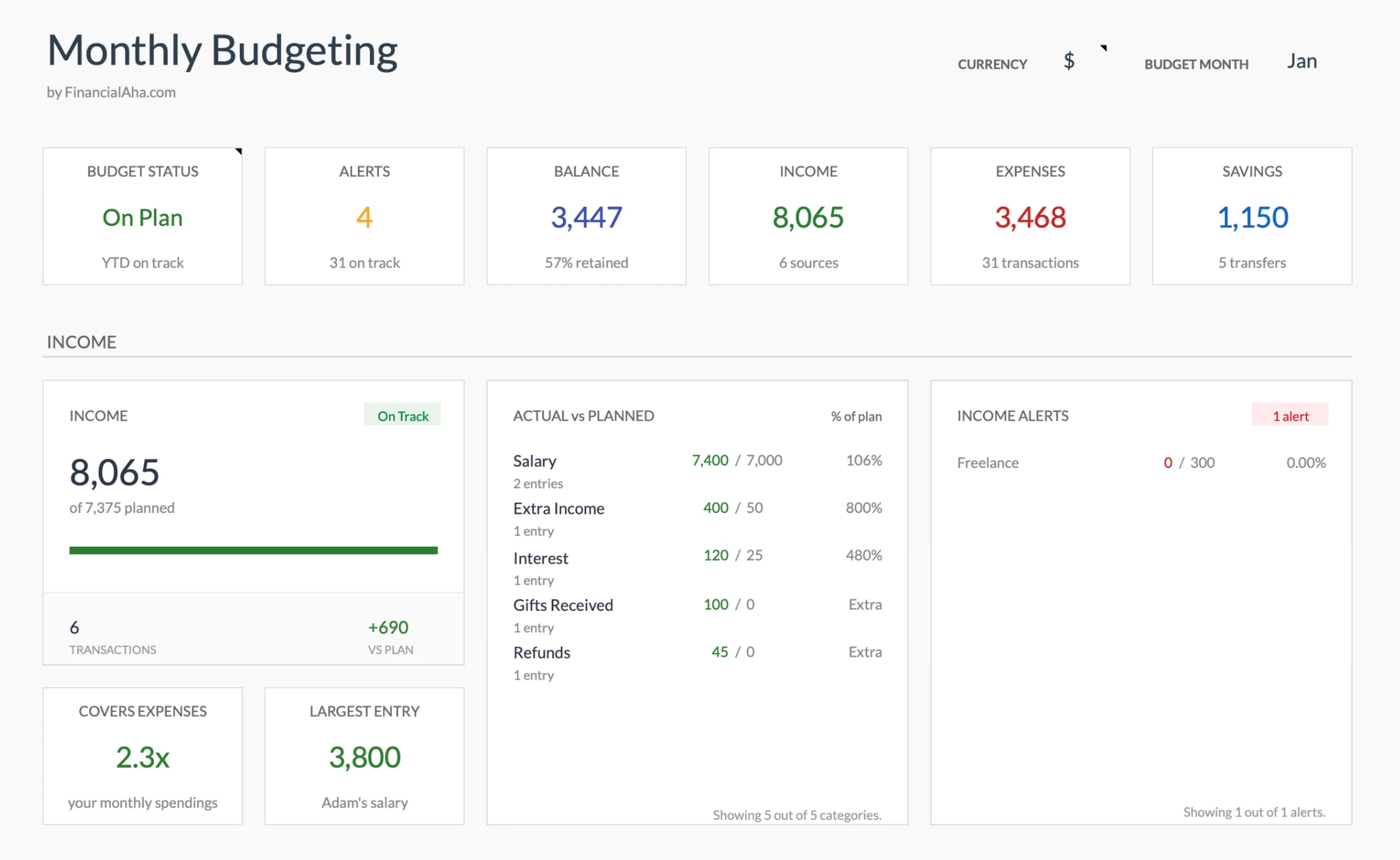
Browse through the template to see how it handles budgeting, categories, and expense tracking - all adaptable to your local financial setup.
- Built-in currency selector
- Customizable categories
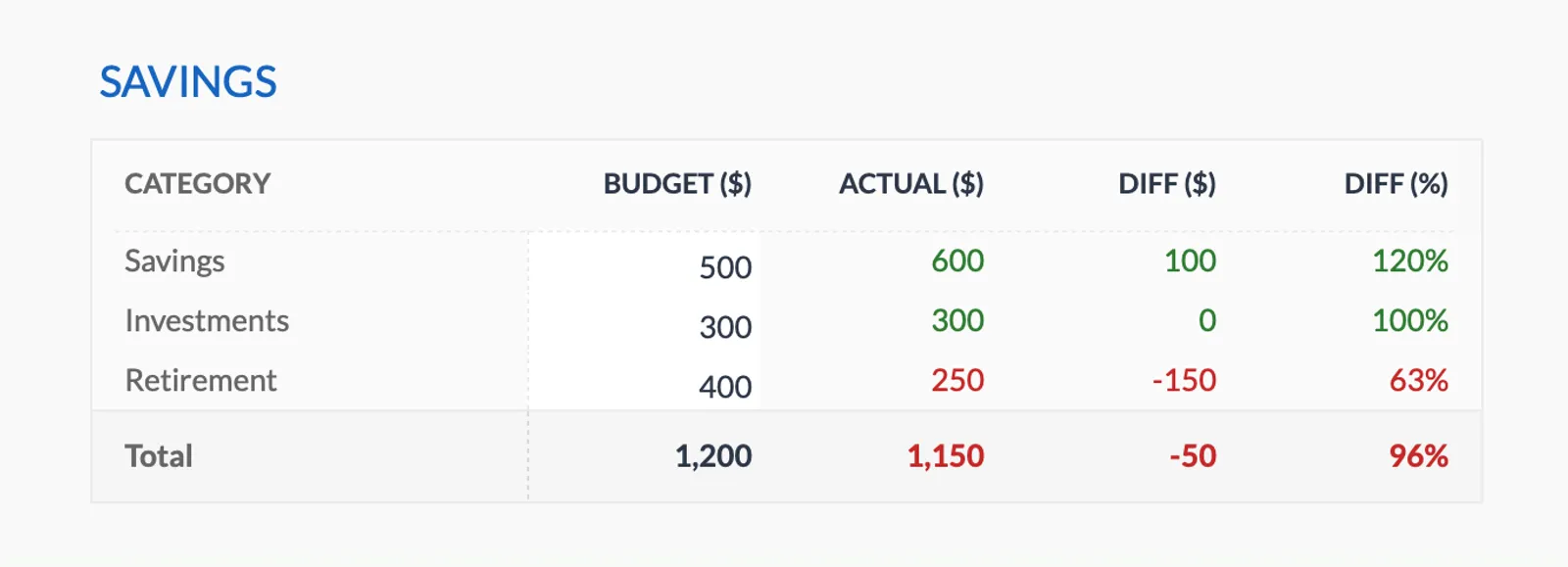
- Budget vs actual tracking
- Visual charts and summaries

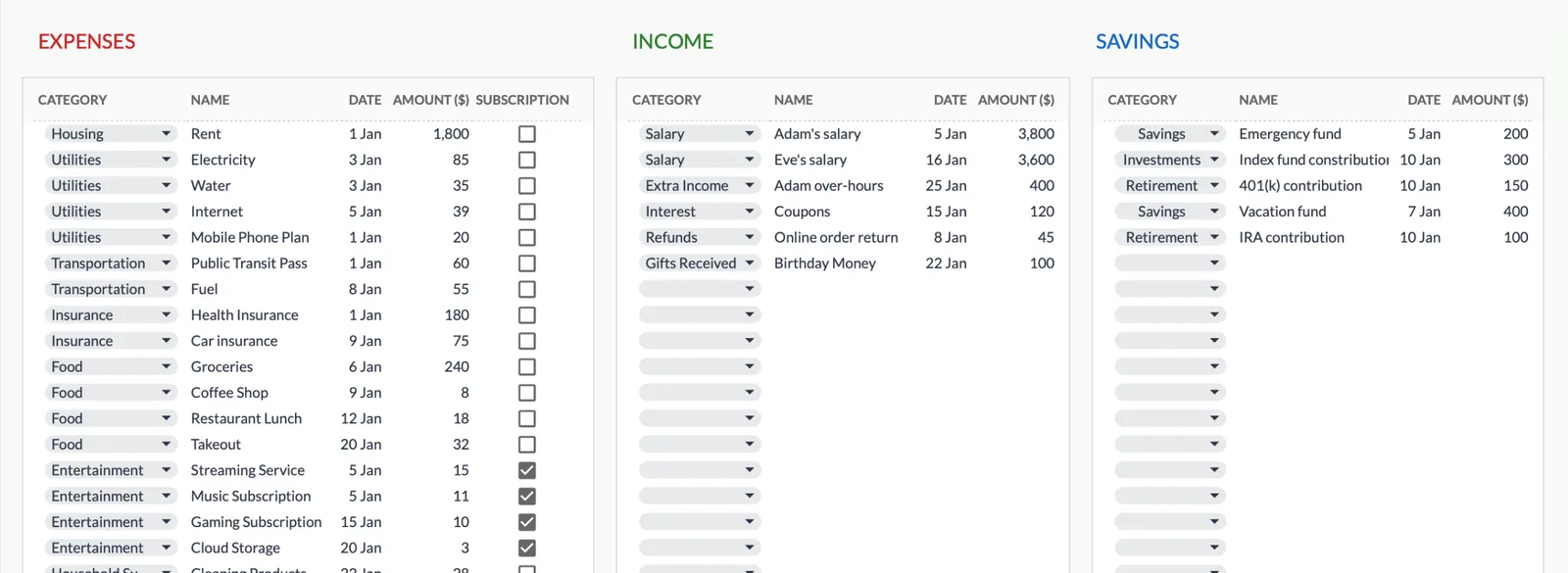
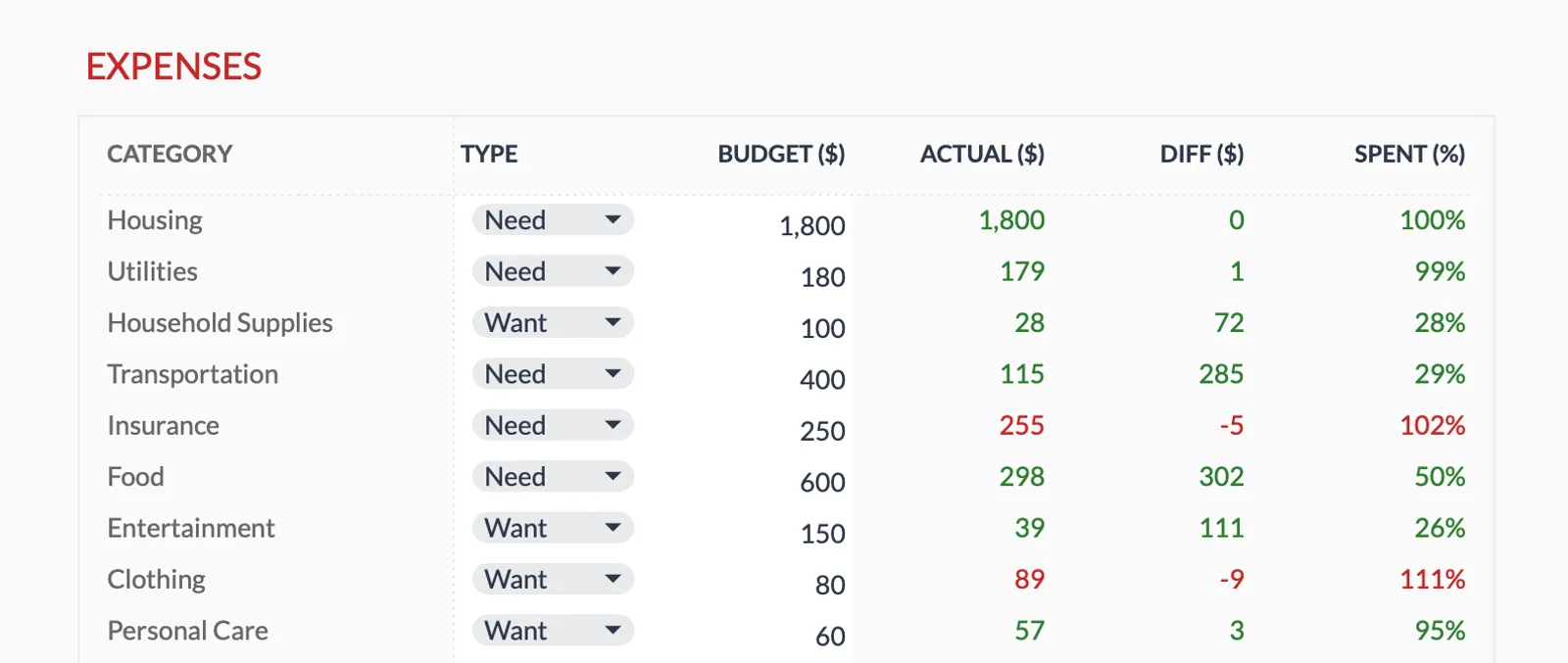
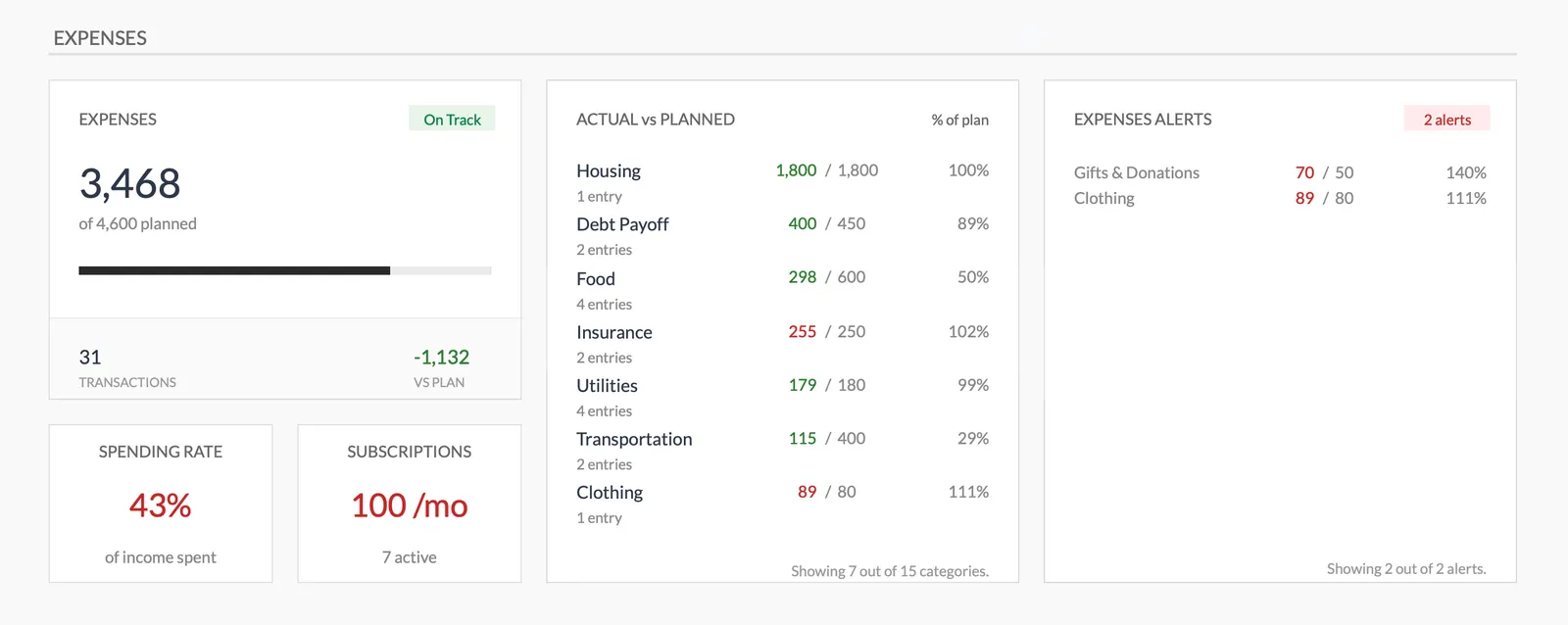
Dashboard with income, expenses, and savings at a glance
Log transactions with automatic categorization
Set targets per category and track actual spending
Visual breakdown of where your money goes
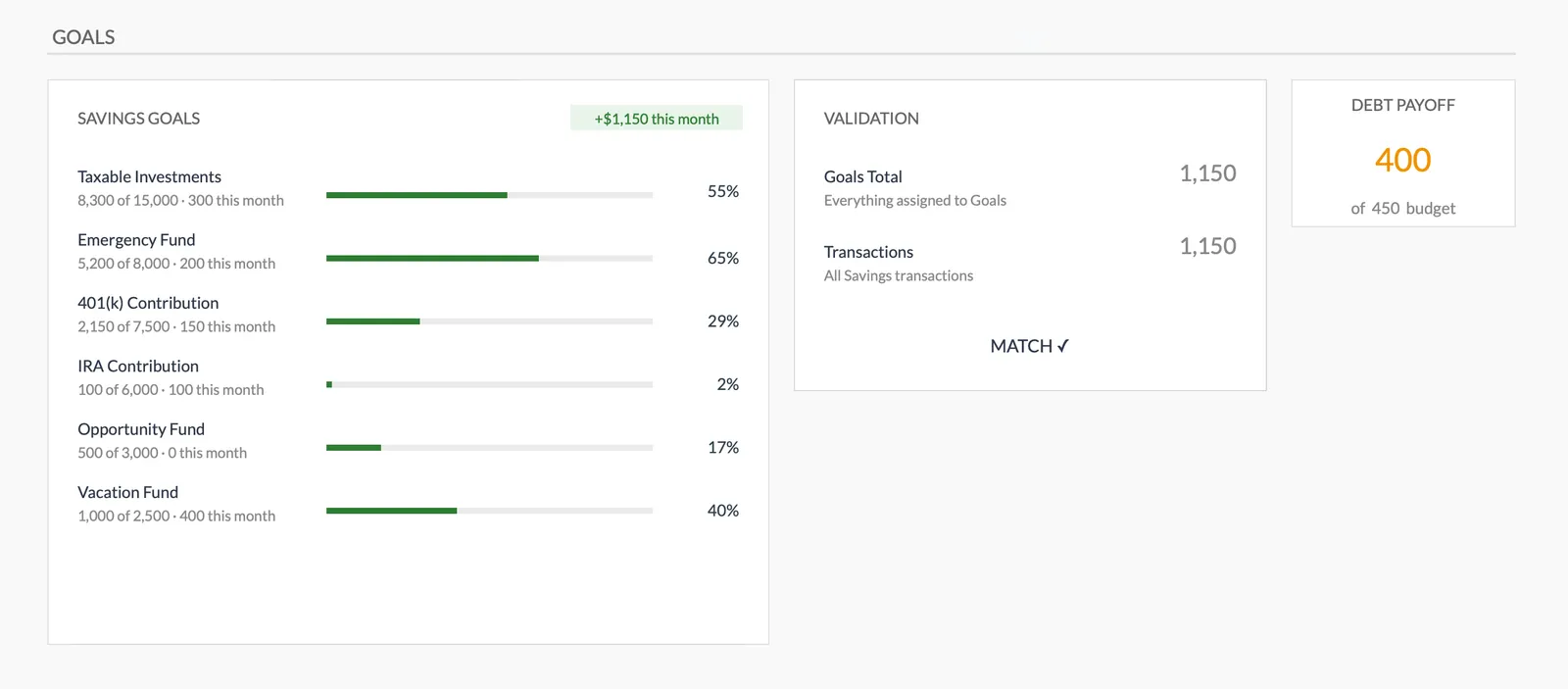
Track savings goals alongside your budget
Monitor progress toward financial goals
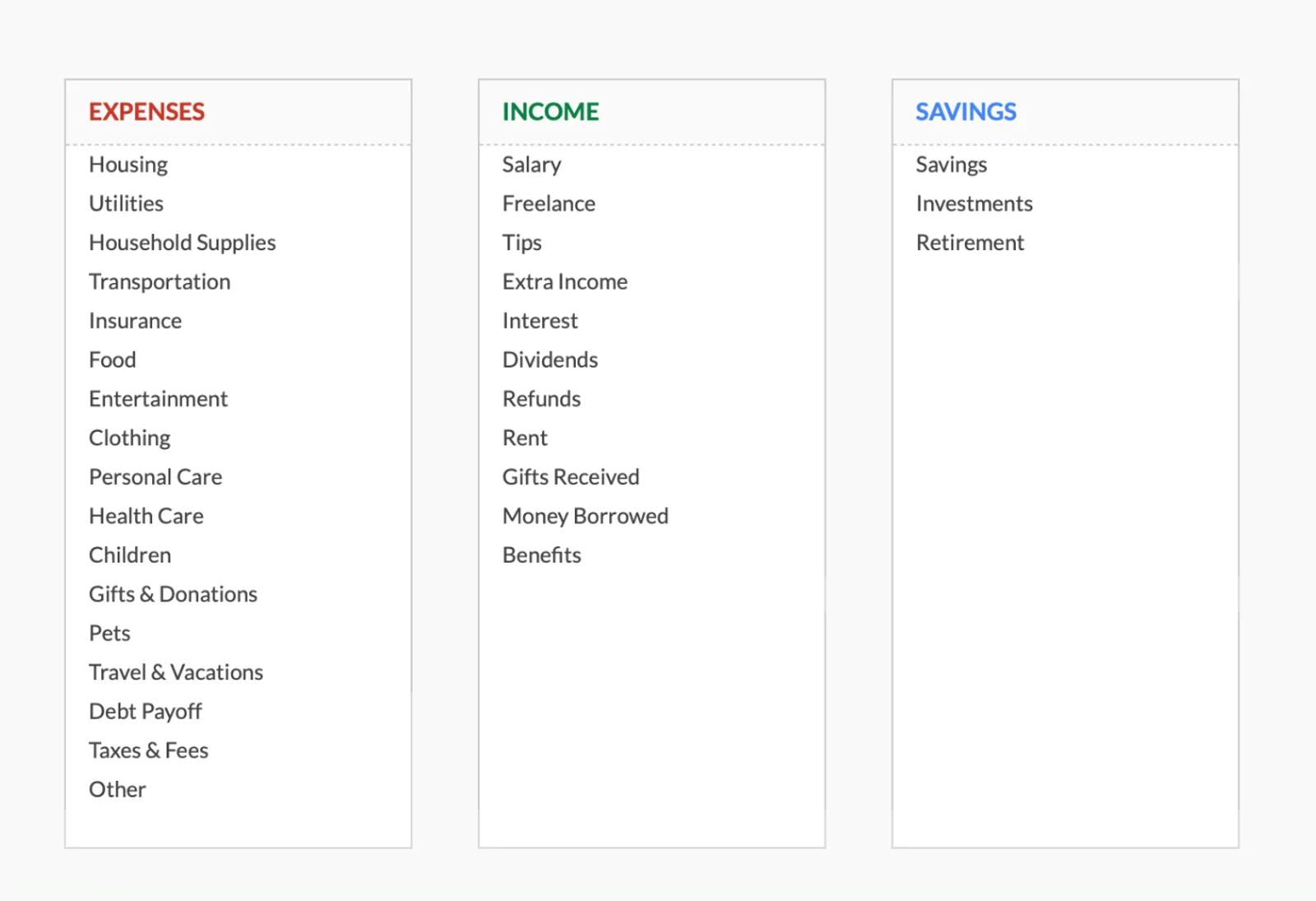
Fully customizable expense, income, and savings categories
Common Questions
Monthly Budget Template for Philippines - FAQ
Does this template use Philippine pesos?
The template includes a built-in currency selector - switch it to PHP. All calculations are currency-agnostic, so the math works the same regardless of the display currency.
Should I track SSS and PhilHealth contributions?
These are deducted before your take-home pay, so they don't need separate budget lines. Just use your net pay as income. If you make voluntary additional SSS or Pag-IBIG contributions, track those as a budget category.
How do I handle 13th month pay and bonuses?
Add 13th month pay as income in the month you receive it (typically December). The first PHP 90,000 of 13th month and other bonuses is tax-exempt. Some people spread this across the year in their budget; others plan specifically for how to use it when it arrives.
Can I budget for OFW remittances?
Yes. If you're an OFW, add remittance amounts as an expense category (money sent home). If you receive remittances, add them as income. Tracking the actual amounts helps manage cash flow and ensures family needs are met while maintaining personal savings.
Is there a Philippines-specific version?
The template is the same worldwide - designed to be customizable. This page explains how to adapt it for Philippine finances. You can rename categories, adjust formatting, and set it up to match your specific situation.
Can't find the answer you're looking for? Contact our team
Ready to get started?
Download instantly and start managing your finances, or contact us to design a custom template package for your needs.