New Zealand
Monthly Budget Template for New Zealand
Track your income in NZD, manage KiwiSaver contributions, ACC levies, and everyday expenses - all in a Google Sheets template you own.
New Zealand
Budgeting in New Zealand: What's Different
New Zealand's financial system is relatively straightforward compared to some countries, but it has unique features worth understanding when setting up a budget.
PAYE makes income entry simple
New Zealand's PAYE (Pay As You Earn) system deducts income tax, ACC earners' levy, and KiwiSaver contributions from your pay before you receive it. Individual tax rates range from 10.5% (up to $14,000) to 39% (over $180,000). Using your actual take-home pay as your budget income accounts for all these deductions automatically.
KiwiSaver contributions are a key financial decision
KiwiSaver members choose a contribution rate of 3%, 4%, 6%, 8%, or 10% of gross pay, with employer contributions of at least 3%. The government also contributes up to $521/year (for those contributing at least $1,042/year). Some people adjust their rate based on financial goals - higher for retirement savings, lower for other priorities like a first home.
No capital gains tax on most assets
New Zealand doesn't have a comprehensive capital gains tax. Profits from selling a family home, shares (if not a regular trader), and most investments are generally not taxed. This affects financial planning decisions - investment returns may go further in NZ than in countries with capital gains taxes.
ACC levy covers accident costs
The Accident Compensation Corporation (ACC) levy is deducted from pay and covers all New Zealand residents for personal injury from accidents - regardless of fault. This means less need to budget for accident-related medical costs. The earners' levy (roughly $1.21 per $100 of liable earnings for 2025) is already deducted before your net pay.
Get the Monthly Budget Template
Getting Started
How to Set Up This Template for New Zealand
Switch the currency to NZD
Use the built-in currency selector to display NZD. The template's calculations are currency-agnostic - only the display symbol changes.
Enter your net pay
Use your actual take-home pay after PAYE, ACC, and KiwiSaver deductions. This is the amount that hits your bank account. If you have additional income (freelance, rental), add those as separate lines.
Set up NZ-specific expense categories
Add categories for: rent or mortgage, rates (council rates), utilities (power, water, internet), groceries, petrol or public transport, insurance (contents, car, health), and everyday spending. New Zealand-specific costs like power (which varies seasonally) and rates deserve their own lines.
Track savings goals
If you're saving for a first home (KiwiSaver HomeStart grant and first home withdrawal are available), add a dedicated savings category. For other goals like travel or emergency fund, add separate lines to track progress.
Plan for seasonal variations
New Zealand winter (June-August) brings higher power bills. Car WOF and registration are annual costs. Back-to-school expenses hit in late January/February. Insurance renewals, rates instalments, and holiday spending create predictable seasonal patterns.
See It In Action
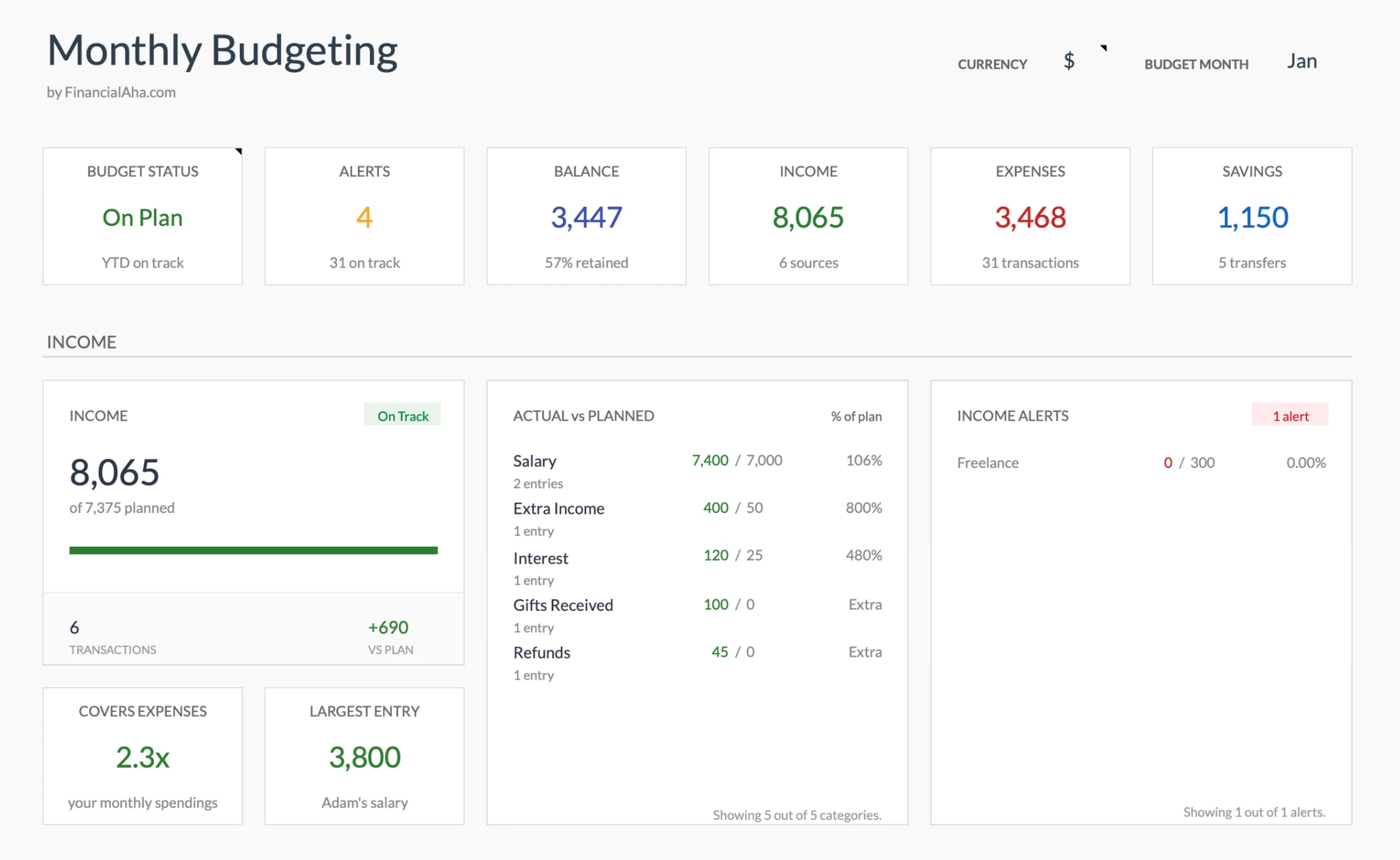
What the template looks like
Browse through the template to see how it handles budgeting, categories, and expense tracking - all adaptable to your local financial setup.
- Built-in currency selector
- Customizable categories
- Budget vs actual tracking
- Visual charts and summaries

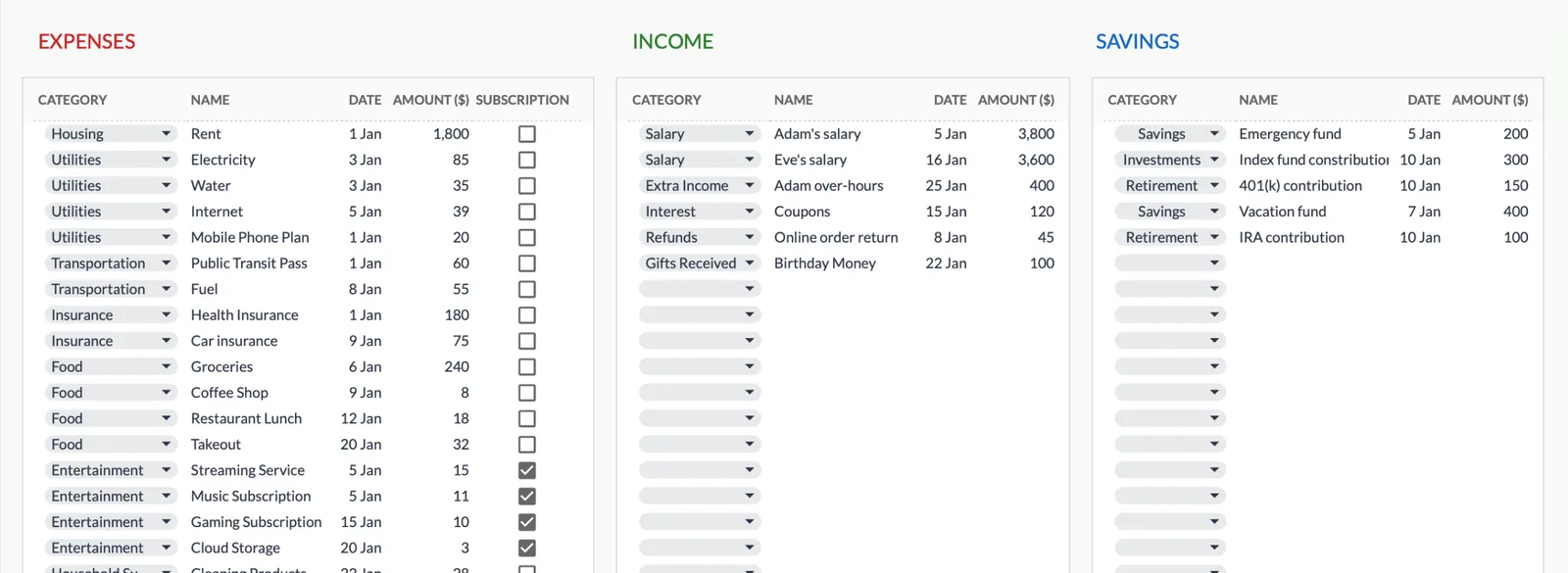
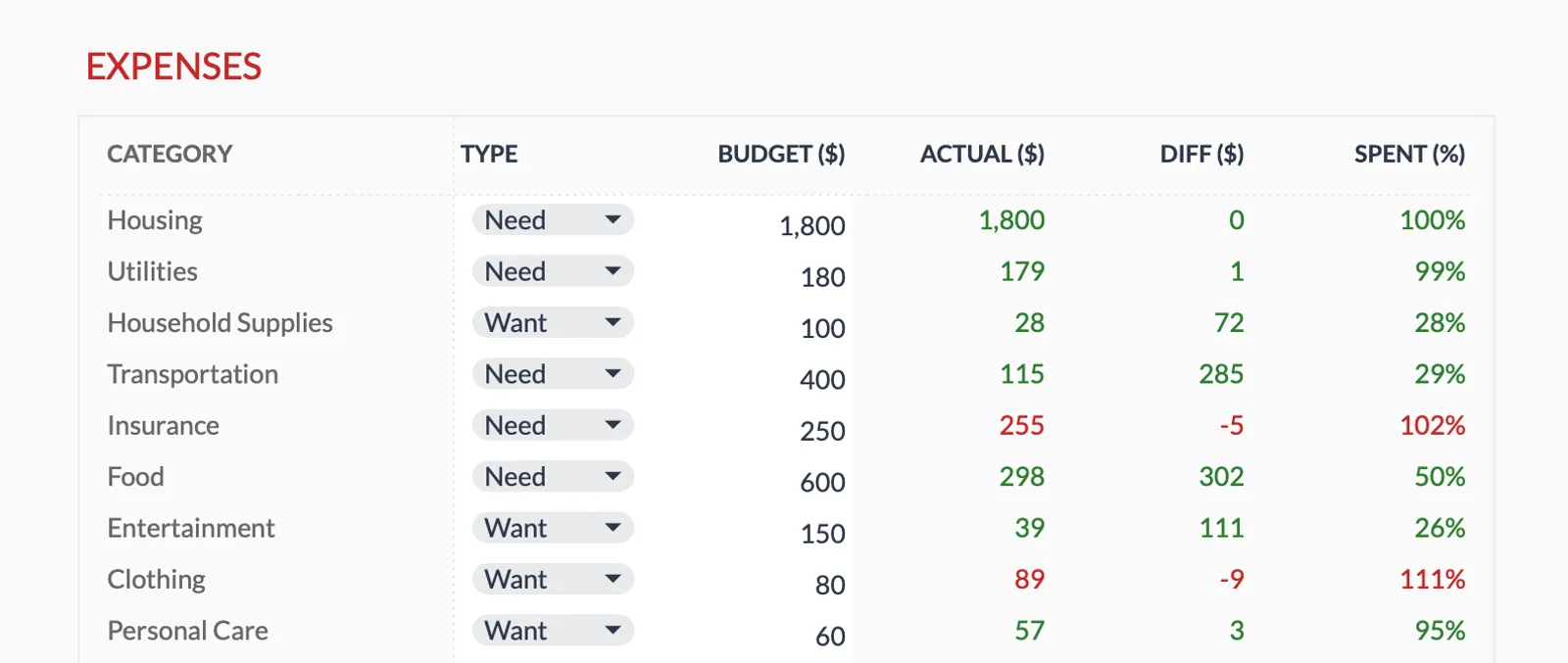
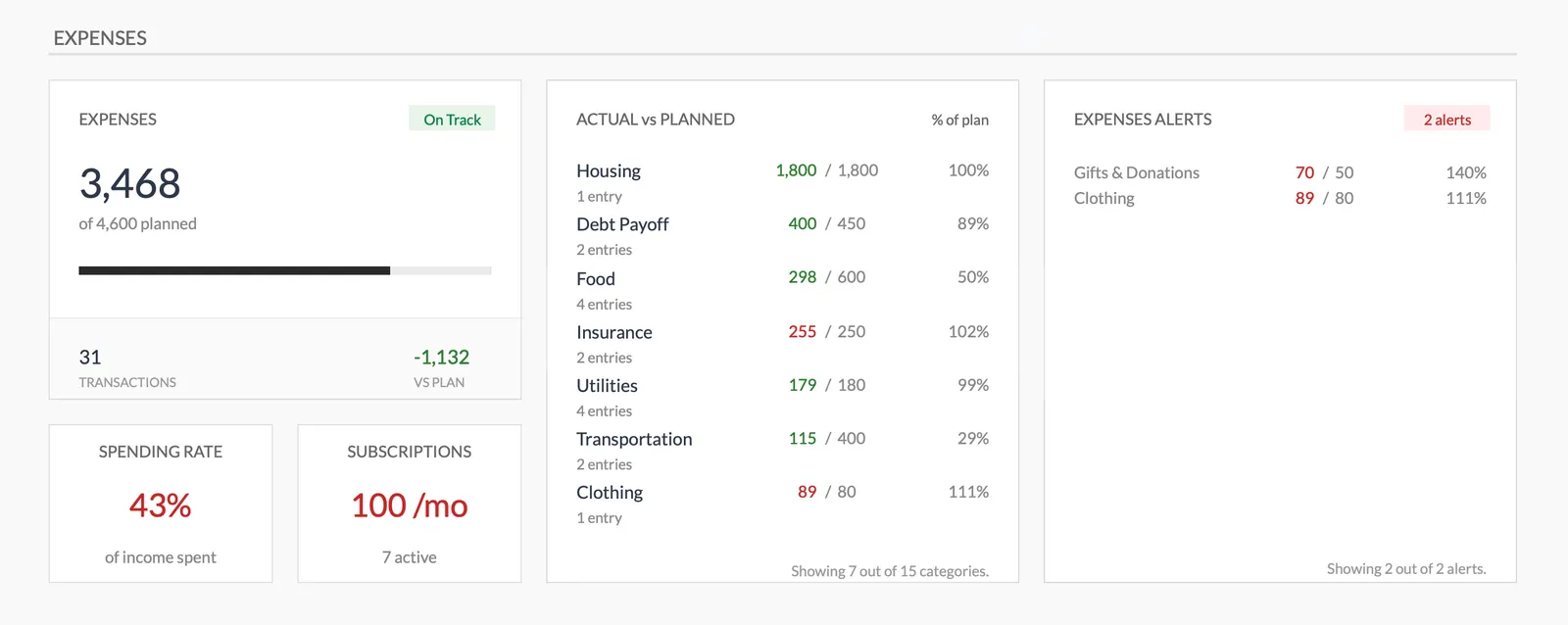
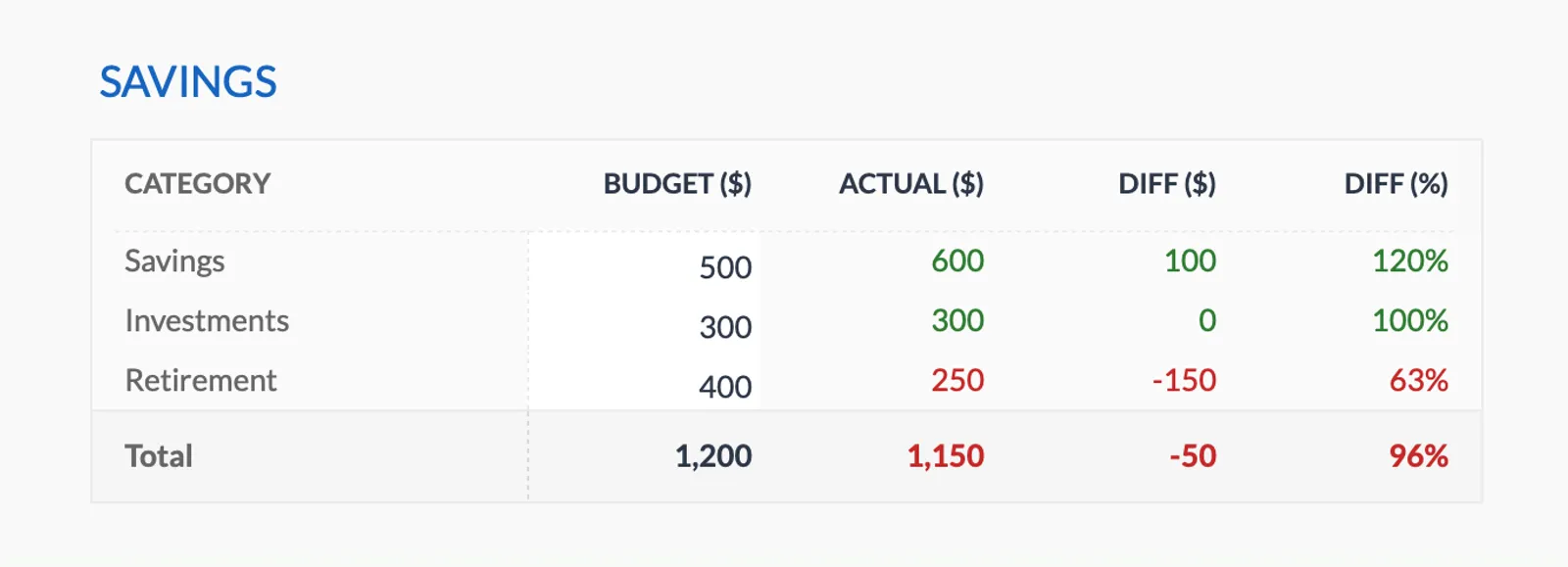
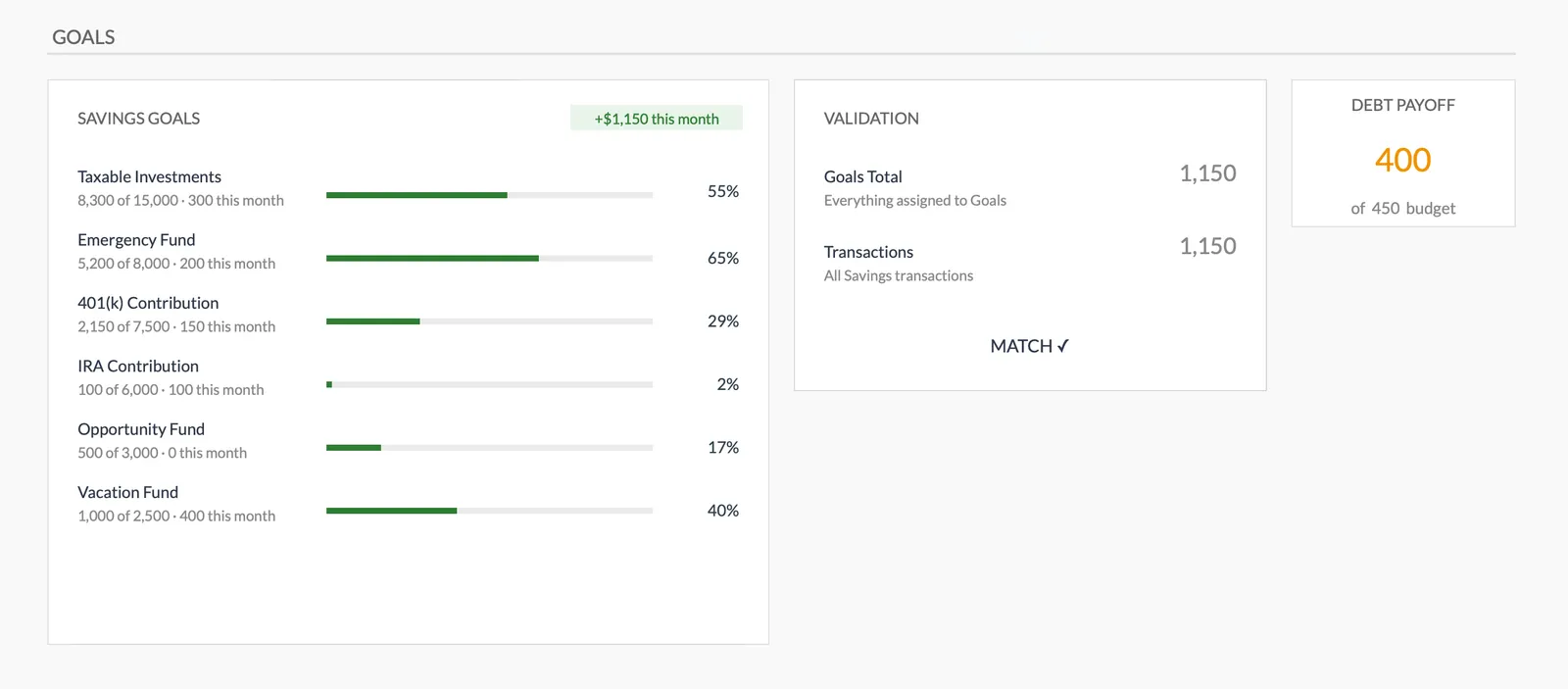
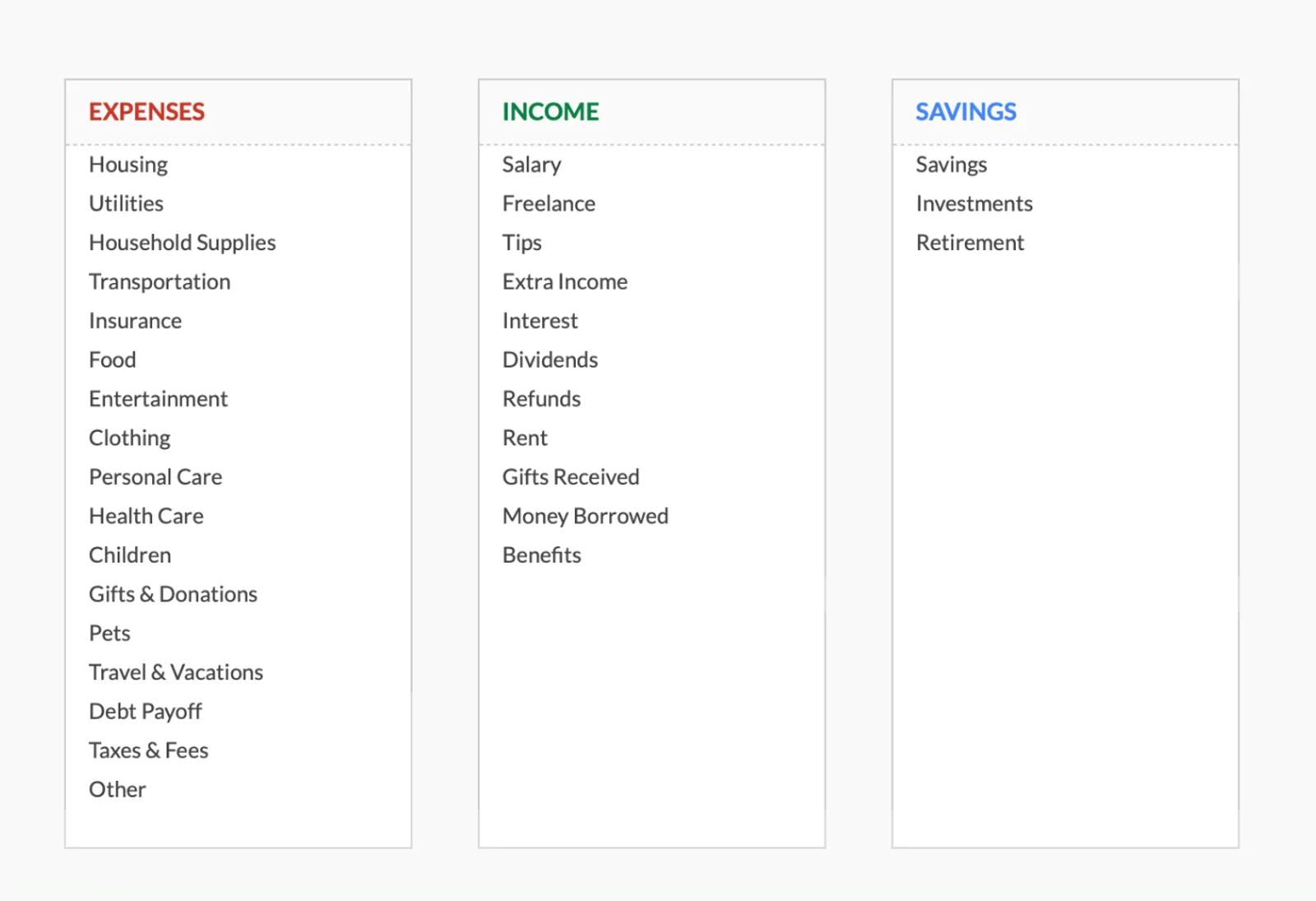
Dashboard with income, expenses, and savings at a glance
Log transactions with automatic categorization
Set targets per category and track actual spending
Visual breakdown of where your money goes
Track savings goals alongside your budget
Monitor progress toward financial goals
Fully customizable expense, income, and savings categories
Common Questions
Monthly Budget Template for New Zealand - FAQ
Does this template use New Zealand dollars?
Yes - use the built-in currency selector to display NZD. All calculations work the same regardless of which currency symbol you choose.
Can I track KiwiSaver contributions?
KiwiSaver contributions are deducted from your pay before you receive it, so they're already accounted for in your net pay. If you make voluntary additional contributions beyond your payroll deductions, add those as a budget category.
How do I budget for the KiwiSaver first home withdrawal?
If you're saving for a first home, you can track your KiwiSaver balance growth separately as a savings target. The first home withdrawal lets you access most of your KiwiSaver balance (keeping $1,000 in the account). The HomeStart grant provides up to $10,000 for an existing home or $20,000 for a new build.
Is there a Kiwi-specific version of this template?
The template is the same globally - designed to be fully customizable. This page explains how to adapt it for New Zealand finances. Google Sheets' flexibility lets you rename categories and adjust the setup to match your specific situation.
How does this compare to NZ budgeting tools like Sorted?
Sorted.org.nz provides free budgeting tools and financial guidance specific to NZ. This template offers a downloadable, customizable Google Sheets alternative that you own and control. Some people use Sorted for guidance and this template for ongoing tracking.
Can't find the answer you're looking for? Contact our team
Ready to get started?
Download instantly and start managing your finances, or contact us to design a custom template package for your needs.