Netherlands
Monthly Budget Template for Netherlands
Track your income in EUR, manage Dutch tax deductions, and everyday expenses - all in a Google Sheets template you own.
Netherlands
Budgeting in the Netherlands: What's Different
The Dutch financial system has distinct features - from the box tax system to mandatory health insurance - that shape how you budget. Understanding these helps you set up an effective template.
The box system taxes different income types separately
The Netherlands taxes income in three "boxes": Box 1 covers employment income (rates from 36.97% to 49.50% in 2025), Box 2 covers substantial shareholdings, and Box 3 taxes savings and investments based on a deemed return. For most employees, Box 1 is the primary concern - your employer withholds tax (loonheffing) before you receive your salary.
The 30% ruling benefits qualifying expats
Expats recruited from abroad may qualify for the 30% ruling, which makes 30% of gross salary tax-free for up to 5 years. This significantly increases take-home pay for those who qualify. If you have the 30% ruling, budgeting from your actual net pay (which will be higher than colleagues in similar roles without the ruling) gives an accurate picture.
Mandatory health insurance is a fixed monthly cost
Everyone living in the Netherlands must have basic health insurance (basisverzekering). Premiums average around EUR 140-160/month (2025), plus a mandatory deductible (eigen risico) of EUR 385/year. The zorgtoeslag (healthcare allowance) subsidizes premiums for lower incomes. This is a predictable expense worth budgeting for specifically.
Dutch expense patterns have unique characteristics
Cycling culture reduces transport costs for many, but housing (especially in Amsterdam, Utrecht, and Rotterdam) is expensive. Energy costs fluctuate seasonally. Groceries are relatively affordable compared to other Western European countries. A budget that reflects these Dutch-specific patterns is more useful than a generic European template.
Get the Monthly Budget Template
Getting Started
How to Set Up This Template for the Netherlands
Set the currency to EUR
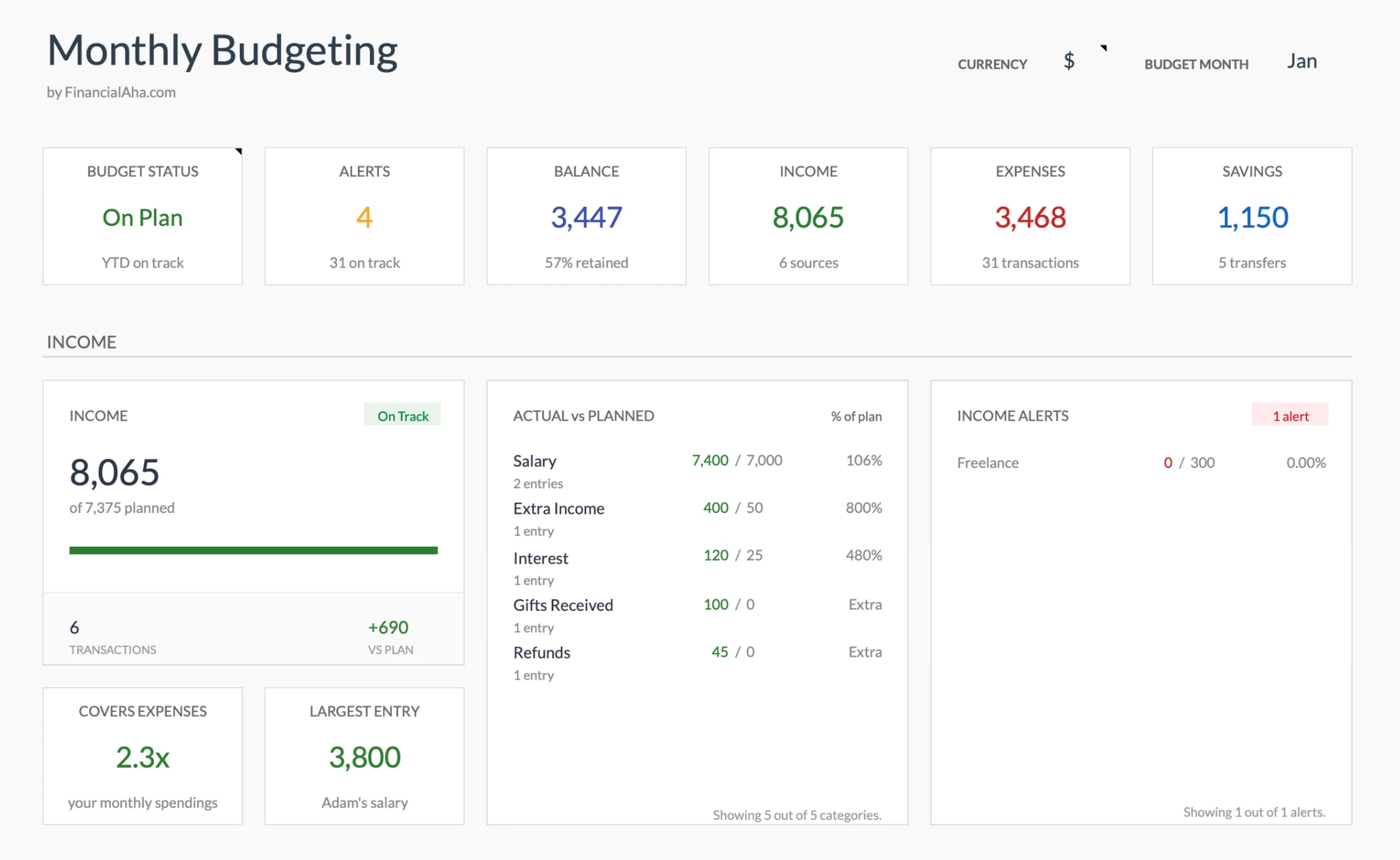
The template includes a currency selector in the top-right corner of the dashboard. Switch it to EUR. The calculations stay the same - only the display changes.
Enter your netto salary
Use your net monthly salary - the amount credited after loonheffing (wage tax and social contributions). Your payslip shows this as "netto loon" or "uitbetaald bedrag." Include holiday allowance (vakantiegeld) in the month it arrives, or spread it across 12 months.
Customize expense categories for Dutch life
Add categories for rent or mortgage, health insurance (zorgverzekering), utilities (gas, electricity, water), internet and mobile, groceries, OV-chipkaart or car expenses, dining out, and any other regular expenses. Dutch-specific items like gemeentelijke belastingen (municipal taxes) and waterschapsbelasting (water authority tax) are annual costs worth budgeting for monthly.
Account for vakantiegeld (holiday allowance)
Most Dutch employers pay 8% holiday allowance as a lump sum in May or June. This is a significant amount - some people budget it for holidays, others spread it across the year mentally. Decide your approach and reflect it in the template.
Plan for Dutch annual expenses
Several expenses come annually: gemeentebelasting, waterschapsbelasting, health insurance deductible (if used), car road tax (motorrijtuigenbelasting), and insurance renewals. Dividing these by 12 and setting aside monthly avoids lump-sum surprises.
See It In Action
What the template looks like
Browse through the template to see how it handles budgeting, categories, and expense tracking - all adaptable to your local financial setup.
- Built-in currency selector
- Customizable categories
- Budget vs actual tracking
- Visual charts and summaries

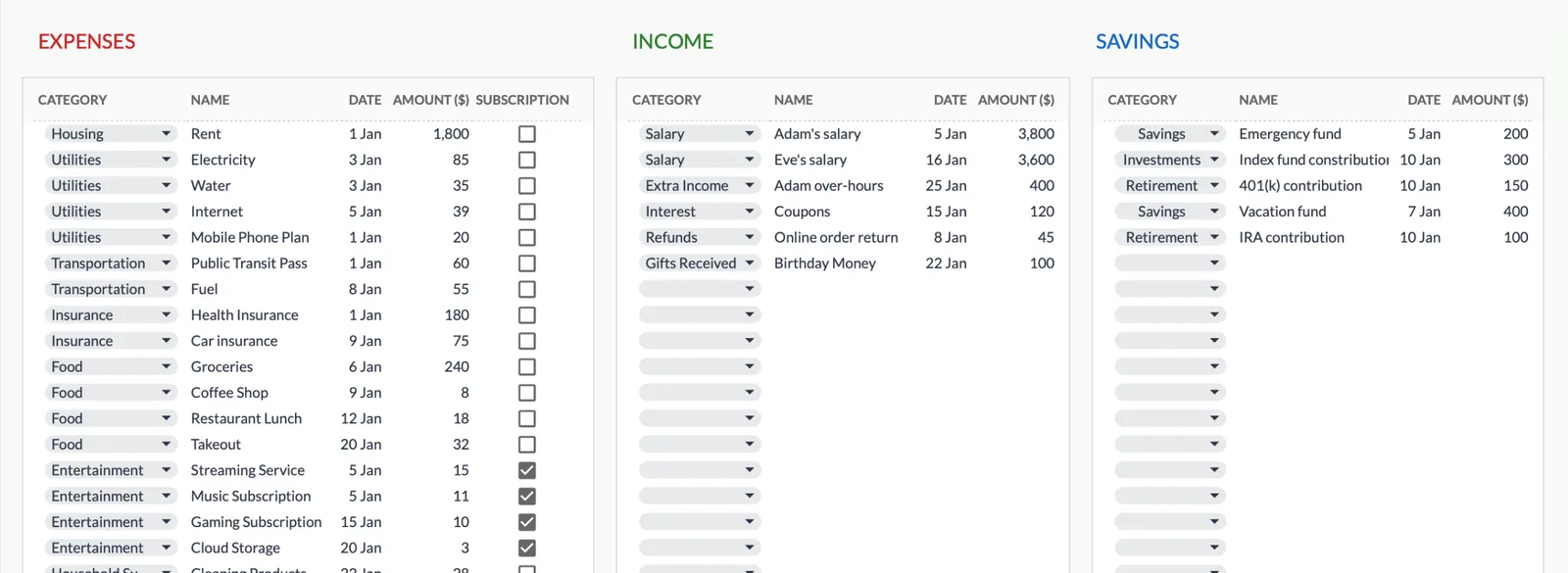
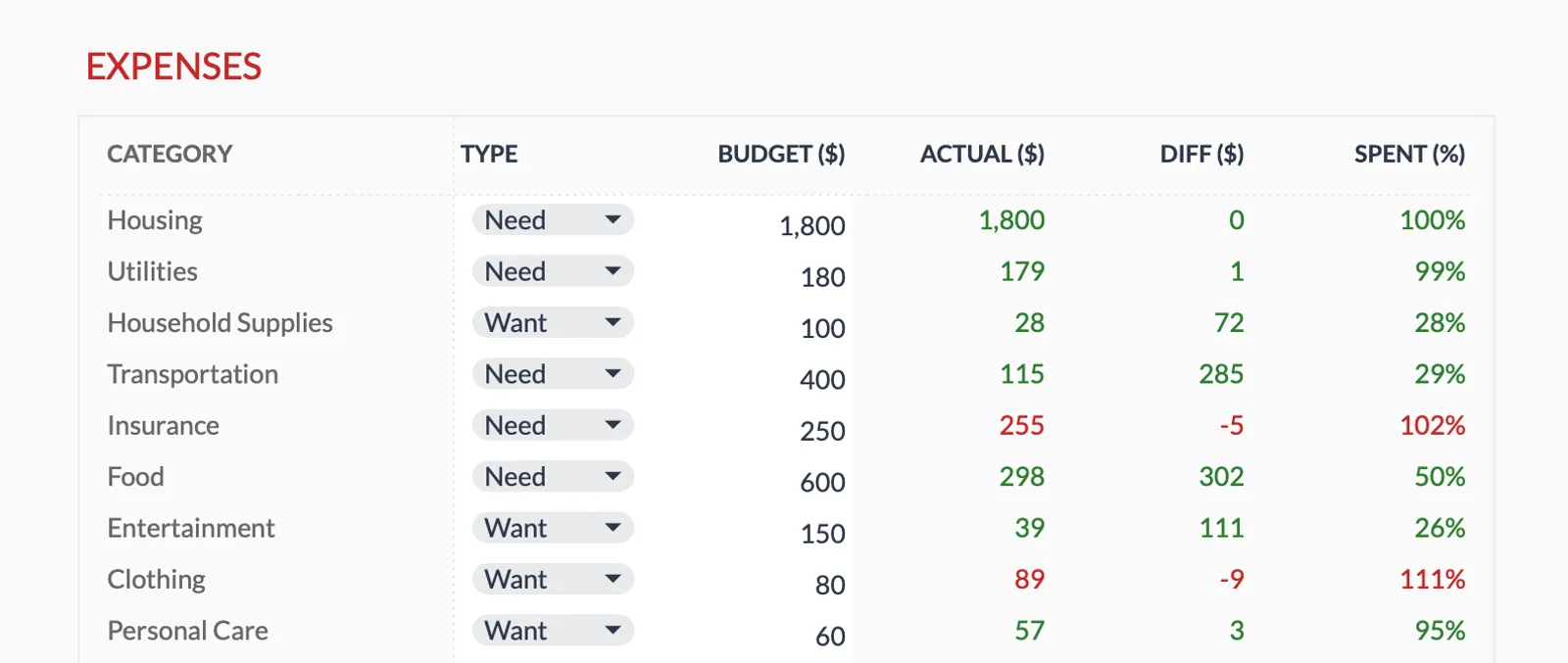
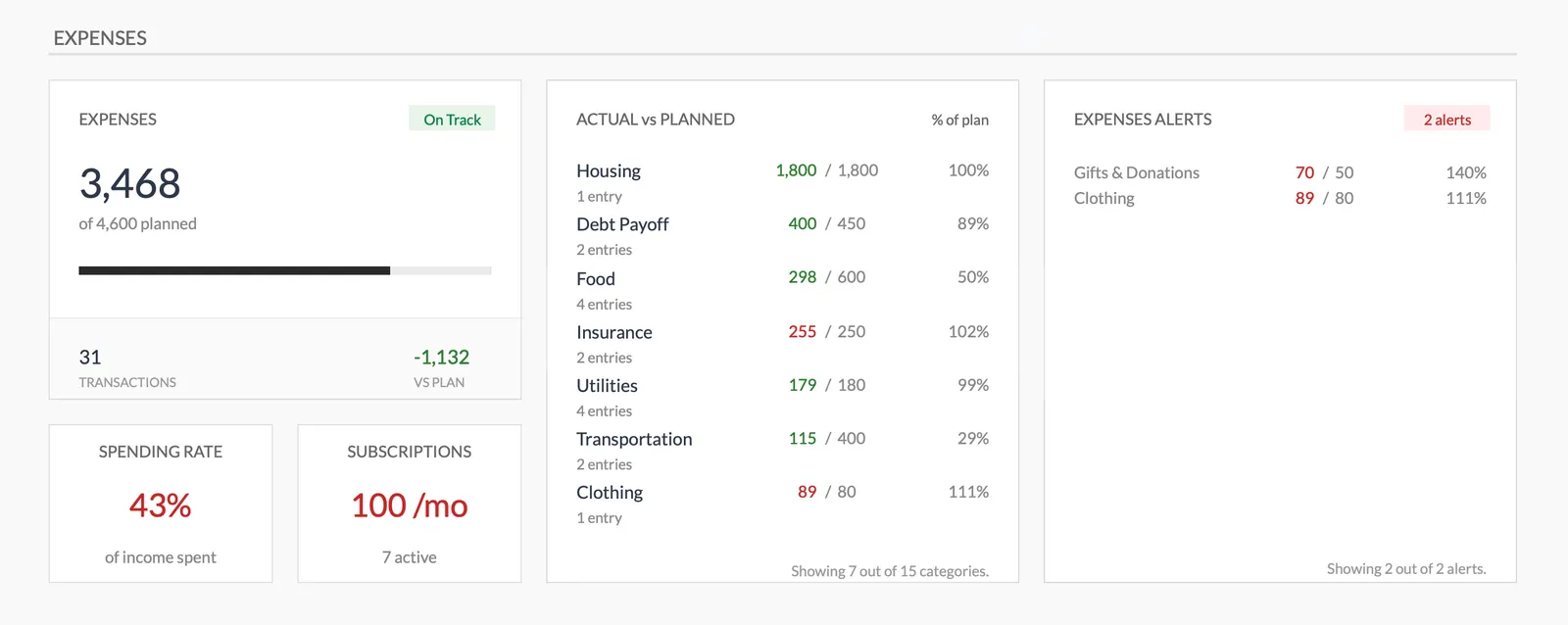
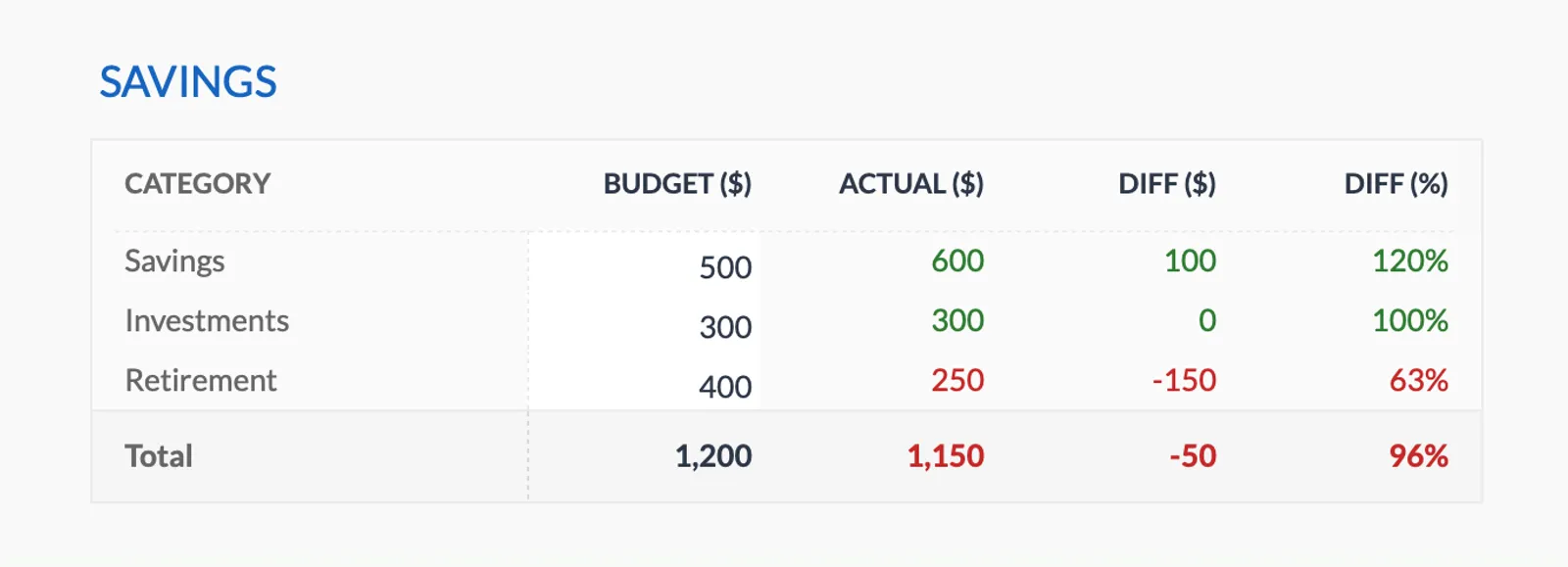
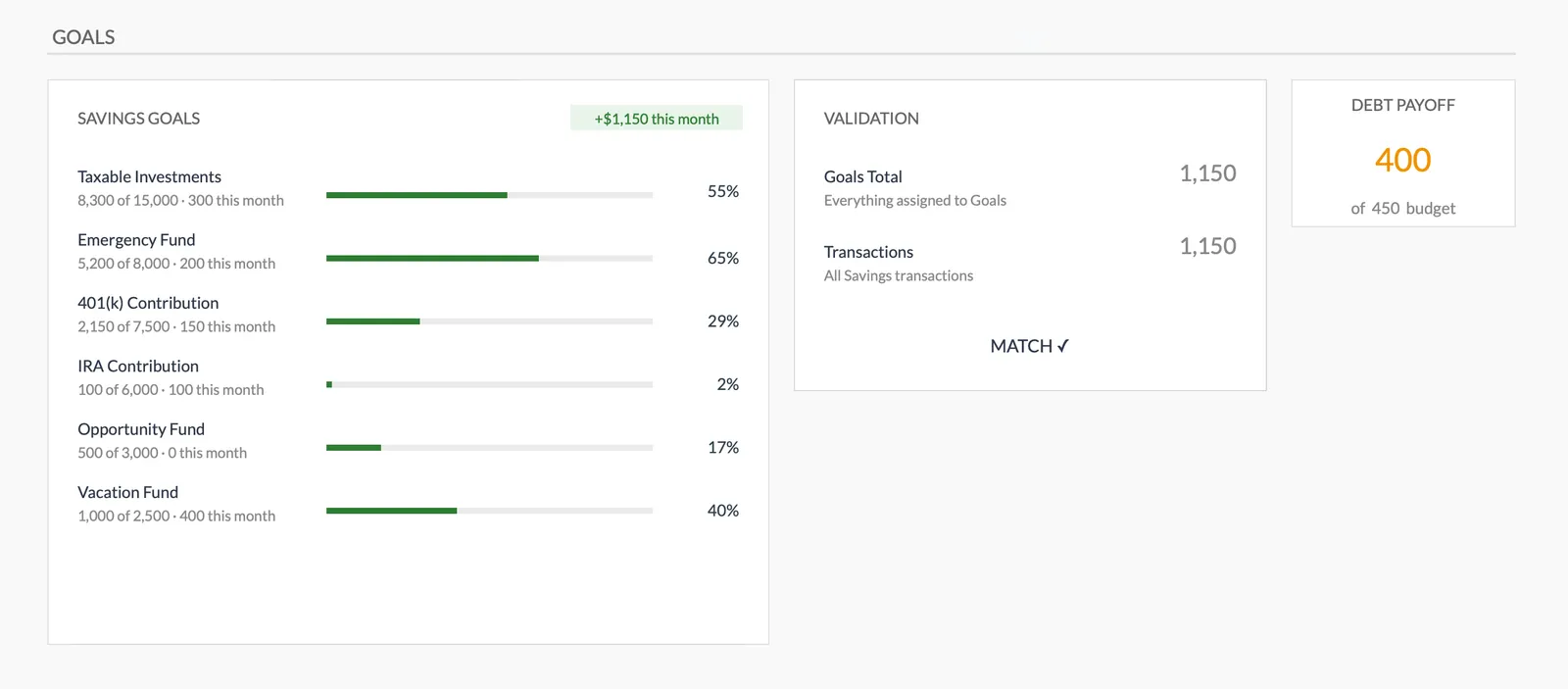
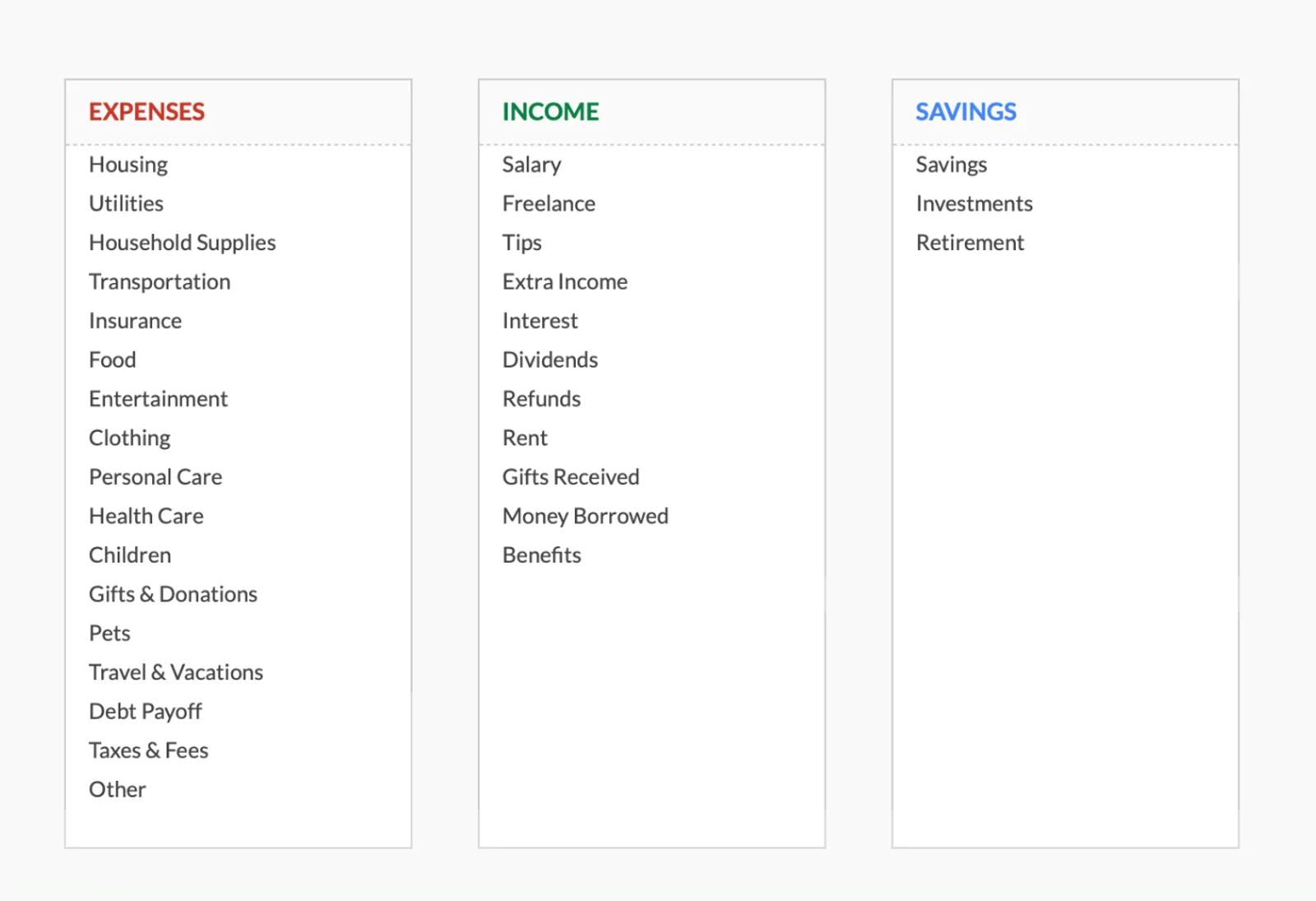
Dashboard with income, expenses, and savings at a glance
Log transactions with automatic categorization
Set targets per category and track actual spending
Visual breakdown of where your money goes
Track savings goals alongside your budget
Monitor progress toward financial goals
Fully customizable expense, income, and savings categories
Common Questions
Monthly Budget Template for Netherlands - FAQ
Does this template use euros?
The template includes a built-in currency selector - switch it to EUR. All calculations are currency-agnostic, so the math works the same regardless of the display currency.
How do I budget with the 30% ruling?
If you have the 30% ruling, your net salary is higher because 30% of your gross is tax-free. Simply enter your actual net pay as income. Be aware that the ruling is temporary (up to 5 years), so planning for the eventual reduction in take-home pay is worth considering.
Should I include zorgtoeslag in my income?
If you receive healthcare allowance (zorgtoeslag), you can add it as a separate income line. It helps offset health insurance premiums. Note that zorgtoeslag is income-dependent and reassessed annually, so the amount may change.
How do I handle vakantiegeld?
Holiday allowance (typically paid in May) is usually 8% of gross salary. You can enter it as extra income in May, or divide by 12 and add a monthly amount. Either approach works - the key is to decide before the year starts and be consistent.
Is there a Netherlands-specific version?
The template is the same worldwide - designed to be customizable. This page explains how to adapt it for Dutch finances. The flexibility of Google Sheets means you can rename categories and set up the budget to match your specific situation.
How does this compare to Dutch apps like Grip or Flow?
Apps like Grip connect to Dutch banks for automated categorization. This template requires manual entry but offers more customization, costs a one-time fee, and keeps your data in your own Google Drive. The tradeoff is convenience vs. control and privacy.
Can't find the answer you're looking for? Contact our team
Ready to get started?
Download instantly and start managing your finances, or contact us to design a custom template package for your needs.