Malaysia
Monthly Budget Template for Malaysia
Track your income in MYR, manage EPF contributions, PCB tax deductions, and everyday expenses - all in a Google Sheets template you own.
Malaysia
Budgeting in Malaysia: What's Different
Malaysia's financial system has features that shape how budgeting works. Understanding these helps you set up a template that matches your financial reality.
EPF contributions reduce your take-home pay
Employees contribute 11% of their monthly salary to the Employees Provident Fund (EPF), with employers contributing 12-13%. This mandatory deduction means your take-home pay is roughly 89% of gross salary before accounting for income tax. Budgeting from your actual credited salary gives a more accurate picture.
Progressive income tax with generous reliefs
Malaysia's income tax rates range from 0% to 30%. Monthly PCB (Potongan Cukai Berjadual) deductions approximate your annual tax liability. The system offers numerous tax reliefs - medical expenses, education, lifestyle purchases, EPF contributions - that can significantly reduce your tax bill. Tracking qualifying expenses throughout the year can help at tax filing time.
No GST, but SST applies to some items
Malaysia replaced GST with the Sales and Service Tax (SST) system. Service tax of 8% applies to certain services (restaurants, telecommunications, professional services), while sales tax of 5-10% applies to manufactured goods. For budgeting purposes, prices you pay already include applicable taxes.
Malaysian cost of living varies significantly by location
Living costs in Kuala Lumpur differ substantially from Penang, Johor Bahru, or East Malaysia. Housing, transport (car-centric in most areas), and food (from hawker stalls to restaurants) are the main variable categories. A budget tailored to your specific city and lifestyle gives the most useful picture.
Get the Monthly Budget Template
Getting Started
How to Set Up This Template for Malaysia
Switch the currency to MYR
The template includes a currency selector in the top-right corner of the dashboard. Switch it to MYR or RM. The calculations stay the same - only the display changes.
Enter your after-EPF, after-tax take-home pay
Use the amount actually credited to your bank account after EPF and PCB deductions. Your payslip shows the breakdown - the net pay figure is what to use for budgeting.
Customize expense categories for Malaysian life
Add categories relevant to your situation: rent or home loan, utilities (TNB electricity, water), mobile and broadband, petrol and toll (Touch 'n Go), car loan and insurance, groceries, eating out (mamak to restaurants), medical expenses, and insurance premiums.
Track tax-relief-eligible expenses
Malaysia offers tax reliefs for lifestyle expenses (up to RM2,500), medical expenses, education fees, and more. Adding a note or tag to qualifying purchases during the year makes tax filing easier and ensures you claim everything you're entitled to.
Plan for annual and seasonal expenses
Account for road tax and car insurance renewals, annual medical check-ups, Hari Raya or Chinese New Year expenses, school reopening costs, and any other periodic expenses. Planning for these across the year avoids month-end surprises.
See It In Action
What the template looks like
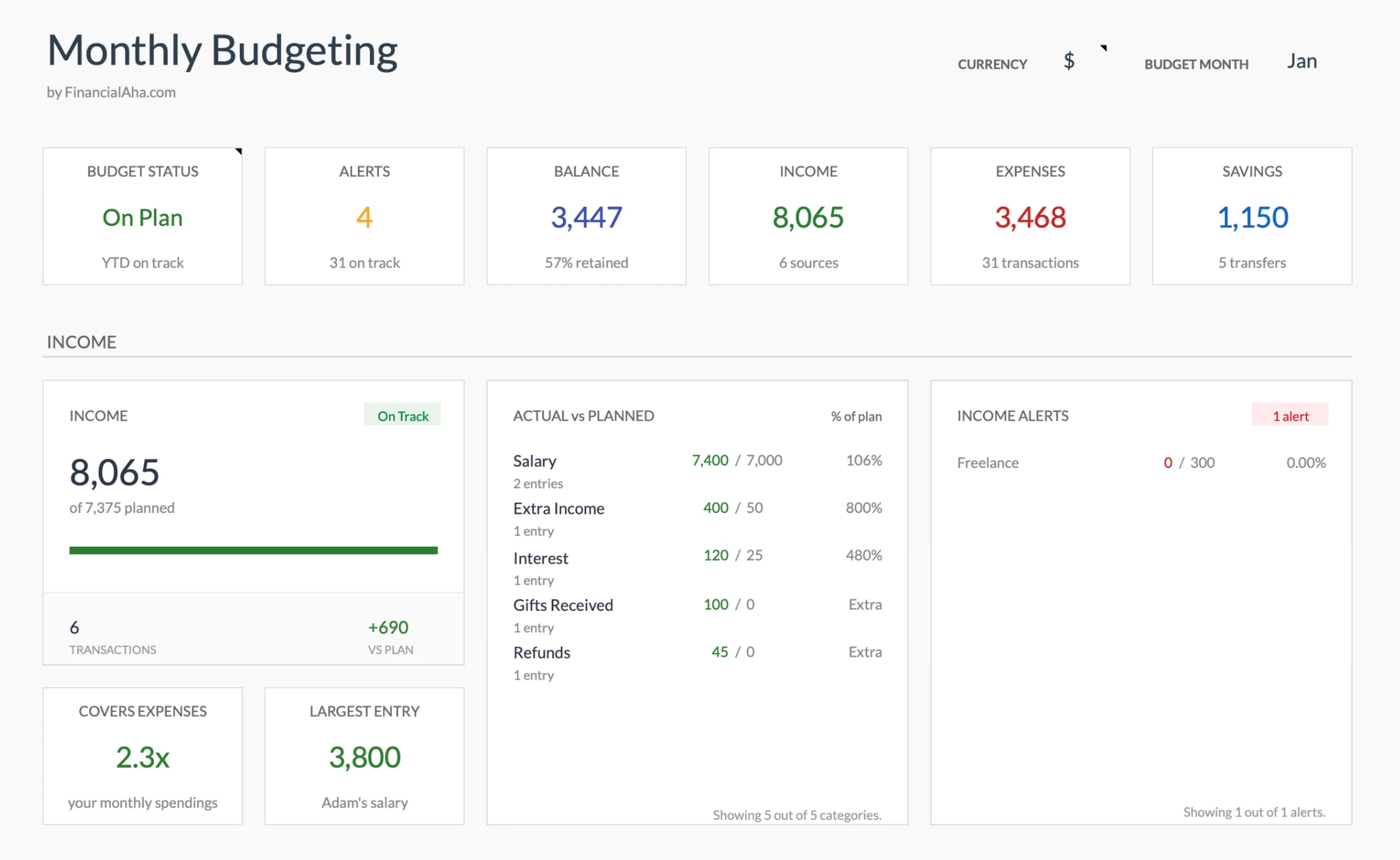
Browse through the template to see how it handles budgeting, categories, and expense tracking - all adaptable to your local financial setup.
- Built-in currency selector
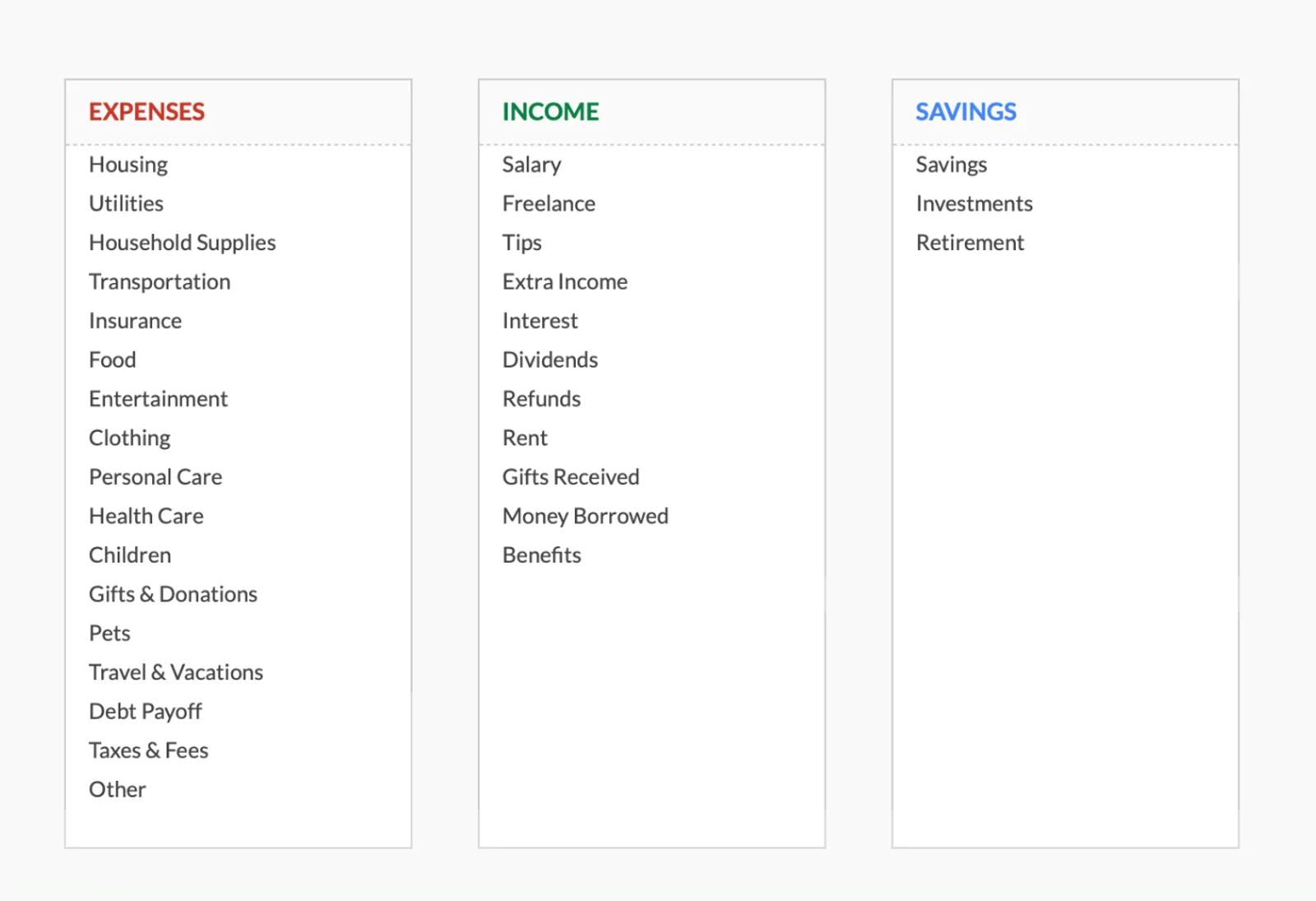
- Customizable categories
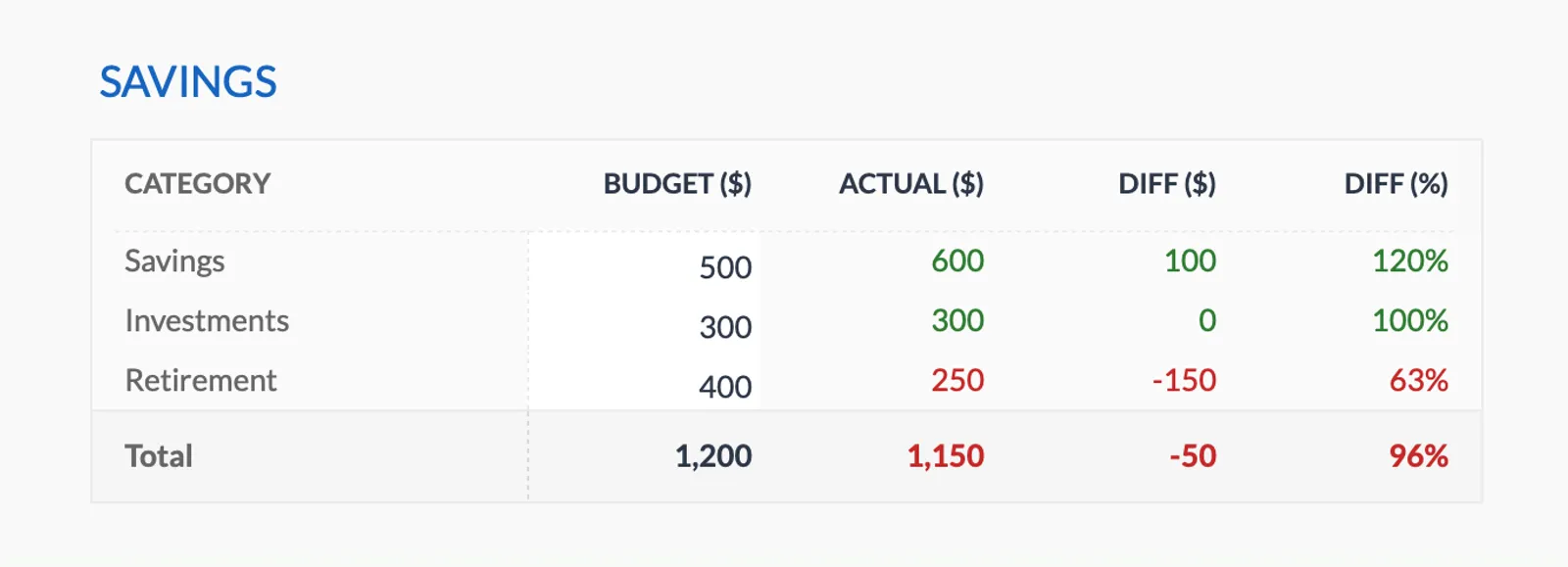
- Budget vs actual tracking
- Visual charts and summaries

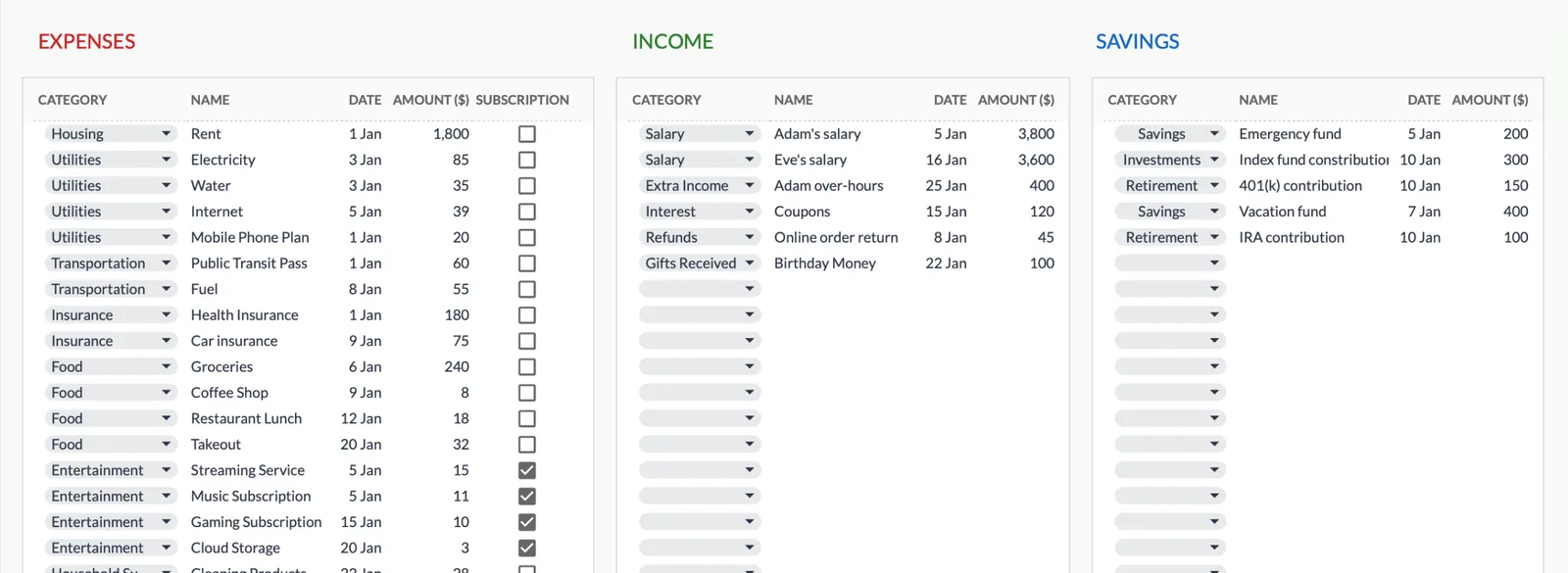
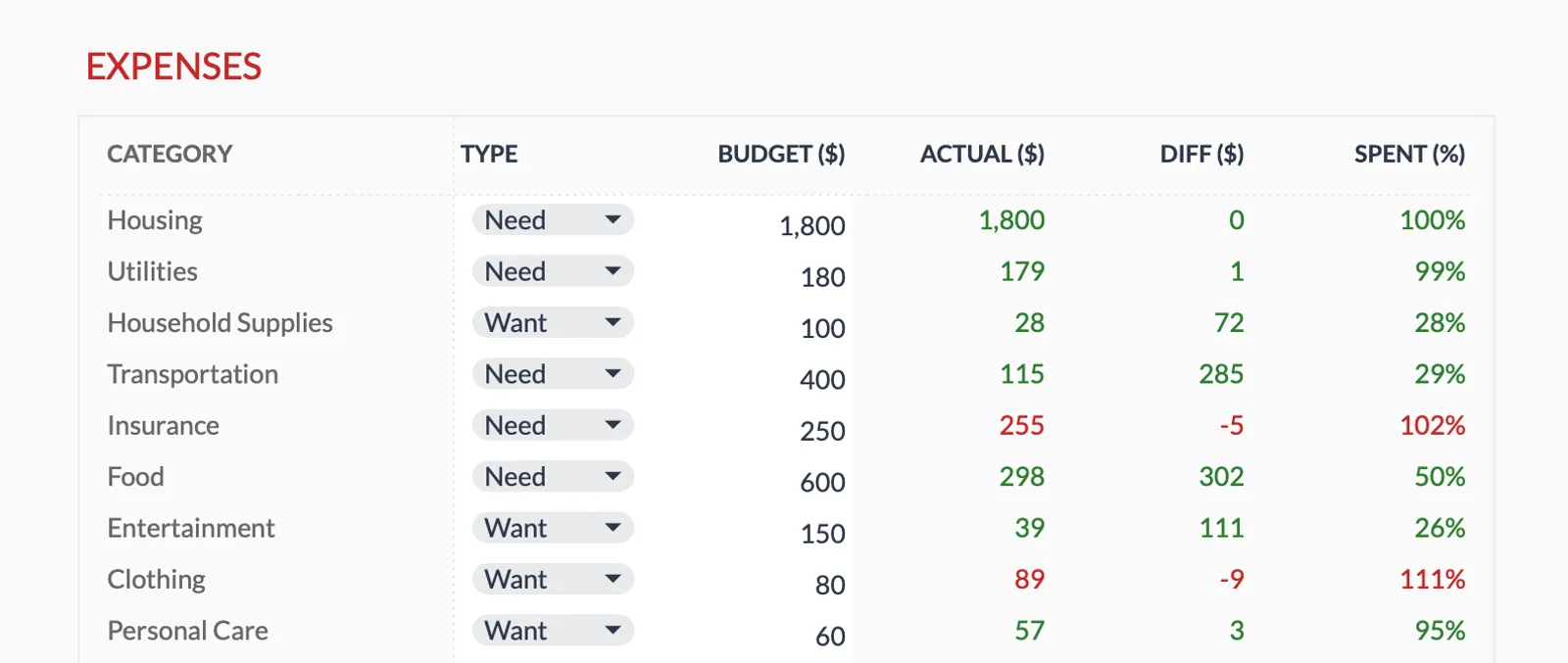
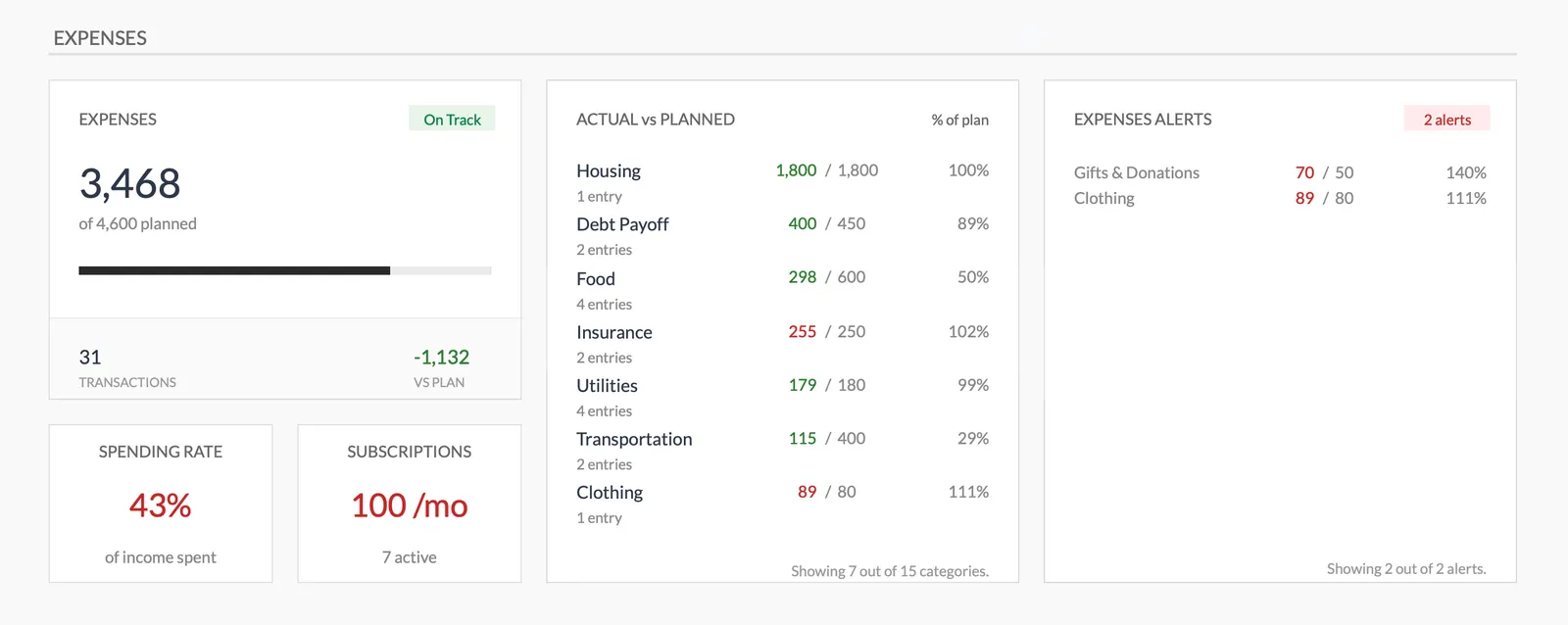
Dashboard with income, expenses, and savings at a glance
Log transactions with automatic categorization
Set targets per category and track actual spending
Visual breakdown of where your money goes
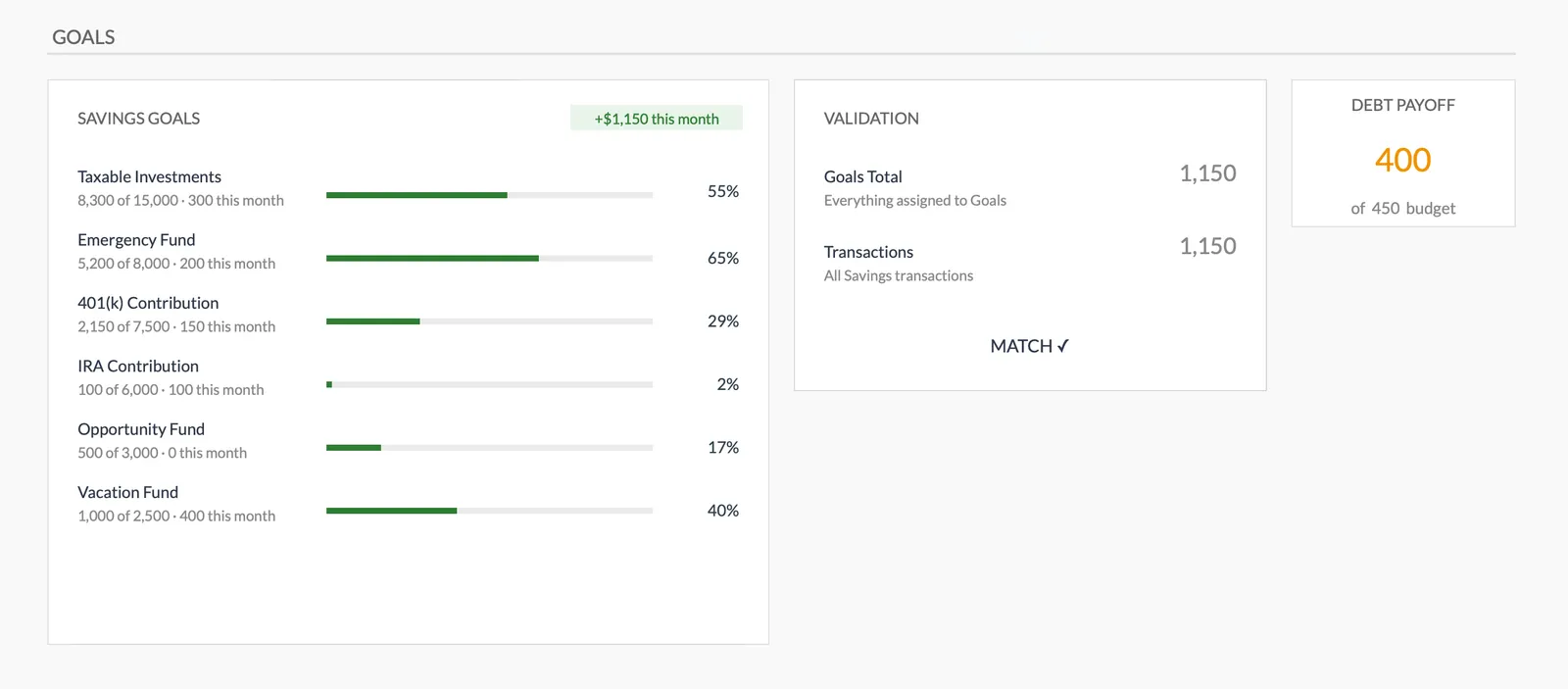
Track savings goals alongside your budget
Monitor progress toward financial goals
Fully customizable expense, income, and savings categories
Common Questions
Monthly Budget Template for Malaysia - FAQ
Does this template use Malaysian ringgit?
The template includes a built-in currency selector - switch it to MYR or RM. All calculations are currency-agnostic, so the math works the same regardless of the display currency.
Should I track EPF contributions in my budget?
EPF is deducted before your take-home pay, so it doesn't need a budget line. Just use your net salary as income. If you make voluntary additional EPF contributions (self-contribution to Account 1), track those separately since they come from your disposable income.
How do I handle variable income like commissions or bonuses?
Add these as separate income lines in the months they arrive. For commissions that vary monthly, using a conservative estimate as your baseline and treating higher months as a bonus helps avoid overspending in lean months.
Can I track PTPTN loan repayments?
Yes. Add PTPTN as a debt repayment category. If you're on salary deduction, it's already reflected in your take-home pay. If you pay separately, track it as a monthly expense to stay on top of repayments.
Is there a Malaysia-specific version of this template?
The template is the same worldwide - designed to be customizable. This page explains how to set it up for Malaysian finances. You can rename categories and adjust the template to match your specific situation.
Can't find the answer you're looking for? Contact our team
Ready to get started?
Download instantly and start managing your finances, or contact us to design a custom template package for your needs.