Canada
Monthly Budget Template for Canada
Track your income in CAD, manage TFSA and RRSP contributions, provincial tax differences, and everyday expenses - all in a Google Sheets template you own.
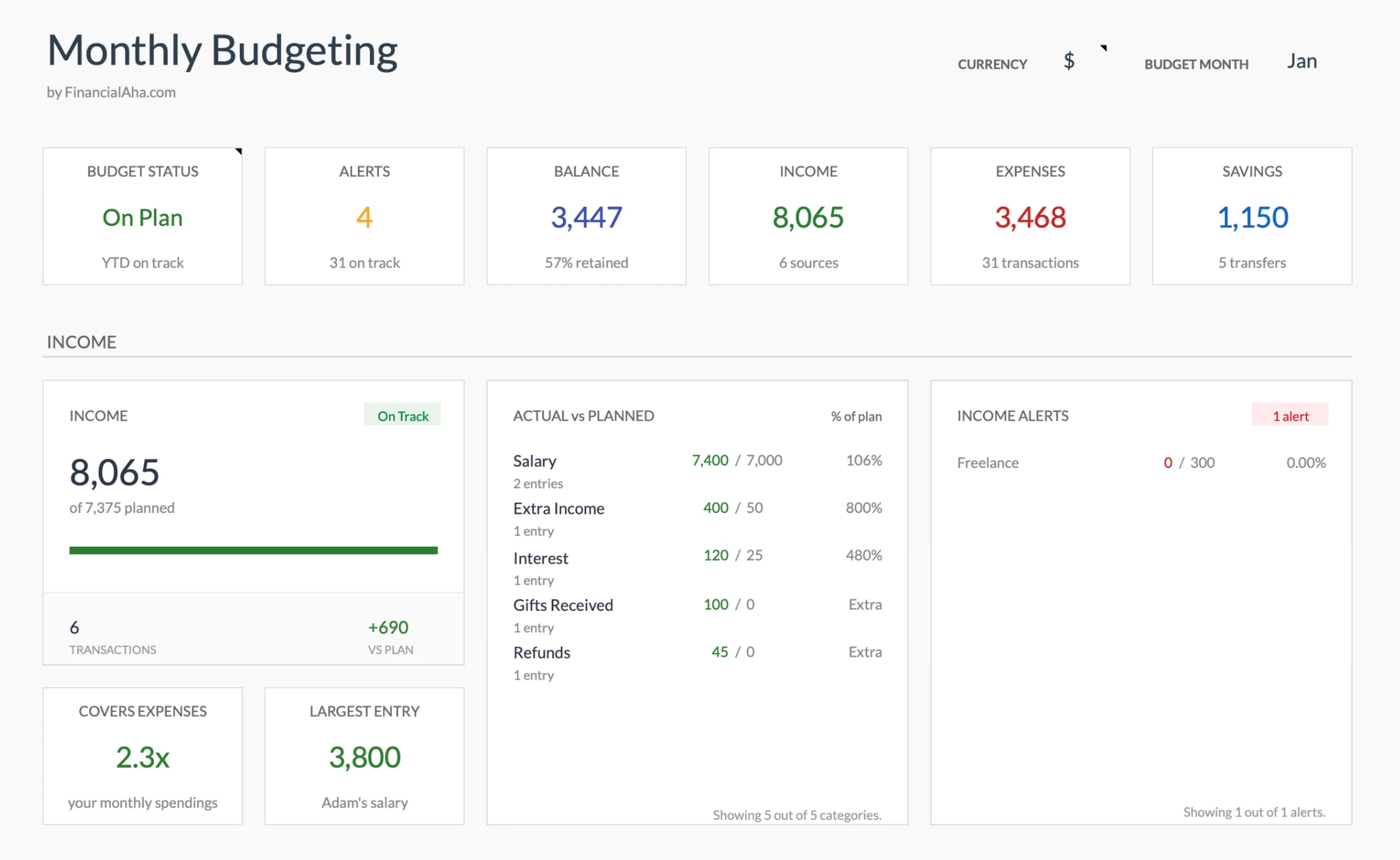
Canada
Budgeting in Canada: What's Different
Canada's financial system shares some similarities with the US but has important differences. Understanding these helps you set up a budget template that reflects your actual Canadian financial picture.
Federal and provincial taxes create a combined burden
Canadians pay both federal income tax (15-33%) and provincial income tax, which varies significantly - from about 4% in Nunavut to over 20% at the top bracket in Nova Scotia. Your province of residence directly affects take-home pay. Using your actual net pay from your pay stub is the most reliable starting point for budgeting.
TFSA and RRSP contributions deserve their own budget lines
The TFSA (Tax-Free Savings Account) contribution room accumulates annually ($7,000 for 2025) and unused room carries forward. RRSP contributions (18% of prior year income, up to $32,490 for 2025) reduce taxable income. Some people find it useful to track these separately in the budget since they serve different purposes - TFSA for flexible tax-free growth, RRSP for tax-deferred retirement savings.
CPP and EI deductions are mandatory
Canada Pension Plan contributions (employee rate of 5.95% on earnings between $3,500 and $71,300 for 2025, plus CPP2 on earnings up to $79,400) and Employment Insurance premiums (1.64% up to the maximum) come off your pay automatically. These are already deducted from your net pay, so budgeting from take-home pay accounts for them.
Canadian living costs vary dramatically by region
Housing in Vancouver or Toronto can consume 40-50% of take-home pay, while smaller cities and provinces offer significantly lower costs. Heating costs in winter, provincial sales tax rates (GST plus PST or HST), and car insurance rates all vary by province. Your budget categories and amounts will look quite different depending on where you live.
Get the Monthly Budget Template
Getting Started
How to Set Up This Template for Canada
Switch the currency to CAD
Use the built-in currency selector to display CAD. The template's calculations are currency-agnostic - only the display symbol changes.
Enter your net pay from your pay stub
Use your actual take-home pay after federal tax, provincial tax, CPP, EI, and any employer benefit deductions. If you have multiple income sources, add each as a separate line.
Set up Canadian-specific expense categories
Add categories for: rent or mortgage, property tax, utilities (hydro, gas, water), internet, cell phone, groceries, transit pass or car costs (insurance, gas, parking), and streaming/subscriptions. Canadian expenses like heating fuel in winter and provincial sales tax on purchases are worth noting.
Track TFSA and RRSP contributions
Add budget categories for TFSA and RRSP contributions made from your take-home pay. If RRSP contributions happen via payroll deduction, they're already out of your net pay. Track only what you contribute manually from your bank account.
Plan for Canadian seasonal costs
Winter brings higher heating bills and potential snow removal costs. Car maintenance shifts (winter tires, block heaters in colder provinces). Property tax may be paid monthly or in installments. Back-to-school is September, and holiday spending peaks in December.
See It In Action
What the template looks like
Browse through the template to see how it handles budgeting, categories, and expense tracking - all adaptable to your local financial setup.
- Built-in currency selector
- Customizable categories
- Budget vs actual tracking
- Visual charts and summaries

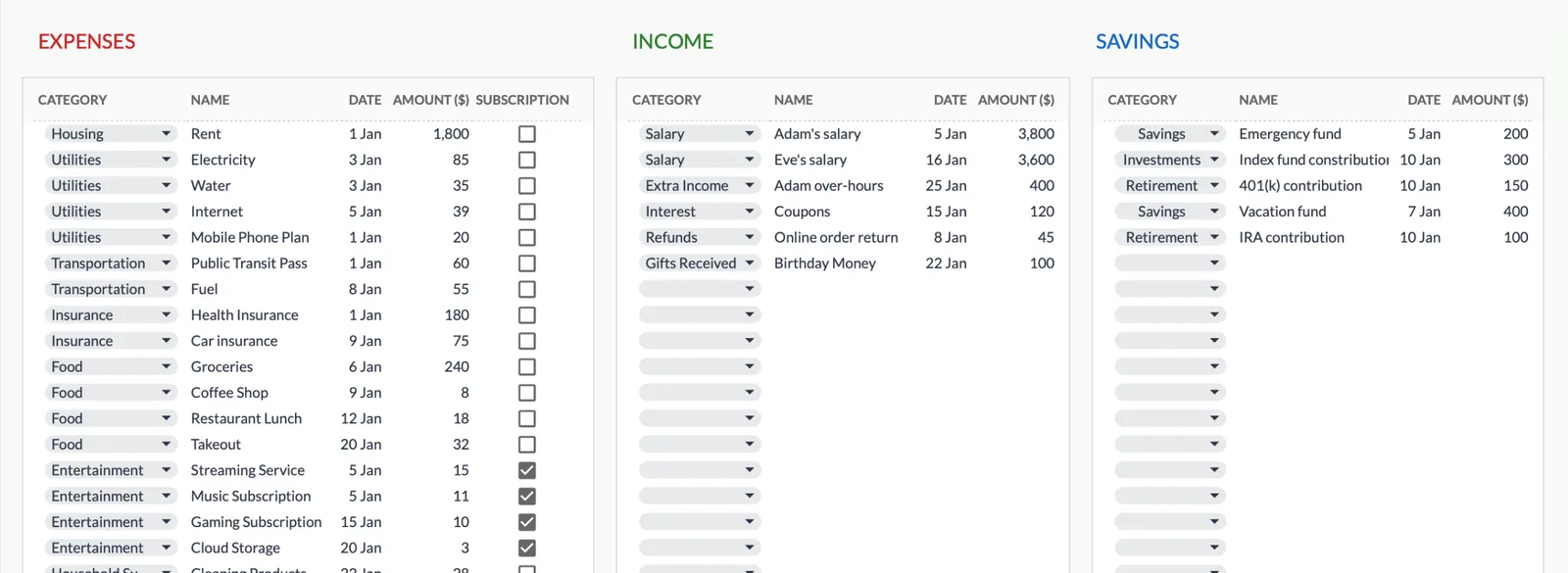
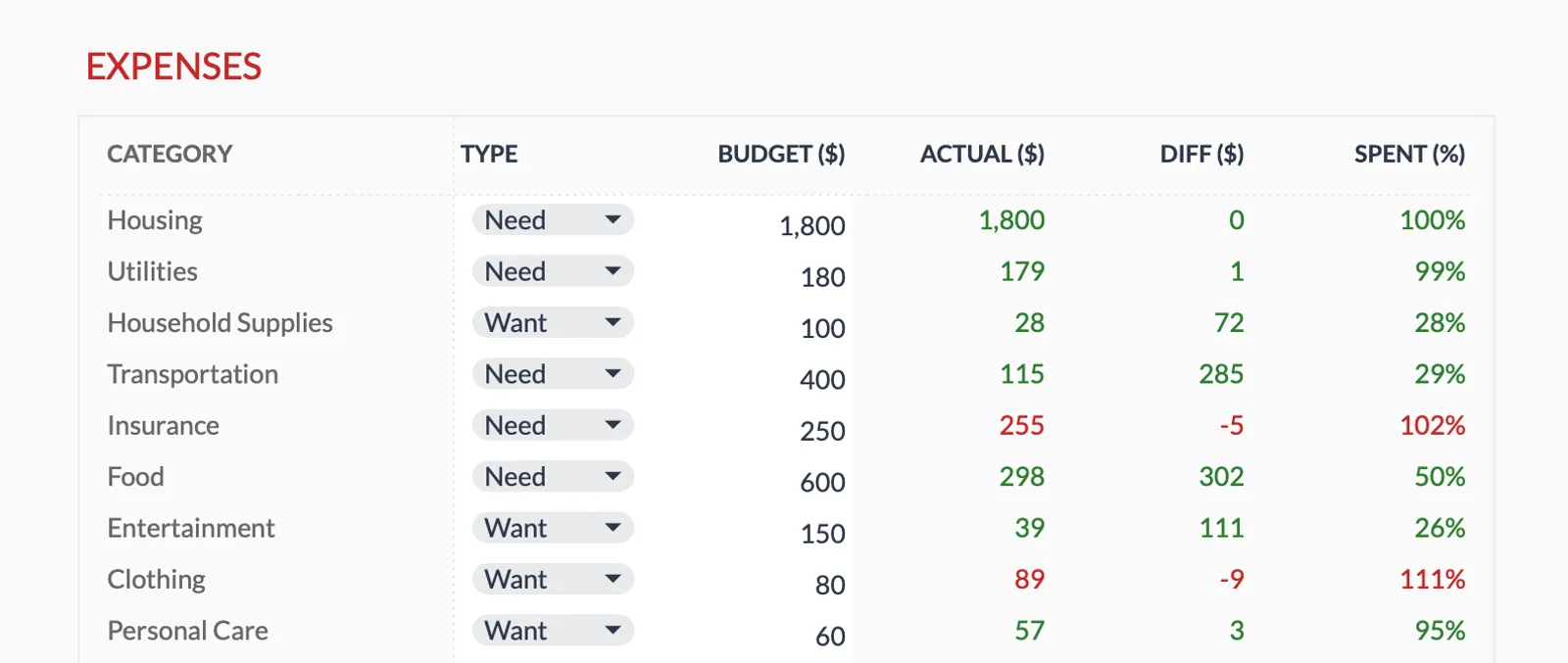
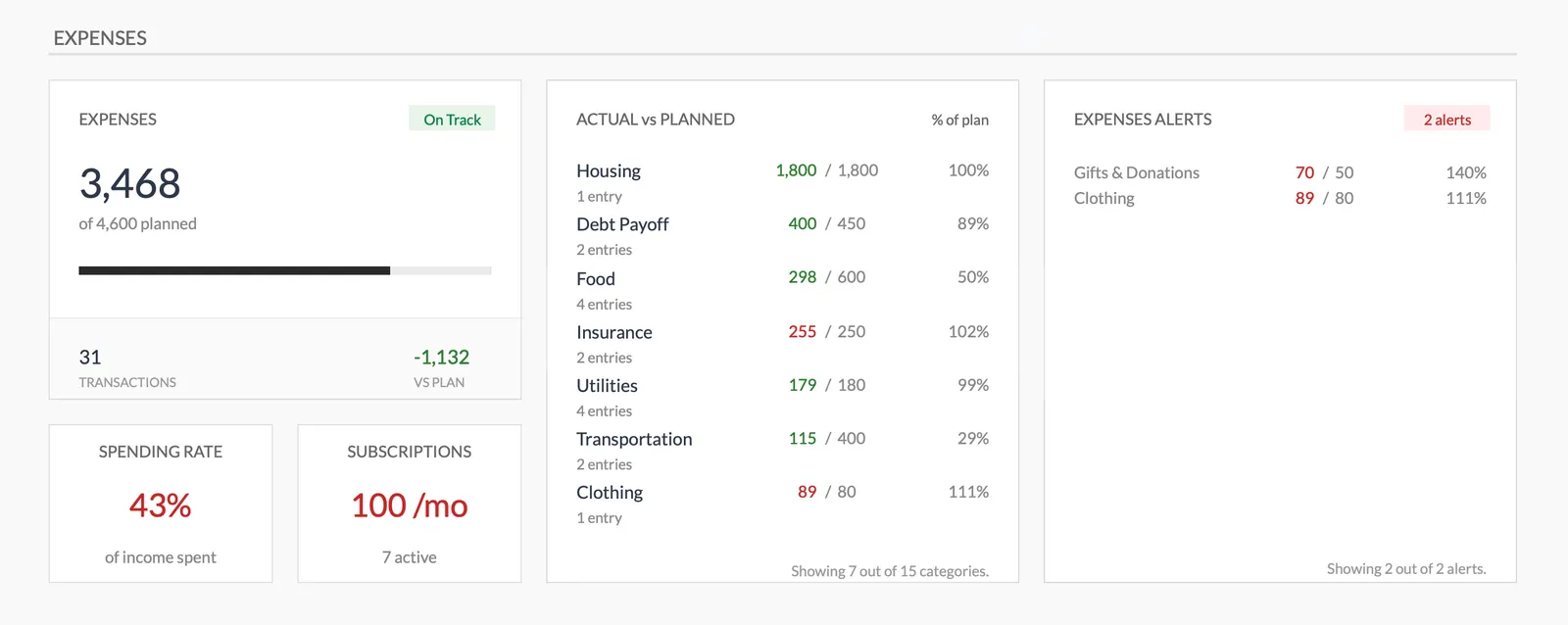
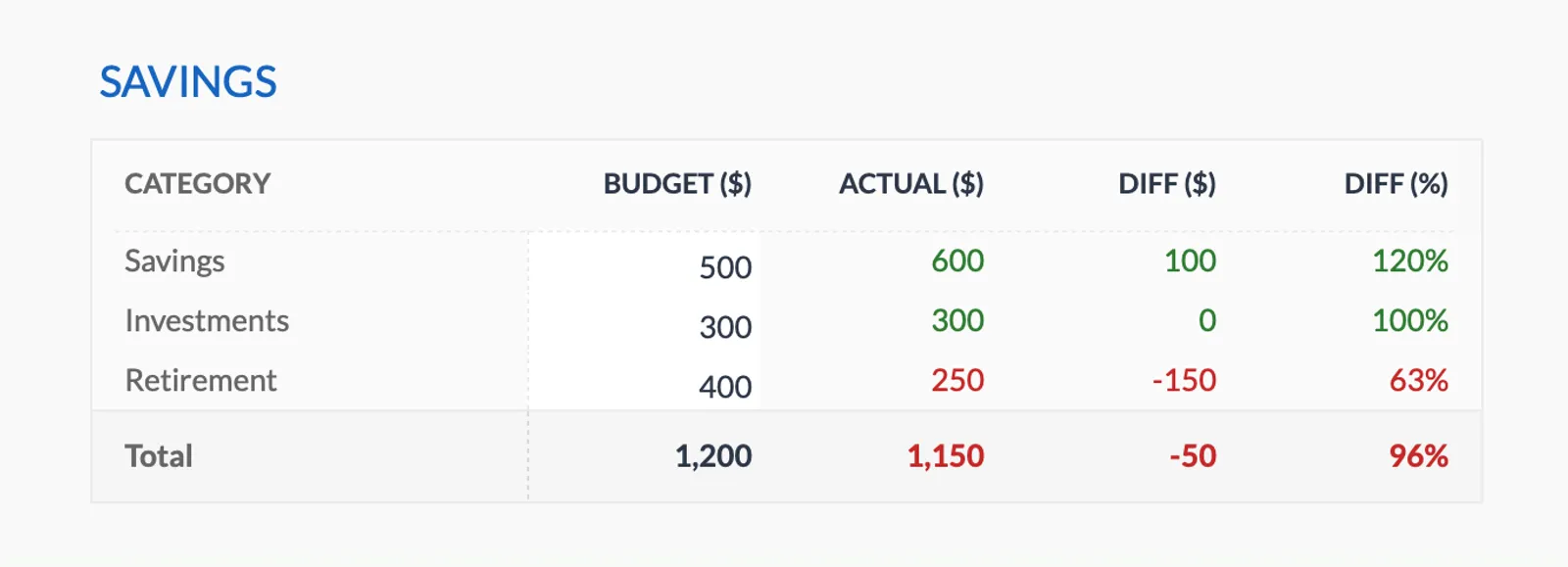
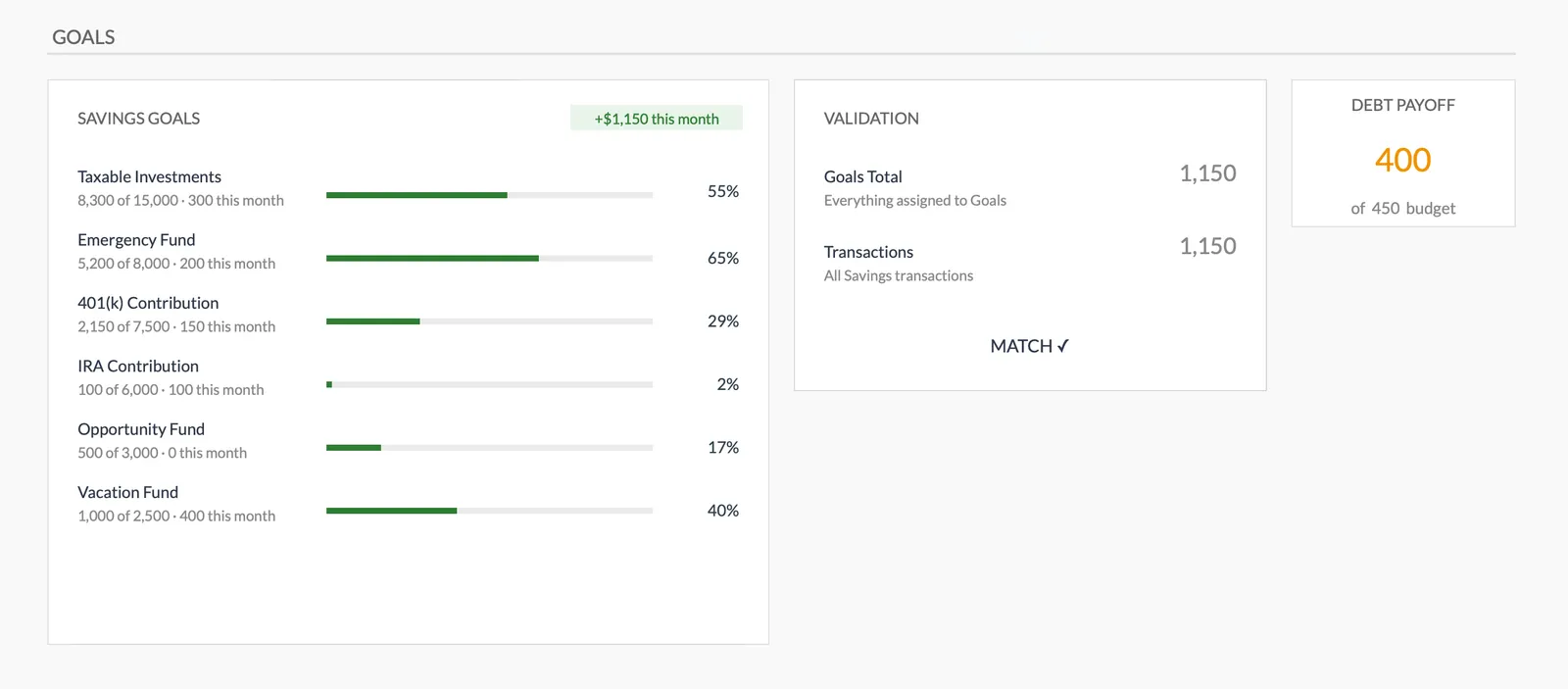
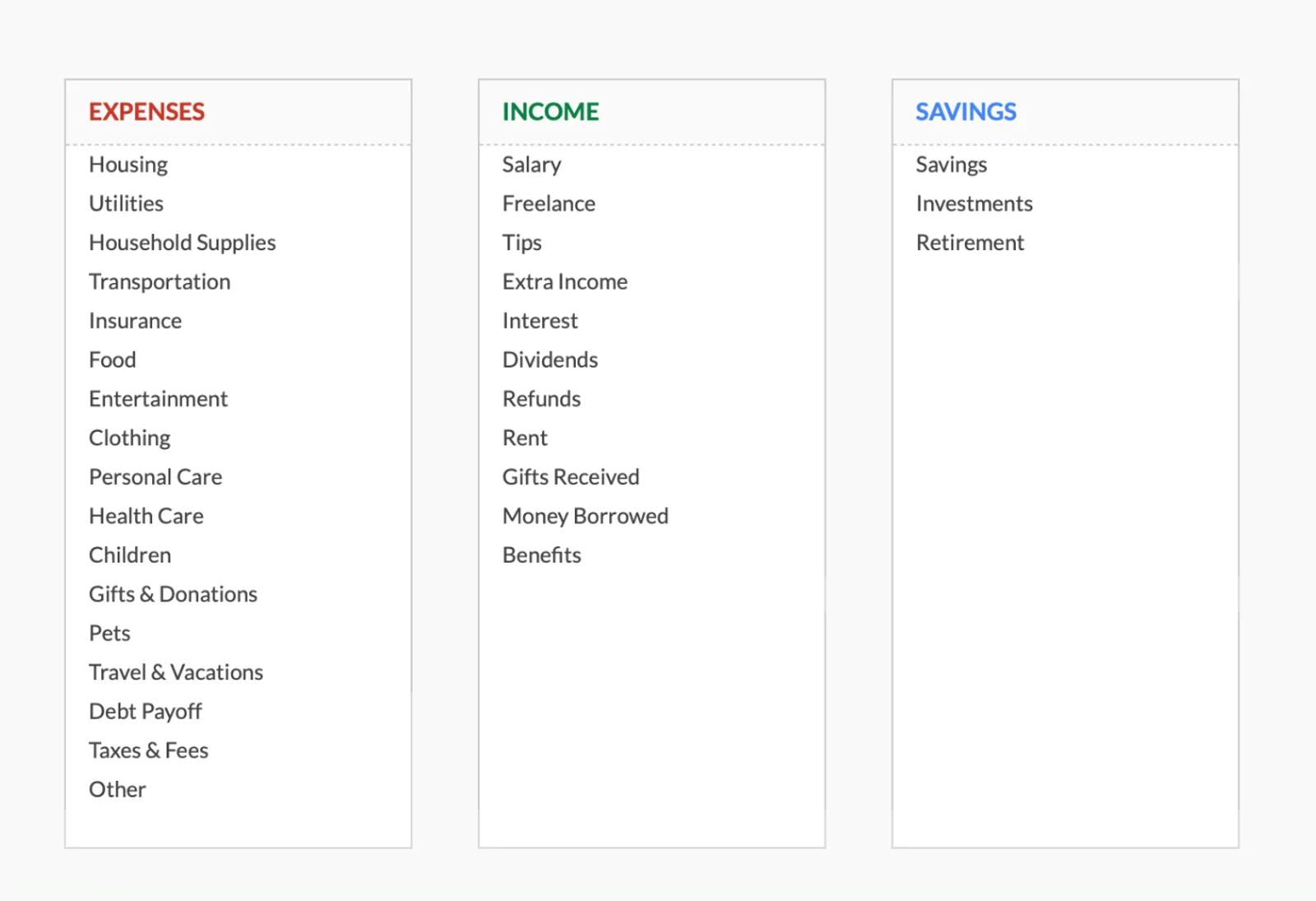
Dashboard with income, expenses, and savings at a glance
Log transactions with automatic categorization
Set targets per category and track actual spending
Visual breakdown of where your money goes
Track savings goals alongside your budget
Monitor progress toward financial goals
Fully customizable expense, income, and savings categories
Common Questions
Monthly Budget Template for Canada - FAQ
Does this template use Canadian dollars?
Yes - use the built-in currency selector to display CAD. All formulas and calculations work the same regardless of currency symbol.
Can I track TFSA and RRSP contributions?
Yes. Add budget categories for each. The template doesn't enforce contribution limits, but you can track progress against them. The CRA's My Account portal shows your exact TFSA and RRSP room.
How do I handle different provincial tax rates?
You don't need to calculate taxes in the template. Simply use your actual take-home pay from your pay stub, which already reflects your province's tax rates. The budget works with whatever net income you enter.
Does this work for self-employed Canadians?
Yes. Self-employed Canadians should budget with estimated taxes in mind - set aside approximately 25-35% of gross income for taxes (federal + provincial + both portions of CPP). Add a "Tax Reserve" budget category to track this.
Can I track the FHSA (First Home Savings Account)?
Yes. Add the FHSA as a savings category in your budget. The annual contribution limit is $8,000 (up to $40,000 lifetime). Like RRSP contributions, FHSA contributions are tax-deductible and can help with your first home purchase.
How does this compare to Canadian budgeting apps like KOHO or Wealthsimple?
Apps like KOHO and Wealthsimple offer automated tracking through bank connections. This template requires manual entry but offers more customization, works offline, costs a one-time fee, and keeps your financial data in your own Google Drive rather than with a third party.
Can't find the answer you're looking for? Contact our team
Ready to get started?
Download instantly and start managing your finances, or contact us to design a custom template package for your needs.