Australia
Monthly Budget Template for Australia
Track your income in AUD, manage superannuation contributions, HECS-HELP repayments, and everyday expenses - all in a Google Sheets template you own.
Australia
Budgeting in Australia: What's Different
Australia's financial system has several features that affect how you budget. A template designed for generic use still works, but understanding these differences helps you set it up effectively.
Superannuation changes how you think about retirement savings
Unlike countries where retirement savings are entirely optional, Australian employers contribute 12% of your salary to super (as of July 2025). This is separate from your take-home pay, so a budget based on after-super income tends to be more accurate. Some people also make voluntary super contributions - worth tracking as a separate budget line item for those doing salary sacrifice.
HECS-HELP repayments reduce your take-home pay
If you have a university debt, repayments are automatically deducted from your pay once you earn above the threshold (around $54,435 for 2024-25). The repayment rate ranges from 1% to 10% depending on income. This isn't a choice - it comes out before you see it. Using your actual take-home pay (after HECS deductions) rather than gross salary gives a more realistic starting point for budgeting.
Medicare levy and private health insurance
The Medicare levy (2% of taxable income) and Medicare levy surcharge (1-1.5% for higher earners without private health insurance) affect take-home pay. For those weighing private health insurance against the surcharge, a budget that tracks both costs side by side can clarify the comparison - the surcharge is sometimes less than the premium, depending on individual circumstances.
Australian expense categories differ from US templates
Generic budget templates often include categories like "health insurance premiums" and "property tax" that work differently in Australia. Here, council rates replace property tax, Medicare covers most healthcare, and expenses like stamp duty on property purchases are one-off rather than recurring. Customizing your categories to match Australian financial life makes the budget more accurate and useful.
Get the Monthly Budget Template
Getting Started
How to Set Up This Template for Australia
Switch the currency to AUD
The template includes a currency selector in the top-right corner of the dashboard. Switch it from $ to AUD (or whichever symbol you prefer). The numbers and calculations stay the same - only the display changes. You can also just leave it as-is and mentally read the numbers in your local currency.
Enter your after-tax, after-HECS income
Use your actual take-home pay - the amount that hits your bank account after tax, super, and HECS deductions. If you earn $85,000 gross, your take-home after tax, super, and HECS might be around $5,200/month. Use that figure, not the gross.
Customize expense categories for Australian life
Rename or add categories that reflect Australian expenses: council rates, strata fees (if apartment), private health insurance, car rego and CTP, electricity and gas (which can vary significantly by state). Remove US-specific categories like "property tax" or "401k contributions."
Add voluntary super contributions if applicable
For those making voluntary or salary-sacrificed super contributions, a dedicated budget category keeps this visible. The concessional contributions cap is $30,000/year (2024-25) - a monthly line item in the template can help track progress against that limit.
Account for Australian seasonal expenses
Some expenses are uniquely seasonal in Australia: higher electricity bills in summer (or winter, depending on your state), car registration renewals, end-of-financial-year tax preparation costs in June/July, and back-to-school expenses in late January. Plan for these in the months they occur.
See It In Action
What the template looks like
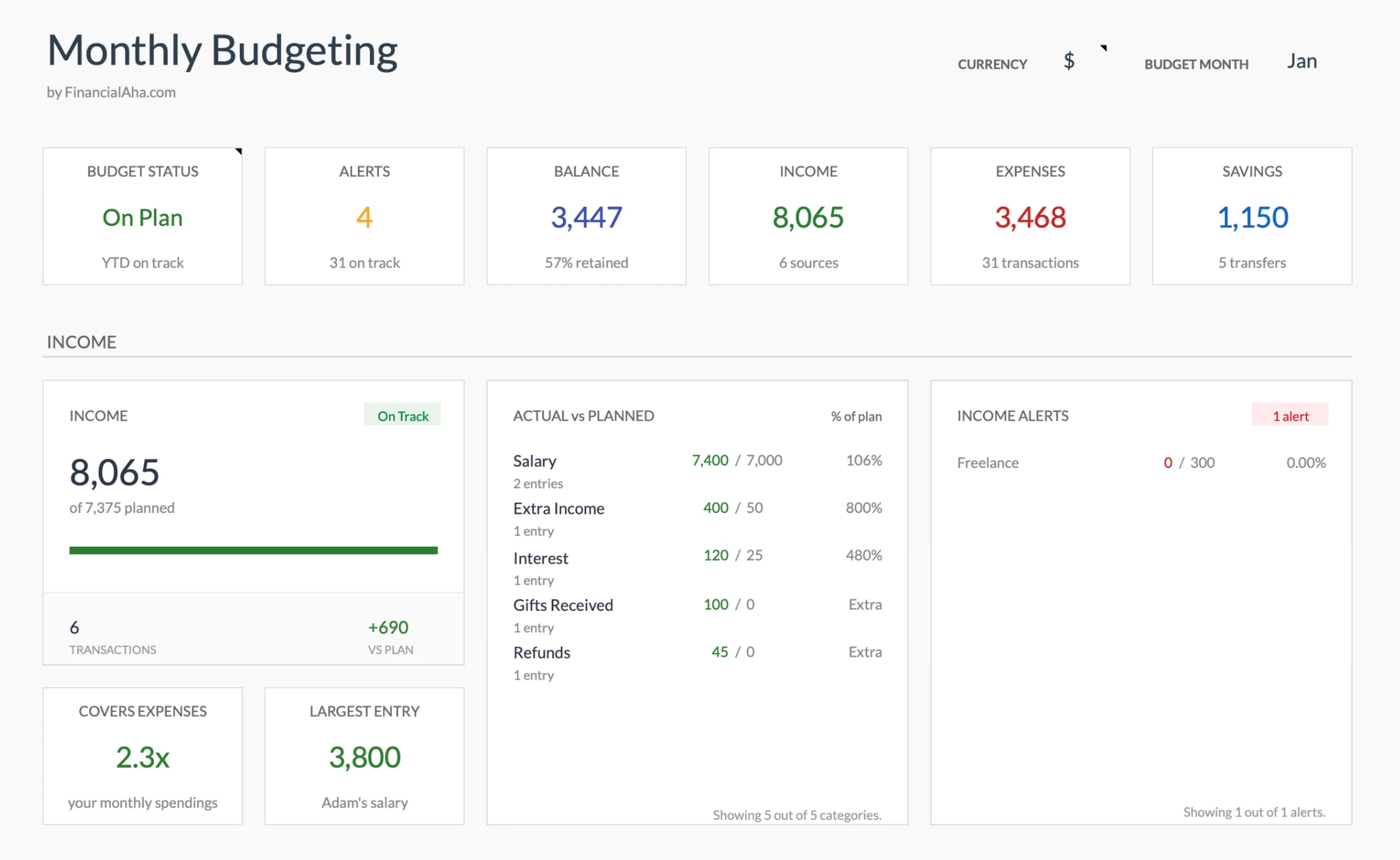
Browse through the template to see how it handles budgeting, categories, and expense tracking - all adaptable to your local financial setup.
- Built-in currency selector
- Customizable categories
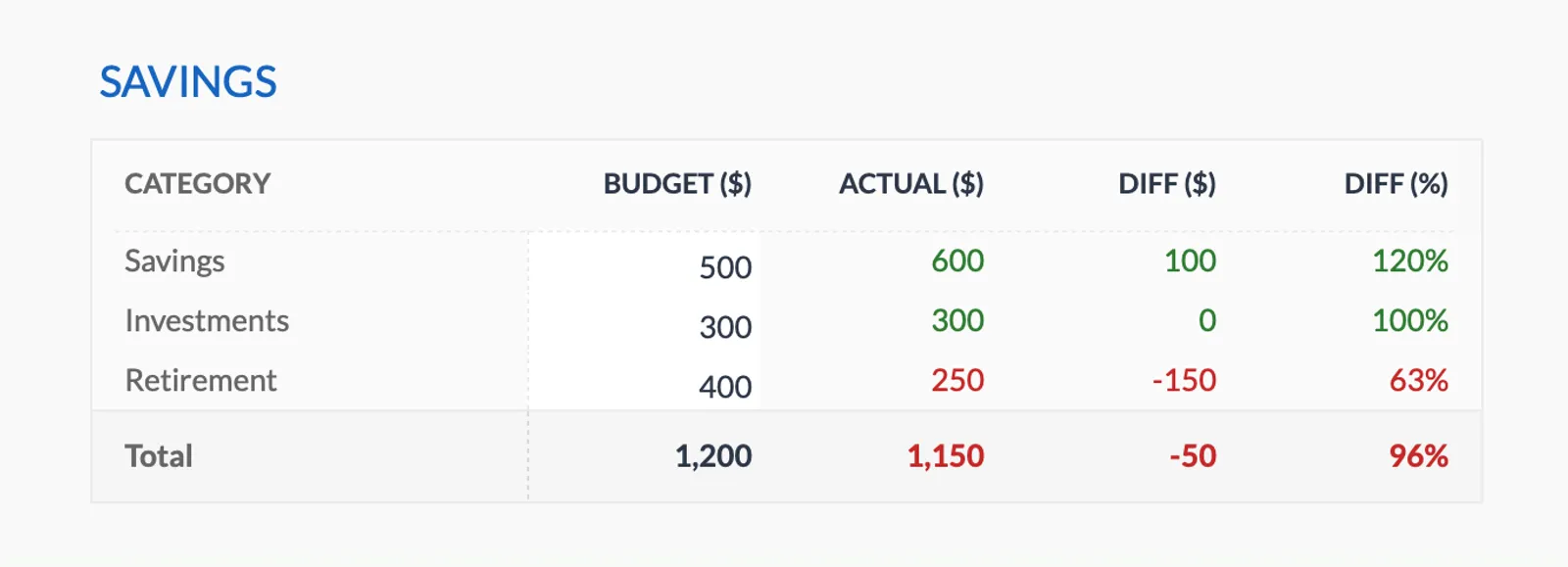
- Budget vs actual tracking
- Visual charts and summaries

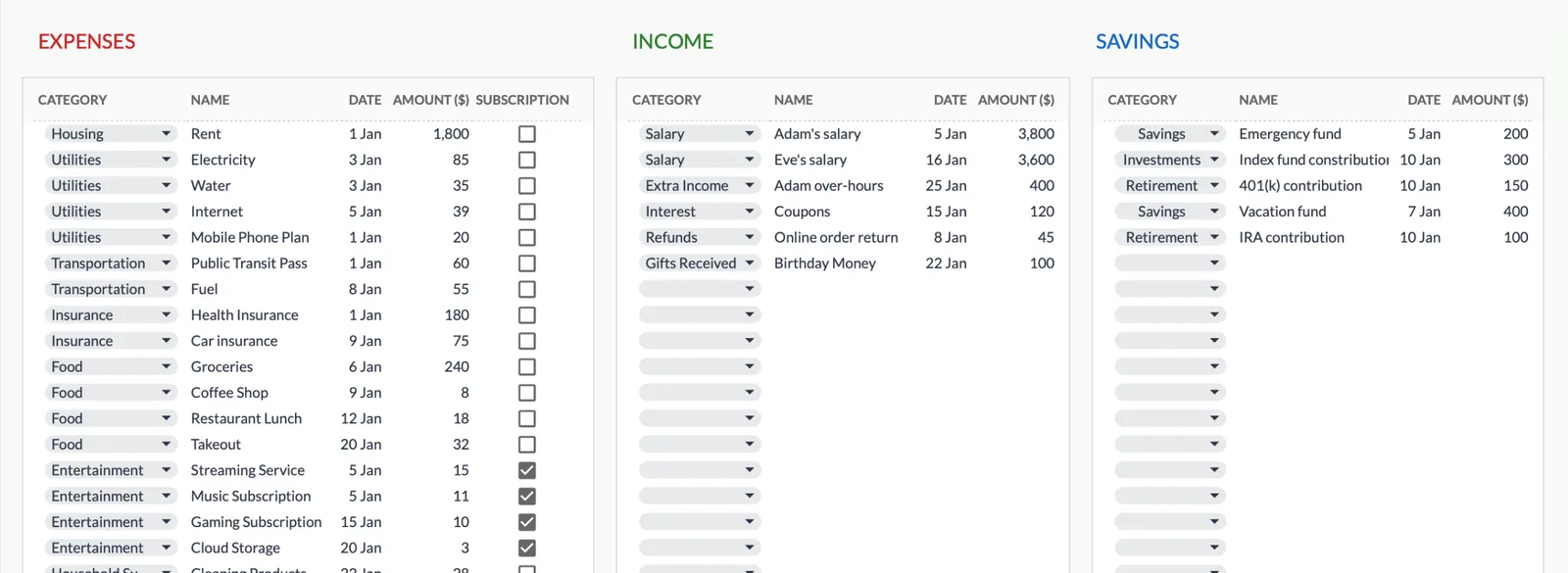
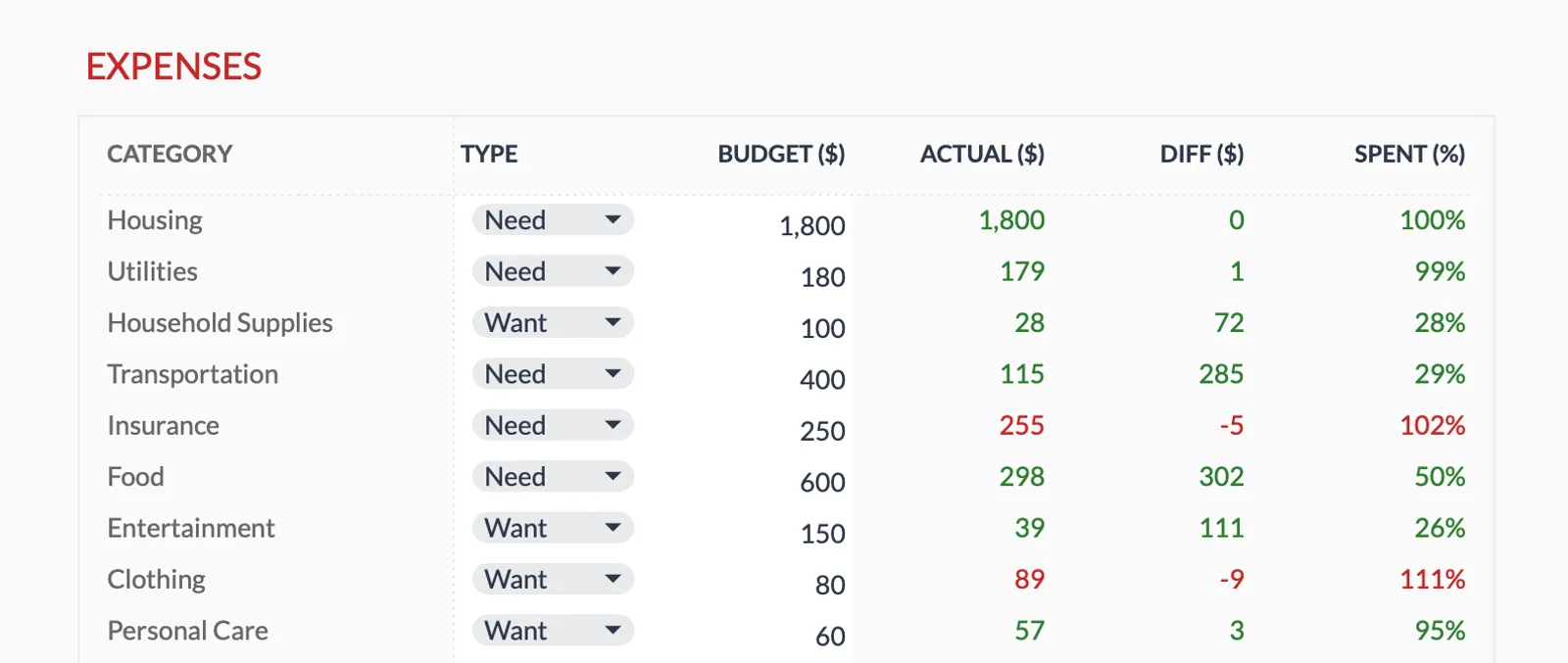
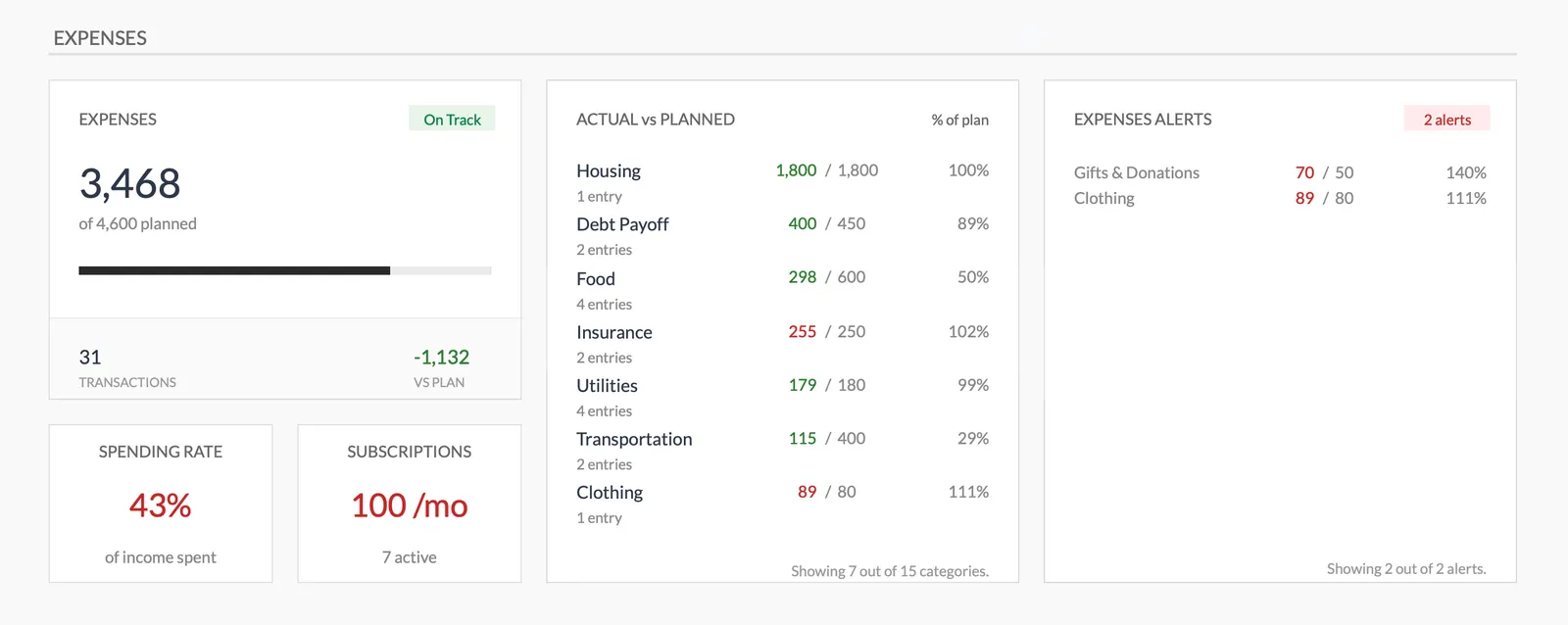
Dashboard with income, expenses, and savings at a glance
Log transactions with automatic categorization
Set targets per category and track actual spending
Visual breakdown of where your money goes
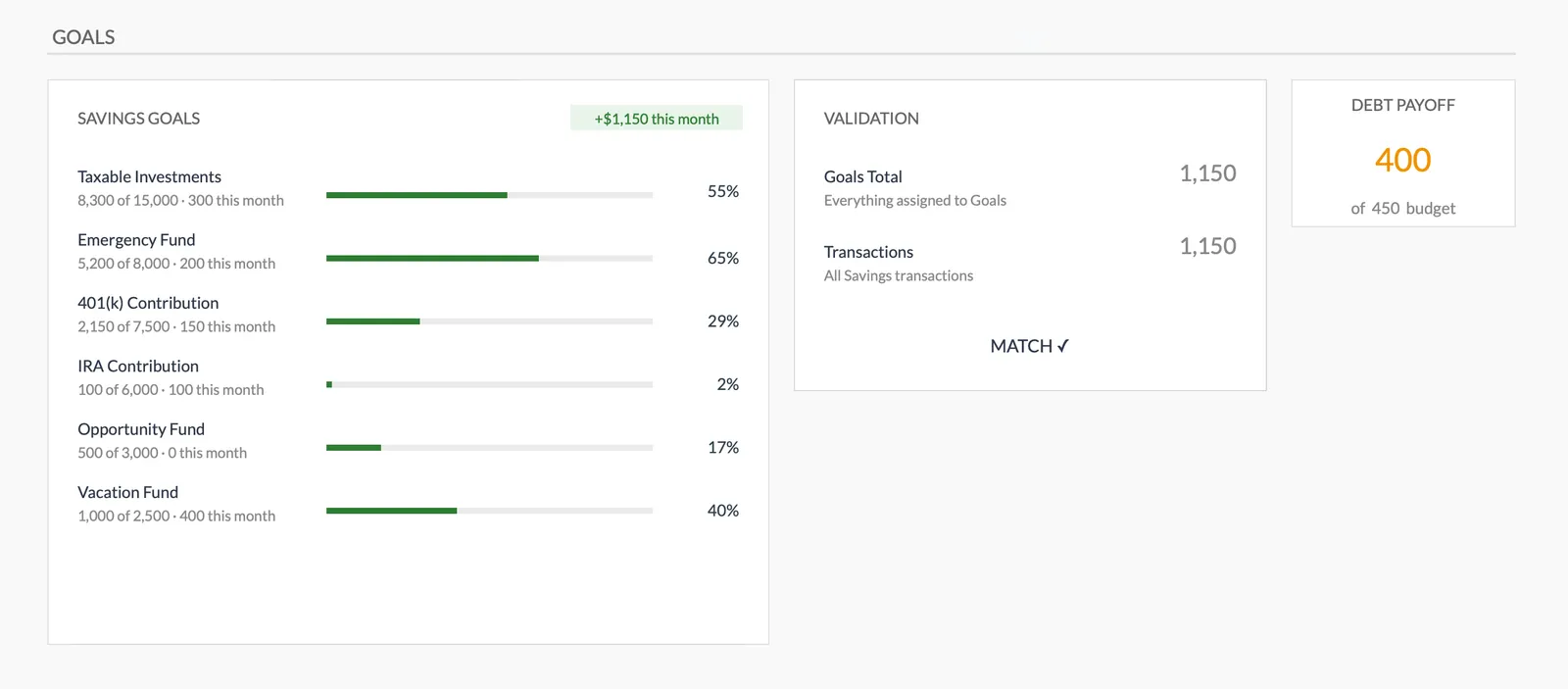
Track savings goals alongside your budget
Monitor progress toward financial goals
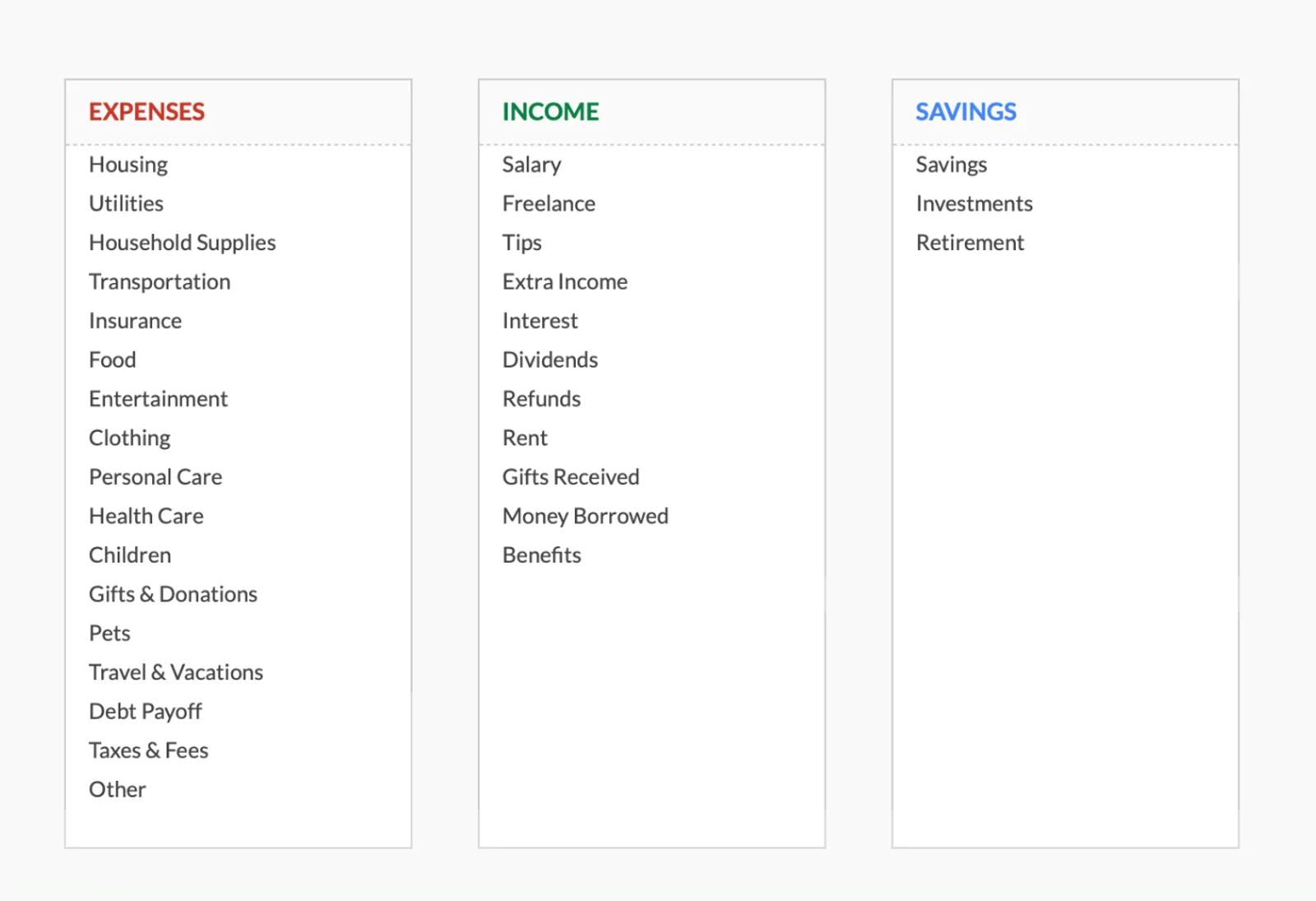
Fully customizable expense, income, and savings categories
Common Questions
Monthly Budget Template for Australia - FAQ
Does this template use Australian dollars?
The template includes a built-in currency selector - switch it to AUD or any other currency you prefer. All calculations are currency-agnostic, so the math works the same regardless of which currency you display.
Can I track superannuation contributions?
Yes. Add a budget category for voluntary super contributions. Your employer's compulsory super contributions happen before your take-home pay, so they don't need to appear in the budget. Only track voluntary or salary-sacrificed contributions that you're actively choosing to make.
Does this template handle GST?
This is a personal budget template, not a business accounting tool. You enter the amounts you actually pay at the register (GST-inclusive prices). If you run a business and need to track GST separately, the Cash Flow Forecast template is more appropriate.
Can I budget for HECS-HELP repayments?
HECS repayments are deducted from your pay before you receive it, so they don't need a separate budget line. Just use your actual take-home pay as your income figure. If you're making voluntary repayments above the compulsory amount, add those as a budget category.
Is there an Australian-specific version of this template?
The template is the same one used worldwide - it's designed to be customizable. This page explains how to adapt it for Australian finances. The flexibility of Google Sheets means you can rename categories, adjust formatting, and set up the budget to match your specific financial situation.
How does this compare to Australian budgeting apps like Frollo or Up?
Apps like Frollo and Up connect to your bank accounts and categorize transactions automatically. This template requires manual entry but offers more customization, costs a one-time fee instead of requiring ongoing data sharing, and keeps your financial data in your own Google Drive. The tradeoff is convenience vs. control and privacy.
Can't find the answer you're looking for? Contact our team
Ready to get started?
Download instantly and start managing your finances, or contact us to design a custom template package for your needs.