Free Wedding Budget Spreadsheet Template
Plan and track wedding expenses across vendors, venues, and categories. Includes typical wedding cost categories with space for deposits and final payments.
What's Included
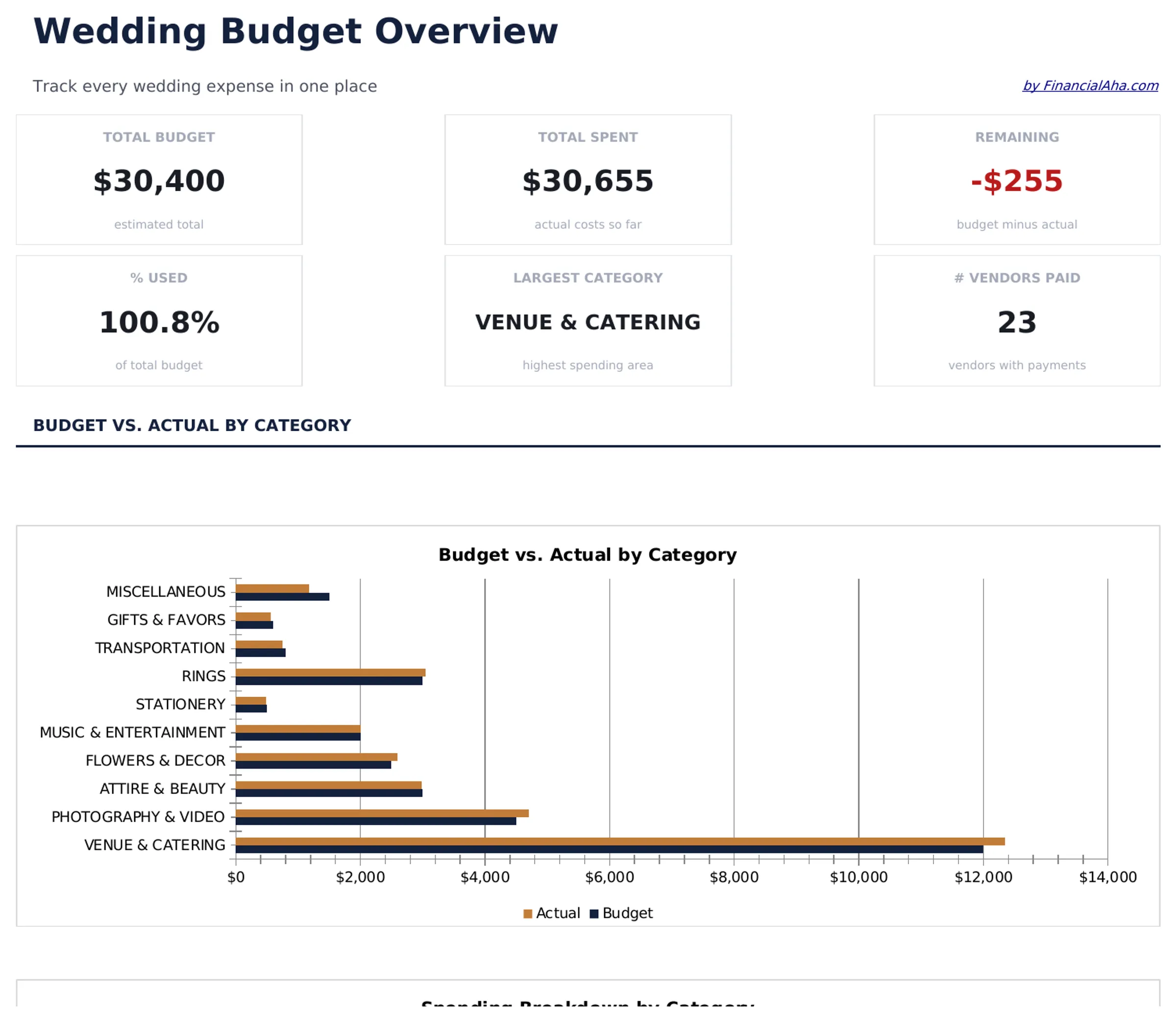
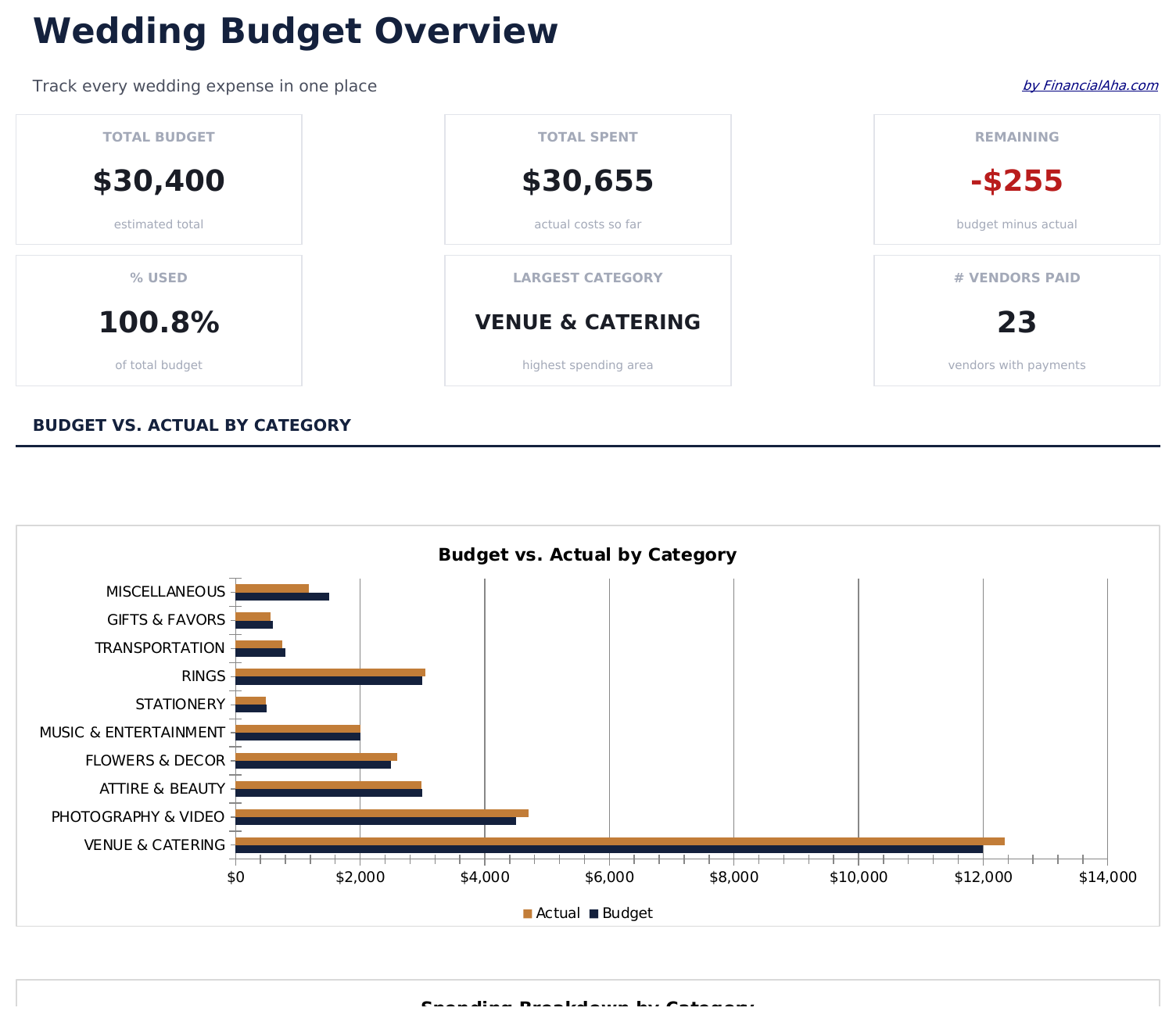
- Dashboard with total wedding budget overview showing planned amount, spent so far, and remaining funds
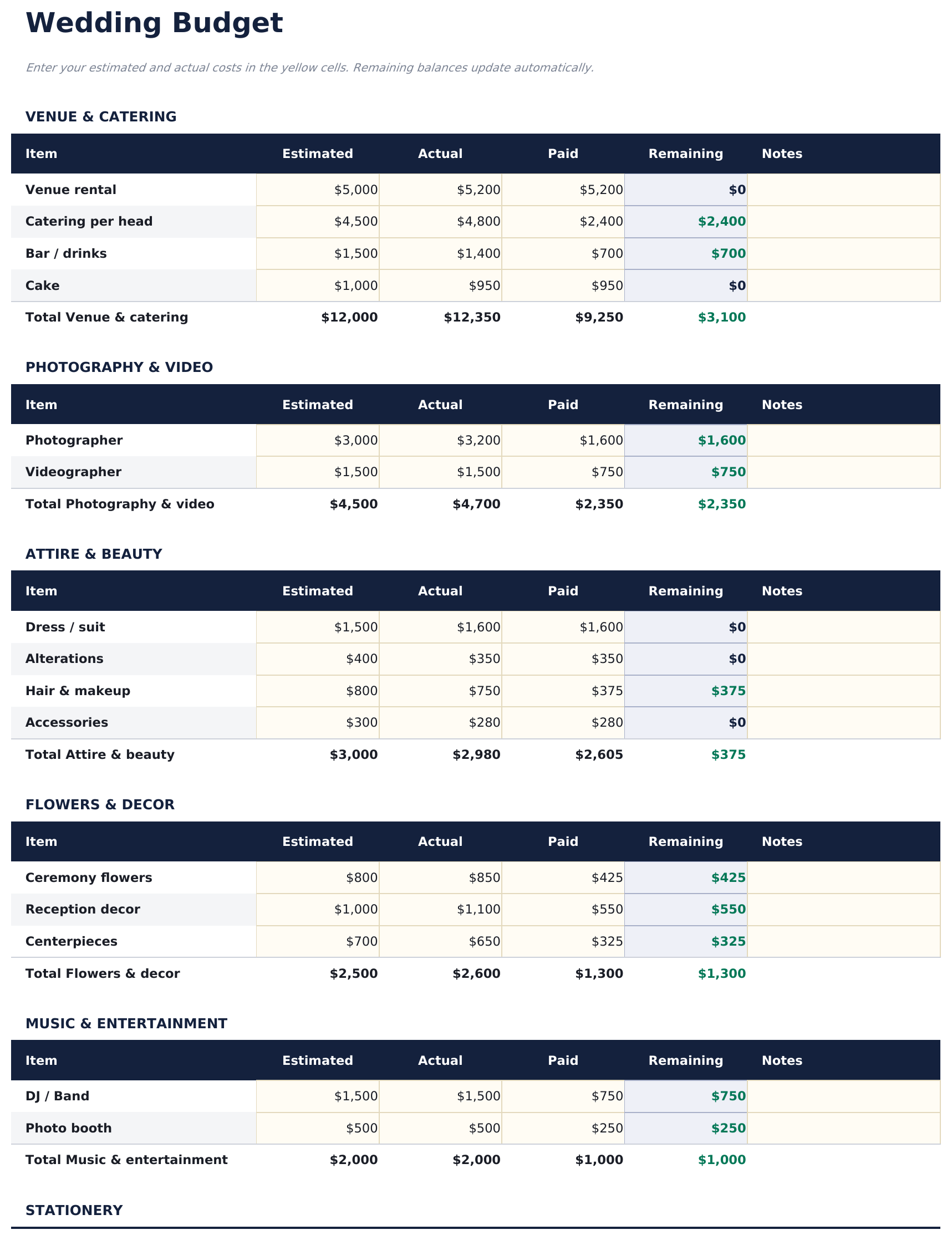
- Vendor and category breakdown covering venue, catering, photography, flowers, attire, and music
- Deposit and payment tracking with columns for deposit amount, due date, balance due, and paid status
- Budget vs. actual comparison per category with automatic variance calculations for cost control
- Per-guest cost calculations and color-coded input cells for organized wedding expense planning
- Works in Microsoft Excel, Google Sheets, and LibreOffice Calc with no setup required
Need more from this template?
The free version covers the basics. The Pro version goes further.
- Track up to 12 wedding categories with estimated and actual costs
- Dashboard with total budget, spent, and remaining
- Basic vendor list with contact and deposit tracking
- Works in Excel and Google Sheets
- Budget Overview sheet with 15 wedding categories, estimated cost, actual cost, and variance - designed for budgets from $10,000 to $35,000+
- Dashboard with 6 KPI cards: total budget, total spent, budget remaining, percent used, vendor count, and next payment due
- Vendor Tracker with up to 30 vendors - contact name, phone, email, contract amount, deposit paid, balance due, and contract status
- Payment Schedule listing every upcoming payment across all vendors sorted by due date, with paid/unpaid status and days until due
- Guest Cost Analysis calculating per-head cost for catering and venue by guest count tier - useful for evaluating cost impact of guest list changes
Preview
See what's inside this template
How to Use This Wedding Budget Template
Set your total budget
Enter the overall wedding budget at the top. The template distributes guideline percentages across categories like venue, catering, and photography.
Add vendor costs
Fill in quoted and actual prices for each vendor. Track deposits paid and remaining balances per vendor.
Monitor category spending
Each category shows budgeted vs actual amounts. The variance column highlights where you are over or under.
Check the dashboard
The dashboard displays total planned, total spent, and remaining budget so you can see overall wedding finances at a glance.
Built by Claude AI. Perfected by us.
We use Claude AI to draft each free template, after a deep research. Then our team steps in. We refine the layout, stress-test every formula, fix edge cases, and polish the design until it feels like something we would actually use ourselves. The AI gets us 80% there. The last 20% is all human judgment.
Frequently Asked Questions
What vendor categories are included?
Categories include venue, catering, photography, videography, flowers, attire, music, cake, invitations, officiant, transportation, and decor. You can add or rename any category.
Can I track deposits separately?
Yes. Each vendor row has columns for deposit amount, deposit date, balance due, and final payment status.
How is the per-guest cost calculated?
The template divides total wedding cost by the number of guests you enter. Update the guest count and the per-guest figure recalculates.
Can two people edit this together?
If you use Google Sheets, both partners can edit simultaneously. In Excel, share the file via OneDrive or take turns updating it.
How do I open this in Google Sheets?
Upload the .xlsx file to Google Drive, then open it with Google Sheets. All formulas and formatting will be preserved.
What license is this template under?
All free templates are released under CC BY 4.0 (Creative Commons Attribution). You can use, modify, and share them freely - including for commercial purposes - as long as you credit FinancialAha.com. They are provided as-is and do not constitute financial advice.
More Free Personal Budgeting Templates
Looking for premium spreadsheet templates?
Our paid templates include advanced multi-sheet dashboards, native Excel charts, and ongoing updates.