Free Bill Tracker Spreadsheet Template
Keep track of recurring bills, due dates, and payment status. Useful for staying on top of monthly obligations and avoiding missed payments.
What's Included
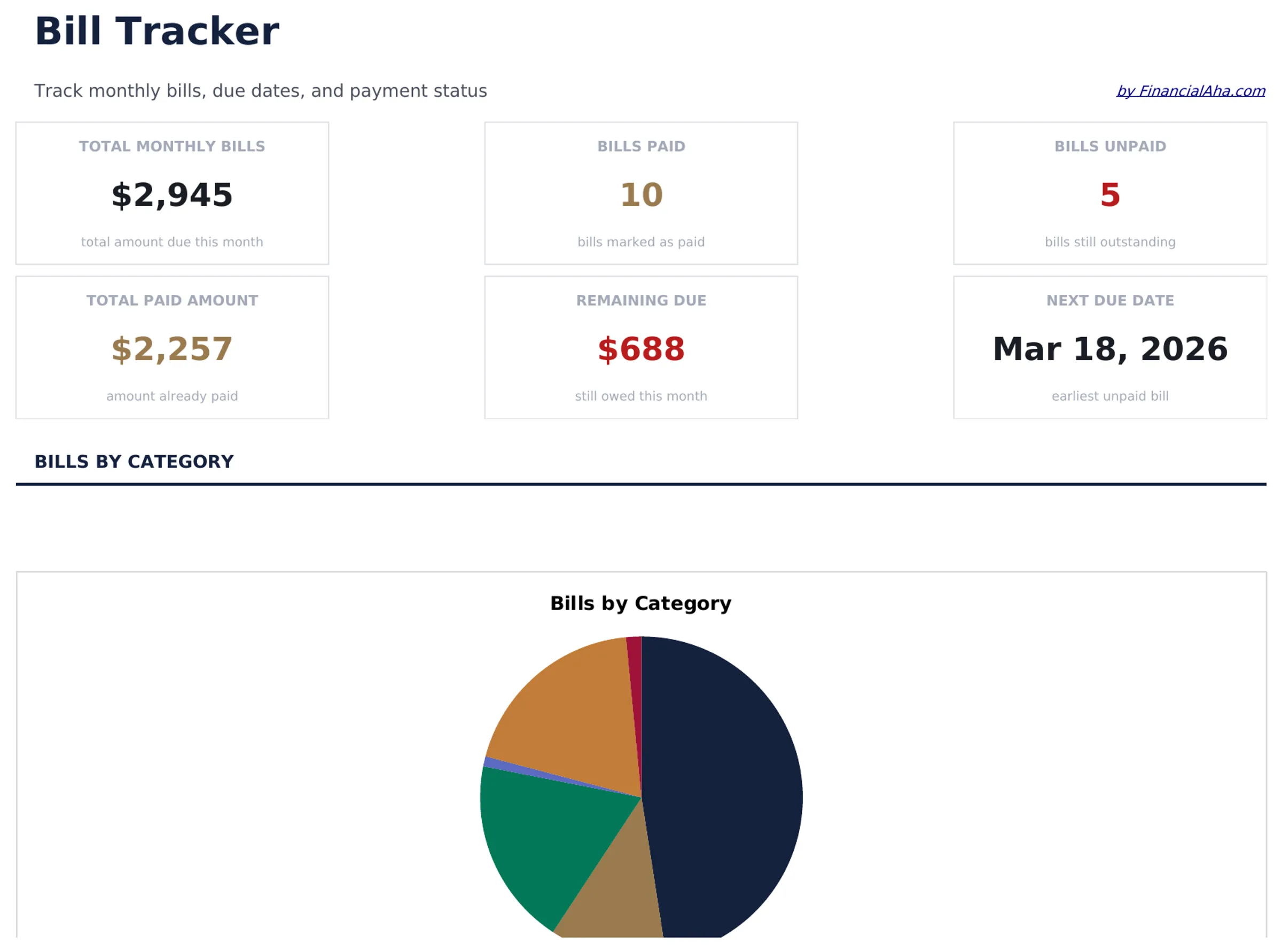
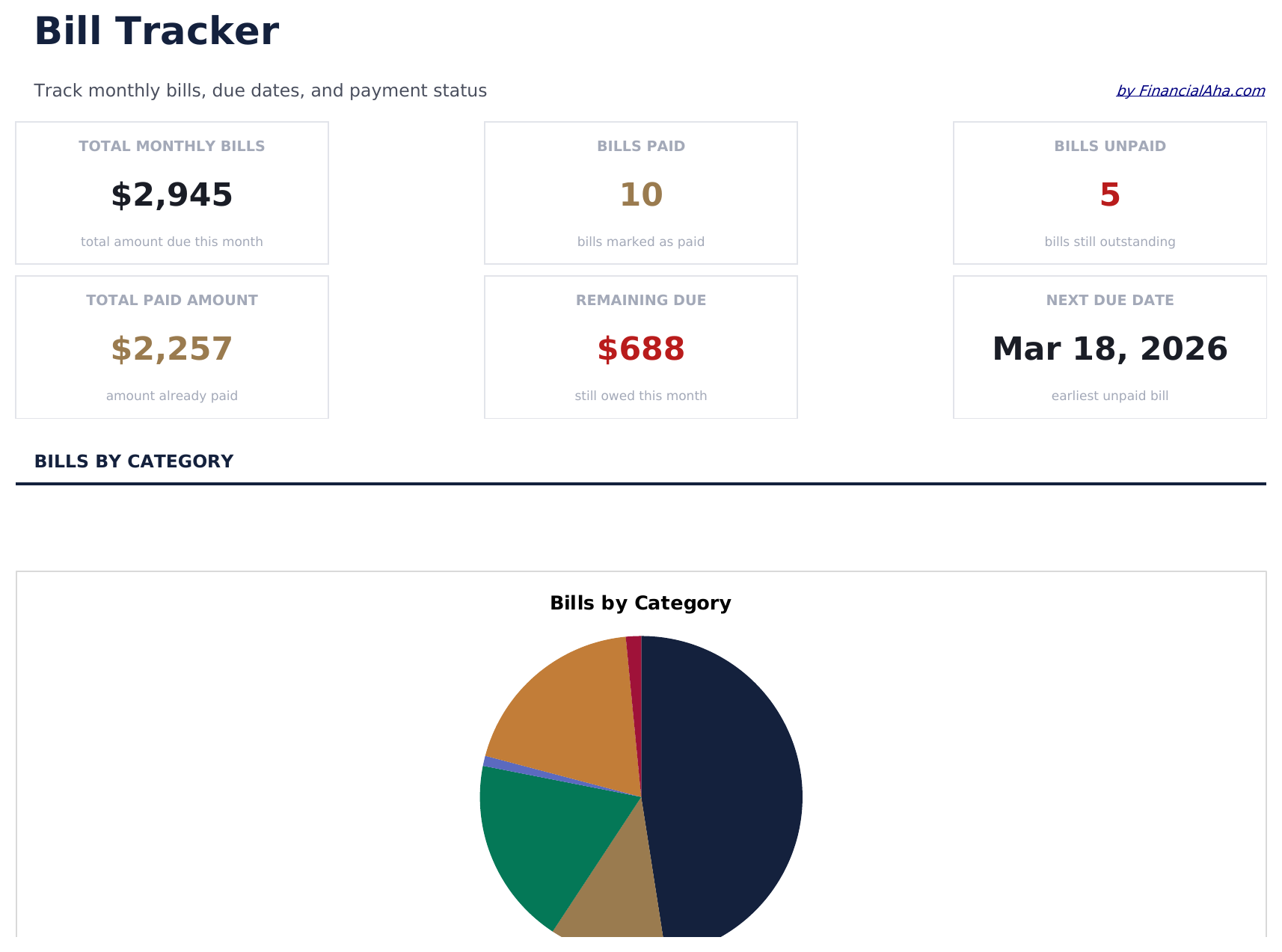
- Dashboard with bill payment overview showing total due, total paid, and number of upcoming bills
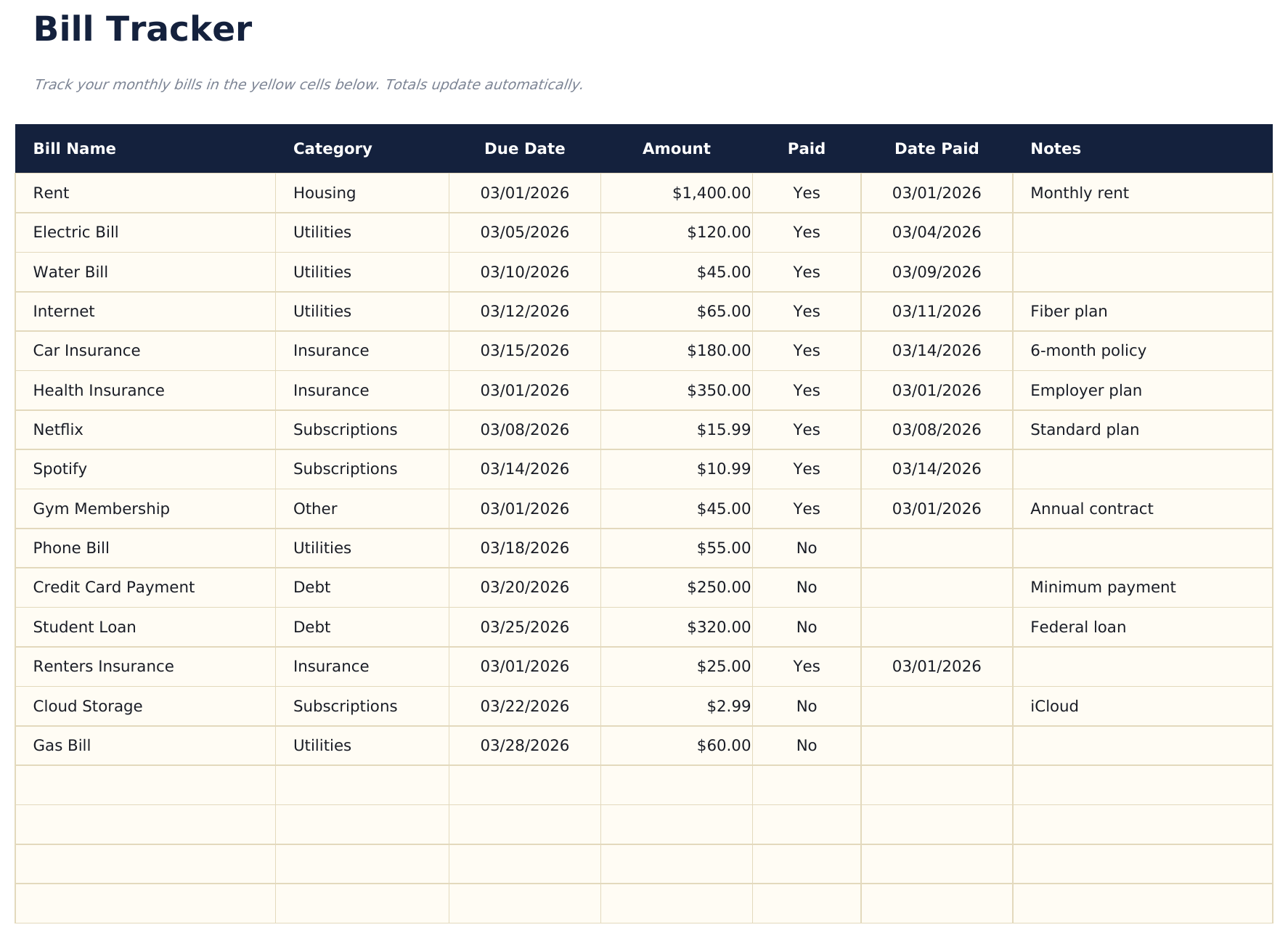
- Bill tracker with due dates, amounts, and payment frequency columns for every recurring obligation
- Payment status tracking with checkboxes or status fields to mark each bill as paid or pending
- Recurring bill management supporting monthly, quarterly, and annual billing cycles in one view
- Color-coded status indicators and formatted payment fields for quick visual scanning of due bills
- Works in Microsoft Excel, Google Sheets, and LibreOffice Calc with no setup required
Need more from this template?
The free version covers the basics. The Pro version goes further.
- Track up to 15 bills with due date, amount, and paid status
- Dashboard with total monthly bills and upcoming due dates
- Monthly payment checklist with category totals
- Works in Excel and Google Sheets
- Track up to 40 bills with name, category, due date, amount, payment method, autopay status, and notes
- Dashboard with 6 KPI cards: total monthly bills, bills due this week, unpaid bills, total paid this month, autopay count, and average bill amount
- 12-Month View showing each bill's payment status (Paid, Unpaid, Skipped) for every month of the year in a single grid
- Payment History sheet logging every payment with date paid, amount paid, on-time status, and payment method for a full audit trail
- Annual Summary sheet calculating total paid, total due, payment rate, and largest bill per category across the full year
Preview
See what's inside this template
How to Use This Bill Tracker Template
Add your bills
Enter each recurring bill with its name, amount, due date, and payment frequency. Include everything from rent to streaming services.
Update payment status
Mark each bill as paid or pending as you make payments throughout the month. The dashboard count updates automatically.
Monitor upcoming bills
Check due dates to see which bills are coming up next. The tracker keeps all obligations visible in one list.
Review monthly totals
The dashboard shows total due, total paid, and remaining amount so you know exactly how much is still outstanding.
Built by Claude AI. Perfected by us.
We use Claude AI to draft each free template, after a deep research. Then our team steps in. We refine the layout, stress-test every formula, fix edge cases, and polish the design until it feels like something we would actually use ourselves. The AI gets us 80% there. The last 20% is all human judgment.
Frequently Asked Questions
Can I track quarterly and annual bills?
Yes. The frequency column supports monthly, quarterly, and annual billing cycles. All bill types appear in one unified tracker.
How do I handle auto-pay bills?
Add them to the tracker like any other bill. Mark them as paid on their auto-pay date so your totals stay accurate.
Does it send reminders?
No. The spreadsheet does not send notifications. However, seeing all due dates in one list makes it easier to set your own reminders or calendar alerts.
Can I track bills for multiple accounts?
Yes. Add a column for the payment account or source if you pay bills from different bank accounts. The template is flexible enough to accommodate extra columns.
How do I open this in Google Sheets?
Upload the .xlsx file to Google Drive, then open it with Google Sheets. All formulas and formatting will be preserved.
What license is this template under?
All free templates are released under CC BY 4.0 (Creative Commons Attribution). You can use, modify, and share them freely - including for commercial purposes - as long as you credit FinancialAha.com. They are provided as-is and do not constitute financial advice.
More Free Personal Budgeting Templates
Looking for premium spreadsheet templates?
Our paid templates include advanced multi-sheet dashboards, native Excel charts, and ongoing updates.