Free Timesheet - Weekly Spreadsheet Template
Track employee hours worked on a weekly basis. Log daily start and end times with automatic total hour calculations.
What's Included
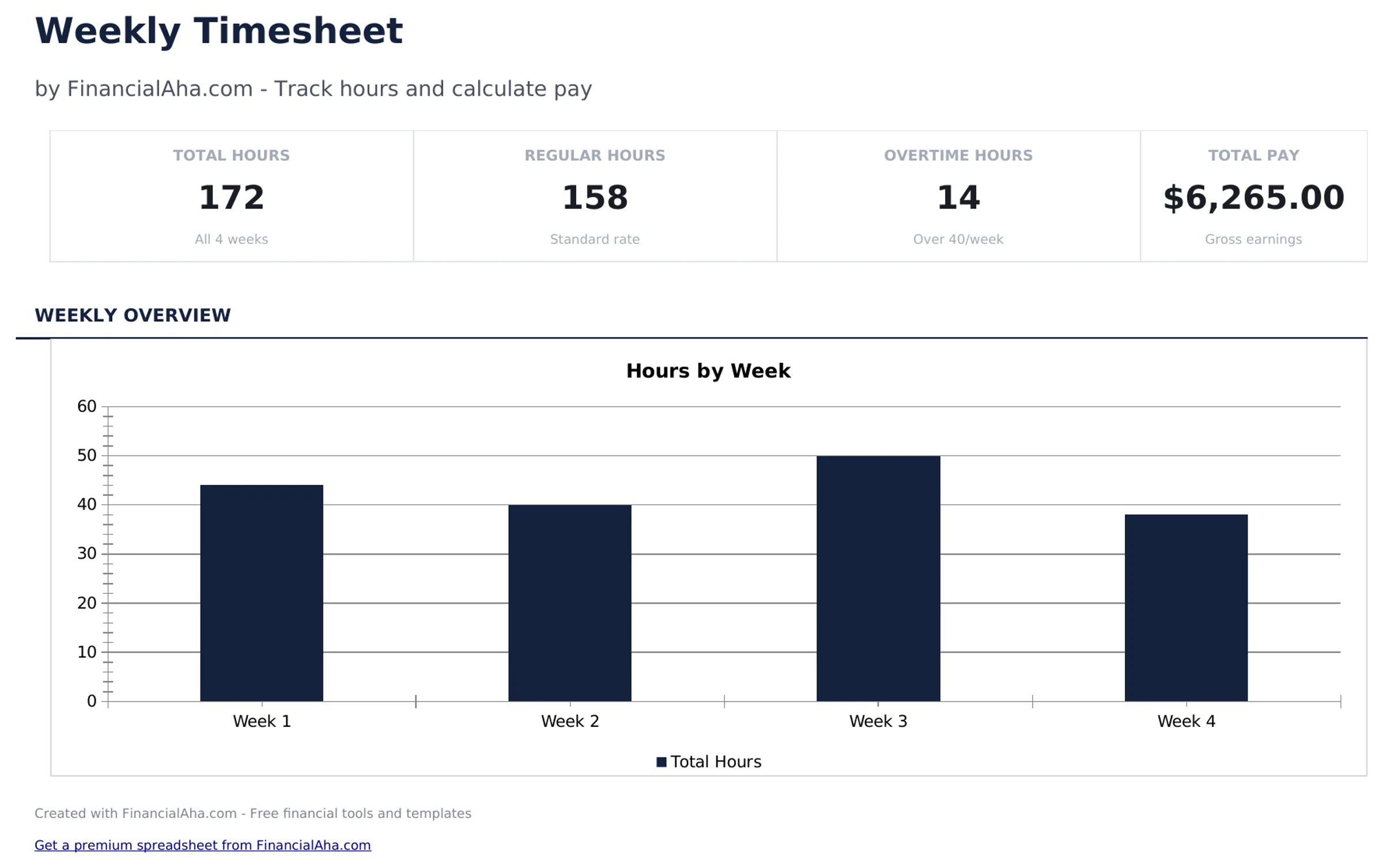
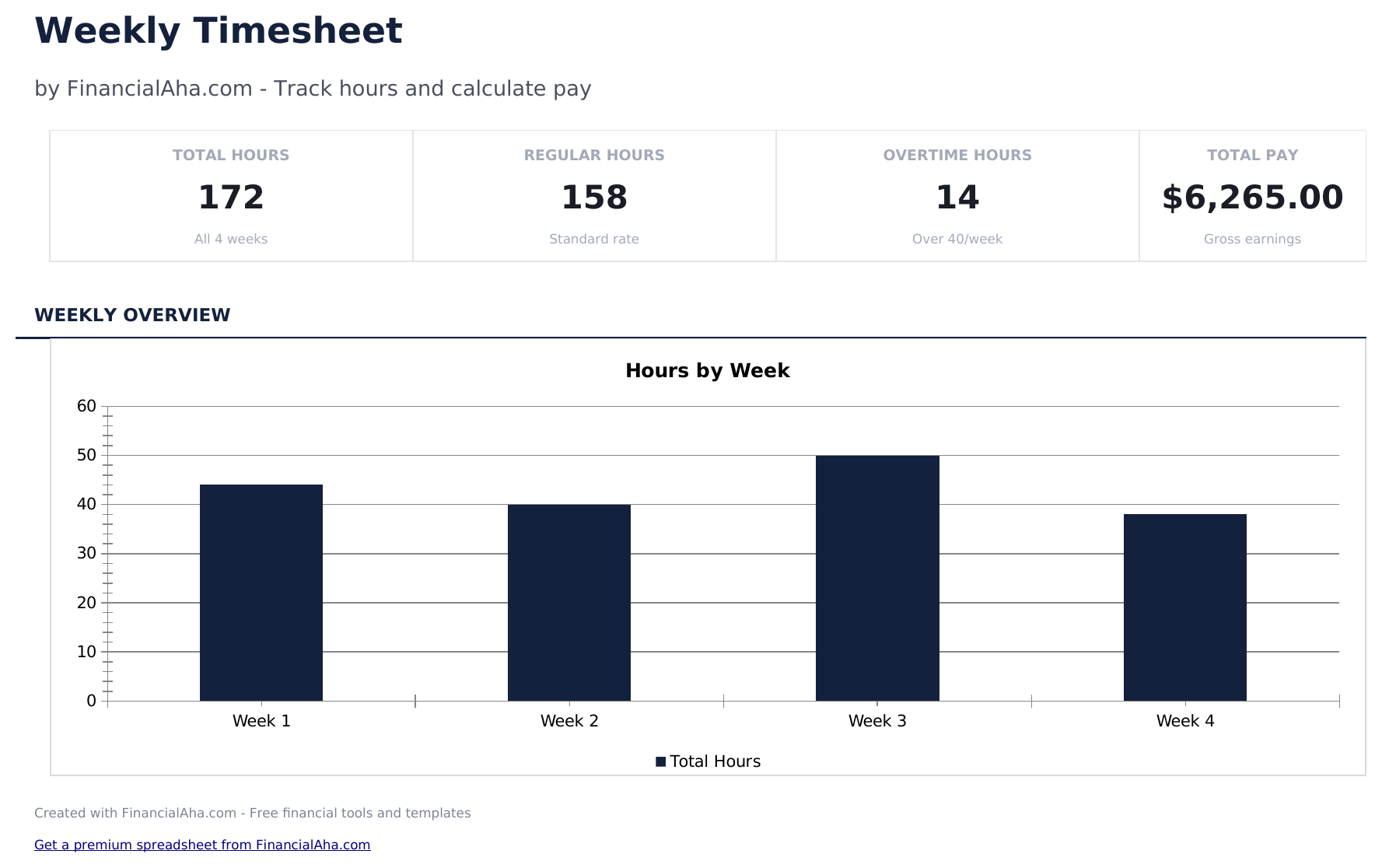
- Dashboard with weekly hours summary showing total regular hours, overtime hours, and total hours per employee
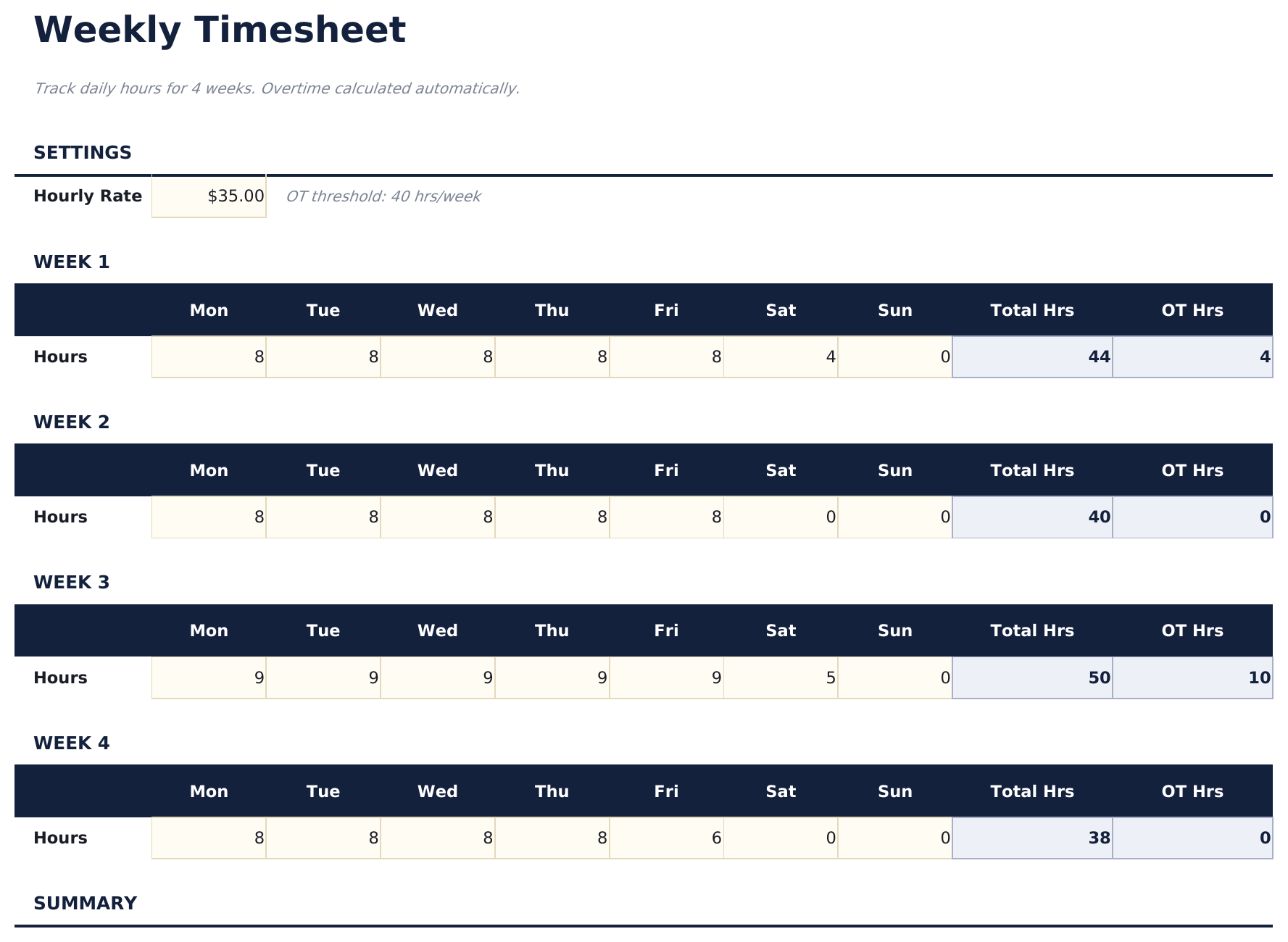
- Weekly timesheet with daily rows for Monday through Sunday including start time, end time, and break duration
- Start and end time fields with automatic daily hour calculations that subtract breaks from total worked time
- Overtime tracking that flags hours exceeding 40 per week or 8 per day depending on your tracking preference
- Color-coded input cells (yellow) and auto-calculated hour totals (blue) with supervisor approval section
- Works in Microsoft Excel, Google Sheets, and LibreOffice Calc with no setup required
Preview
See what's inside this template
How to Use This Timesheet - Weekly Template
Enter employee details
Fill in the employee name, department, and the week start date at the top of the timesheet.
Log daily hours
For each day, enter the start time, end time, and break duration. Daily hours calculate automatically.
Review weekly total
The template sums all daily hours and separates regular hours from overtime based on the weekly threshold.
Submit for approval
The dashboard shows the weekly summary. Print and submit with a supervisor signature for payroll processing.
Built by Claude AI. Perfected by us.
We use Claude AI to draft each free template, after a deep research. Then our team steps in. We refine the layout, stress-test every formula, fix edge cases, and polish the design until it feels like something we would actually use ourselves. The AI gets us 80% there. The last 20% is all human judgment.
Frequently Asked Questions
How is overtime calculated?
Hours exceeding 40 per week (or 8 per day) are flagged as overtime. You can adjust the threshold based on your company policy.
Does it handle break time?
Yes. Enter break duration for each day and the template subtracts it from the total time between start and end.
Can I use it for multiple employees?
Each sheet covers one employee per week. Duplicate the sheet for each team member and update the employee name.
Does it calculate pay?
The template focuses on hours. For pay calculations, combine the weekly hours with the Employee Payroll or Time Card Calculator template.
How do I open this in Google Sheets?
Upload the .xlsx file to Google Drive, then open it with Google Sheets. All formulas and formatting will be preserved.
What license is this template under?
All free templates are released under CC BY 4.0 (Creative Commons Attribution). You can use, modify, and share them freely - including for commercial purposes - as long as you credit FinancialAha.com. They are provided as-is and do not constitute financial advice.
More Free Payroll & HR Templates
Looking for premium spreadsheet templates?
Our paid templates include advanced multi-sheet dashboards, native Excel charts, and ongoing updates.