Bester Wert All-in-One Finanzplanungs-Bundle
✓ Finanzplanung✓ Vermögens-Tracker✓ Monatliches Budget✓ Reisebudget-Planer✓ Jahresbudget-Planer✓ Monatlicher Ausgaben-Tracker✓ Jährlicher Steuerplaner✓ Altersvorsorgeplanung
Bundle ansehen →
Essentials-Vorlage - Excel & Google Sheets

Monthly Budget Calendar Essentials-Vorlage

View bills and expenses on a calendar layout. See exactly when payments are due throughout the month for clearer cash flow planning.

Monthly Budget Calendar preview

Was enthalten ist

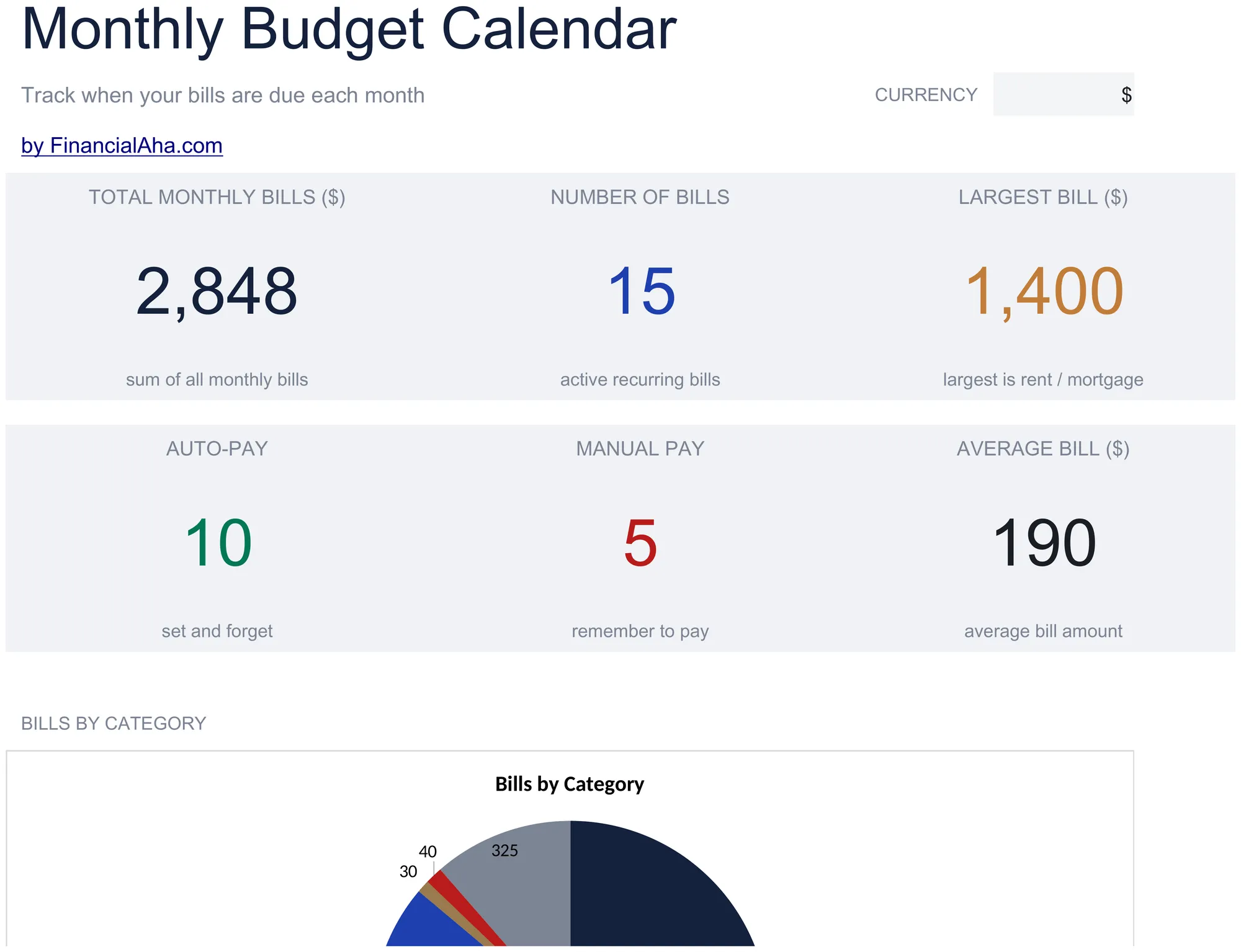
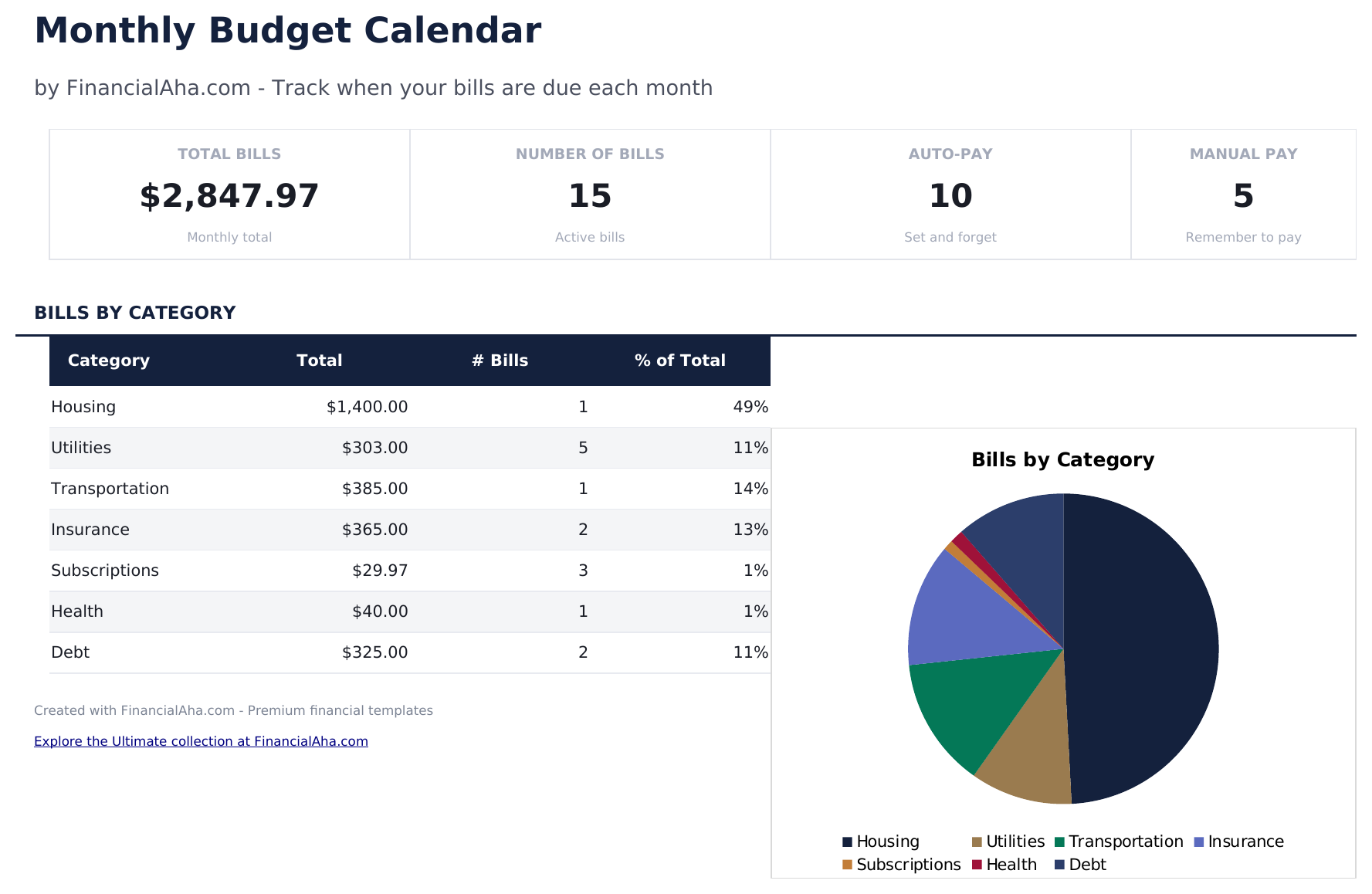
  • Dashboard with monthly payment overview showing total bills due, amounts paid, and upcoming payments
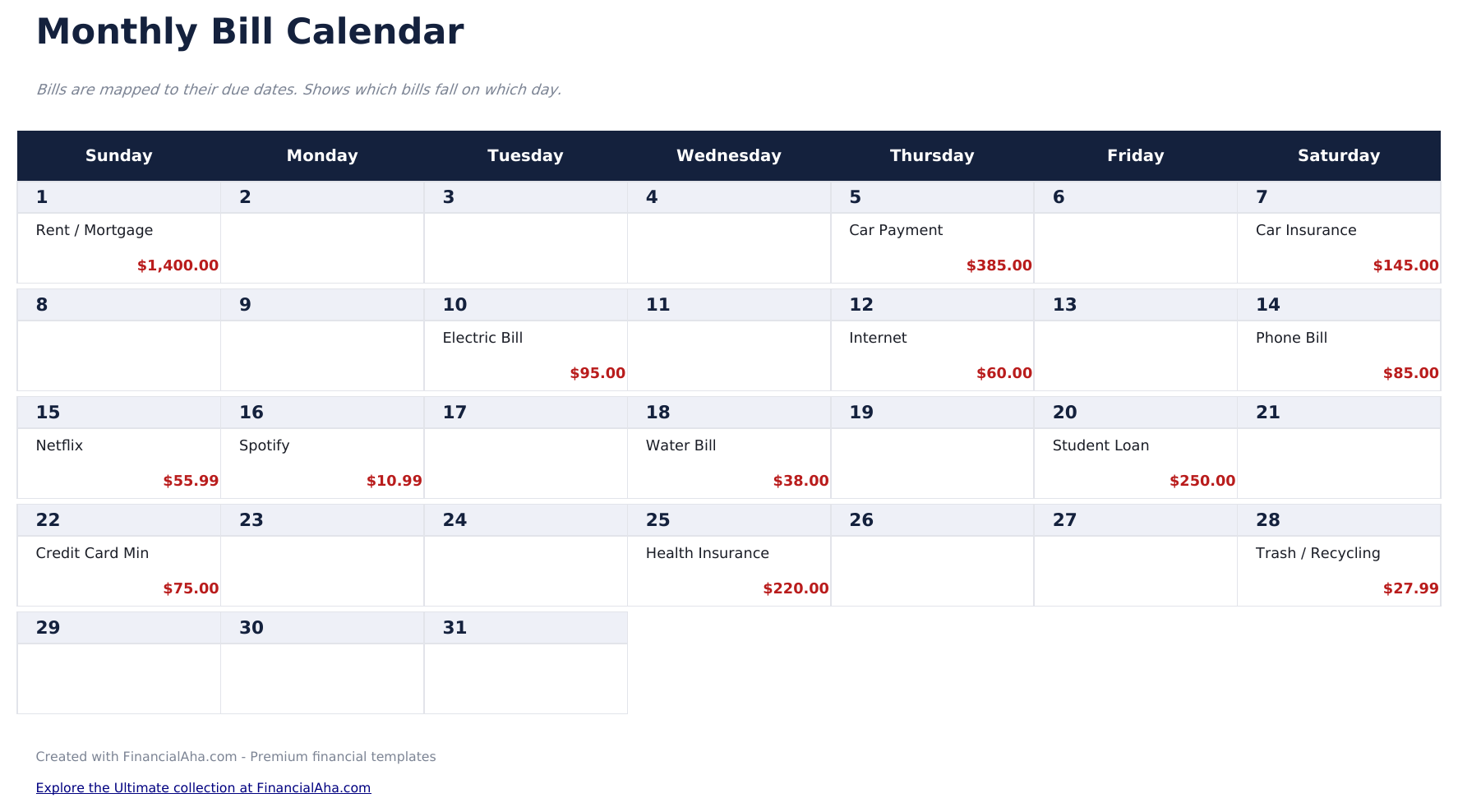
  • Calendar-based bill layout displaying due dates visually across a full month grid view
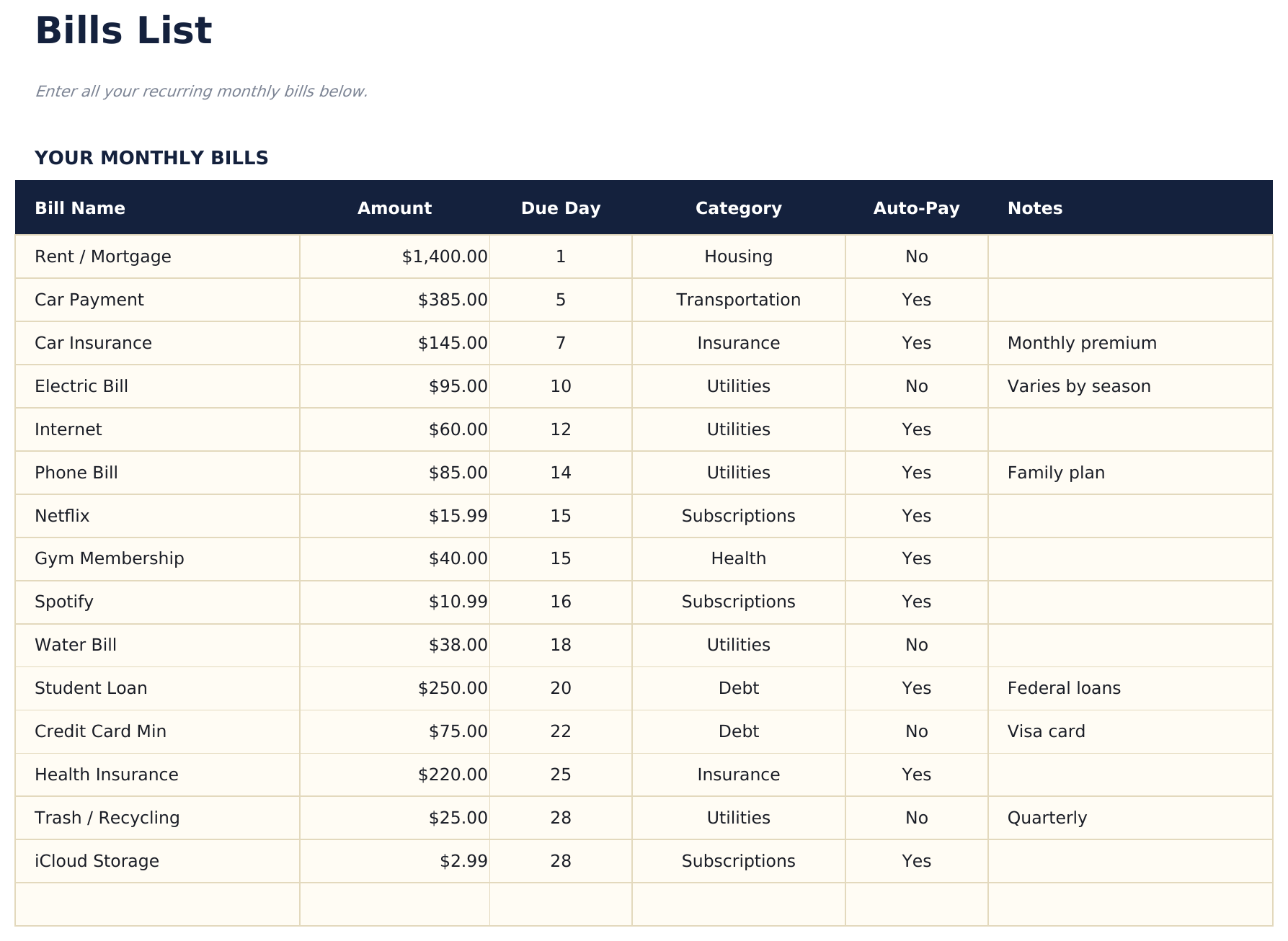
  • Bills list with due dates, payment amounts, and recurring frequency for each monthly obligation
  • Automatic monthly totals that sum all scheduled bill payments and flag upcoming due dates
  • Color-coded calendar cells and formatted bill entries for quick visual scanning of payment timing
  • Works in Microsoft Excel, Google Sheets, and LibreOffice Calc with no setup required

So verwenden Sie diese Monthly Budget Calendar-Vorlage

1

List your bills

Enter each recurring bill with its name, amount, due date, and payment frequency in the bills list sheet.

2

View the calendar

The calendar sheet displays bills on their due dates across the month, giving you a visual timeline of upcoming payments.

3

Mark payments as made

Update the status for each bill as you pay it. The dashboard tracks how many bills are paid vs still upcoming.

4

Plan for heavy weeks

Identify weeks with multiple due dates and ensure enough funds are available. The calendar view makes payment clustering visible.

Erstellt von Claude AI. Verfeinert von uns.

Wir verwenden Claude AI, um jede Vorlage nach gründlicher Recherche zu entwerfen. Dann greift unser Team ein. Wir verfeinern das Layout, testen jede Formel auf Herz und Nieren, beheben Grenzfälle und polieren das Design, bis es sich anfühlt wie etwas, das wir selbst verwenden würden. Die KI bringt uns 80 % ans Ziel. Die letzten 20 % sind rein menschliches Urteilsvermögen.

Häufig gestellte Fragen

Can I add bills that are not monthly?

Yes. The bills list supports monthly, quarterly, and annual frequencies. Non-monthly bills appear on the calendar in the months they are due.

Does the calendar update automatically?

The calendar layout is pre-built for each month. Enter or adjust bill due dates in the bills list and they appear on the corresponding calendar day.

How do I handle variable bill amounts?

Enter your best estimate for variable bills like utilities or credit cards. Update the actual amount when the bill arrives.

Can I see multiple months at once?

The calendar shows one month at a time. Duplicate the calendar sheet for additional months or scroll through the bills list to see all dates.

Wie öffne ich diese Vorlage in Google Sheets?

Laden Sie die .xlsx-Datei auf Google Drive hoch und öffnen Sie sie mit Google Sheets. Alle Formeln und Formatierungen bleiben erhalten.

Weitere Essentials-Vorlagen: Personal Budgeting

Auf der Suche nach Premium-Tabellenvorlagen?

Unsere kostenpflichtigen Vorlagen umfassen erweiterte mehrseitige Dashboards, native Excel-Diagramme und laufende Aktualisierungen.

Privat & sicher

Ihre Finanzdaten bleiben auf Ihrem Gerät. Wir sehen sie nie.

Mehr erfahren →

Brauchen Sie Hilfe?

Schauen Sie in unsere Anleitungen oder kontaktieren Sie uns.

FAQ ansehen →