
Software automates data entry and bank syncing, so it wins for hands-off daily expense tracking. Spreadsheets give full control, custom projections, and privacy, so they win for planning and modeling. Cost splits the same way: apps run $0-$15 a month, a spreadsheet is free or a one-time purchase. Many people use both.
When I started planning my finances, I was a spreadsheet person. I opened Google Sheets, typed in my expenses and income, and built formulas to project cash flow. Every monthly update turned into a side project - new formulas, new sheets, new charts. It never really felt finished.
After two years of that, I tried financial planning software. I tested several popular options and kept running into the same two problems: either the interface was clunky, or the data privacy situation was uncomfortable. So I went back to spreadsheets and built the system I actually wanted.
FinancialAha came out of those years of planning finances in Google Sheets. The Financial Planning Template packages that same approach so you don’t have to build it from scratch: a spreadsheet you own outright, with the projections, net worth, and cash flow views already wired up.
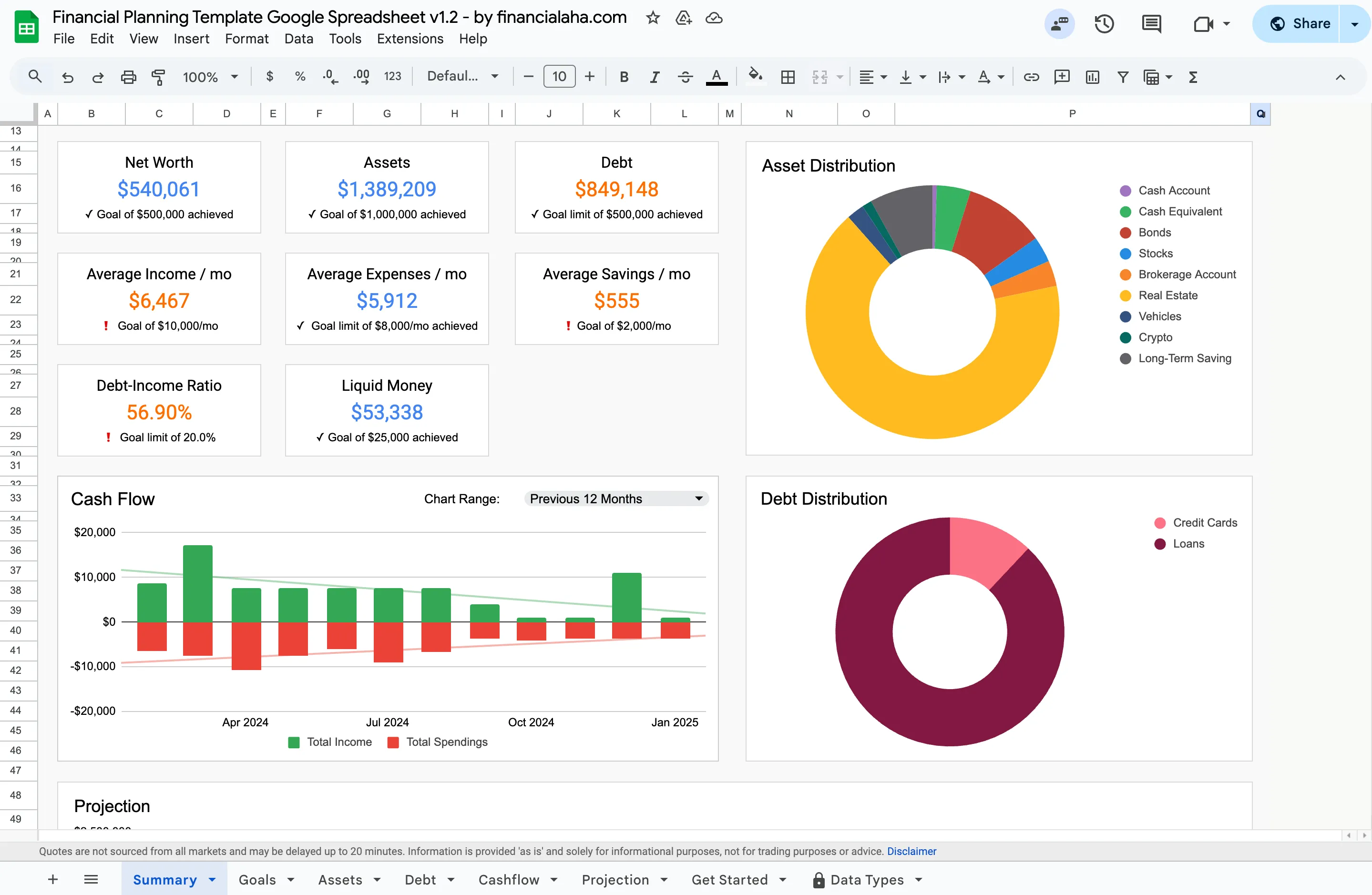 The Financial Planning Template (Premium tier) summary tab. Everything updates as you enter your own numbers.
Both tools have real trade-offs. Here’s an honest breakdown.
Side-by-side overview
| Factor | Spreadsheets | Software |
|---|---|---|
| Setup time | Hours (from scratch) or minutes (with templates) | Minutes |
| Ongoing effort | High - manual entry | Low - automated syncing |
| Customization | Unlimited | Limited to app features |
| Monthly cost | Free (Google Sheets) | $0-$15/month |
| Privacy | Data stays with you | Varies by provider |
| Learning curve | Moderate (formulas) | Low (guided setup) |
| Offline access | Yes | Depends on app |
| Collaboration | Shared file | Built-in sharing |
Spreadsheets
What works well
| Advantage | Details |
|---|---|
| Full customization | Build any formula, chart, or category structure. No waiting for a feature update. |
| No subscription | Free with Google Sheets. One-time cost with Excel. Many free templates available online. |
| Offline access | Download and use anywhere - planes, trains, places with spotty internet. |
| Privacy | Data lives on your computer or Google Drive. No third-party servers involved. |
Where they fall short
| Drawback | Details |
|---|---|
| Time-consuming | Building from scratch takes hours. Formulas, charts, categories - it adds up. |
| Error-prone | One broken formula can cascade through the entire sheet. Debugging takes patience. |
| No automation | Every transaction, every update - all manual entry. |
| Limited mobile experience | Editing formulas on a phone is painful. Works better on desktop. |
Financial planning software
What works well
| Advantage | Details |
|---|---|
| Automation | Bank syncing, recurring transactions, automatic categorization. Less manual work. |
| Purpose-built UX | Designed for financial planning specifically. No formula building required. |
| Collaboration | Share with a partner or family. Multiple people can contribute. |
| Security | Encryption, two-factor auth, automatic backups. No data loss if your computer dies. |
Where they fall short
| Drawback | Details |
|---|---|
| Cost | Most charge monthly or yearly. Fees accumulate over time. (FinancialAha templates are a one-time purchase with no subscription, and several are free.) |
| Less flexible | Locked into the features the app provides. Custom calculations are limited. |
| Data on external servers | Your financial data sits on someone else’s infrastructure. Privacy policies vary. (FinancialAha templates run in your own Google account or as a file you download, and are built with privacy as a priority.) |
| Internet required | Most apps need connectivity. (A spreadsheet in Google Sheets works offline once offline access is turned on; an Excel file works offline outright.) |
| Shutdown risk | If the company closes, you lose access. Mint shut down in March 2024, leaving millions of users to migrate. A spreadsheet you have downloaded keeps working regardless. |
Who uses what?
In practice, the choice often correlates with what you’re trying to do:
- Expense tracking only: Software tends to win. Automation makes the daily grind manageable.
- Financial projections and modeling: Spreadsheets tend to win. The flexibility to build custom formulas is hard to replicate in an app, and that is the ground the Financial Planning Template stands on, with a Projection tab you drive from your own assumptions.
- Both tracking and planning: Many people use a combination, an app for daily tracking and a spreadsheet for annual planning and projections.
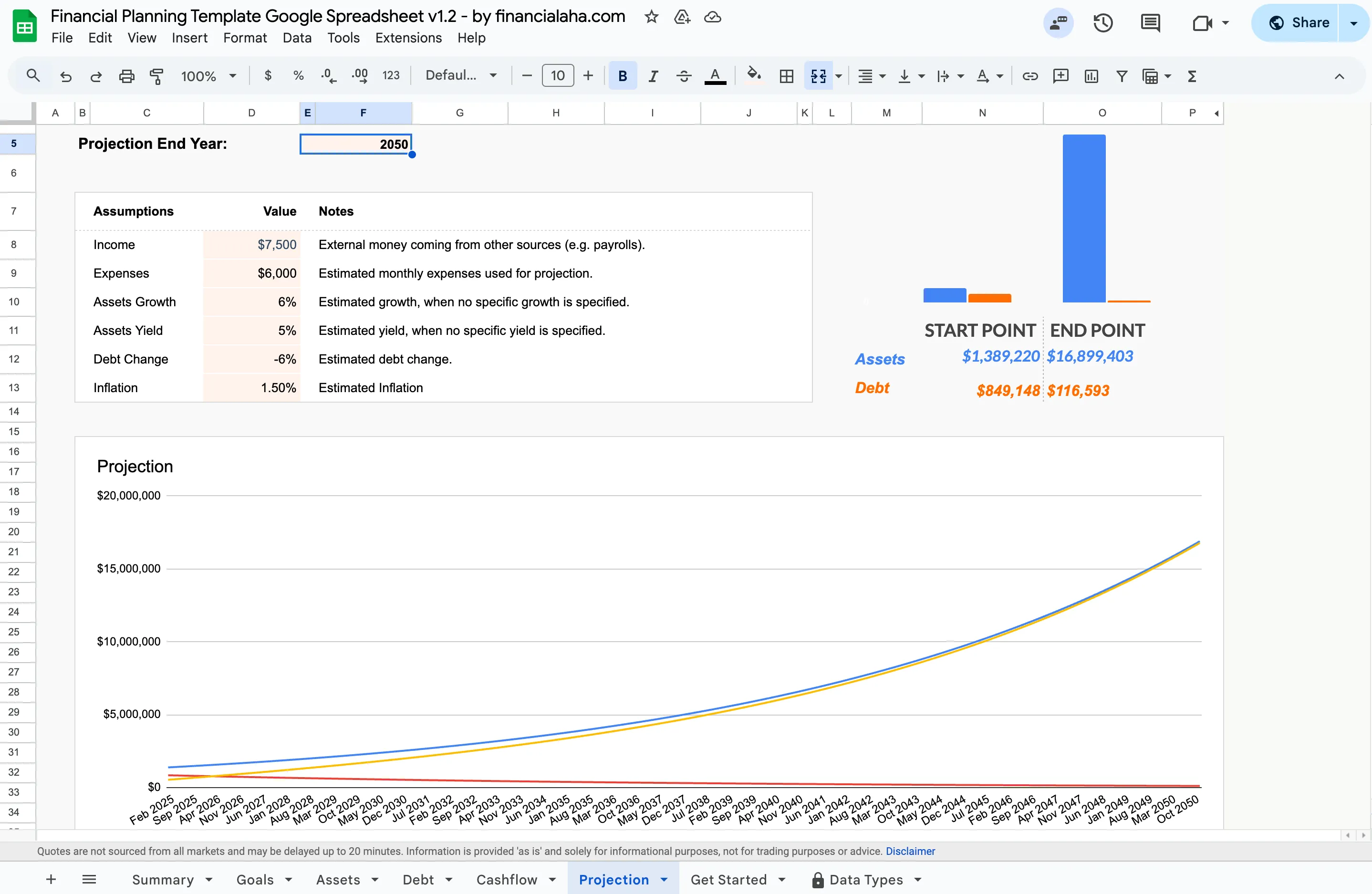 The projection tab models assets, debt, growth, yield, and inflation out to an end year you set. This kind of modeling is where spreadsheets pull ahead of most apps.
Which fits your situation?
Leaning toward spreadsheets? You value control and customization, and you’re comfortable building your own system. Templates like the Financial Planning Template give you a head start without starting from zero.
Leaning toward software? You want automation and a polished interface, and you’re fine with a subscription or free tier. Less setup, more structure out of the box.
Not sure yet? Some people start with a spreadsheet to understand their finances, then move to software once they know what features matter to them. Others go the opposite direction. There’s no wrong order.
The tool matters less than actually using it consistently.
What I learned from using both
After years on both sides, a few things became clear:
- Spreadsheets taught me how finances actually work. Building formulas forced me to understand the math behind budgeting and projections. That understanding carries over regardless of what tool you use.
- Software removed the friction. Once I switched, I actually checked my finances more often because it took less effort. Consistency matters more than precision.
- Privacy concerns are legitimate. After seeing data breaches at major financial platforms, having a local-first option provides peace of mind. This is one reason FinancialAha keeps everything in your own Google account or in a file you download.
- Templates are a genuine middle ground. A well-built template gives you the structure of software with the control of a spreadsheet. Less setup than building from scratch, less dependency than an app.
Whatever you choose, the goal is the same: understand where your money goes and where it’s headed. If the spreadsheet path fits, the Financial Planning Template is the fastest way to skip the from-scratch build.
Related
- Financial Planning Template - projections, net worth, and cash flow in one Google Sheet you own.
- Free spreadsheet templates - budget and tracking sheets to try the spreadsheet path at no cost.
- Why Paying for a Financial Planning Tool Can Be Worth It - the case for the software side, and who gets the most from it.
- What Is Financial Freedom and How to Get There - the goal these tools are meant to serve.
Frequently asked questions
Is FinancialAha an app or a spreadsheet?
It is a set of spreadsheet templates, bought once and owned outright, not a subscription app. The Premium ones like the Financial Planning Template run in Google Sheets, and the free tier is Excel files you download. There is no bank syncing or automatic categorization, so entries are added by hand, and the data stays in your own Google account or on your own computer.
Can I use a budgeting spreadsheet offline?
Yes, with one setup step. Google Sheets works offline only after you turn on offline access in advance, which caches the file on your device. An Excel file saved locally opens without internet at all. Worth knowing before you rely on either on a flight or somewhere with no signal.
What happens to my data if a budgeting app shuts down, like Mint did?
With most apps, access ends when the service does, though many let you export a CSV first. Mint gave users a window to export before it closed in March 2024. A spreadsheet file you have downloaded keeps working no matter what happens to any company, since the file lives in your own account.
Which is cheaper over time, a spreadsheet or software?
Over several years the spreadsheet is almost always cheaper. Google Sheets is free, and a paid template is a one-time cost. A subscription app at $0-$15 a month keeps charging for as long as you use it, so the gap widens each year.
Sources
- Use Google Drive files offline - Google
About this article
Template sheets, inputs and outputs checked on 2026-09-10 against the shipped Financial Planning Google Sheet, version 1.2 (Summary, Goals, Assets, Debt, Cashflow, Projection tabs) FinancialAha privacy claims are checked against the site's Privacy and Security page Last reviewed September 2026.