Monthly Expenses Tracker
Monthly Expenses Tracker for Rideshare Drivers
Track every driving expense - fuel, maintenance, insurance, fees - and see what rideshare work actually costs you each month.
In Depth
Understanding What Rideshare Driving Actually Costs
Rideshare driving creates an unusual financial situation where earnings and expenses are deeply intertwined. Every mile driven generates income but also generates costs - fuel, tire wear, oil changes, insurance, and vehicle depreciation. The per-mile cost formula is what separates drivers who understand their finances from those who are guessing: total monthly expenses (fuel + maintenance + insurance + depreciation + cleaning + phone) divided by total miles driven equals the true cost per mile. For many drivers, this number lands between $0.25 and $0.40 - meaning a significant chunk of every fare goes straight to vehicle costs before personal expenses are even considered.
Vehicle depreciation is often the largest single expense for rideshare drivers, yet it is the most invisible. A car that loses $0.10-$0.15 in value per mile driven does not send a bill, but the loss compounds across 30,000 to 50,000 rideshare miles per year. A driver putting 40,000 business miles on a car annually might see $4,000 to $6,000 in depreciation - more than fuel costs in most cases. Meanwhile, accelerated maintenance schedules (oil changes every 3,000-5,000 miles instead of 7,500, brake replacements, tire rotations) create costs that feel manageable individually but add $1,500-$2,500 per year.
The IRS standard mileage deduction ($0.67 per mile for 2024) is the single most important tax consideration for rideshare drivers, and tracking expenses alongside mileage helps determine whether the standard rate or actual expenses produces a larger deduction. For drivers with newer, more expensive vehicles, actual expenses sometimes win. For those with older, paid-off cars, the standard mileage rate often produces a larger deduction. Either approach requires consistent records, and tracking both throughout the year means the comparison can happen at tax time rather than requiring a retroactive choice.
Net hourly earnings after expenses is the number that tells the real story. Take the gross fares from a shift, subtract fuel burned, subtract the proportional cost of maintenance and depreciation for the miles driven, and divide by total hours including drive time to the area and time waiting between rides. Some drivers find that tracking this number by shift type - weekday morning versus Friday night versus airport queue - reveals which driving patterns produce genuinely worthwhile income and which ones barely cover the cost of being on the road.
The Challenge
Why Rideshare Drivers Need Expense Clarity
The rideshare app shows earnings, not profit. Without tracking the expenses side, you cannot know whether a given week or month was actually profitable.
The app only shows gross earnings
Uber and Lyft report what riders paid and what they sent you. They do not subtract your gas, your oil changes, your tire wear, or your car payment. The real number is much lower.
Car costs are easy to underestimate
A $40 tank of gas is obvious. But tire replacements every 20,000 miles, brake jobs, accelerated depreciation - these costs spread out and hide. Tracking them reveals the true cost per mile.
Tax deductions require expense records
Whether you use the standard mileage deduction or actual expenses, you need records. Tracking expenses throughout the year makes tax preparation straightforward rather than stressful.
Profitability varies more than drivers realize
Some weeks, after all expenses, the hourly rate is strong. Other weeks it is barely minimum wage. Expense tracking reveals which weeks are actually profitable and which patterns to seek out.
Ready to take control of your rideshare driver finances?
What You Get
Tracking Tools for Rideshare Costs
Driving expense categories
Pre-built categories for fuel, maintenance, car wash, insurance, phone mount, and other driving-specific costs.
Living costs tracked alongside driving expenses
Standard categories for rent, food, and other personal spending alongside driving costs.
Driving vs. personal cost totals - calculated live
Each category totals automatically. See driving costs versus personal costs clearly separated.
Where your driving money went this month
Total driving expenses, total personal expenses, and combined total. Compare driving costs against your earnings.
Categories for driving and vehicle costs
Add categories for platform fees, tolls, parking, or whatever your market requires.
No budget setup needed
Just tracking - no income targets, no savings goals. Record expenses and see the data.
See It In Action
What the template looks like
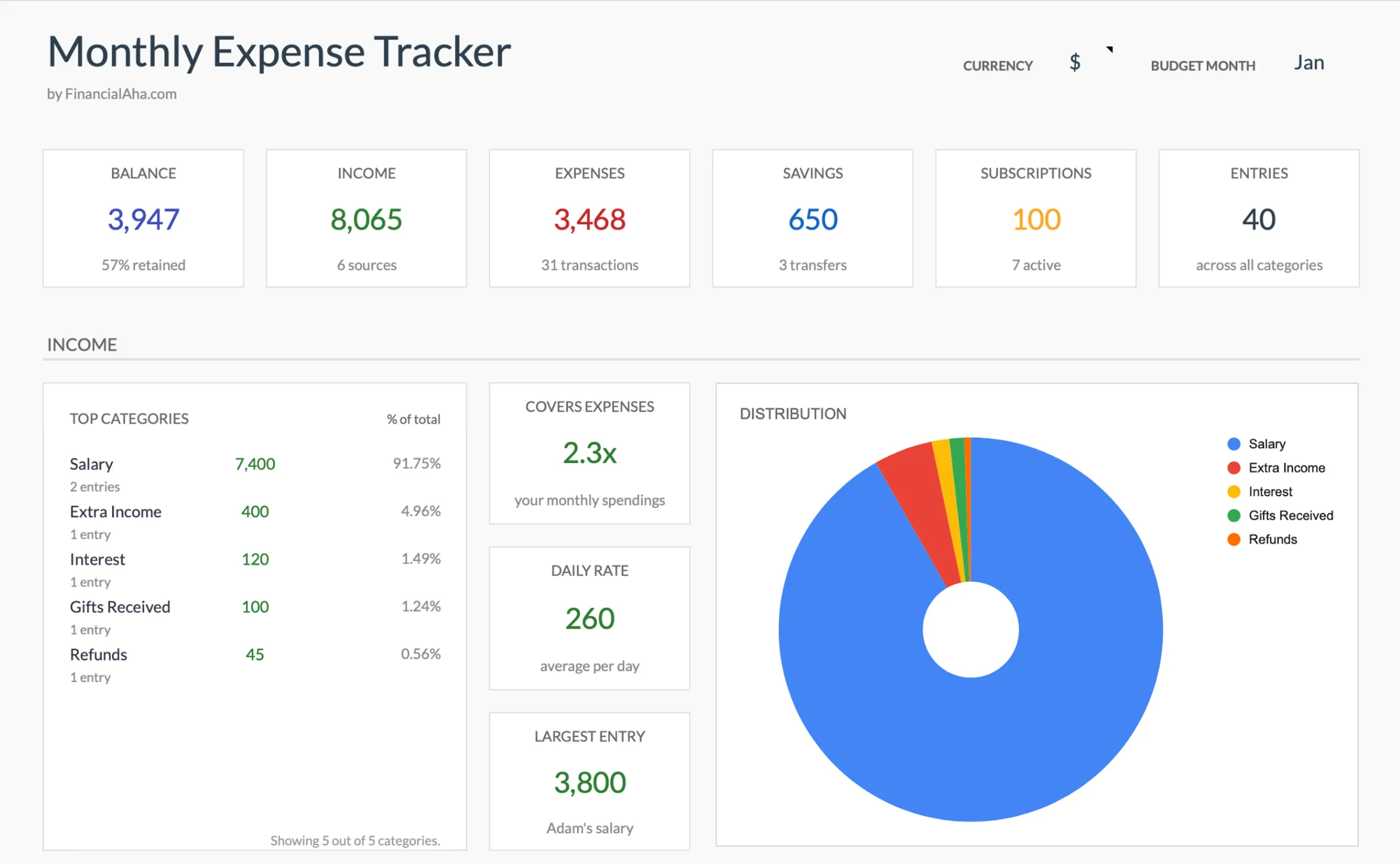
Browse through the template to see how it handles expense logging, category breakdowns, and spending analysis.
- Dashboard with key metrics at a glance
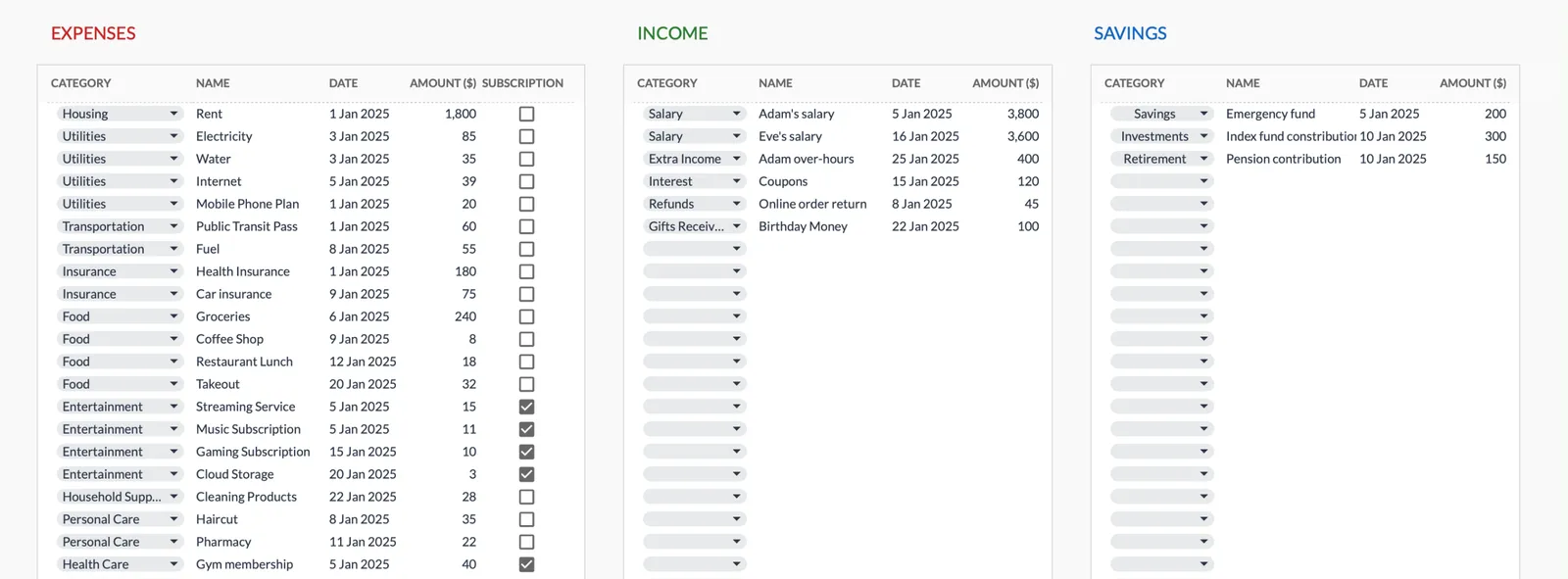
- Transaction logging with categories
- Expense tracking and summaries
- Visual charts and breakdowns
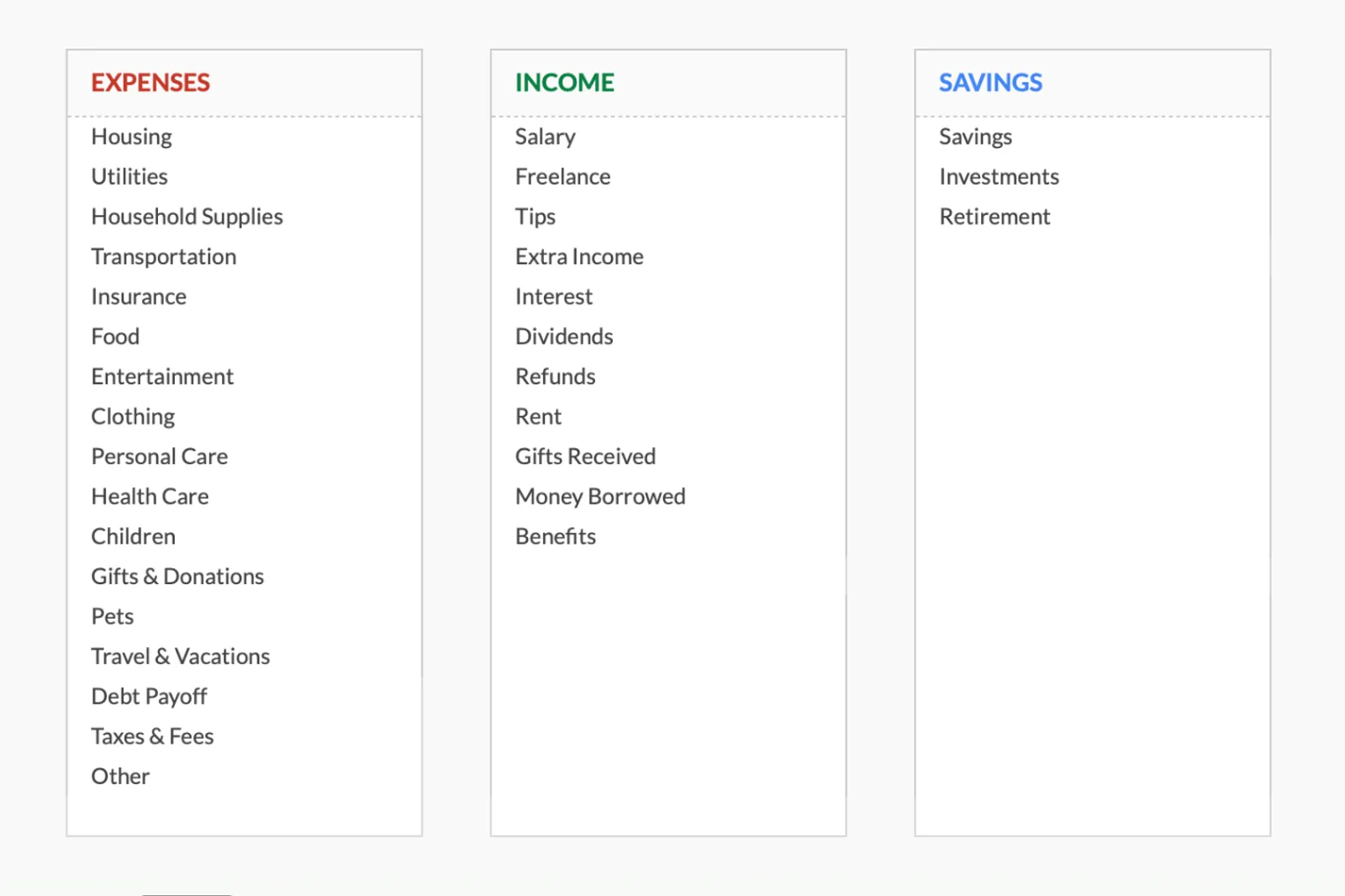
- Fully customizable categories
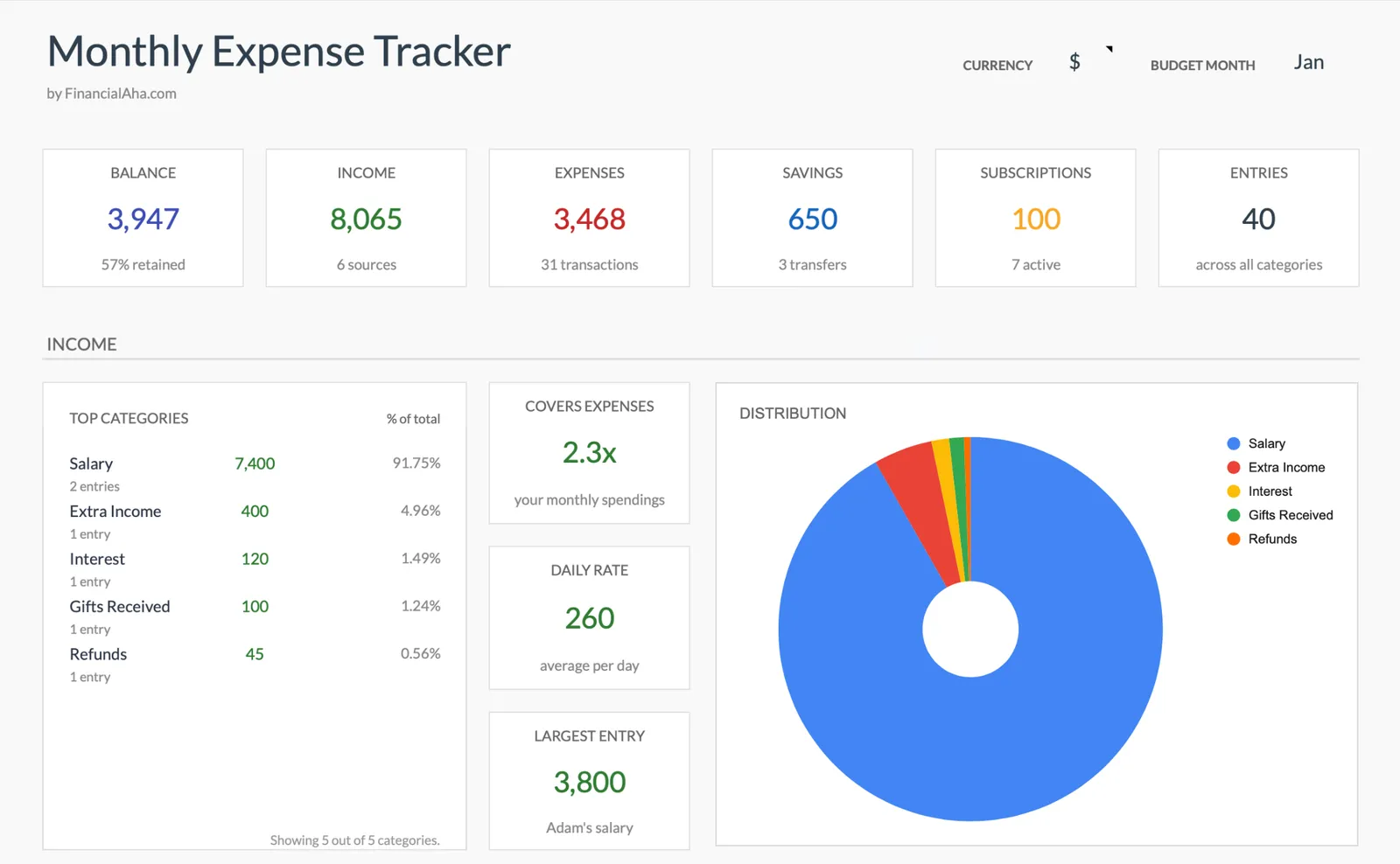
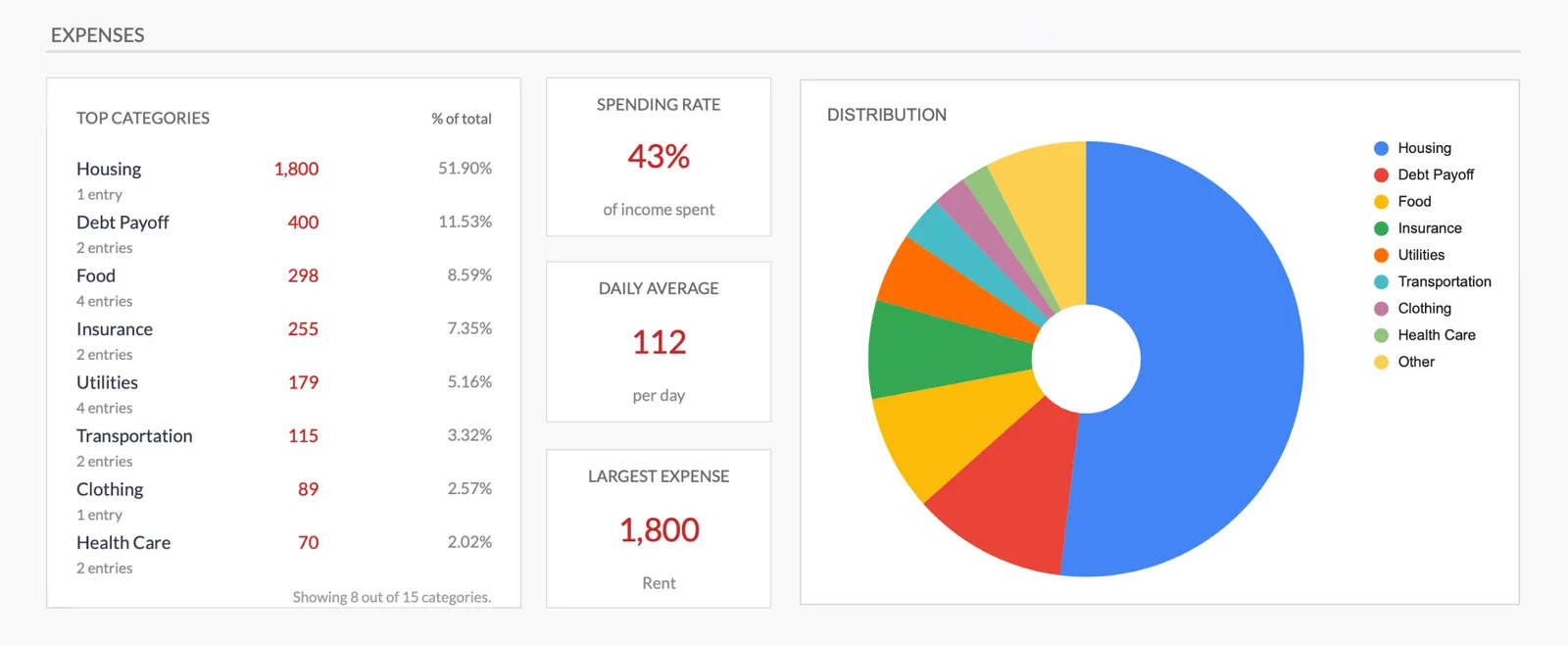
Monthly expense overview with charts
Log every expense with dates and categories
Organize spending into customizable categories
Detailed breakdown of all expenses
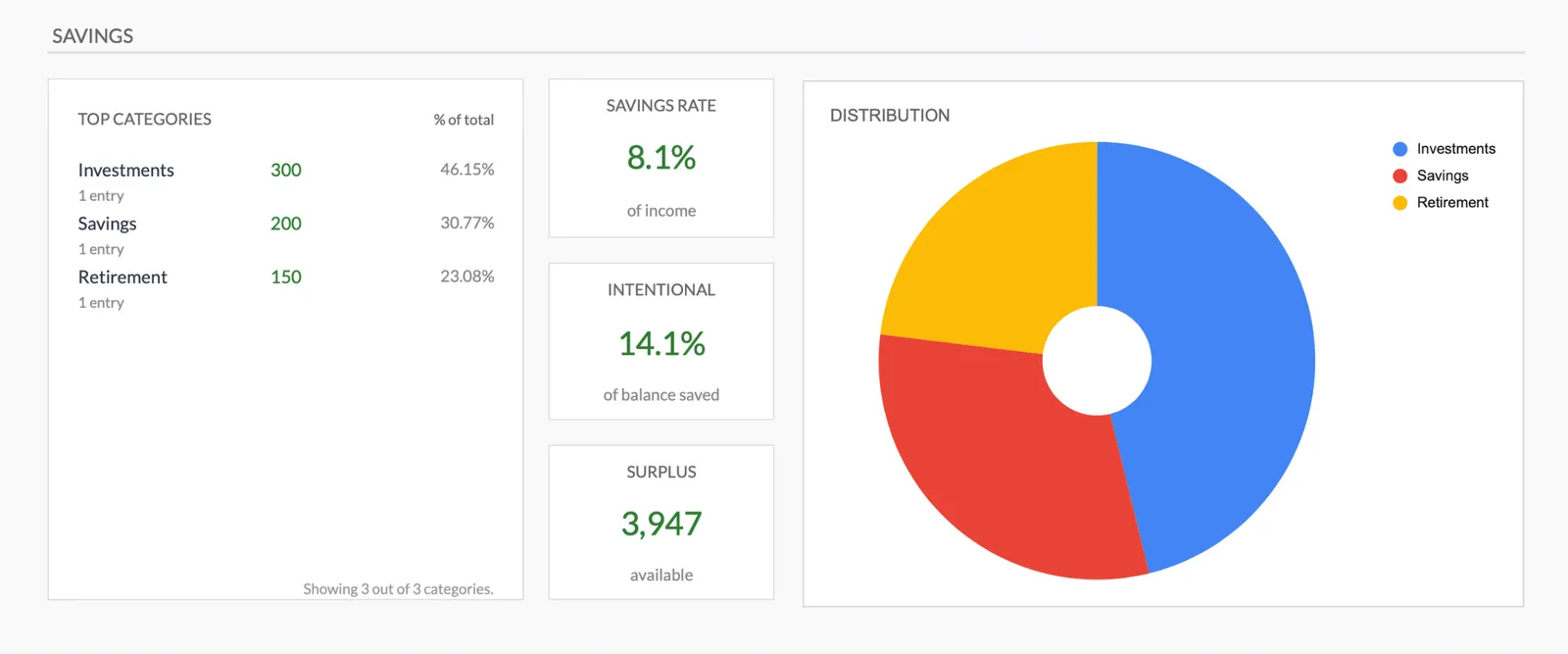
Track savings alongside expenses
Getting Started
Start Tracking Rideshare Costs
Set up driving expense categories
Review the pre-built categories and add any that apply to your market - tolls, airport fees, or platform-specific costs.
Log driving expenses after each shift
Gas fill-ups, car washes, parking fees - enter them when they happen so nothing is forgotten.
Track personal expenses separately
Keep personal spending in its own categories. The separation shows your total cost of living alongside driving costs.
Review weekly
Compare the week's driving expenses against what the app shows you earned. The difference is your actual weekly take-home.
Use monthly totals for tax planning
Monthly driving expense totals feed directly into quarterly tax estimates and year-end tax preparation.
Common Questions
Expenses Tracker for Rideshare Drivers - FAQ
How do I know if I am actually making money?
Subtract your total monthly driving expenses from your total monthly rideshare earnings. The remaining amount, before taxes, is your actual profit. The tracker gives you the expense side of that equation.
Should I track mileage here too?
This template tracks expenses, not mileage. A separate mileage log is useful for the standard mileage deduction. The two work together - expenses show costs, mileage supports tax deductions.
What about car depreciation?
Depreciation is real but hard to track monthly. If using actual expenses for taxes, note your odometer at month start and end. For the standard mileage deduction, depreciation is built into the per-mile rate.
Can I track expenses for multiple platforms?
The tracker records expenses regardless of which platform you drive for. If you want to track platform fees separately, add a category for each.
Is this worth it if I only drive part-time?
Part-time drivers often have less awareness of their true costs because the amounts feel small. Tracking reveals whether part-time driving is actually worth the vehicle wear and time.
How is this different from the full rideshare budget template?
The budget template includes income tracking, tax set-asides, and spending targets. This tracker is simpler - just expense recording. Use this if you want to understand your costs before committing to full budgeting.
How do I calculate my net hourly earnings?
Subtract total driving expenses for a shift (fuel, proportional maintenance, depreciation) from gross fares. Divide the result by total hours including travel to the area and idle time between rides. Tracking this over several weeks reveals your true effective hourly rate after costs.
Can't find the answer you're looking for? Contact our team
Start tracking expenses as a rideshare driver
One-time purchase. No subscription. Your financial data stays in your Google Drive.