Monthly Expenses Tracker
Monthly Expenses Tracker for New Graduates
Track where your first real paycheck actually goes each month - the simplest way to understand your new financial reality.
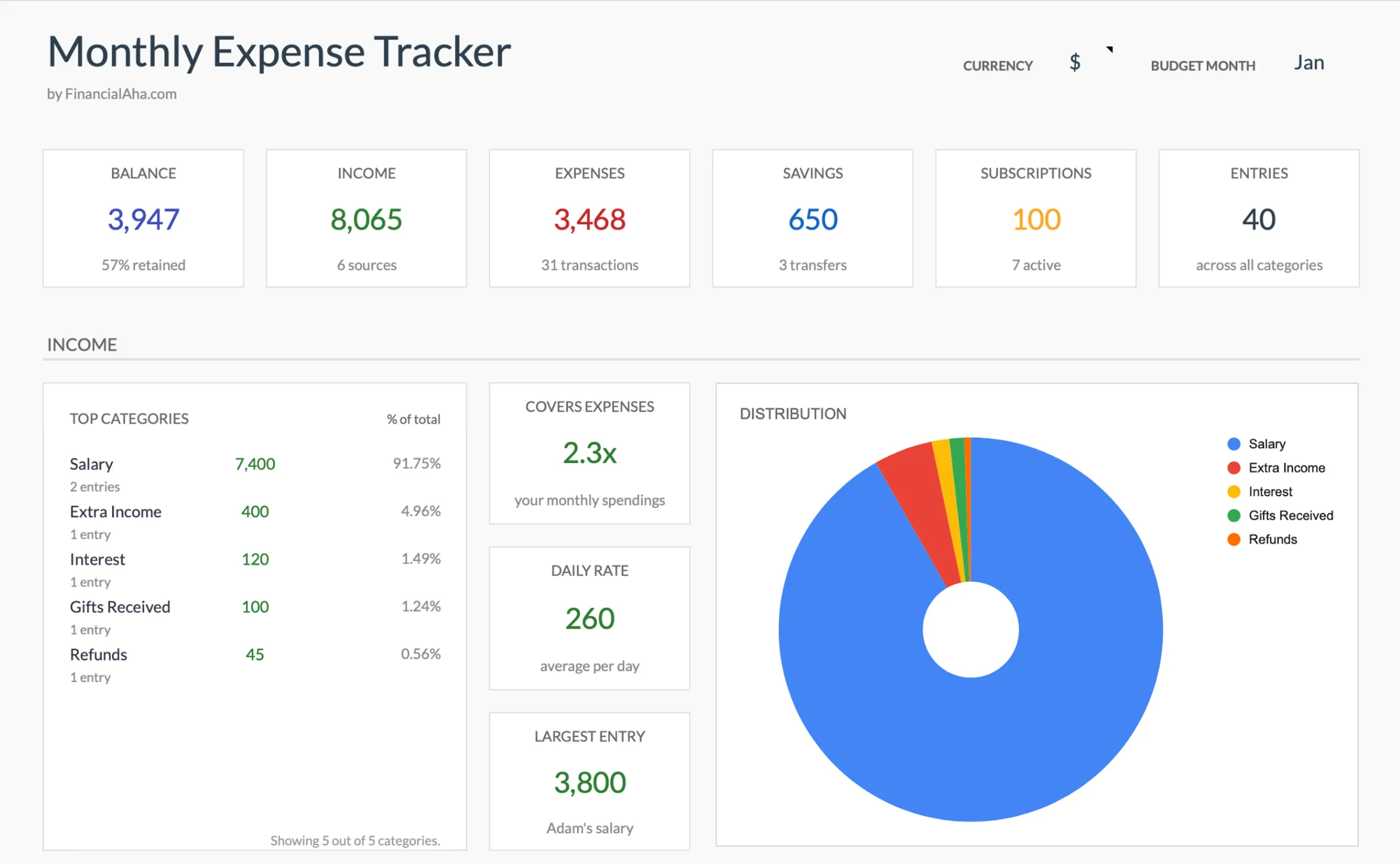
In Depth
Tracking Expenses When Everything Changes at Once
The first year after graduation involves more simultaneous financial changes than most people experience at any other point in life. A new salary, new rent, new commute costs, new insurance premiums, student loan payments beginning - all of these start within a few months of each other. Tracking expenses during this period is less about control and more about discovery. The goal is to find out what this new life actually costs.
Many new graduates are surprised by the gap between their salary and their take-home pay. Taxes, health insurance, retirement contributions, and other deductions can reduce the number significantly. Then rent, utilities, transportation, and food claim their share. Expense tracking reveals the real margin between income and spending, which is often narrower than the offer letter suggested.
There is also a social dimension to post-graduation spending that catches people off guard. Friends at different income levels, pressure to furnish an apartment, work wardrobe expectations, and the general desire to feel like an adult all create spending that did not exist during college. Tracking these expenses is not about eliminating them - it is about understanding their true cost so that spending aligns with actual priorities rather than vague social pressure.
The Challenge
Why New Graduates Need Spending Visibility First
You have never had this much money - or this many new expenses. Before setting budget targets, you need to understand your actual spending patterns in your new life.
Everything is new and estimated
First apartment, first utility bills, first grocery shopping for a full kitchen - you have no baseline for any of these costs. Tracking for a few months builds the data you need.
Lifestyle upgrade costs are invisible
Better food, nicer clothes, more frequent dining out - the transition from student to professional spending happens gradually. Tracking makes the total upgrade cost visible.
Subscriptions and recurring charges multiply
Streaming services, gym, phone plan upgrade, software - each feels small, but graduates often accumulate $200-$400 in monthly subscriptions within their first year without realizing it.
Setting a budget without data leads to failure
Budgeting before understanding your spending creates unrealistic targets. Track first, then budget. The data makes the budget realistic from day one.
Ready to take control of your new graduate finances?
What You Get
Expense Tracking Tools for Post-Grad Life
Quick expense entry
Log purchases in seconds. Amount, category, done. No complicated fields or mandatory descriptions.
Post-college expense categories
Categories for rent, utilities, groceries, dining out, transportation, subscriptions, loan payments, and social spending.
Totals that update as you log expenses
Each category totals automatically. See your biggest spending areas without any effort.
Monthly summary view
Total spending and category breakdown on one screen. The picture your bank app does not give you.
Categories that fit post-college spending
Rename or add categories to match your life. The tracker adapts to you.
Zero setup required
Open it and start entering expenses. No income to enter, no targets to set, no goals to configure.
See It In Action
What the template looks like
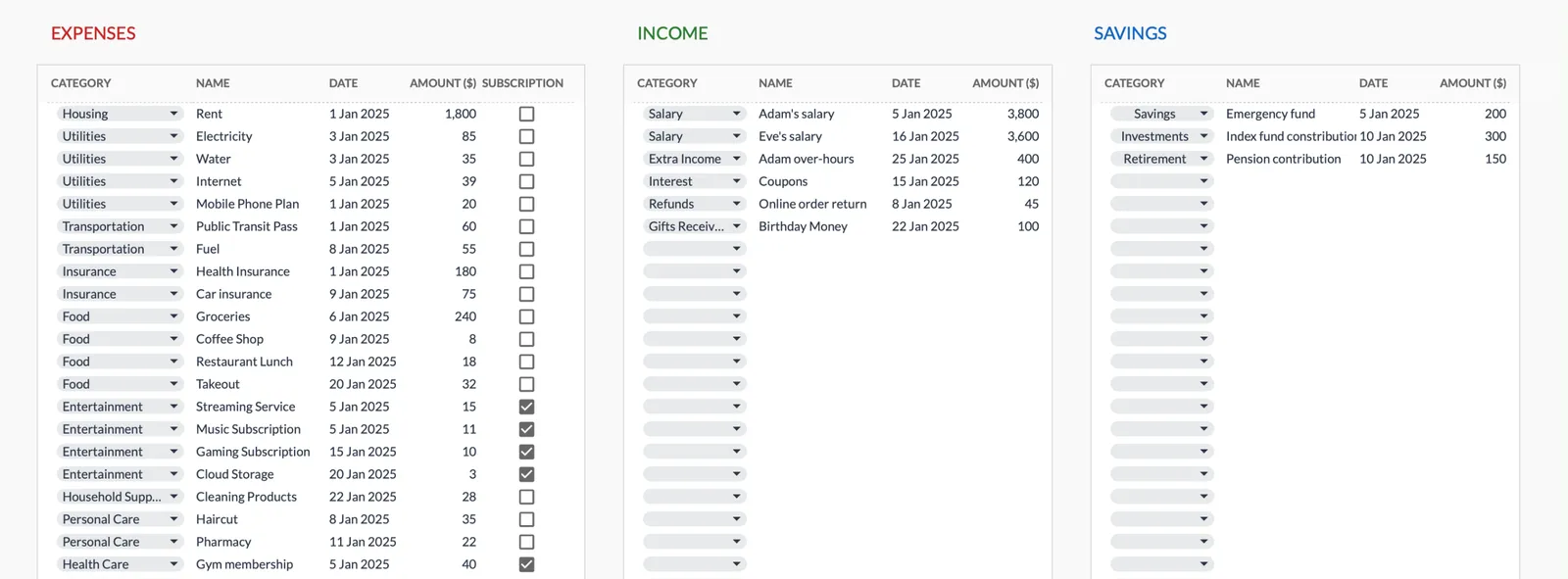
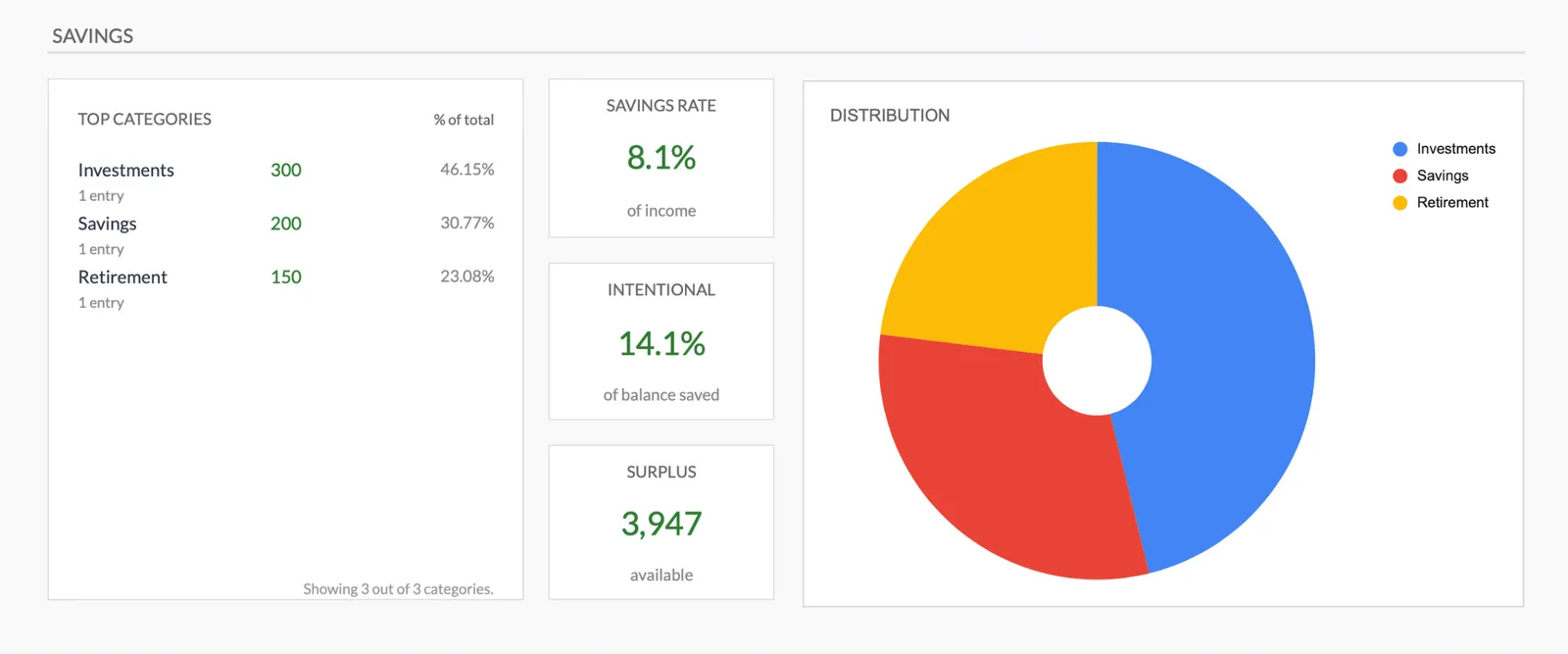
Browse through the template to see how it handles expense logging, category breakdowns, and spending analysis.
- Dashboard with key metrics at a glance
- Transaction logging with categories
- Expense tracking and summaries
- Visual charts and breakdowns
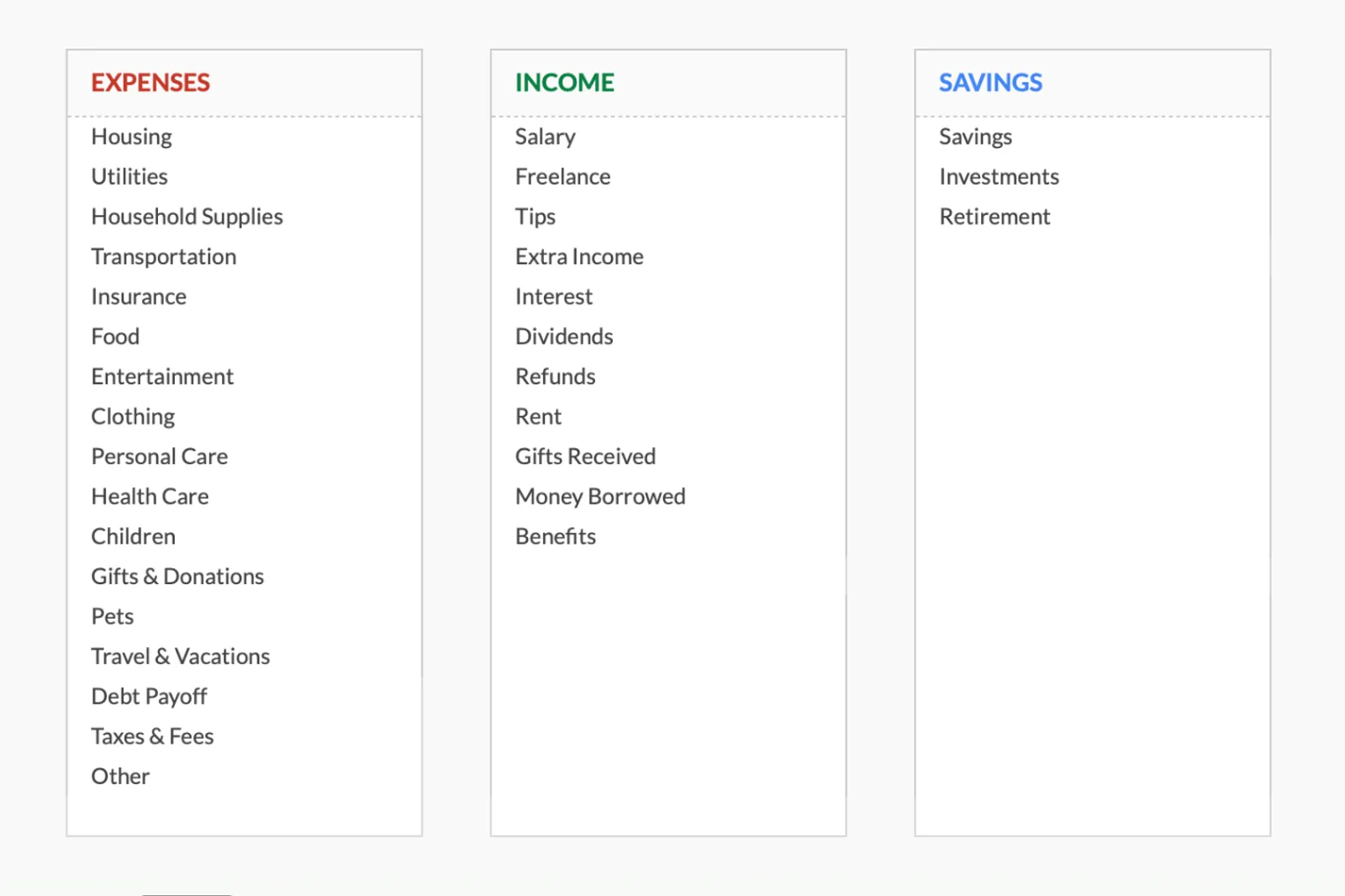
- Fully customizable categories
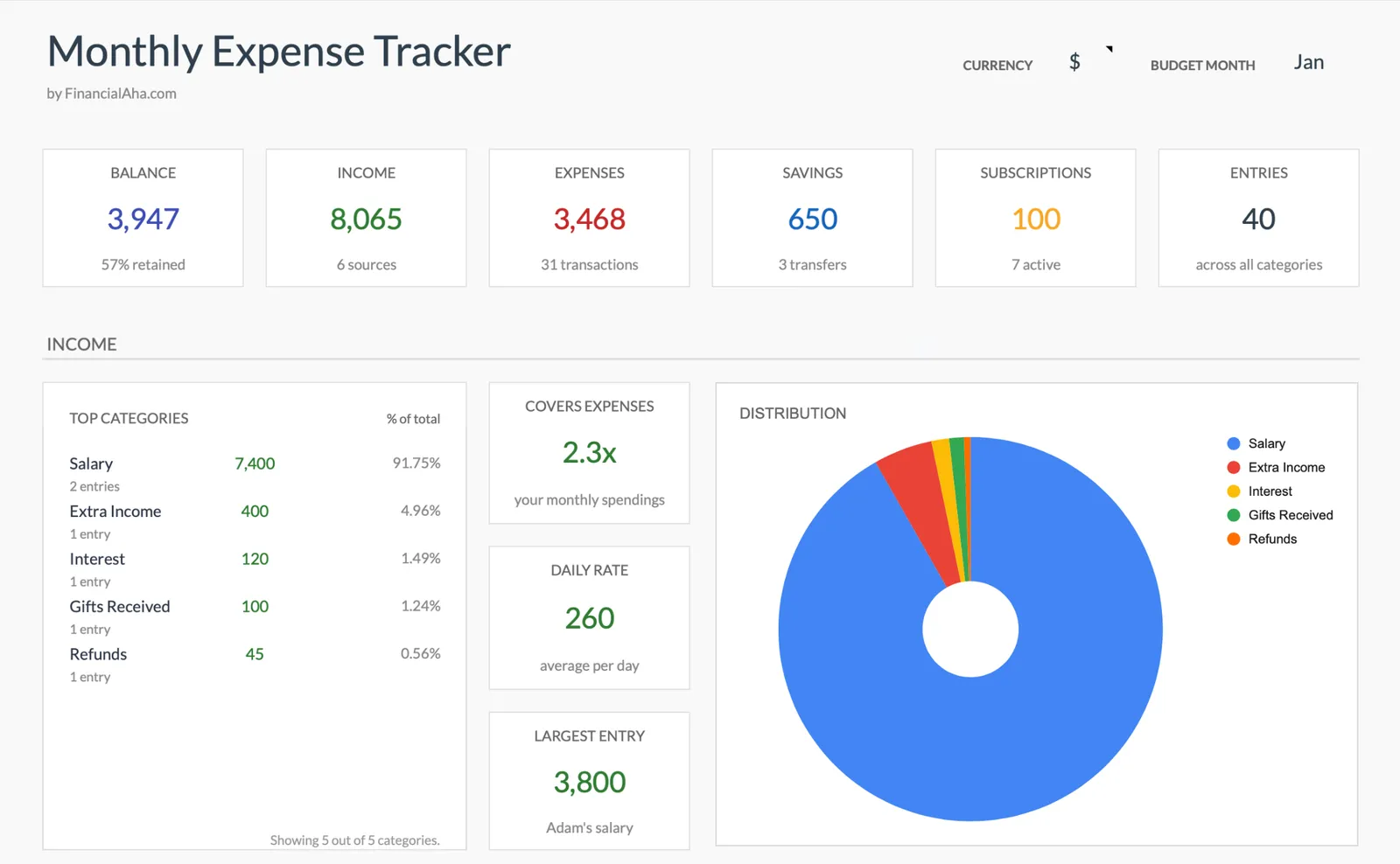
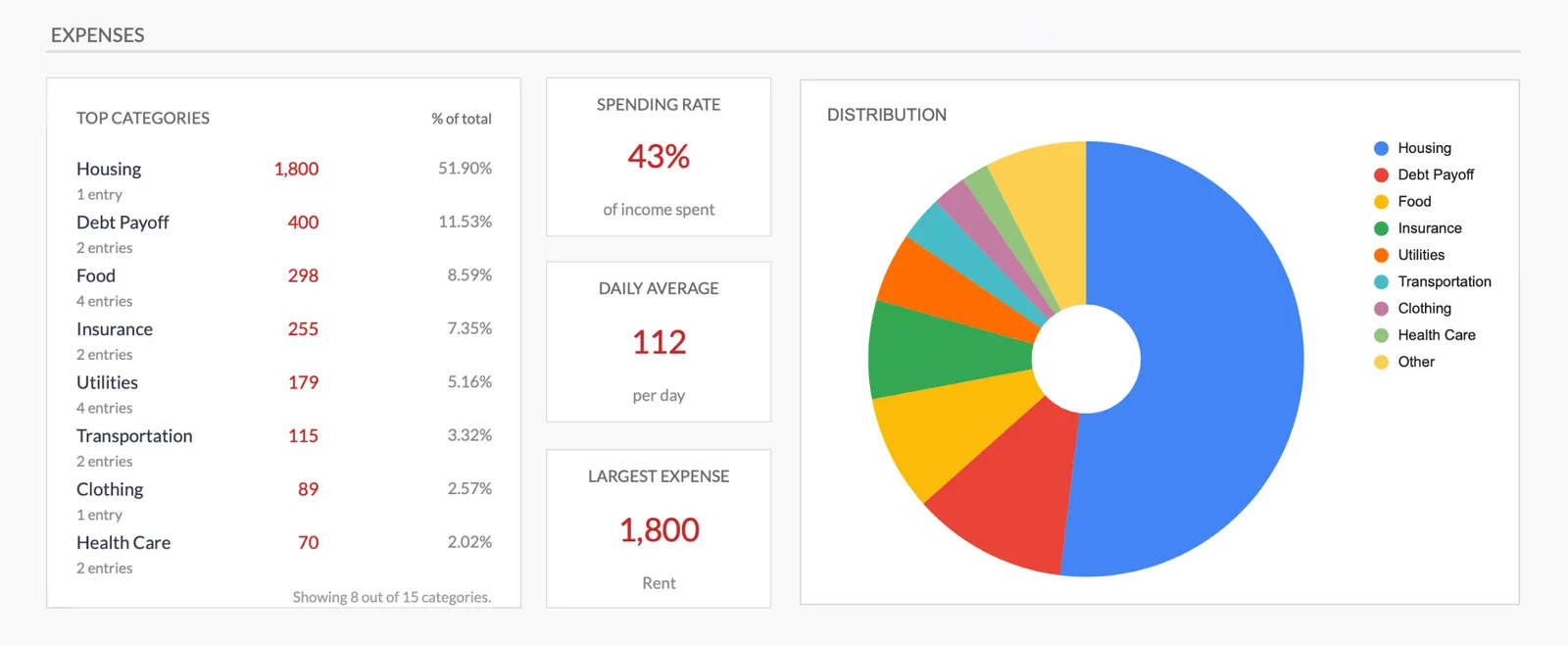
Monthly expense overview with charts
Log every expense with dates and categories
Organize spending into customizable categories
Detailed breakdown of all expenses
Track savings alongside expenses
Getting Started
Begin Tracking Your Post-Grad Spending
Copy the template to your Drive
One click and it is yours. No account creation, no subscription, no setup wizard.
Log expenses daily
After each purchase, enter the amount and category. Takes 10-15 seconds per entry.
Check category totals mid-month
A quick glance shows where money is flowing. No action required - just awareness.
Review the full month
At month end, look at the summary. Compare it against your paycheck to see the net picture.
Use month-over-month data
After two or three months, patterns emerge. This data becomes the foundation for intentional budgeting if you choose to go further.
Common Questions
Expenses Tracker for New Graduates - FAQ
Should I start with this or a full budget template?
If you have never tracked spending before, start here. A few months of data makes any budget you create later much more realistic. Jumping straight to budgeting often leads to targets that do not match reality.
What counts as an expense?
Everything you spend money on - rent, food, coffee, gas, subscriptions, loan payments. The more complete the picture, the more useful it is.
How long should I track before making a budget?
Two to three months gives enough data to see patterns. By then, you will know your actual spending in each category and can set realistic targets.
Can I see how much I have left from my paycheck?
The template tracks expenses. Subtract the total from your take-home pay to see what remains. This simple calculation often provides a wake-up call.
What if I forget to log something?
Check your bank statement and catch up. Missing a few entries is normal - the overall picture is still useful even if it is not perfectly complete.
Is this worth it if I already use a banking app?
Banking apps show transactions. This template categorizes and totals them, giving you a summary view that raw transaction lists do not provide. The act of entering expenses also builds awareness.
Can't find the answer you're looking for? Contact our team
Start tracking expenses as a new graduate
One-time purchase. No subscription. Your financial data stays in your Google Drive.