Monthly Expenses Tracker
Monthly Expenses Tracker for College Students
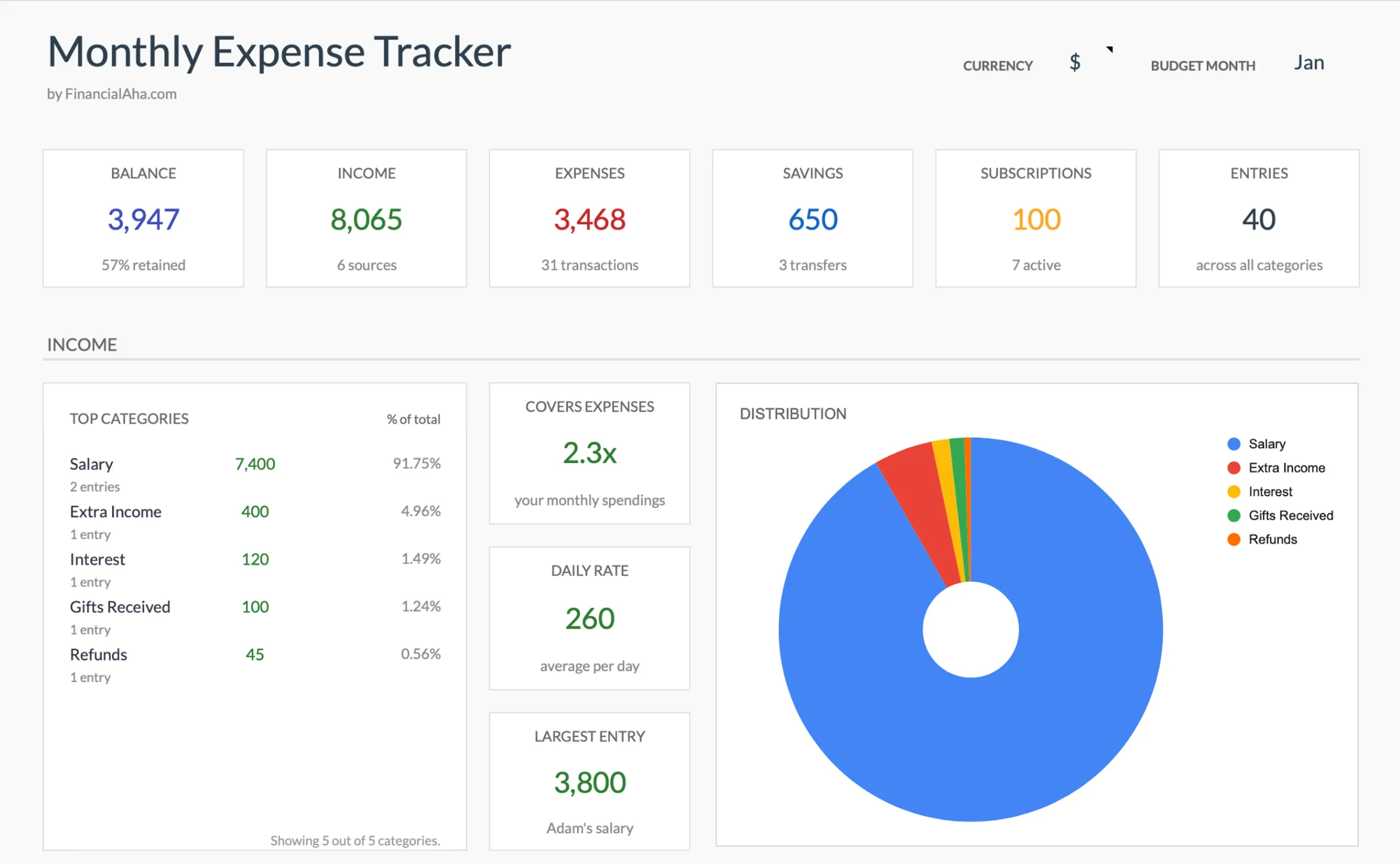
Track every dollar you spend each month and see exactly where your money goes - no budget targets needed, just clarity.
In Depth
Making Spending Visible During the College Years
College is often the first time a person manages their own money without a parent handling the big expenses. The transition can feel abrupt - suddenly there are decisions about food, transportation, entertainment, and supplies that used to be handled by someone else. Tracking these expenses creates a baseline understanding of what daily life actually costs, which is information that stays useful long after graduation.
Student spending tends to follow patterns that are invisible without tracking. The dining hall swipe plan runs out two weeks before the semester ends. Coffee shop visits add up to more than the textbook budget. Weekend spending spikes in ways that weekday spending does not. These are not moral failures - they are simply patterns that only become visible when someone writes them down.
Many college students also navigate financial aid disbursements, part-time job income, and family contributions that arrive on different schedules. A semester refund check in January needs to last until May. A summer job paycheck needs to cover fall expenses. Seeing where money actually goes each month helps bridge these gaps with awareness rather than anxiety.
The Challenge
Why Students Need Spending Visibility
Before you can manage money, you need to see where it goes. Most students have no idea how their money disappears each month. Tracking changes that.
Small purchases add up invisibly
A $5 coffee, a $12 lunch, a $3 app subscription - none of these feel significant alone. But thirty of them in a month is $600. Without tracking, these small amounts vanish without a trace.
Campus life spending is hard to categorize
Meal plan versus off-campus food, club dues, event tickets, study supplies - student spending does not fit neatly into adult categories. You need a tracker that matches your actual spending patterns.
Financial aid must last the full semester
Spending awareness is the first defense against running out of aid money before the semester ends. Simply seeing the numbers helps pace spending naturally.
Building awareness beats building budgets
For many students, the first financial skill is not budgeting - it is awareness. Knowing where money goes this month naturally informs better decisions next month.
Ready to take control of your college student finances?
What You Get
Tracking Features for Student Expenses
Simple expense entry
Enter what you spent, where, and in which category. No formulas to write, no complicated setup.
Student-relevant categories
Pre-built categories for food, textbooks, transportation, entertainment, subscriptions, and campus life.
Automatic category totals
The spreadsheet adds up each category automatically. See your biggest spending areas without any math.
Monthly spending summary
One view showing total spending and how it breaks down by category. The picture becomes clear instantly.
Categories you can adjust for campus life
Add or rename categories to match your campus and lifestyle. Make the tracker fit your reality.
No budget required
This is a tracker, not a budget. No targets to set, no goals to miss. Just record what you spend and learn from the data.
See It In Action
What the template looks like
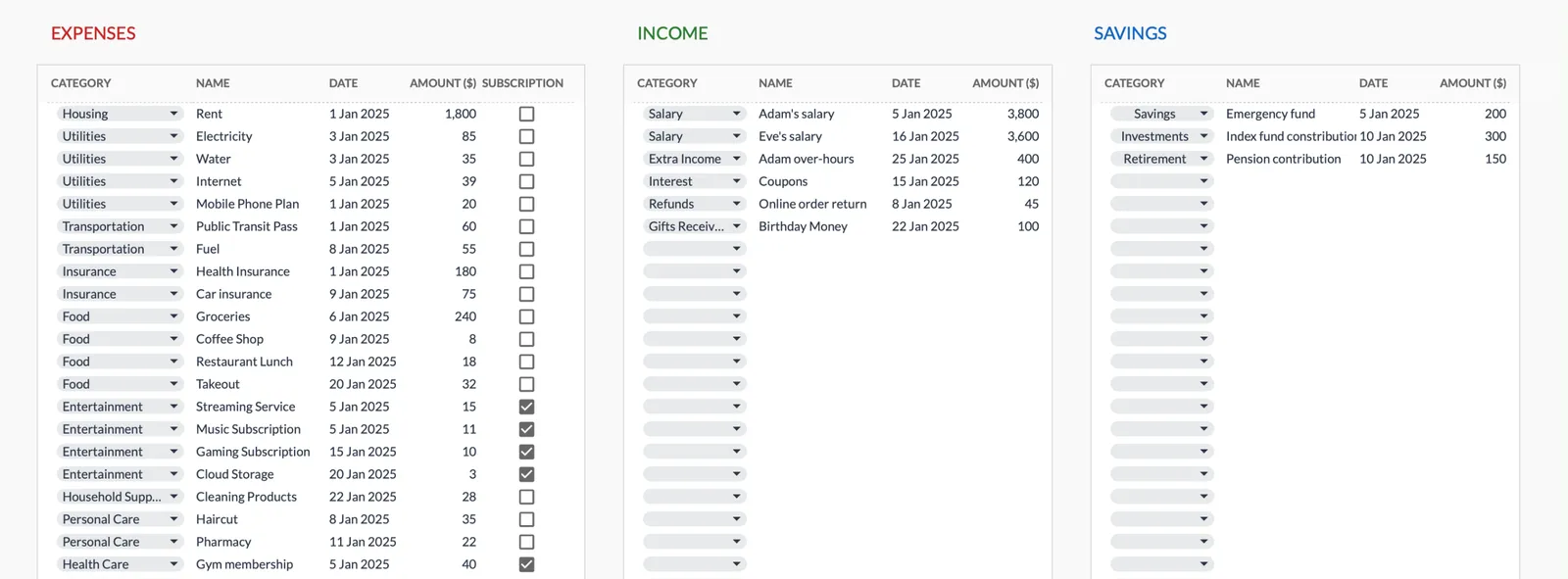
Browse through the template to see how it handles expense logging, category breakdowns, and spending analysis.
- Dashboard with key metrics at a glance
- Transaction logging with categories
- Expense tracking and summaries
- Visual charts and breakdowns
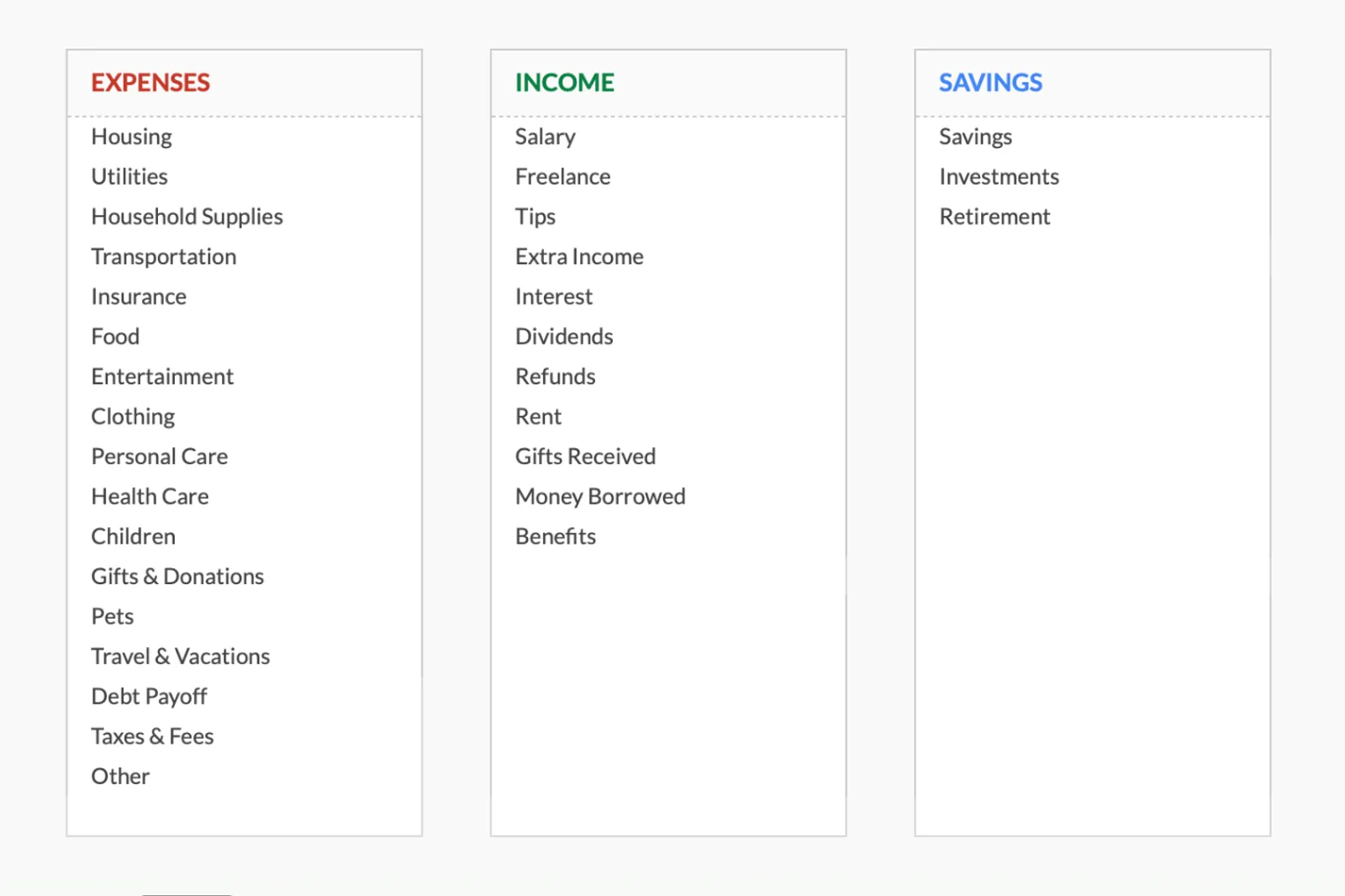
- Fully customizable categories
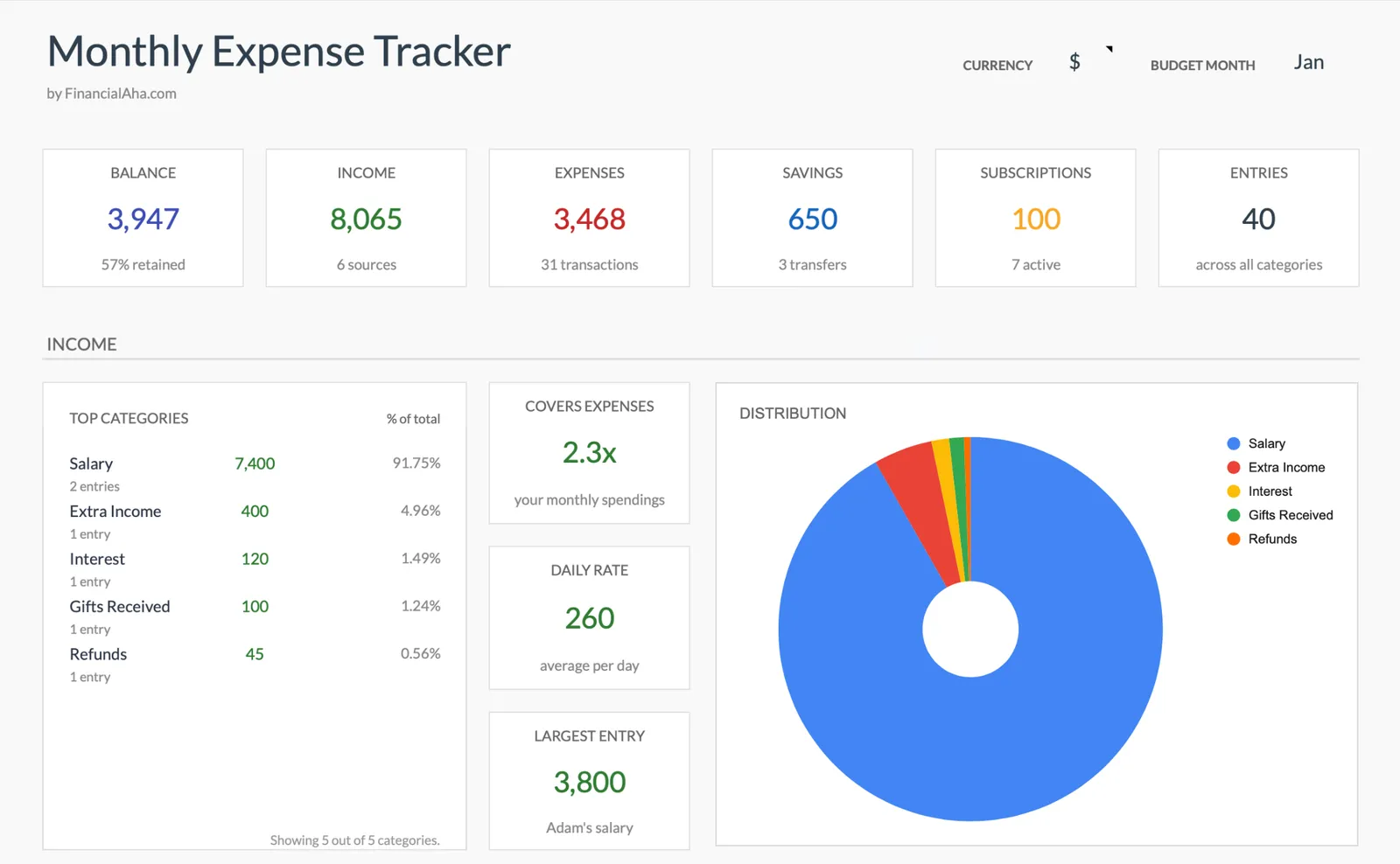
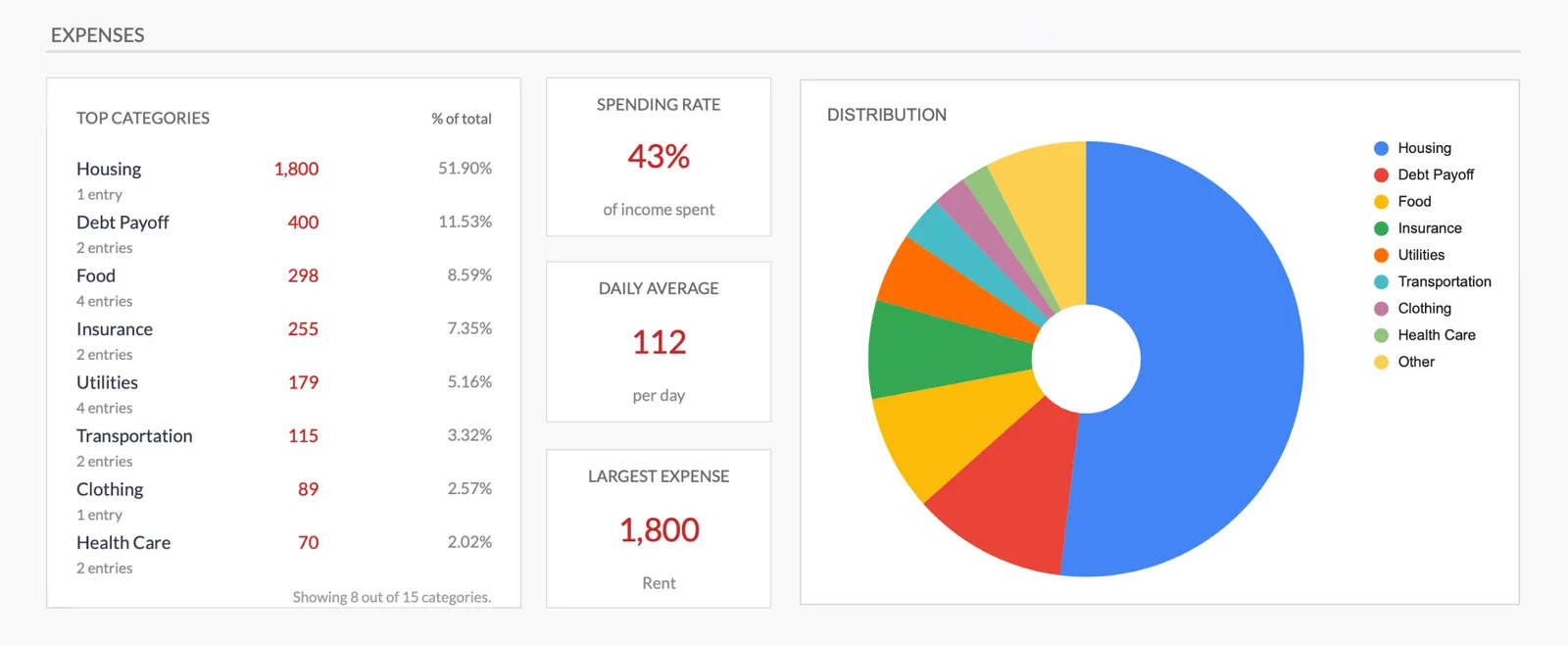
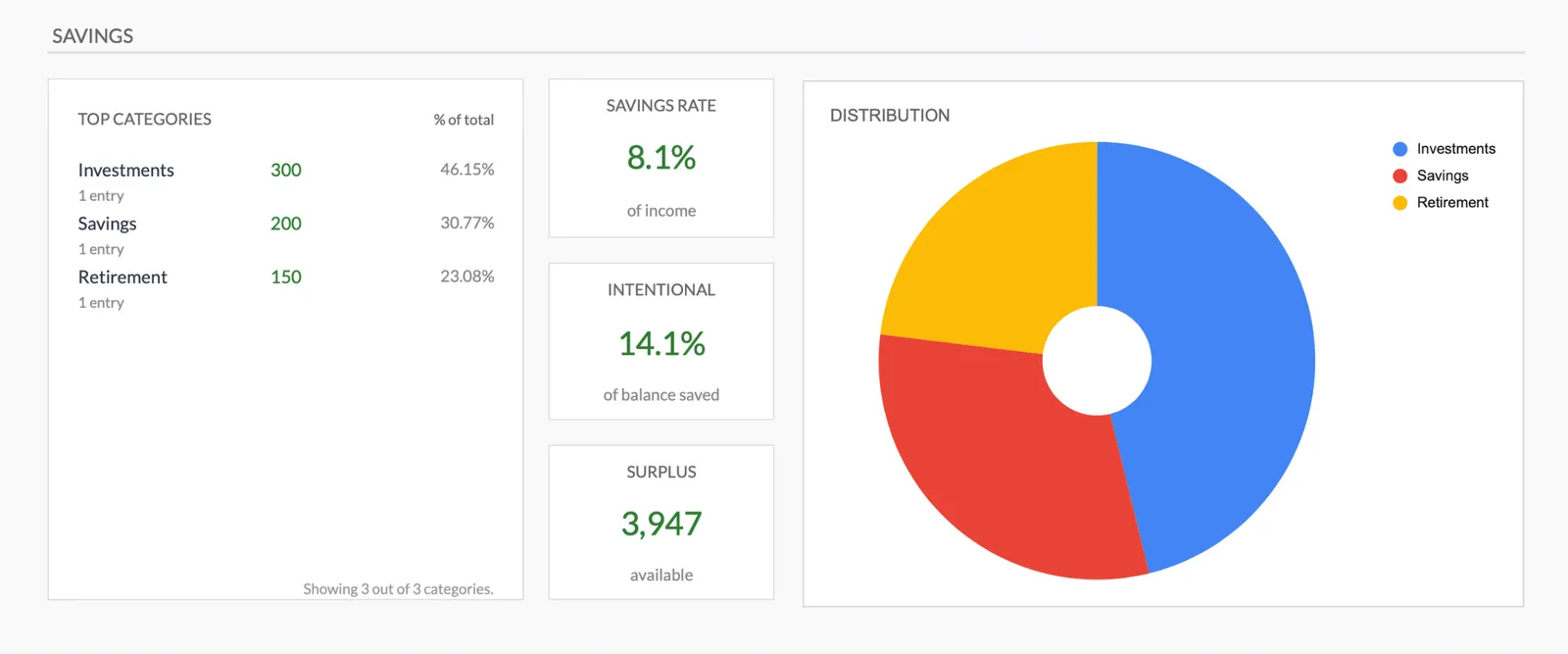
Monthly expense overview with charts
Log every expense with dates and categories
Organize spending into customizable categories
Detailed breakdown of all expenses
Track savings alongside expenses
Getting Started
Start Tracking College Expenses Today
Open the template
Copy it to your Google Drive. It is ready to use immediately - no setup or configuration needed.
Enter expenses as they happen
After each purchase, take 10 seconds to log the amount and category. That is the entire process.
Review categories weekly
Glance at the category totals once a week. Notice where money is going without judging it.
Look at the monthly summary
At month end, see the full picture. Most students are surprised by at least one category.
Use the awareness next month
No formal action needed. Awareness alone tends to shift spending patterns naturally.
Common Questions
Expenses Tracker for College Students - FAQ
How is this different from a budget template?
A budget sets targets and compares spending against them. This tracker simply records what you spend. It is the simpler first step - see where money goes before trying to control it.
Do I need to track every single purchase?
The more you track, the clearer the picture. But even tracking most purchases gives useful data. Do not let perfection prevent you from starting.
Can I use this on my phone?
Yes. Google Sheets works on mobile. You can log expenses from anywhere right after a purchase.
What if I do not know which category something belongs to?
Pick the closest category or create a new one. The categories are flexible - make them work for you. Consistency matters more than precision.
Will this actually help me spend less?
Many people find that simply seeing where money goes changes their behavior. The template does not tell you what to do - but the visibility tends to inform better decisions naturally.
What if I want to start budgeting later?
A few months of tracking data becomes the foundation for a realistic budget. You will know your actual spending patterns instead of guessing.
Can't find the answer you're looking for? Contact our team
Start tracking expenses as a college student
One-time purchase. No subscription. Your financial data stays in your Google Drive.