Annual Budget Template
Annual Budget Template for Military Members
Plan 12 months of military finances including base pay, allowances, PCS move costs, deployment changes, and TSP contributions.
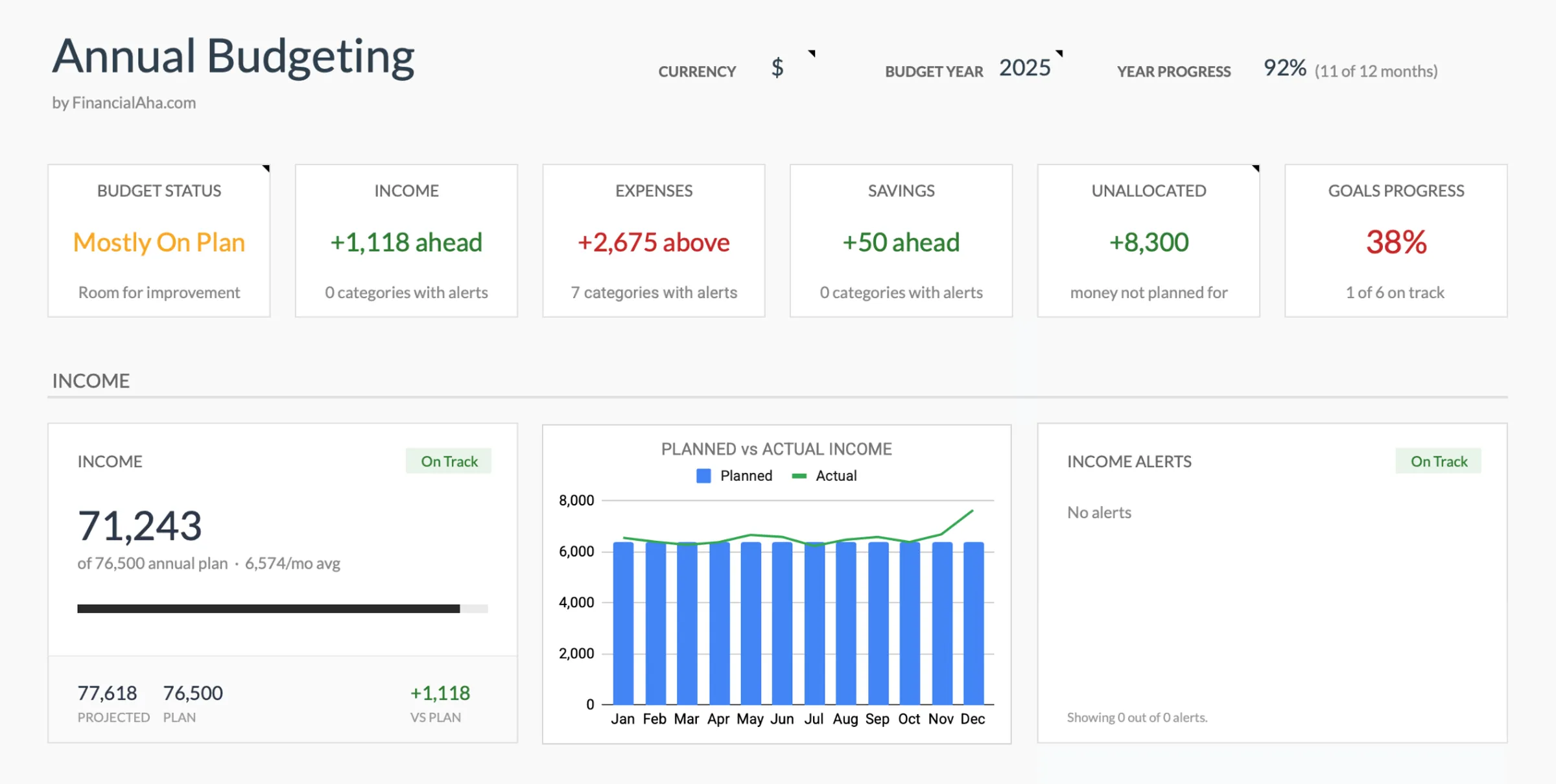
In Depth
Mapping the Financial Year Around Military Life
BAH and BAS tracking across twelve months reveals the true tax advantage of military compensation in a way that monthly views obscure. An E-6 with dependents receiving $2,400/month in BAH and $452/month in BAS collects $34,224 in tax-free allowances annually. At a 22% marginal tax rate, that tax-free status is worth roughly $7,500 in avoided taxes per year - effectively increasing total compensation by that amount compared to what a civilian salary of equal gross value would deliver. The annual planner makes this visible and helps with decisions like whether to live on or off base, where the BAH calculation changes.
PCS move budgeting benefits enormously from the annual view because move costs are front-loaded but reimbursements are delayed. A summer PCS might involve $3,000-$5,000 in out-of-pocket expenses in June and July - temporary lodging, security deposits, travel meals, utility setup - with reimbursements arriving in August or September. The annual planner shows this cash flow dip and recovery, which helps determine how much savings reserve to have in place before orders arrive. For service members who know a PCS is likely in the coming year, starting a move fund 6-8 months ahead makes the transition less financially disruptive.
Deployment savings potential becomes concrete in the annual view. A service member deployed for 6 months to a combat zone with CZTE (Combat Zone Tax Exclusion) might see monthly take-home increase by $500-$1,200 due to eliminated income tax. Combine that with reduced personal spending (no commuting, minimal dining out, limited shopping) and the savings delta during deployment can reach $1,500-$3,000 per month. Over a 6-month deployment, that is $9,000-$18,000 in potential savings - a number that makes deployment a strategic financial planning opportunity when tracked across the full year.
TSP contribution planning across twelve months ensures the annual limit ($23,000 for 2024, or $30,500 with catch-up contributions for those over 50) is approached deliberately. Some service members front-load contributions early in the year to maximize time in the market. Others spread contributions evenly to ensure the BRS match is captured every pay period - since the match applies per pay period, not annually. The annual planner shows the year-to-date contribution total alongside remaining months, making it clear whether the pace will reach the target or fall short.
The Challenge
Why Military Members Benefit from Annual Planning
Military life runs on annual cycles - PCS move seasons, deployment rotations, promotion timelines, and re-enlistment decisions. An annual budget aligns financial planning with these cycles.
PCS moves create major annual expenses
Even with reimbursement, a PCS move involves deposits, temporary housing, travel, and setup costs that spike spending for 2-3 months. Knowing when this hits the budget is essential.
Pay changes happen at specific times
Promotions, time-in-service raises, and BAH adjustments change pay on predictable schedules. An annual view shows exactly when income changes and the cumulative effect.
Deployment changes income and expenses for months
A 6-9 month deployment alters the household budget significantly. The annual planner shows the pre-deployment, deployment, and post-deployment phases and their distinct financial profiles.
TSP contributions need annual coordination
Maximizing TSP contributions requires spreading them across the year, especially if contributions need to be adjusted around months with higher expenses like a PCS move.
Ready to take control of your military member finances?
What You Get
Annual Planning Tools for Military Families
12-month military pay planner
Map base pay, BAH, BAS, and special pays across all 12 months. Account for known pay changes.
PCS move expense planning
Budget for move-related costs in the months they will occur. Track reimbursements separately from out-of-pocket costs.
TSP contribution planner
Plan monthly TSP contributions to hit your annual target. Adjust around high-expense months.
Deployment financial planning
Adjust income and expenses for deployment periods. See the savings opportunity that deployment creates.
Annual savings and debt tracking
Track progress toward annual savings goals and debt payoff targets across all 12 months.
Military pay plan vs. actual - all 12 months
Compare planned versus actual for each month. The annual view shows whether the plan is working.
See It In Action
What the template looks like
Browse through the template to see how it handles income tracking, expense budgets, savings goals, and spending analysis.
- Dashboard with key metrics at a glance
- Transaction logging with categories
- Budget vs actual comparison
- Visual charts and breakdowns
- Fully customizable categories
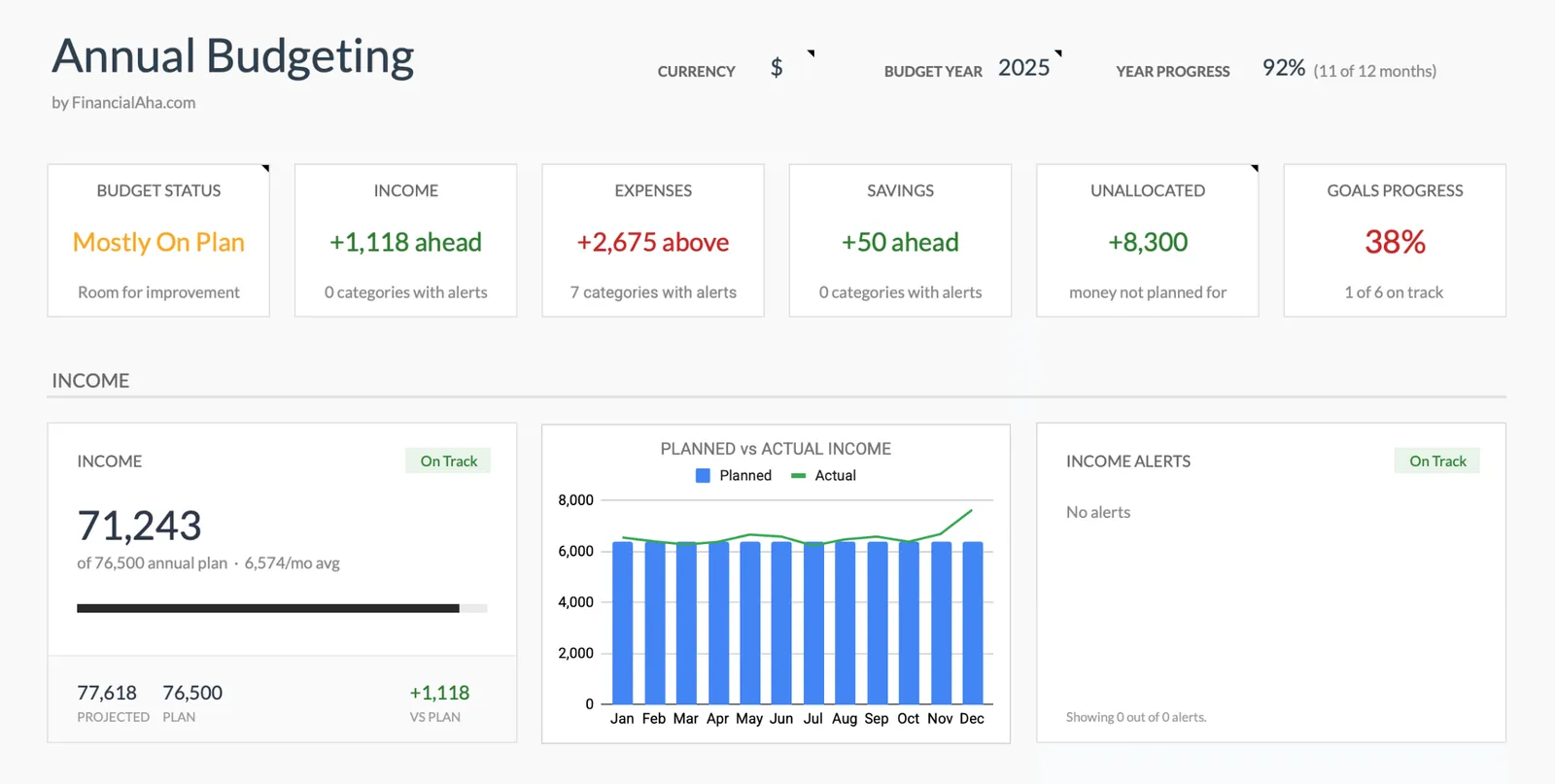
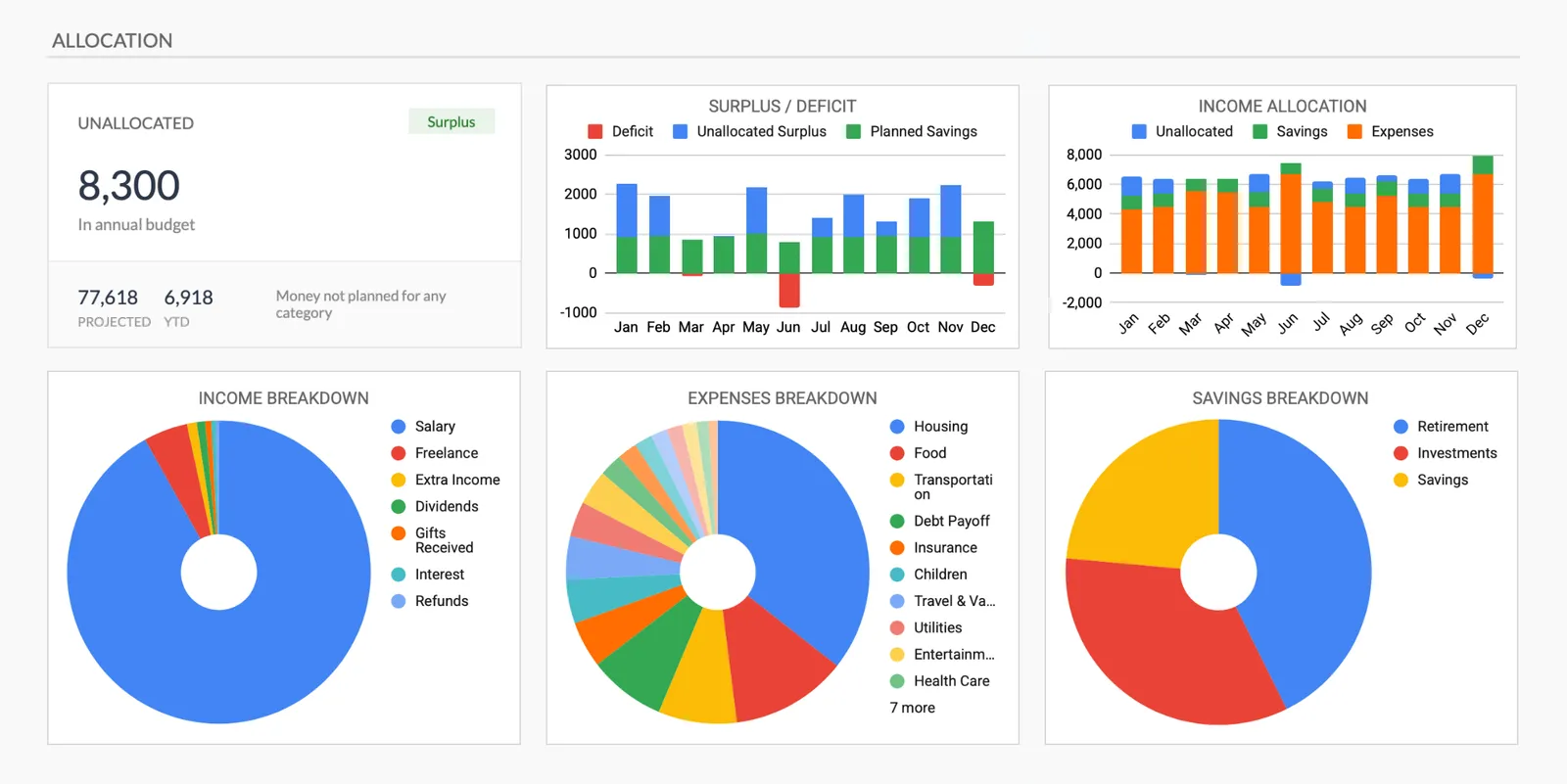

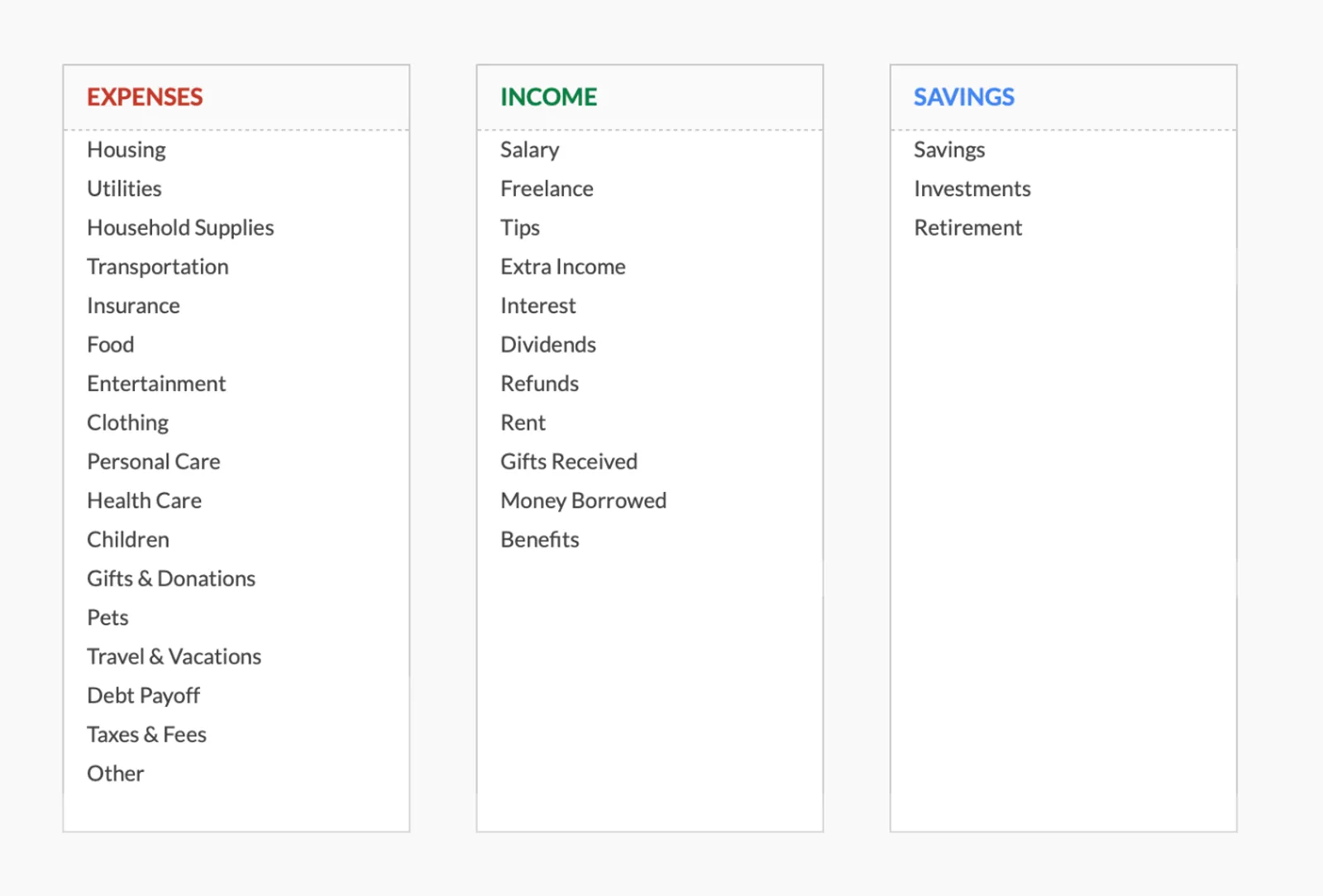
Full year budget overview with monthly breakdown
See how your budget is allocated across categories
Track key metrics across the year
Customizable categories for your annual plan
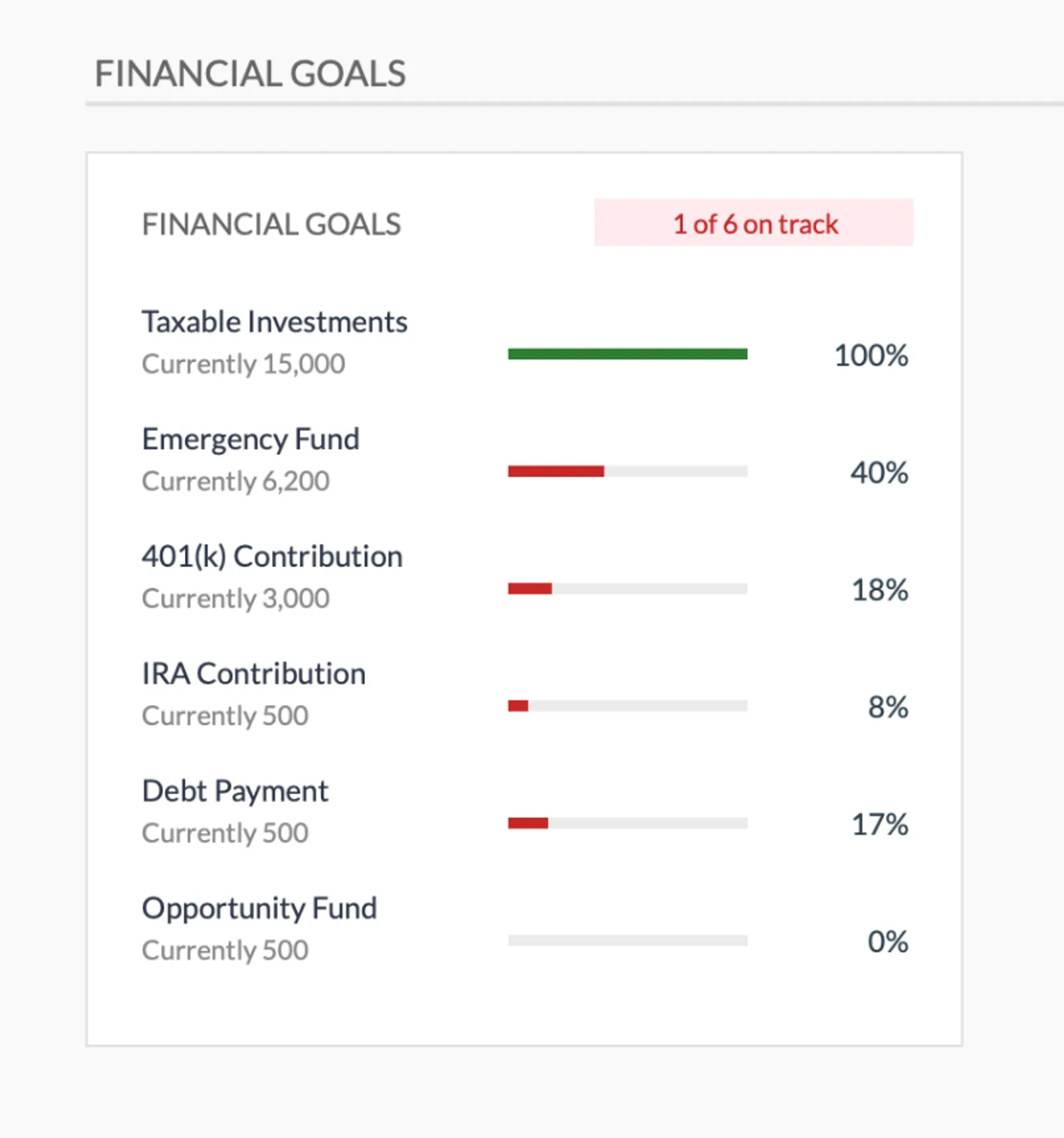
Set and track annual financial goals
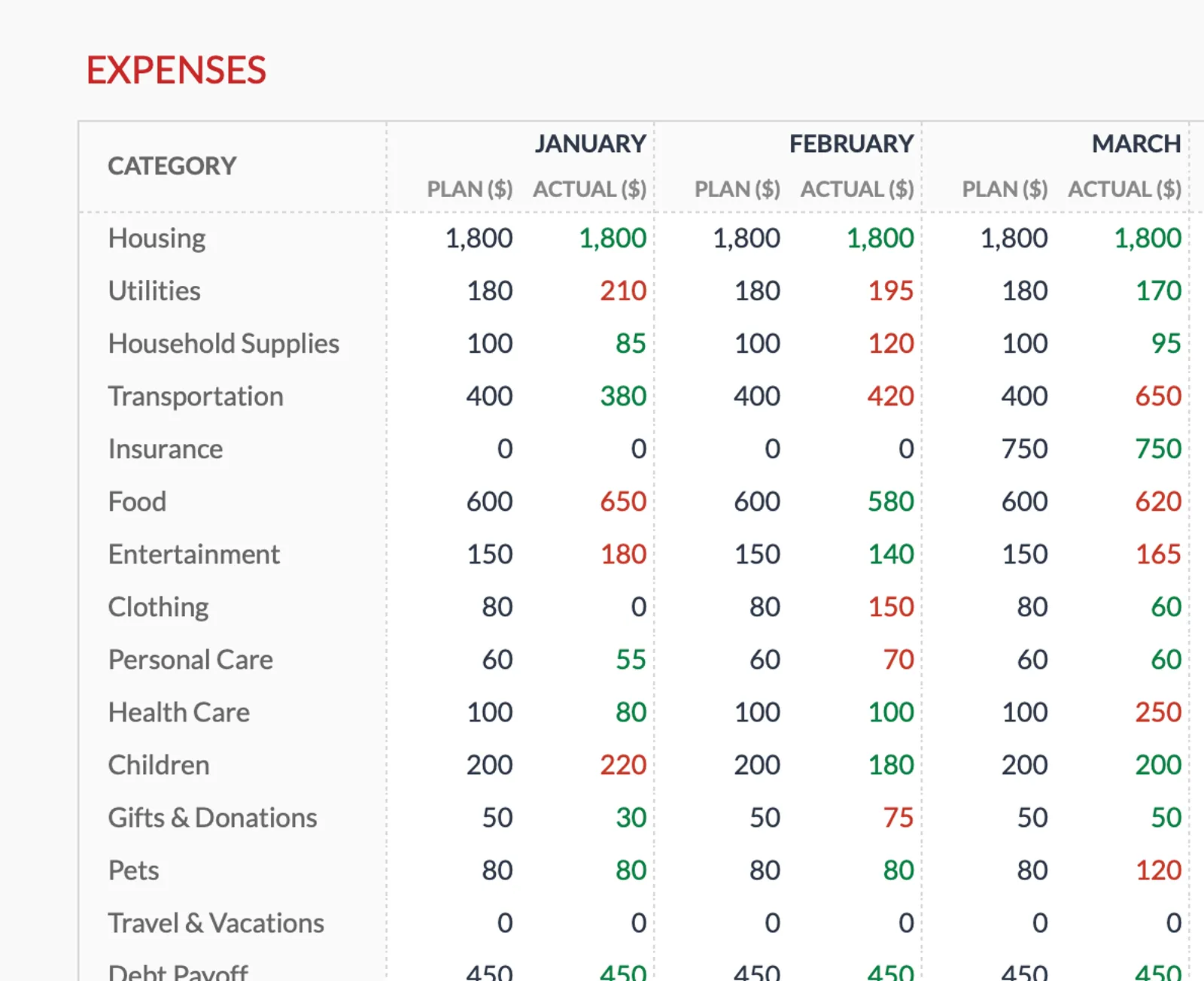
Track expenses month by month across the year
Getting Started
Start Your Military Annual Budget Plan
Map your pay for each month
Enter base pay, allowances, and any expected changes. Include promotion or time-in-service raise timing.
Plan for known events
Add PCS move costs, deployment date ranges, TDY periods, and other scheduled events that affect finances.
Set TSP contribution amounts
Plan monthly contributions to maximize the match and aim for your annual target. Adjust for high-expense months.
Budget household expenses across 12 months
Account for BAH changes with a PCS, seasonal utility variations, and family expenses that change through the year.
Review and update as orders change
Military plans change. Update the template when new orders arrive, deployment dates shift, or pay adjusts.
Common Questions
Annual Budget for Military Members - FAQ
How do I plan for a PCS move I know is coming but have not received orders for?
Use the expected timeframe and estimate costs based on typical PCS expenses. Update with specifics when orders arrive. Having an approximate plan is better than no plan.
Can I maximize TSP with this planner?
Yes. The template shows your year-to-date TSP contributions against the annual limit. If you need to front-load or back-load contributions, the 12-month view makes the math clear.
What about BRS matching?
Under the Blended Retirement System, the government matches up to 5% of base pay to TSP. The template helps track whether contributions reach 5% every month to capture the full match.
How do I handle COLA adjustments for overseas duty?
Enter COLA as an additional income line during overseas months. Since COLA can change, update the amount quarterly based on current rates.
What if my spouse also earns income?
Add spouse income to the monthly planner. The template handles multiple income sources and shows the household total.
Is this useful for Guard and Reserve members?
Yes. Drill pay and annual training create a predictable annual income pattern. The template helps plan around months with and without military pay.
How do I plan a PCS move budget within the annual planner?
Estimate out-of-pocket PCS costs ($2,000-$5,000 is typical) and place them in the months when spending will occur. Add expected reimbursements in the months they will arrive. The annual view shows the cash flow gap between spending and reimbursement so you can build the necessary savings reserve in advance.
How do I plan TSP contributions to capture the full BRS match all year?
The BRS match is calculated per pay period, not annually. To capture the full 5% match every pay period, set your contribution percentage to at least 5% of base pay and maintain it throughout the year. The annual planner tracks cumulative contributions and shows whether you are on pace for the annual limit.
Can't find the answer you're looking for? Contact our team
Start annual budgeting as a military member
One-time purchase. No subscription. Your financial data stays in your Google Drive.