Envelope Budget Pro
Digital envelope budgeting with 15 envelopes, a spending log, fund transfer tracking, and 12-month history - bringing the cash envelope method to a spreadsheet.
Free vs Pro
- Create up to 8 envelopes with monthly funding amounts
- Dashboard with total funded, spent, and remaining per envelope
- Basic spending log for transactions by envelope
- Works in Excel and Google Sheets
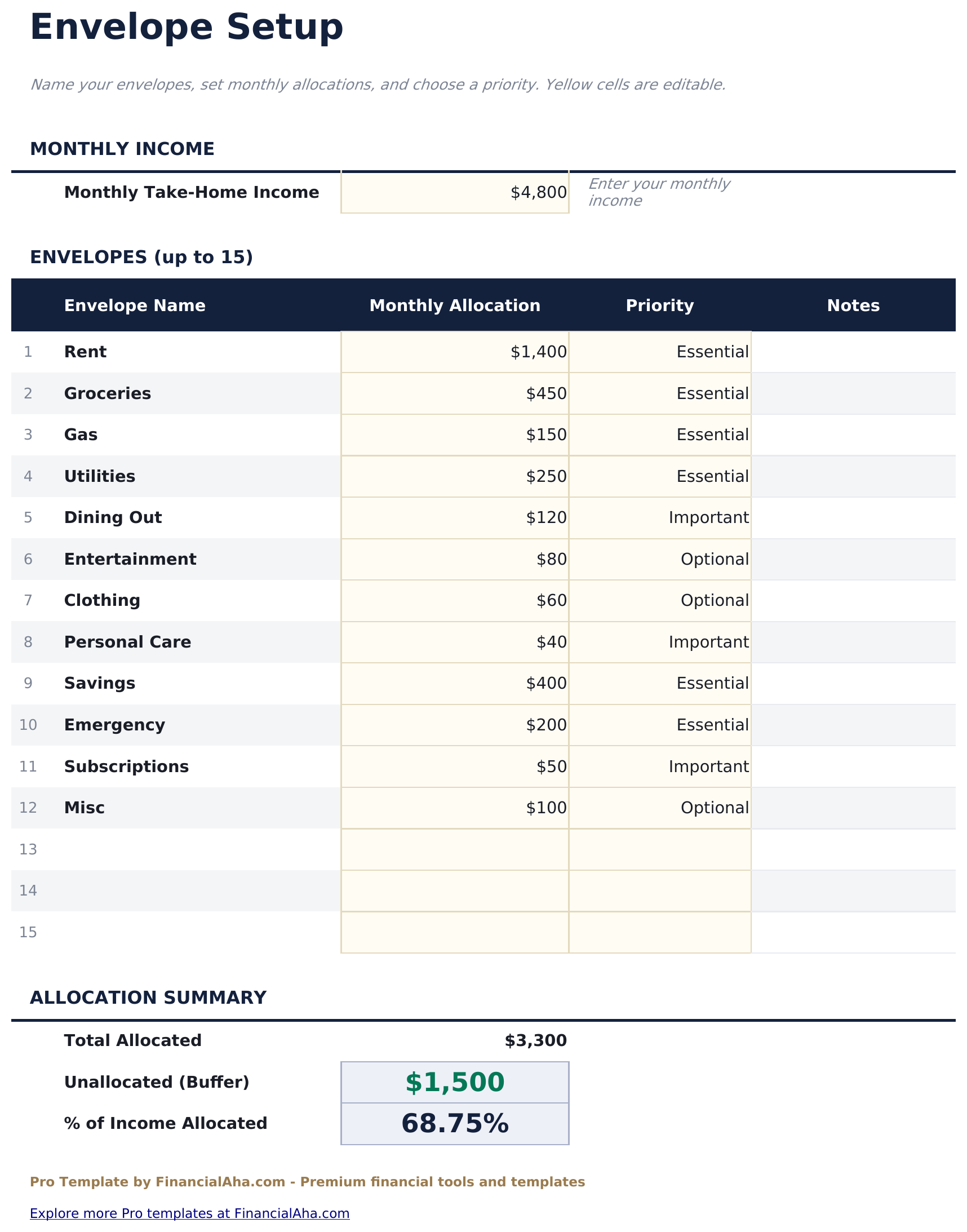
- Envelope Setup sheet for creating up to 15 envelopes with name, category, and monthly funding amount
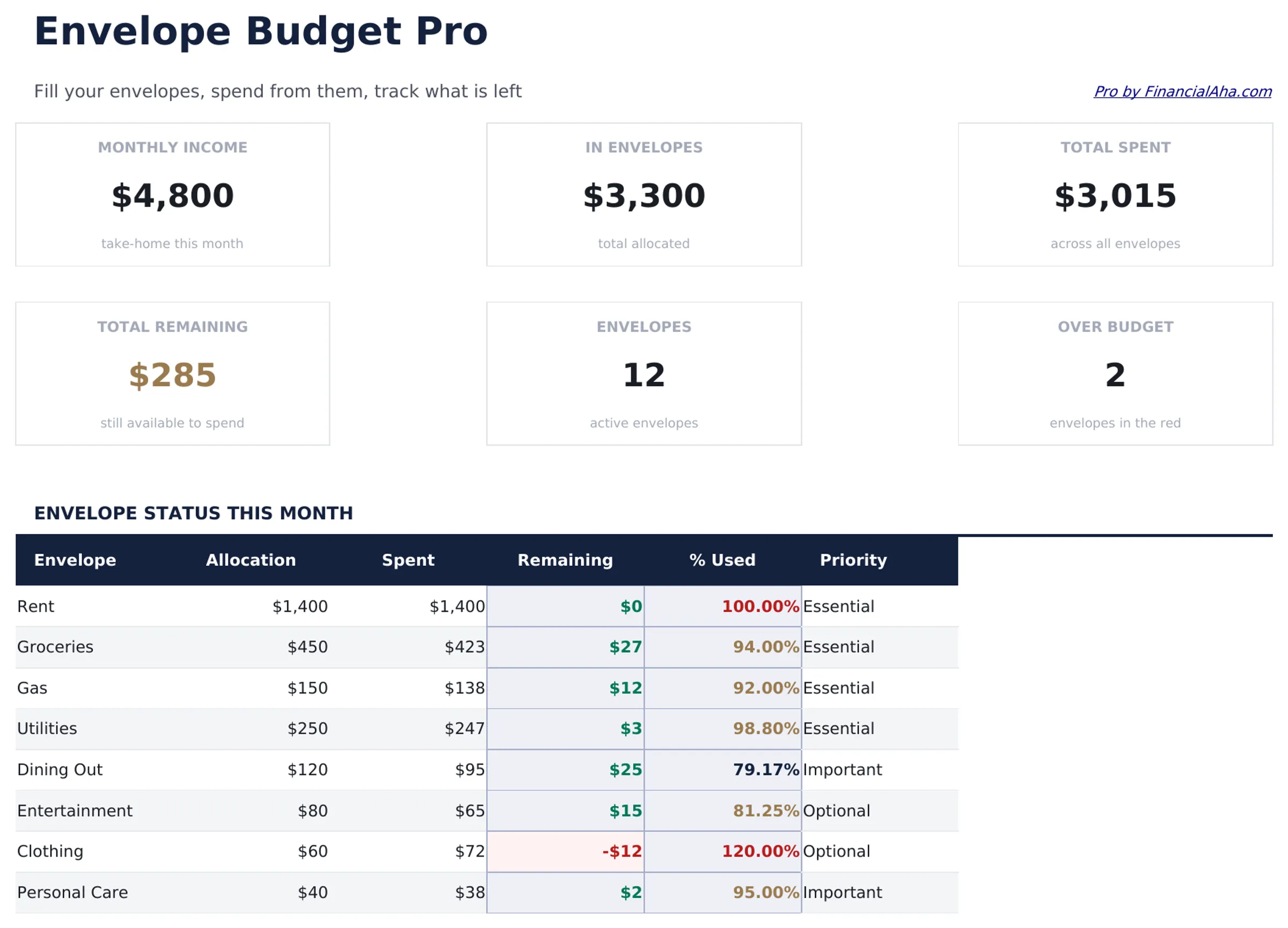
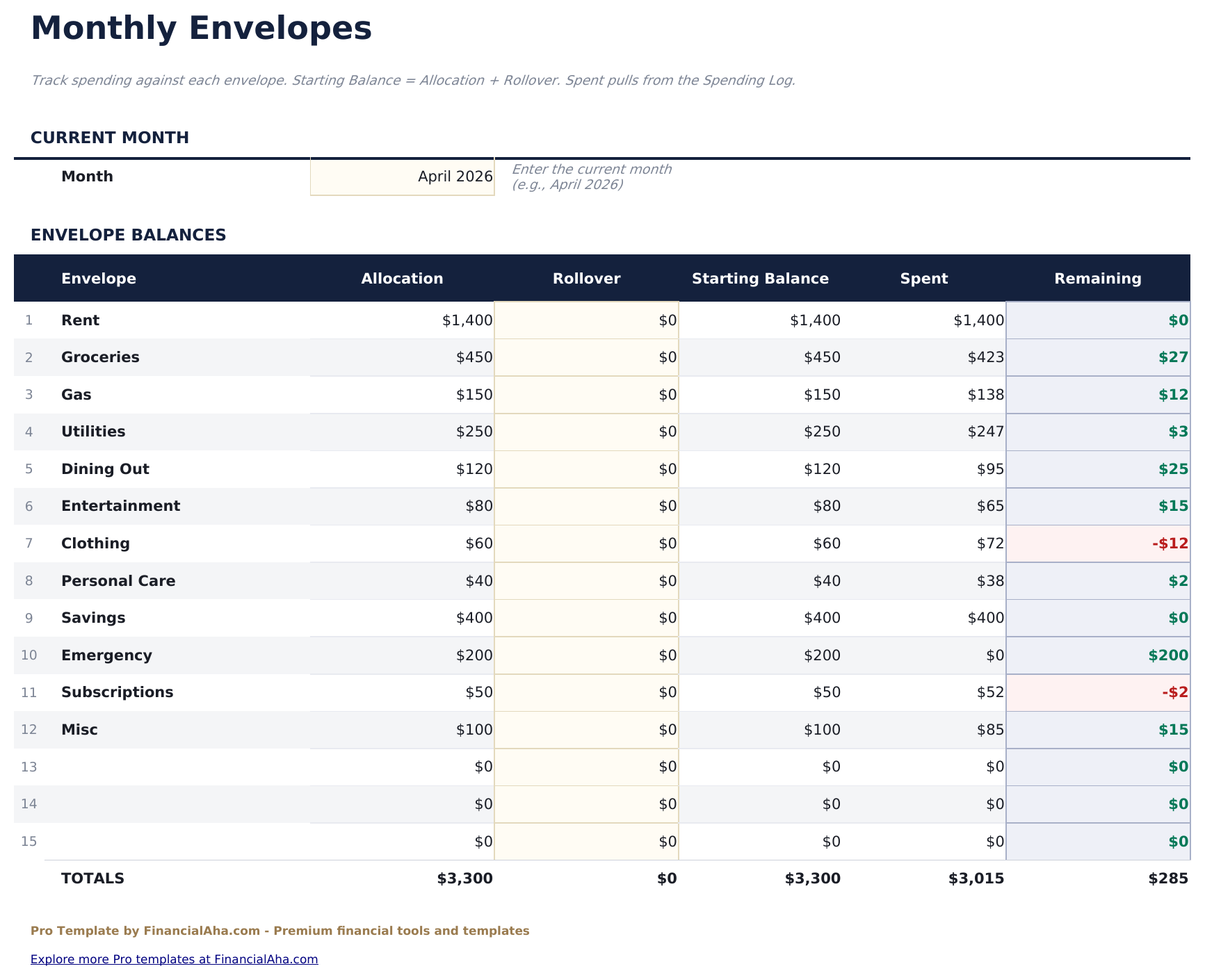
- Monthly Envelopes sheet showing each envelope's starting balance, spending to date, transfers in/out, and remaining balance for the current month
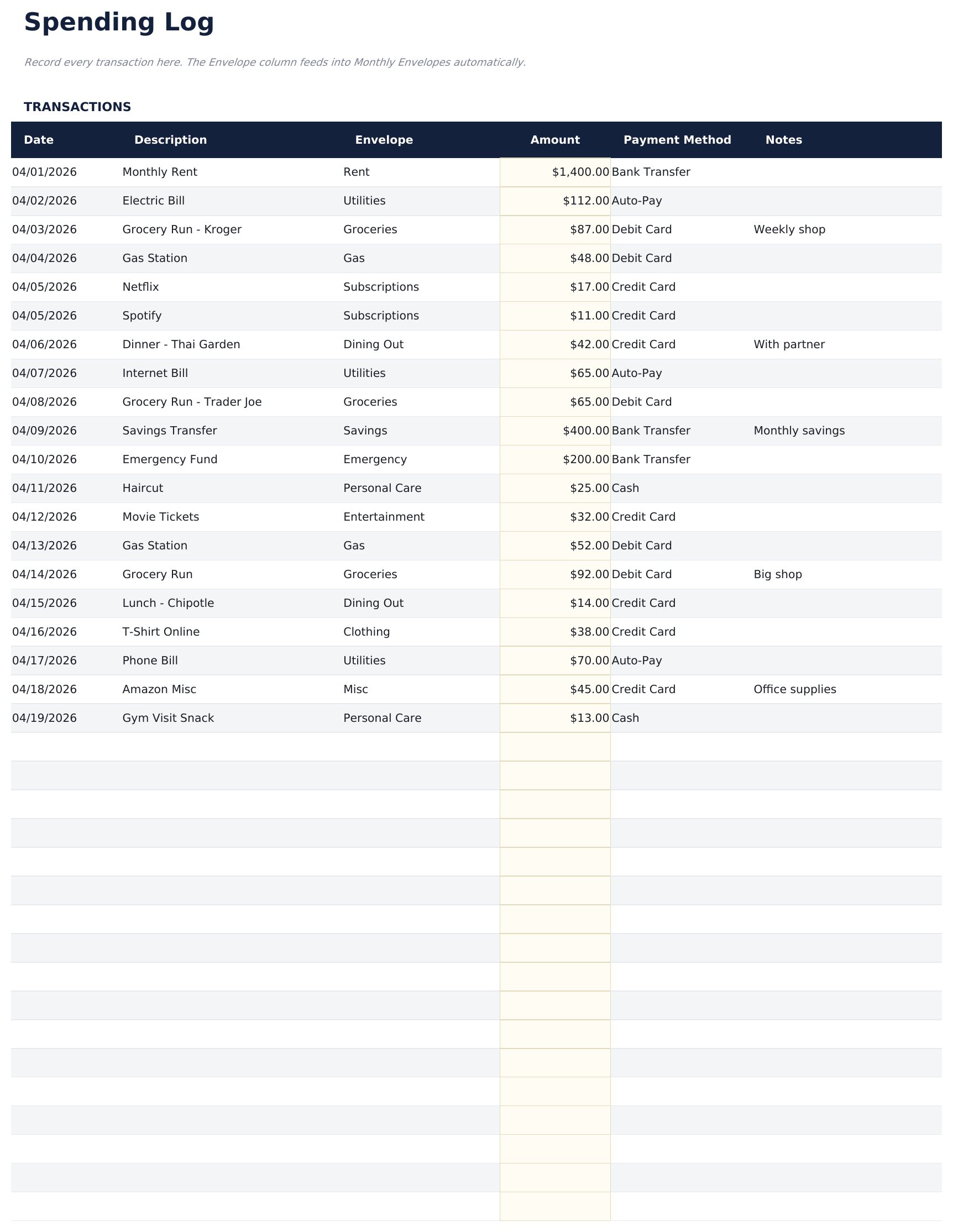
- Spending Log for recording every transaction with date, envelope, description, and amount - up to 150 entries per month - balances update automatically
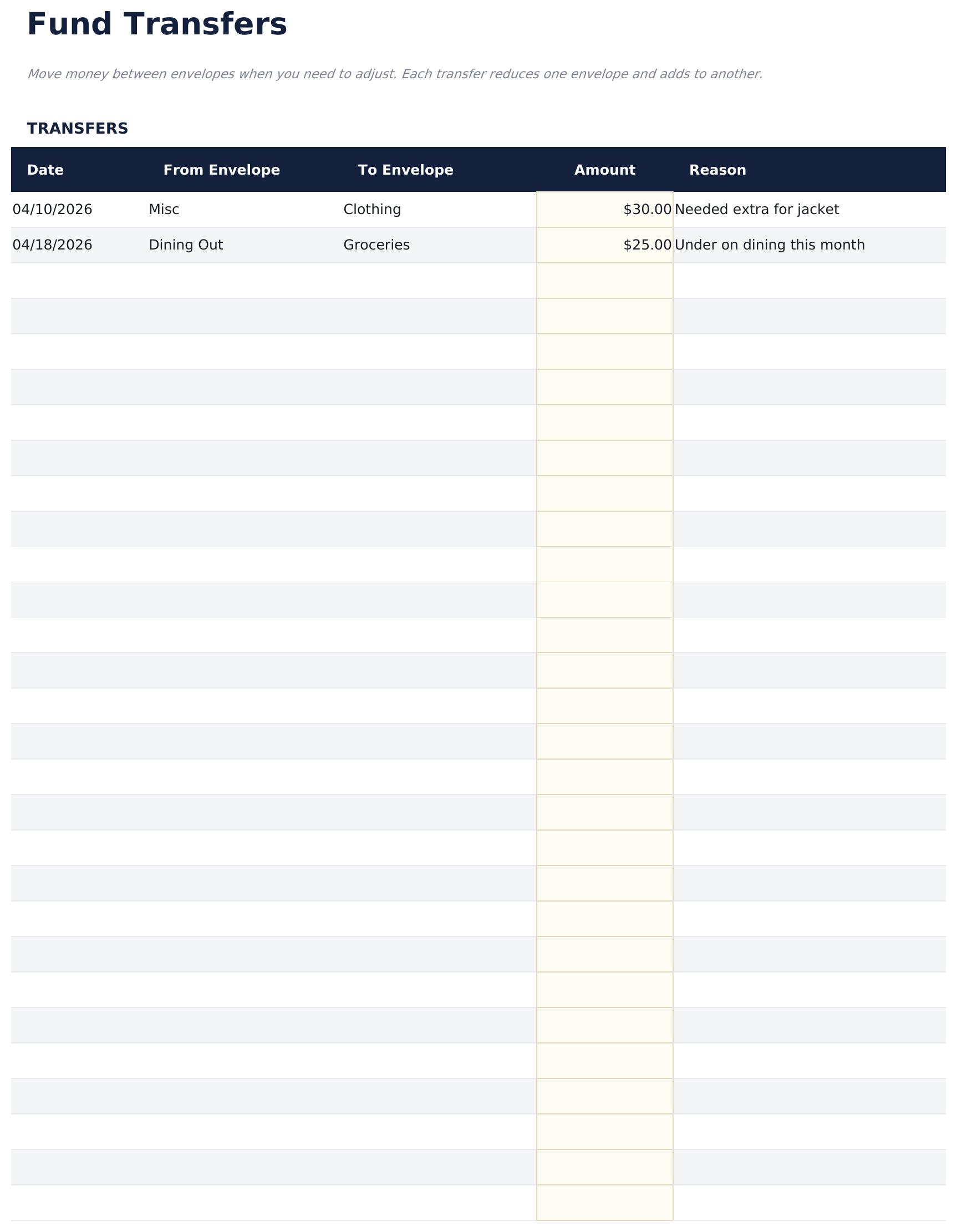
- Fund Transfers sheet for moving money between envelopes mid-month - each transfer records the source envelope, destination envelope, amount, date, and reason
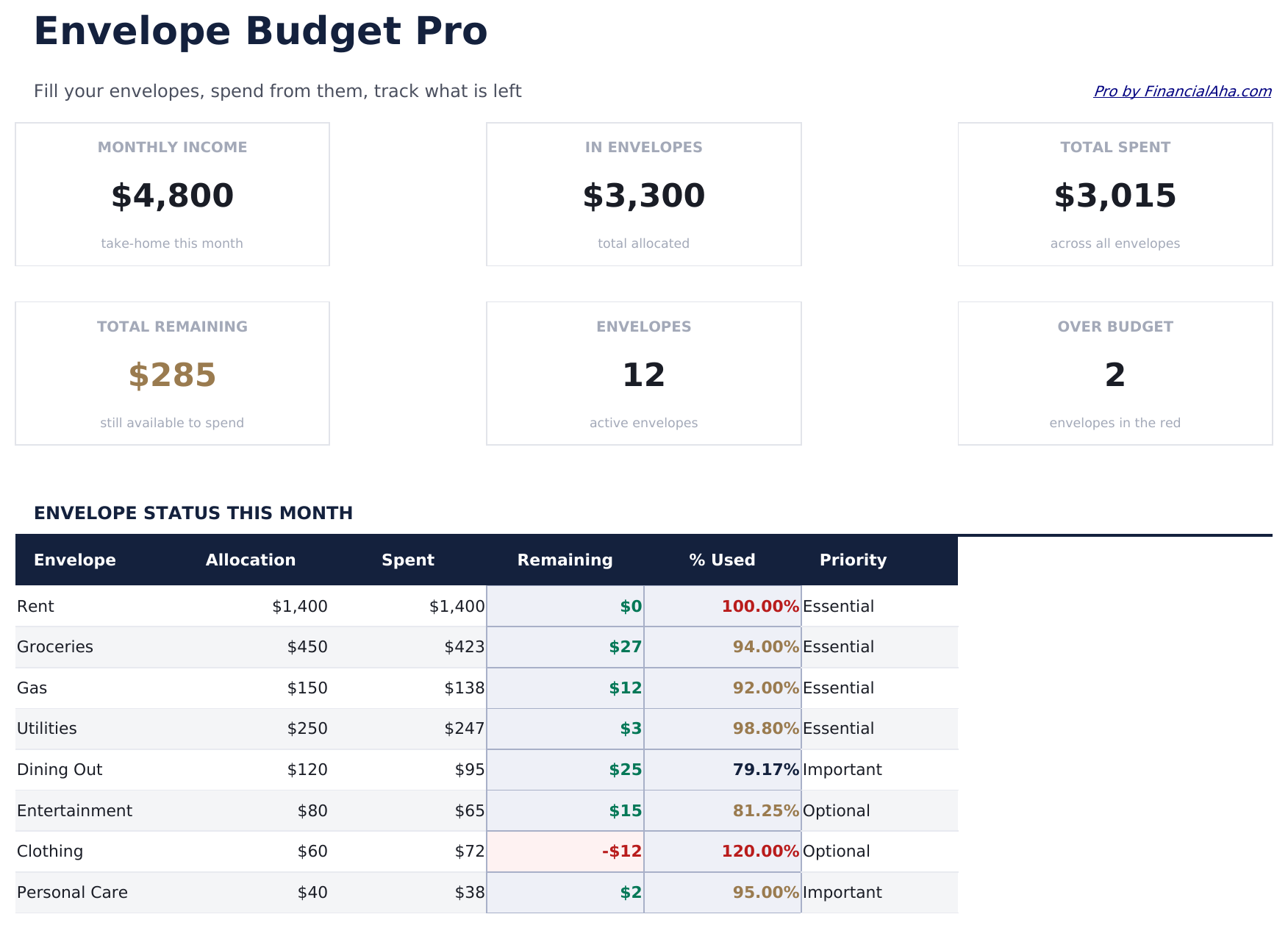
- Dashboard with 6 KPI cards: total funded this month, total spent, total remaining across all envelopes, transaction count, transfers count, and envelopes at zero
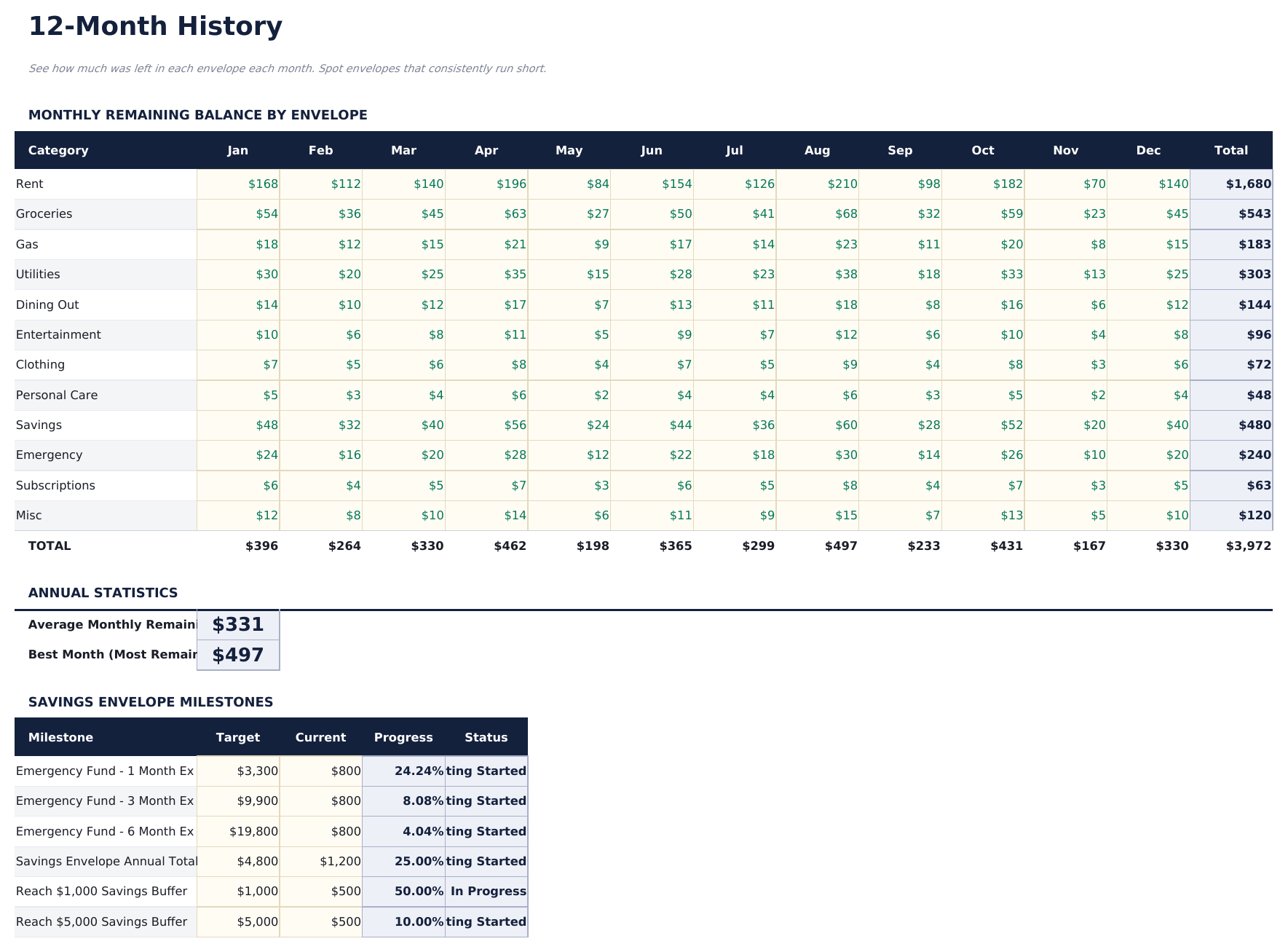
- 12-Month History sheet showing starting balance, total spent, and ending balance per envelope for all 12 months
- Envelope balances roll forward automatically - any unspent amount in a monthly envelope carries to the next month's starting balance
- Works in Microsoft Excel, Google Sheets, and LibreOffice Calc with no macros required
Preview
See what's inside this template
How to Use This Template
Set up your envelopes
Go to Envelope Setup and create up to 15 envelopes with names and monthly funding amounts. Common examples include Groceries, Dining, Entertainment, Clothing, and Car Maintenance.
Fund envelopes at the start of the month
The Monthly Envelopes sheet shows the starting balance for each envelope. Add any rollover from the previous month to the current month's funding.
Log spending as it happens
Each time you spend from an envelope, record it in the Spending Log with the date, envelope name, and amount. The remaining balance updates automatically.
Transfer funds when needed
If an envelope runs low, use the Fund Transfers sheet to move money from another envelope. Both balances update immediately. The 12-Month History tracks performance over the full year.
Built by Claude AI. Perfected by us.
We use Claude AI to draft each Pro template after deep research. Then our team steps in - refining the layout, stress-testing every formula, fixing edge cases, and polishing the design. The AI gets us 80% there. The last 20% is all human judgment.
One-time purchase. No subscription. Works in Excel & Google Sheets.
Frequently Asked Questions
How many envelopes can I create?
The Pro version supports up to 15 envelopes - nearly double the free version. Each envelope has its own name, category, and monthly funding amount set in the Envelope Setup sheet.
How do fund transfers work?
To move money between envelopes mid-month - for example, moving $30 from Entertainment to Groceries - log it in the Fund Transfers sheet. The source and destination envelope balances update automatically.
Do unused balances carry over?
Yes. Any unspent amount in an envelope at month end carries forward to the next month's starting balance. The 12-Month History sheet shows this rollover for every envelope across the full year.
What does the spending log track?
Each transaction in the Spending Log is assigned to an envelope. The log supports up to 150 entries per month. Envelope balances in the Monthly Envelopes sheet update automatically as entries are added.
Can I use this for sinking funds?
Yes. Create an envelope for irregular expenses - car maintenance, annual insurance, holiday gifts - and fund it monthly. The balance builds over time until the expense occurs. The 12-Month History shows the accumulation clearly.
What do I get after purchase?
You receive an Excel file (.xlsx) that works in Microsoft Excel, Google Sheets, and LibreOffice Calc. Download it immediately after purchase - no signup or account required.
Is there a free version?
Yes. The free version of this template is available with basic features. The Pro version adds advanced analysis, more capacity, and additional sheets.
What if it does not work for me?
Contact us and we will help troubleshoot. The template works in Microsoft Excel, Google Sheets, and LibreOffice Calc with no macros required.
Looking for more Pro templates?
We offer Pro versions of our most popular spreadsheet templates with advanced features, more capacity, and deeper analysis.