60/20/20 Budget Pro
Full-year 60/20/20 budget tracker splitting income across Living, Financial Goals, and Flexible spending with monthly history and variance analysis.
Free vs Pro
- Set monthly income and view 60/20/20 dollar targets
- Log living, goals, and flexible spending with category totals
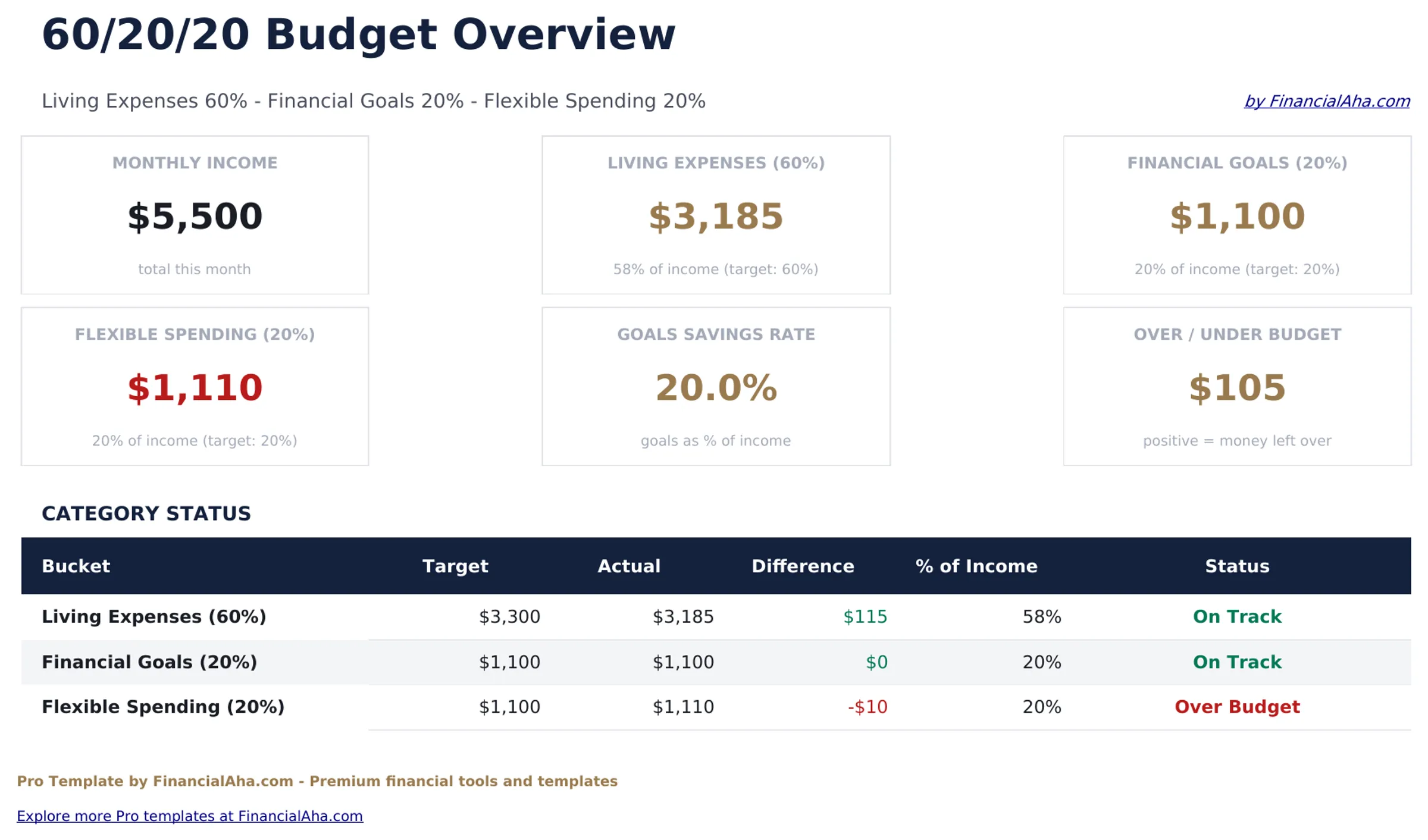
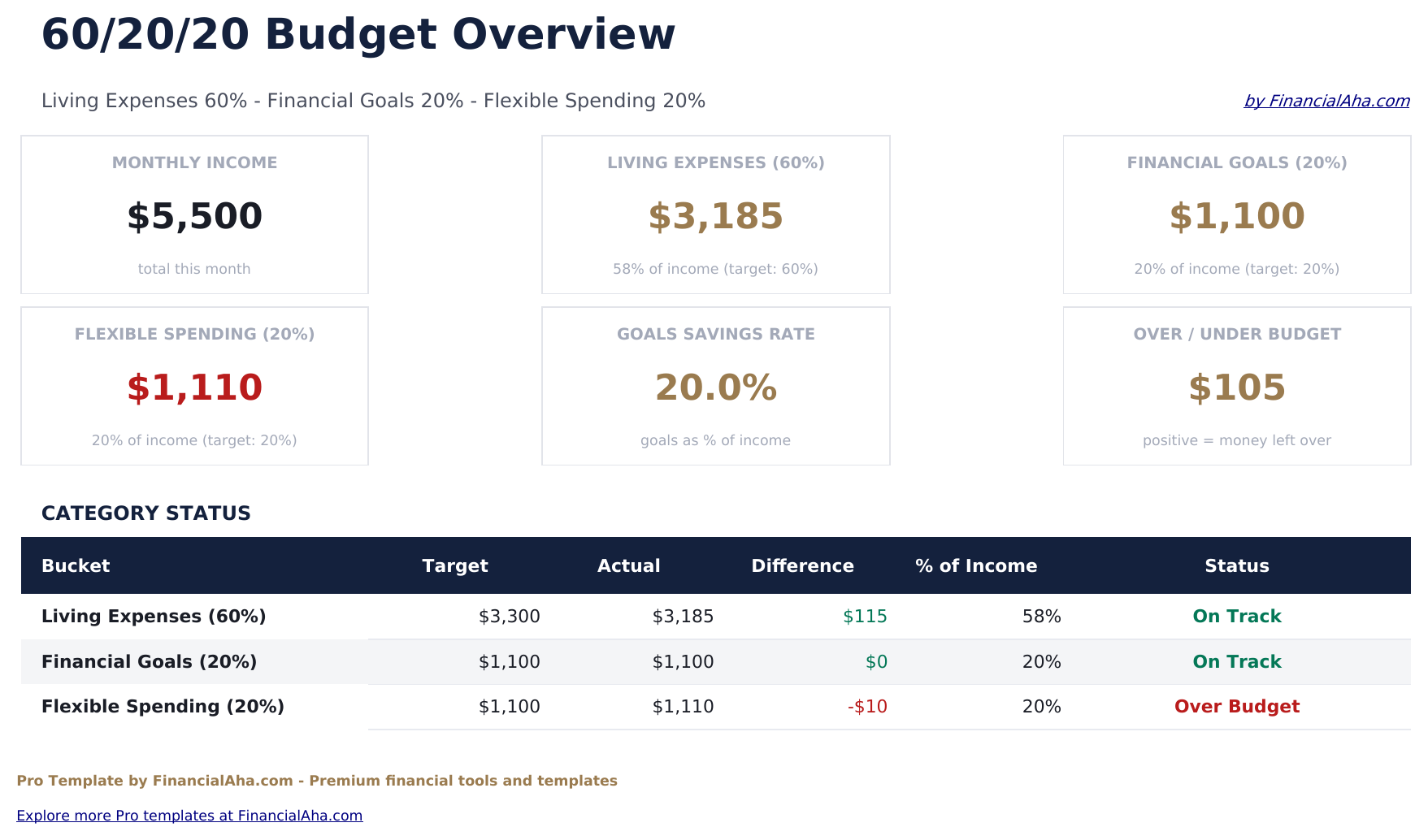
- Dashboard with budget balance for the current month
- Works in Excel and Google Sheets
- Dashboard with 6 KPI cards: monthly income, living expenses total, financial goals total, flexible spending total, overall balance, and months tracked
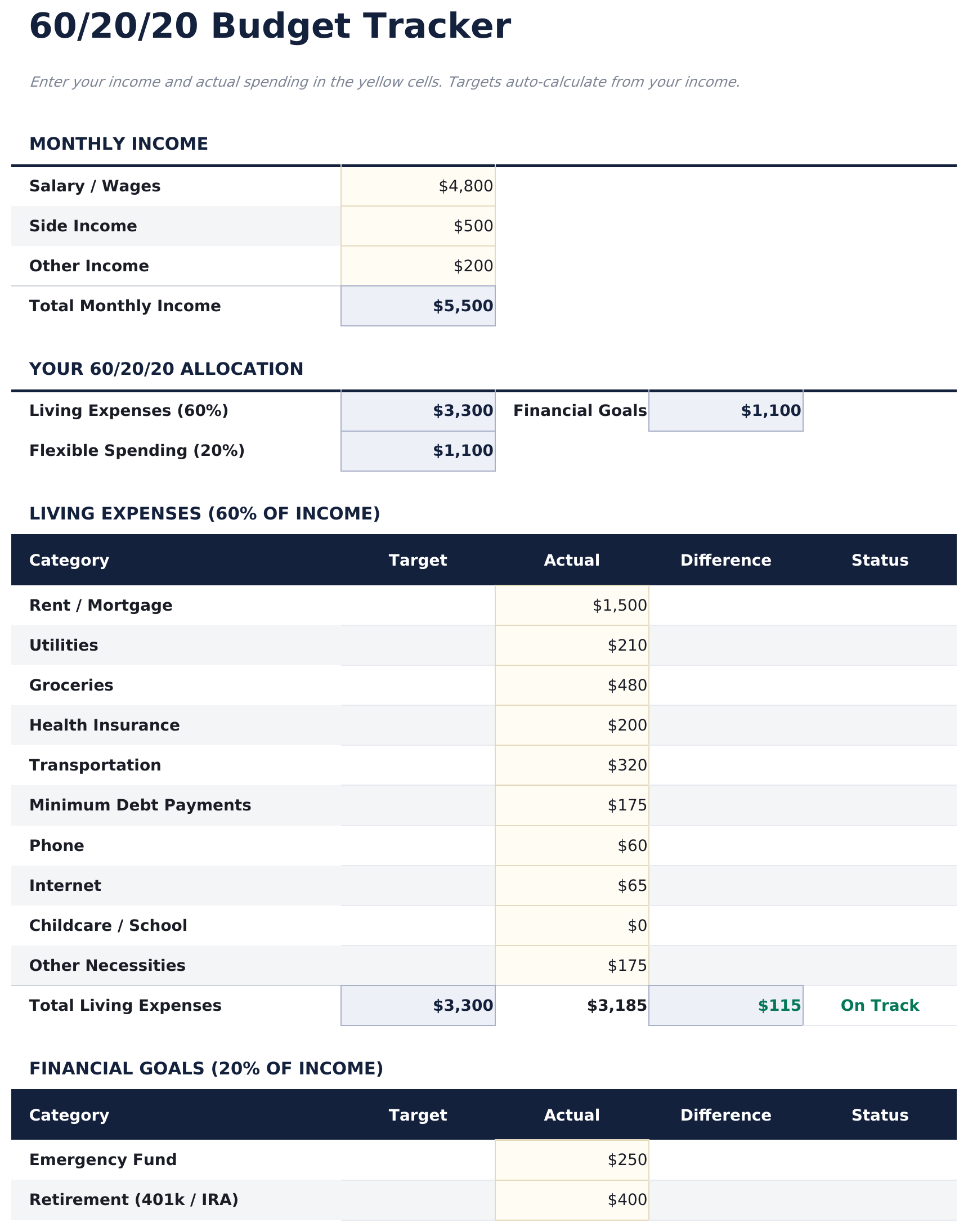
- Budget Tracker sheet calculating 60%, 20%, and 20% dollar targets from monthly income with actual vs target comparison
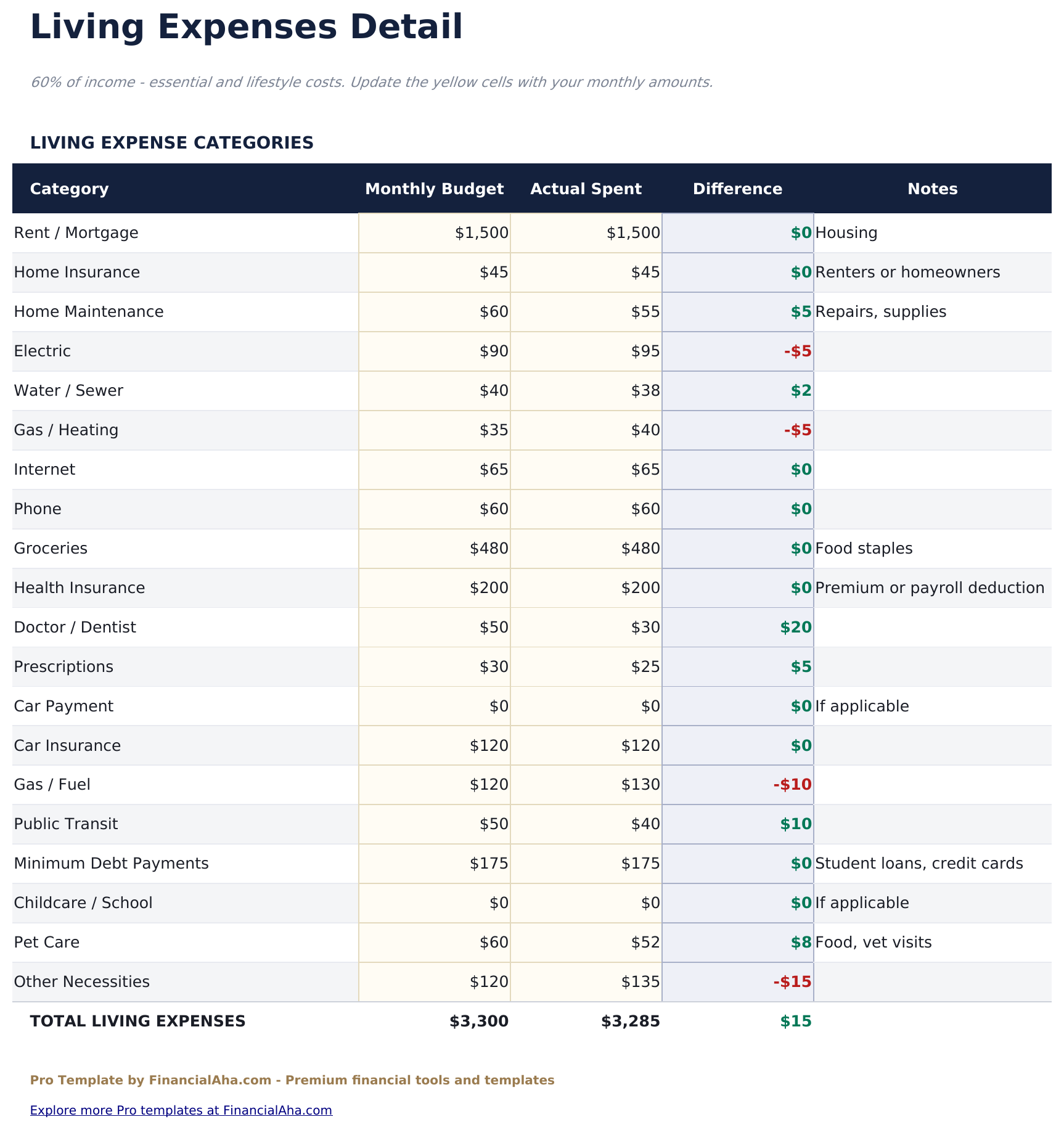
- Living Expenses sheet for fixed and essential costs - rent, utilities, groceries, insurance, transportation - with subtotals and 60% target tracking
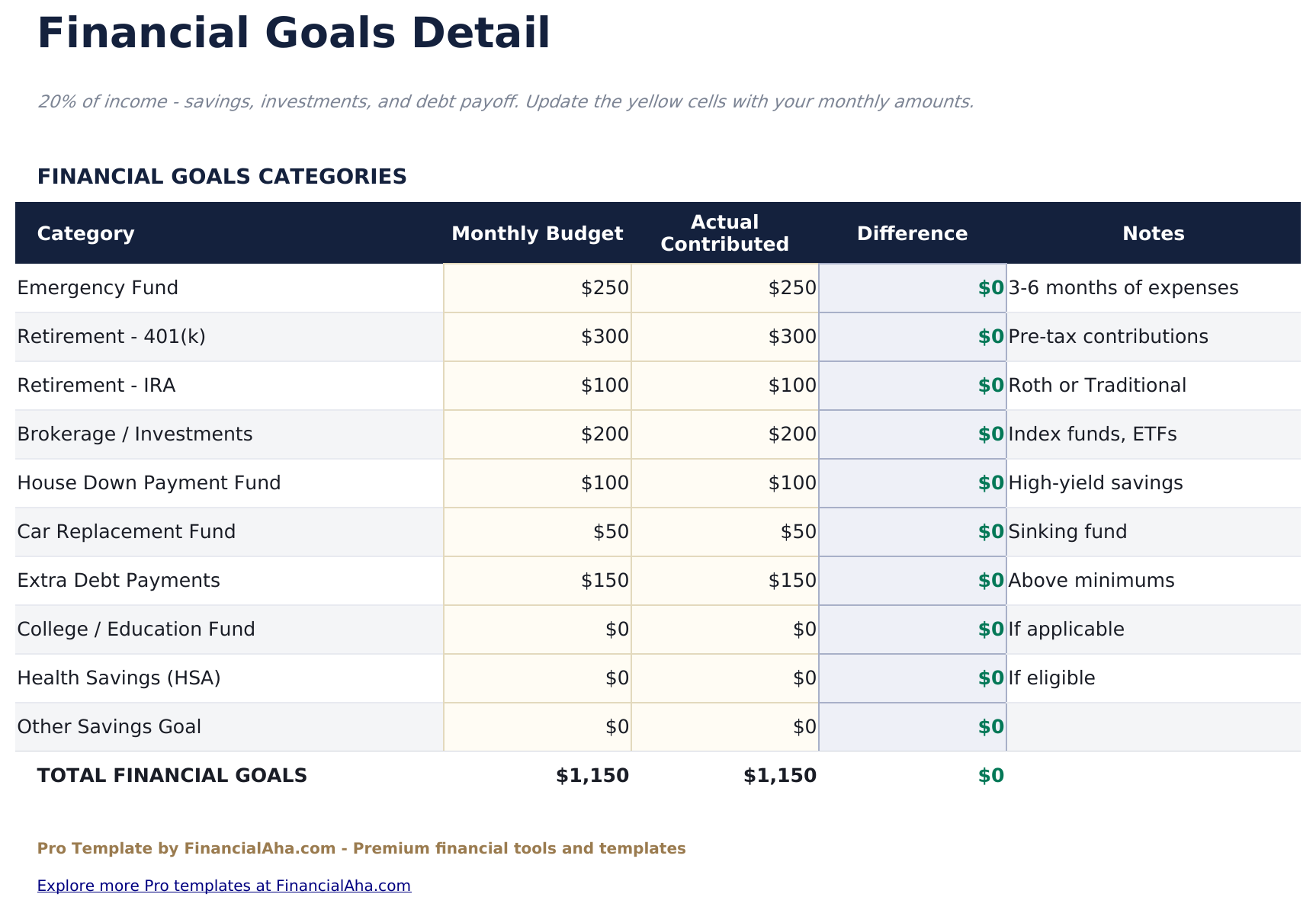
- Financial Goals sheet for savings, investments, debt paydown, and specific savings goals with 20% target tracking and progress per goal
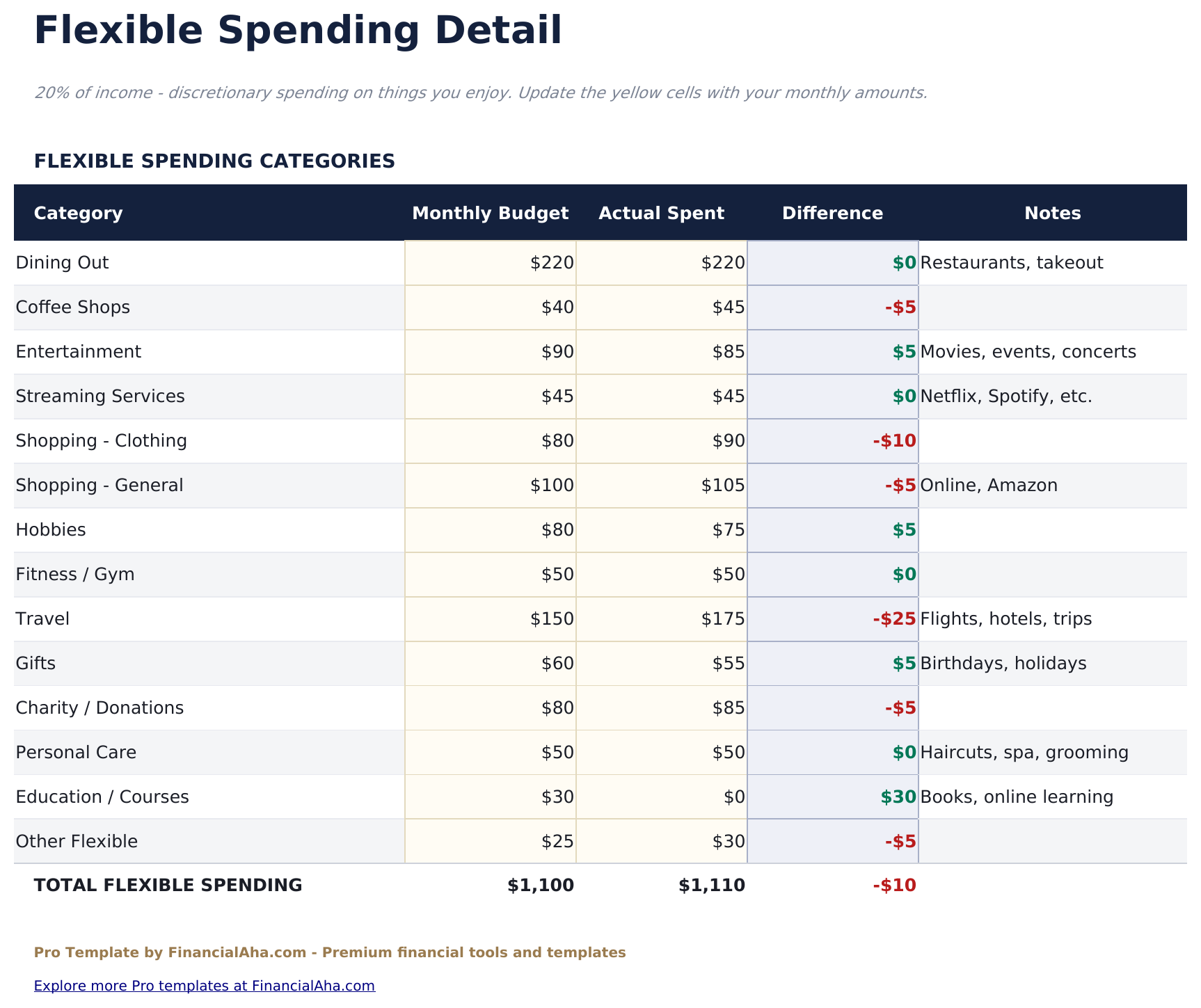
- Flexible Spending sheet for discretionary and lifestyle expenses with subcategories and 20% target tracking
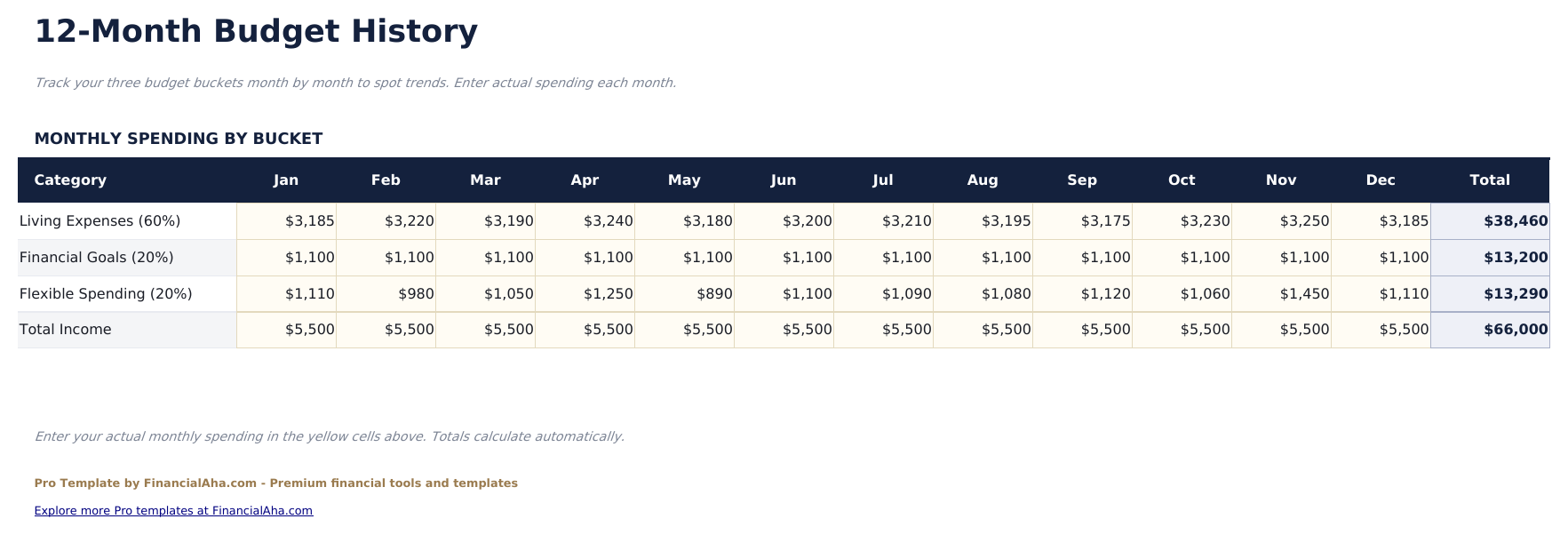
- Monthly History sheet logging each month's totals for all three buckets across the full year with over/under variance per month
- Variance analysis showing dollar and percent deviation from each bucket target for every logged month
- Works in Microsoft Excel, Google Sheets, and LibreOffice Calc with no macros required
Preview
See what's inside this template
How to Use This Template
Enter your income and targets
Go to Budget Tracker and enter your monthly take-home pay. The 60%, 20%, and 20% dollar targets calculate automatically for each bucket.
Log living expenses
In the Living Expenses sheet, enter fixed and essential costs as they occur. The subtotal compares to your 60% target in real time.
Track goals and flexible spending
Record savings contributions and debt payments in Financial Goals. Log discretionary spending in Flexible Spending with category breakdowns.
Build the monthly record
At month end, enter totals in Monthly History. Over time, this builds a 12-month picture of how well each bucket tracks against its target.
Built by Claude AI. Perfected by us.
We use Claude AI to draft each Pro template after deep research. Then our team steps in - refining the layout, stress-testing every formula, fixing edge cases, and polishing the design. The AI gets us 80% there. The last 20% is all human judgment.
One-time purchase. No subscription. Works in Excel & Google Sheets.
Frequently Asked Questions
How is the 60/20/20 split different from 50/30/20?
The 60/20/20 method allocates more income to living expenses (60%) and splits the remaining 40% evenly between financial goals and flexible spending. One approach is to use this split when housing costs in your area are higher than average.
What goes in Financial Goals vs Flexible Spending?
Financial Goals covers savings accounts, investment contributions, debt payments beyond minimums, and specific targets like a car or vacation fund. Flexible Spending is for lifestyle choices - dining, entertainment, subscriptions, personal care, and hobbies.
How does the Monthly History work?
At the end of each month, enter your actual totals for Living, Goals, and Flexible in the Monthly History sheet. The template calculates variance from targets and builds a 12-month record.
Can I track progress toward individual savings goals?
Yes. The Financial Goals sheet has rows for individual goals with a target amount, monthly contribution, and progress calculation. These roll up into the 20% bucket total.
What if my living expenses regularly exceed 60%?
The variance column in Monthly History makes this visible over time. Useful to consider whether costs are genuinely fixed or whether there are categories within Living Expenses that could shift to Flexible.
What do I get after purchase?
You receive an Excel file (.xlsx) that works in Microsoft Excel, Google Sheets, and LibreOffice Calc. Download it immediately after purchase - no signup or account required.
Is there a free version?
Yes. The free version of this template is available with basic features. The Pro version adds advanced analysis, more capacity, and additional sheets.
What if it does not work for me?
Contact us and we will help troubleshoot. The template works in Microsoft Excel, Google Sheets, and LibreOffice Calc with no macros required.
Looking for more Pro templates?
We offer Pro versions of our most popular spreadsheet templates with advanced features, more capacity, and deeper analysis.