Dividend Tracker Pro
Comprehensive dividend income tracking for up to 30 holdings with dividend history, monthly income projections, yield on cost analysis, and DRIP calculator.
Free vs Pro
- Track up to 10 dividend holdings with ticker, shares, and annual dividend
- Dashboard with total income and portfolio yield
- Basic monthly income projection by holding
- Works in Excel and Google Sheets
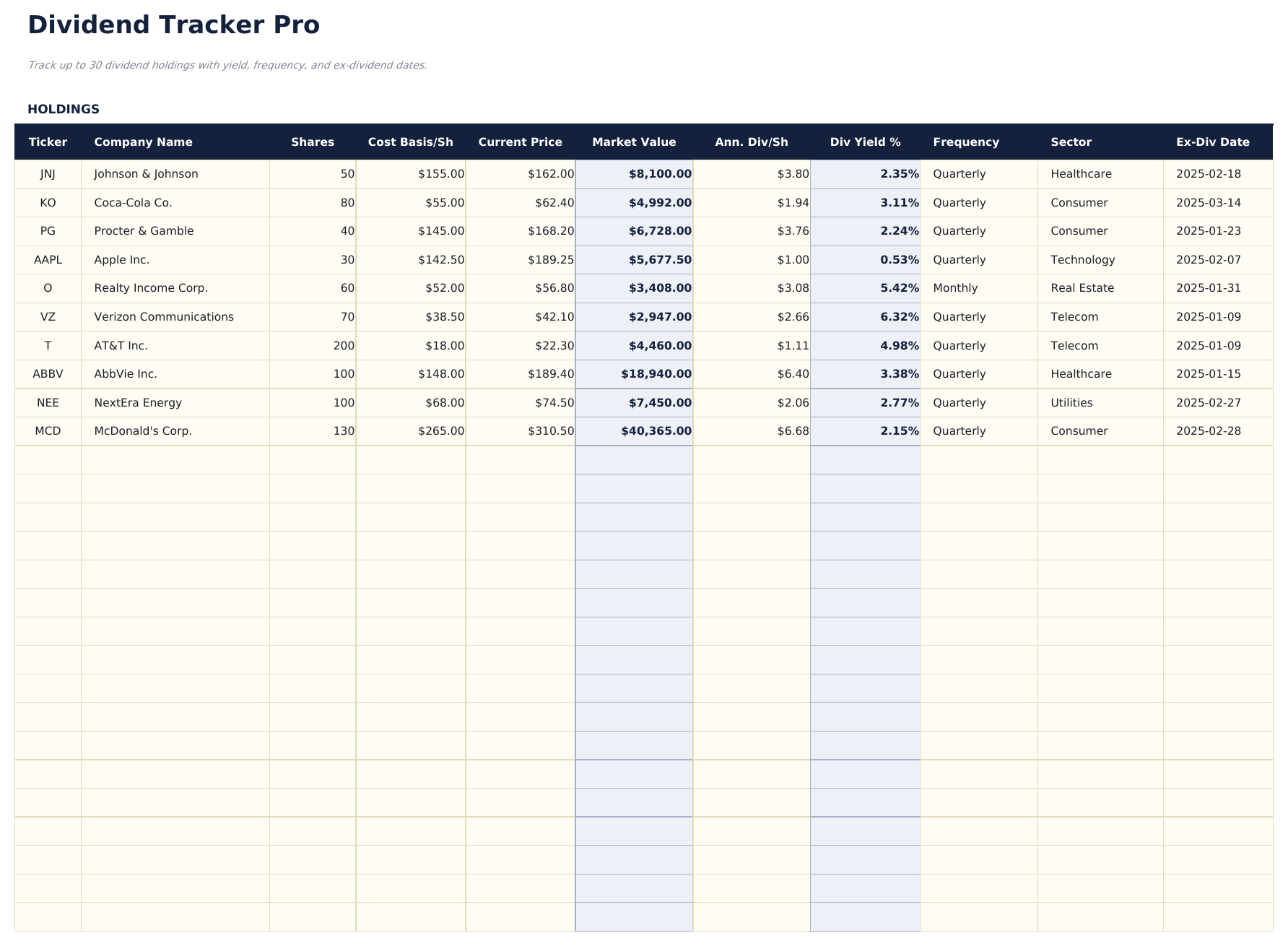
- Track up to 30 dividend-paying holdings with ticker, shares, cost basis, current price, annual dividend per share, frequency, and ex-dividend date
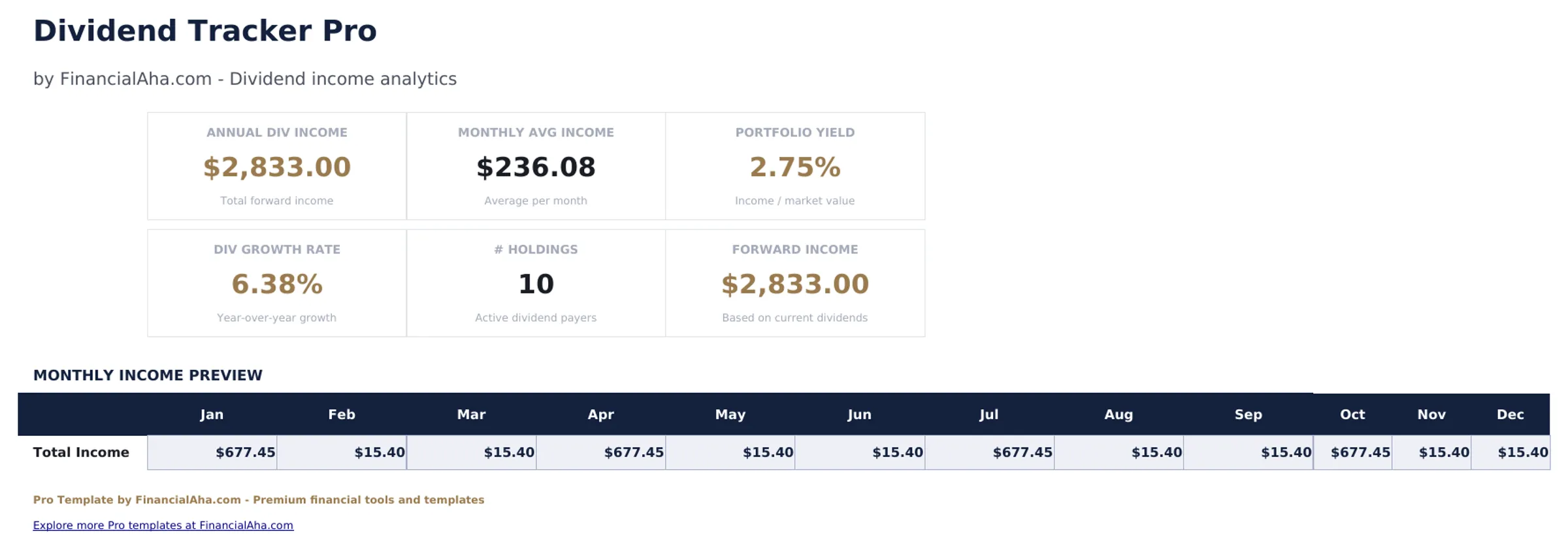
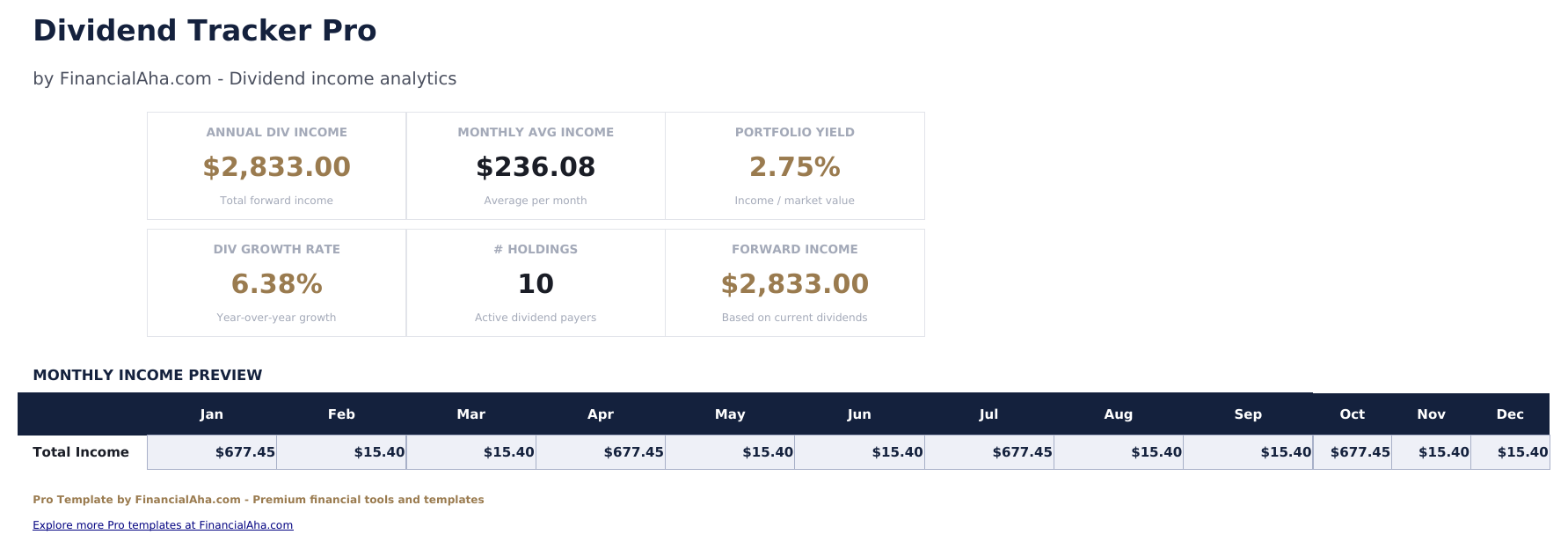
- Dashboard with 6 KPI cards: total portfolio value, annual dividend income, portfolio yield, yield on cost, number of holdings, and next ex-dividend date
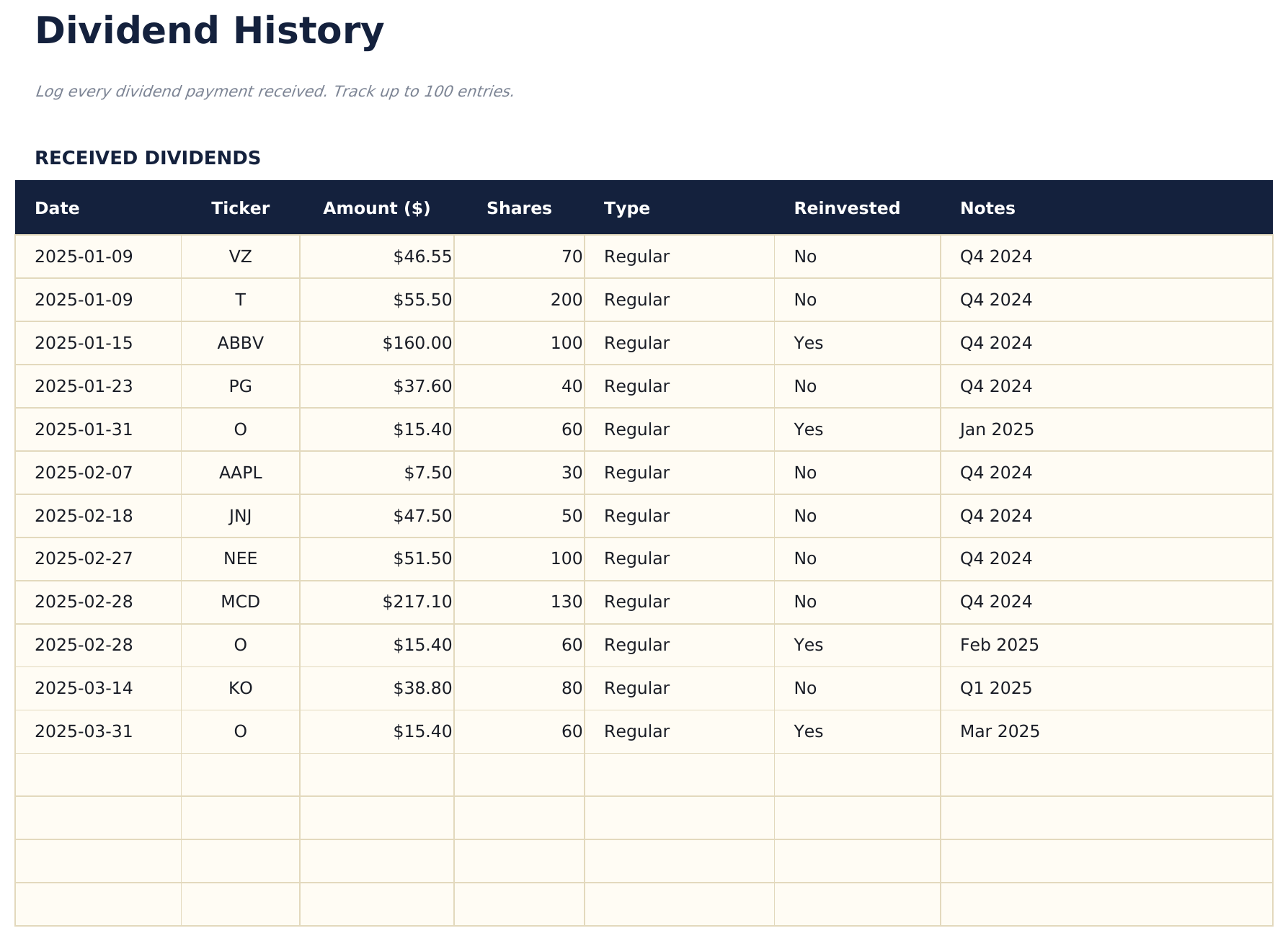
- Dividend History sheet logging each dividend payment received with date, ticker, shares, dividend per share, and total received
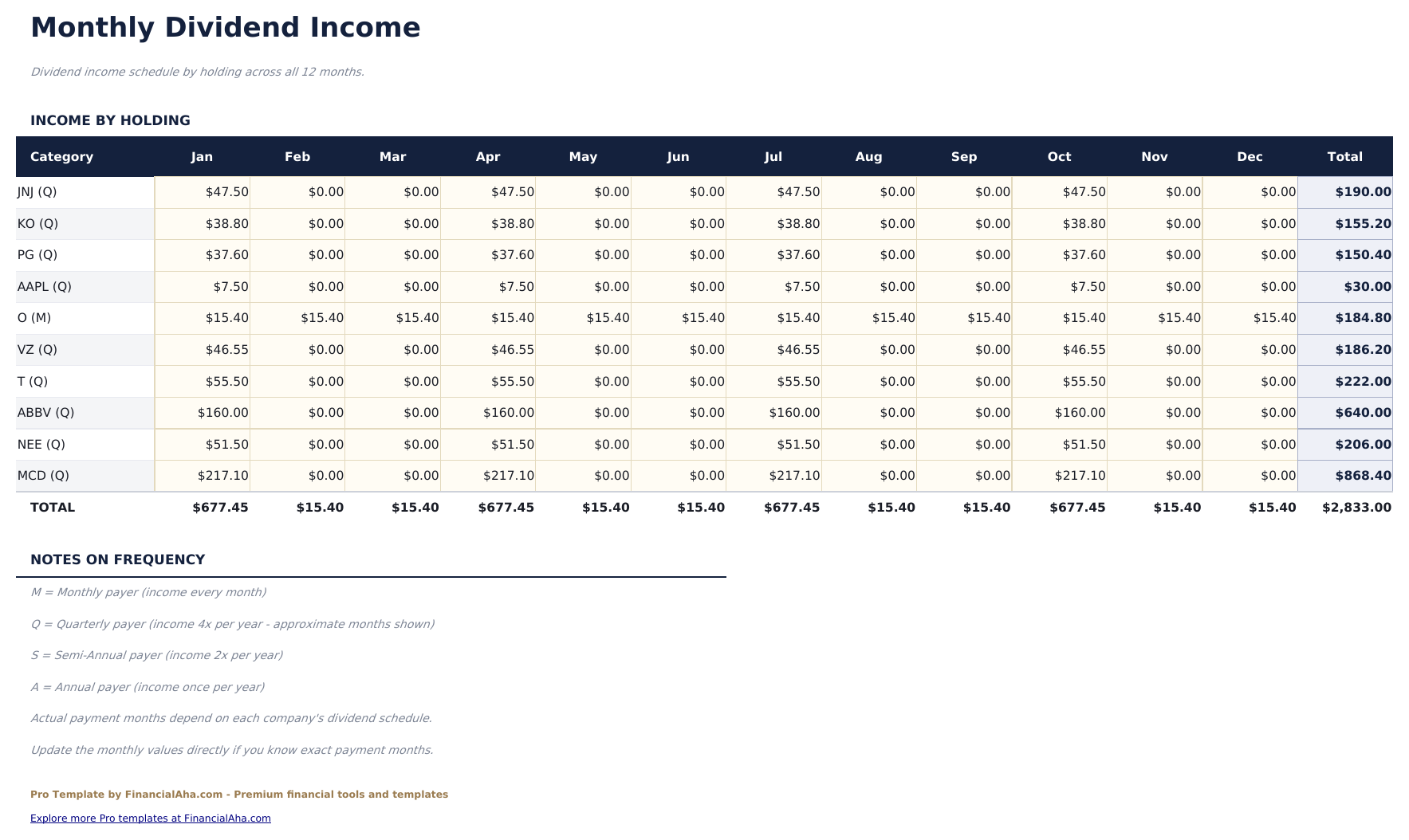
- Monthly Income sheet projecting expected dividend income by month based on payment frequency and showing actual received alongside projections
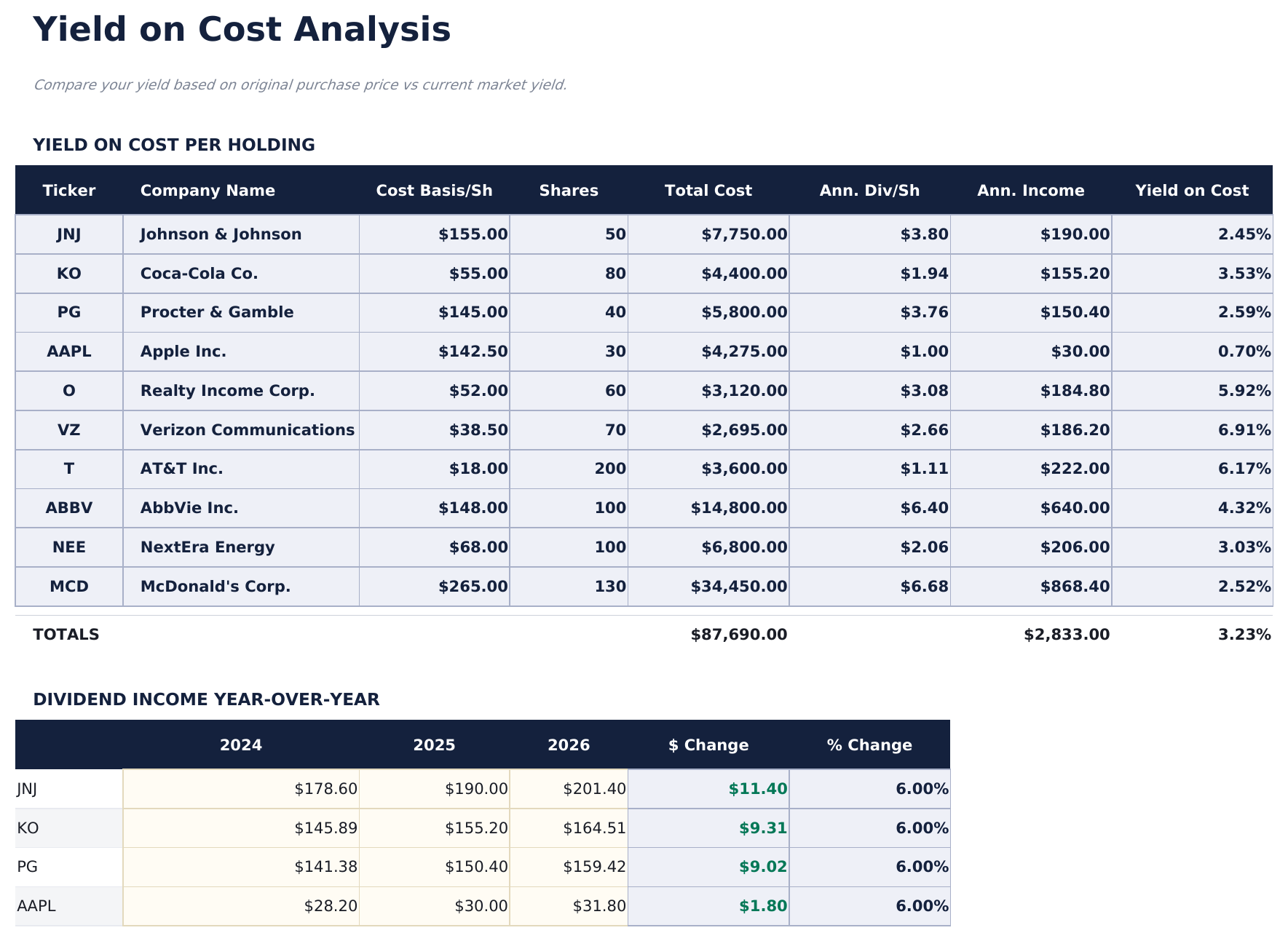
- Yield on Cost Analysis showing original cost basis, current yield on cost, and how yield on cost has grown for each position over time
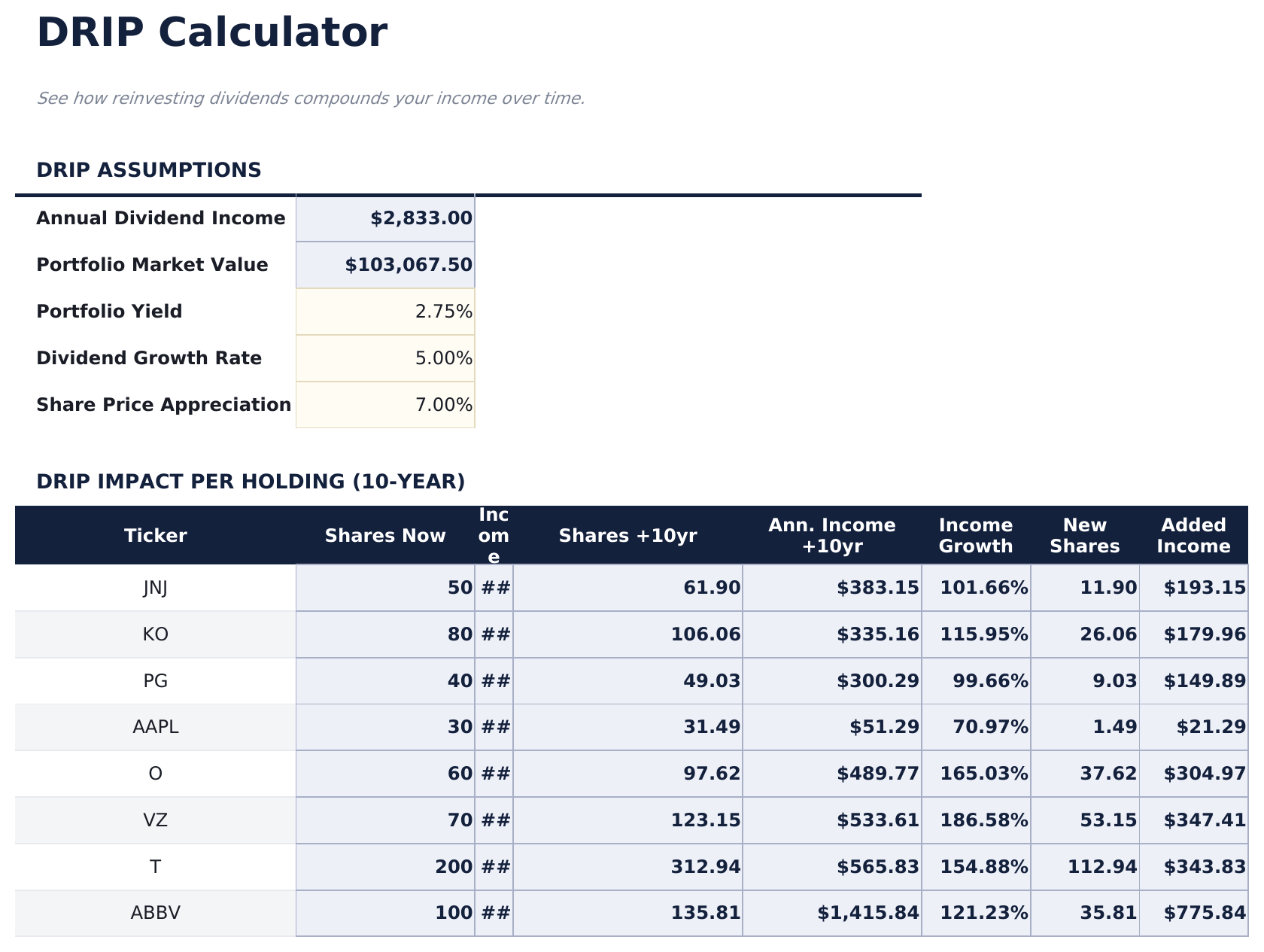
- DRIP Calculator showing how reinvesting dividends compounds share count, income, and portfolio value over a 10-year period
- Payment frequency dropdown includes Monthly, Quarterly, Semi-Annual, and Annual for correct income projection timing
- Works in Microsoft Excel, Google Sheets, and LibreOffice Calc with no macros required
Preview
See what's inside this template
How to Use This Template
Enter your holdings
Go to the Holdings sheet and add each position with ticker, company name, shares owned, average cost basis, current price, annual dividend per share, payment frequency, and next ex-dividend date.
Log dividend payments
Each time a dividend is received, record it in the Dividend History sheet with the payment date, ticker, shares, and dividend per share. The total received calculates automatically.
Review monthly income
The Monthly Income sheet shows projected dividends by month based on frequency. Compare projections against actual payments logged in the dividend history.
Model DRIP growth
Use the DRIP Calculator to see how reinvesting dividends could compound a position over 10 years based on your assumed dividend growth rate.
Built by Claude AI. Perfected by us.
We use Claude AI to draft each template, after a deep research. Then our team steps in. We refine the layout, stress-test every formula, fix edge cases, and polish the design until it feels like something we would actually use ourselves. The AI gets us 80% there. The last 20% is all human judgment.
One-time purchase. No subscription. Works in Excel & Google Sheets.
Frequently Asked Questions
How many holdings can I track?
Up to 30 dividend-paying positions - three times the free version. Each holding tracks ticker, shares, cost basis, current price, dividend per share, payment frequency, and ex-dividend date.
How does yield on cost work?
Yield on cost is your annual dividend income divided by your original cost basis (not the current price). It shows how your income return on invested capital grows as companies raise their dividends over time.
How does the DRIP calculator work?
Enter a starting position, the current dividend per share, an assumed annual dividend growth rate, and a reinvestment assumption. The calculator projects share count, annual income, and portfolio value over 10 years assuming all dividends are reinvested.
How does the monthly income projection work?
Based on each holding's annual dividend per share and payment frequency, the Monthly Income sheet projects expected payments by month across the year. As you log actual dividends received, the projection vs actual comparison updates.
Can I track international dividend stocks?
Yes. The holdings sheet accepts any ticker symbol. For foreign stocks that pay dividends in another currency, note the currency in the ticker or name field and manually convert to your base currency before entry.
What do I get after purchase?
You receive an Excel file (.xlsx) that works in Microsoft Excel, Google Sheets, and LibreOffice Calc. Download it immediately after purchase - no signup or account required.
Is there a free version?
Yes. The free version of this template is available with basic features. The Pro version adds advanced analysis, more capacity, and additional sheets.
What if it does not work for me?
Contact us and we will help troubleshoot. The template works in Microsoft Excel, Google Sheets, and LibreOffice Calc with no macros required.
Looking for more Pro templates?
We offer Pro versions of our most popular spreadsheet templates with advanced features, more capacity, and deeper analysis.