Canada
Monthly Expenses Tracker for Canada
Log and categorize every dollar you spend - from rent and groceries to heating and transit - in a Google Sheets template you own.
Canada
Tracking Expenses in Canada: What to Know
Canadian spending patterns are shaped by geography, climate, and provincial differences. Setting up the right categories from the start makes expense tracking more useful.
Housing costs dominate in major cities
In Toronto and Vancouver, housing can consume 40-50% of take-home pay. Even in smaller cities, housing costs have risen significantly. Tracking mortgage or rent alongside property tax, condo fees, home insurance, and maintenance gives a complete picture of housing expenses.
Heating and energy costs are seasonal
Canadian winters mean significant heating costs - natural gas, oil, or electric heating depending on your province. Monthly energy bills can triple in winter compared to summer. Tracking energy costs monthly reveals the true seasonal pattern and helps plan for the expensive months.
Groceries and sales tax vary by province
Basic groceries are GST/HST-exempt in Canada, but prepared foods, snacks, and beverages are taxed. The combined sales tax rate on non-exempt items ranges from 5% (Alberta - GST only) to 15% (Atlantic provinces - HST). Tracking grocery vs. dining spending separately shows where food dollars actually go.
Transportation costs depend heavily on location
Urban Canadians might rely on transit passes (Presto in Toronto, Opus in Montreal, Compass in Vancouver), while suburban and rural residents face car insurance (which varies wildly by province - BC and Ontario tend to be highest), gas, maintenance, and winter tire costs. These are worth tracking in detail.
Get the Monthly Expenses Tracker
Getting Started
How to Set Up This Template for Canada
Set your currency to CAD
Use the built-in currency selector to display CAD. All calculations work the same regardless of currency symbol.
Create Canadian-relevant categories
Set up categories for: housing (rent/mortgage + condo fees + property tax), utilities (hydro, gas, water), internet and phone, groceries, dining out, transit or car costs, insurance, and subscriptions. Add winter-specific categories if relevant (snow removal, heating fuel).
Enter expenses including applicable tax
Log the total amount paid including GST/HST/PST. Since tax rates vary by province and item type, entering the final amount you actually paid is simplest and most accurate.
Track recurring vs. discretionary spending
Canadian fixed costs (housing, insurance, phone plans) are relatively predictable. Discretionary spending (dining, entertainment, clothing) is where patterns emerge. After a month or two of data, you'll see where the flexible spending goes.
Review monthly to find patterns
The template totals each category automatically. Canadian-specific patterns to watch for: winter energy spikes, holiday spending in December, summer vacation costs, and back-to-school expenses in September.
See It In Action
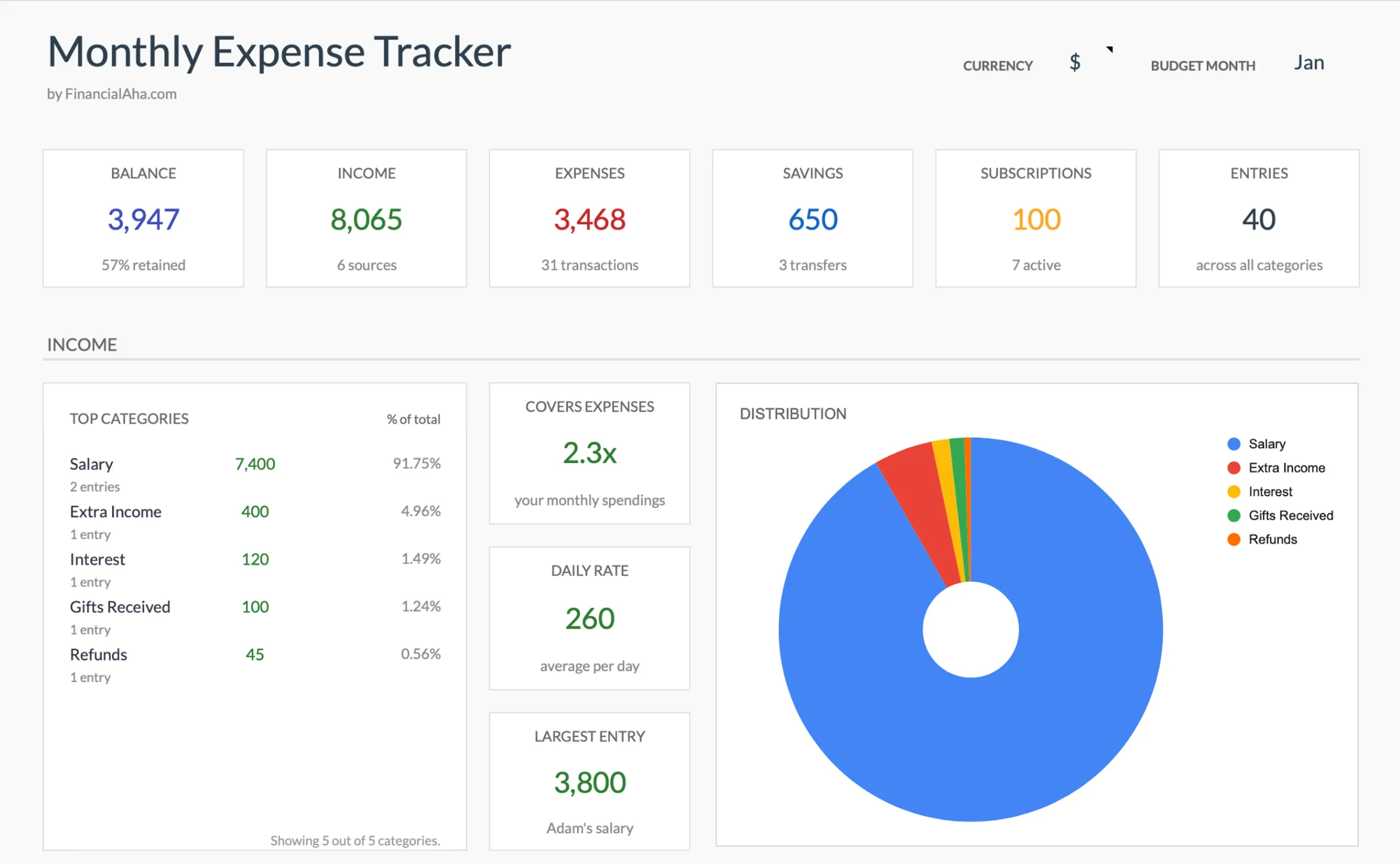
What the template looks like
Browse through the template to see how it handles budgeting, categories, and expense tracking - all adaptable to your local financial setup.
- Built-in currency selector
- Customizable categories
- Budget vs actual tracking
- Visual charts and summaries
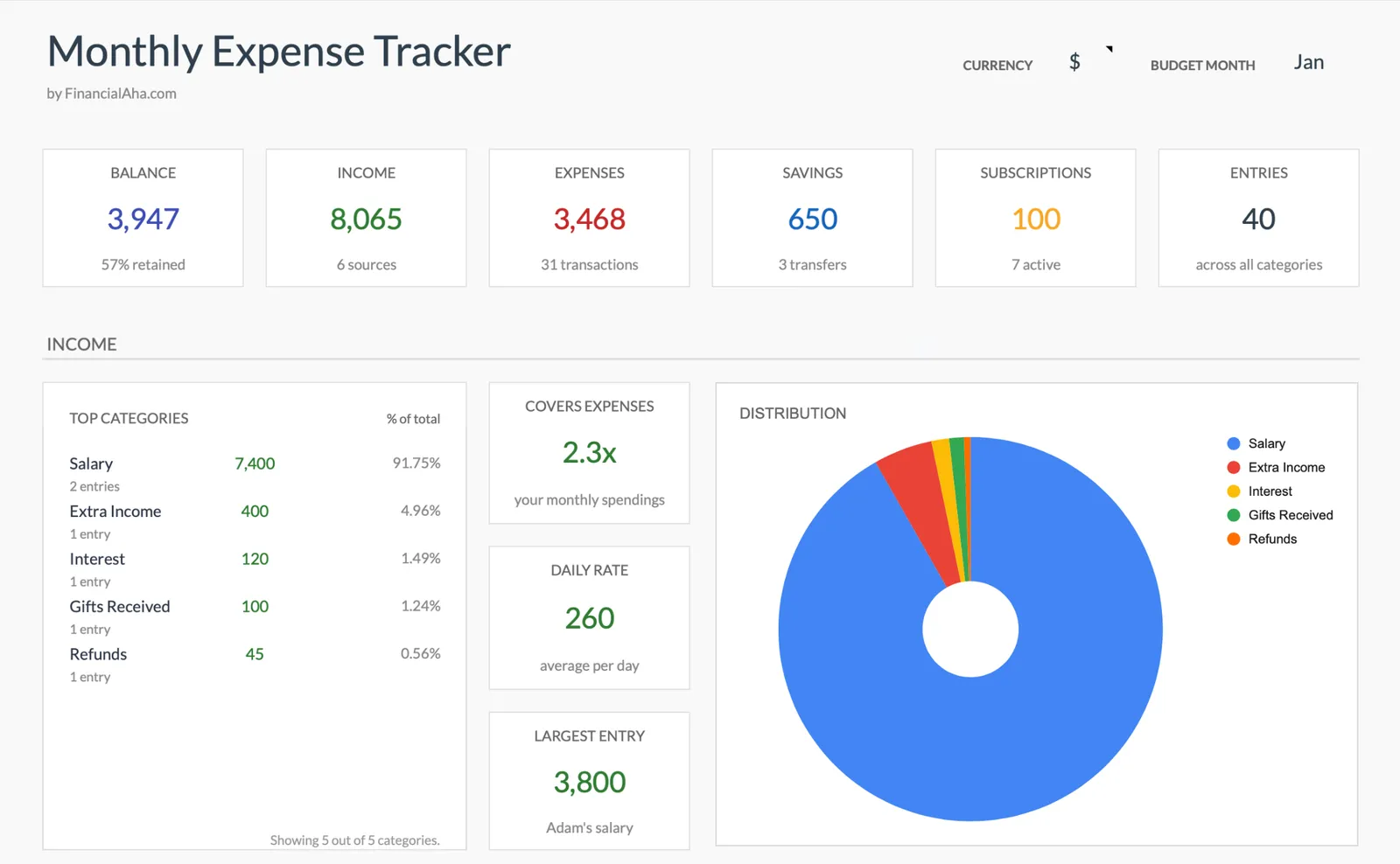
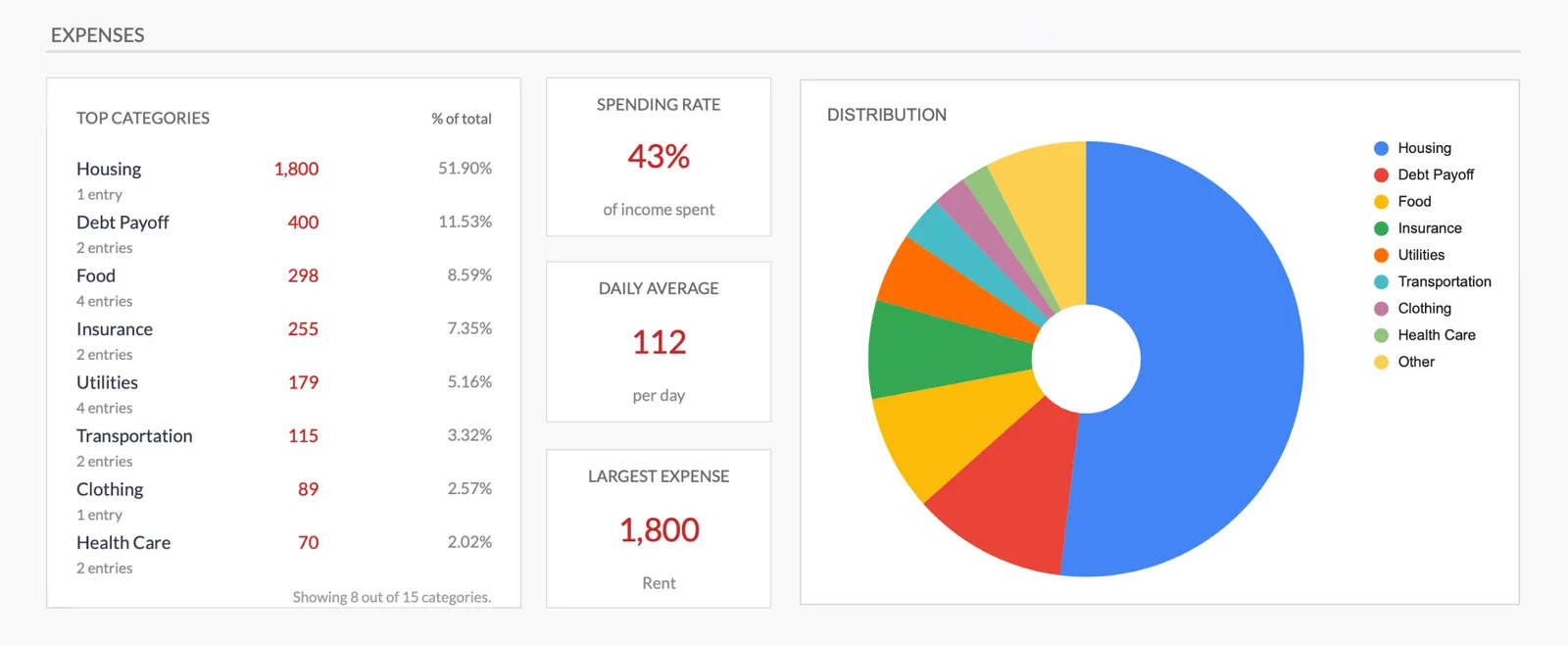
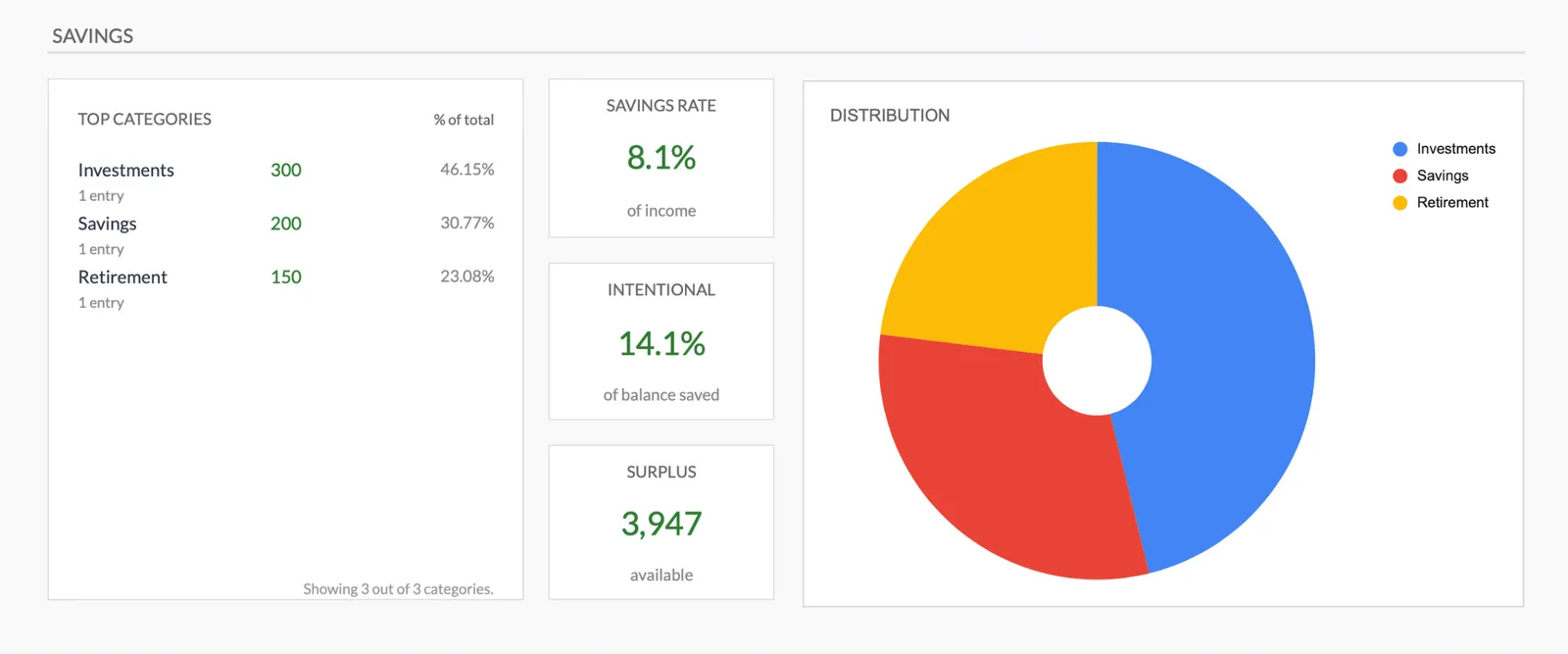
Monthly expense overview with charts
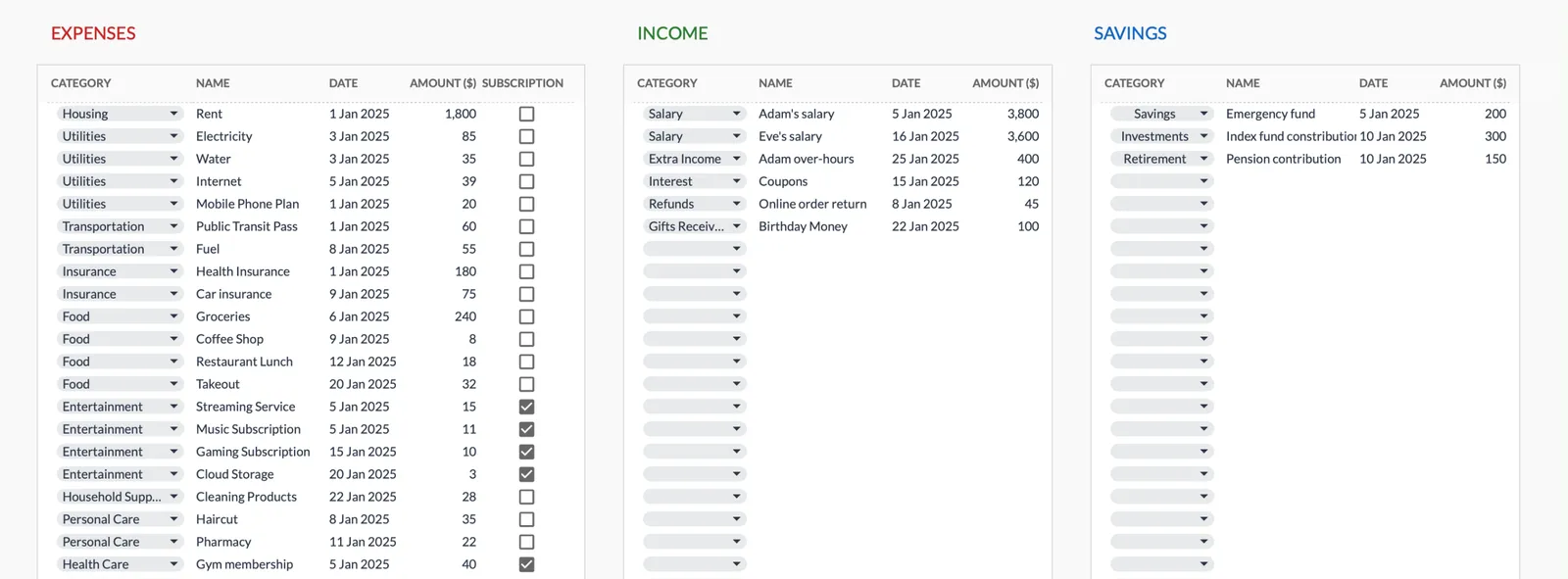
Log every expense with dates and categories
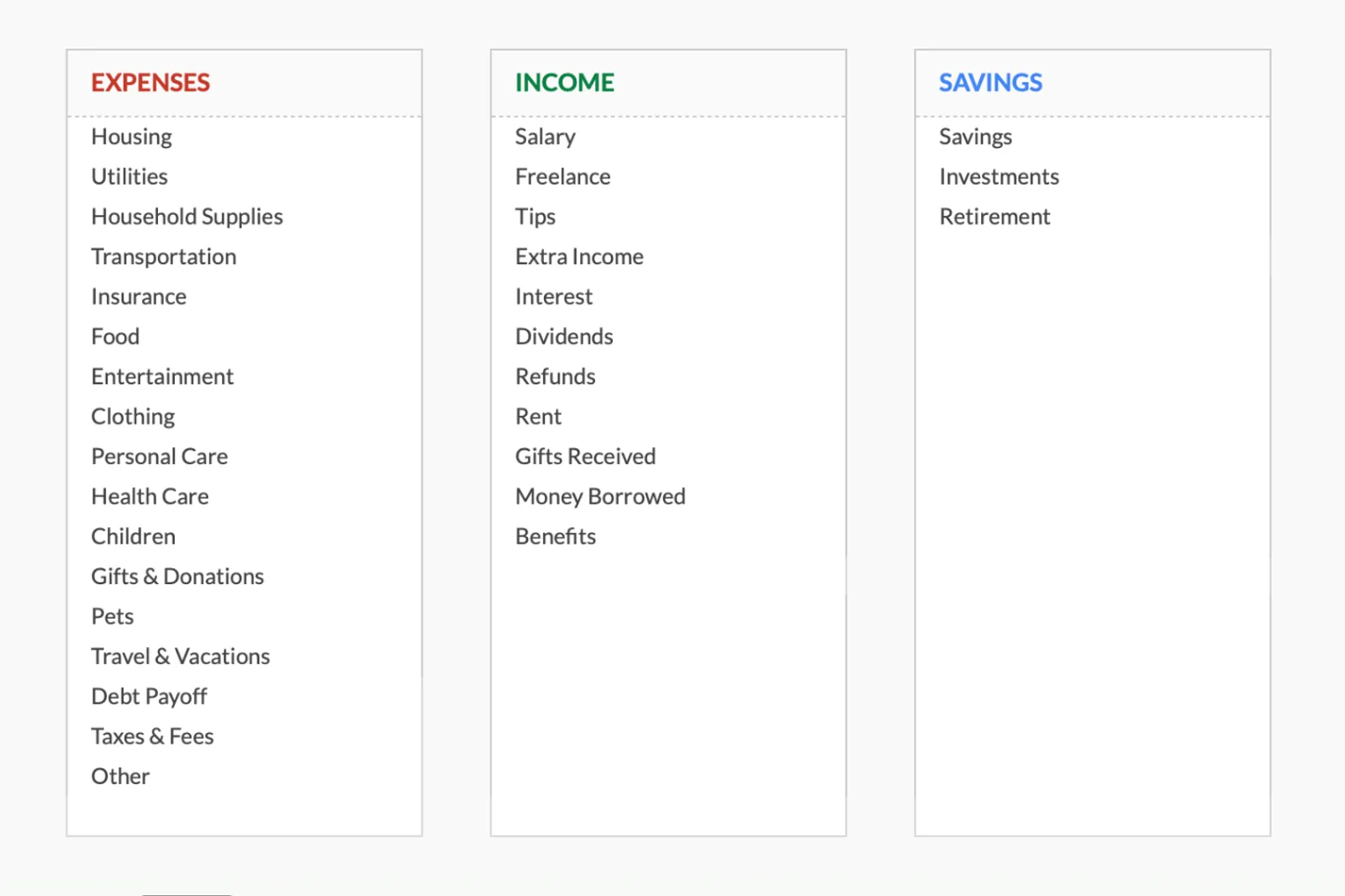
Organize spending into customizable categories
Detailed breakdown of all expenses
Track savings alongside expenses
Common Questions
Monthly Expenses Tracker for Canada - FAQ
How is this different from the budget template?
The expense tracker focuses purely on recording spending - no income tracking or budget targets. It's ideal for people who want to understand where their money goes before setting goals.
Can I track expenses in both CAD and USD?
The template works in one currency. For US purchases (common for online shopping or cross-border trips), enter the CAD amount that was charged to your card after conversion.
How do I handle split expenses with roommates?
Enter only your portion of shared expenses. If rent is $2,000 split two ways, enter $1,000. For shared groceries, enter what you actually contributed.
Should I track tax separately from purchases?
For simplicity, enter the total amount paid (tax included). The goal is to see how much money actually left your account, which is the tax-inclusive amount.
Can I export data to my accountant?
Since it's a Google Sheet, you can share it directly or export as Excel/CSV. For tax purposes, self-employed Canadians might find the expense data useful for claiming deductions, though a dedicated accounting tool may be better for business expenses.
Can't find the answer you're looking for? Contact our team
Ready to get started?
Download instantly and start managing your finances, or contact us to design a custom template package for your needs.