Budgeting Method
Zero-Based Budget Template for Google Sheets
Give every dollar a purpose. A zero-based budget assigns all income to spending, saving, or debt repayment - until you reach exactly zero.
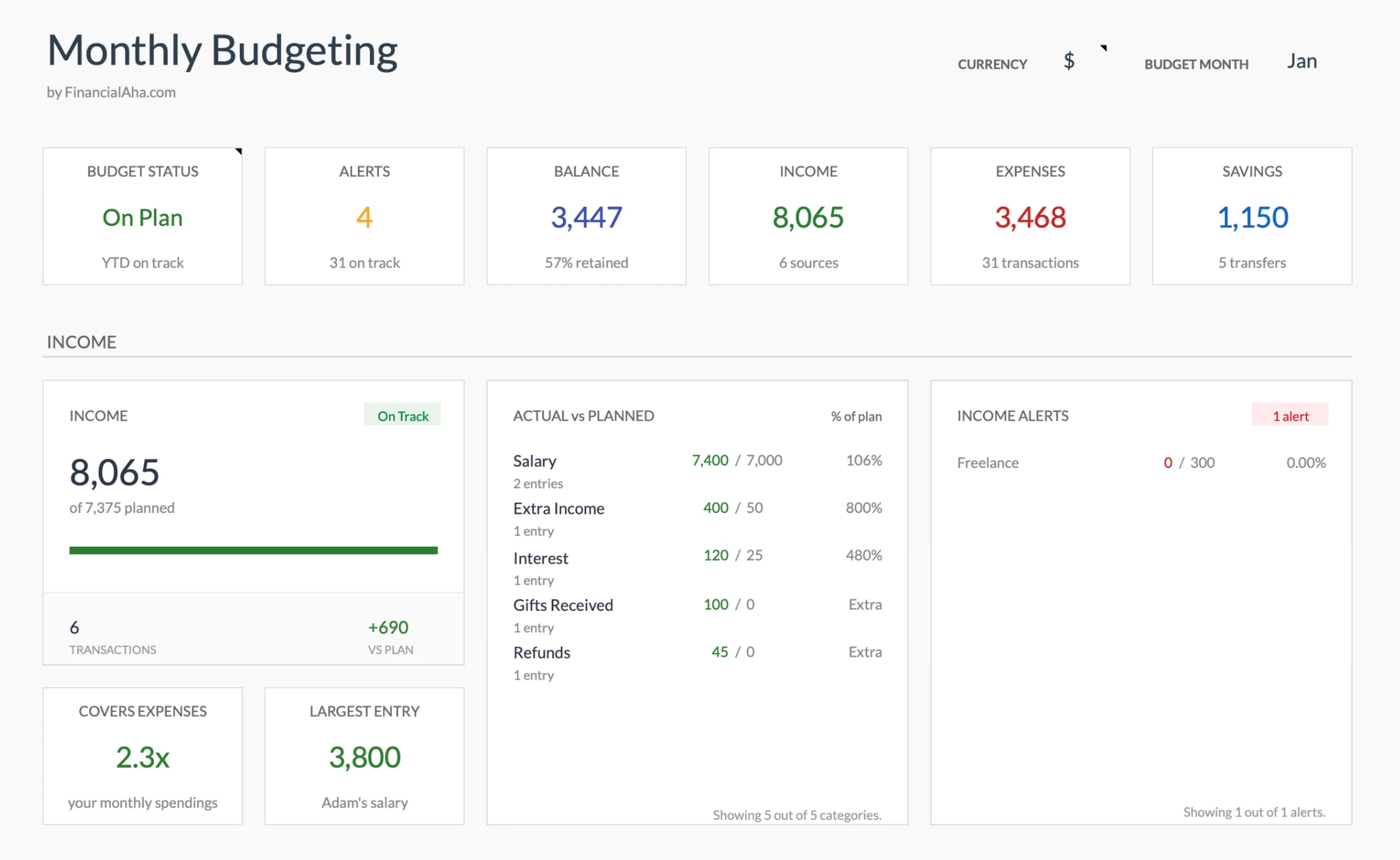
Overview
What Is Zero-Based Budgeting?
Zero-based budgeting means your income minus your expenses equals zero. Every dollar that comes in gets assigned a specific job - whether that's rent, groceries, savings, or debt payments. At the end of the month, no money is left "unbudgeted."
This doesn't mean you spend everything. It means you plan everything. If you earn $5,000, you create a plan for exactly $5,000 - and that plan includes savings and investments as "expenses."
The approach was originally developed for corporate budgets in the 1970s by Peter Pyhrr at Texas Instruments. Dave Ramsey popularized it for personal finance, and YNAB built an entire app around the concept. But the method works in any tool - including a simple spreadsheet.
The key insight: when money is unassigned, it tends to disappear into impulse purchases and lifestyle inflation. Assigning every dollar to a category forces intentional decisions about priorities.
Who it works for
People who want maximum control over their spending. Works especially well for anyone paying off debt, building savings from scratch, or recovering from financial disorganization. Also suits people who are comfortable with detailed planning and don't mind the weekly time investment.
Advantages
- Complete visibility into where every dollar goes
- Reduces impulse spending by requiring conscious allocation
- Effective for aggressive debt payoff or savings goals
- Forces regular review of spending priorities
- Works with any income level
Tradeoffs
- Requires more time than simpler methods (30-60 minutes/month plus weekly check-ins)
- Can feel restrictive if you prefer flexible spending
- Variable income makes it harder to assign every dollar upfront
- Over-categorizing can lead to analysis paralysis
Getting Started
How to Set Up a Zero-Based Budget in Google Sheets
The Monthly Budget Template from FinancialAha supports zero-based budgeting out of the box. Here's how to configure it for this approach:
Enter your total monthly income
Start with your after-tax take-home pay. If you have a salary, this is straightforward - enter your net paycheck amount. For variable income, use the average of your last 3-6 months or, more conservatively, your lowest recent month. For example, if your take-home is $4,800/month, enter $4,800.
List fixed expenses first
Enter expenses that stay the same each month: rent/mortgage, car payment, insurance premiums, subscriptions, minimum debt payments. These are non-negotiable and get assigned first. In our example, fixed expenses might total $2,400 - leaving $2,400 for variable categories.
Assign remaining dollars to variable categories
Now allocate the remaining $2,400 across categories: groceries ($500), transportation ($200), dining out ($150), clothing ($75), entertainment ($100). Keep going until you've assigned every dollar. The template shows your remaining unbudgeted amount as you enter targets, making it easy to see when you've reached zero.
Include savings and debt as budget categories
This is the crucial zero-based step: savings and extra debt payments are "expenses" in your budget. Emergency fund ($500), retirement contribution ($300), extra student loan payment ($200). These aren't what's left over - they're planned, assigned dollars. In our example, that's $1,000 toward financial goals.
Track actual spending throughout the month
Enter transactions as they happen or do a weekly review. The template compares your budgeted amounts to actual spending, showing where you're over or under. If you overspend in dining out by $50, you need to take $50 from another category - maintaining the zero balance. This is where the discipline happens.
Ready to try zero-based budget budgeting?
Compare Methods
Zero-Based vs Other Budgeting Methods
50/30/20 Budget
Simpler but less precise. Allocates income into three broad buckets (needs, wants, savings) without tracking individual categories. Good for beginners, but doesn't provide the spending awareness of zero-based.
Envelope Budget
Similar philosophy to zero-based (every dollar assigned) but uses physical or digital "envelopes" for categories. The main difference is the mechanism - envelopes enforce spending limits per category, while zero-based focuses on the allocation plan.
Pay Yourself First
Opposite approach - save a set amount first, then spend freely. Less time-intensive but provides less visibility into where spending goes. Works well for people who can save consistently but don't want to track every dollar.
See It In Action
What the template looks like
Browse through the template to see how it handles budgeting, expense tracking, savings goals, and spending analysis.
- Dashboard with key metrics
- Budget vs actual comparison
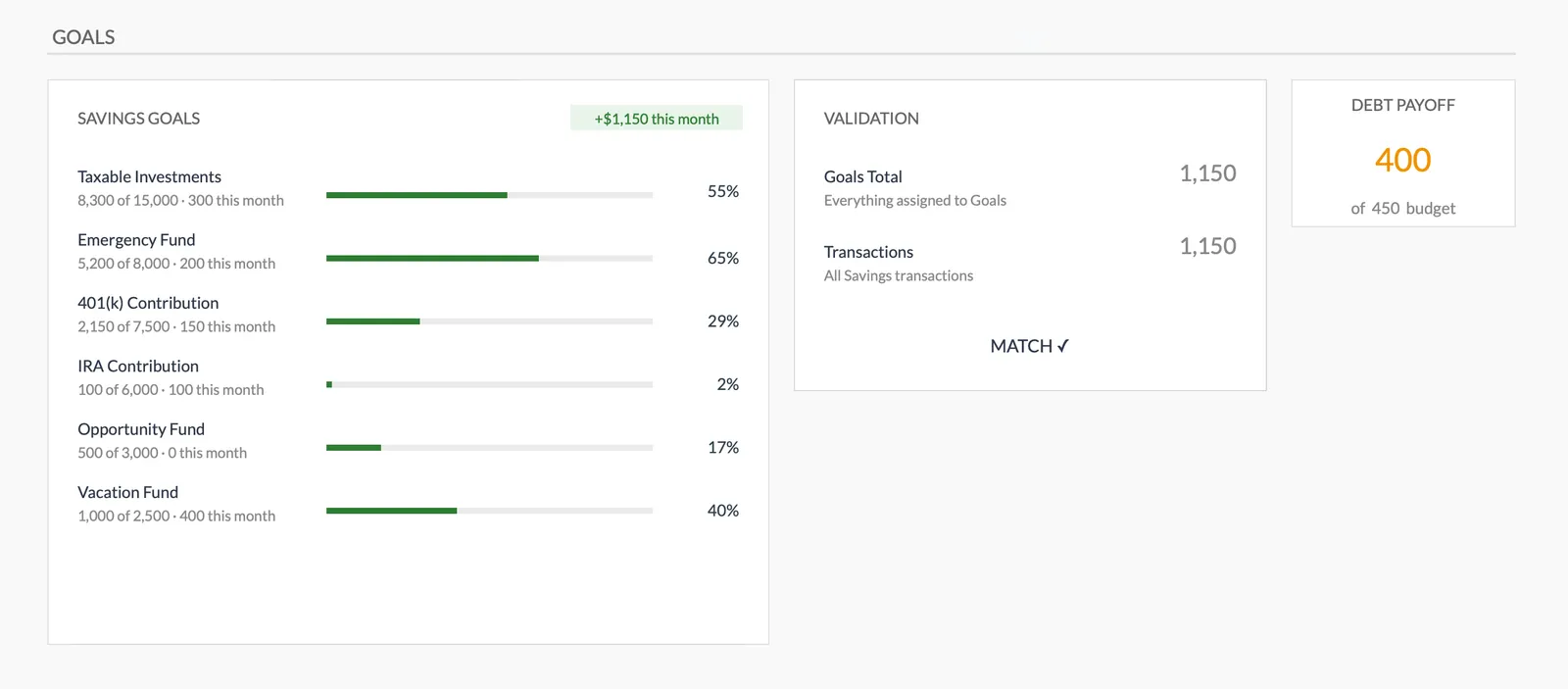
- Savings goal tracking
- Fully customizable categories

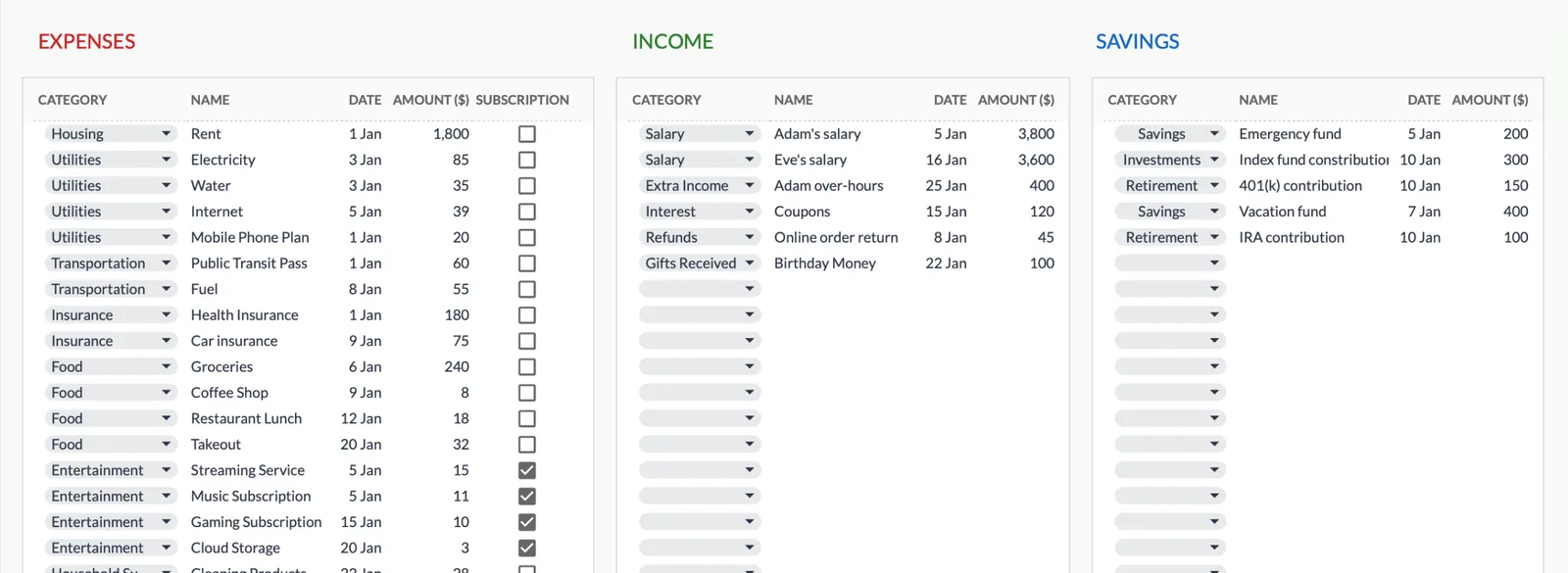
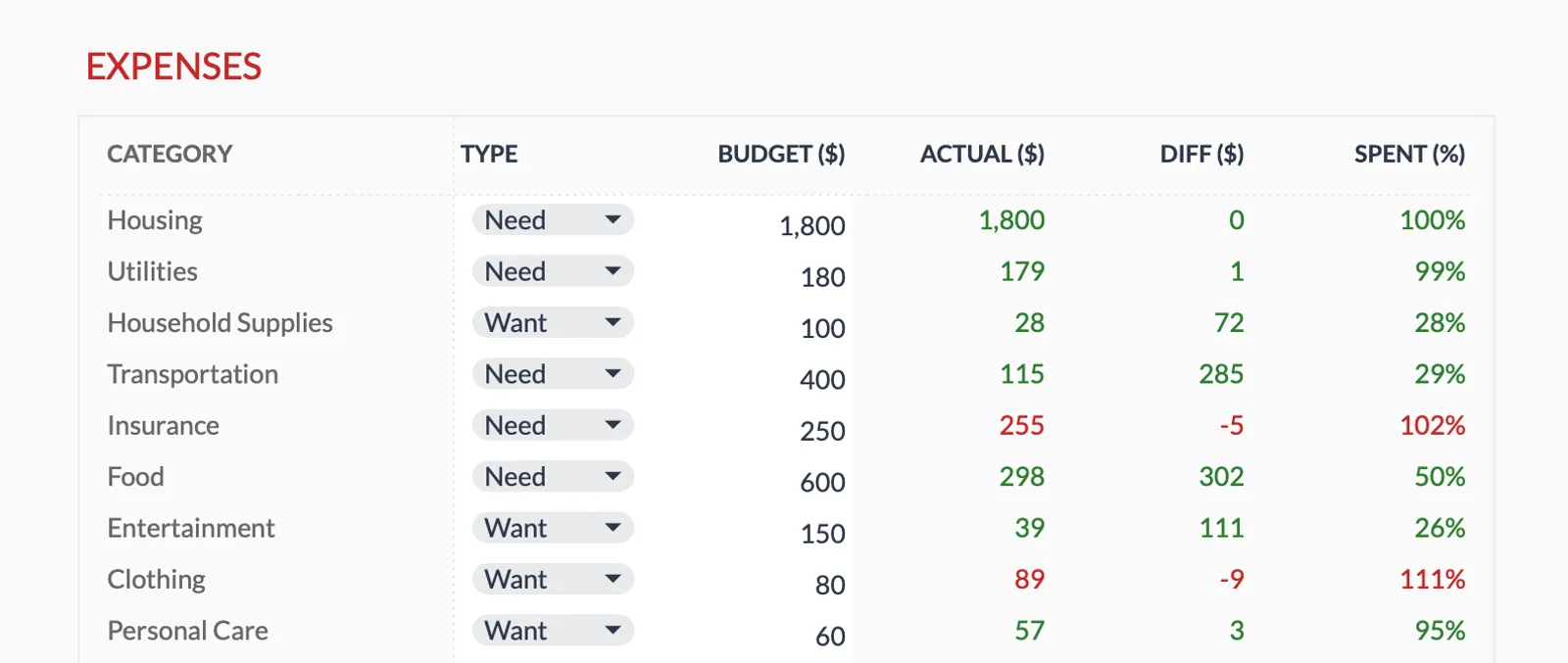
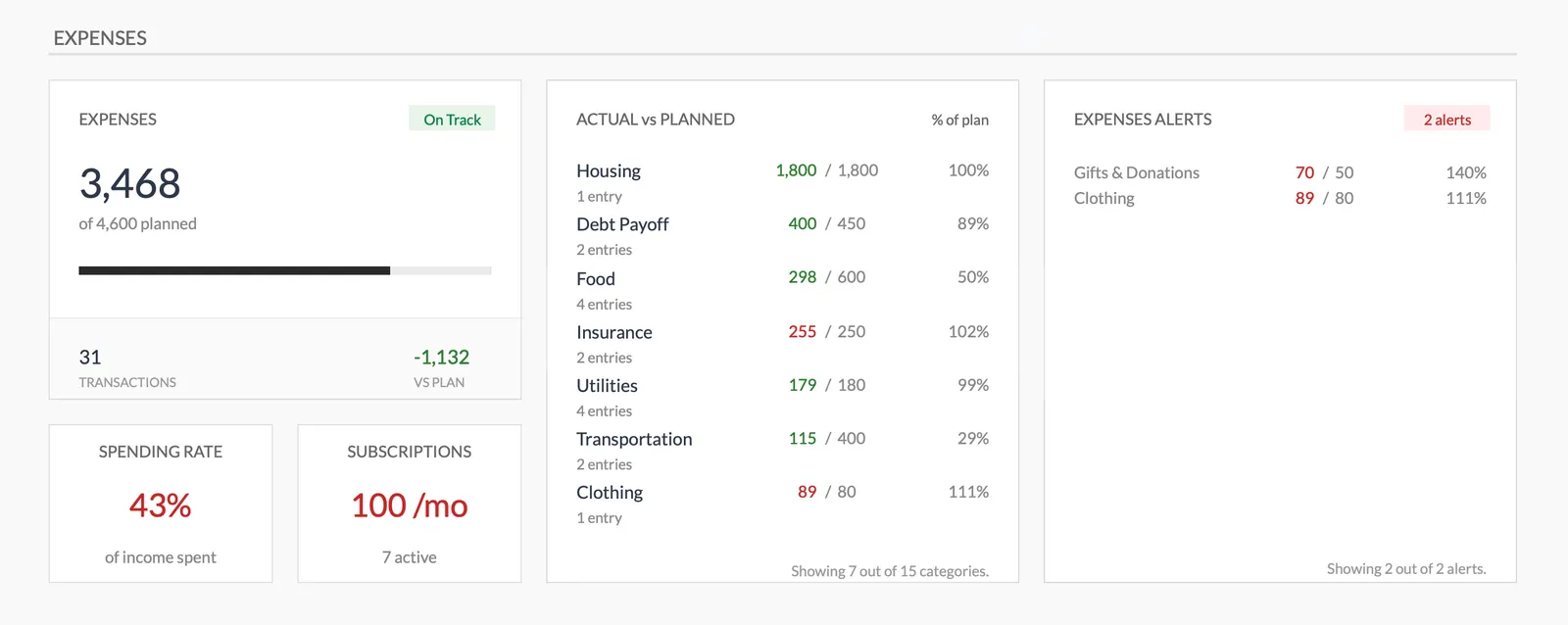
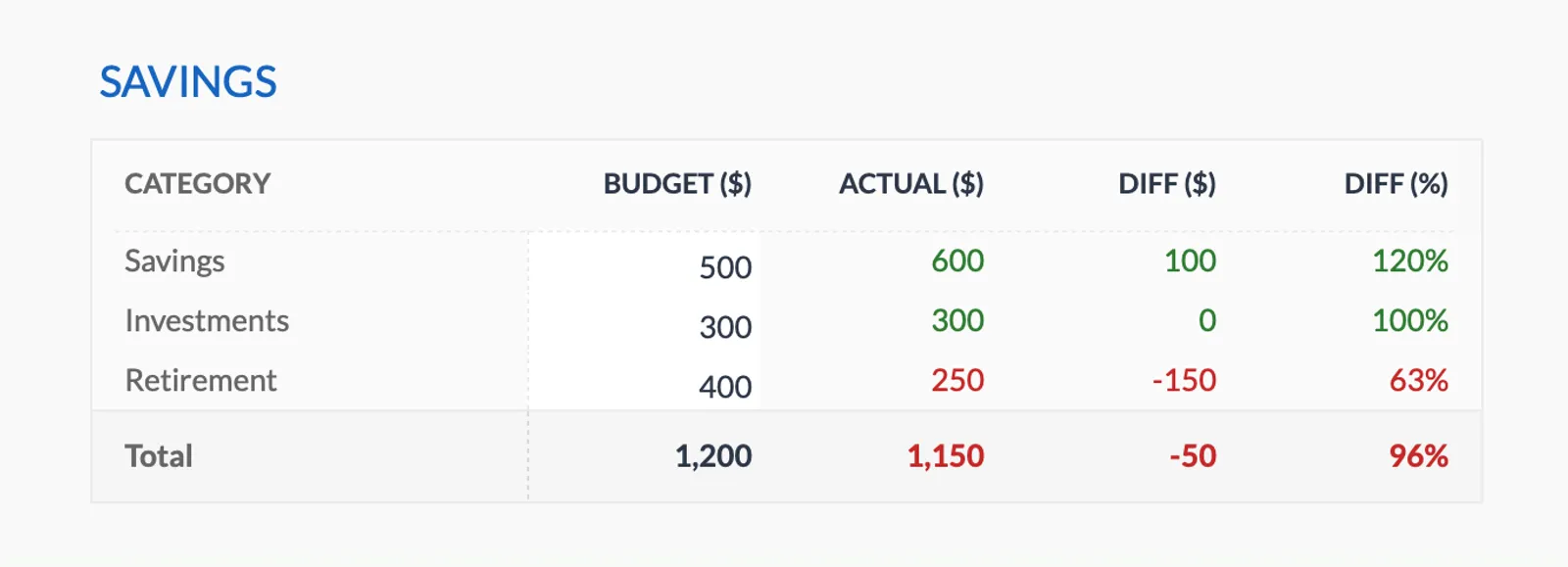
Dashboard with income, expenses, and savings at a glance
Log transactions with automatic categorization
Set targets per category and track actual spending
Visual breakdown of where your money goes
Track savings goals alongside your budget
Monitor progress toward financial goals
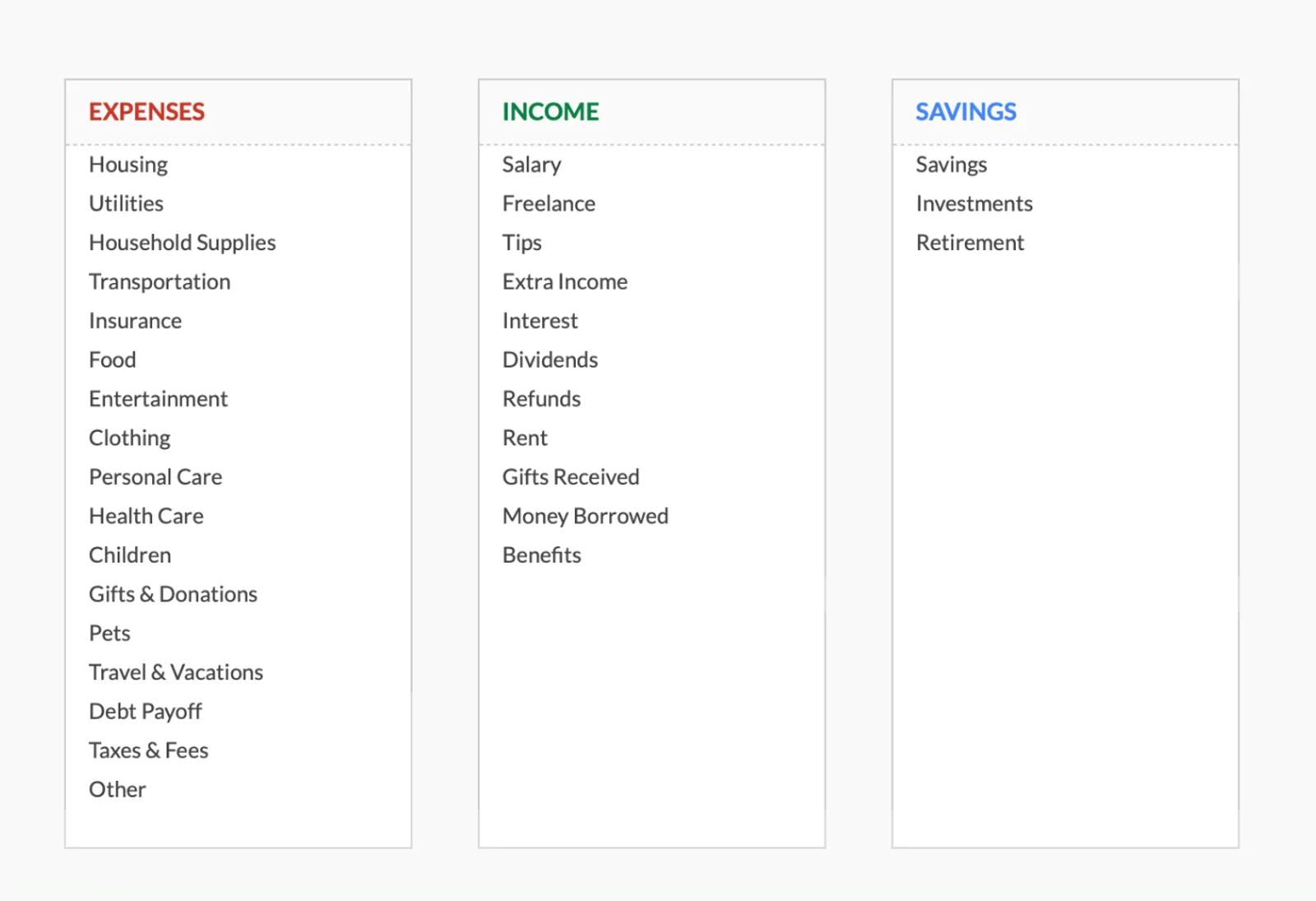
Fully customizable expense, income, and savings categories
Common Questions
Zero-Based Budget Budgeting - FAQ
Is the FinancialAha template specifically designed for zero-based budgeting?
The Monthly Budget Template works well for zero-based budgeting because it tracks income against expense categories with a running balance. You can see your unbudgeted amount and adjust until it reaches zero. It's not exclusively for zero-based - it's flexible enough for any budgeting method.
What if I have money left over at the end of the month?
In strict zero-based budgeting, there shouldn't be money left over - every dollar should be assigned. If you end the month with surplus, assign it to next month's budget, add it to savings, or make an extra debt payment. The template makes it easy to see unallocated amounts.
How does zero-based budgeting work with variable income?
Budget based on your lowest expected income. When you earn more than expected, assign the extra to savings, debt, or a specific goal. Some people create a "buffer" category to absorb income variability. The template supports this with customizable categories.
Can I switch methods later if zero-based doesn't work for me?
Absolutely. The template is flexible. If zero-based feels too restrictive after a few months, adjust your categories to follow a 50/30/20 approach or any other method. Your historical data stays intact.
How much time does zero-based budgeting take each month?
Initial setup takes 30-60 minutes. After that, expect 15-20 minutes at the start of each month to set targets, plus 5-10 minutes per week to enter transactions and review progress. The time investment decreases as it becomes routine.
Can't find the answer you're looking for? Contact our team
Start zero-based budget budgeting today
One-time purchase. No subscription. Your financial data stays in your Google Drive.