Budgeting Method
Weekly Budget Template for Google Sheets
Break spending into weekly chunks. A weekly budget divides monthly income into four weekly allowances, making it easier to manage cash flow and catch overspending early.
Overview
What Is a Weekly Budget?
A weekly budget divides monthly income into weekly spending limits. After setting aside money for fixed monthly bills and savings, the remaining amount is split into four (or five) weekly allowances. Each week has its own spending limit, and that's all the money available until the next week begins.
The math is straightforward. On $4,000 monthly income: subtract fixed expenses ($2,200) and savings ($400), leaving $1,400 for variable spending. Divided by 4 weeks, that's $350 per week for groceries, gas, dining, entertainment, and everything else.
This approach works because a month feels long and abstract, but a week is concrete. Knowing you have $350 to get through the next seven days creates a clearer decision framework than knowing you have $1,400 for the whole month. It's harder to overspend $1,400 in week one when the weekly budget is $350.
Weekly budgeting is particularly effective for people who live paycheck to paycheck or have irregular income. By shortening the planning horizon, mistakes stay small. Overspending by $40 in one week can be corrected the following week - rather than discovering a $200 overspend at the end of the month.
Some people set different amounts for different weeks based on expected expenses: a week with a birthday dinner might get $400, while a quiet week gets $300.
Who it works for
People who struggle with monthly cash flow and tend to overspend early in the month. Also works well for irregular income earners who need tight control over spending periods.
Advantages
- Shorter time horizon makes spending limits feel concrete
- Overspending is caught quickly - within days, not weeks
- Simpler decision-making: "Can I afford this within $350?"
- Easier to recover from a bad week than a bad month
- Works well with cash or a dedicated spending account
Tradeoffs
- Monthly bills still need separate planning
- Some expenses don't fit weekly cycles (car insurance, annual subscriptions)
- Requires weekly planning sessions
- Can feel restrictive for larger purchases
Getting Started
How to Set Up a Weekly Budget in Google Sheets
The Monthly Budget Template from FinancialAha can be configured for weekly spending limits. Here's the approach:
Separate fixed and variable expenses
List all fixed monthly expenses (rent, utilities, insurance, subscriptions, minimum debt payments) and subtract them from income. Also subtract savings. The remainder is your total variable spending budget.
Divide variable spending by four weeks
Take the variable spending total and divide by four. On $1,600 variable, that's $400/week. For months with five weeks, divide by five ($320/week). This weekly amount covers groceries, gas, dining, entertainment, and all other day-to-day spending.
Set up weekly tracking sections
Create a simple tracking system for each week. Start with the weekly allowance and subtract each expense. The template can track this as a running balance that resets each Monday (or whatever day you choose).
Handle larger variable expenses
For expenses that don't fit a weekly cycle (a $200 car repair, a $150 birthday gift), either deduct from the current week and adjust others, or maintain a small separate fund for irregular variable costs.
Review and roll over weekly
At week's end, check spending against the $400 limit. If $50 is left over, either carry it forward to next week or move it to savings. If you're over, reduce next week's allowance. The template tracks these adjustments.
Ready to try weekly budget budgeting?
Compare Methods
Weekly Budget vs Other Budgeting Methods
Biweekly Budget
Longer planning period aligned with pay dates. Biweekly works for those paid every two weeks; weekly works regardless of pay schedule and provides tighter control.
Envelope Budget
Envelopes can be funded weekly instead of monthly, combining both methods. The weekly amount goes into category envelopes for even more specific limits.
Bare Bones Budget
Both methods suit tight financial situations. Bare bones cuts categories; weekly budgeting cuts the time horizon. They can be combined during financial emergencies.
See It In Action
What the template looks like
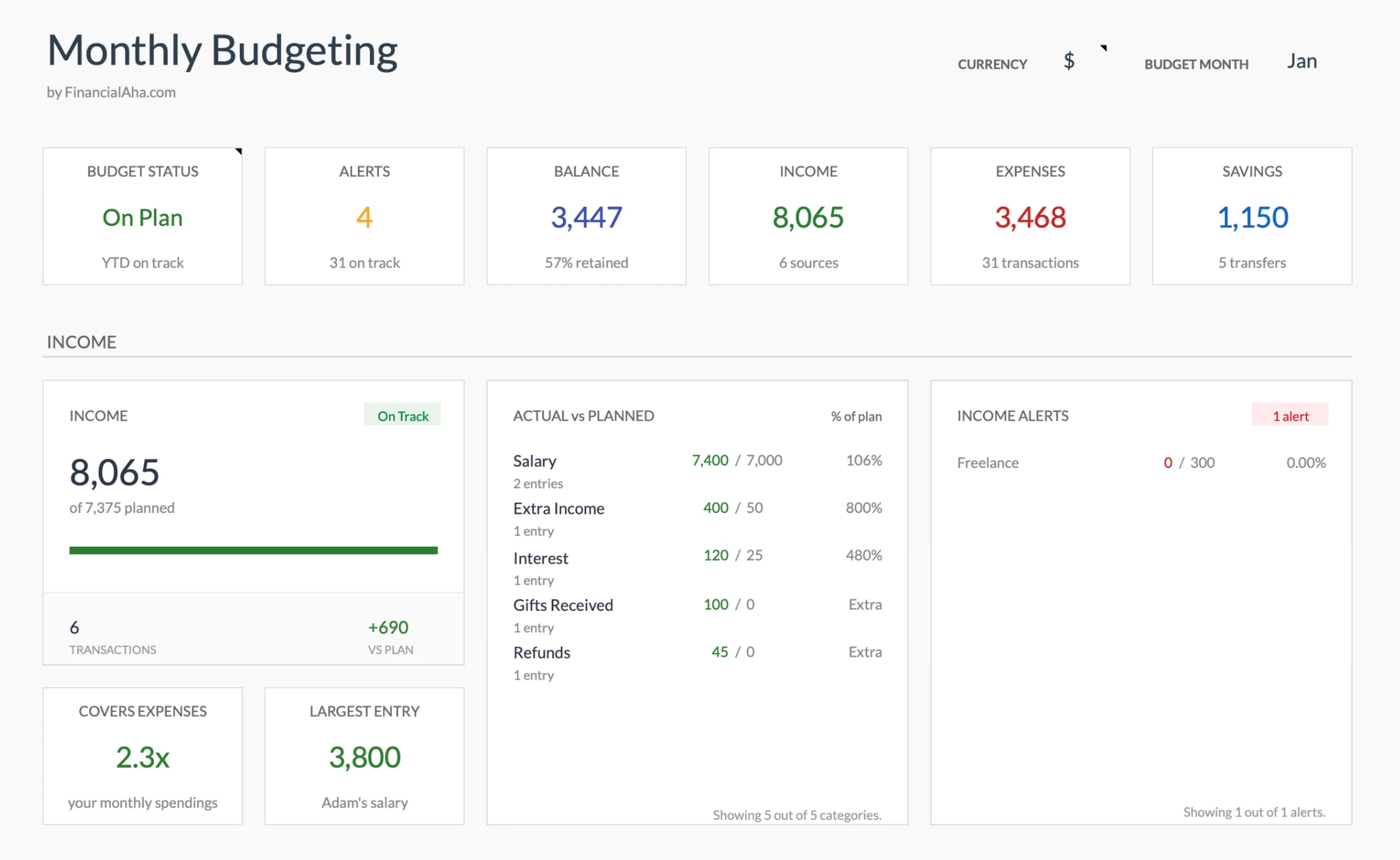
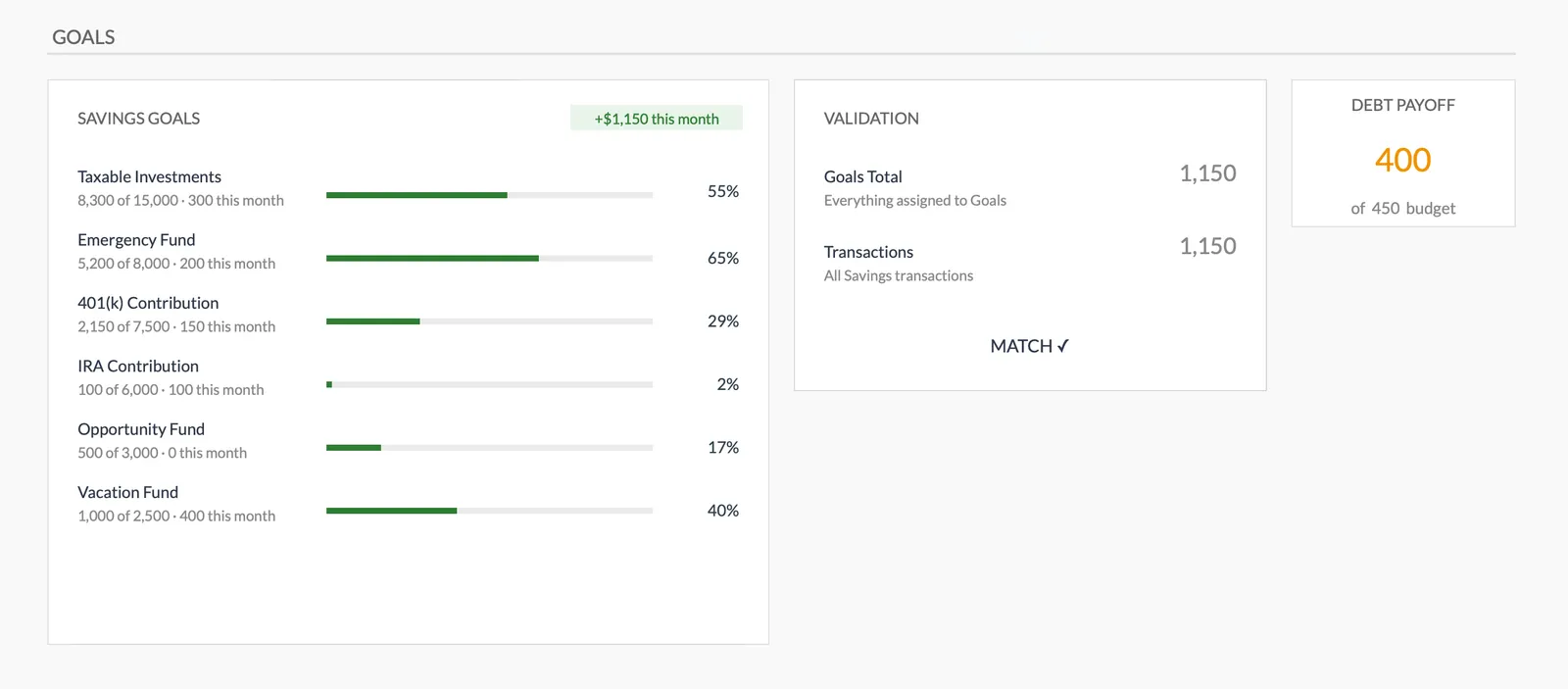
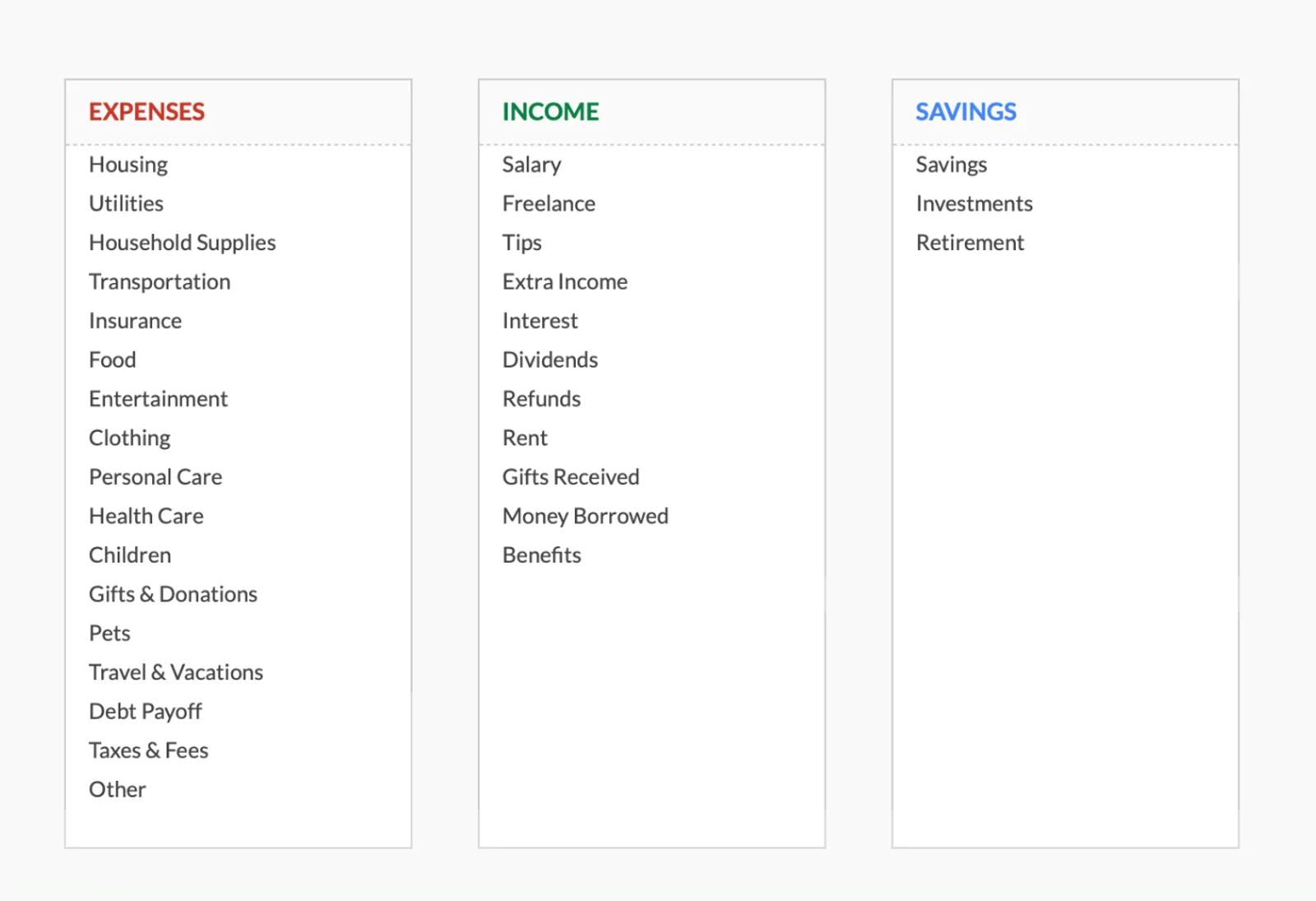
Browse through the template to see how it handles budgeting, expense tracking, savings goals, and spending analysis.
- Dashboard with key metrics
- Budget vs actual comparison
- Savings goal tracking
- Fully customizable categories

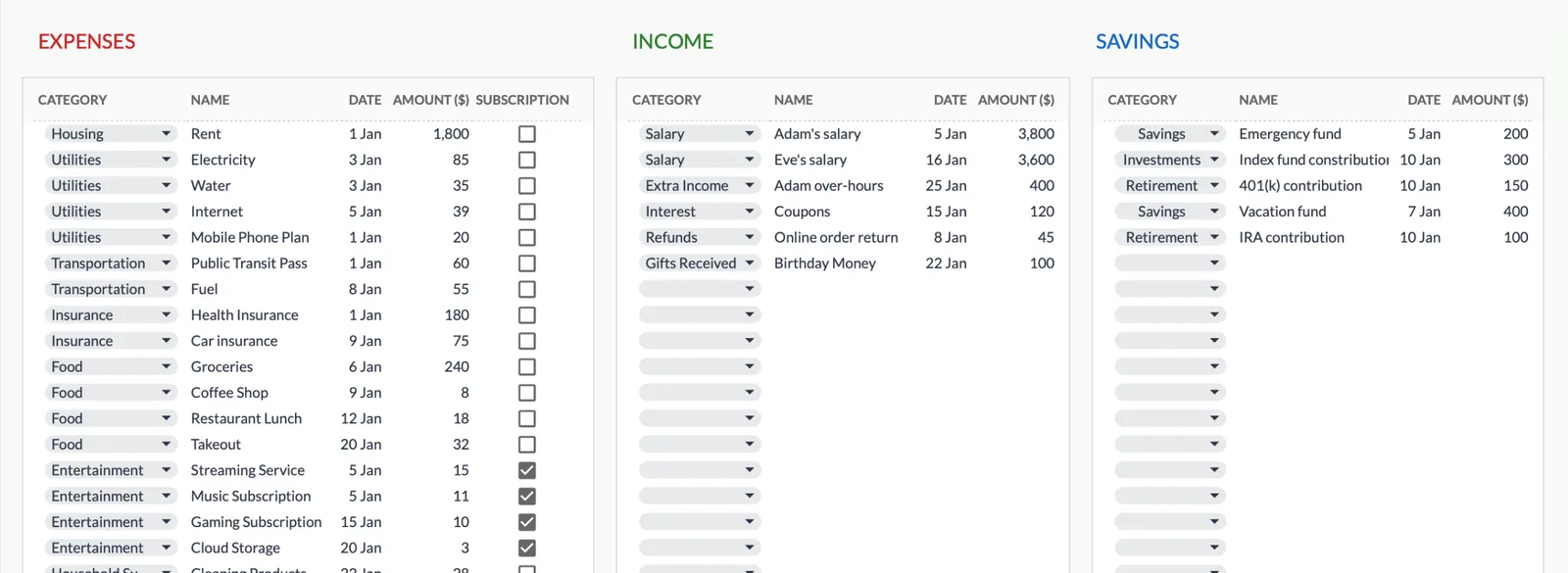
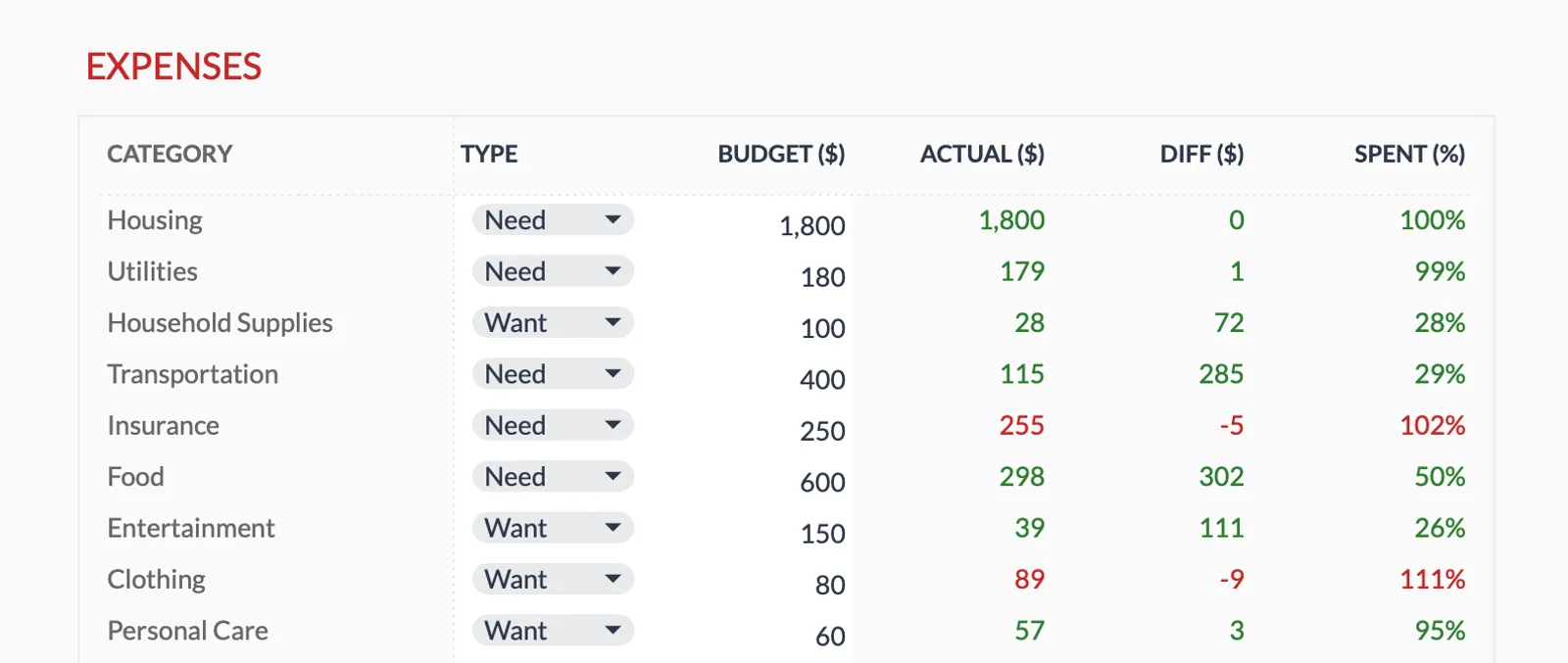
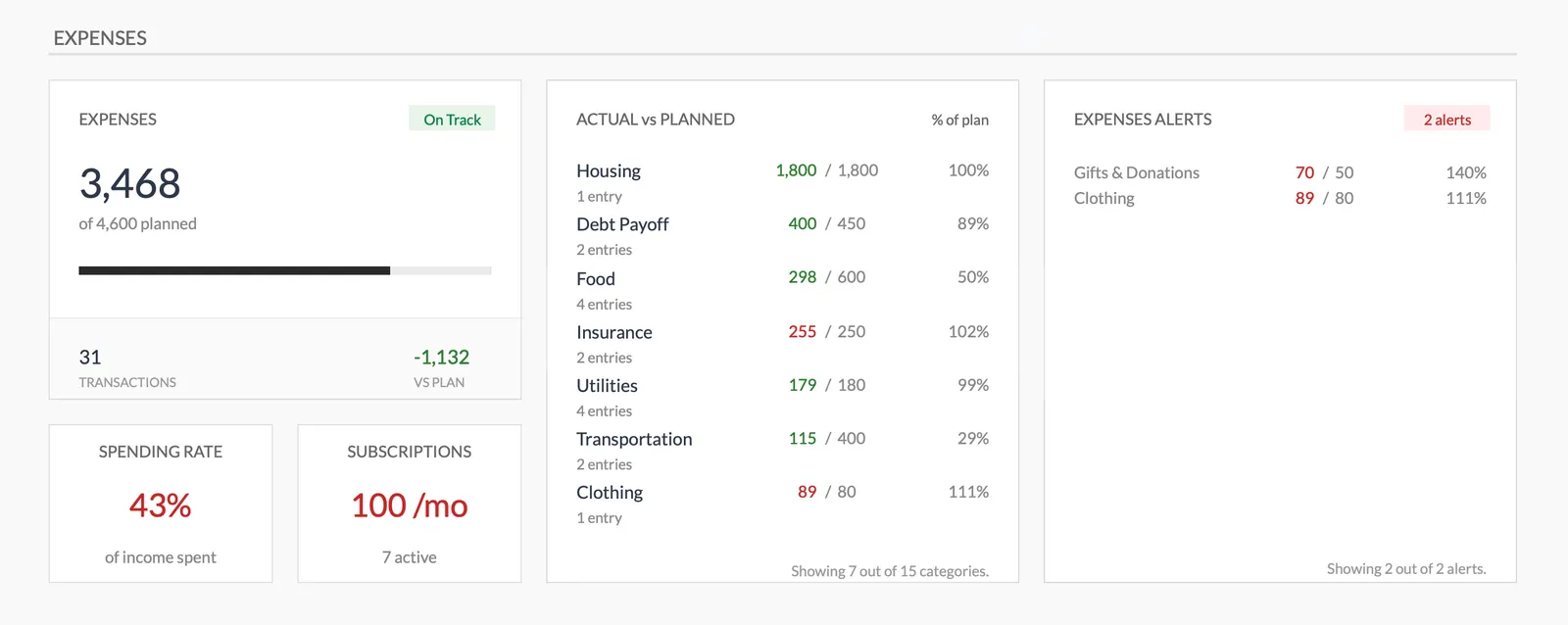
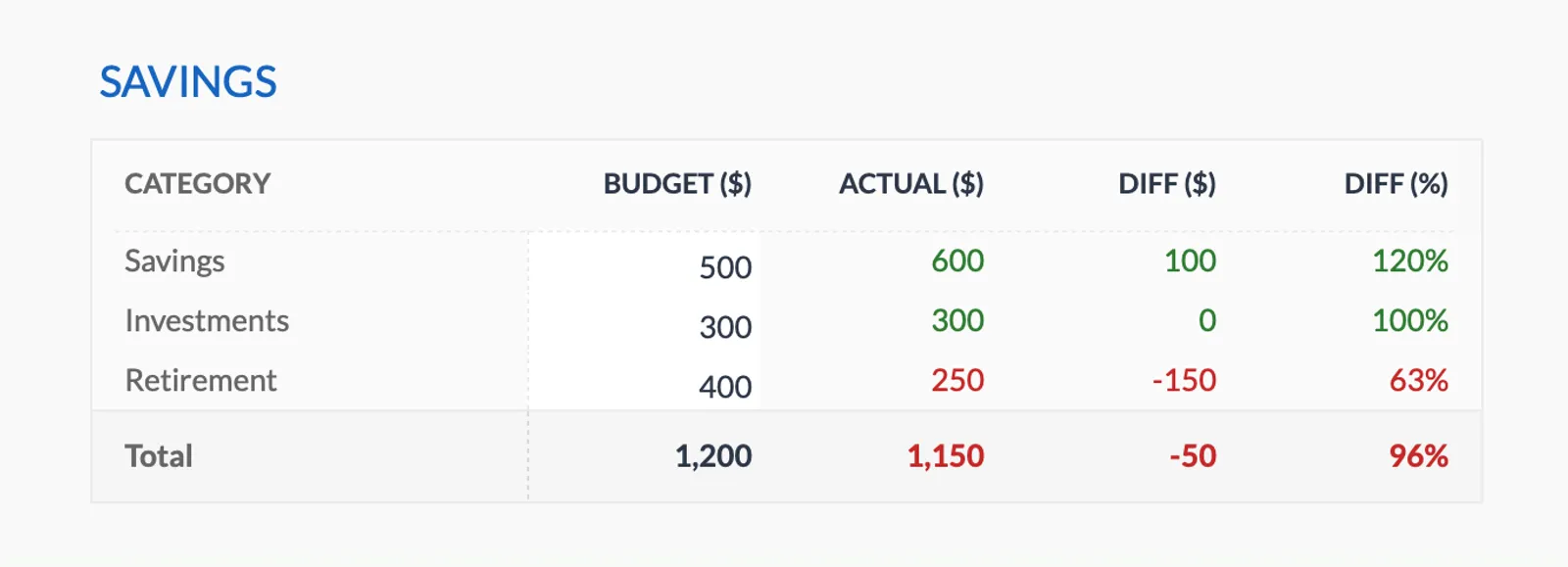
Dashboard with income, expenses, and savings at a glance
Log transactions with automatic categorization
Set targets per category and track actual spending
Visual breakdown of where your money goes
Track savings goals alongside your budget
Monitor progress toward financial goals
Fully customizable expense, income, and savings categories
Common Questions
Weekly Budget Budgeting - FAQ
How do I handle months with five weeks?
Divide by five instead of four for those months, or keep the four-week division and treat the extra days as a mini-period. Either approach works - the key is that total weekly allowances don't exceed the monthly variable budget.
What if I get paid monthly but want to budget weekly?
Transfer your weekly allowance to a separate checking account or spending card each week. This creates a physical constraint that mimics weekly income even though the paycheck arrives monthly.
Is weekly budgeting too much work?
The weekly check-in takes 5-10 minutes. Some people find this easier than a 30-60 minute monthly session because there's less to review. The shorter cycle also means less catching up on forgotten transactions.
Can the FinancialAha template track weekly budgets?
The Monthly Budget Template tracks spending against targets. You can set weekly spending targets and review against them. The daily transaction tracking naturally supports weekly subtotals.
Can't find the answer you're looking for? Contact our team
Start weekly budget budgeting today
One-time purchase. No subscription. Your financial data stays in your Google Drive.