Budgeting Method
Reverse Budget Template for Google Sheets
Budget backwards - handle savings and bills first, then spend freely. The reverse budget automates the important stuff so discretionary spending takes care of itself.
Overview
What Is a Reverse Budget?
A reverse budget flips the traditional budgeting process. Instead of tracking every expense to see what's left for savings, you decide on savings and fixed expenses first - then spend the remainder without guilt or detailed tracking.
The traditional approach: earn income, spend throughout the month, try to save what's left. The reverse approach: earn income, automatically save a set amount, pay fixed bills, spend the rest freely.
The name "reverse" refers to reversing the priority order. In a conventional budget, savings come last. In a reverse budget, savings come first. Bills are second. Discretionary spending gets whatever remains.
For example, on $5,500 take-home pay: $700 auto-transfers to savings on payday, $2,800 covers fixed bills (rent, utilities, insurance, subscriptions), and the remaining $2,000 is free to spend however you like for the month. No need to track coffee purchases or categorize Amazon orders.
This method works because it protects the financial priorities (savings and obligations) while removing the friction that causes many people to abandon detailed budgets.
Who it works for
People who want financial progress without the overhead of tracking every purchase. Especially effective for those who have tried detailed budgeting and found it unsustainable, or anyone who earns a predictable income with manageable fixed costs.
Advantages
- Protects savings while allowing spending freedom
- Very low maintenance after initial setup
- Eliminates guilt around discretionary spending
- Works well with automation - set it and forget it
- Less likely to be abandoned than detailed budgets
Tradeoffs
- No insight into discretionary spending patterns
- Requires stable income for the automation to work smoothly
- Can enable lifestyle inflation within the "free" portion
- Doesn't help identify specific areas to cut
Getting Started
How to Set Up a Reverse Budget in Google Sheets
The Monthly Budget Template from FinancialAha supports reverse budgeting. Here's how to configure it:
List and total your fixed financial obligations
Enter all recurring bills: rent/mortgage, utilities, insurance, loan payments, subscriptions. These are non-negotiable monthly expenses. Knowing this total is essential - it's the foundation of the reverse budget.
Set your savings targets
Decide how much to save each month. This includes emergency fund contributions, retirement savings, investment transfers, and extra debt payments. Enter these as budget categories with specific targets.
Calculate your discretionary spending amount
Subtract fixed expenses and savings from income. On $5,000 income: $2,500 fixed + $800 savings = $3,300 committed, leaving $1,700 for discretionary spending. This is your "free" money for the month.
Automate savings and bill payments
Set up automatic transfers and payments so the committed portion handles itself. Savings transfer on payday, bills on due dates. The template helps plan the timing and amounts.
Track just the discretionary portion
Optionally, track discretionary spending as a single number against your free-spending total. No need to categorize - just watch the total. If you're under $1,700 at month's end, the system is working.
Ready to try reverse budget budgeting?
Compare Methods
Reverse Budget vs Other Budgeting Methods
Pay Yourself First
Essentially the same philosophy. The reverse budget is a broader term that includes both savings and bill automation, while pay yourself first focuses specifically on the savings priority.
Anti-Budget
Very similar approach with a different name. The anti-budget emphasizes rejecting traditional budgeting, while the reverse budget frames it as an inversion of the standard process.
Zero-Based Budget
The opposite approach. Zero-based assigns every dollar to a specific category and tracks all spending. More control, but significantly more time required.
See It In Action
What the template looks like
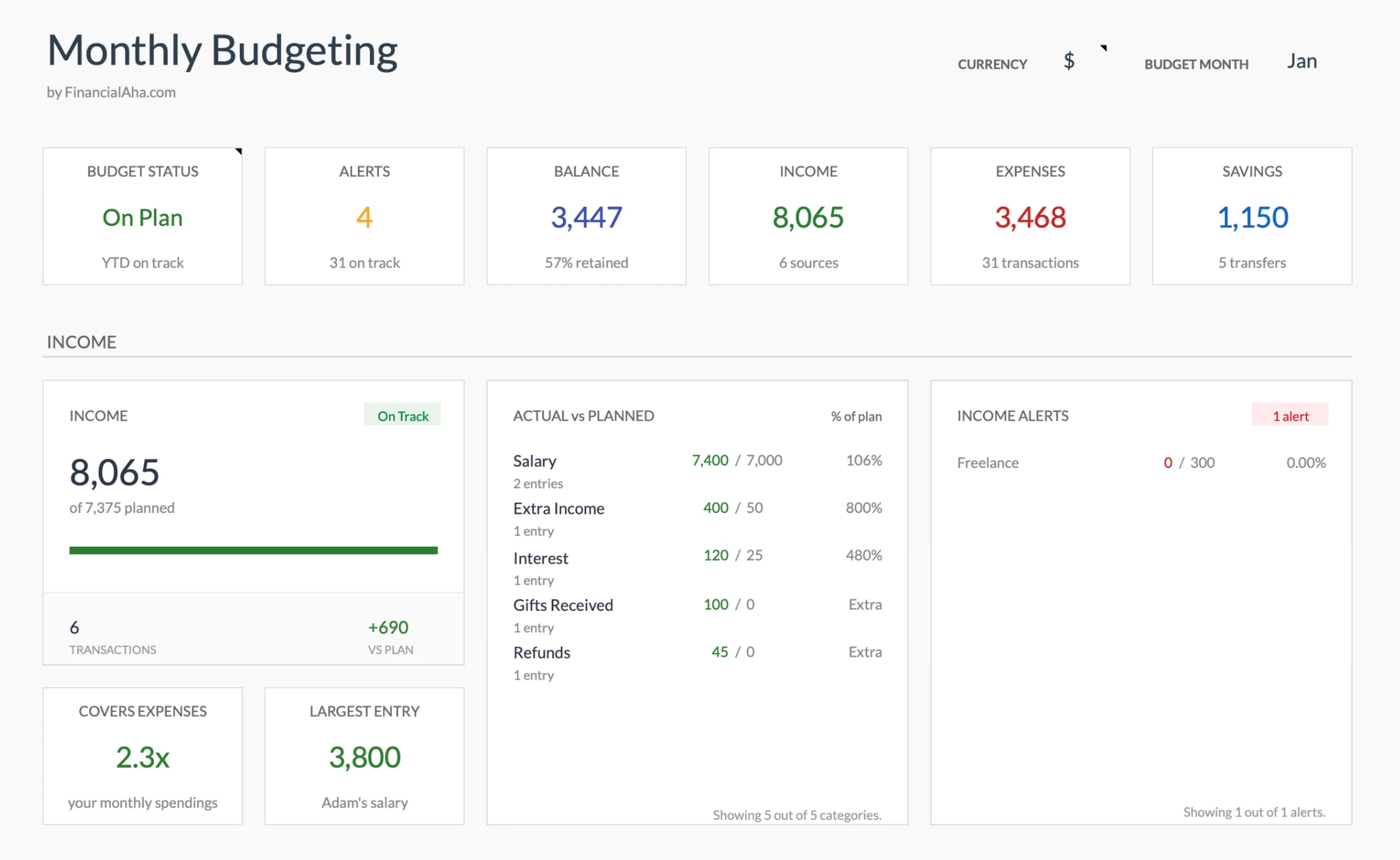
Browse through the template to see how it handles budgeting, expense tracking, savings goals, and spending analysis.
- Dashboard with key metrics
- Budget vs actual comparison
- Savings goal tracking
- Fully customizable categories

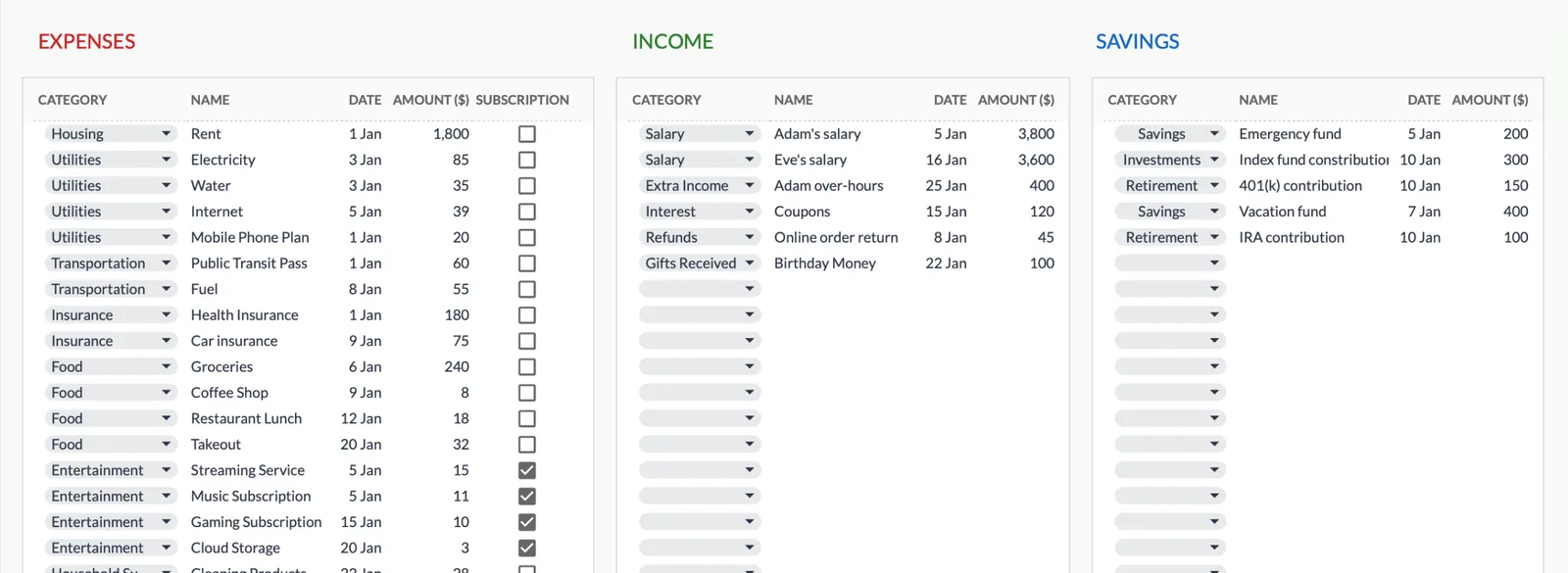
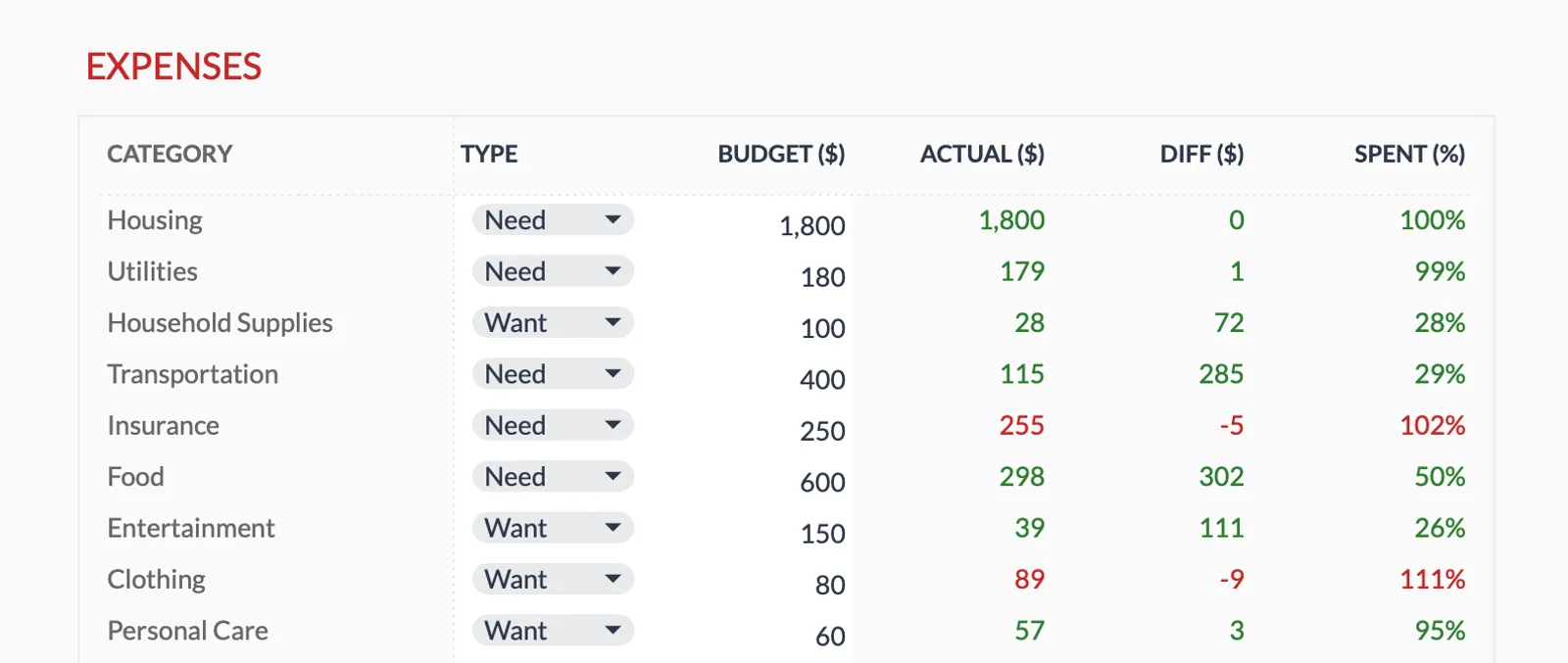
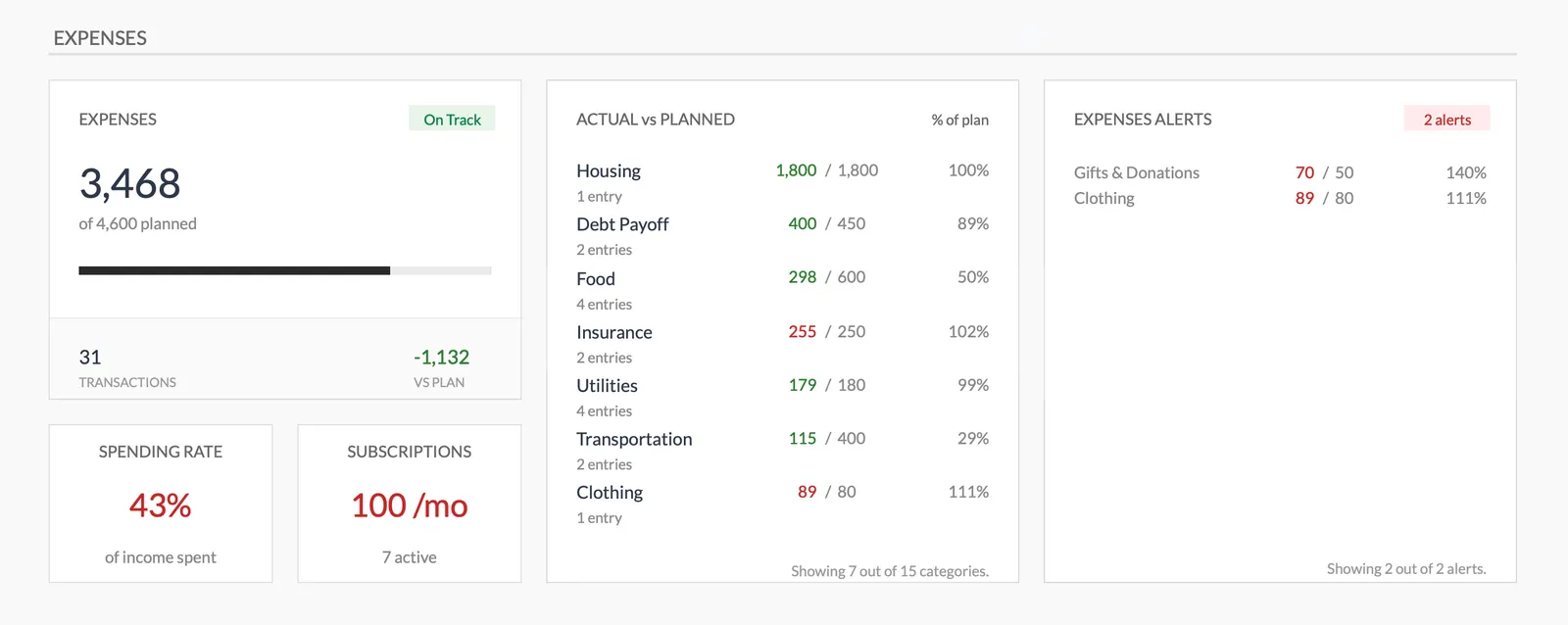
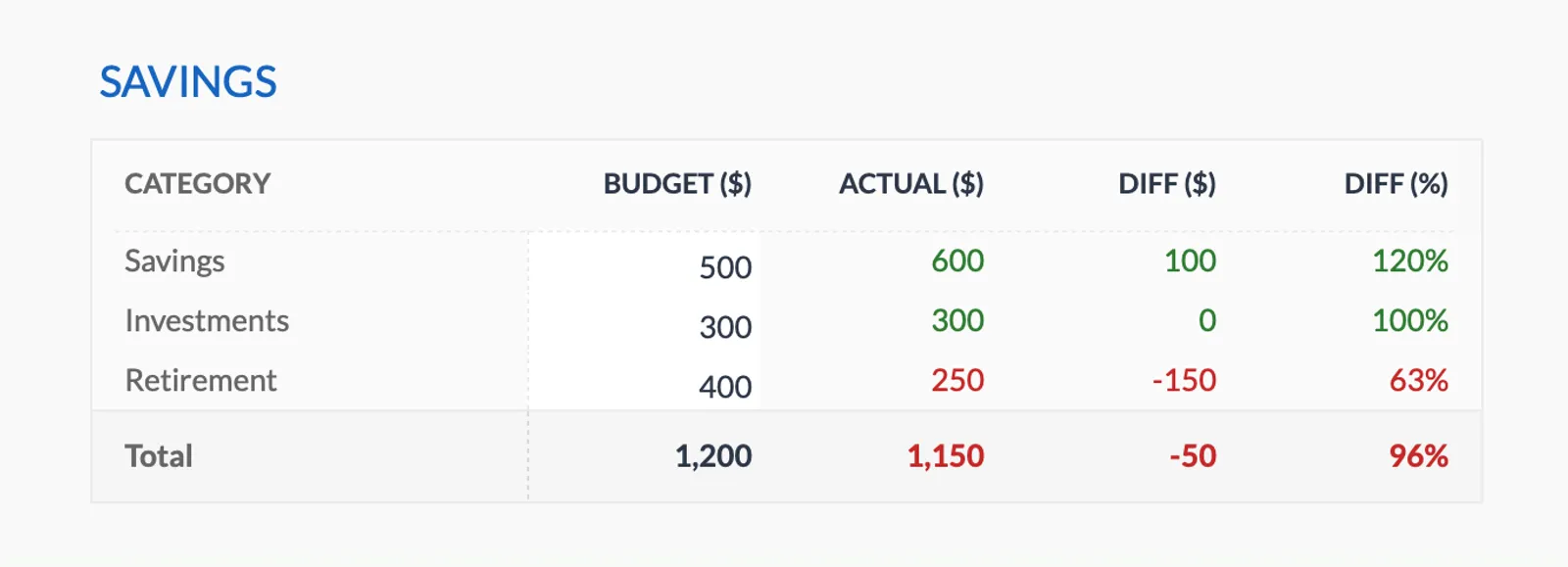
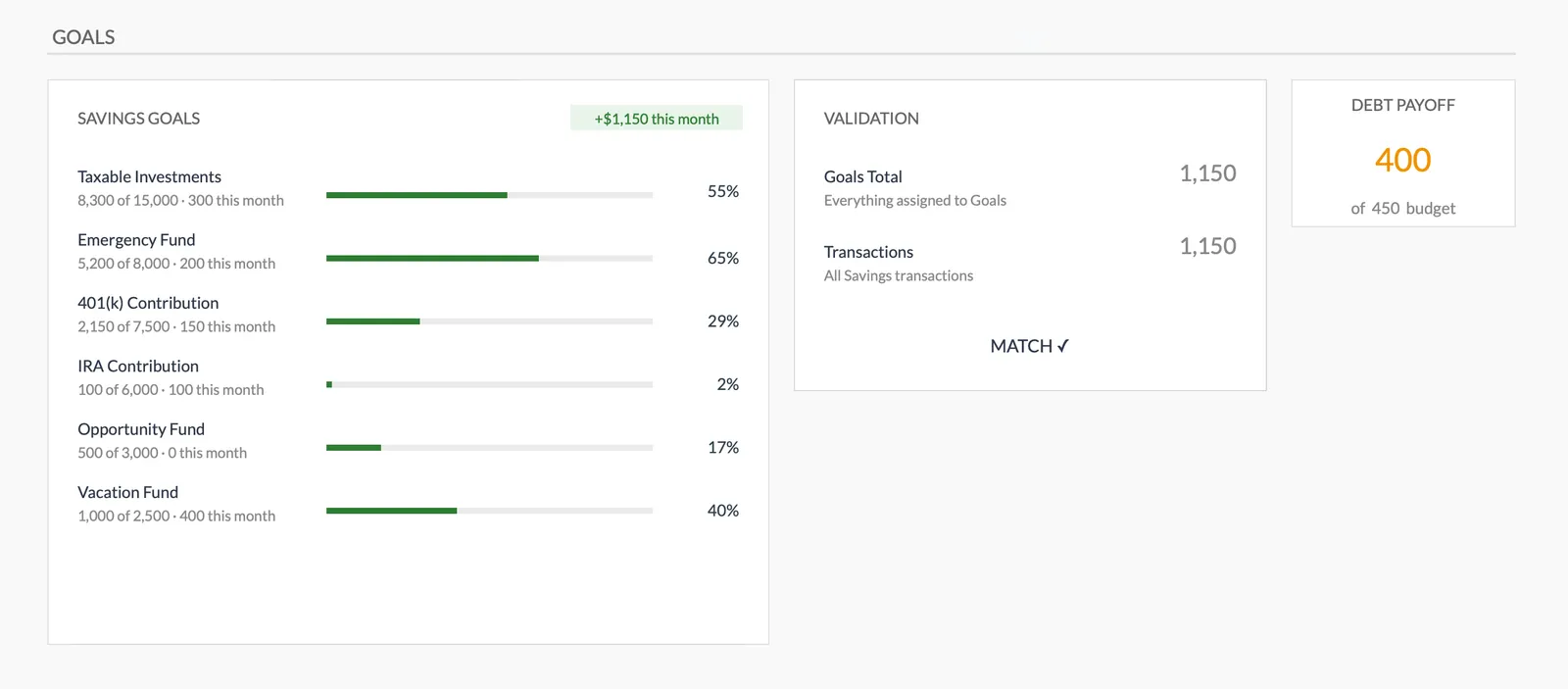
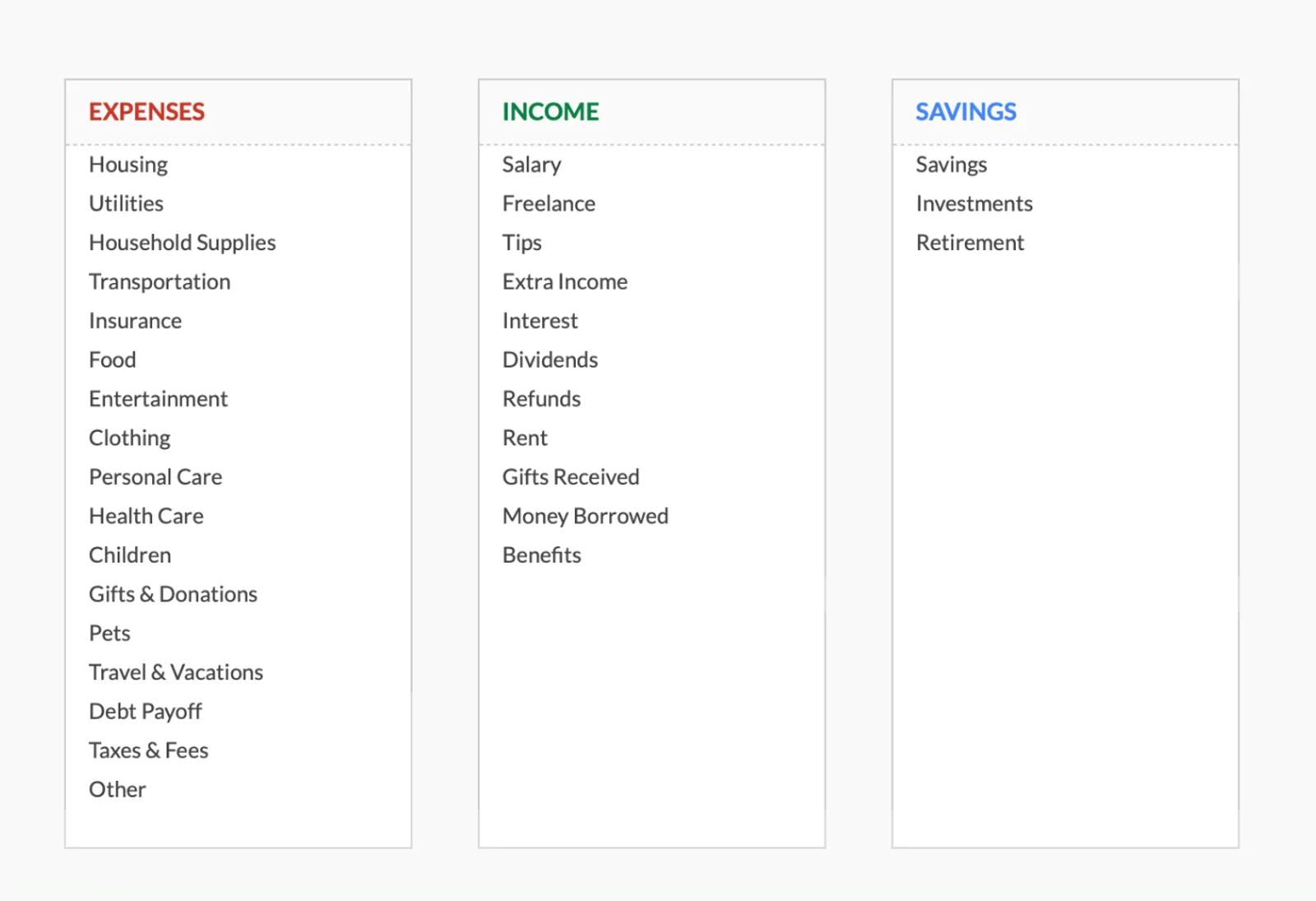
Dashboard with income, expenses, and savings at a glance
Log transactions with automatic categorization
Set targets per category and track actual spending
Visual breakdown of where your money goes
Track savings goals alongside your budget
Monitor progress toward financial goals
Fully customizable expense, income, and savings categories
Common Questions
Reverse Budget Budgeting - FAQ
How is a reverse budget different from no budget at all?
The key difference is intentional savings automation. Without any budget, savings tend to be whatever happens to be left over - usually nothing. A reverse budget ensures savings happen first, reliably, every month.
What if discretionary spending runs out before the month ends?
This usually means fixed expenses and savings are consuming too much of income, or discretionary spending needs more awareness. Tracking discretionary spending loosely for a month or two can reveal where the money goes.
Can I still track spending categories with a reverse budget?
Absolutely. Some people use the reverse budget framework but still track discretionary spending by category for awareness. The template supports as much or as little detail as you want.
How much of income should be discretionary in a reverse budget?
There's no fixed rule. After covering savings (typically 10-20%) and fixed expenses, the remainder is discretionary. For many people this works out to 20-40% of take-home pay, depending on cost of living.
Can't find the answer you're looking for? Contact our team
Start reverse budget budgeting today
One-time purchase. No subscription. Your financial data stays in your Google Drive.