Budgeting Method
Envelope Budget - Digital Template for Google Sheets
Allocate funds to virtual envelopes for each spending category. When an envelope is empty, spending in that category stops - a clear, visual way to stay within limits.
Overview
What Is the Envelope Budget?
The envelope budgeting method assigns a set amount of money to each spending category - traditionally using physical cash in labeled envelopes. When the envelope for "dining out" is empty, dining out stops until next month. It creates a tangible spending limit that's hard to ignore.
The method dates back to the early-to-mid 1900s when most transactions were cash-based. Families would divide their pay into labeled envelopes: rent, groceries, electric bill, clothing. Each envelope had its purpose, and when the cash was gone, it was gone.
Digital envelope budgeting applies the same principle without physical cash. Instead of paper envelopes, categories in a spreadsheet or app serve as virtual containers. You assign dollars to each category at the start of the month and track spending against those limits.
For example, with $4,000 to allocate: Groceries ($500), Dining Out ($200), Gas ($150), Entertainment ($100), Clothing ($75), Personal Care ($50). Each category functions as its own "envelope" with a hard ceiling. If the grocery envelope runs low, it may mean adjusting meals for the rest of the month or moving money from another envelope.
Who it works for
People who tend to overspend in specific categories and benefit from hard spending limits. Works well for those who are visual thinkers and want to "see" money being used up in real time.
Advantages
- Creates clear, enforceable spending limits per category
- Makes overspending immediately visible
- Builds awareness of spending patterns in specific areas
- Adaptable - envelope amounts can shift month to month
- Works for both cash and digital transactions
Tradeoffs
- Requires tracking every purchase by category
- Can feel rigid when unexpected expenses arise
- Moving money between envelopes can become frequent
- Doesn't address savings strategy directly
Getting Started
How to Set Up a Digital Envelope Budget in Google Sheets
The Monthly Budget Template from FinancialAha serves as a digital envelope system. Here's how to configure it:
Define your envelope categories
List every spending area as a separate envelope: groceries, dining out, transportation, entertainment, clothing, personal care, household supplies, gifts. Be specific enough to be useful but not so granular that tracking becomes burdensome. Ten to fifteen categories works well for most people.
Assign dollar amounts to each envelope
Based on your income and priorities, fill each envelope. If your monthly spending budget is $3,500, you might allocate: Groceries $500, Dining Out $200, Transportation $250, Entertainment $100, and so on until every dollar is assigned.
Track spending against each envelope
As you spend, record each transaction under its envelope category. The template shows remaining amounts per category, functioning like a shrinking envelope balance. When you buy $80 in groceries, the grocery envelope drops from $500 to $420.
Handle envelope transfers
When one envelope runs out before month's end, move money from an underspent envelope. Spent too much on dining out? Transfer from entertainment. The template makes these adjustments simple while keeping total spending constant.
Reset and refine monthly
At the start of each new month, refill all envelopes. Use last month's data to adjust amounts - if groceries consistently runs over by $50, increase it and reduce somewhere else. The template's history helps identify these patterns.
Ready to try envelope budget - digital budgeting?
Compare Methods
Envelope Budget vs Other Budgeting Methods
Zero-Based Budget
Very similar in that every dollar gets assigned. The difference is framing: envelopes emphasize spending limits per category, while zero-based emphasizes the overall plan reaching zero.
Cash Stuffing
Cash stuffing is essentially the physical version of envelope budgeting - using actual cash in actual envelopes. The digital version trades tangibility for convenience.
50/30/20 Budget
Much simpler with only three categories versus many envelopes. Less control over individual spending areas but far less maintenance.
See It In Action
What the template looks like
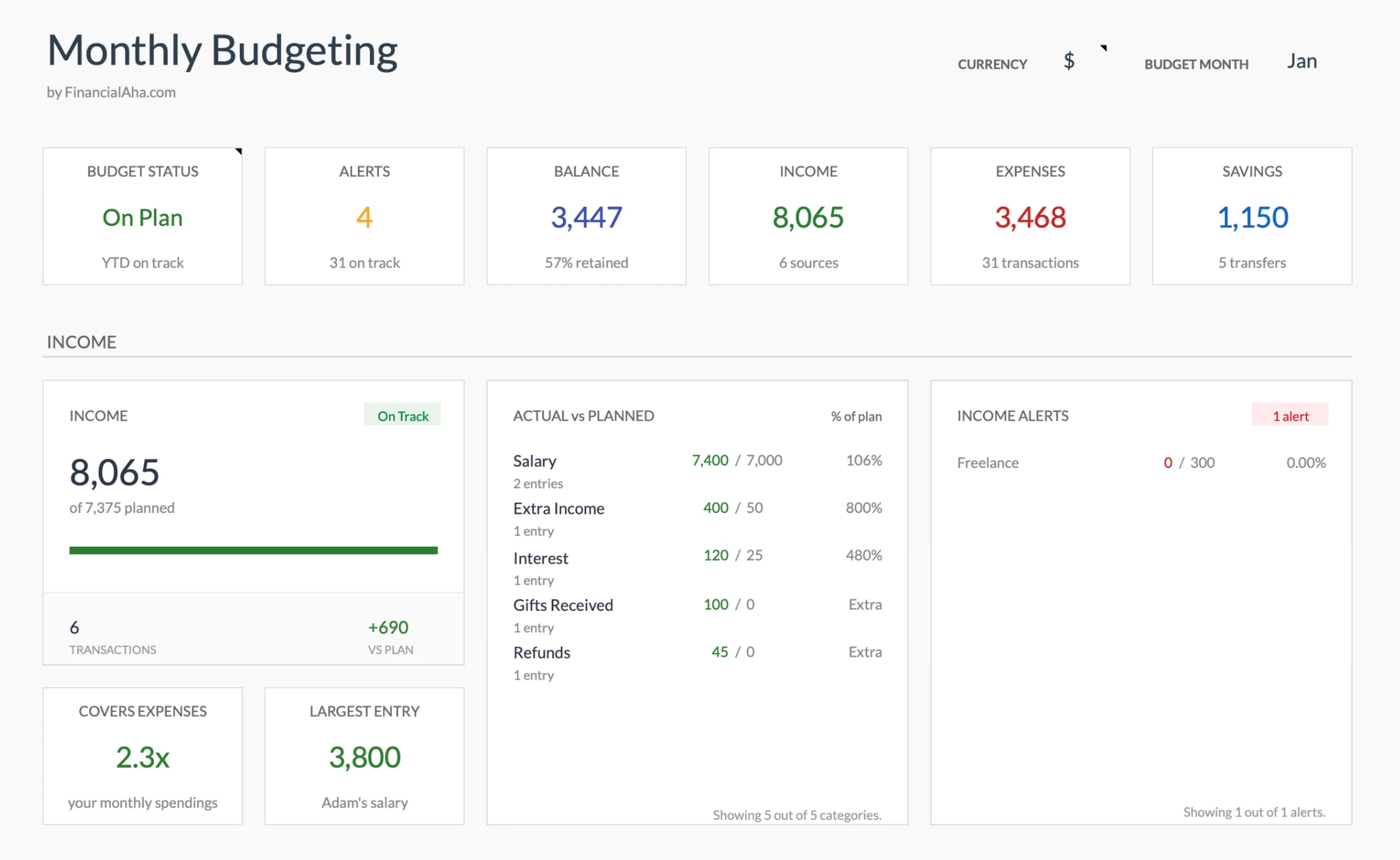
Browse through the template to see how it handles budgeting, expense tracking, savings goals, and spending analysis.
- Dashboard with key metrics
- Budget vs actual comparison
- Savings goal tracking
- Fully customizable categories

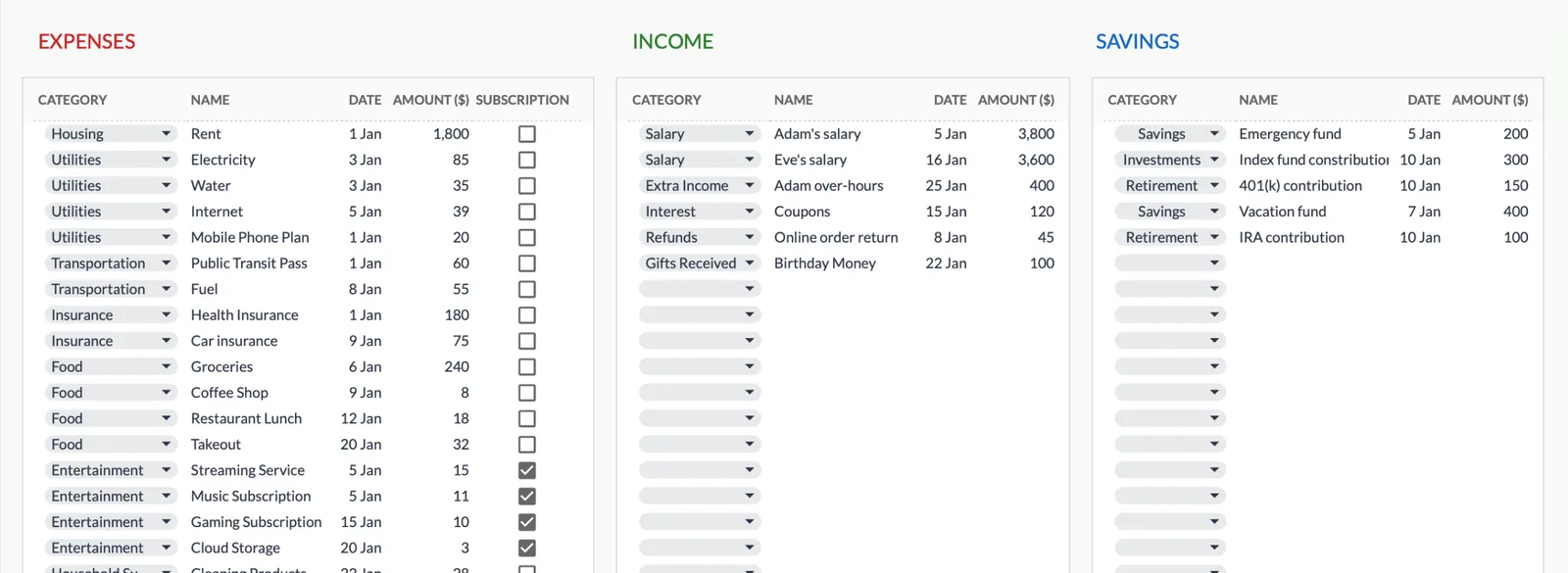
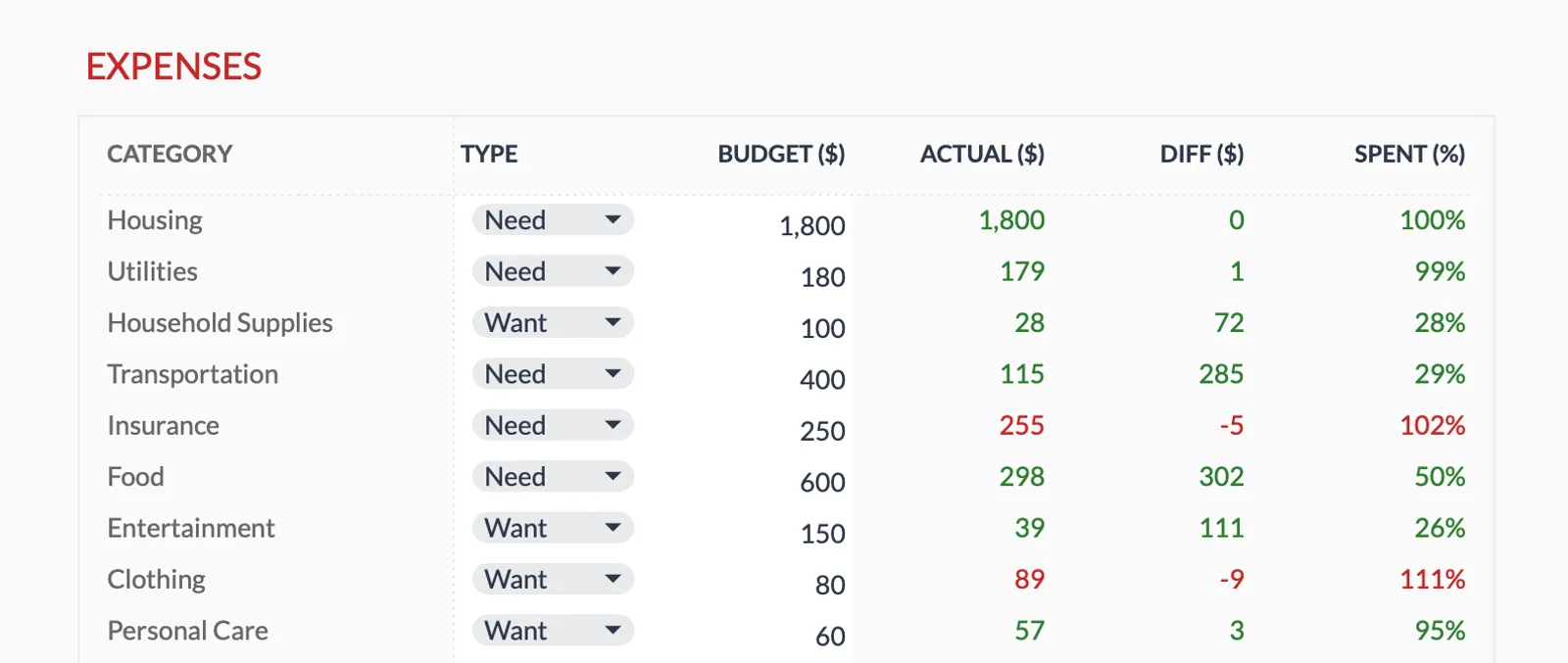
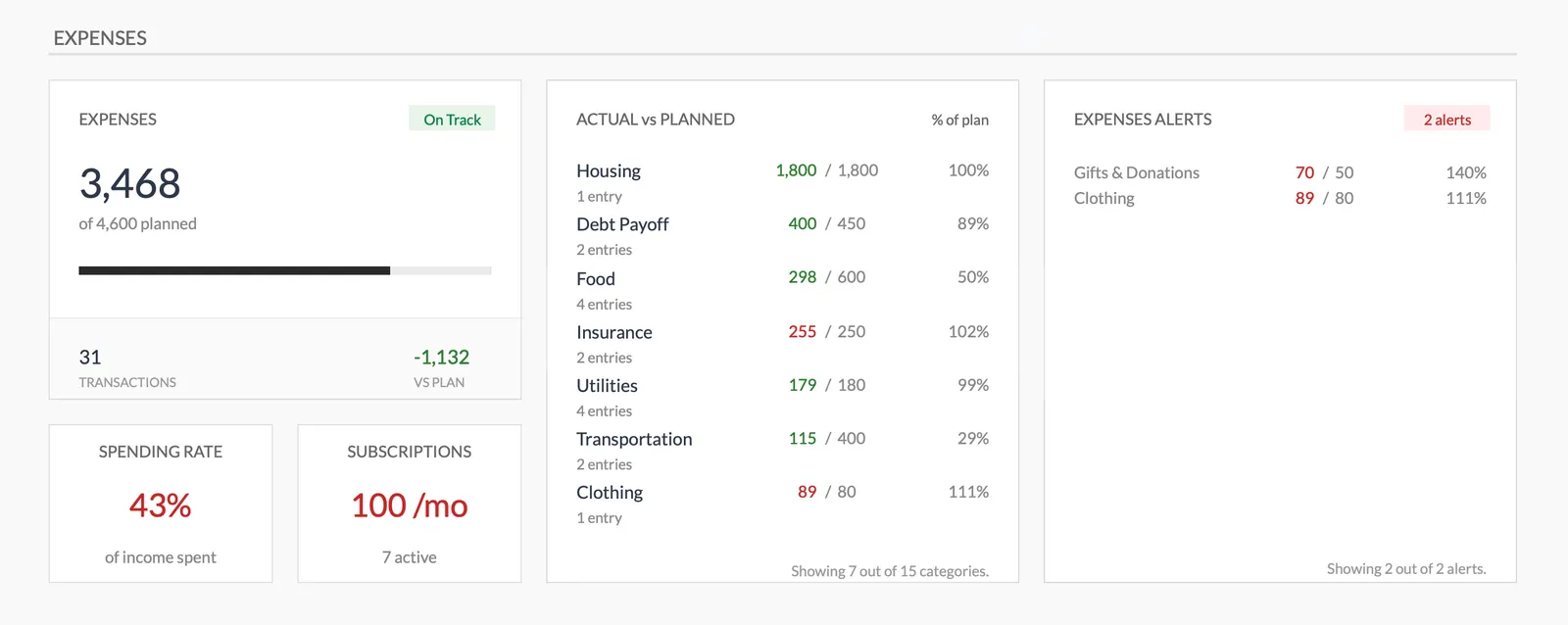
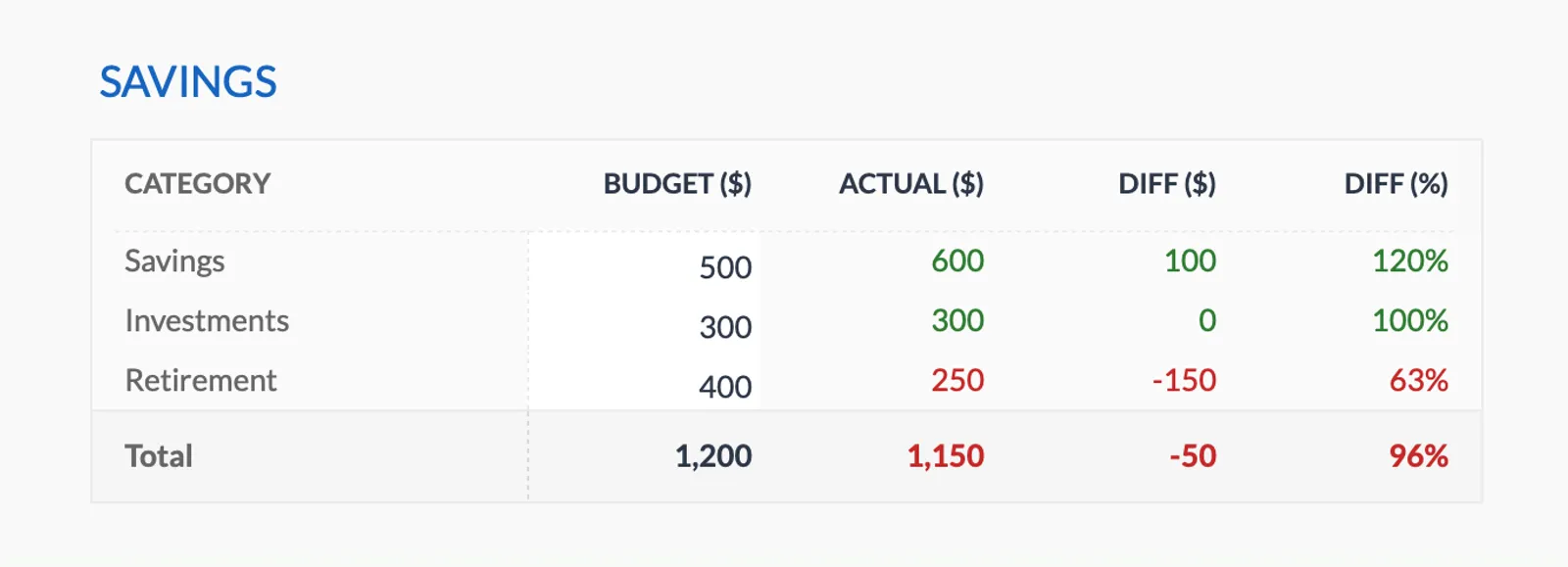
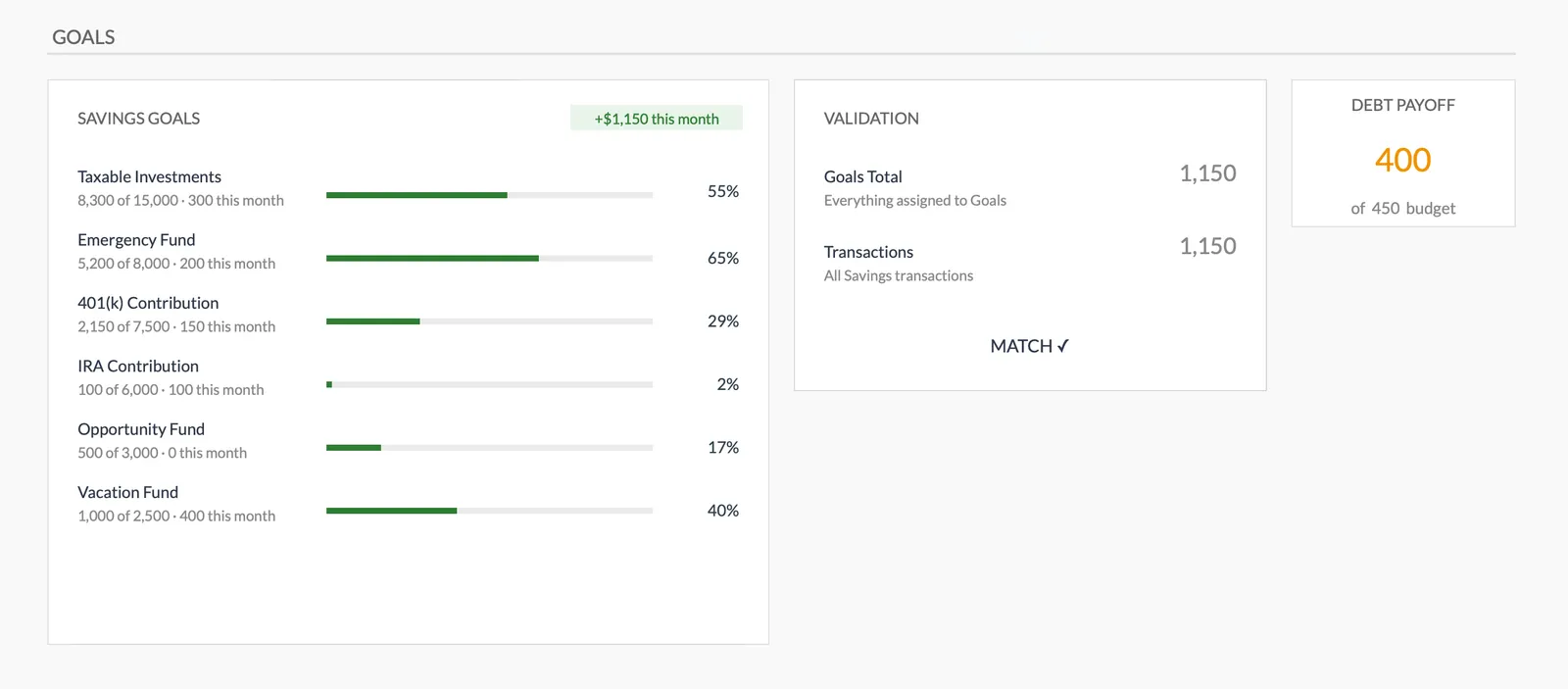
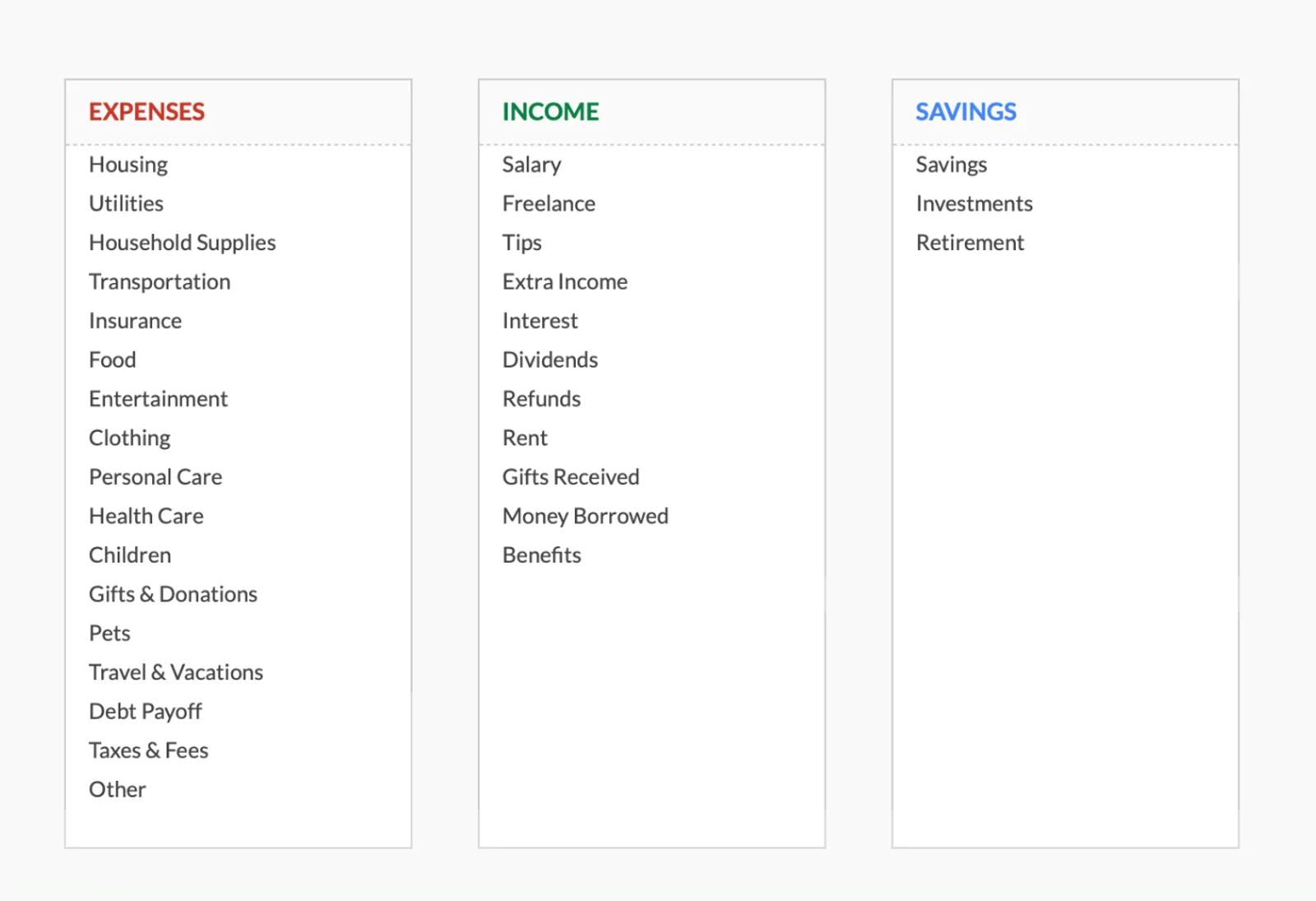
Dashboard with income, expenses, and savings at a glance
Log transactions with automatic categorization
Set targets per category and track actual spending
Visual breakdown of where your money goes
Track savings goals alongside your budget
Monitor progress toward financial goals
Fully customizable expense, income, and savings categories
Common Questions
Envelope Budget - Digital Budgeting - FAQ
How many envelope categories is ideal?
Most people find 10-15 categories manageable. Fewer than that and the envelopes are too broad to be useful. More than 20 and tracking becomes tedious. Start with your main spending areas and split or merge categories based on experience.
What happens when an envelope runs out mid-month?
You have two options: stop spending in that category until next month, or transfer money from an envelope with surplus. The discipline of the method comes from making this a conscious choice rather than just spending more.
Is digital envelope budgeting as effective as cash envelopes?
Studies suggest that physical cash creates a stronger "pain of paying" which can reduce spending. Digital envelopes trade some of that psychological friction for convenience and better tracking. Some people find the visibility in a spreadsheet equally effective.
How does the FinancialAha template work as an envelope system?
Each budget category in the template functions as a digital envelope. Set your target amount for each category, then track actual spending against it. The template shows remaining amounts per category - your virtual envelope balances.
Can't find the answer you're looking for? Contact our team
Start envelope budget - digital budgeting today
One-time purchase. No subscription. Your financial data stays in your Google Drive.