Budgeting Method
Biweekly Budget Template for Google Sheets
Budget by paycheck, not by month. A biweekly budget aligns spending plans with your every-two-weeks pay schedule - matching your budget to how money actually arrives.
In Depth
Matching Your Budget to Your Pay Cycle
The biweekly pay schedule is the most common in the United States - the Bureau of Labor Statistics reports that roughly 43% of private-sector workers are paid every two weeks. Yet most budgeting advice assumes monthly planning, creating a mismatch that trips people up. The core issue is straightforward: a biweekly schedule produces 26 paychecks per year, which means ten months have two paychecks and two months have three. Monthly budgets that assume a consistent income amount each month do not account for this variation.
The two "extra" paychecks per year represent a genuine strategic opportunity. Since all regular bills and expenses are structured around the standard two-paycheck months, the third paycheck in a three-paycheck month is effectively surplus. Some people direct these entirely toward debt payoff or savings goals, treating them as found money. Others fold them into regular spending, which means the opportunity is absorbed without any lasting impact. How these bonus paychecks are handled can make a meaningful difference over years - two extra paychecks of $2,000 each amounts to $4,000 per year, or $40,000 over a decade before any investment growth.
One practical challenge of biweekly budgeting is bill assignment. Rent is typically due on the first of the month, but paychecks arrive on varying dates - sometimes before the first, sometimes after. Mapping each bill to the paycheck that arrives before its due date requires an initial planning session that can feel complicated. Some people simplify this by building a one-month buffer in checking - essentially getting one month ahead - so that bill timing becomes irrelevant because the money is already there.
The shorter planning horizon of two weeks, compared to a full month, appeals to people who find monthly budgets too abstract. Planning spending for 14 days at a time feels more concrete and controllable than planning for 30. Mistakes stay small because there is a natural reset point every two weeks, and adjustments can be made with the next paycheck rather than waiting until next month.
Overview
What Is a Biweekly Budget?
A biweekly budget organizes finances around a two-week pay cycle rather than a calendar month. Instead of one monthly budget, you create a plan for each paycheck period - typically 26 pay periods per year.
Monthly budgeting assumes income arrives once a month, but many people are paid every two weeks. This creates a mismatch: some months have two paychecks, others have three. Bills don't align neatly with pay dates. A biweekly budget solves this by planning spending for each paycheck individually.
For example, on a $2,500 biweekly paycheck, Paycheck 1 might cover: rent ($1,400), utilities ($200), groceries ($250), savings ($300), and spending money ($350). Paycheck 2 covers: car payment ($350), insurance ($150), groceries ($250), savings ($300), debt payment ($400), and spending money ($550).
The two "extra" paychecks per year (months with three paychecks) become a built-in bonus. Some people direct these entirely to savings or debt payoff since regular expenses are already covered by the standard two-paycheck months.
This approach tends to reduce the end-of-month cash crunch because it prevents spending the second paycheck's money during the first two weeks.
Who it works for
People paid every two weeks who find monthly budgets don't match their cash flow. Particularly useful for those who run out of money before the month ends or struggle to plan around irregular bill timing.
Advantages
- Aligns budget with actual income timing
- Prevents overspending early in the month
- Two "bonus" paychecks per year for extra savings or debt payoff
- Easier to manage when bills fall on different dates
- Smaller planning periods feel more manageable
Tradeoffs
- Requires assigning specific bills to specific paychecks
- More planning sessions (26 per year vs 12)
- Some expenses don't divide neatly into two-week periods
- Can be confusing when transitioning from monthly budgeting
Getting Started
How to Set Up a Biweekly Budget in Google Sheets
The Monthly Budget Template from FinancialAha can be adapted for biweekly planning. Here's how:
Map your bills to specific paychecks
List every recurring bill with its due date. Assign each bill to the paycheck that arrives before its due date. Rent due on the 1st? Assign it to the second paycheck of the prior month. Car payment due on the 15th? First paycheck of the month.
Create two budget plans per month
Set up Paycheck 1 and Paycheck 2 as separate budget sections. Each paycheck has its own income amount ($2,500) and its own expense assignments. The template lets you track both within the same month.
Split variable expenses across paychecks
Divide groceries, gas, and other ongoing costs between pay periods. If the monthly grocery budget is $500, allocate $250 per paycheck. This prevents spending the whole grocery budget in the first two weeks.
Plan for three-paycheck months
Twice a year, you'll receive three paychecks in a month. Since regular expenses are covered by two paychecks, the third is surplus. Decide in advance where this goes: emergency fund, debt payoff, or a specific savings goal.
Track spending within each pay period
Record expenses against the correct paycheck budget. The template shows remaining amounts per pay period, helping you stay within each paycheck's allocation rather than borrowing from the next one.
Ready to try biweekly budget budgeting?
Compare Methods
Biweekly Budget vs Other Budgeting Methods
Weekly Budget
Even shorter planning periods. Weekly budgets work well for tight cash flow but require more frequent planning sessions. Biweekly matches the most common pay schedule.
Zero-Based Budget
Zero-based can be done monthly or biweekly. Combining both means assigning every dollar of each paycheck to a specific purpose.
Envelope Budget
Envelopes can be refilled biweekly instead of monthly, making the two methods very compatible. Fund half of each envelope with each paycheck.
See It In Action
What the template looks like
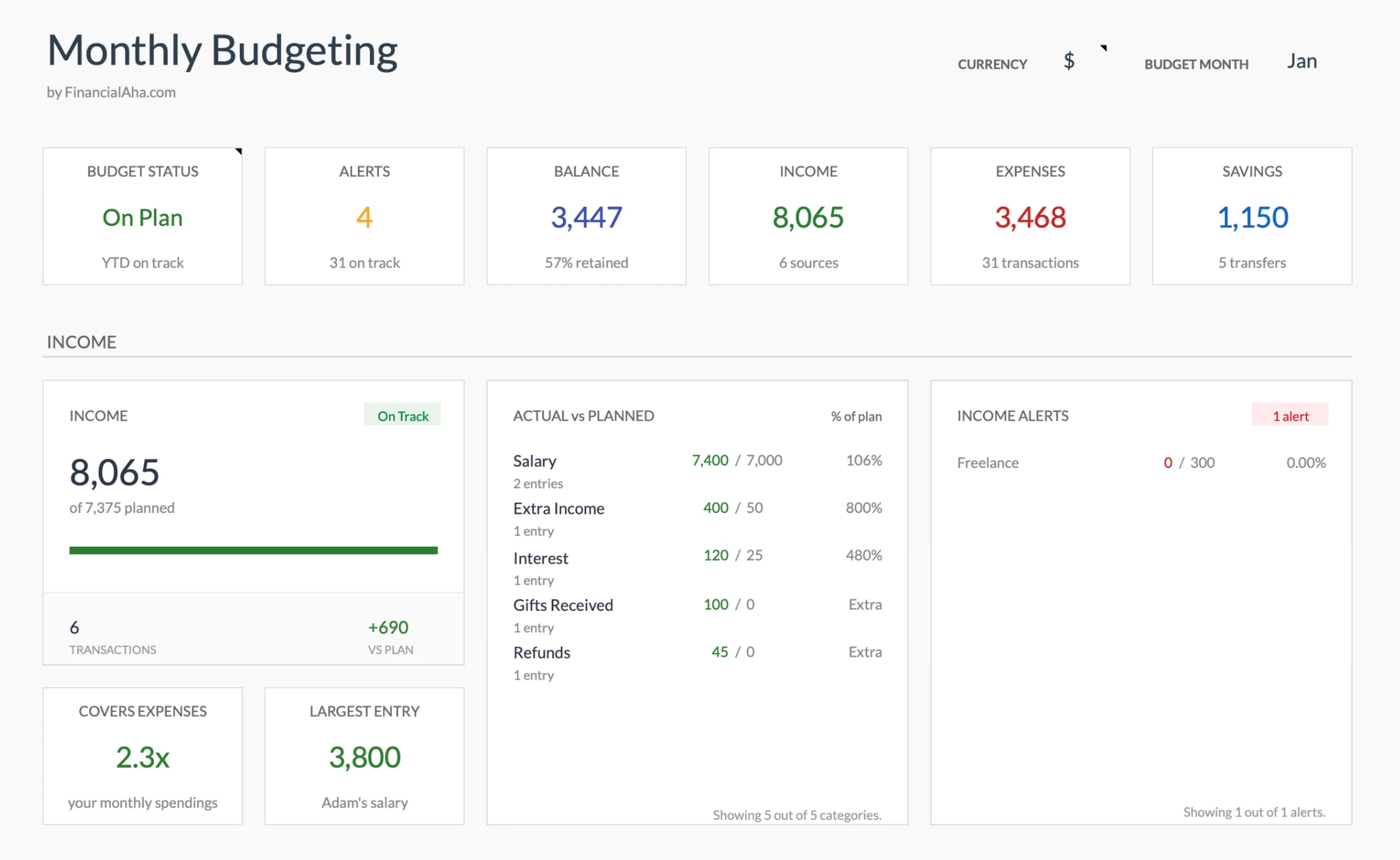
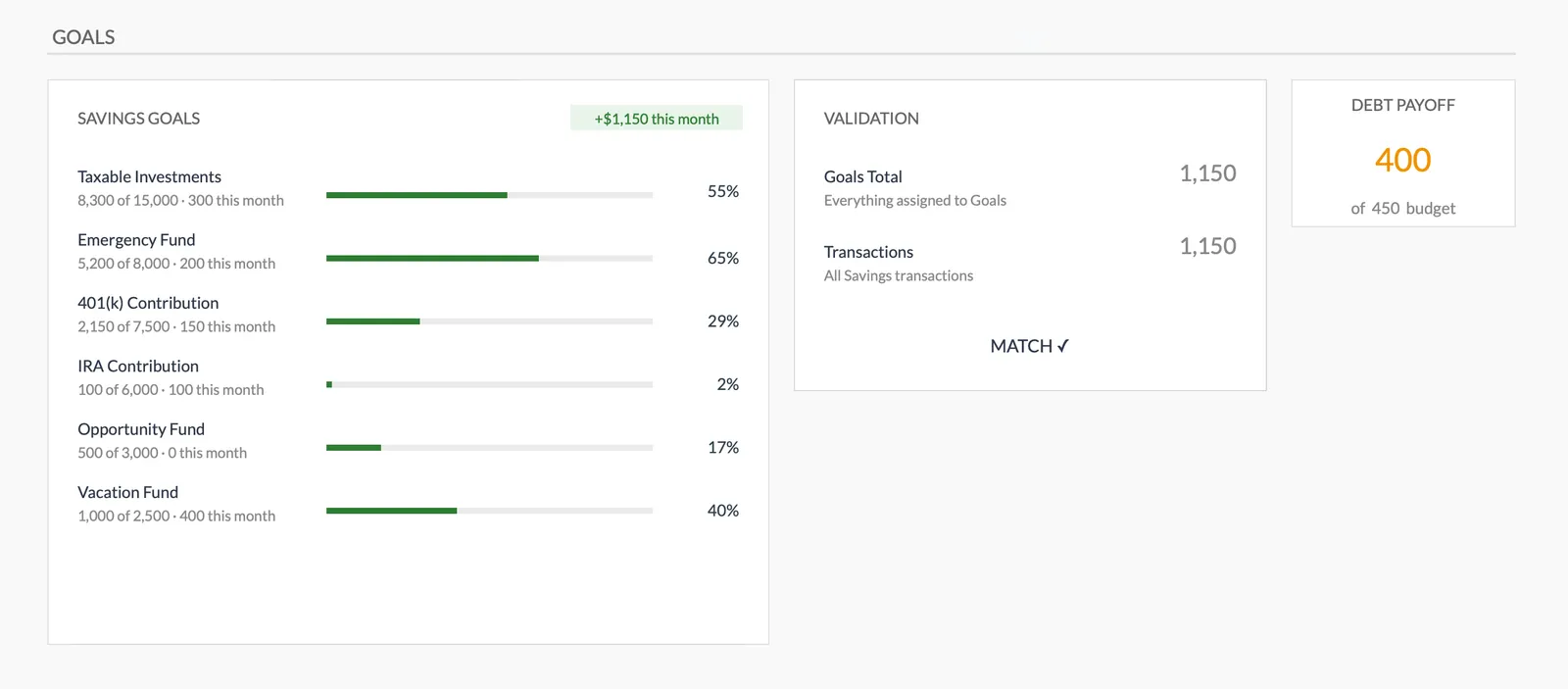
Browse through the template to see how it handles budgeting, expense tracking, savings goals, and spending analysis.
- Dashboard with key metrics
- Budget vs actual comparison
- Savings goal tracking
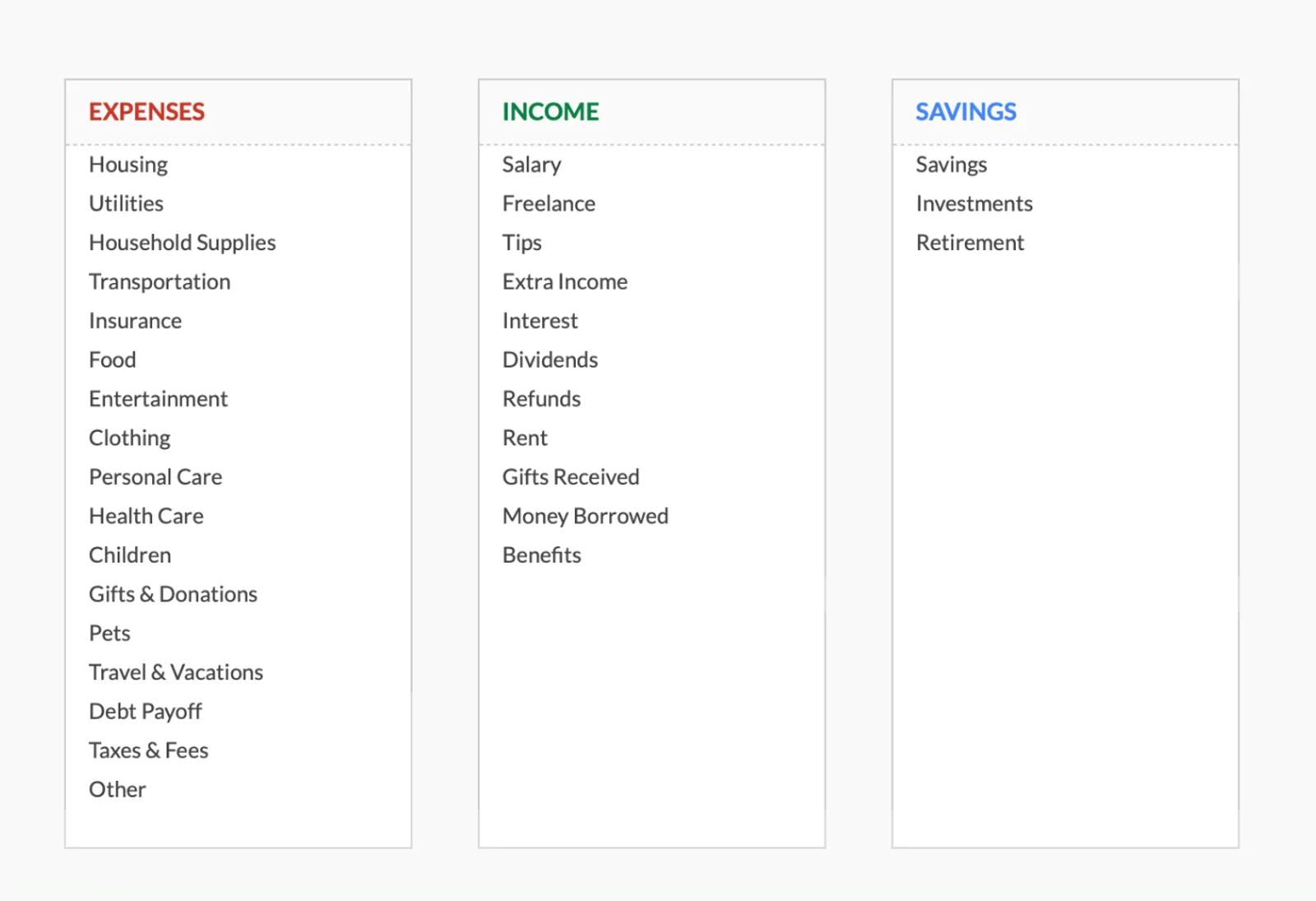
- Fully customizable categories

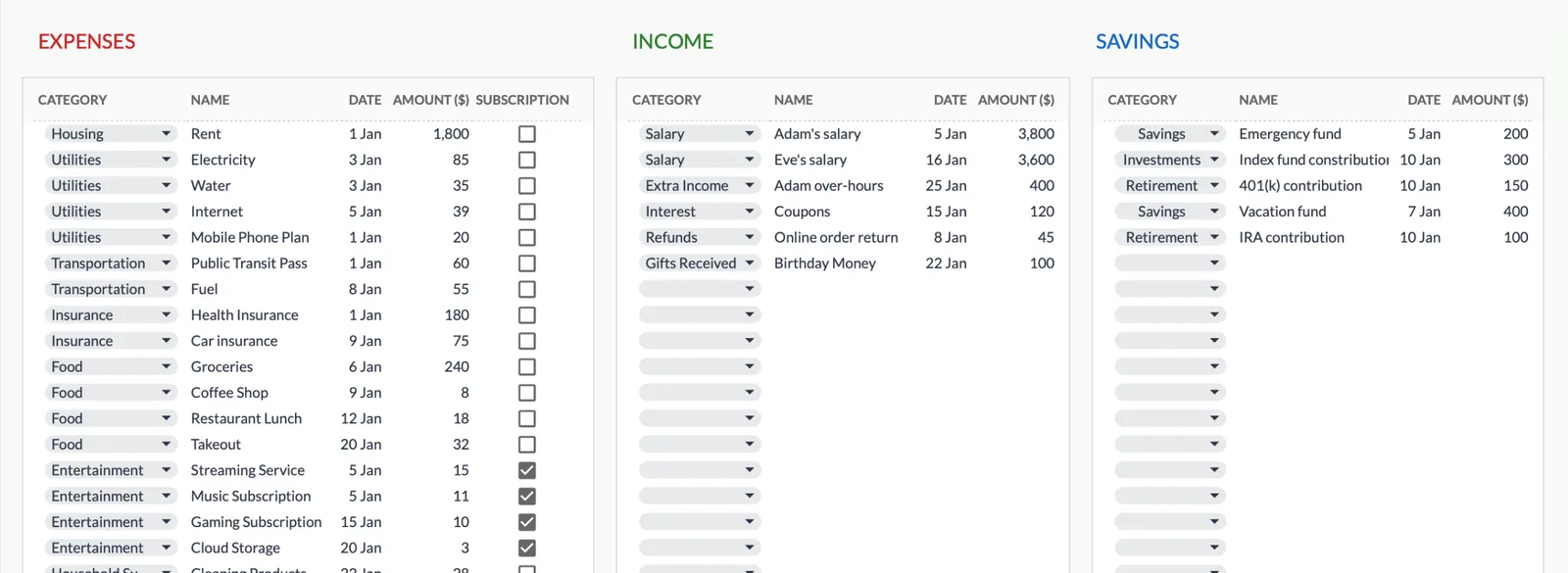
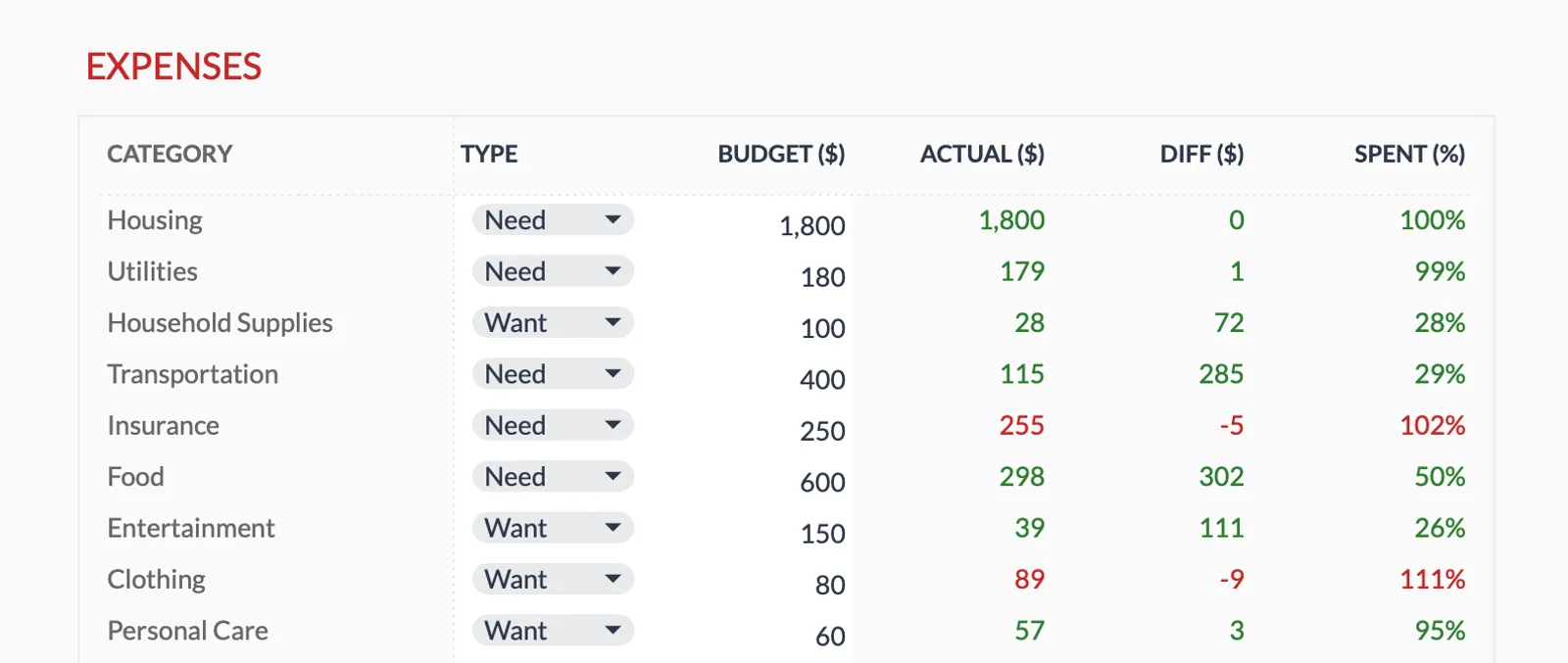
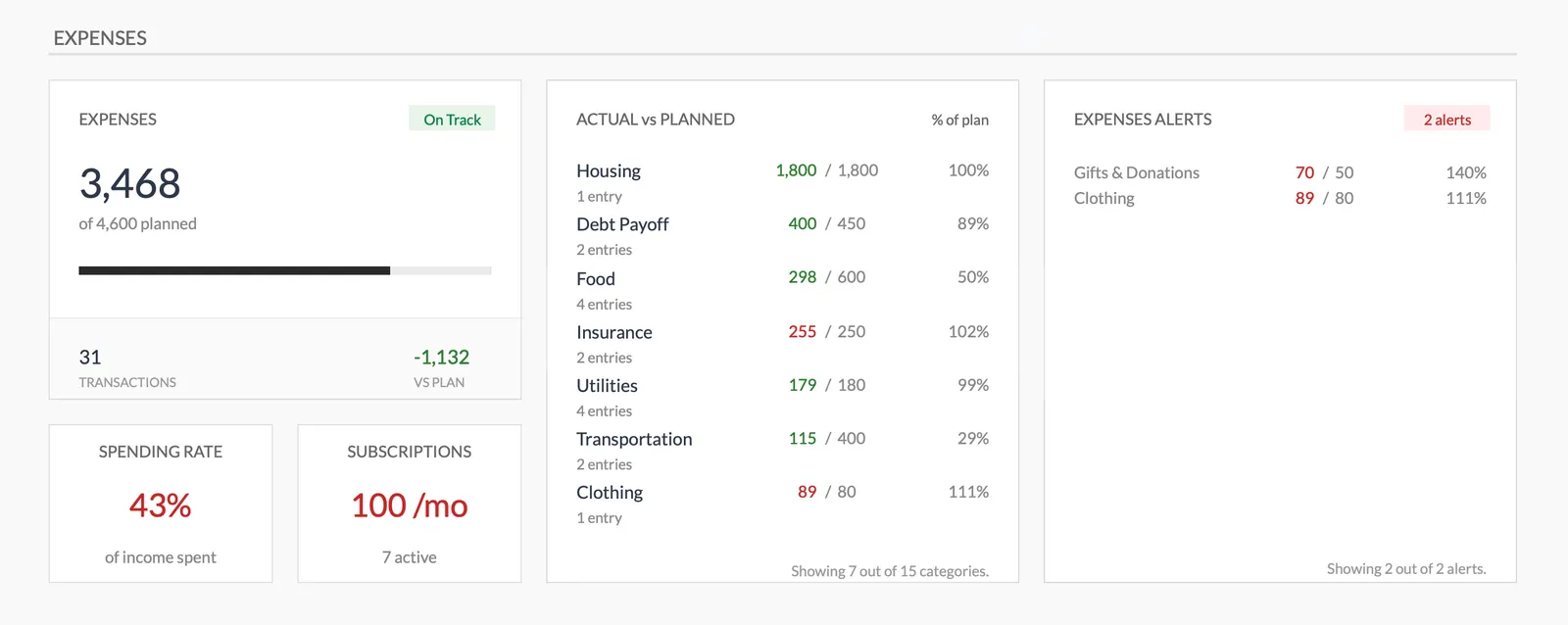
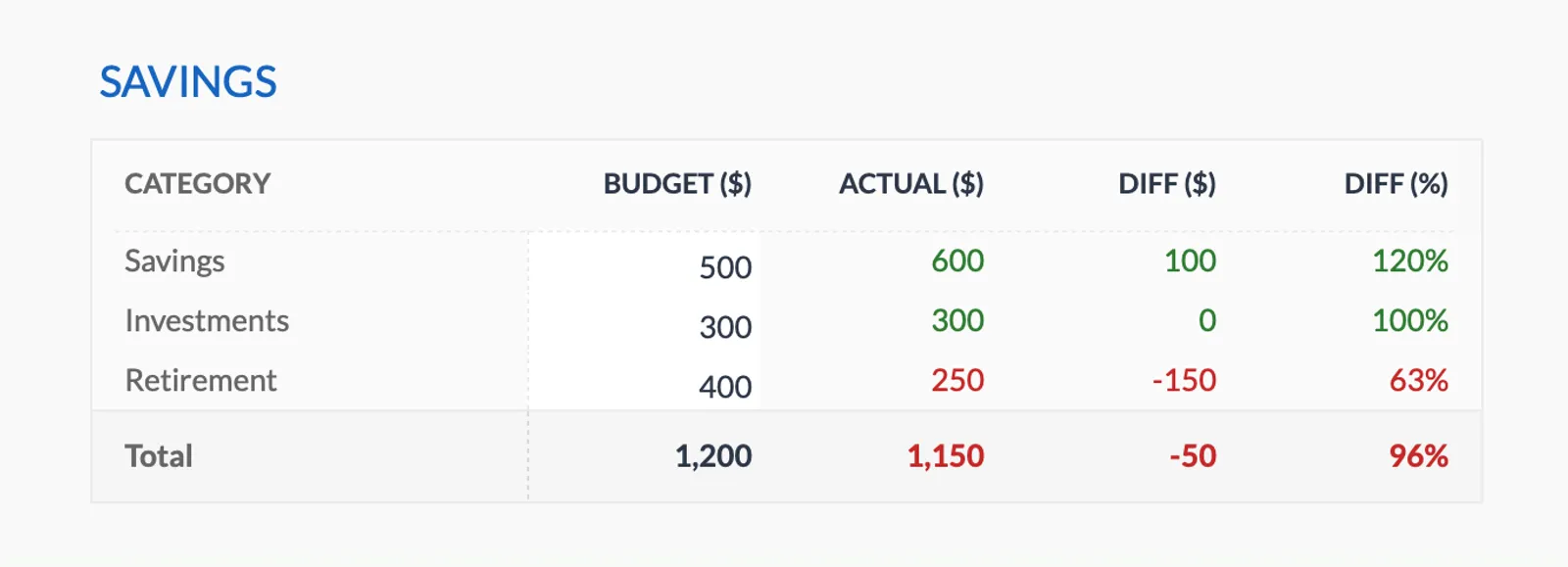
Dashboard with income, expenses, and savings at a glance
Log transactions with automatic categorization
Set targets per category and track actual spending
Visual breakdown of where your money goes
Track savings goals alongside your budget
Monitor progress toward financial goals
Fully customizable expense, income, and savings categories
Common Questions
Biweekly Budget Budgeting - FAQ
How do I handle bills due before my first paycheck of the month?
Assign those bills to the last paycheck of the previous month. The key is matching each bill to the paycheck that arrives before its due date, regardless of which calendar month it falls in.
What do I do with the two extra paychecks per year?
Since all regular expenses are covered by the standard two-paycheck months, the extra paychecks are effectively bonus income. Common uses: emergency fund, extra debt payment, saving for annual expenses (insurance, holidays), or investing.
Is biweekly budgeting harder than monthly budgeting?
The initial setup is more involved because you're mapping bills to pay dates. But ongoing management can actually be easier because you're only planning two weeks at a time and the budget matches your cash flow.
Can the FinancialAha template handle biweekly budgets?
The Monthly Budget Template can be adapted by creating sections or categories that correspond to each paycheck. Track spending against each paycheck's allocation to stay within per-period limits.
Can't find the answer you're looking for? Contact our team
Start biweekly budget budgeting today
One-time purchase. No subscription. Your financial data stays in your Google Drive.