Budgeting Method
Anti-Budget Template for Google Sheets
For people who hate budgeting. The anti-budget automates savings and bills, then lets you spend the rest without categories, envelopes, or tracking every purchase.
Overview
What Is an Anti-Budget?
The anti-budget is exactly what it sounds like - a rejection of traditional budgeting. Instead of tracking every dollar across detailed categories, you automate the important financial moves (savings and bills) and spend whatever remains without guilt or oversight.
The term was popularized by personal finance writer Paula Pant of "Afford Anything." Her argument: if your savings are automated and your bills are paid, the rest of your money can be spent however you want. Tracking coffee purchases and categorizing Amazon orders adds friction without proportional benefit for many people.
The anti-budget has three steps: 1) Automate savings transfers on payday, 2) Automate all recurring bill payments, 3) Spend the remaining balance freely. That's it.
For someone earning $5,000/month: $750 auto-transfers to savings and investments, $2,500 in bills and subscriptions auto-pay, and the remaining $1,750 is available for anything - no categories, no tracking, no spreadsheet required. The financial goals are protected by automation, not willpower.
This works well for people who earn more than enough to cover basics but struggle with the tedium of detailed budgeting. It doesn't work as well when income barely covers expenses and every dollar needs careful allocation.
Who it works for
People who earn comfortably more than their expenses, have tried detailed budgeting and abandoned it, or simply want the simplest possible system that still protects savings goals.
Advantages
- Almost zero time commitment after setup
- No spending guilt or category anxiety
- Automation ensures savings happen consistently
- Sustainable long-term because it requires so little effort
- Bills never missed thanks to auto-pay
Tradeoffs
- No visibility into where discretionary money goes
- Doesn't work well when income barely covers expenses
- Can enable lifestyle inflation unchecked
- Provides no framework for cutting costs if needed
Getting Started
How to Set Up an Anti-Budget in Google Sheets
The Monthly Budget Template from FinancialAha can serve as a light framework for the anti-budget approach. Here's the setup:
Calculate your automated savings amount
Decide how much to save each month - a common starting range is 15-25% of take-home pay. On $5,000 income, that's $750-$1,250. Set up automatic transfers to savings or investment accounts on payday.
List all automated bill payments
Total every recurring bill: rent, utilities, insurance, subscriptions, loan payments. Set all of these to auto-pay. Enter these in the template to know your committed spending total.
Calculate your free-spending amount
Income minus savings minus bills equals your free-spending number. On $5,000: savings $800 + bills $2,400 = $3,200 committed, leaving $1,800 free. This is the only number that matters.
Spend the rest without tracking
The remaining $1,800 is yours to spend however you choose. No categories, no envelopes, no guilt. If you want fancy coffee every day and that fits within $1,800, that's fine.
Review quarterly rather than monthly
Check in every three months: are savings growing as planned? Are any bills increasing? Is the free-spending amount still comfortable? Adjust automation amounts as income or expenses change.
Ready to try anti-budget budgeting?
Compare Methods
Anti-Budget vs Other Budgeting Methods
Reverse Budget
Functionally identical - save first, pay bills, spend the rest. The anti-budget is marketed as a rejection of budgeting; the reverse budget frames it as budgeting in reverse order.
80/20 Budget
Same philosophy with a specific 80/20 split. The anti-budget doesn't prescribe a percentage - just automate whatever savings amount works for you.
Zero-Based Budget
The polar opposite. Zero-based tracks every dollar in detailed categories. If the anti-budget is "minimum viable budgeting," zero-based is the comprehensive version.
See It In Action
What the template looks like
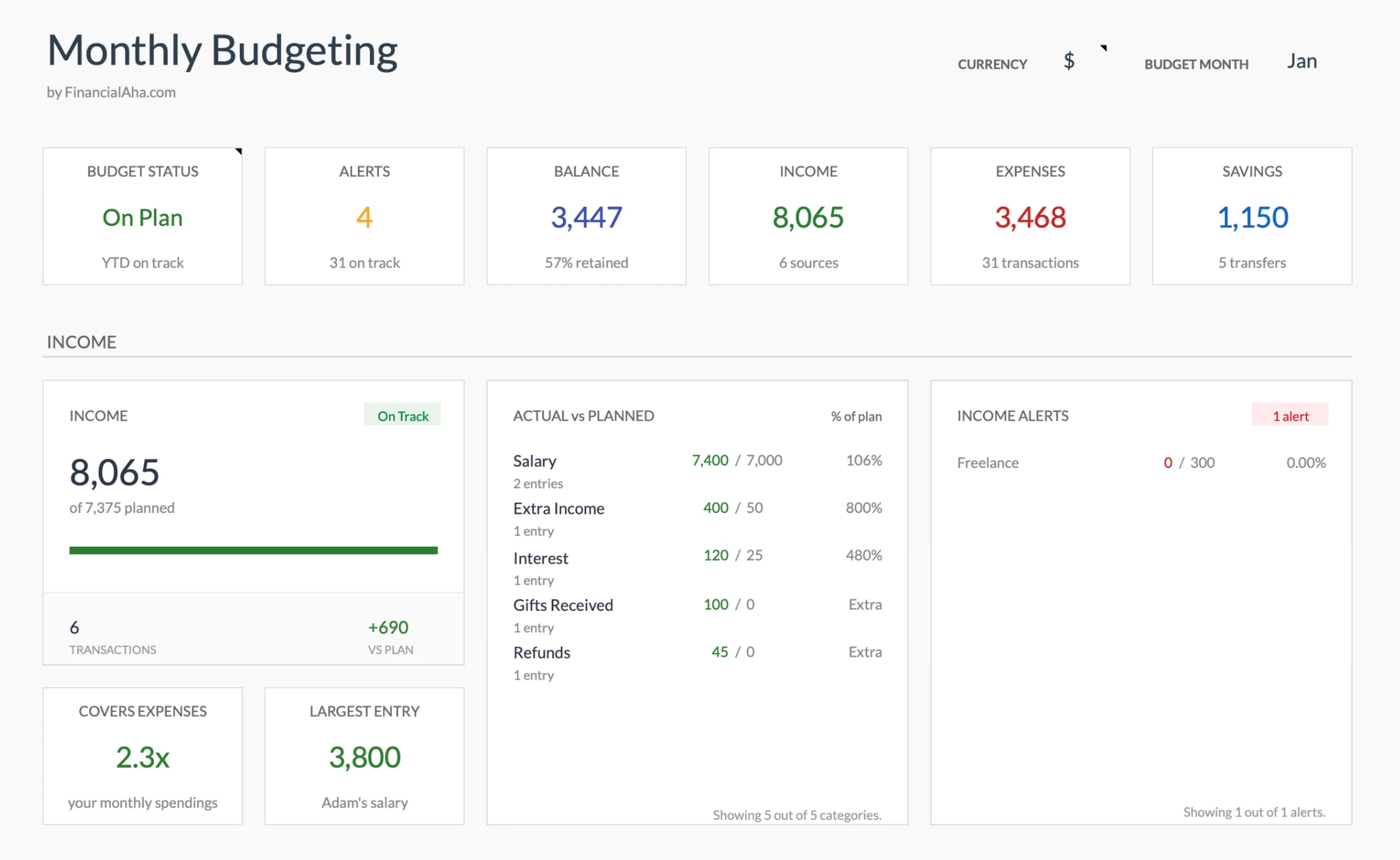
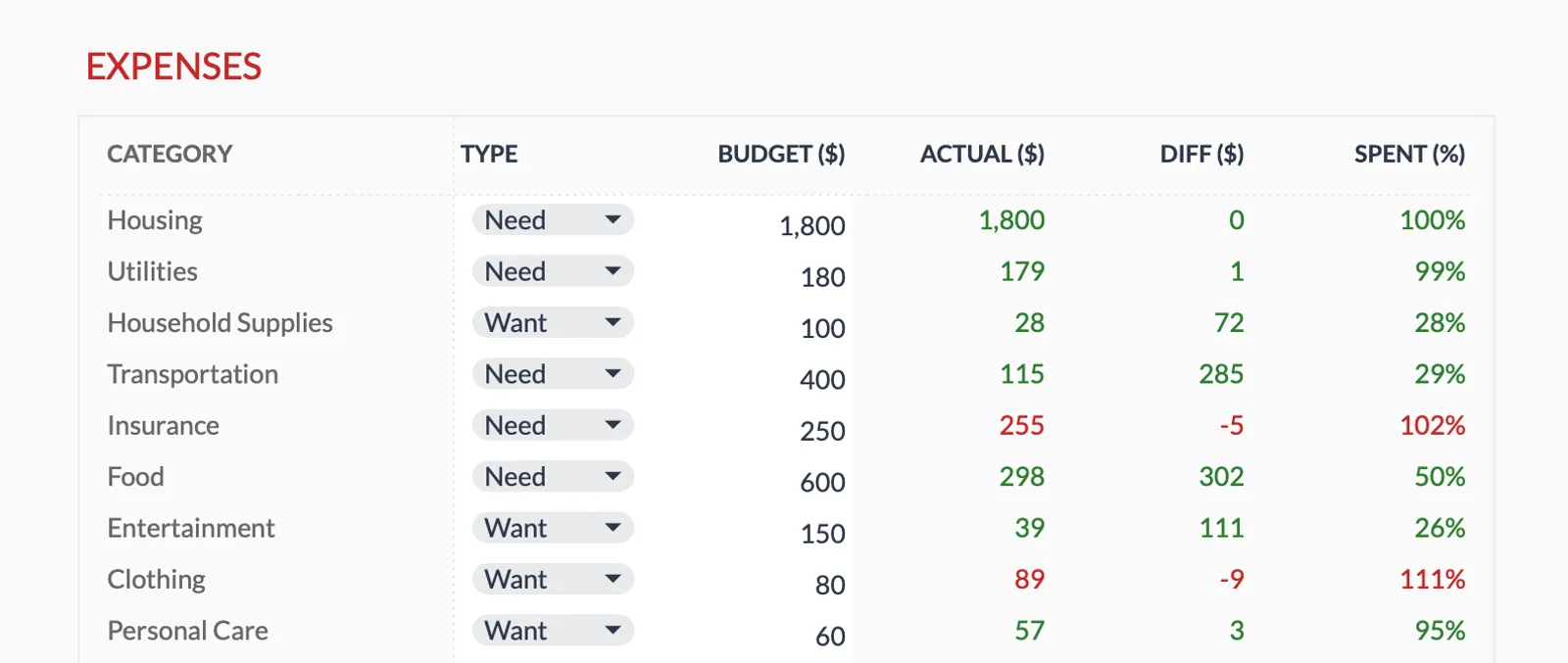
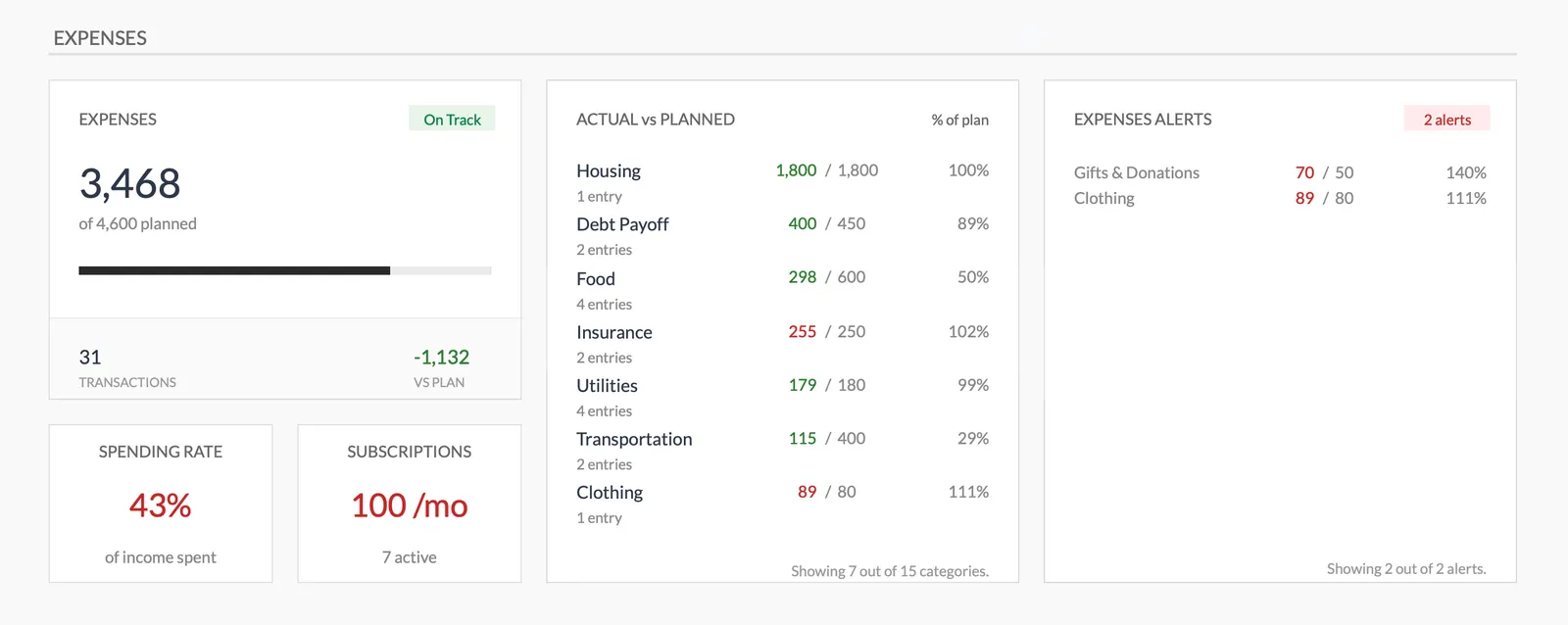
Browse through the template to see how it handles budgeting, expense tracking, savings goals, and spending analysis.
- Dashboard with key metrics
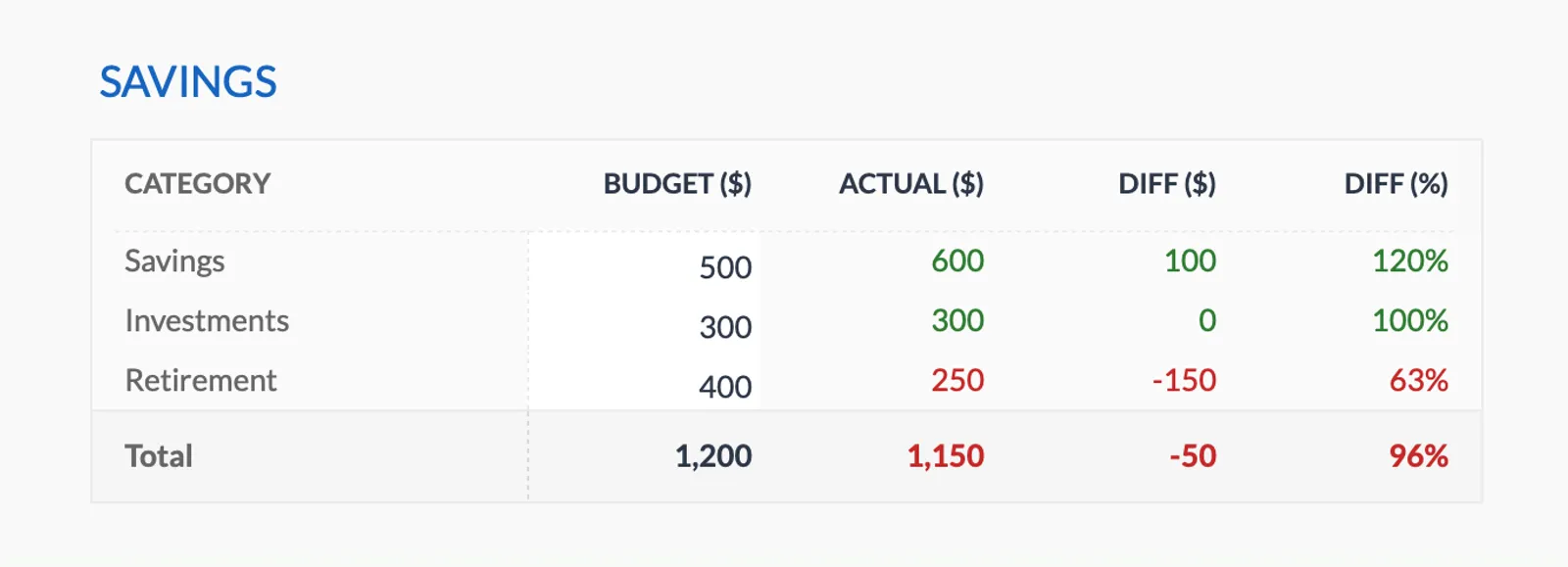
- Budget vs actual comparison
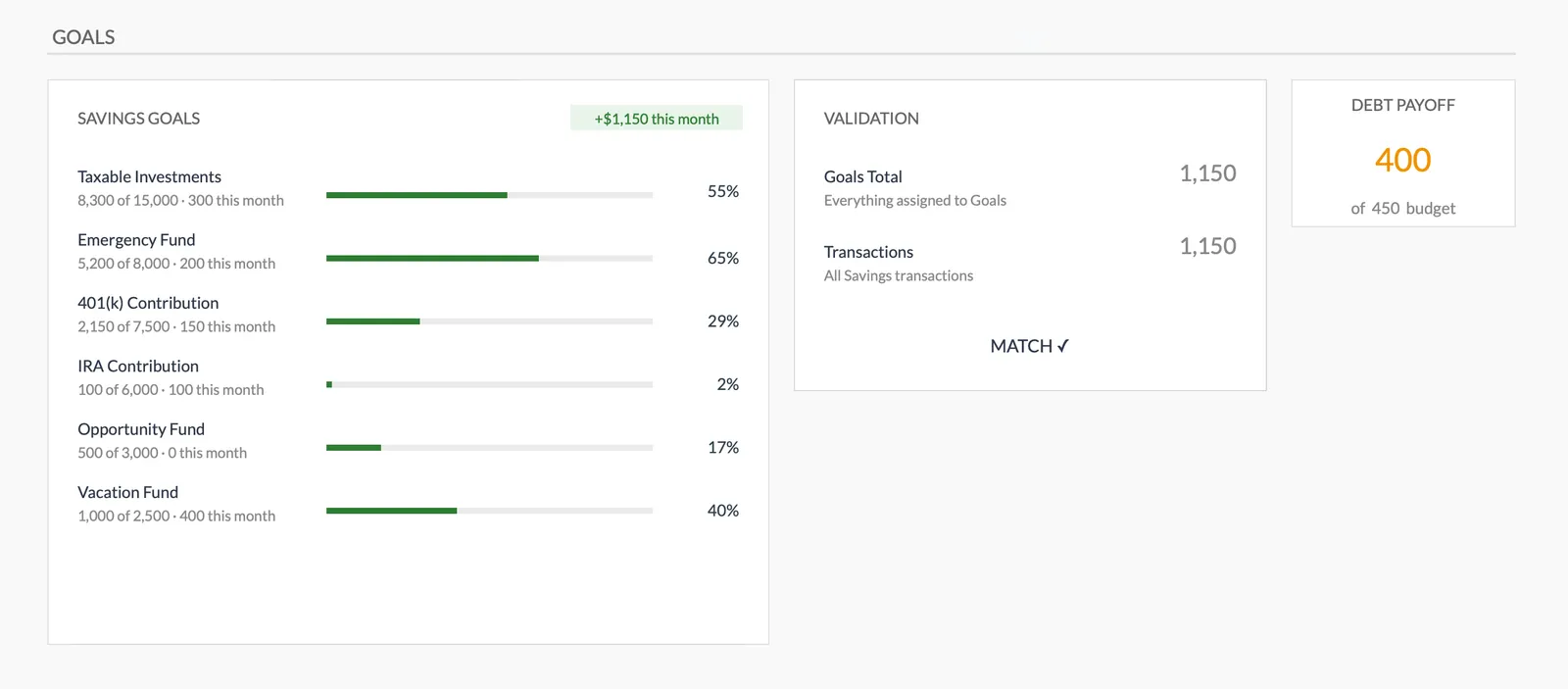
- Savings goal tracking
- Fully customizable categories

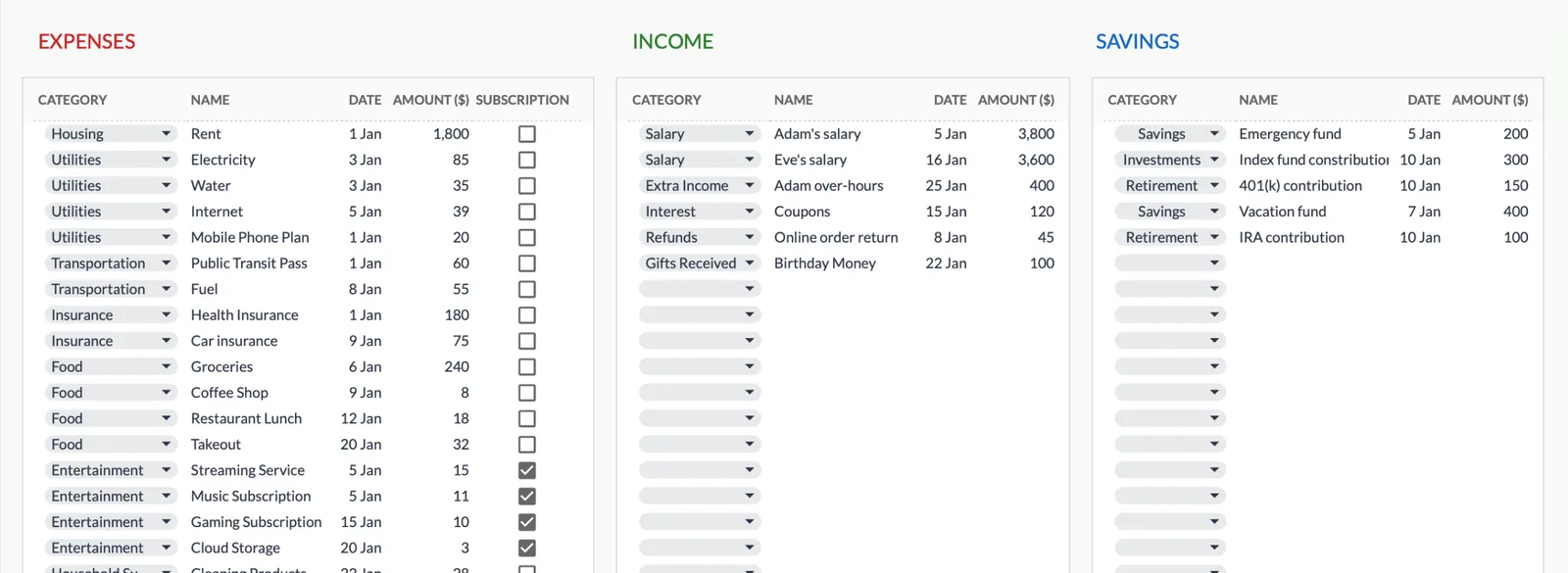
Dashboard with income, expenses, and savings at a glance
Log transactions with automatic categorization
Set targets per category and track actual spending
Visual breakdown of where your money goes
Track savings goals alongside your budget
Monitor progress toward financial goals
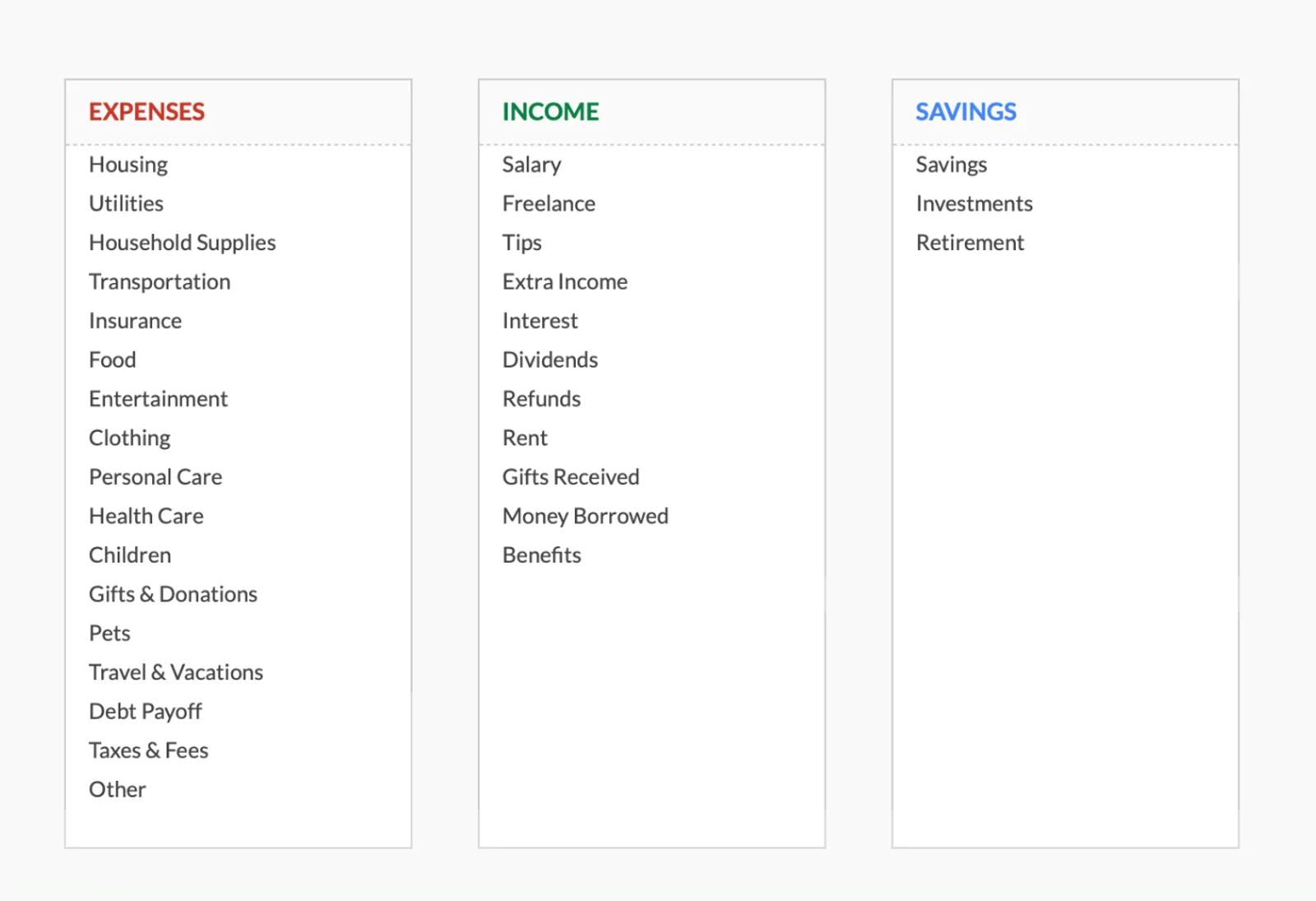
Fully customizable expense, income, and savings categories
Common Questions
Anti-Budget Budgeting - FAQ
If I don't track spending, how do I know if it's working?
Two indicators: savings are growing as planned, and you're not accumulating new debt. If both are true, the system is working. If either fails, it may be time for more detailed tracking - at least temporarily.
Isn't this just... not budgeting?
It's intentionally designing your financial system so that the important parts (savings, bills) happen automatically. The lack of spending categories is a feature, not a bug. It's minimal budgeting, not zero budgeting.
What if I run out of free-spending money before the month ends?
This means either the automated amounts are too aggressive, unexpected expenses came up, or spending habits need adjustment. Tracking spending for a month or two can reveal the pattern before returning to the anti-budget.
Why use a template if the point is not to budget?
The template helps with the setup phase - calculating the right amounts for savings and bills, and knowing your free-spending number. After setup, you might only open it quarterly for check-ins.
Can't find the answer you're looking for? Contact our team
Start anti-budget budgeting today
One-time purchase. No subscription. Your financial data stays in your Google Drive.