Budgeting Method
60/20/20 Budget Template for Google Sheets
A realistic split for higher expenses. The 60/20/20 budget gives 60% to needs, 20% to wants, and 20% to savings - better suited for those whose essentials cost more.
Overview
What Is the 60/20/20 Budget?
The 60/20/20 budget is a variation of percentage-based budgeting that allocates 60% of after-tax income to needs, 20% to wants, and 20% to savings and debt repayment. It emerged as a practical alternative to the 50/30/20 rule for people whose essential expenses consume more than half their income.
In many cities, housing alone can take 30-40% of take-home pay. Add utilities, groceries, insurance, and transportation, and 50% for all needs becomes tight. The 60/20/20 split acknowledges this reality while still maintaining dedicated space for discretionary spending and savings.
For someone earning $5,000 after tax: $3,000 goes to needs (rent, food, utilities, insurance, minimum debt payments), $1,000 to wants (dining out, hobbies, entertainment), and $1,000 to savings (emergency fund, retirement, extra debt payments).
MSN Money columnist Richard Jenkins proposed a similar "60% Solution" where 60% covers committed expenses and the remaining 40% splits across retirement, long-term savings, short-term savings, and fun money. The 60/20/20 simplifies this into three clear buckets.
Who it works for
People in high cost-of-living areas where needs consume more than 50% of income. Also useful for anyone transitioning from no budget to percentage-based budgeting who finds the 50/30/20 split unrealistic for their situation.
Advantages
- More realistic for high cost-of-living areas than 50/30/20
- Still maintains a meaningful savings rate at 20%
- Simple three-category structure is easy to follow
- Reduces guilt about higher essential spending
- Adaptable - the percentages can shift as circumstances change
Tradeoffs
- Less money allocated to wants compared to 50/30/20
- The 60% needs bucket can still be tight for some
- Broad categories don't reveal specific spending patterns
- May normalize high fixed costs instead of encouraging reduction
Getting Started
How to Set Up a 60/20/20 Budget in Google Sheets
The Monthly Budget Template from FinancialAha adapts easily to the 60/20/20 method. Here's the setup:
Enter your after-tax monthly income
Input your total take-home pay. On $4,500, your three buckets are: needs $2,700 (60%), wants $900 (20%), savings $900 (20%).
List all essential expenses under needs
Include rent or mortgage, utilities, groceries, insurance, transportation, childcare, minimum debt payments, and any other non-negotiable costs. Total these to see if they fit within 60%.
Allocate wants within the 20% budget
Dining out, entertainment, subscriptions, hobbies, and discretionary shopping go here. With $900 for wants, you might allocate $200 for dining, $100 for entertainment, $150 for subscriptions, and $350 for everything else.
Direct 20% to savings and debt repayment
Split the savings bucket based on priorities. A common approach: emergency fund ($400), retirement ($300), extra debt payment ($200). Automate these transfers to make them consistent.
Track and review monthly
The template compares actual spending to your percentage-based targets. If needs creep above 60%, look for areas to adjust. The goal is awareness, not perfection - the percentages guide decisions over time.
Ready to try 60/20/20 budget budgeting?
Compare Methods
60/20/20 vs Other Budgeting Methods
50/30/20 Budget
The classic version with more room for wants (30%) but a tighter needs ceiling (50%). Works well when housing and essentials fit within half of income.
Zero-Based Budget
Assigns every dollar to a specific category rather than broad buckets. More precise but significantly more time-intensive.
Bare Bones Budget
Strips spending to absolute essentials when finances are tight. Where 60/20/20 is a standard framework, bare bones is a temporary survival approach.
See It In Action
What the template looks like
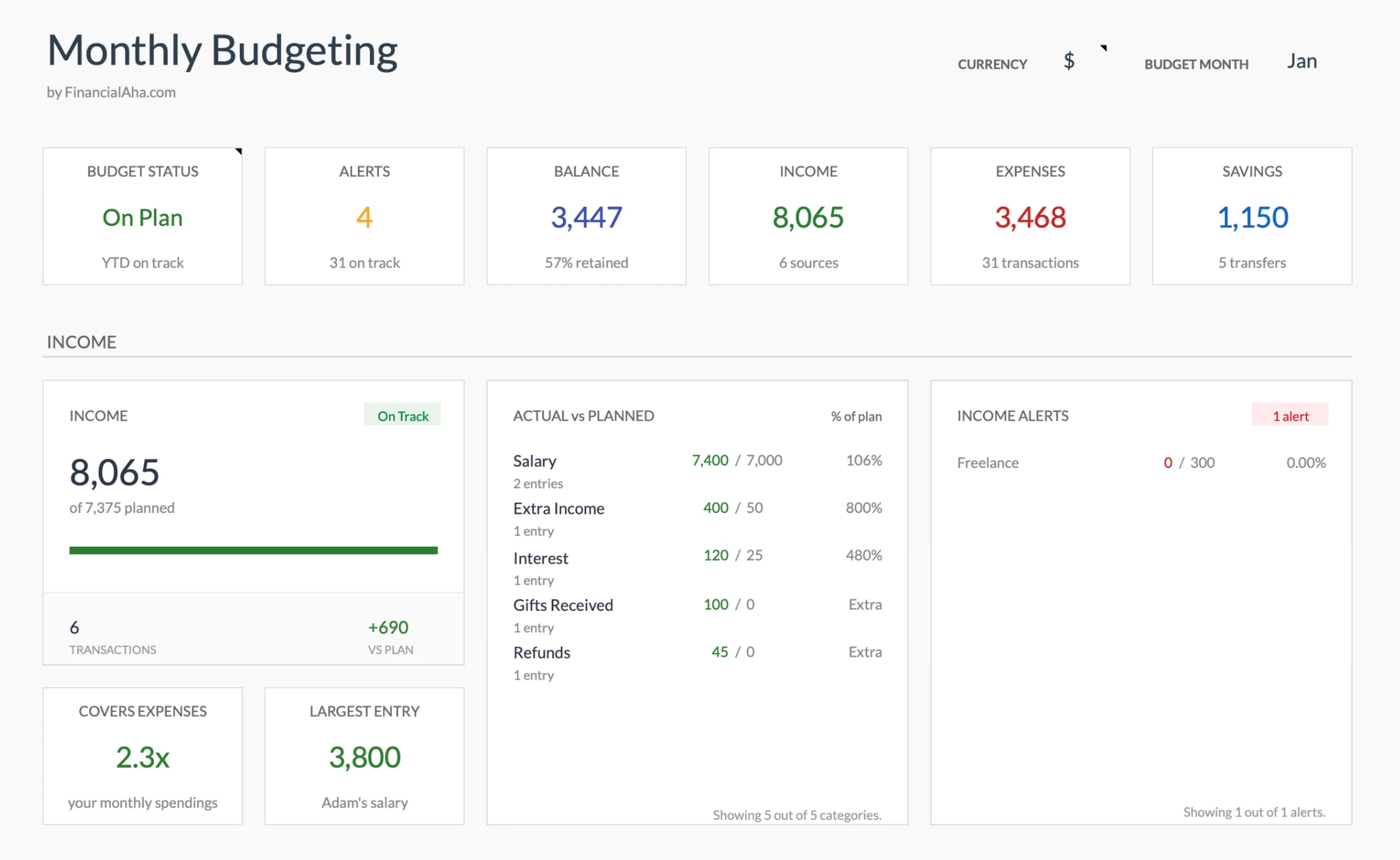
Browse through the template to see how it handles budgeting, expense tracking, savings goals, and spending analysis.
- Dashboard with key metrics
- Budget vs actual comparison
- Savings goal tracking
- Fully customizable categories

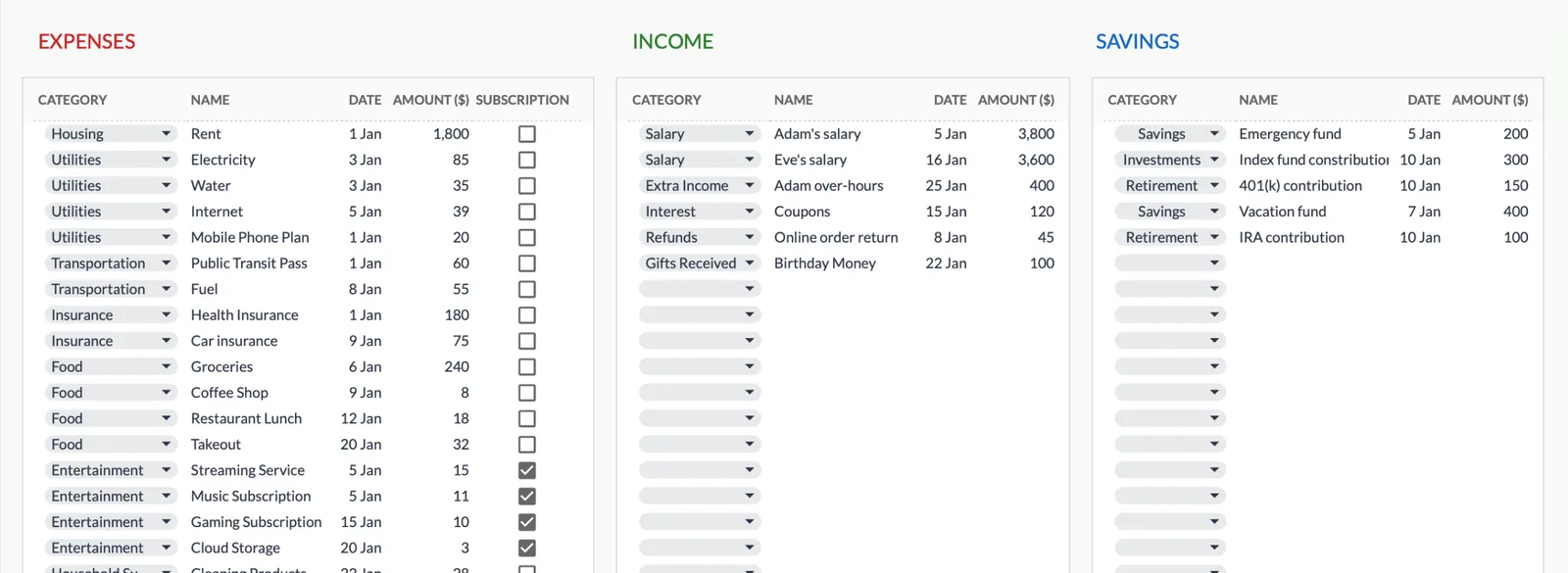
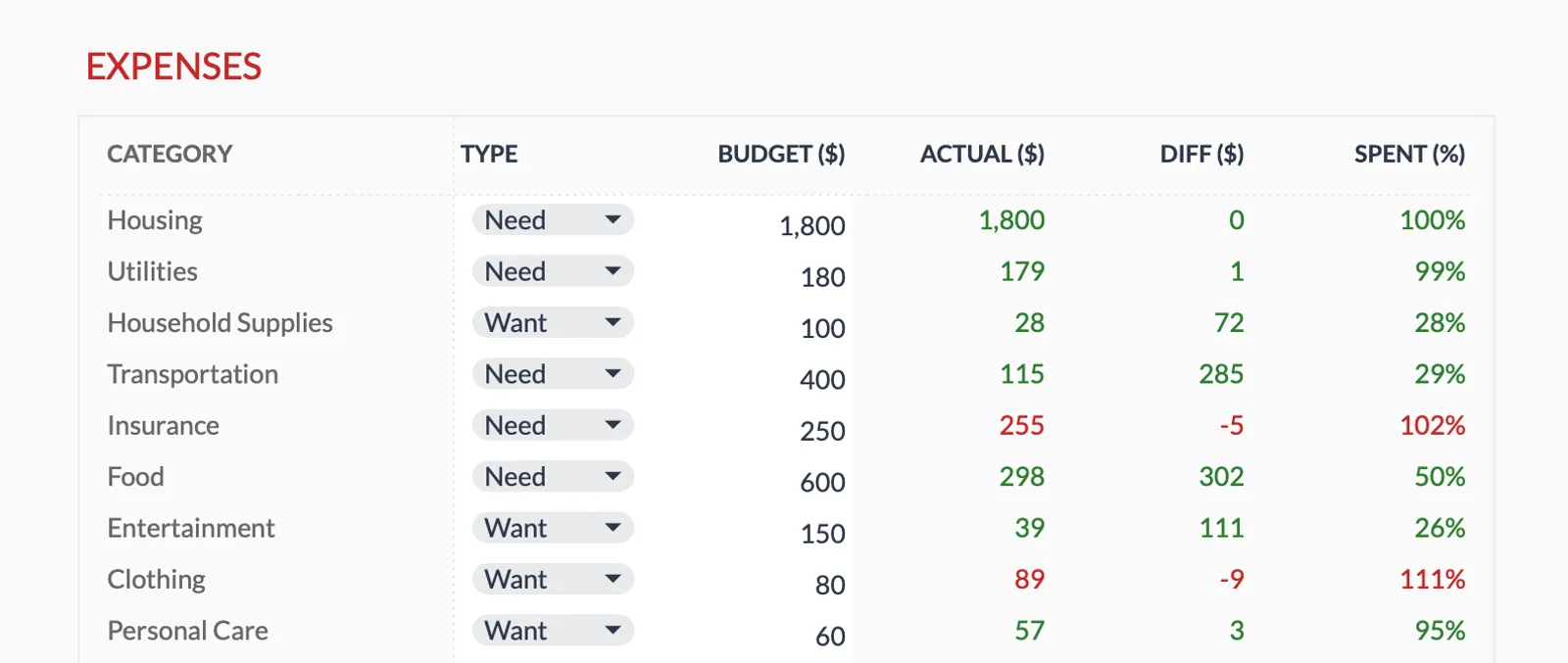
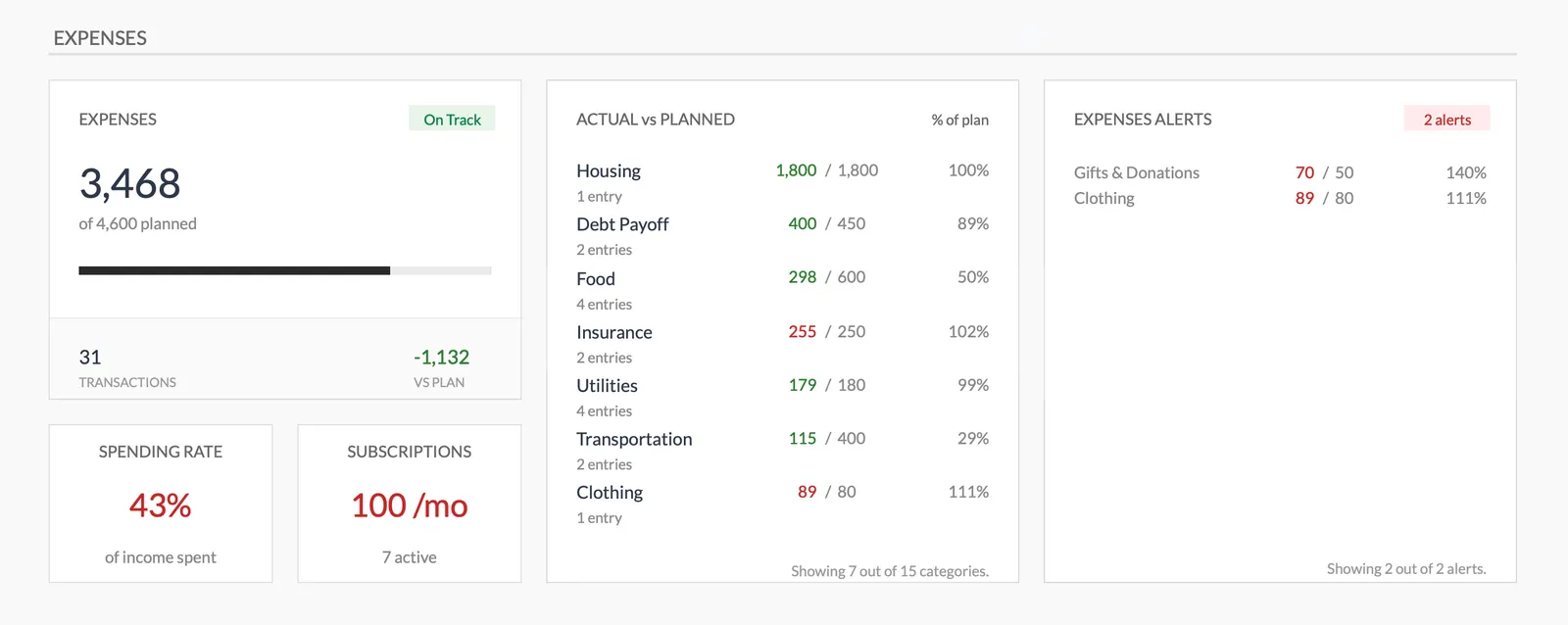
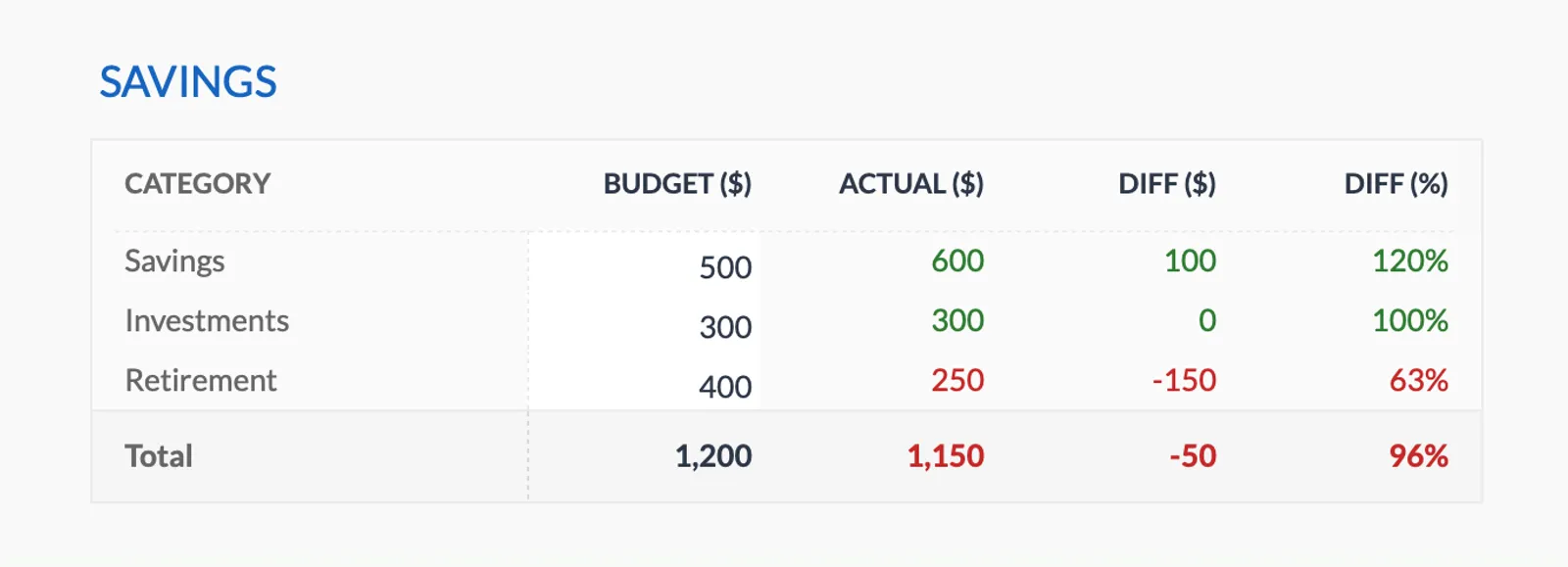
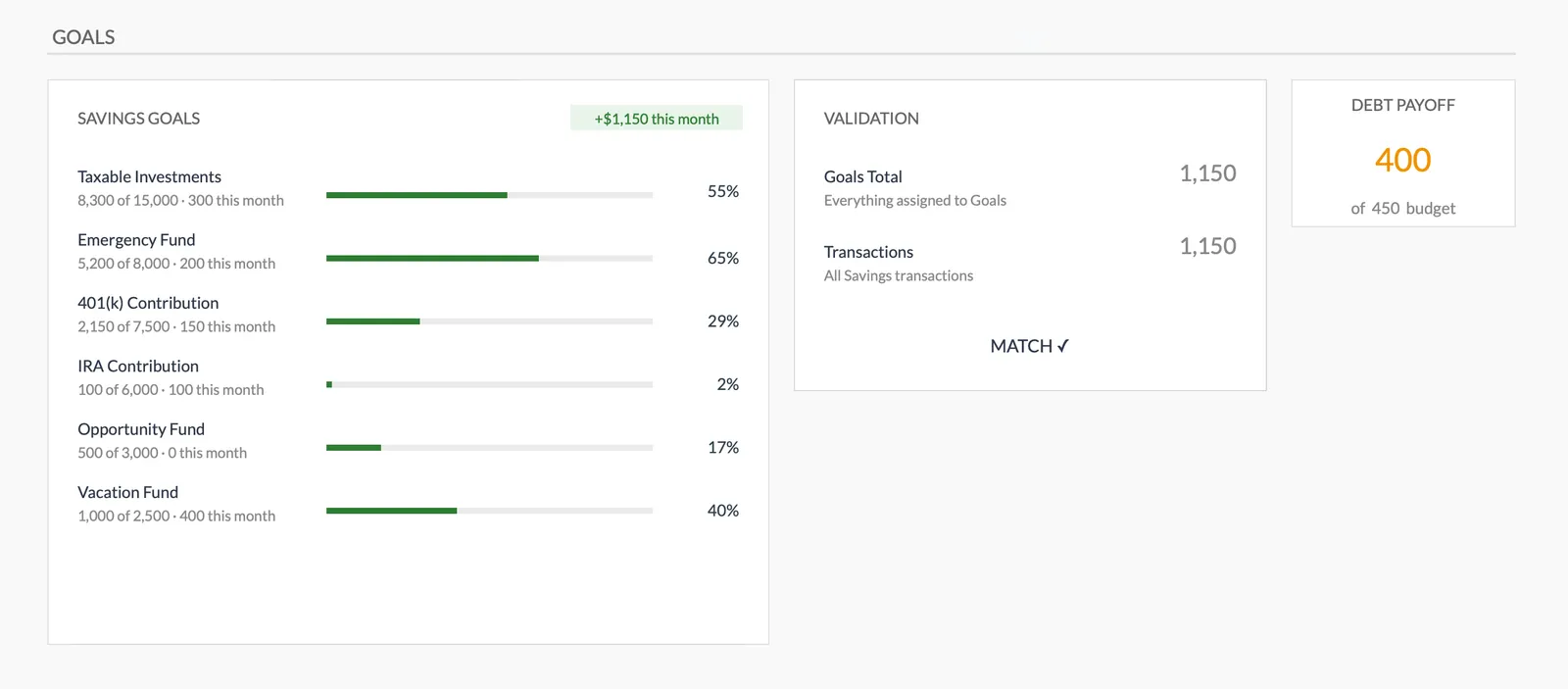
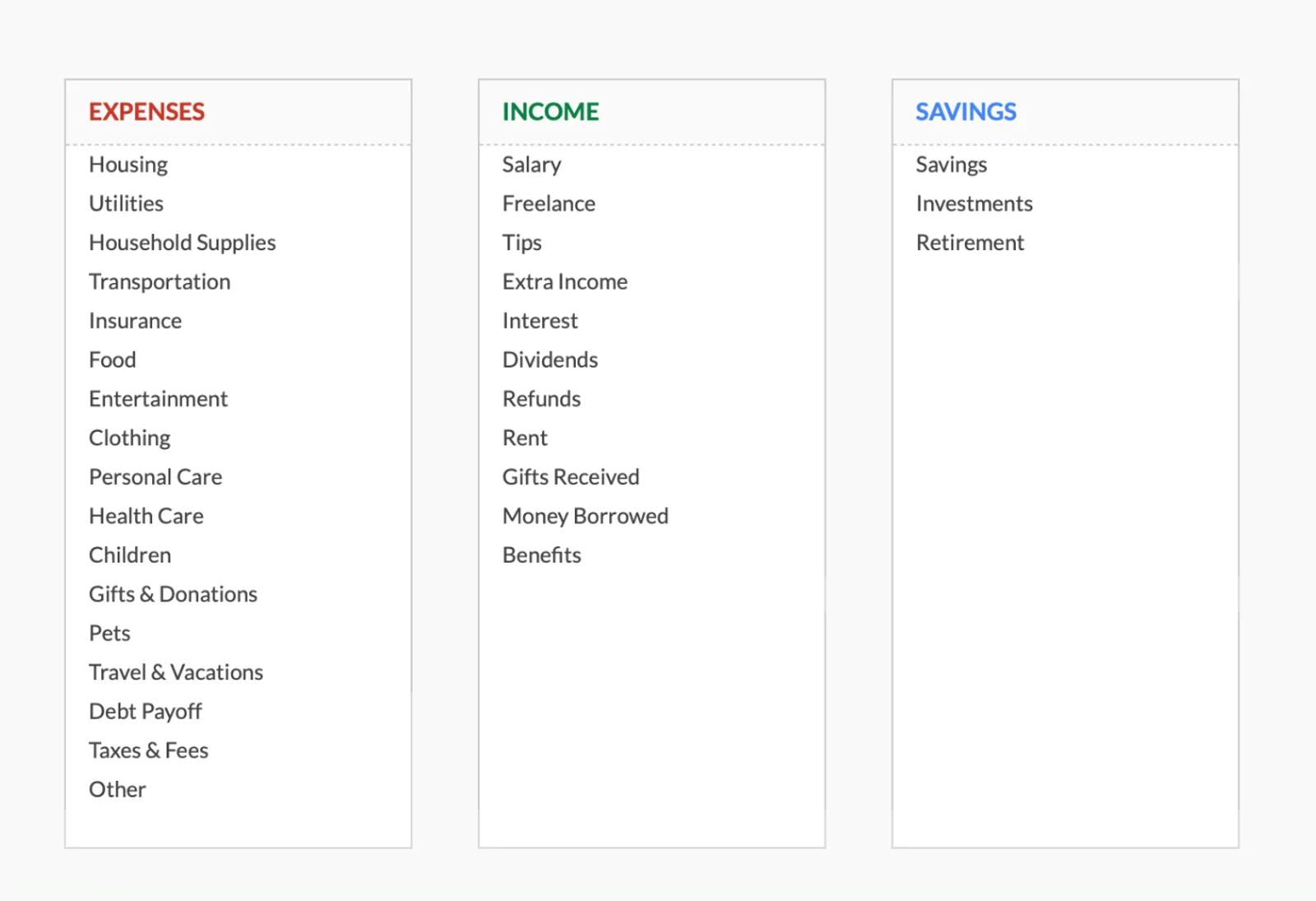
Dashboard with income, expenses, and savings at a glance
Log transactions with automatic categorization
Set targets per category and track actual spending
Visual breakdown of where your money goes
Track savings goals alongside your budget
Monitor progress toward financial goals
Fully customizable expense, income, and savings categories
Common Questions
60/20/20 Budget Budgeting - FAQ
When does the 60/20/20 split make more sense than 50/30/20?
When essential expenses genuinely require more than 50% of income. If you're in an expensive city where rent alone is 35% of take-home pay, the 60/20/20 split provides a more achievable framework without sacrificing savings.
Can I adjust the percentages further?
Absolutely. Some people use 70/15/15 or 65/15/20 depending on their situation. The percentages are a framework, not a rule. The key principle is having intentional allocations for needs, wants, and savings.
How do I decide what counts as a need versus a want?
A useful test: if you skipped it entirely, would it create a real problem? Rent, basic groceries, and health insurance are clearly needs. A gym membership might feel essential but is technically a want. Be honest, but don't agonize over edge cases.
Does the FinancialAha template show percentage breakdowns?
The Monthly Budget Template tracks spending against your targets. You can set your category targets to match the 60/20/20 split and see at a glance whether each bucket is on track.
Can't find the answer you're looking for? Contact our team
Start 60/20/20 budget budgeting today
One-time purchase. No subscription. Your financial data stays in your Google Drive.