Budgeting Method
50/30/20 Budget Template for Google Sheets
Split your income into three clear buckets. The 50/30/20 rule allocates 50% to needs, 30% to wants, and 20% to savings and debt repayment.
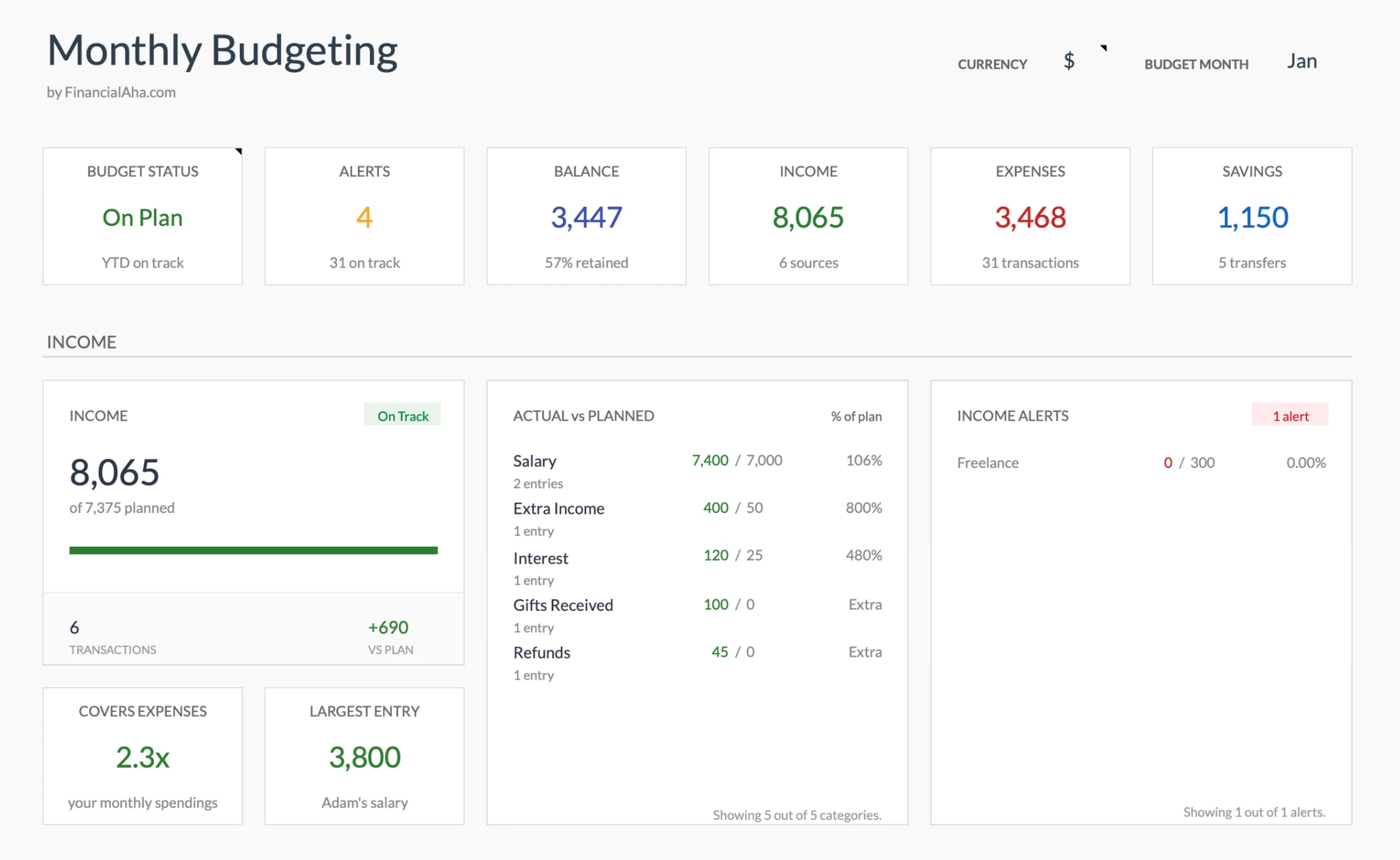
Overview
What Is the 50/30/20 Budget?
The 50/30/20 budget divides your after-tax income into three categories: 50% for needs, 30% for wants, and 20% for savings and debt repayment. It was popularized by Senator Elizabeth Warren and her daughter Amelia Warren Tyagi in their 2005 book "All Your Worth."
Needs include housing, groceries, utilities, insurance, minimum debt payments, and transportation to work - expenses that are difficult to avoid. Wants cover dining out, entertainment, subscriptions, hobbies, and upgrades beyond basic necessities. The 20% savings category includes emergency fund contributions, retirement savings, and extra debt payments beyond minimums.
For example, on a $4,000 after-tax income: $2,000 goes to needs, $1,200 to wants, and $800 to savings. The simplicity is the appeal - three categories instead of twenty.
The method works as a guideline rather than a rigid rule. In high cost-of-living areas, needs might consume 60% or more of income. The percentages are a starting point for understanding where money goes, not a fixed prescription.
Who it works for
People who want a simple framework without tracking every transaction. Particularly useful for those new to budgeting who find detailed methods overwhelming, or anyone earning a stable income who wants broad spending guardrails.
Advantages
- Simple to understand and implement - only three categories to manage
- Flexible within each bucket - no need to track individual expenses
- Builds savings habit with the automatic 20% allocation
- Easy to evaluate whether spending is roughly balanced
- Works as a quick financial health check
Tradeoffs
- Too broad for people who want detailed spending insight
- The 50% needs threshold is unrealistic in many expensive cities
- Doesn't differentiate between types of debt or savings goals
- Can mask overspending within a category
Getting Started
How to Set Up a 50/30/20 Budget in Google Sheets
The Monthly Budget Template from FinancialAha works well for the 50/30/20 method. Here's how to set it up:
Enter your after-tax monthly income
Start with your total take-home pay. If your paycheck is $2,400 twice a month, your total is $4,800. Include any regular side income. The template will use this as the base for calculating your three budget buckets.
Calculate your three target amounts
Multiply your income by each percentage. On $4,800: needs = $2,400 (50%), wants = $1,440 (30%), savings = $960 (20%). These become your spending ceilings for each category.
Categorize your expenses into needs, wants, and savings
Group your budget categories accordingly. Needs: rent, groceries, utilities, insurance, minimum loan payments. Wants: dining out, streaming services, gym membership, shopping. Savings: emergency fund, retirement, extra debt payments.
Set category targets within each bucket
Break down each bucket into specific categories. Under needs, you might have rent ($1,400), groceries ($400), utilities ($200), insurance ($200), transportation ($200). The template tallies these so you can see if each bucket stays within its percentage.
Review monthly and adjust percentages if needed
At month's end, check whether each bucket stayed within bounds. If needs consistently exceed 50%, some people adjust to 60/20/20 or look for ways to reduce fixed costs. The template's comparison view makes this review straightforward.
Ready to try 50/30/20 budget budgeting?
Compare Methods
50/30/20 vs Other Budgeting Methods
Zero-Based Budget
More detailed and time-intensive. Every dollar gets assigned to a specific category rather than a broad bucket. Provides more control but requires more effort.
80/20 Budget
Even simpler - save 20% and spend the rest however you like. No distinction between needs and wants. Less structure but also less overhead.
60/20/20 Budget
A variation that gives more room to needs (60%) while splitting the remaining 40% between wants and savings. Better suited for higher cost-of-living situations.
See It In Action
What the template looks like
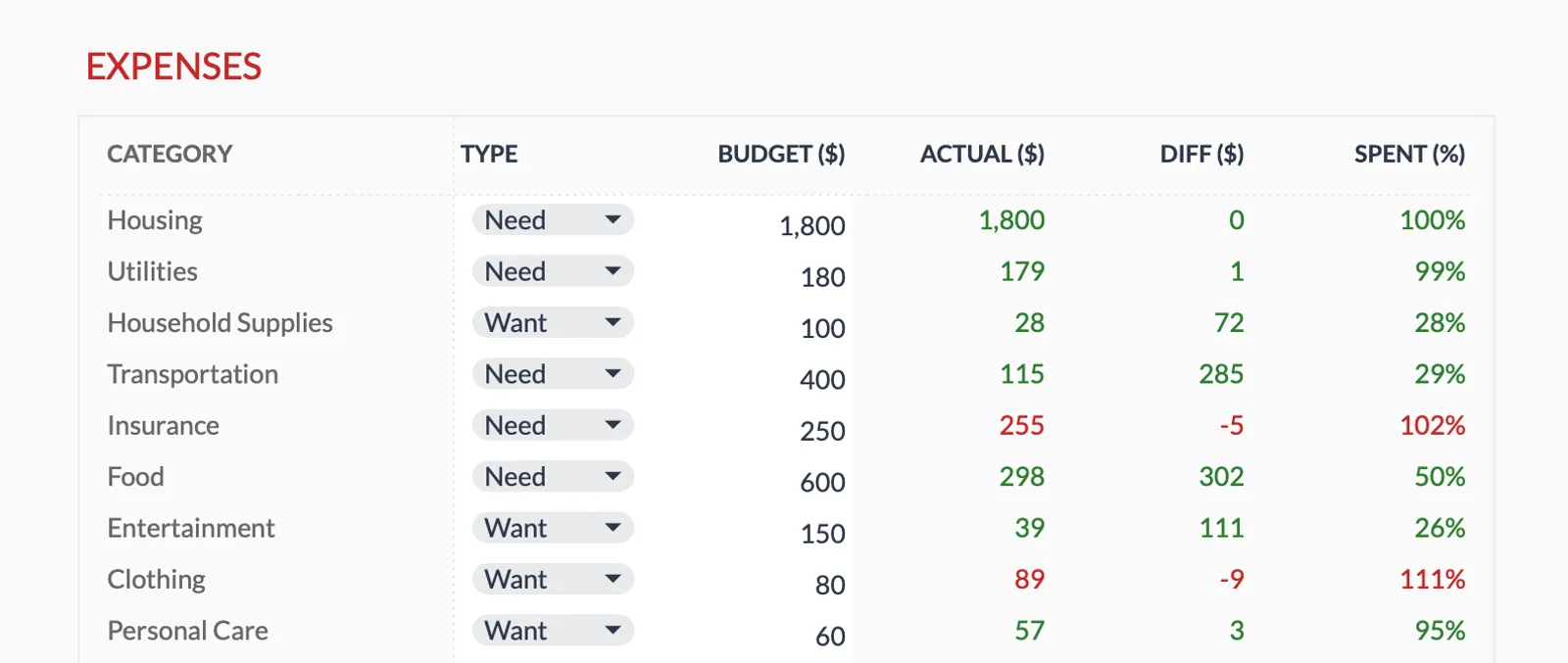
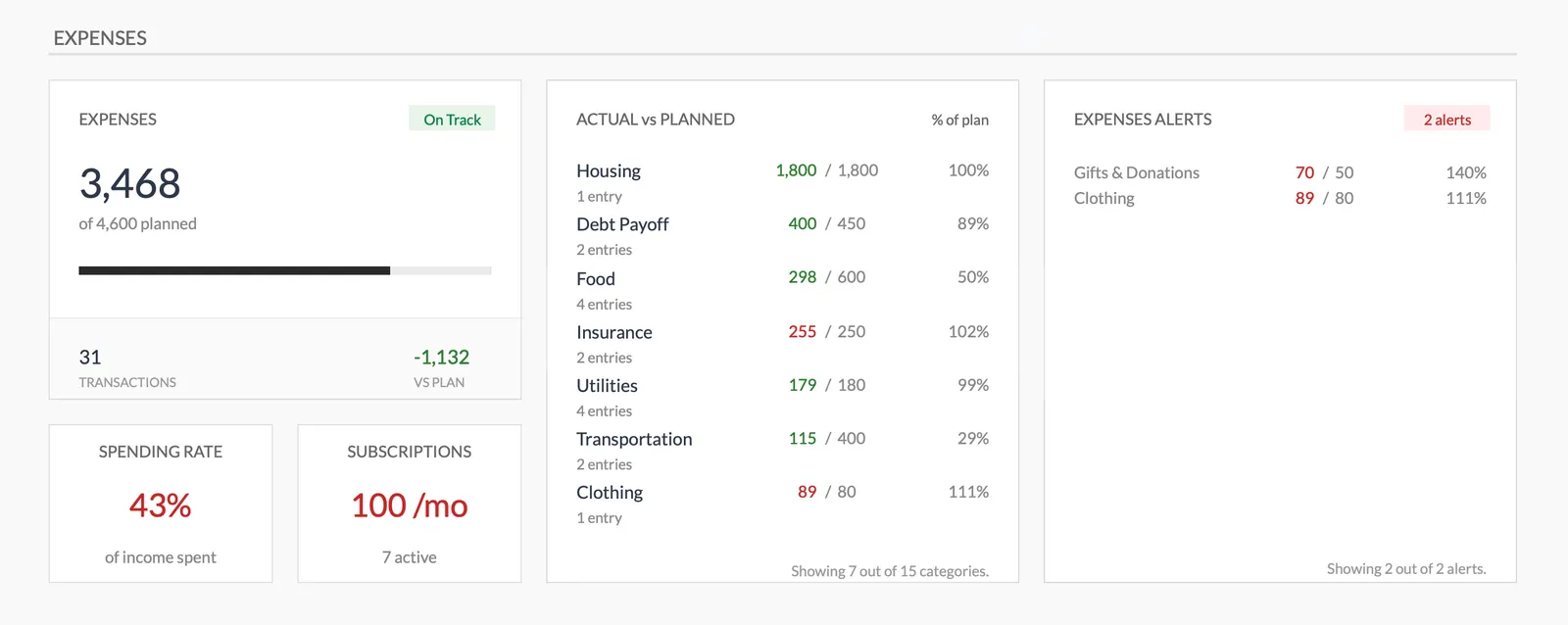
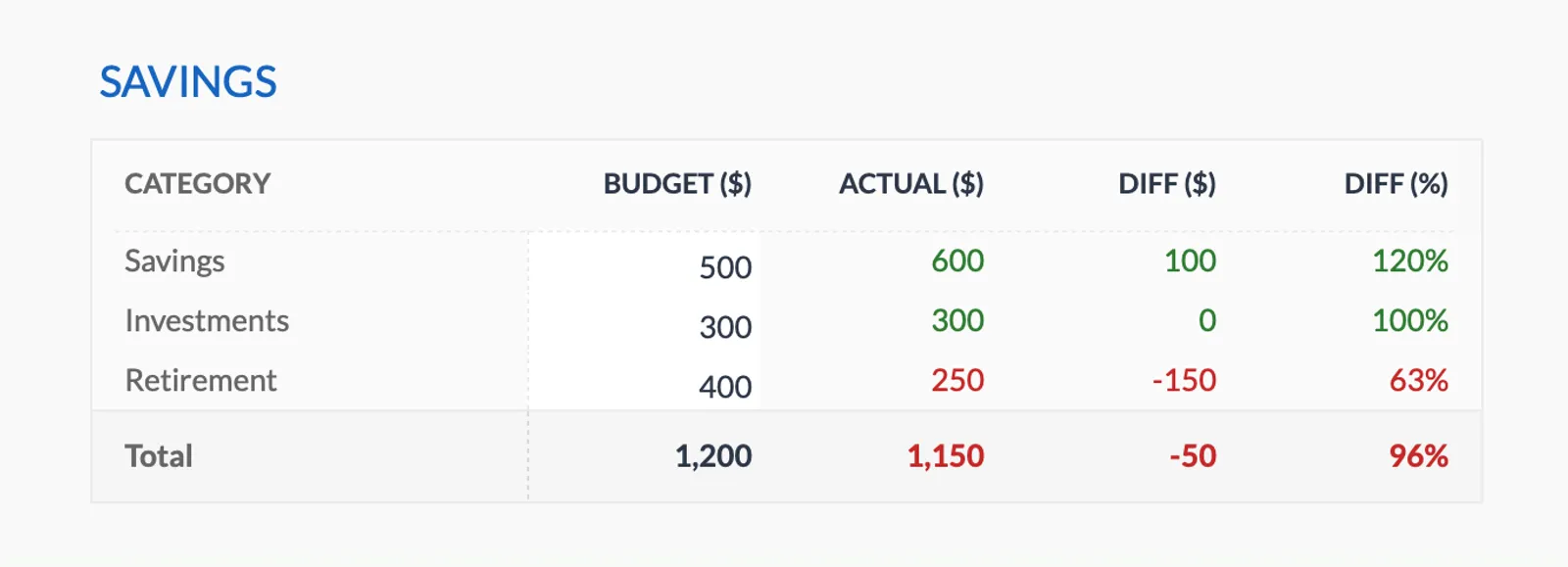
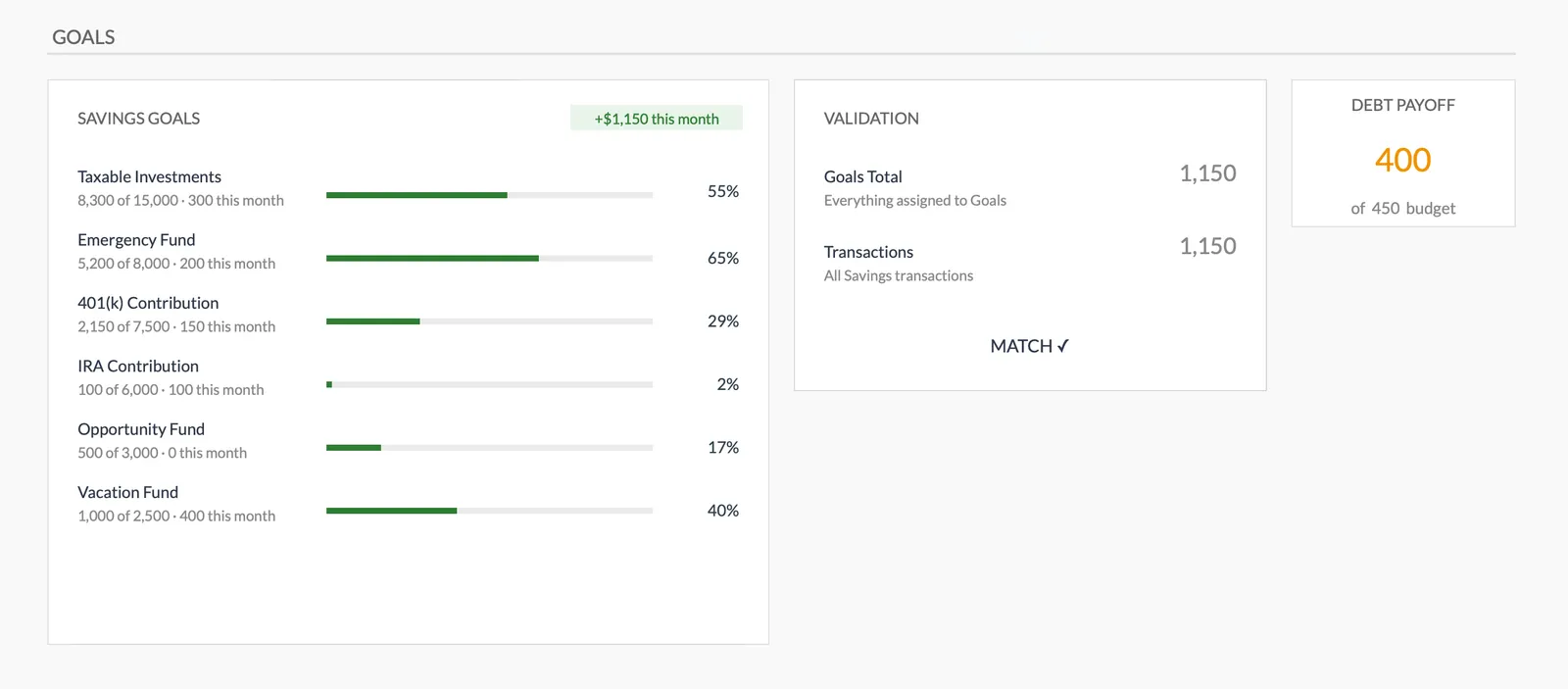
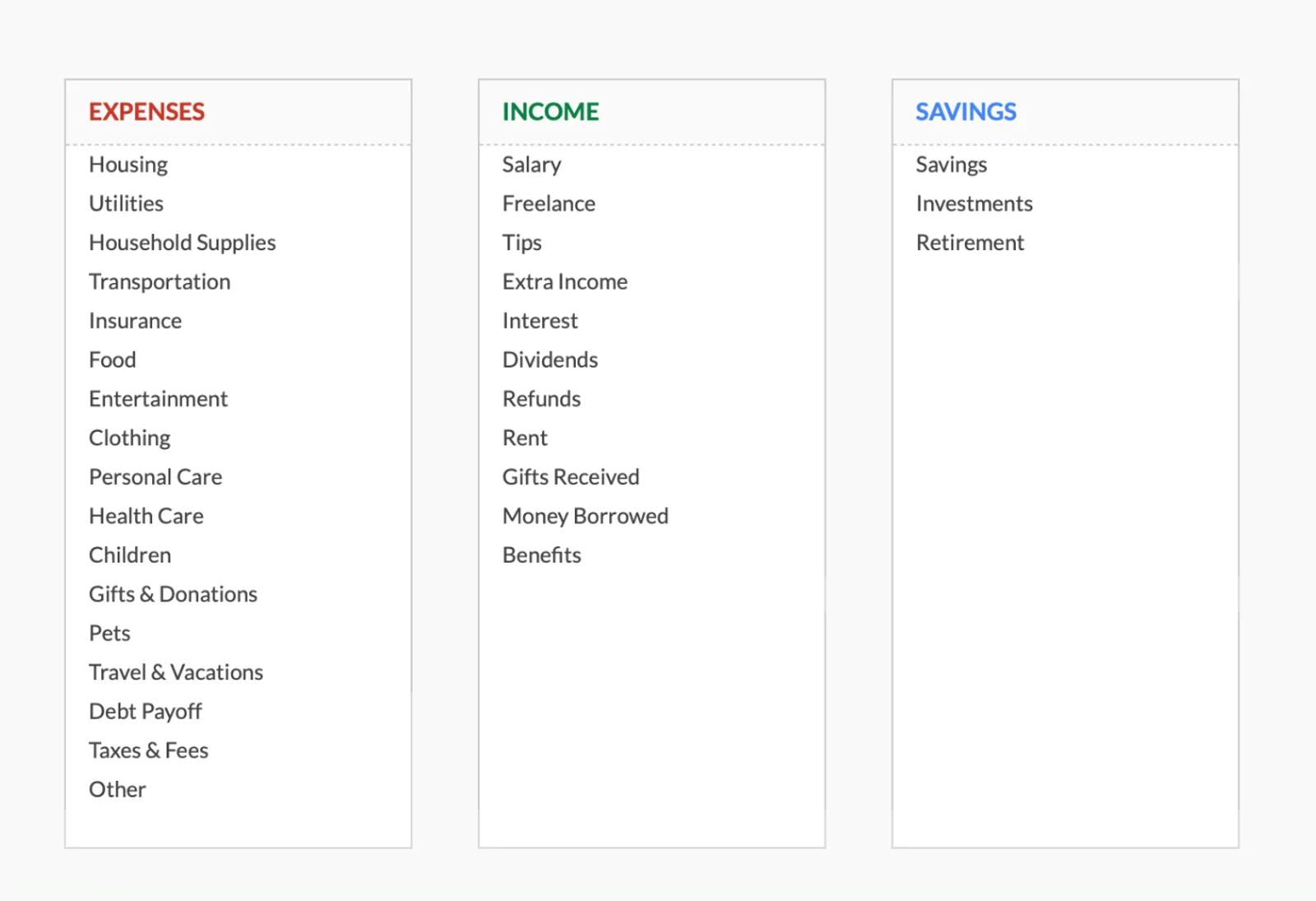
Browse through the template to see how it handles budgeting, expense tracking, savings goals, and spending analysis.
- Dashboard with key metrics
- Budget vs actual comparison
- Savings goal tracking
- Fully customizable categories

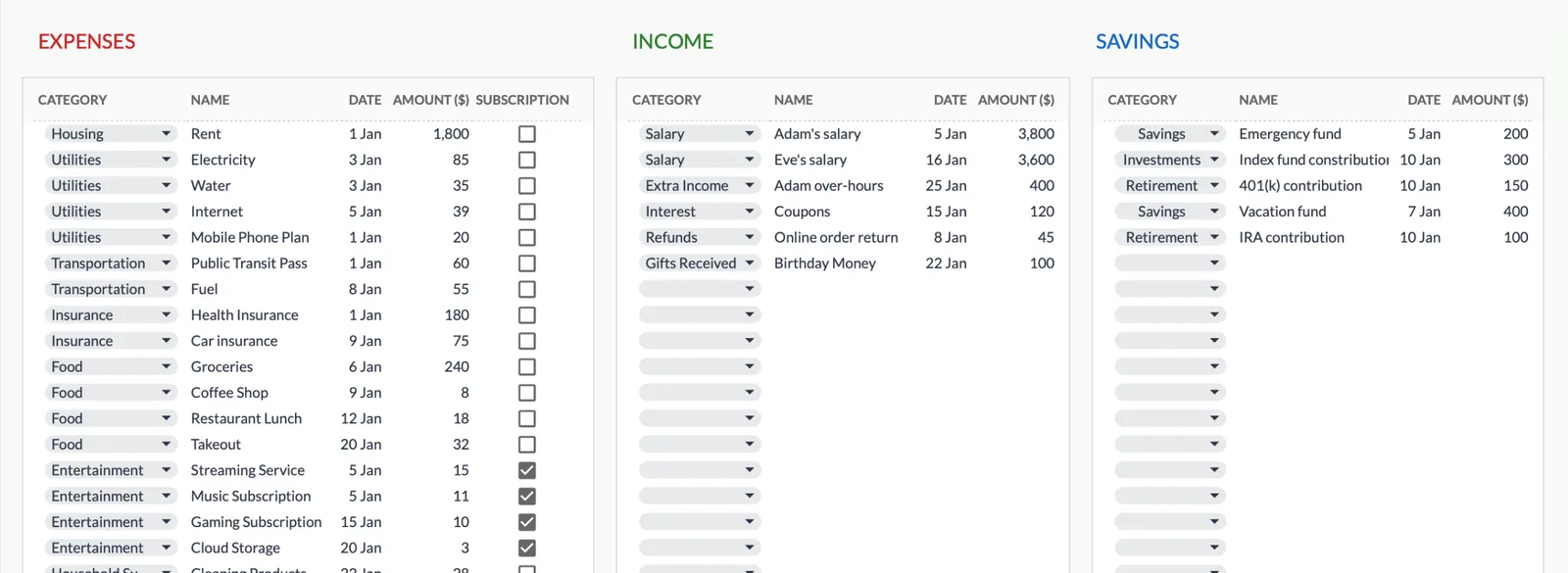
Dashboard with income, expenses, and savings at a glance
Log transactions with automatic categorization
Set targets per category and track actual spending
Visual breakdown of where your money goes
Track savings goals alongside your budget
Monitor progress toward financial goals
Fully customizable expense, income, and savings categories
Common Questions
50/30/20 Budget Budgeting - FAQ
What if my needs already exceed 50% of my income?
This is common, especially in cities with high housing costs. The percentages are guidelines, not rules. Some people use 60/20/20 or 70/15/15 as a starting point and work toward the 50/30/20 split over time as their income grows or expenses shift.
Where do minimum debt payments go - needs or savings?
Minimum required debt payments (student loans, credit card minimums, car payments) fall under needs because they are obligations. Extra payments beyond the minimum go under savings/debt repayment in the 20% category.
How do I handle expenses that feel like both needs and wants?
A basic phone plan is a need; the latest smartphone upgrade is a want. Basic groceries are needs; premium organic items might be wants. The line is personal - the goal is honest categorization that helps with planning.
Can I use this method with the FinancialAha template?
Yes. The Monthly Budget Template lets you group categories and set targets. Organize your categories into needs, wants, and savings groups, set targets that match the percentage split, and track actuals against those targets.
Can't find the answer you're looking for? Contact our team
Start 50/30/20 budget budgeting today
One-time purchase. No subscription. Your financial data stays in your Google Drive.