Best Value All-in-One Financial Planning Bundle
✓ Financial Planning✓ Net Worth Tracker✓ Monthly Budgeting✓ Travel Budget Planner✓ Annual Budgeting Planner✓ Monthly Expense Tracker✓ Annual Tax Planner✓ Retirement Planning
View Bundle →
Free Download - Excel & Google Sheets

Free Payslip Template Spreadsheet Template

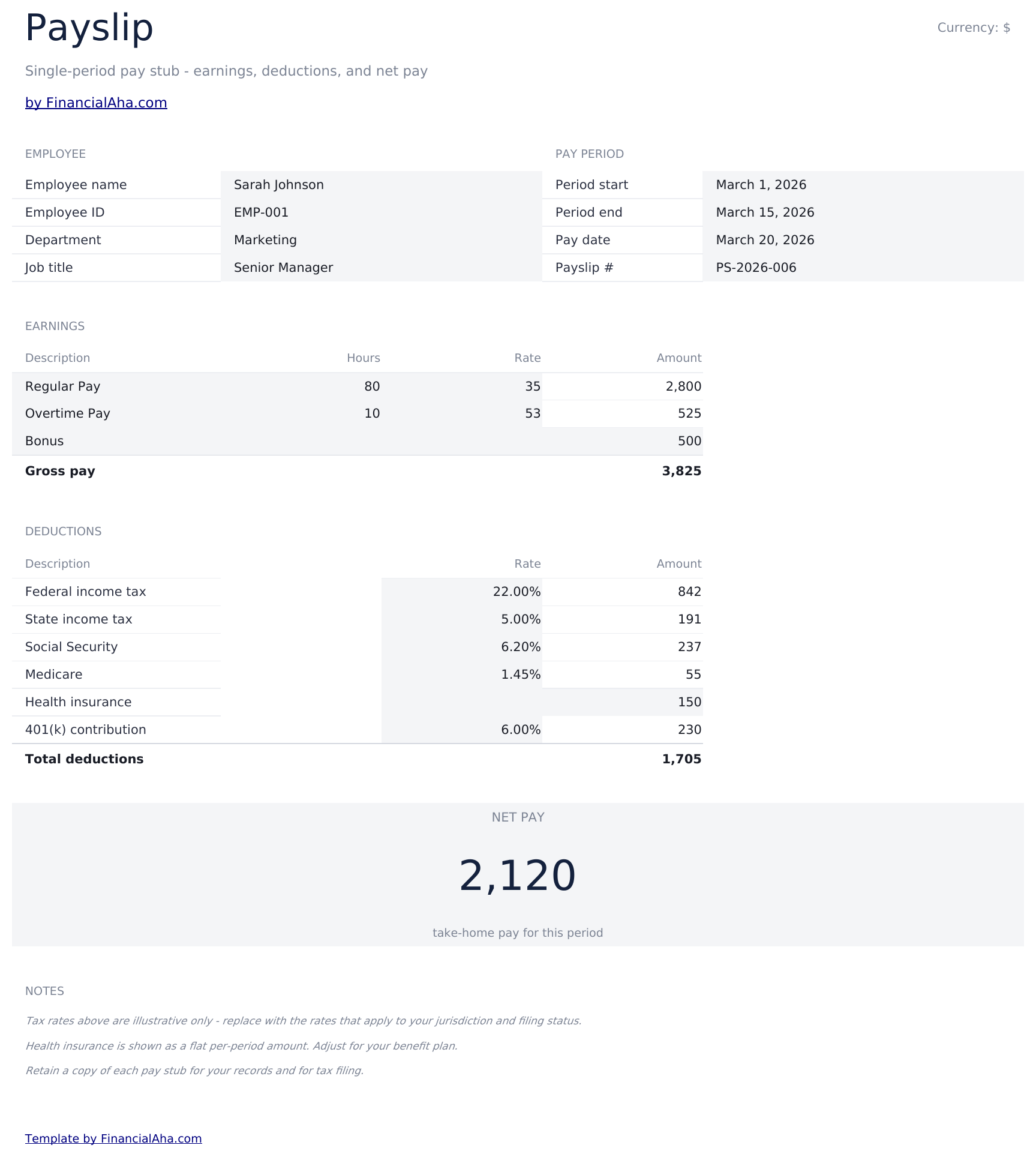
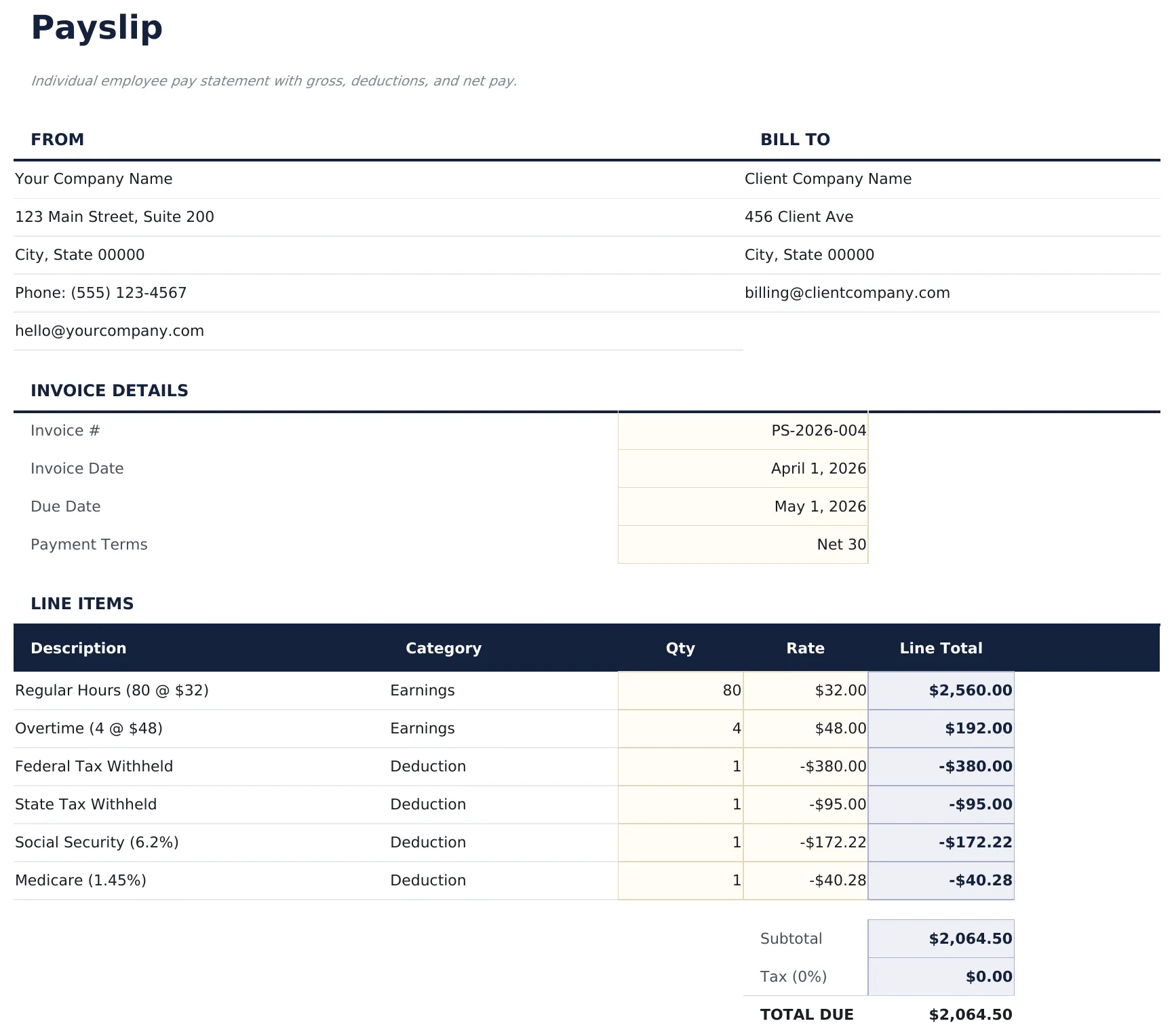
Individual employee pay statement with gross, deductions, and net pay.

Essentials $12 Free See comparison
payslip-template.xlsx
Payslip Template preview

Free and Essentials - what's the difference?

Free Payslip Template

Spreadsheet Template
Works in Excel and Google Sheets · CC BY 4.0
What's Included
  • "Payslip" sheet with a professional layout for client, line items, and totals
  • Automatic subtotal, tax, and grand-total calculation
  • Print-friendly page setup - fits on a single page
  • Step-by-step "How to Use" guide included in a second sheet
  • Works in Microsoft Excel, Google Sheets, and LibreOffice Calc - no setup or sign-up

How the Payslip Template template works

Individual employee pay statement with gross, deductions, and net pay. Replace the sample data with your own client and line items. The totals recalc automatically.

When this template helps

01

You bill clients occasionally and want a clean, printable document.

02

You need a template you can customize with your own branding.

03

You want to avoid subscription invoicing apps for simple jobs.

04

You need a PDF-ready layout that works in Excel and Google Sheets.

Tips to get the most out of it

  • Save a copy per client to reuse their details.
  • Print or export as PDF - the layout is print-ready.

Common mistakes to avoid

  • Forgetting to update the invoice number on each send. Duplicate numbers cause accounting headaches.
  • Leaving the sample company details in place. Always replace the header before sending.
  • Not saving a copy per client. Keep a folder of sent invoices for your records.

How to Use This Payslip Template Template

1
Update the From section
Update the From section with your company info.
2
Update the Bill
Update the Bill To section with client details.
3
Replace the line items
Replace the line items with your own descriptions, quantities, and rates.
4
Adjust the tax rate cell
Adjust the tax rate cell if needed. The invoice total updates automatically.
Essentials
Payslip Template
Essentials (12) adds a dashboard, charts, and expanded categories.
View Essentials · $12

Built by Claude AI. Perfected by us.

We use Claude AI to draft each template, after a deep research. Then our team steps in. We refine the layout, stress-test every formula, fix edge cases, and polish the design until it feels like something we would actually use ourselves. The AI gets us 80% there. The last 20% is all human judgment.

Excel
Sheets
LibreOffice
No signup
Download instantly, no email required
Formula-driven
All calculations update automatically
Dual compatible
Works in Excel and Google Sheets
Sample data included
See the template in action right away

Frequently Asked Questions

What is the difference between Free, Essentials, and Ultimate?

Free is a single-sheet starter template (sample data + How to Use guide). Essentials ($12) adds a dashboard, charts, expanded categories, and pre-filled subcategories. Ultimate (when available) adds multi-entity tracking, scenario analysis, and power-user reporting across 6-7 interconnected sheets.

Should I upgrade to Essentials?

Upgrade to Essentials if you want a dashboard with charts, more categories, larger capacity, and a more polished spreadsheet for ongoing use. The Free version is a good fit for one-off planning or trying out the layout.

Is Essentials worth $12?

Essentials is a one-time $12 purchase with no subscription. It typically adds a full dashboard, 30-50% more categories or rows than the Free version, and richer formulas. Most buyers upgrade after using the Free version for a few weeks and hitting its limits.

What is included in the free version?

The free Payslip Template is a single-sheet template with sample data and a "How to Use" guide. It covers the essentials. The Essentials version ($12) adds a dashboard, larger capacity, and extended categories; Ultimate (when available) adds multi-entity tracking and ultimate-grade reporting.

How do I add more line items?

Insert a row above the subtotal. Copy the formula from an existing line-item row so the amount column continues to calculate.

Can I customize the branding?

Yes. Replace the placeholder name and contact details in the header, and change the sheet colors through the normal Excel/Sheets formatting tools.

Is the file safe to download?

Yes. No macros, no sign-up, no tracking. The file is a plain .xlsx that opens directly in Excel, Google Sheets, or LibreOffice Calc.

How do I open this in Google Sheets?

Upload the .xlsx file to Google Drive, then open it with Google Sheets. All formulas and formatting will be preserved.

What license is this template under?

All free templates are released under CC BY 4.0 (Creative Commons Attribution). You can use, modify, and share them freely - including for commercial purposes - as long as you credit FinancialAha.com. They are provided as-is and do not constitute financial advice.

Payslip Template
Free · $12
View Essentials