Quick Summary
Announcing the Cash Flow Forecast Template - a Google Sheets spreadsheet for projecting 12 months of business cash flow, comparing forecast vs actuals, and stress-testing scenarios.
Most businesses don’t fail because they’re unprofitable. They fail because they run out of cash at the wrong time.
Now available: The Cash Flow Forecast Template projects 12 months of business cash flow with scenario planning, actuals tracking, and a built-in dashboard. Works in Google Sheets.
The gap between “profitable on paper” and “can actually pay the bills this month” is where things get uncomfortable. And that gap is exactly what a cash flow forecast is meant to close.
Why Cash Flow Deserves Its Own Tool
Revenue and expenses tell part of the story. Cash flow tells the rest. When does the money actually arrive? When do the bills actually hit? What happens if that big client pays late?
These aren’t abstract questions. For a seasonal business heading into a slow quarter, or a freelancer waiting on an invoice, or a startup watching its runway - the answers matter right now.
Spreadsheets are the natural home for this kind of thinking. They’re flexible, private, and you own them completely. But building a good cash flow model from scratch takes time and spreadsheet skill that not everyone has.
That’s what this template is for.
What’s Inside
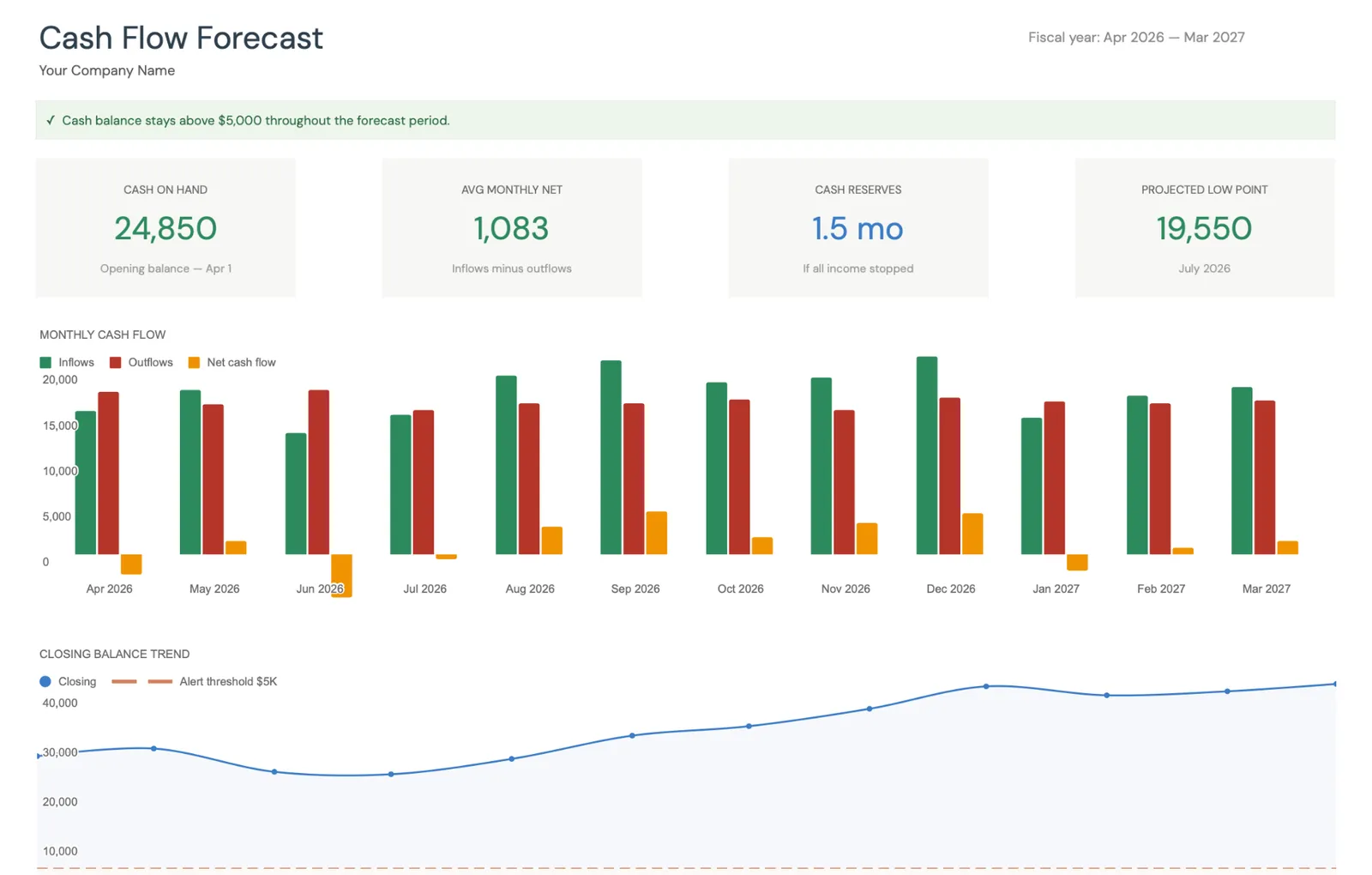
A dashboard that tells the truth. Cash on hand, average monthly net, months of reserves, projected low point - all on one screen. A chart plots inflows against outflows across the year. No digging through tabs to understand your position.
12 months of forecast. Revenue, other income, and categorized expenses - month by month, across your full fiscal year. Net cash flow and closing balances calculate automatically. The point isn’t precision - it’s visibility. Seeing that cash gets tight in August gives you months to prepare, not days.
Actuals that build over time. Each month, you record what actually happened alongside what you projected. Same categories, same layout, instant comparison. Over time, this becomes a real history of how your business actually moves cash - not just what you hoped would happen.
KPIs that keep you honest. Forecast accuracy percentage, cumulative variance, months recorded. A simple way to see whether your projections are getting better or whether something needs rethinking.
Scenario planning. Best case, expected, worst case - each with your own assumptions for revenue change, expense change, and collection rates. Three projection lines on one chart, with a low-cash alert threshold visible. Useful for answering “what if” questions without building three separate spreadsheets.
Variance breakdown. Where did forecast and reality diverge? The template breaks it down by revenue, other income, and outflows - so you can see whether the gap came from the top line, spending, or both.
Who This Is For
Seasonal businesses. Tourism, retail, landscaping, event planning - if revenue swings month to month, the 12-month view makes slow periods visible long before they arrive.
Freelancers and consultants. When income is project-based, mapping expected revenue against fixed costs gives you a clearer picture of your runway. Knowing you have three months of coverage feels different from guessing.
Early-stage startups. Cash runway is the number that matters most. Scenario planning lets you model what happens if revenue ramps slower than expected - or if that funding round takes an extra month to close.
Businesses preparing for financing. Lenders and investors want to see projections. This gives you a structured, presentable format - not a messy spreadsheet you built at midnight.
Side businesses. Even a small operation benefits from knowing when cash might run low. The setup takes about 15 minutes, which makes it practical even when this isn’t your full-time focus.
Businesses in transition. New hires, office moves, equipment upgrades - major expenses land differently when you can see their impact on your cash position across the full year.
Getting Started
- Copy to Google Sheets - instant access after purchase, nothing to install
- Configure your business - fiscal year, opening balance, expense categories, scenario assumptions (about 15 minutes)
- Enter your forecast - projected revenue and expenses, month by month
- Update monthly - record actuals as each month closes
Everything else - dashboard, charts, KPIs, scenario projections - updates automatically.
The Usual FinancialAha Setup
One-time purchase. No subscriptions. Your data stays in your Google account - we never see it. Free updates for life. Works on desktop and mobile.
We put a lot of care into this one. If you run a business and want to see where your cash is headed, take a look.
Get the Cash Flow Forecast Template →
Related
- Cash Flow Forecast Template - Full product page with details
- How to Forecast Cash Flow for Your Small Business - Detailed cash flow forecasting guide
- Monthly Budget Template - Personal monthly budgeting
- Annual Budget Template - Year-long personal budget view