Tax Deduction Tracker Pro
Track up to 150 deductions with schedule breakdown, quarterly summaries, and a tax impact calculator.
Free vs Pro
- Log up to 40 deductions with category and amount
- Dashboard with total deductions and category breakdown
- Basic category summary
- Works in Excel and Google Sheets
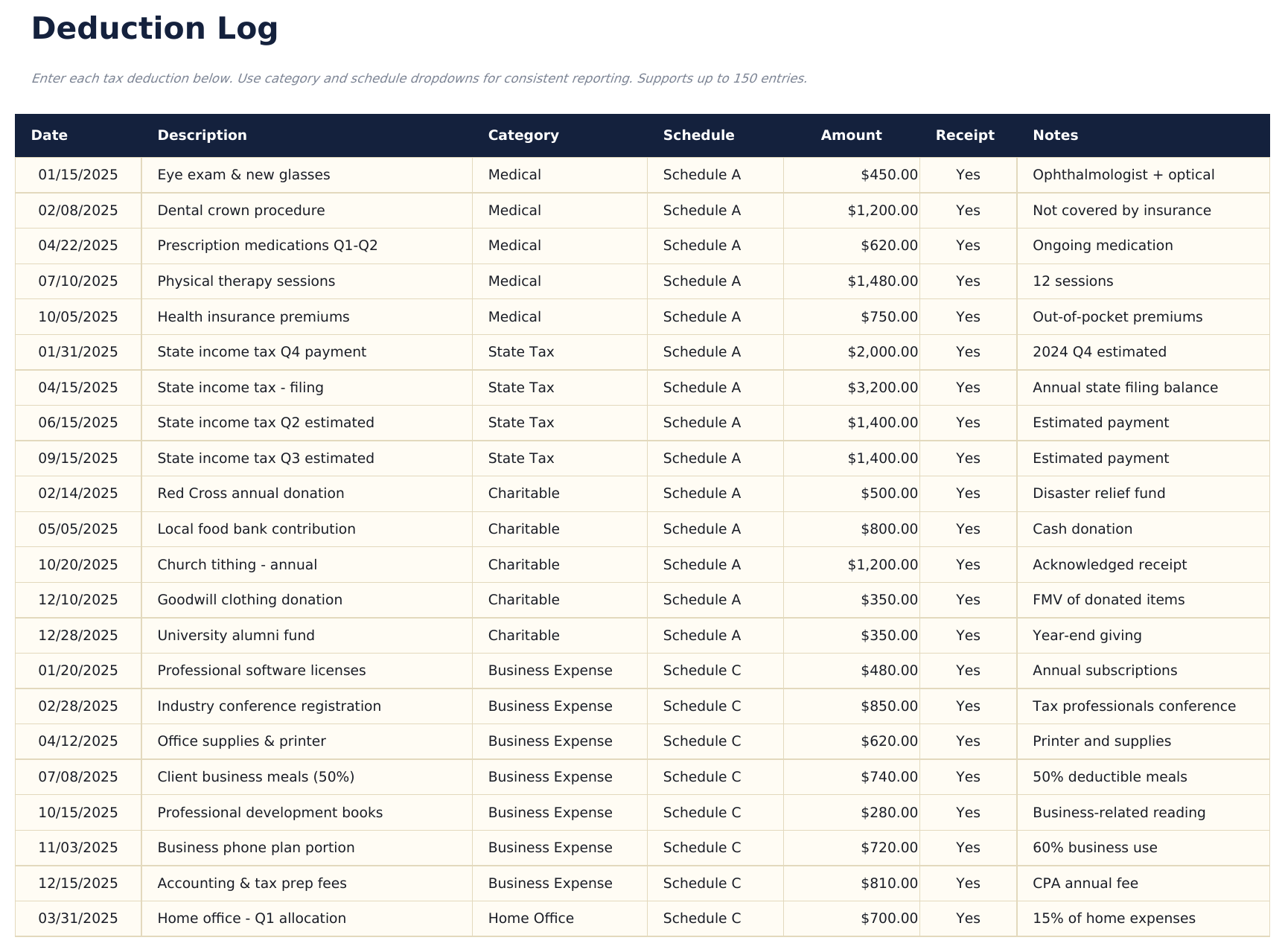
- Log up to 150 deductions with date, description, category, schedule (dropdown), amount, and receipt status
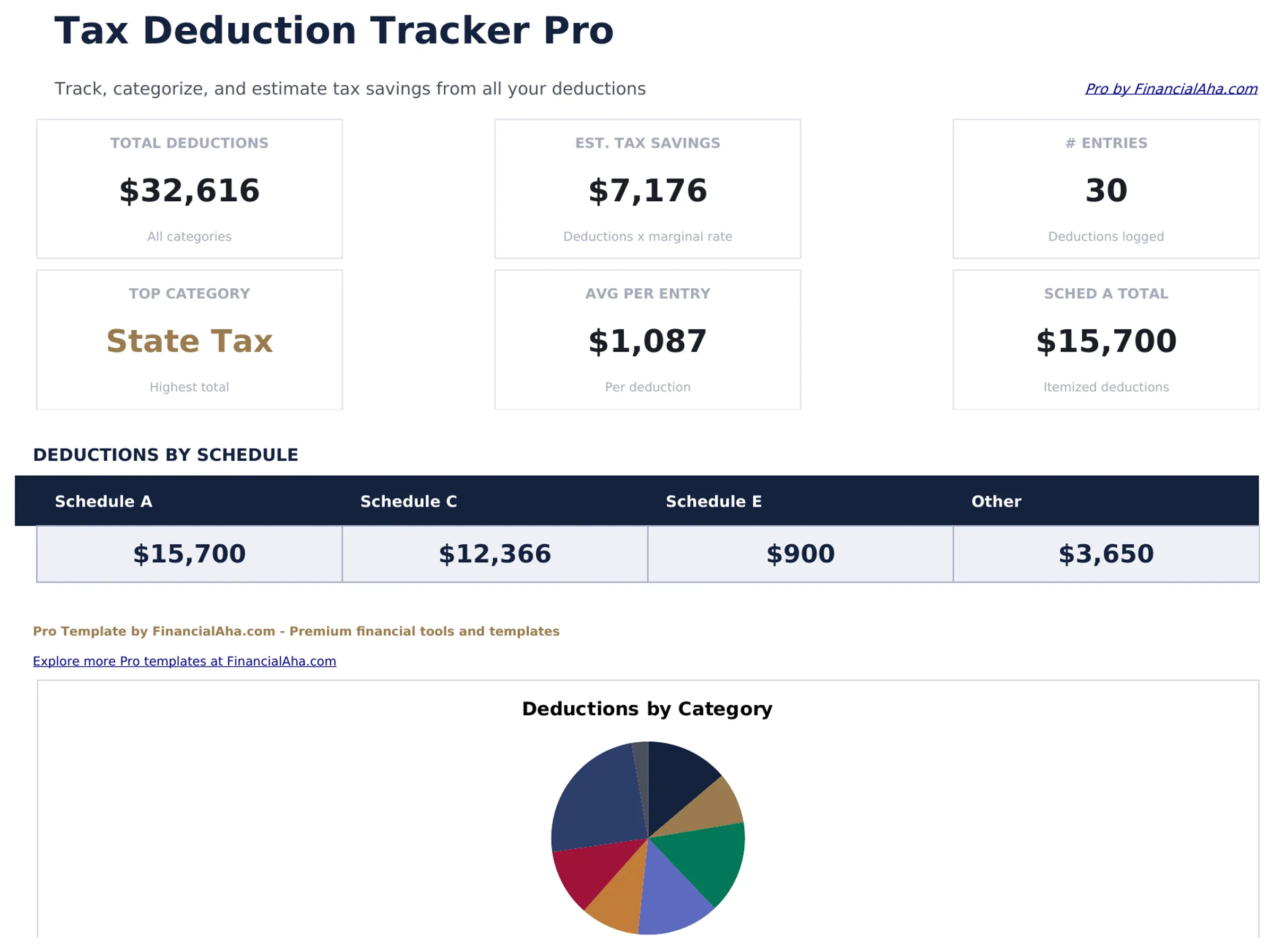
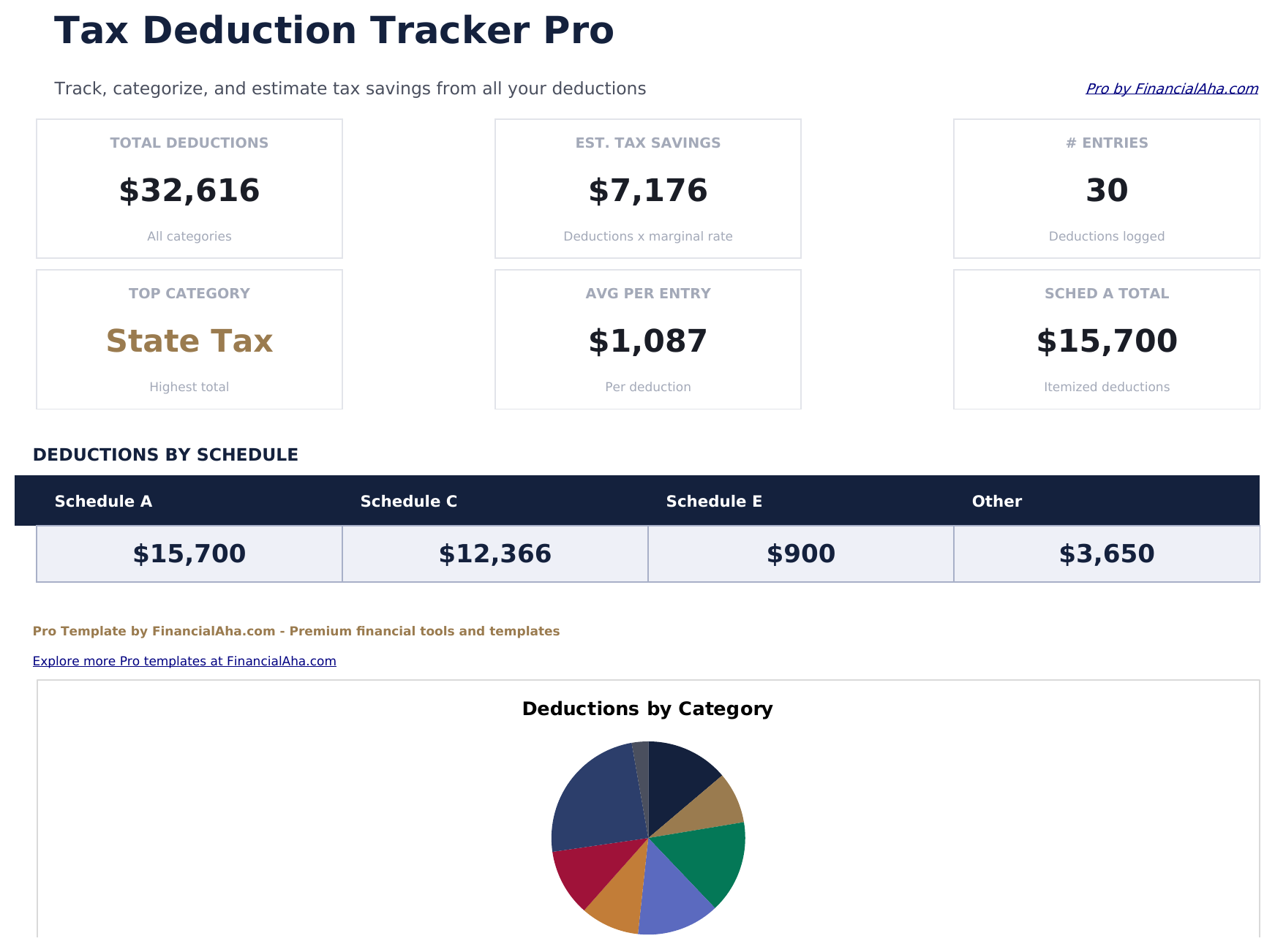
- Dashboard with 6 KPI cards: total deductions, estimated tax savings, deduction count, largest category, quarterly total, and average deduction
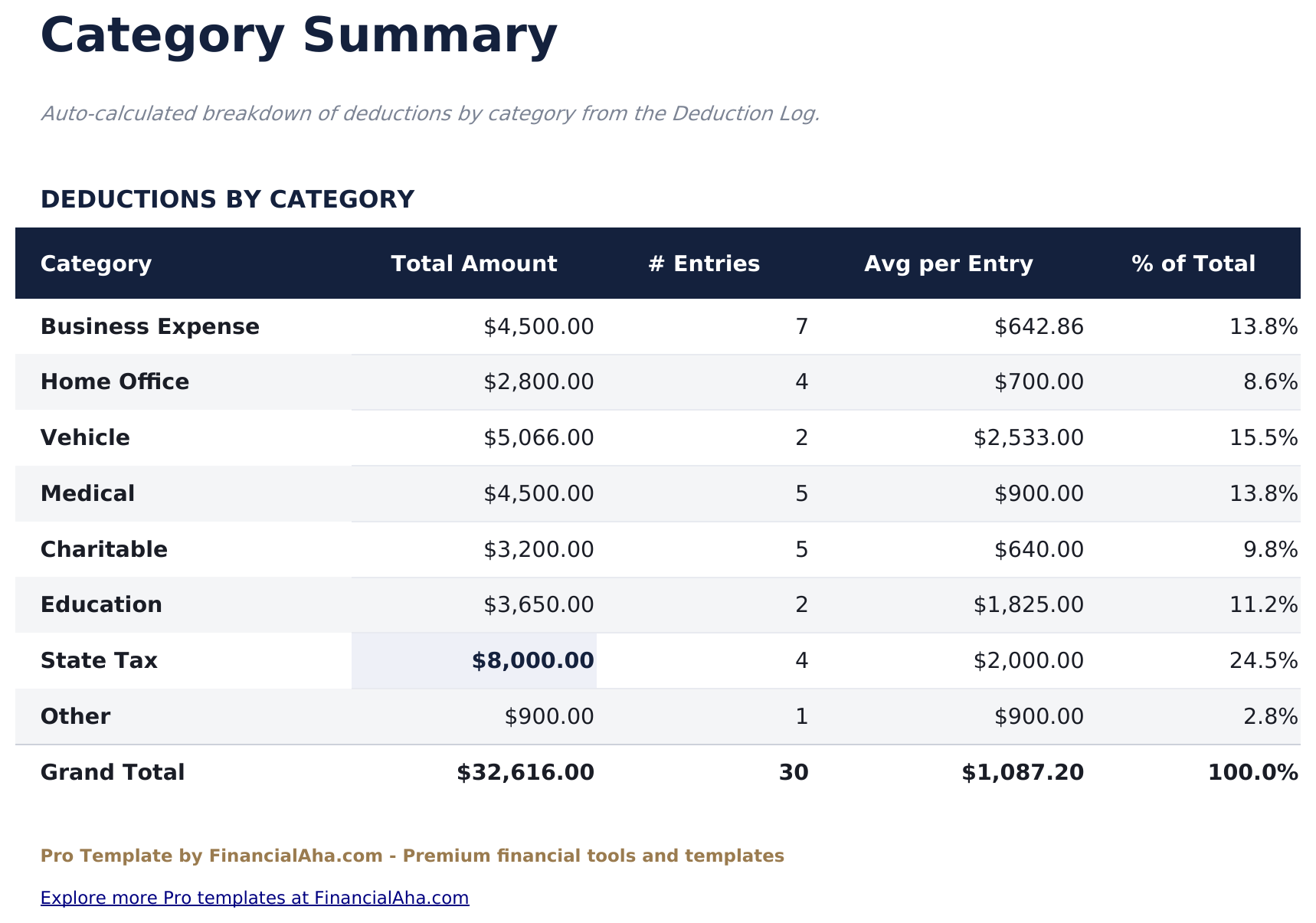
- Category summary sheet showing total deductions and count per category with percentage of overall total
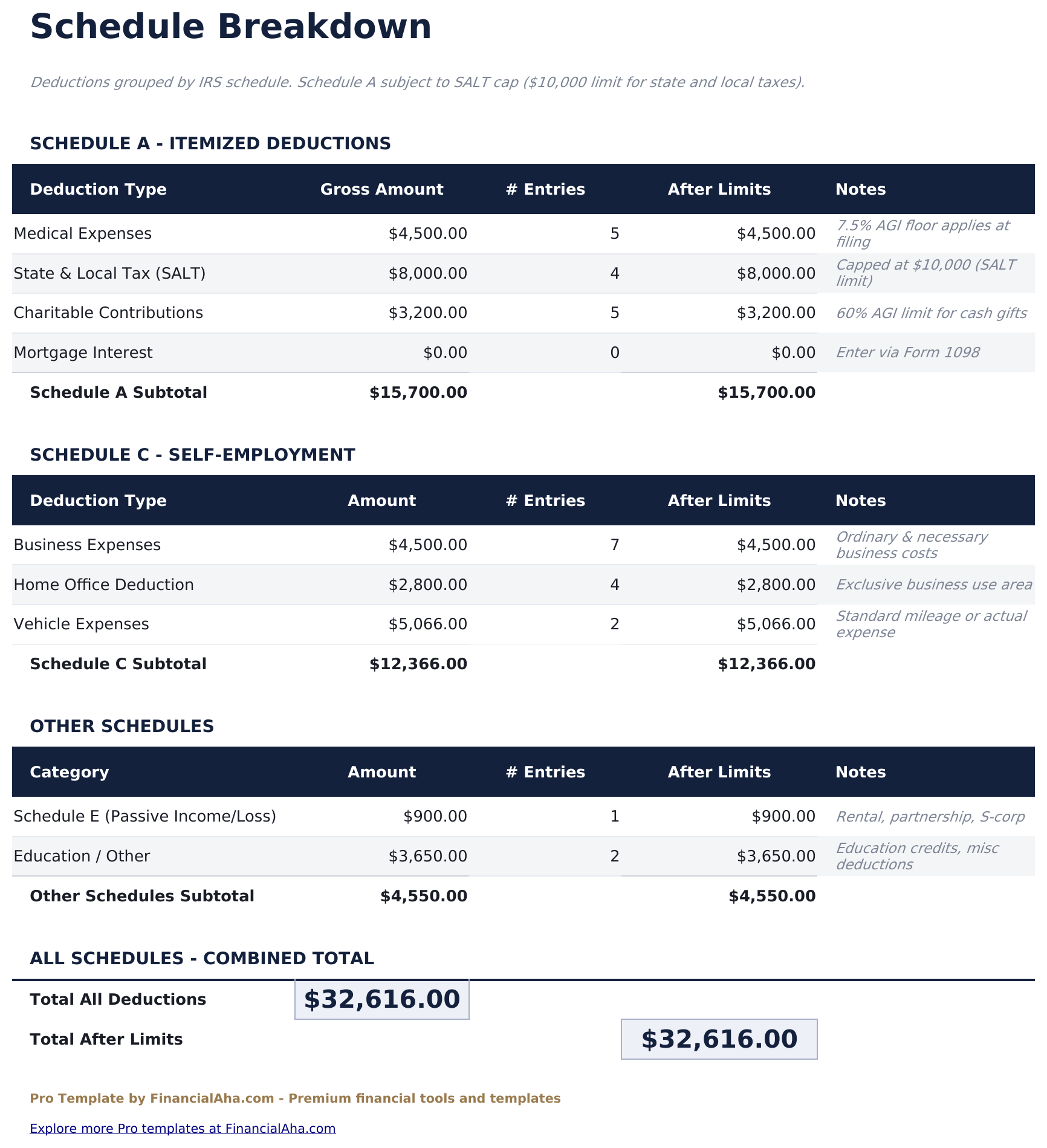
- Schedule breakdown sheet grouping deductions by tax schedule - Schedule A, Schedule C, Schedule E, and other - with subtotals per schedule
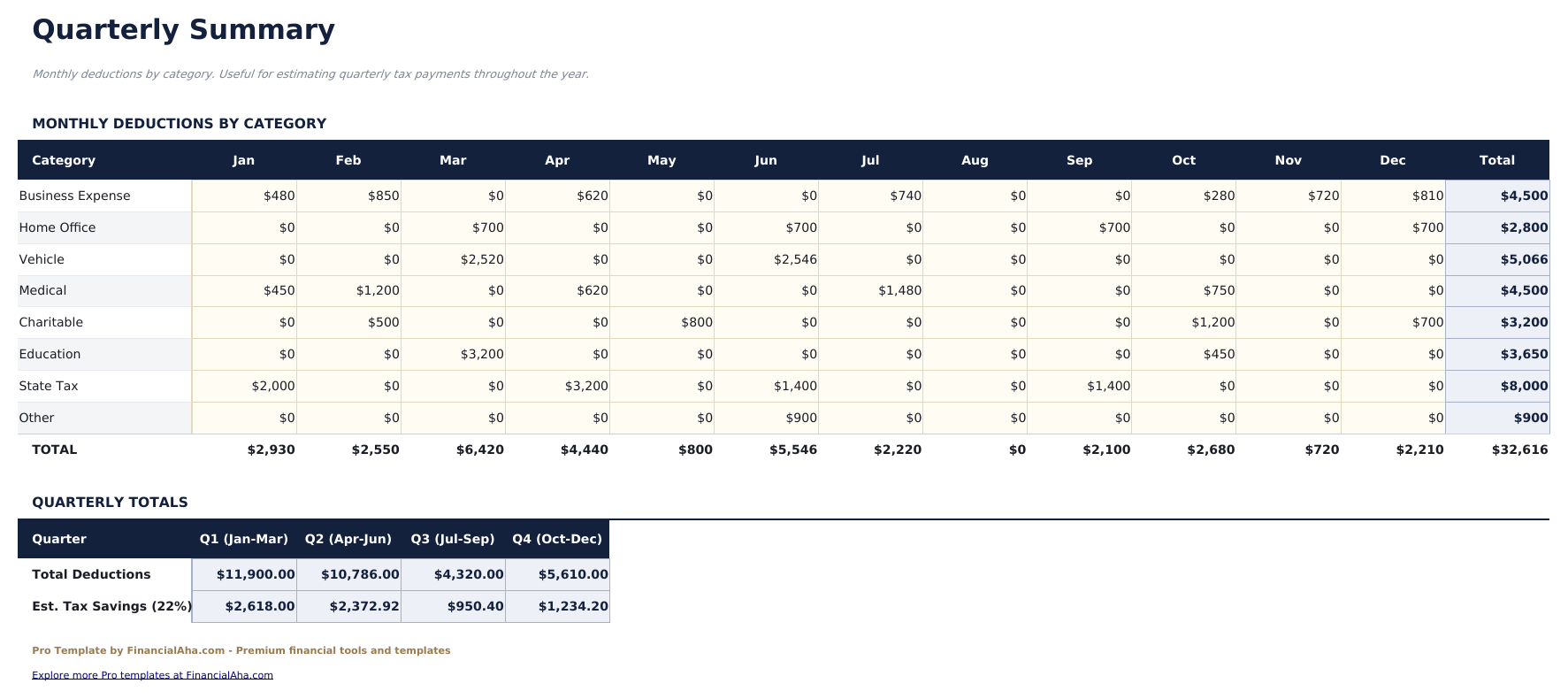
- Quarterly summary showing deduction totals by quarter with quarter-over-quarter comparison and year-to-date running total
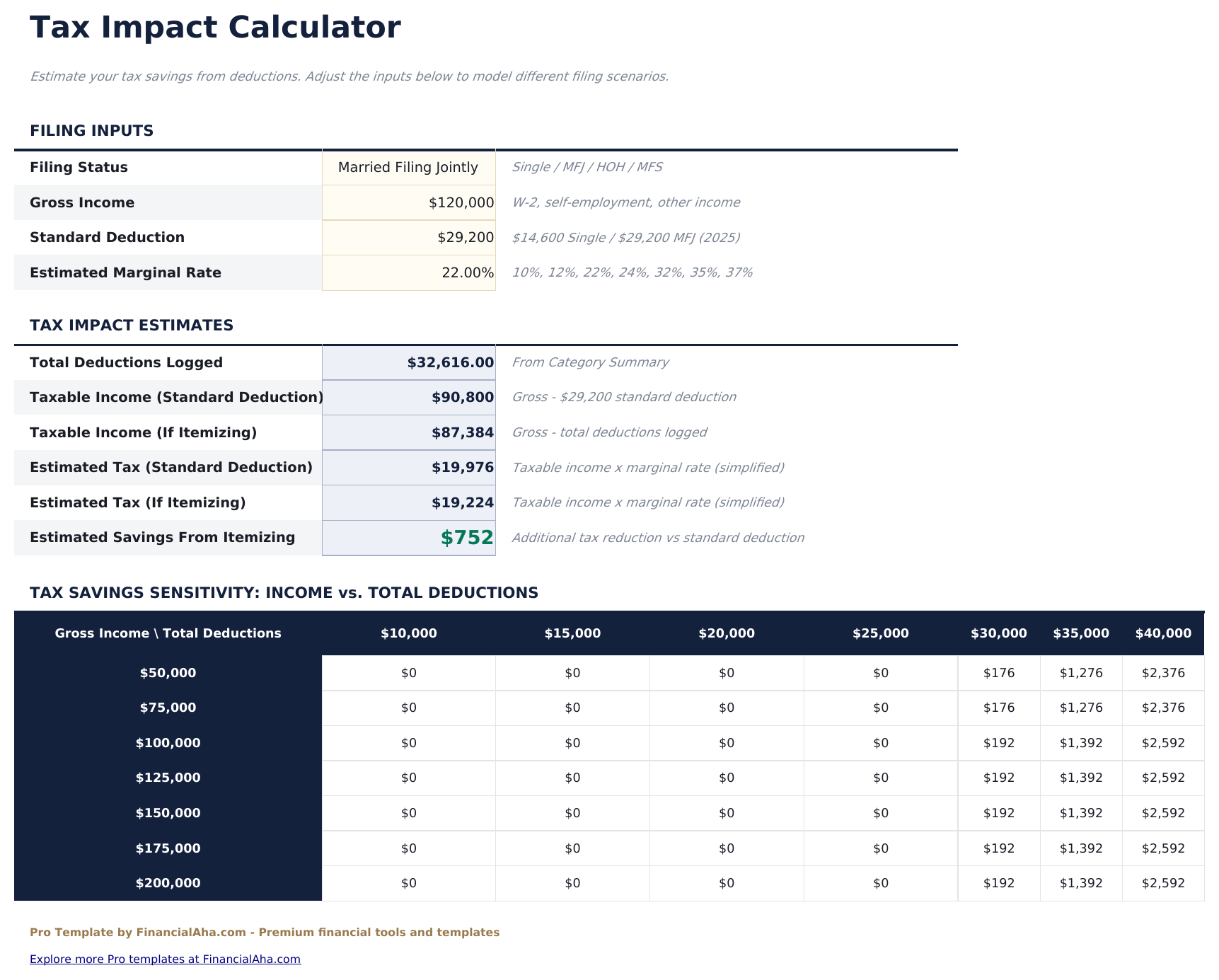
- Tax impact calculator with editable federal and state tax rates showing estimated tax savings from total deductions
- Receipt status dropdown (Yes, No, Pending) with conditional formatting to flag missing receipts
- Works in Microsoft Excel, Google Sheets, and LibreOffice Calc with no macros required
Preview
See what's inside this template
How to Use This Template
Log your deductions
Go to the Deduction Log and enter each deductible expense with date, description, category (dropdown), tax schedule (dropdown), amount, and whether you have a receipt.
Review by category and schedule
The Category Summary shows totals per deduction type. The Schedule Breakdown groups deductions by tax schedule with subtotals.
Track quarterly progress
The Quarterly Summary shows deduction totals by quarter and year-to-date so you can see how deductions accumulate through the year.
Estimate tax savings
In the Tax Impact Calculator, enter your marginal federal and state tax rates to see an estimated tax savings from your logged deductions.
Built by Claude AI. Perfected by us.
We use Claude AI to draft each template, after a deep research. Then our team steps in. We refine the layout, stress-test every formula, fix edge cases, and polish the design until it feels like something we would actually use ourselves. The AI gets us 80% there. The last 20% is all human judgment.
One-time purchase. No subscription. Works in Excel & Google Sheets.
Frequently Asked Questions
How many deductions can I track?
The Pro version supports up to 150 deductions - nearly 4 times the free version. Each entry includes date, description, category, tax schedule, amount, and receipt status.
What tax schedules are covered?
Schedule A (itemized deductions), Schedule C (self-employment business expenses), Schedule E (rental and pass-through income), and Other for deductions that do not fit a specific schedule. The Schedule Breakdown sheet subtotals each group.
How does the tax impact calculator work?
Enter your estimated federal and state marginal tax rates. The calculator applies those rates to your total deductions to show the estimated tax savings. This is an estimate - actual tax outcomes depend on many factors.
What categories are available?
Categories include Home Office, Vehicle, Meals, Travel, Equipment, Software, Professional Fees, Medical, Charitable Contributions, Education, Taxes Paid, Mortgage Interest, and Other.
Is this a substitute for tax software or a CPA?
No. This template helps organize and document deductions throughout the year. A tax professional or tax software handles the actual filing and determines what is deductible in your specific situation.
What do I get after purchase?
You receive an Excel file (.xlsx) that works in Microsoft Excel, Google Sheets, and LibreOffice Calc. Download it immediately after purchase - no signup or account required.
Is there a free version?
Yes. The free version of this template is available with basic features. The Pro version adds advanced analysis, more capacity, and additional sheets.
What if it does not work for me?
Contact us and we will help troubleshoot. The template works in Microsoft Excel, Google Sheets, and LibreOffice Calc with no macros required.
Looking for more Pro templates?
We offer Pro versions of our most popular spreadsheet templates with advanced features, more capacity, and deeper analysis.