1099 Income Tracker Pro
Multi-client 1099 income and expense tracking with quarterly estimated tax calculations and Schedule C preparation.
Free vs Pro
- Log income and basic expenses for a single client or source
- Dashboard with gross income, expenses, and net profit
- Basic quarterly estimate calculation
- Works in Excel and Google Sheets
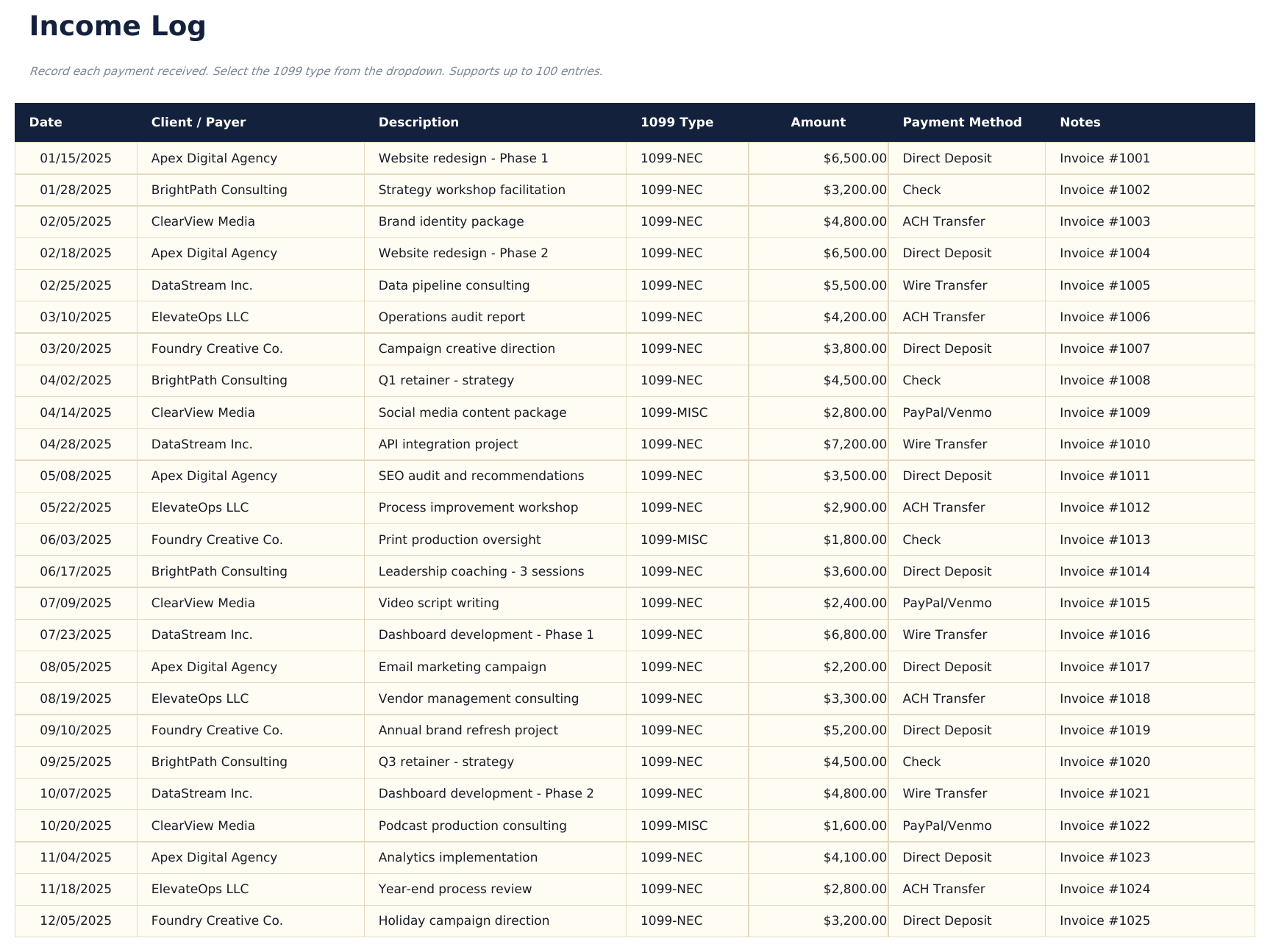
- Log 1099 and self-employment income by client with date, client name, income type, invoice reference, and amount received
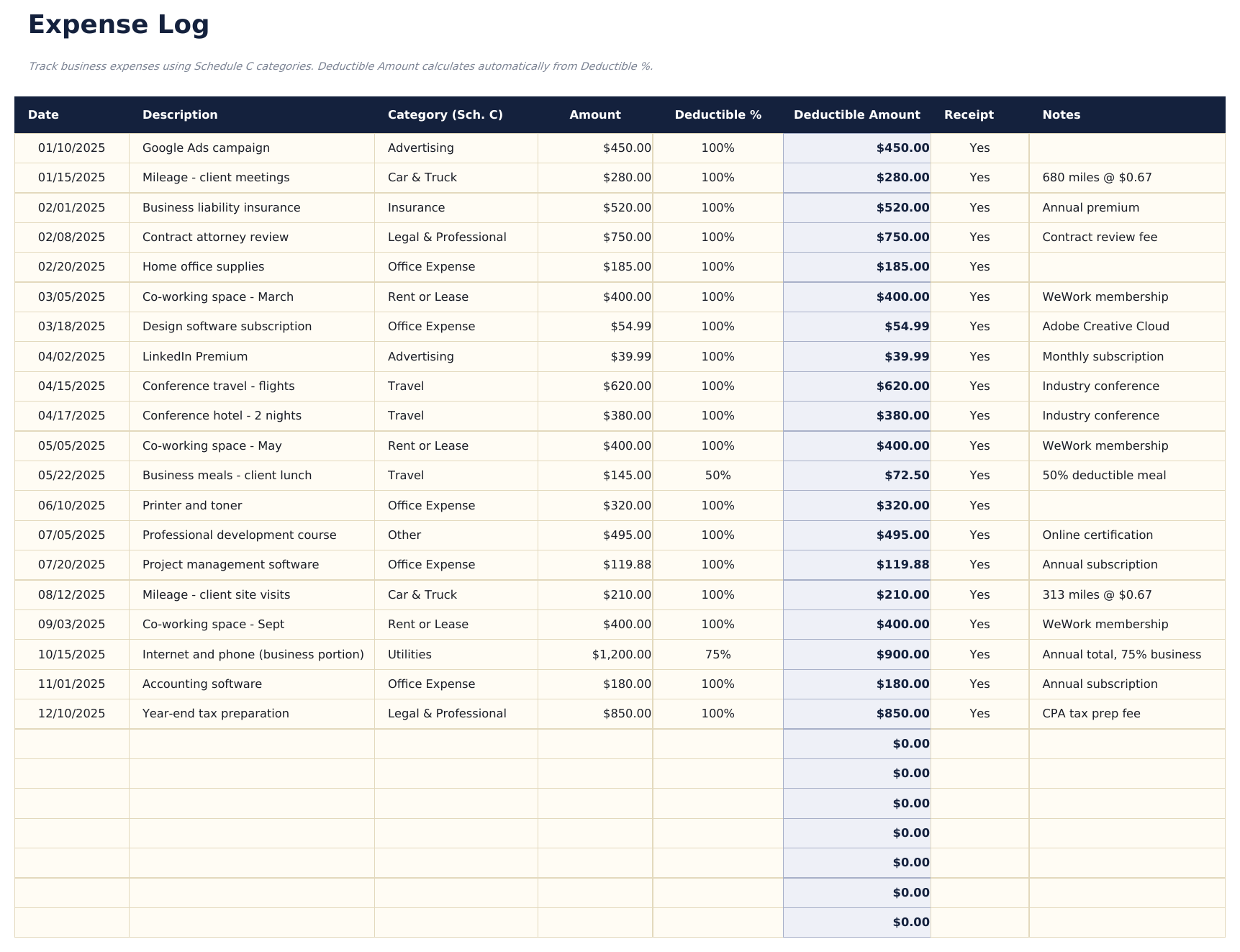
- Log business expenses with date, description, category, Schedule C line, amount, and receipt status
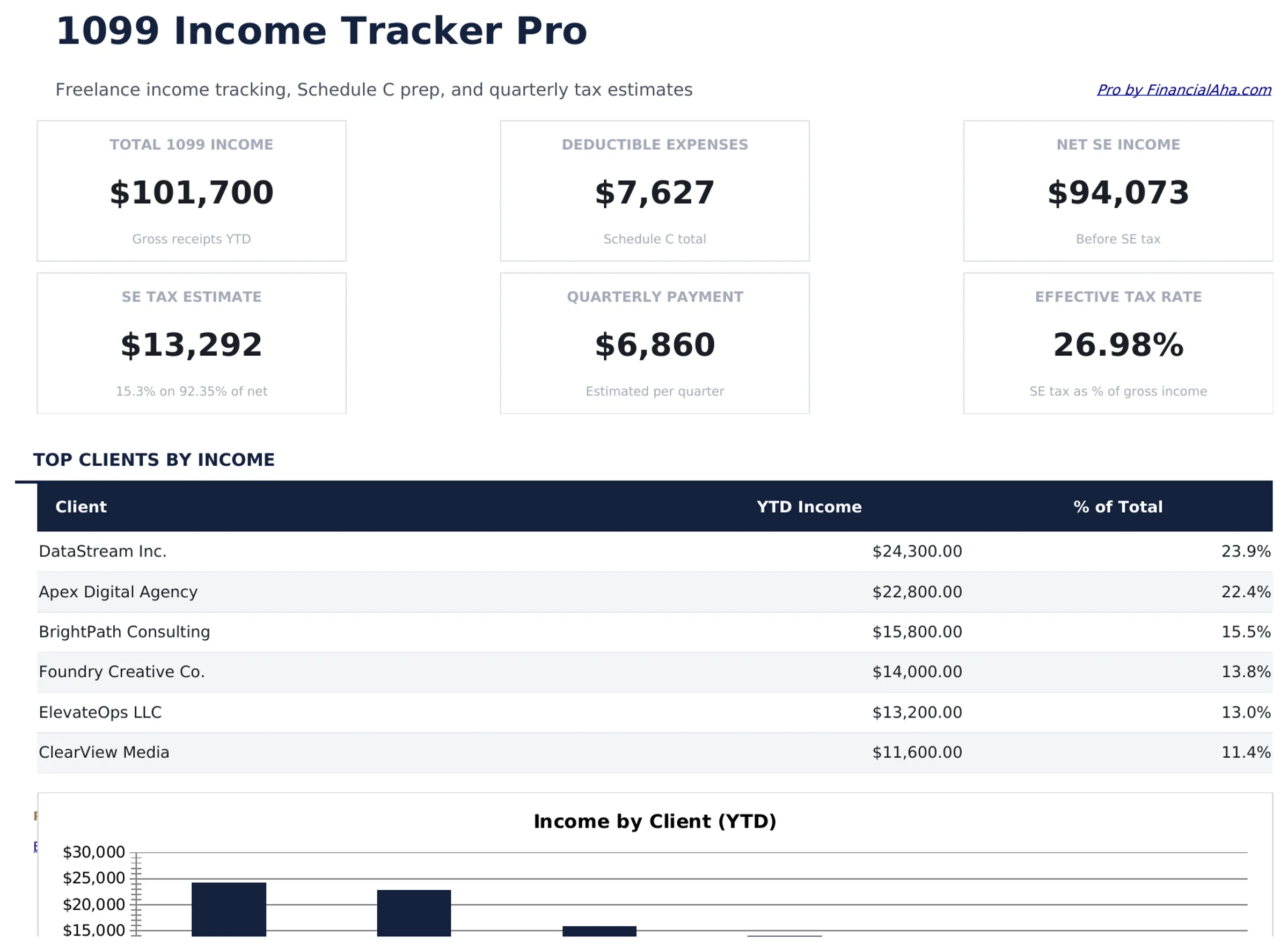
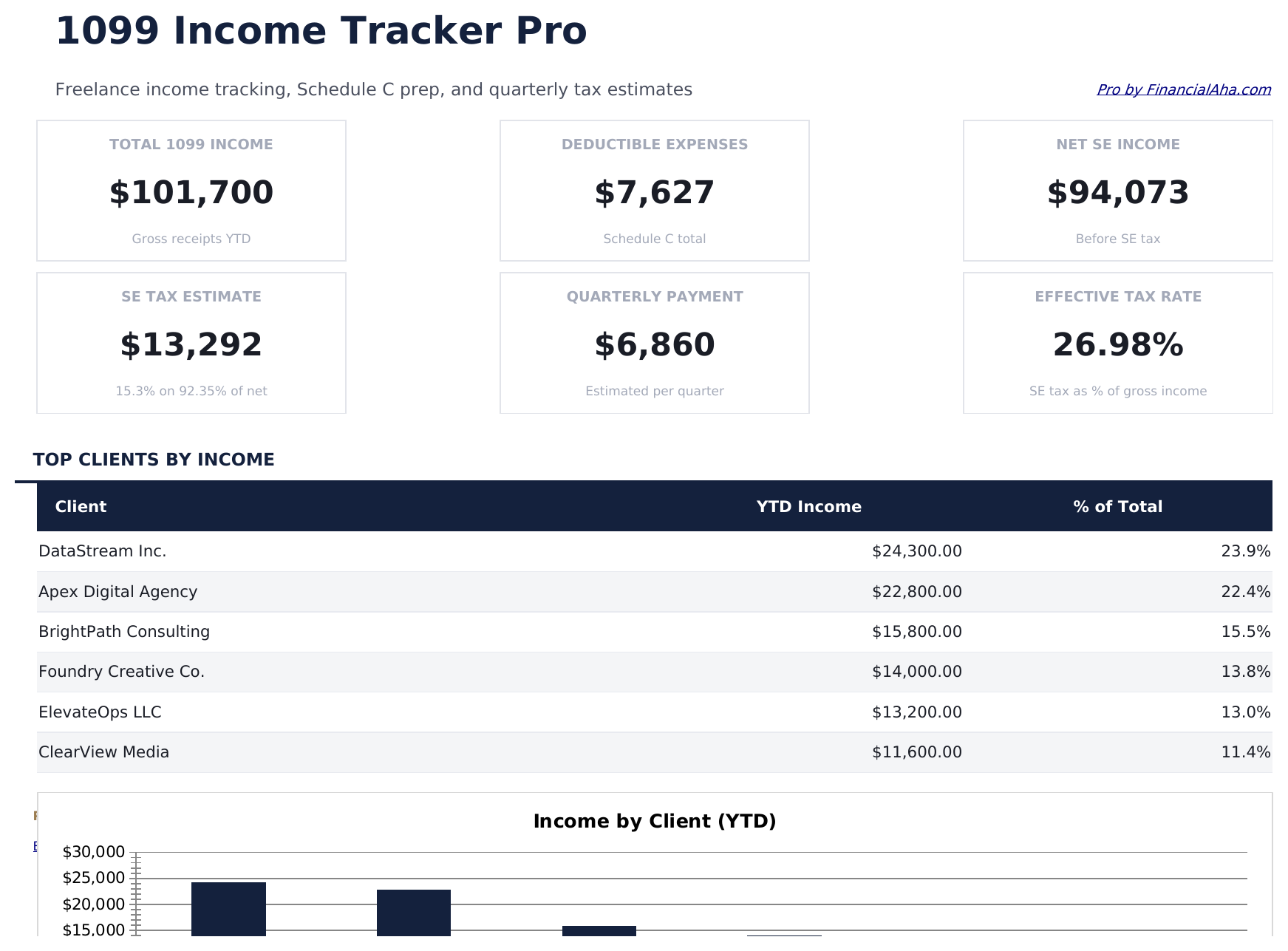
- Dashboard with 6 KPI cards: total gross income, total expenses, net profit, effective tax rate, quarterly estimate due, and client count
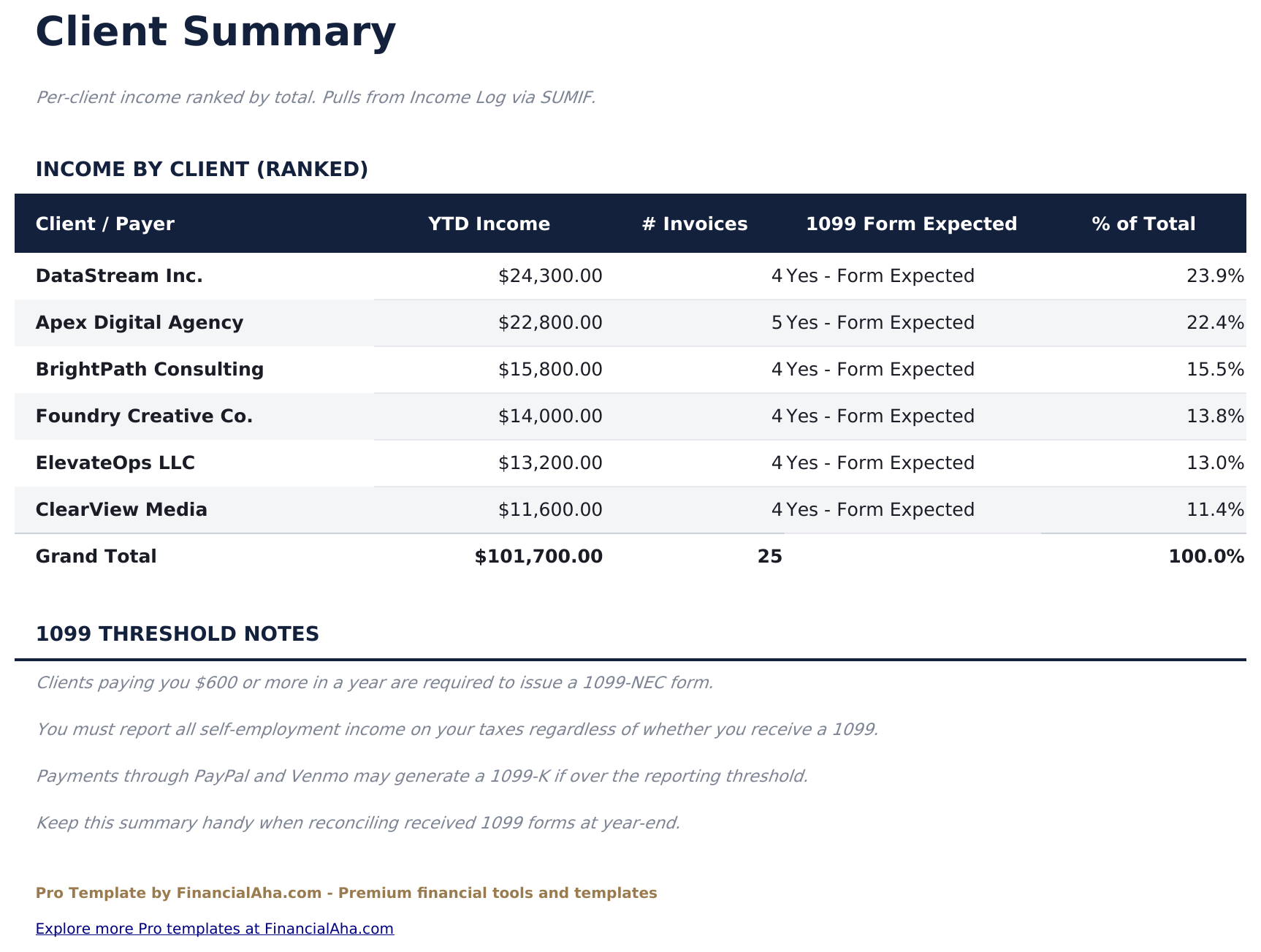
- Client summary sheet showing total income, invoice count, and percentage of total revenue per client across the year
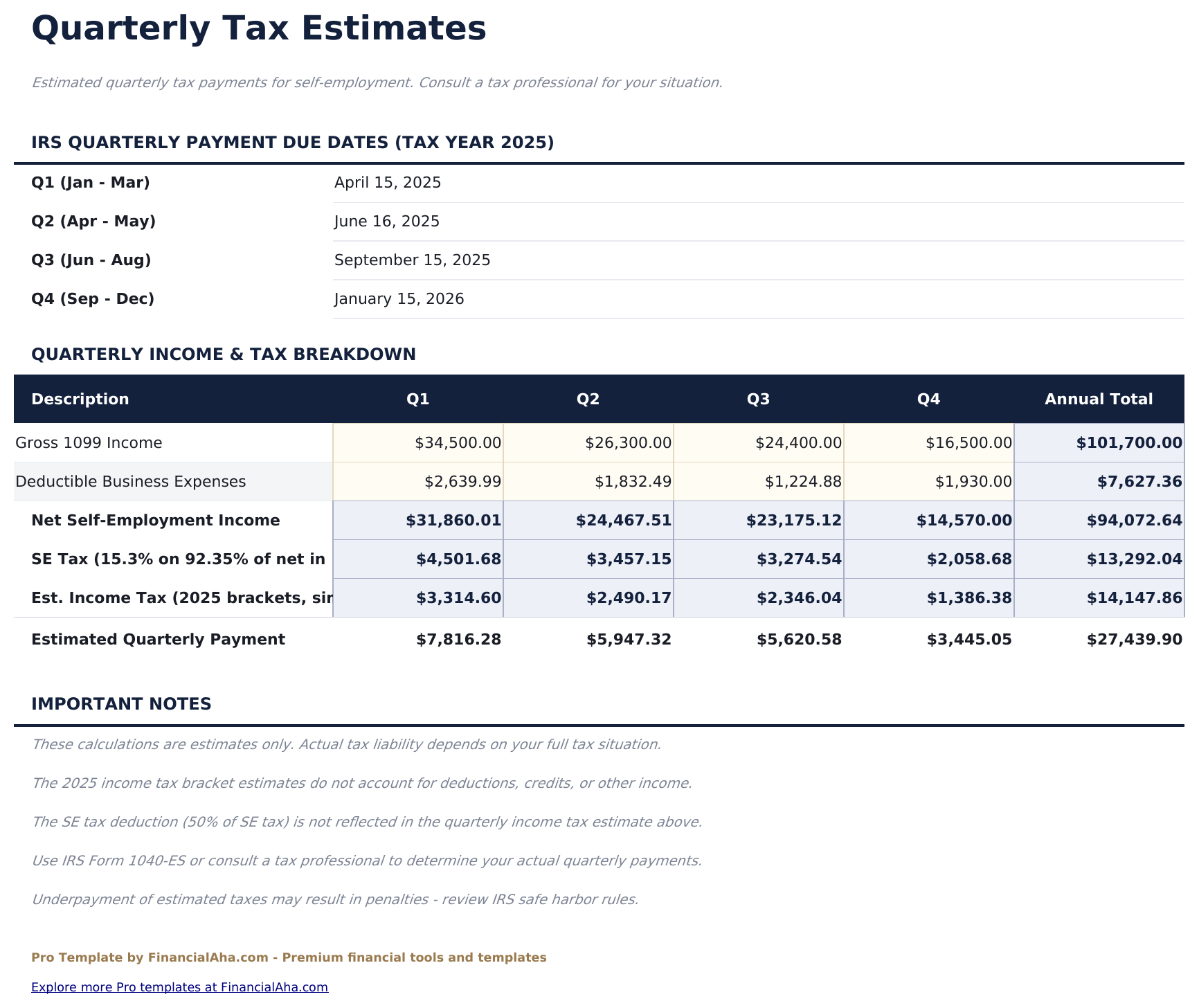
- Quarterly estimates sheet calculating estimated federal self-employment tax and income tax owed for each quarter with payment due dates
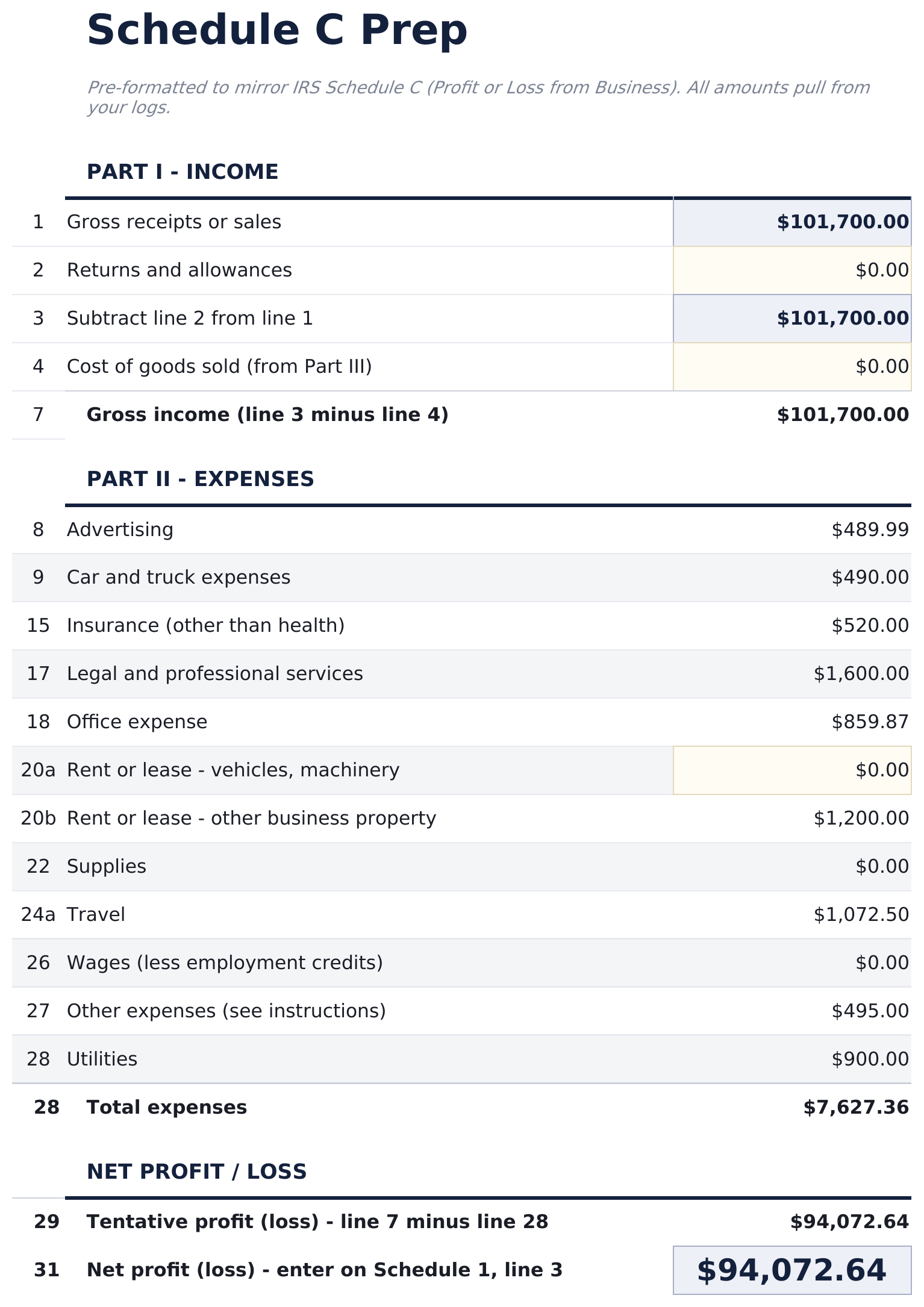
- Schedule C prep sheet organizing income and expenses into the standard Schedule C line items - ready to hand off to a tax professional
- Expense categories map directly to Schedule C lines: advertising, car and truck, insurance, office, professional fees, supplies, travel, meals, utilities, and other
- Works in Microsoft Excel, Google Sheets, and LibreOffice Calc with no macros required
Preview
See what's inside this template
How to Use This Template
Log income by client
In the Income Log, record each payment received with date, client name, income type, invoice reference, and amount.
Log business expenses
In the Expense Log, enter each business expense with date, description, category (dropdown mapped to Schedule C lines), amount, and receipt status.
Review quarterly estimates
The Quarterly Estimates sheet calculates estimated self-employment and income tax owed each quarter with IRS payment due dates.
Prepare for tax time
The Schedule C Prep sheet organizes all income and expenses into standard Schedule C line items - ready to share with a tax professional or enter into tax software.
Built by Claude AI. Perfected by us.
We use Claude AI to draft each template, after a deep research. Then our team steps in. We refine the layout, stress-test every formula, fix edge cases, and polish the design until it feels like something we would actually use ourselves. The AI gets us 80% there. The last 20% is all human judgment.
One-time purchase. No subscription. Works in Excel & Google Sheets.
Frequently Asked Questions
Who is this template for?
Freelancers, contractors, and self-employed individuals who receive 1099 income from multiple clients and need to track business income and expenses throughout the year.
How does the quarterly estimates sheet work?
It calculates estimated self-employment tax (15.3%) and estimated income tax based on your net profit each quarter. Payment due dates for Q1 through Q4 are included. The estimates are a starting point - actual amounts depend on your full tax situation.
What is the Schedule C prep sheet?
It organizes your income and categorized expenses into the standard Schedule C line items used on Form 1040. This gives you a summary that matches what a tax professional or tax software will need.
How many clients can I track?
There is no hard client limit. Add as many rows as needed in the Income Log with the client name for each payment. The Client Summary sheet automatically aggregates totals per client.
Does this replace a tax professional?
No. The template helps organize records and produce a Schedule C summary, but does not constitute tax advice. Self-employment tax situations vary - a tax professional or CPA can verify deductibility and handle the actual filing.
What do I get after purchase?
You receive an Excel file (.xlsx) that works in Microsoft Excel, Google Sheets, and LibreOffice Calc. Download it immediately after purchase - no signup or account required.
Is there a free version?
Yes. The free version of this template is available with basic features. The Pro version adds advanced analysis, more capacity, and additional sheets.
What if it does not work for me?
Contact us and we will help troubleshoot. The template works in Microsoft Excel, Google Sheets, and LibreOffice Calc with no macros required.
Looking for more Pro templates?
We offer Pro versions of our most popular spreadsheet templates with advanced features, more capacity, and deeper analysis.