Home Renovation Budget Pro
Full renovation project management for up to 8 rooms with contractor tracking, payment schedule, budget vs actual analysis, and project milestones.
Free vs Pro
- Budget a single renovation project across 5 cost categories
- Dashboard with total budget, spent, and remaining
- Basic budget vs actual tracking
- Works in Excel and Google Sheets
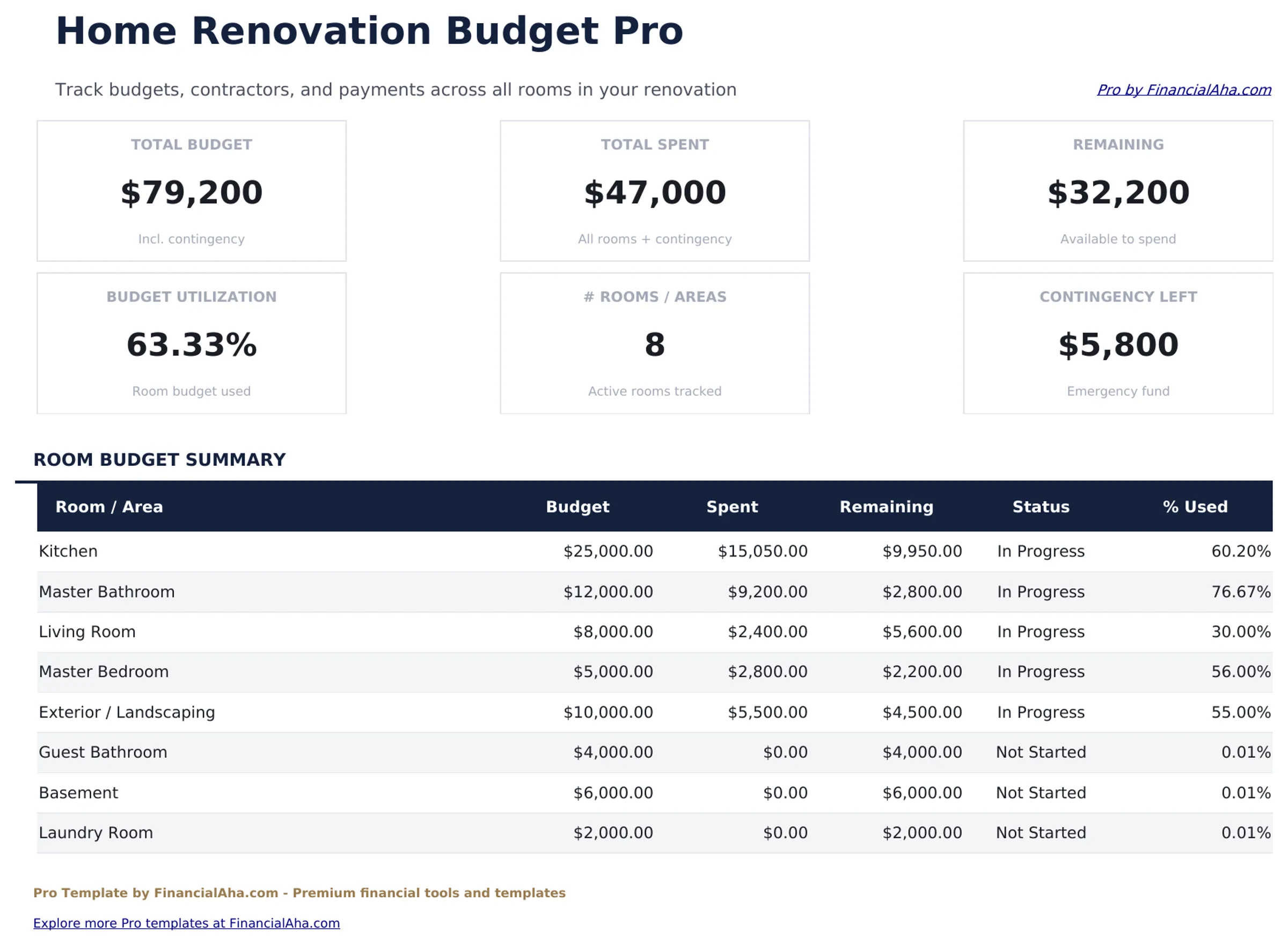
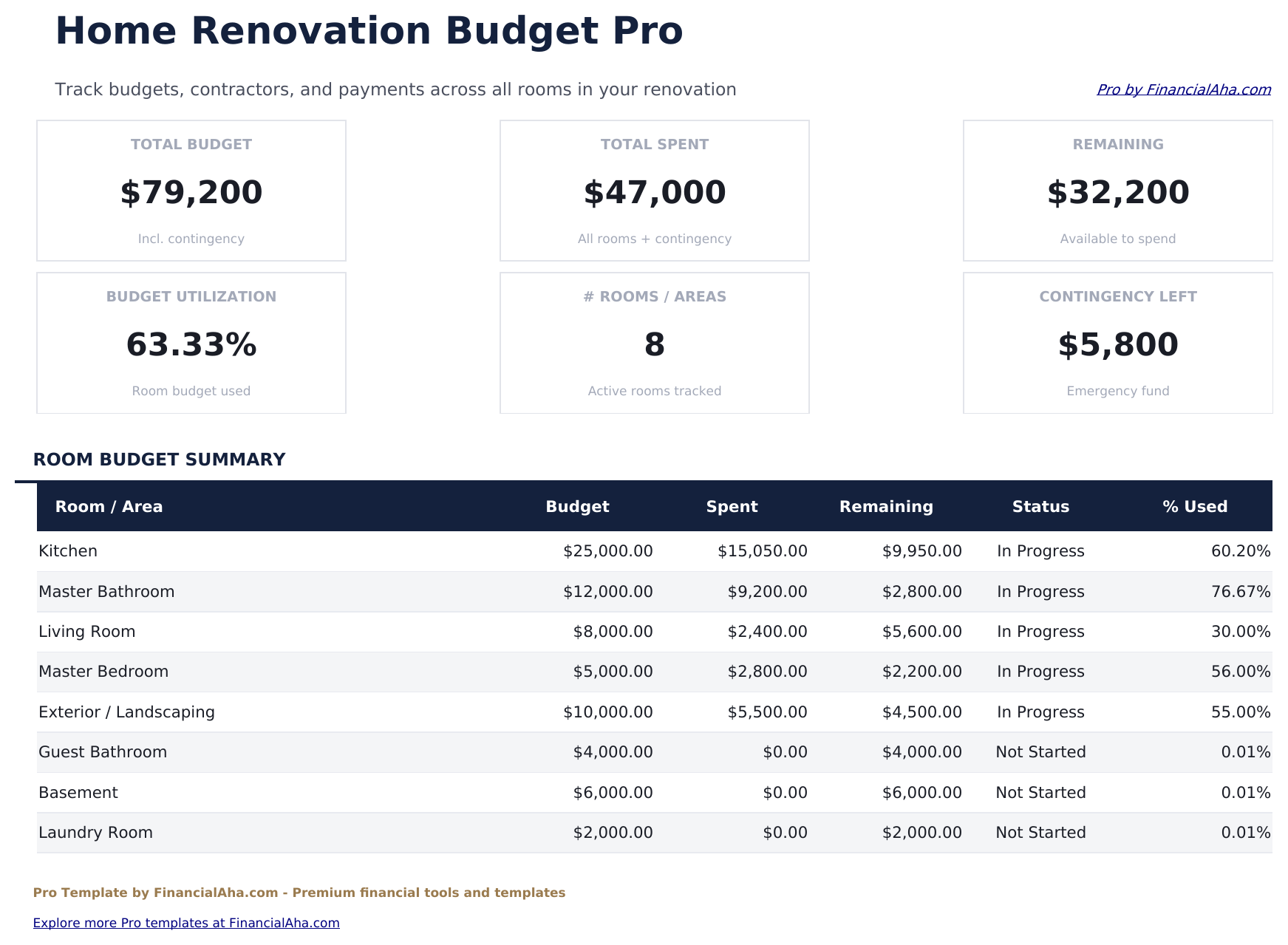
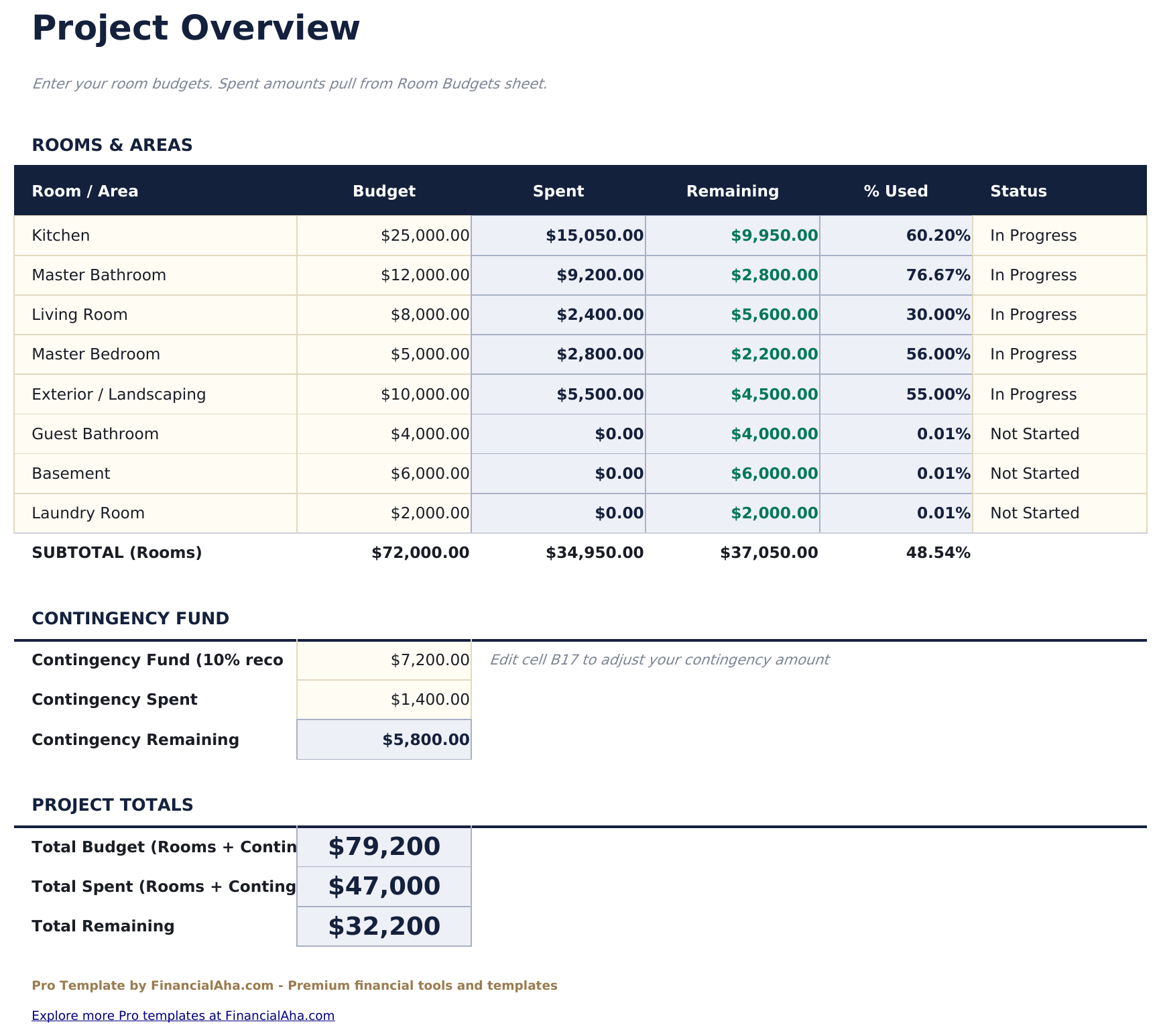
- Project Overview sheet with total renovation budget, timeline, contingency percentage, and overall project status
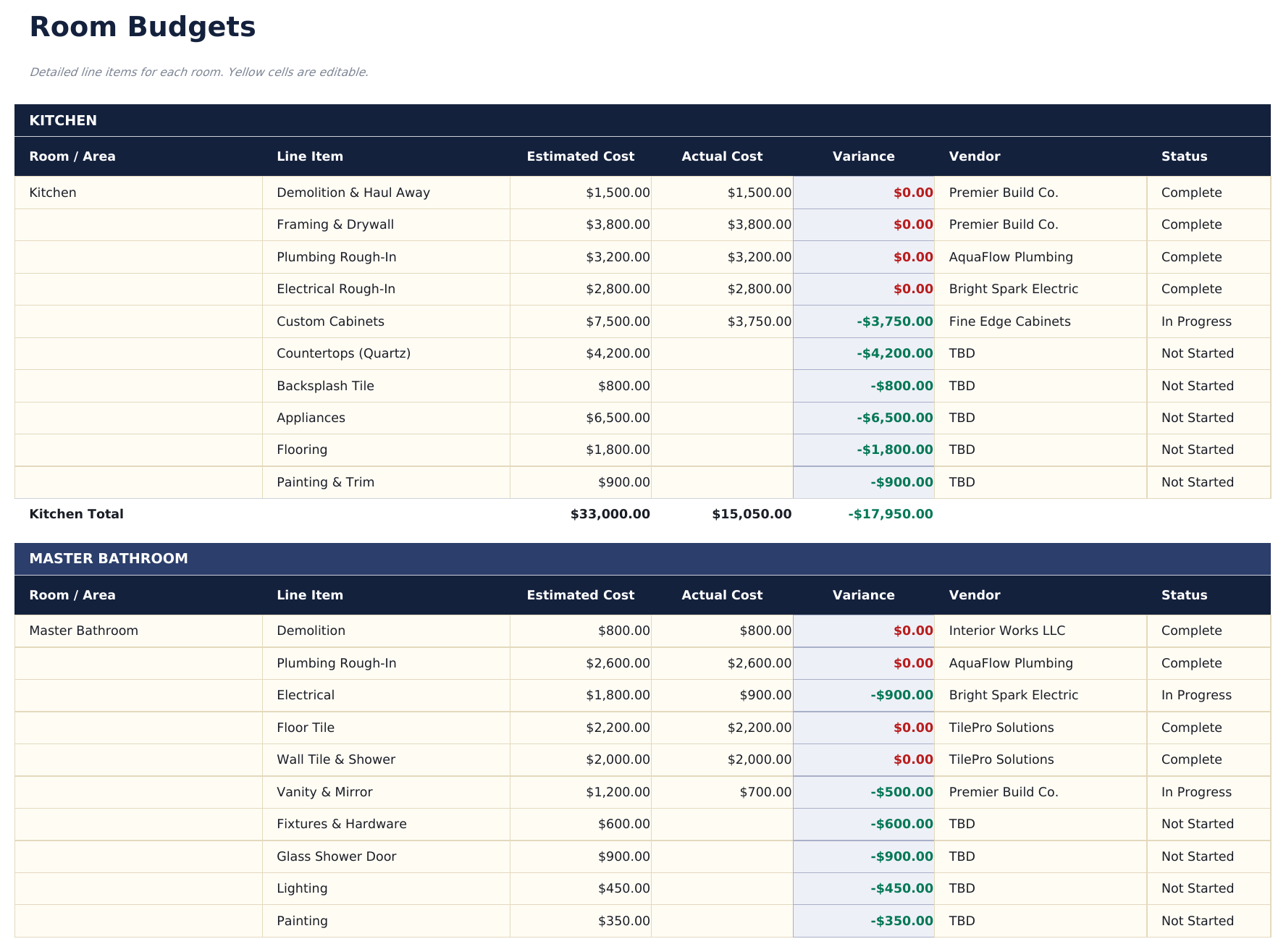
- Room Budgets sheet with cost line items for up to 8 rooms: materials, labor, permits, and miscellaneous per room
- Dashboard with 6 KPI cards: total budget, total spent, remaining budget, percent complete, contingency remaining, and days to completion
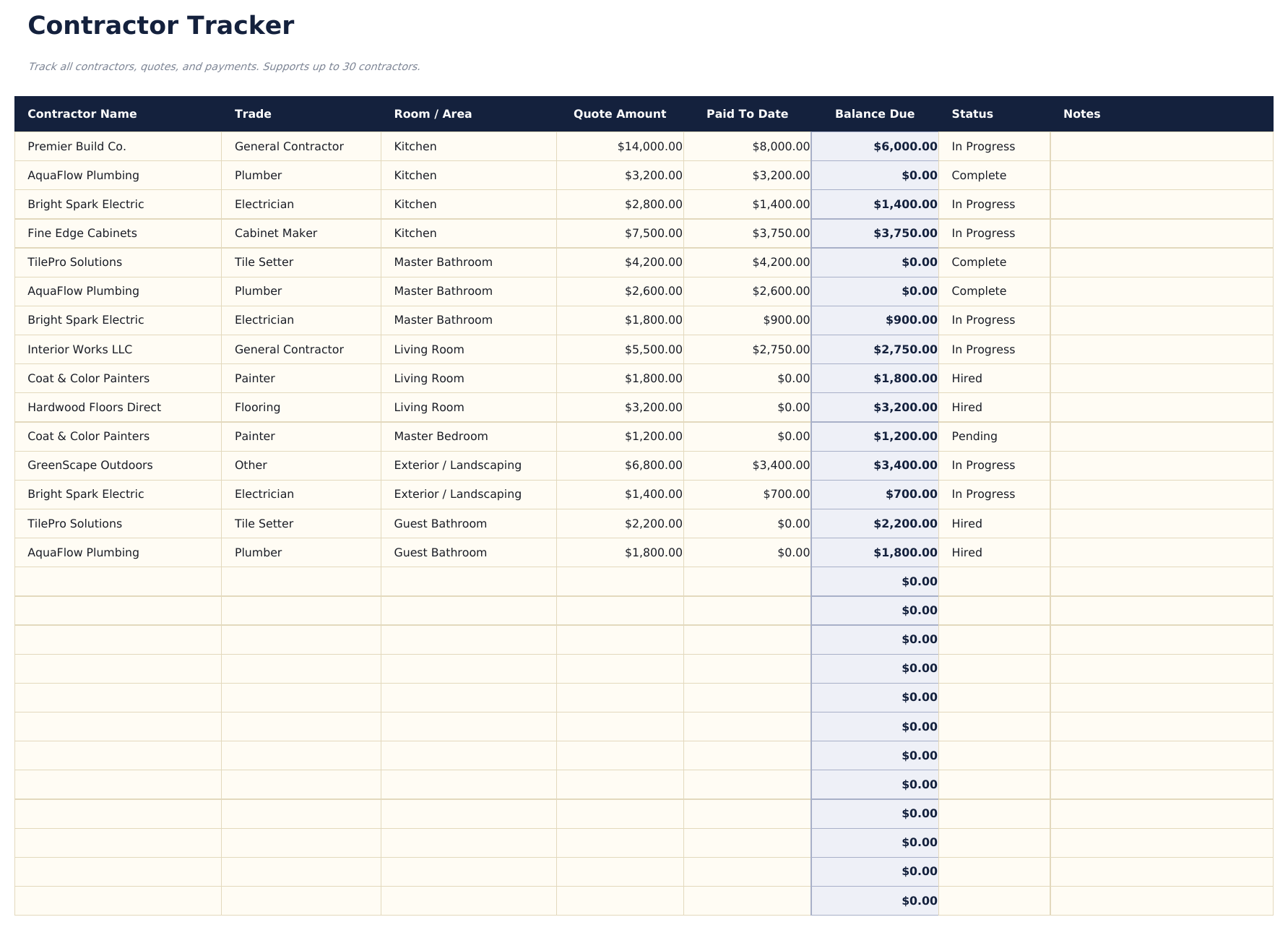
- Contractor Tracker listing each contractor with contact details, trade, contracted amount, work description, start date, and status
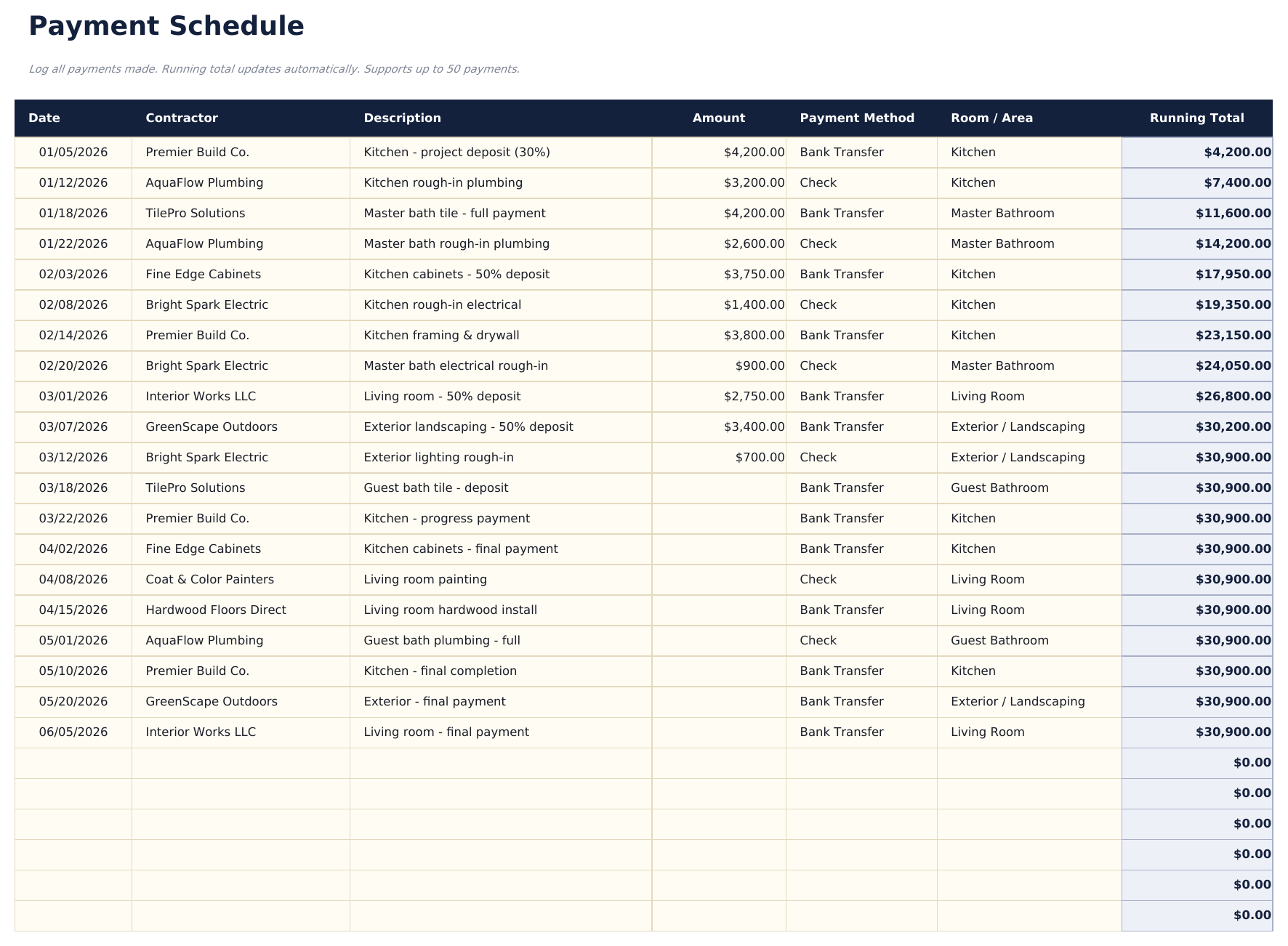
- Payment Schedule tracking every payment made or scheduled: contractor, amount, due date, paid date, payment method, and status
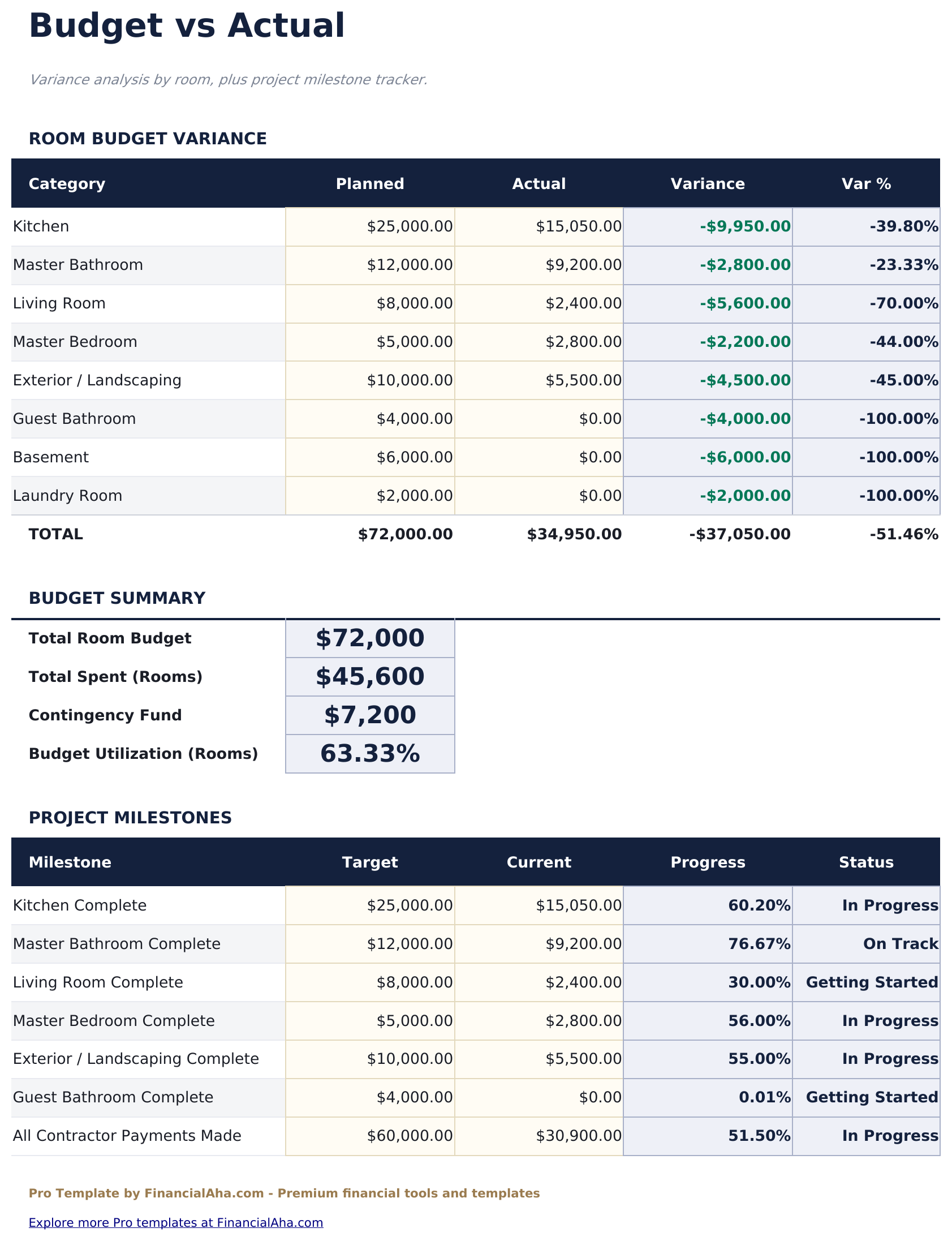
- Budget vs Actual sheet comparing estimated and actual costs for each room and cost category with variance in dollar and percent
- Milestones section tracking key project events with planned and actual dates and completion status
- Works in Microsoft Excel, Google Sheets, and LibreOffice Calc with no macros required
Preview
See what's inside this template
How to Use This Template
Set up the project
Go to the Project Overview sheet and enter the total renovation budget, start date, target completion date, and contingency percentage.
Budget each room
In the Room Budgets sheet, enter estimated costs for materials, labor, permits, and miscellaneous items for each of the rooms included in your renovation.
Track contractors and payments
Add each contractor to the Contractor Tracker with their trade and contracted amount. Log every payment in the Payment Schedule as it is made or scheduled.
Monitor budget vs actual
Update the Budget vs Actual sheet as costs come in. The variance column shows which rooms or categories are running over or under estimate.
Built by Claude AI. Perfected by us.
We use Claude AI to draft each Pro template after deep research. Then our team steps in - refining the layout, stress-testing every formula, fixing edge cases, and polishing the design. The AI gets us 80% there. The last 20% is all human judgment.
One-time purchase. No subscription. Works in Excel & Google Sheets.
Frequently Asked Questions
How many rooms can I budget?
Up to 8 rooms, each with individual line items for materials, labor, permits, and miscellaneous costs. Room totals roll up to the project-level summary and budget vs actual sheet automatically.
How does the contractor tracker work?
List each contractor with their name, trade, phone and email, contracted amount, work scope, start date, and current status (Not Started, In Progress, Complete, or On Hold). Contracted amounts feed into the payment schedule.
What does the payment schedule track?
Every payment - deposits, progress payments, and final payments - is logged with the contractor, amount, due date, actual paid date, and payment method. An outstanding balance column shows what remains owed to each contractor.
How does the contingency work?
Enter a contingency percentage (common choices are 10% to 20% of total project budget) in the Project Overview sheet. The dashboard tracks contingency as a separate line item and shows how much of the contingency buffer has been used.
Can I track multiple contractors per room?
Yes. The Contractor Tracker is not tied to specific rooms - contractors can work across multiple rooms. Use the work description field to note which rooms each contractor is covering.
What do I get after purchase?
You receive an Excel file (.xlsx) that works in Microsoft Excel, Google Sheets, and LibreOffice Calc. Download it immediately after purchase - no signup or account required.
Is there a free version?
Yes. The free version of this template is available with basic features. The Pro version adds advanced analysis, more capacity, and additional sheets.
What if it does not work for me?
Contact us and we will help troubleshoot. The template works in Microsoft Excel, Google Sheets, and LibreOffice Calc with no macros required.
Looking for more Pro templates?
We offer Pro versions of our most popular spreadsheet templates with advanced features, more capacity, and deeper analysis.