Event Budget Pro
Complete event budget management with vendor tracking, attendee cost analysis, and revenue vs cost comparison.
Free vs Pro
- Budget an event across 6 cost categories with estimated and actual columns
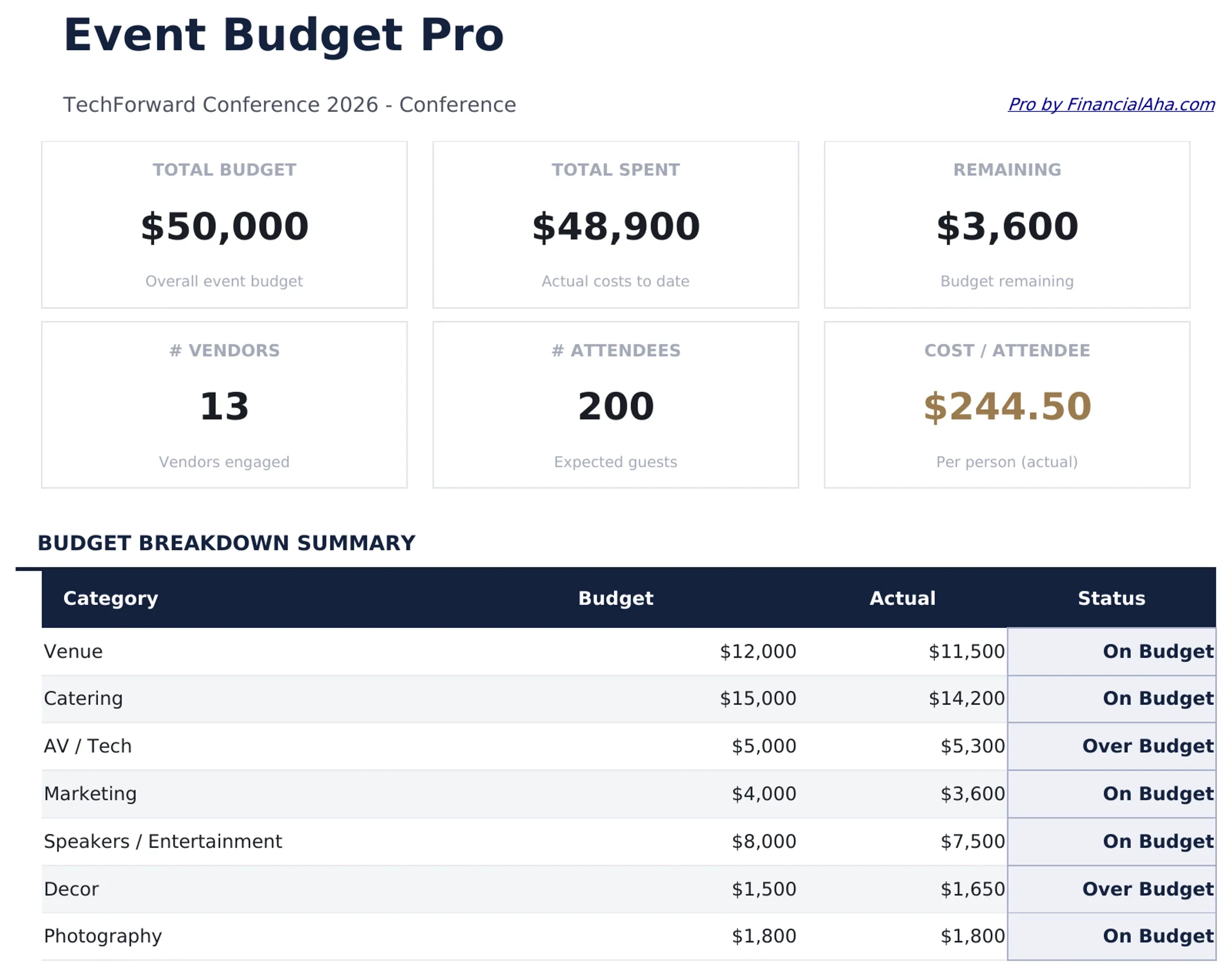
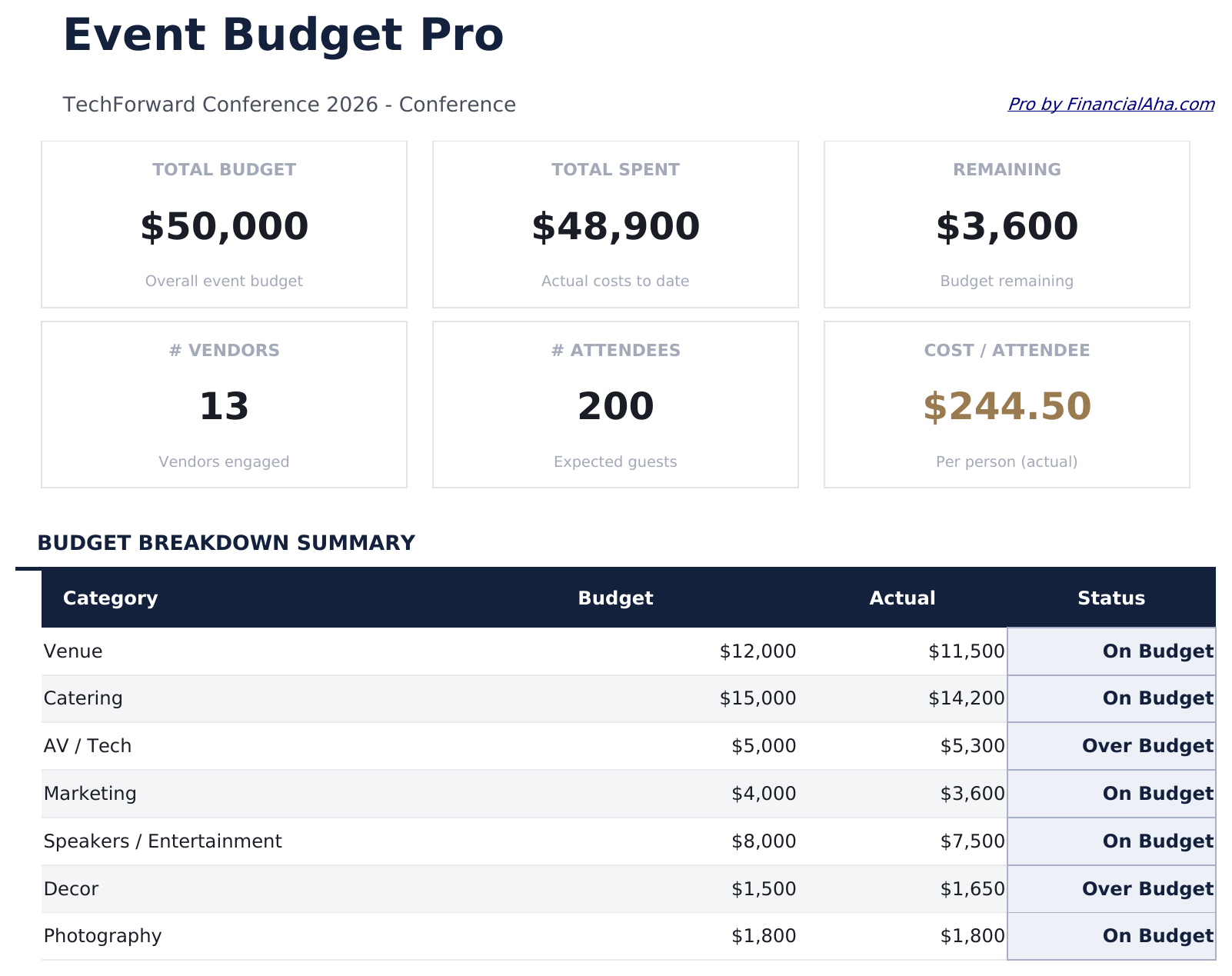
- Dashboard with total budget, spent, and remaining
- Basic revenue vs cost summary
- Works in Excel and Google Sheets
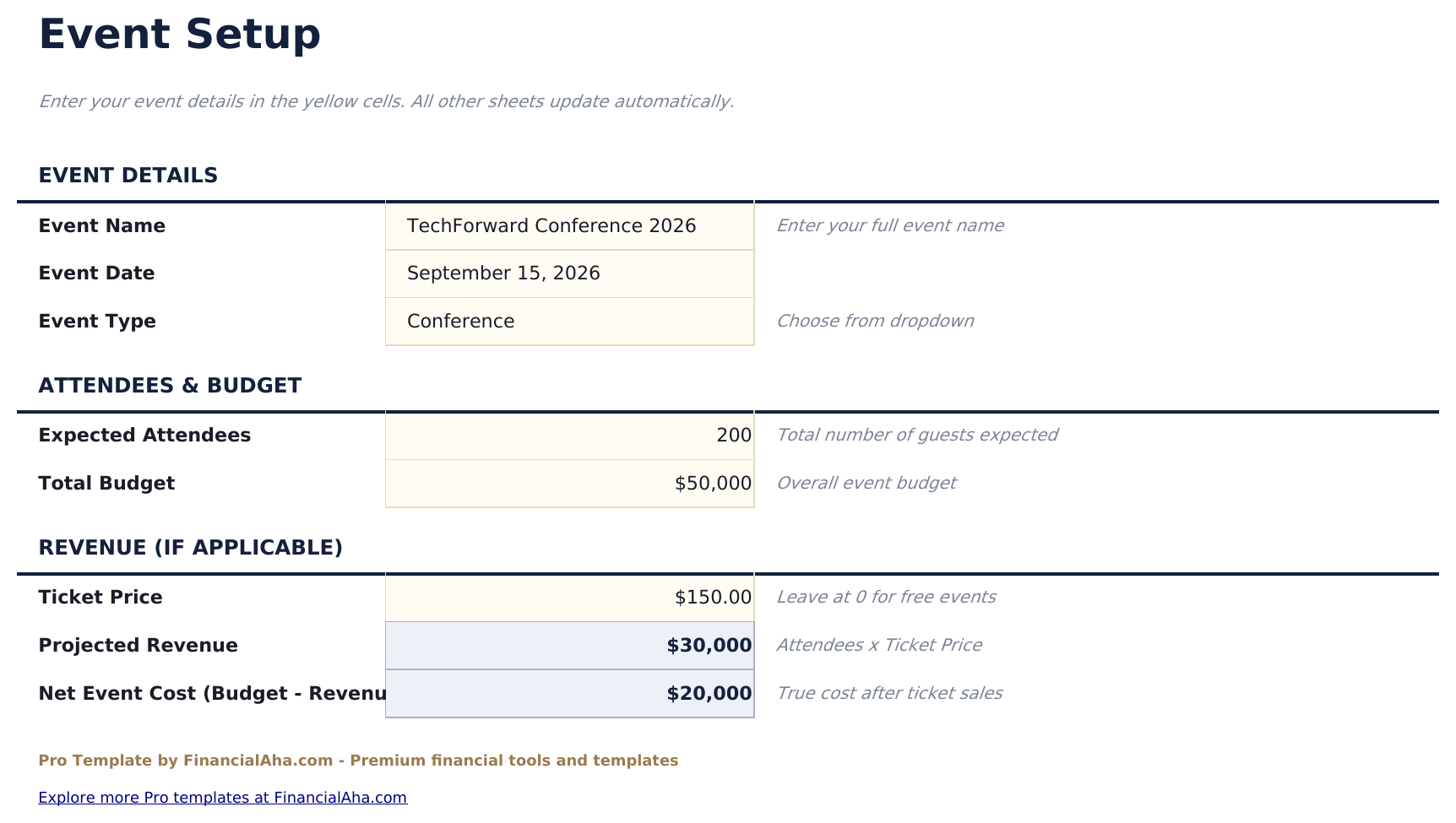
- Event Setup sheet with event name, date, venue, expected and actual attendance, ticket price, and overall budget target
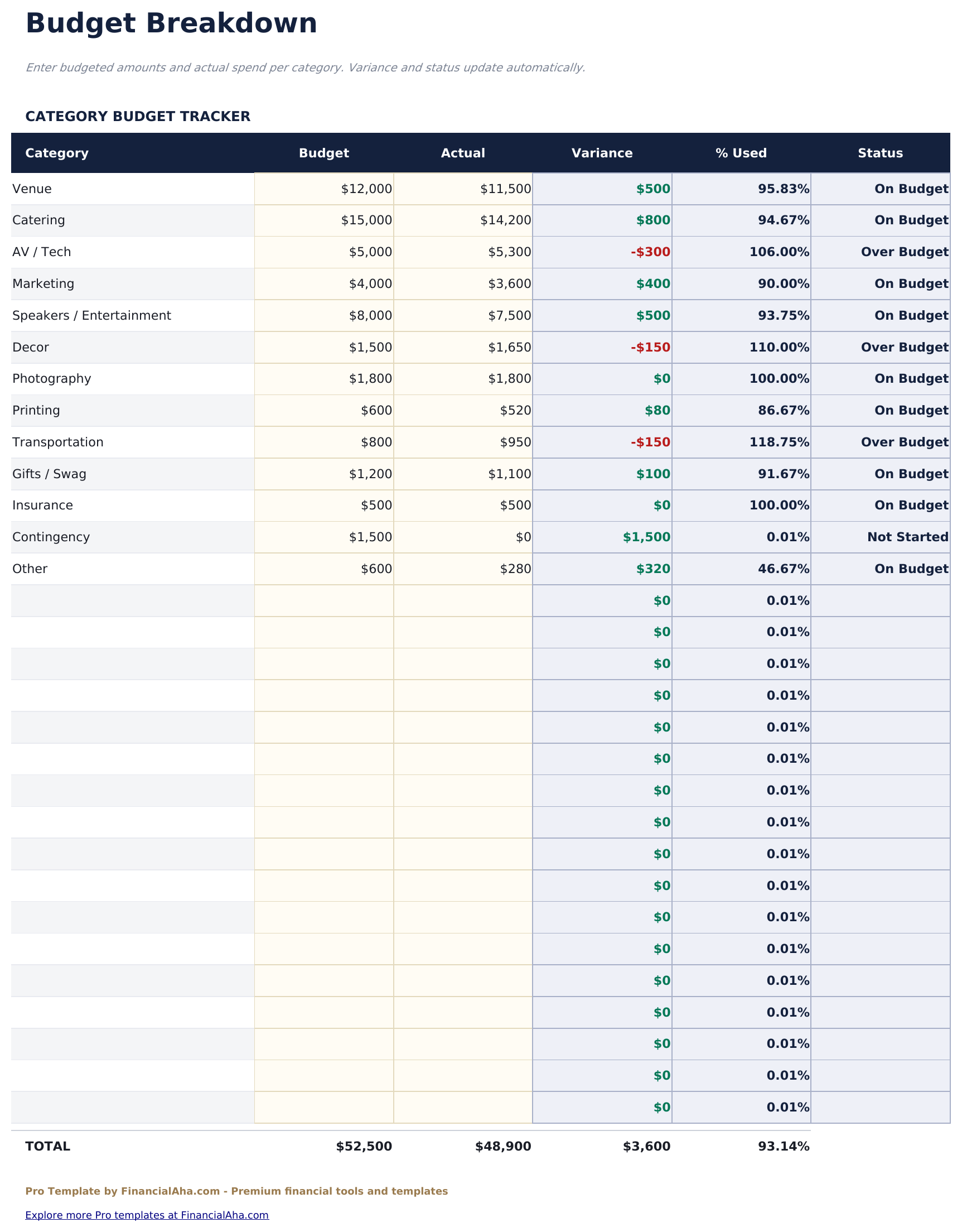
- Budget Breakdown sheet with cost categories: venue, catering, entertainment, decor, marketing, staffing, AV, and miscellaneous - each with estimated and actual columns
- Dashboard with 6 KPI cards: total budget, total spent, net surplus or deficit, revenue, cost per attendee, and percent of budget used
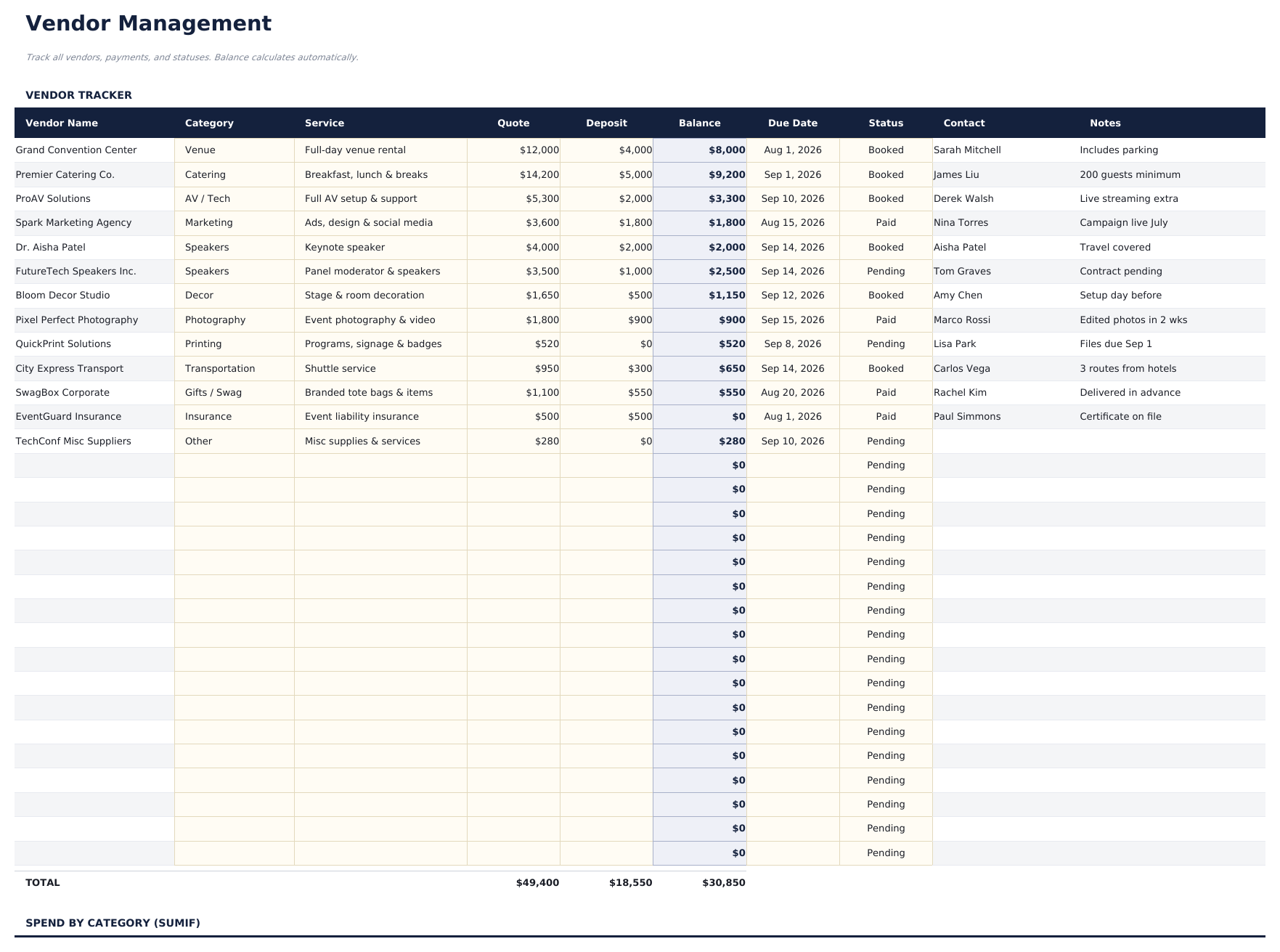
- Vendor Management sheet tracking each vendor with contact, contract amount, deposit paid, balance due, status, and payment due date
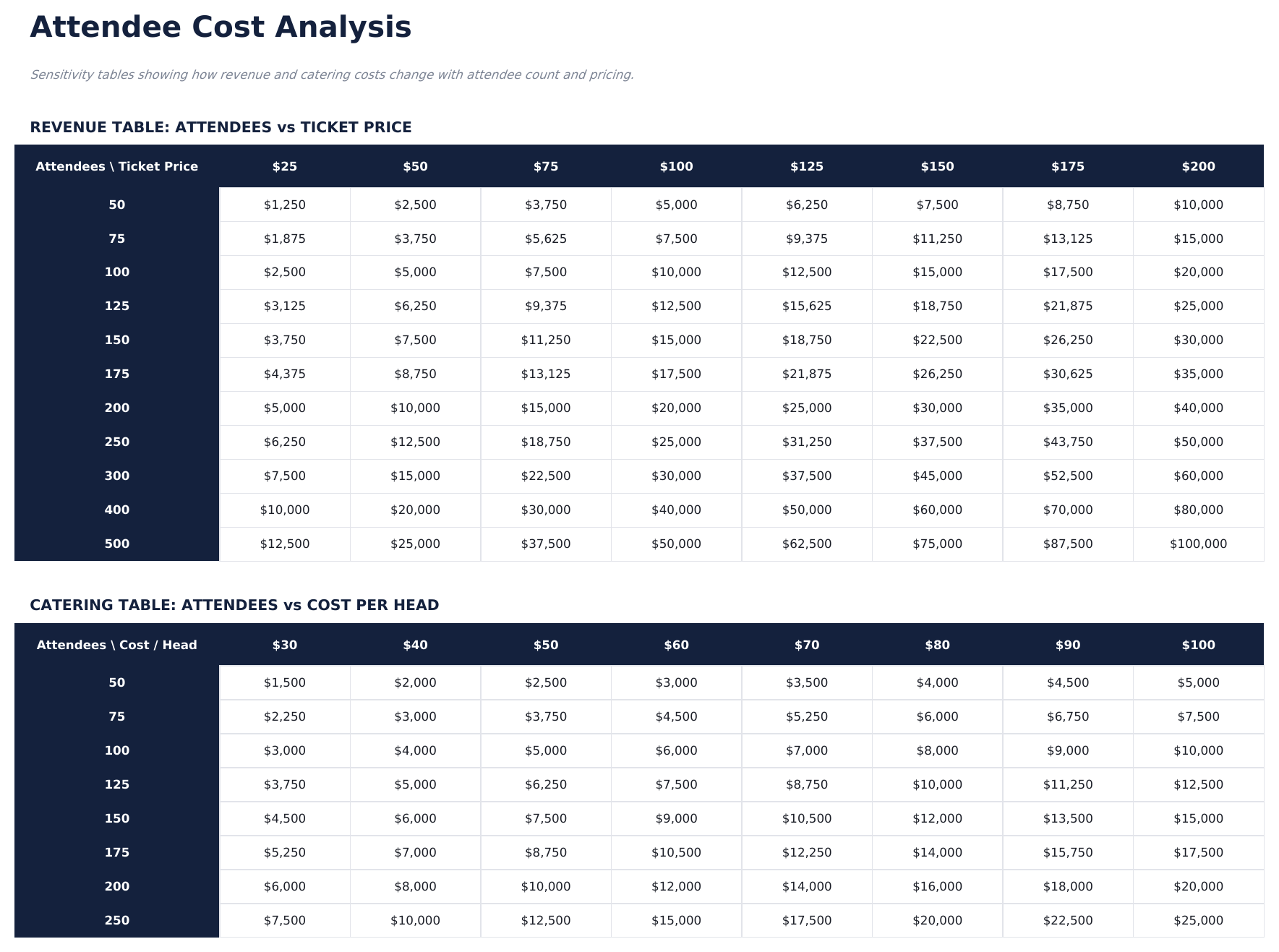
- Attendee Analysis sheet calculating per-person costs by budget category and comparing cost per attendee at different attendance scenarios
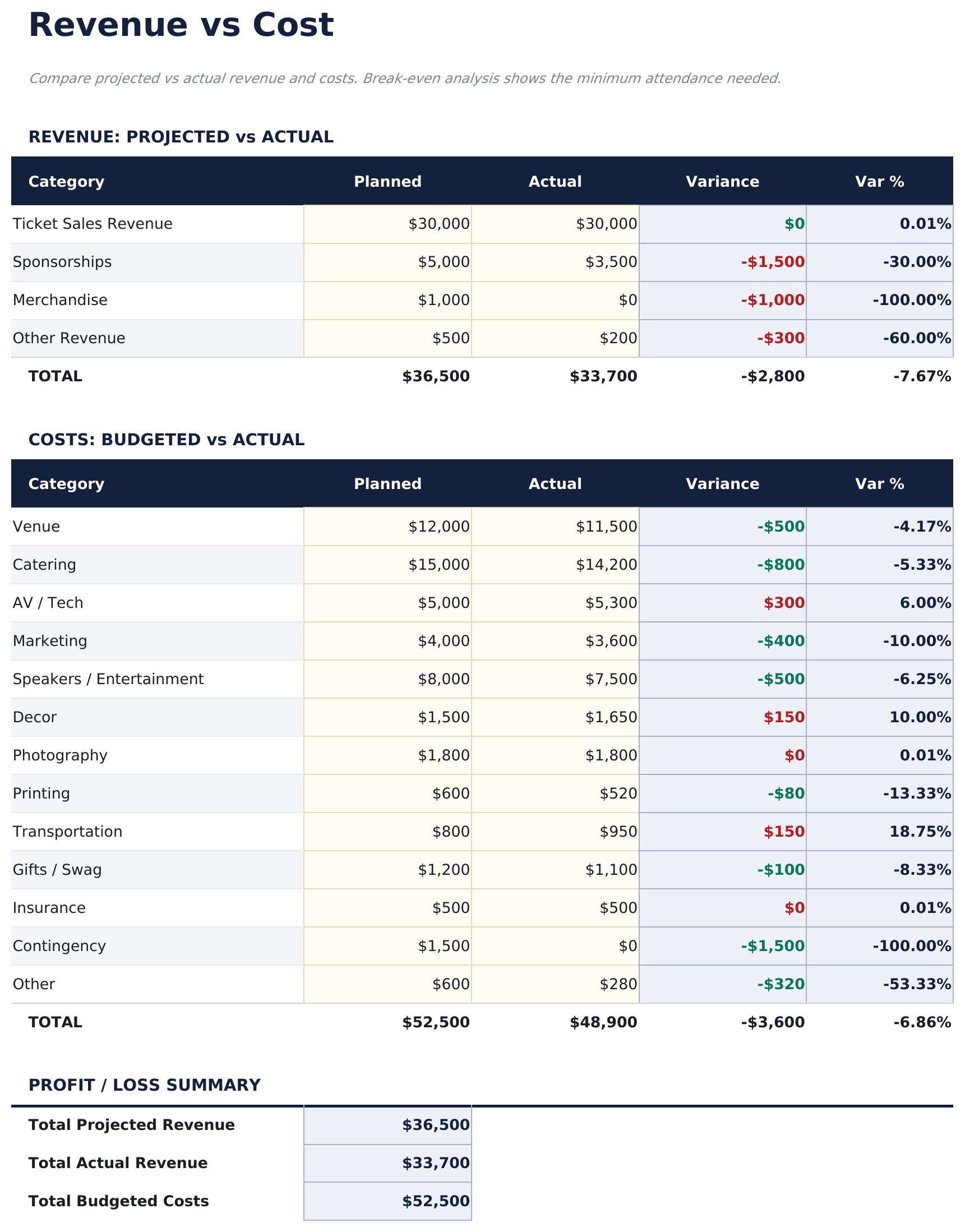
- Revenue vs Cost sheet comparing ticket revenue, sponsorship revenue, and other income against total event costs with profit or loss calculation
- Budget vs Actual variance for each cost category with red highlighting for items running over budget
- Works in Microsoft Excel, Google Sheets, and LibreOffice Calc with no macros required
Preview
See what's inside this template
How to Use This Template
Set up the event
Go to the Event Setup sheet and enter the event name, date, venue, expected attendance, ticket price, and overall budget target.
Enter budget estimates
In the Budget Breakdown sheet, enter your estimated cost for each category: venue, catering, entertainment, decor, marketing, staffing, AV, and miscellaneous.
Track vendors and payments
Add each vendor to the Vendor Management sheet with their contracted amount and deposit paid. Update the status and balance due as payments are made.
Review revenue and cost
As the event approaches, enter actual revenue figures in the Revenue vs Cost sheet. Update actual costs in the Budget Breakdown to see the running surplus or deficit.
Built by Claude AI. Perfected by us.
We use Claude AI to draft each Pro template after deep research. Then our team steps in - refining the layout, stress-testing every formula, fixing edge cases, and polishing the design. The AI gets us 80% there. The last 20% is all human judgment.
One-time purchase. No subscription. Works in Excel & Google Sheets.
Frequently Asked Questions
How many vendors can I track?
The Vendor Management sheet supports as many vendors as needed. Each row covers vendor name, category, contact, contracted amount, deposit paid, balance due, status, and payment due date.
How does the attendee analysis work?
It divides each cost category by attendance to calculate cost per person. A scenario section lets you enter different attendance numbers (optimistic, expected, pessimistic) to see how cost per attendee shifts.
How does the revenue vs cost sheet work?
Enter ticket revenue (ticket price multiplied by actual attendance), sponsorship income, and any other revenue sources. The sheet compares total revenue against total event costs and shows the net surplus or deficit.
Can I use this for both paid and free events?
Yes. For free events, leave ticket revenue at zero. The budget tracking, vendor management, and cost analysis sections still work the same way.
Can I track deposits separately from final payments?
Yes. The Vendor Management sheet has separate columns for contracted amount, deposit paid, and balance due. The balance due calculates automatically as contracted amount minus deposit paid.
What do I get after purchase?
You receive an Excel file (.xlsx) that works in Microsoft Excel, Google Sheets, and LibreOffice Calc. Download it immediately after purchase - no signup or account required.
Is there a free version?
Yes. The free version of this template is available with basic features. The Pro version adds advanced analysis, more capacity, and additional sheets.
What if it does not work for me?
Contact us and we will help troubleshoot. The template works in Microsoft Excel, Google Sheets, and LibreOffice Calc with no macros required.
Looking for more Pro templates?
We offer Pro versions of our most popular spreadsheet templates with advanced features, more capacity, and deeper analysis.