Baby Budget Planner Pro
Complete first-year baby cost planner with one-time purchases, monthly recurring costs, first-year timeline, registry tracker, and budget vs actual.
Free vs Pro
- Budget one-time and monthly recurring costs across 8 categories
- Dashboard with total estimated first-year cost and monthly average
- Basic actual vs estimate tracking
- Works in Excel and Google Sheets
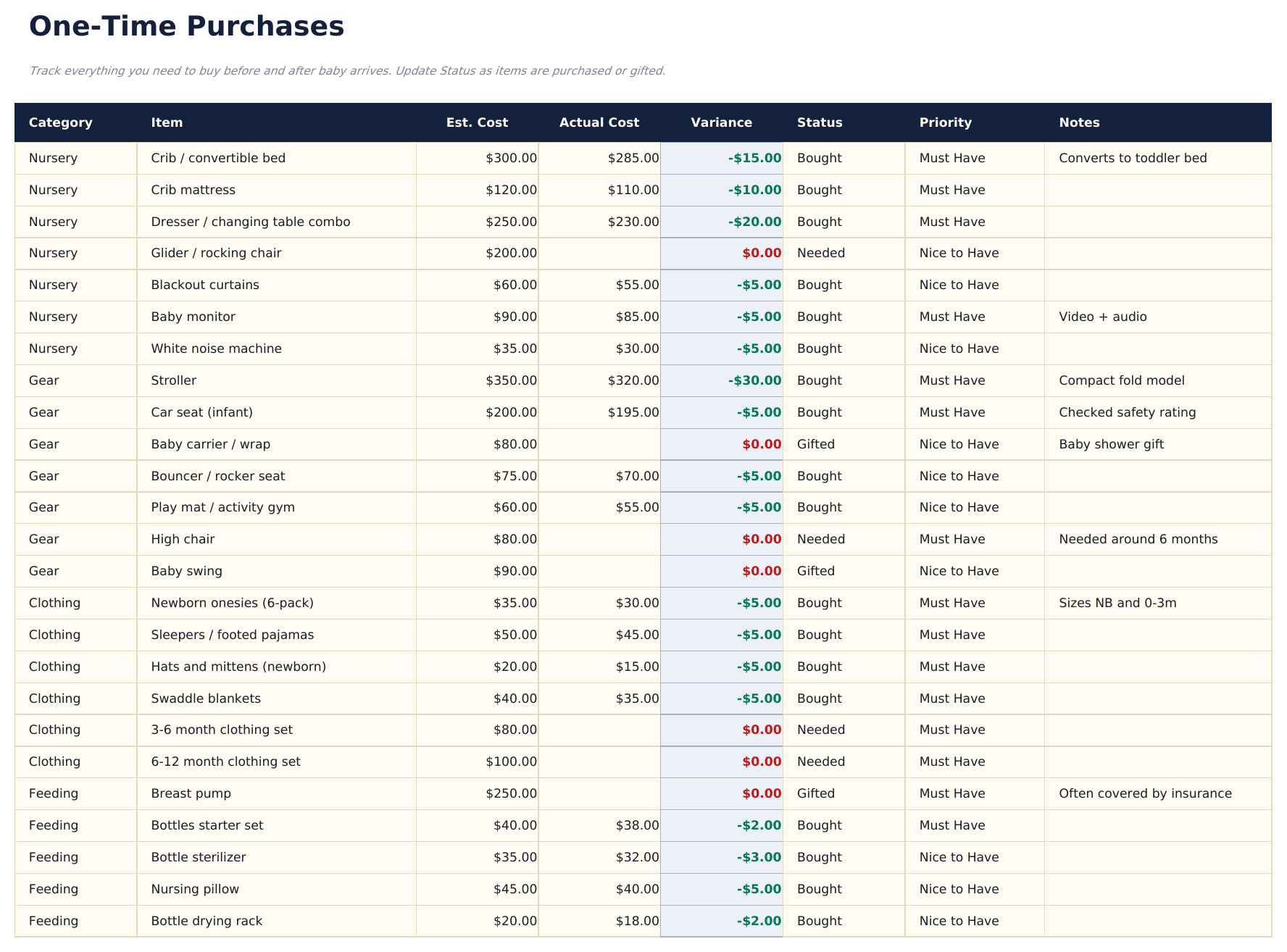
- One-Time Purchases sheet listing all major nursery and gear items: crib, stroller, car seat, monitor, and more with estimated and actual cost columns
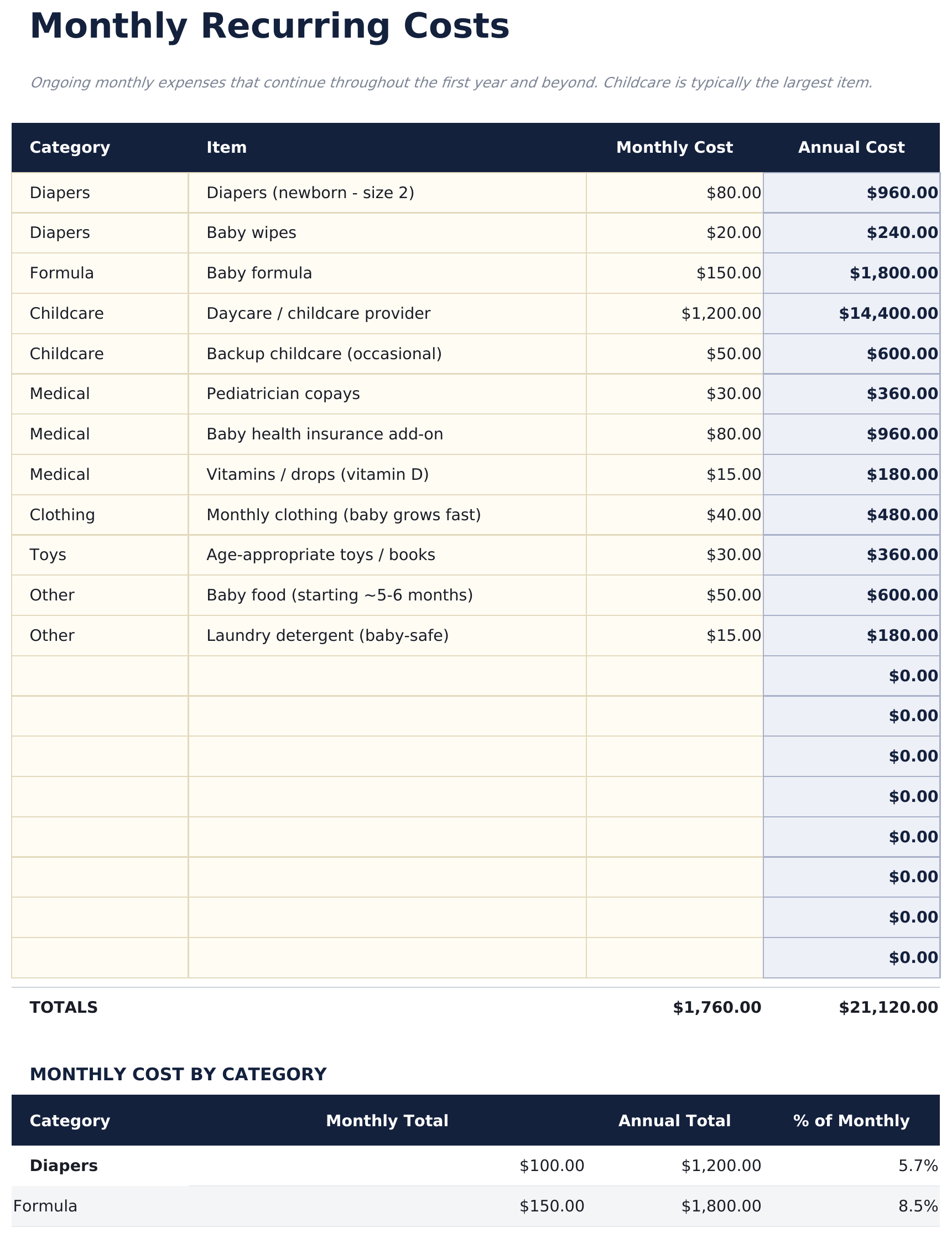
- Monthly Recurring sheet budgeting ongoing costs: diapers, formula or feeding supplies, childcare, healthcare, clothing, and subscriptions by month
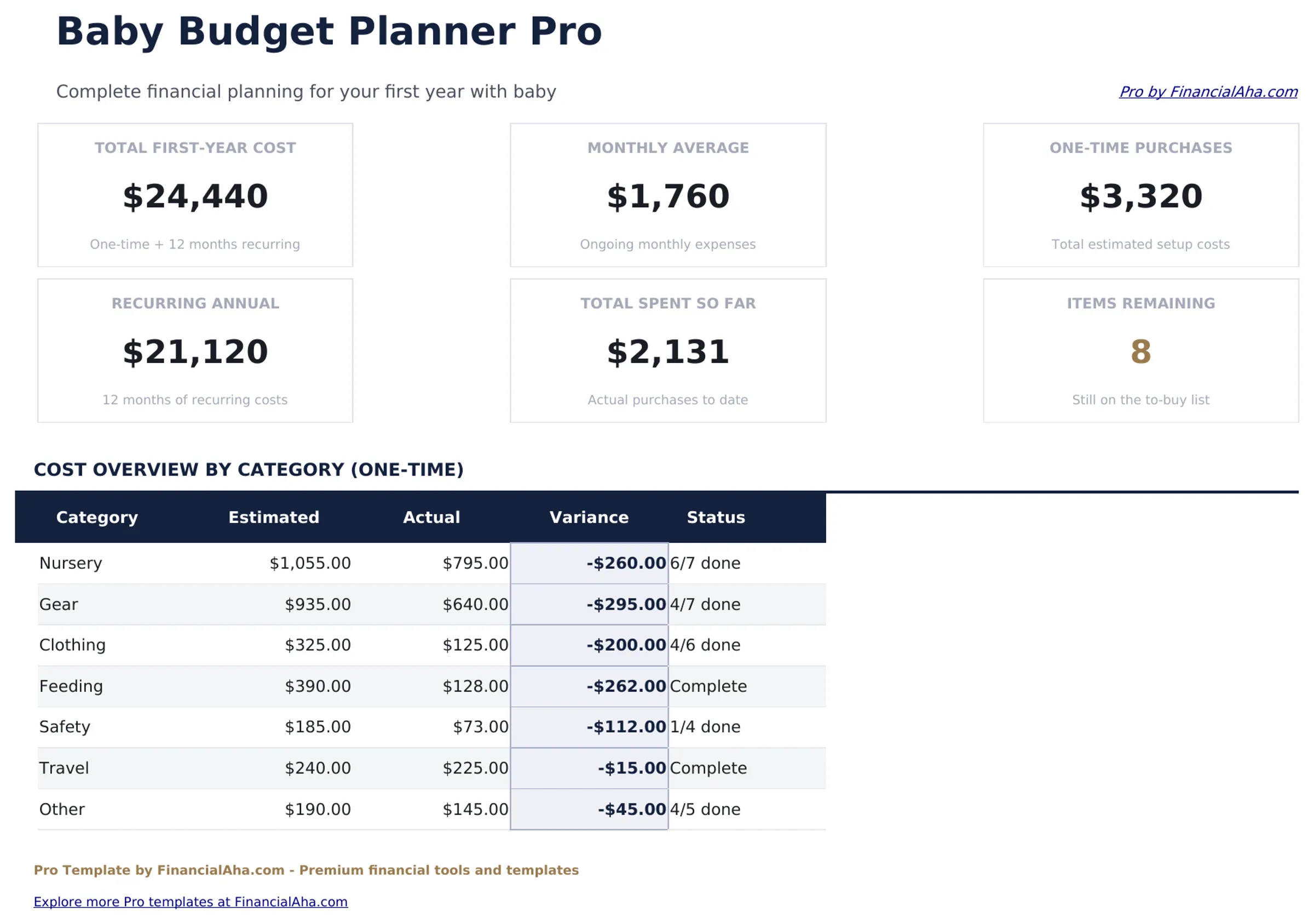
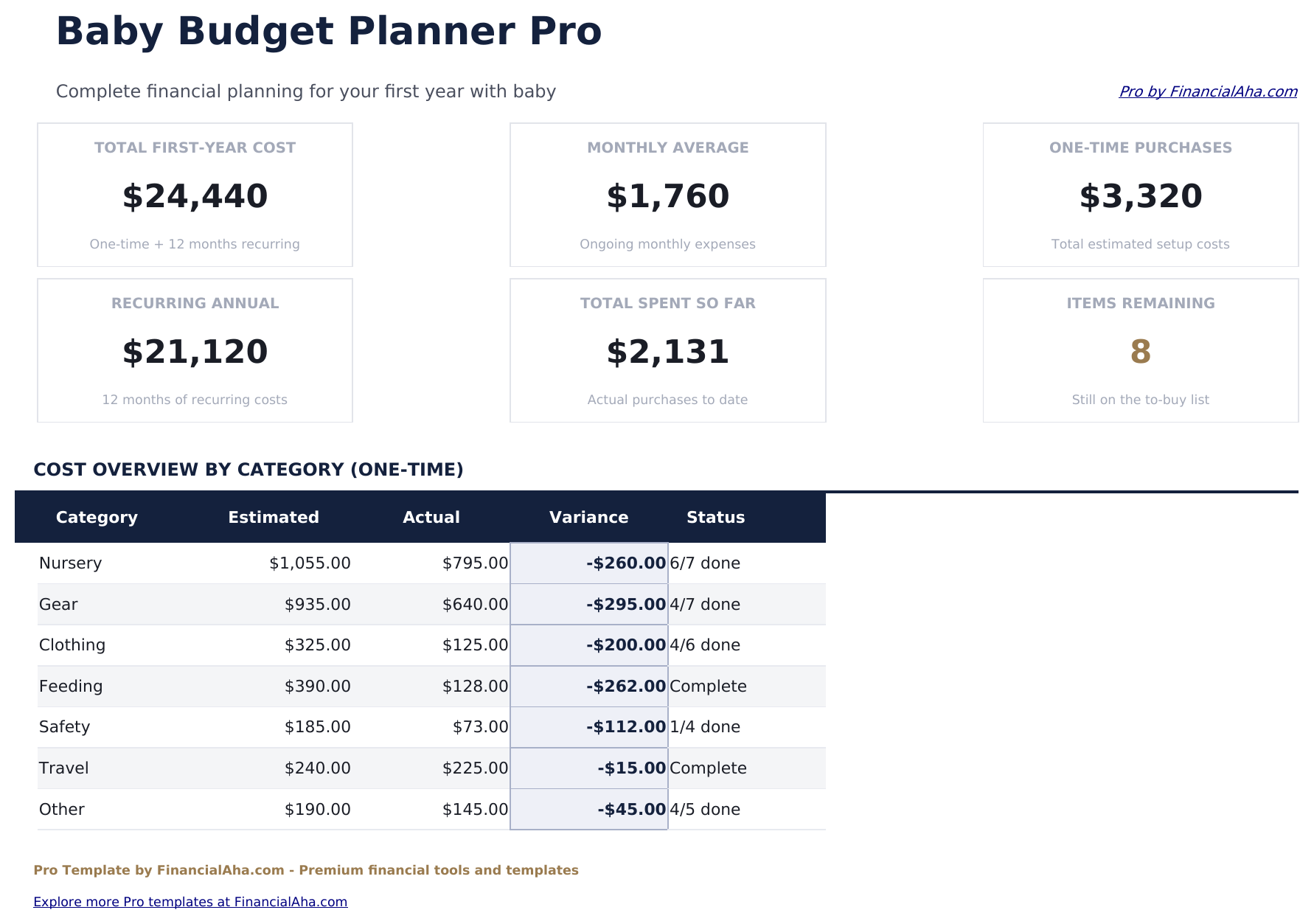
- Dashboard with 6 KPI cards: total first-year cost estimate, one-time costs, annual recurring costs, monthly average, budget remaining, and registry items outstanding
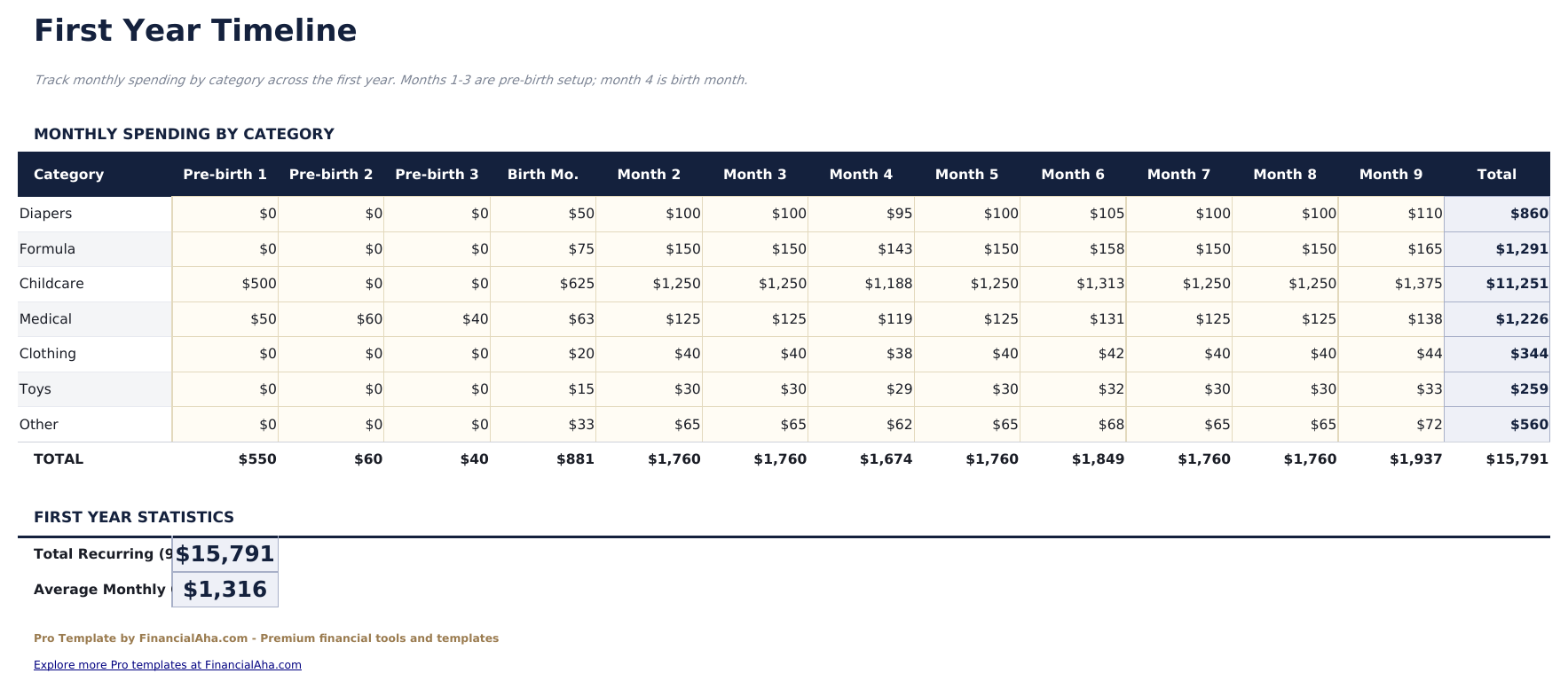
- First-Year Timeline laying out expected costs month by month from pregnancy prep through month 12, with developmental milestones as context
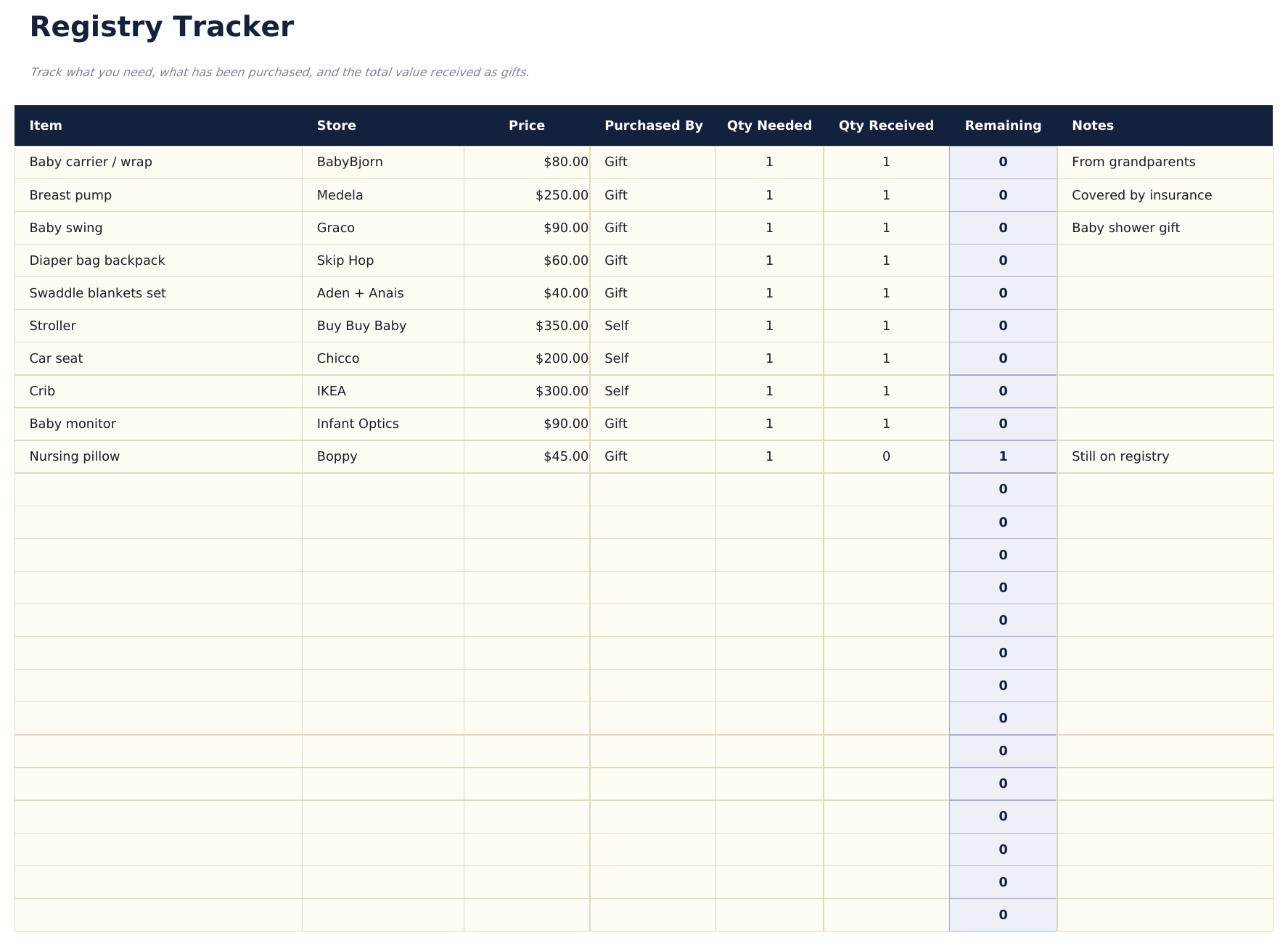
- Registry Tracker listing registry items with store, price, priority, whether purchased, and who gifted it - useful for thank-you notes
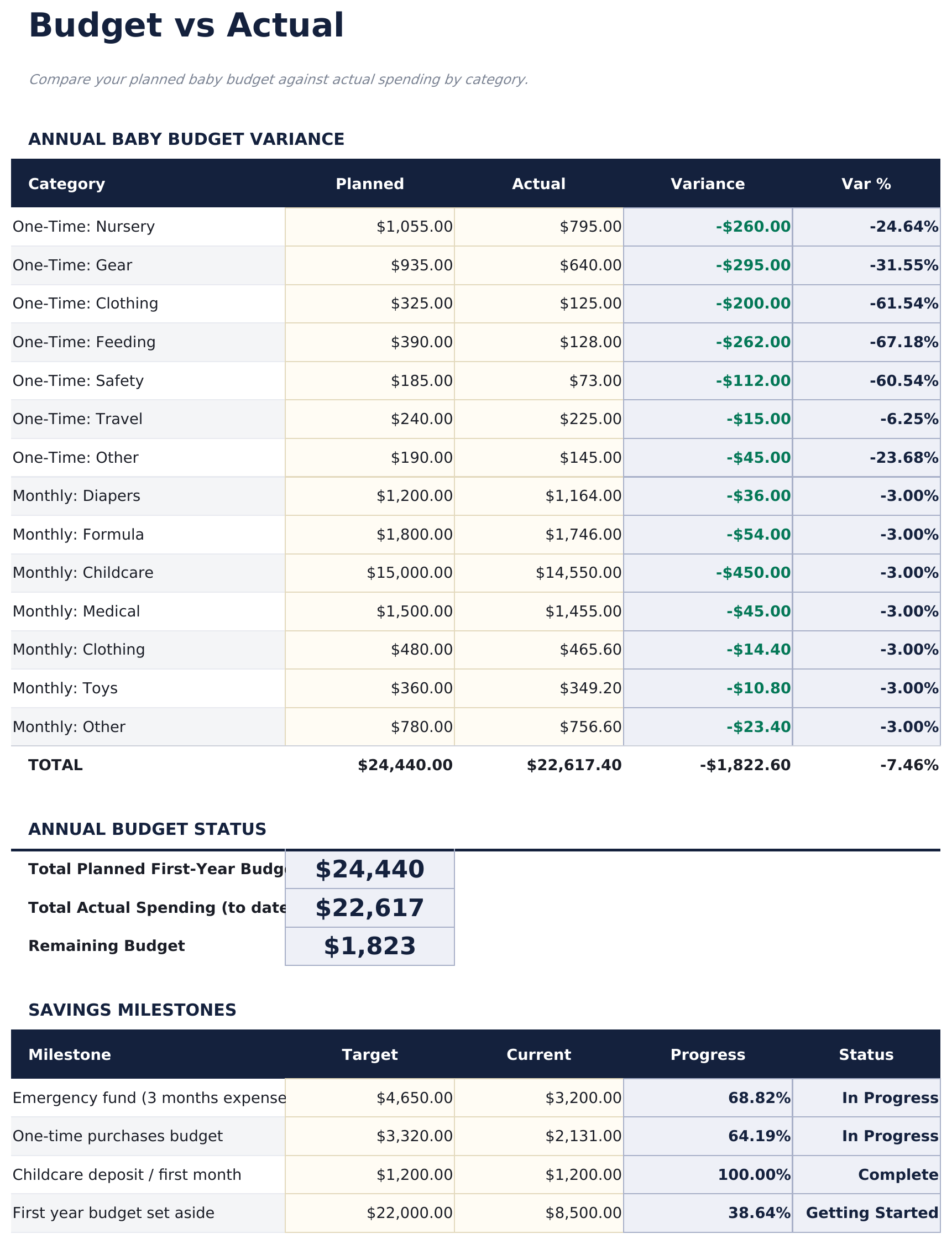
- Budget vs Actual sheet comparing estimated costs against actual spending for both one-time and recurring categories with variance
- Category totals and running budget balance update automatically as you fill in actual costs
- Works in Microsoft Excel, Google Sheets, and LibreOffice Calc with no macros required
Preview
See what's inside this template
How to Use This Template
Plan one-time purchases
Go to the One-Time Purchases sheet and enter each major item with an estimated cost. Update the actual cost as you purchase or receive items as gifts.
Set monthly recurring costs
In the Monthly Recurring sheet, enter your estimated monthly costs for diapers, formula, childcare, healthcare, and other ongoing expenses for each month of the first year.
Track your registry
Add registry items to the Registry Tracker with store, price, and priority. Mark items as purchased and note who gifted them as your baby shower and other events occur.
Review budget vs actual
Update the Budget vs Actual sheet as you spend. The variance columns show which categories are running over or under your original estimates.
Built by Claude AI. Perfected by us.
We use Claude AI to draft each Pro template after deep research. Then our team steps in - refining the layout, stress-testing every formula, fixing edge cases, and polishing the design. The AI gets us 80% there. The last 20% is all human judgment.
One-time purchase. No subscription. Works in Excel & Google Sheets.
Frequently Asked Questions
What one-time purchases are included?
The One-Time Purchases sheet covers nursery furniture, travel gear, feeding equipment, bath and safety items, clothing starter sets, and medical supplies. Each item has an estimated cost, actual cost, and notes column.
What does the first-year timeline show?
It lays out expected expenses month by month from the third trimester through month 12. Each month shows anticipated cost categories - for example, month 1 includes birth-related costs, newborn supplies, and initial pediatrician visits.
How does the registry tracker work?
List each registry item with the store name, item name, price, priority level (Need, Want, Nice to Have), whether it has been purchased, and who gifted it. Outstanding items are flagged so you can see what still needs to be purchased.
Can I track childcare costs?
Yes. The Monthly Recurring sheet has a dedicated row for childcare, whether that is daycare, a nanny, or family care. Enter the monthly cost and it rolls into the annual recurring total and monthly average.
Does it account for parental leave income changes?
The budget focuses on costs rather than income. For income planning during parental leave, note any expected pay changes in the notes column of the Monthly Recurring sheet to keep context alongside your cost plan.
What do I get after purchase?
You receive an Excel file (.xlsx) that works in Microsoft Excel, Google Sheets, and LibreOffice Calc. Download it immediately after purchase - no signup or account required.
Is there a free version?
Yes. The free version of this template is available with basic features. The Pro version adds advanced analysis, more capacity, and additional sheets.
What if it does not work for me?
Contact us and we will help troubleshoot. The template works in Microsoft Excel, Google Sheets, and LibreOffice Calc with no macros required.
Looking for more Pro templates?
We offer Pro versions of our most popular spreadsheet templates with advanced features, more capacity, and deeper analysis.