Savings Goal Tracker Pro
Multi-goal savings management with up to 10 goals, monthly contribution tracking, progress visualization, target date projections, and priority ranking.
Free vs Pro
- Track multiple savings goals with target amounts
- Dashboard with goal progress overview
- Monthly tracking with contribution logging
- Works in Excel and Google Sheets
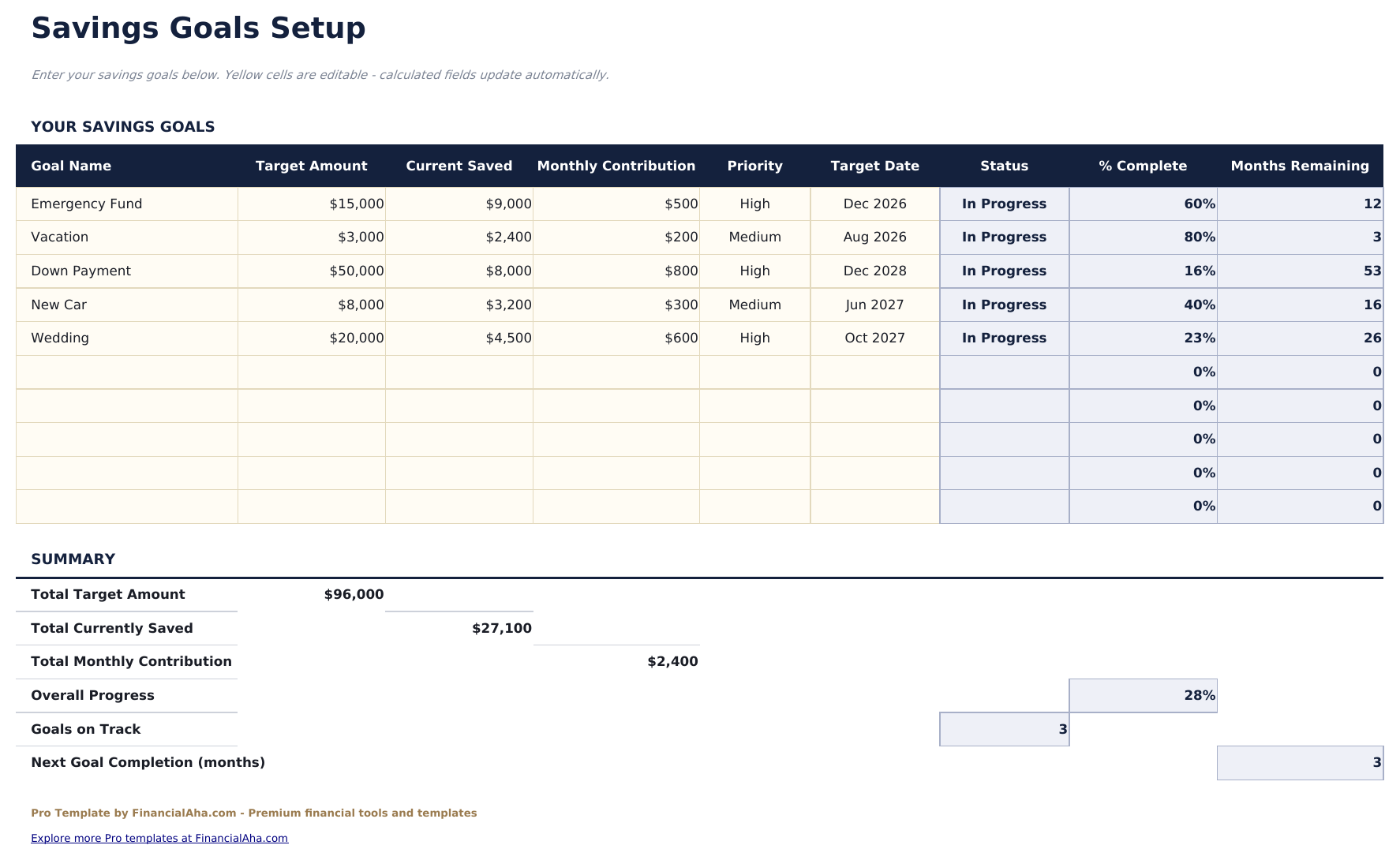
- Track up to 10 savings goals simultaneously with name, target amount, priority level, and target date
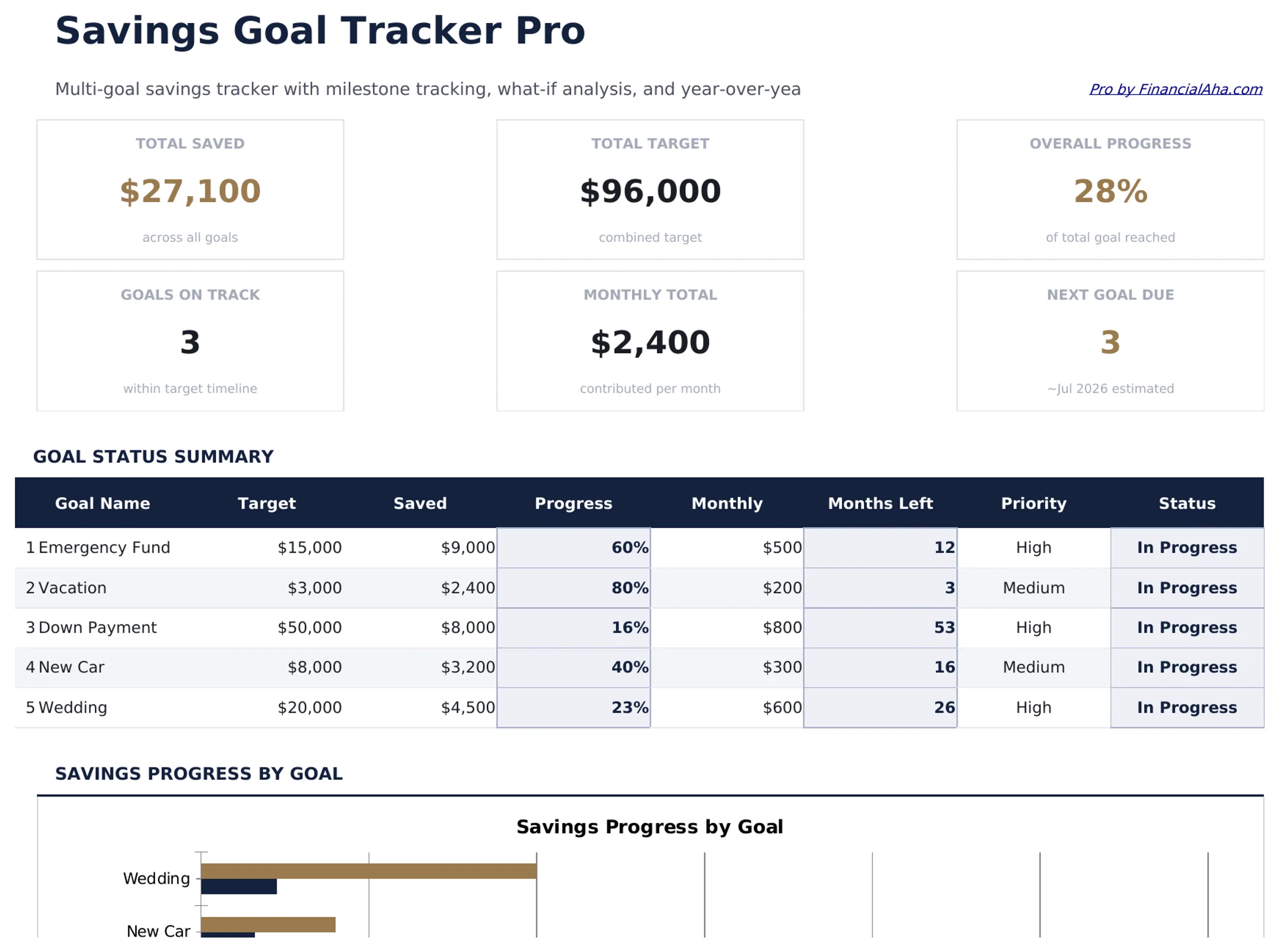
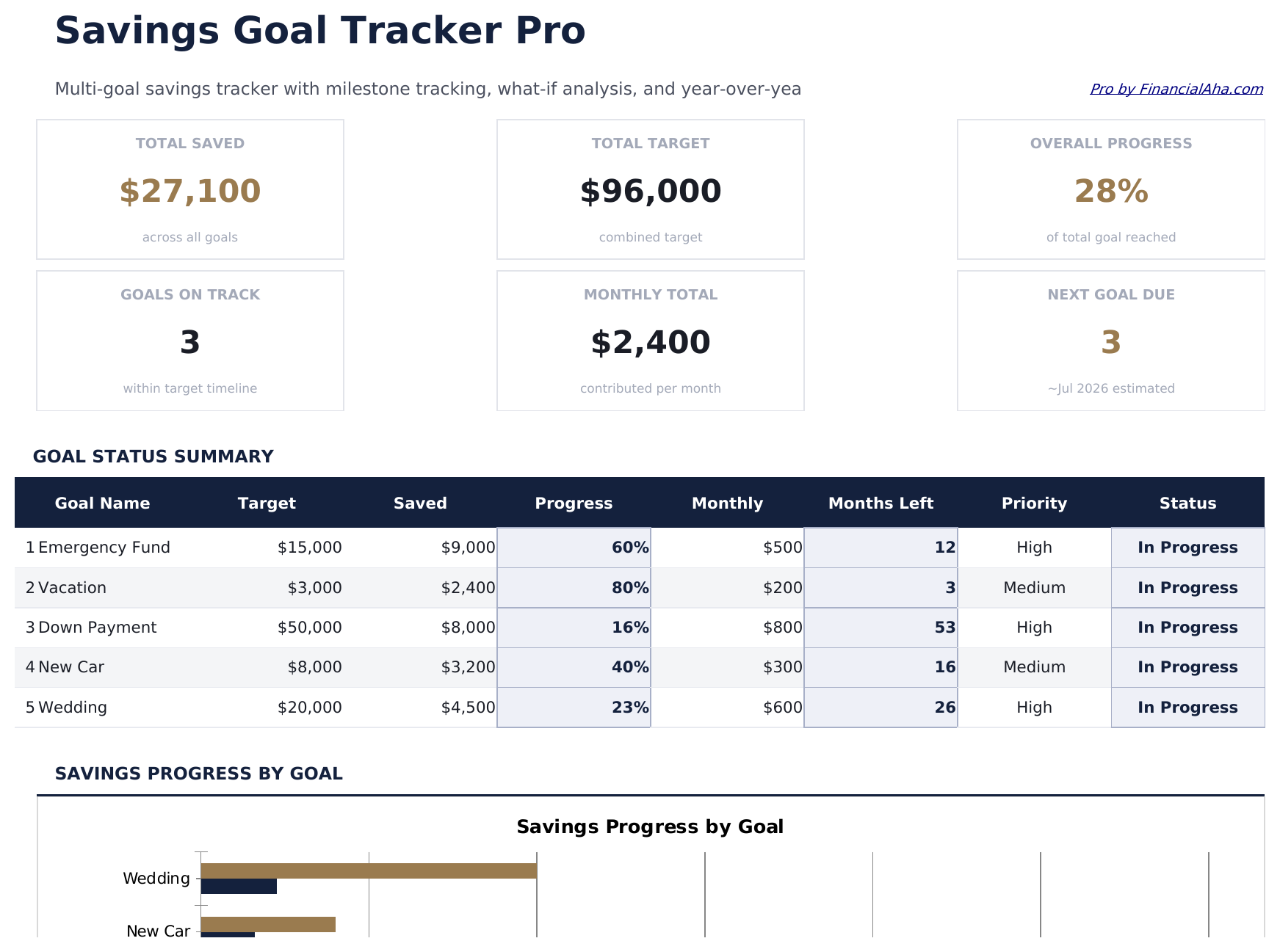
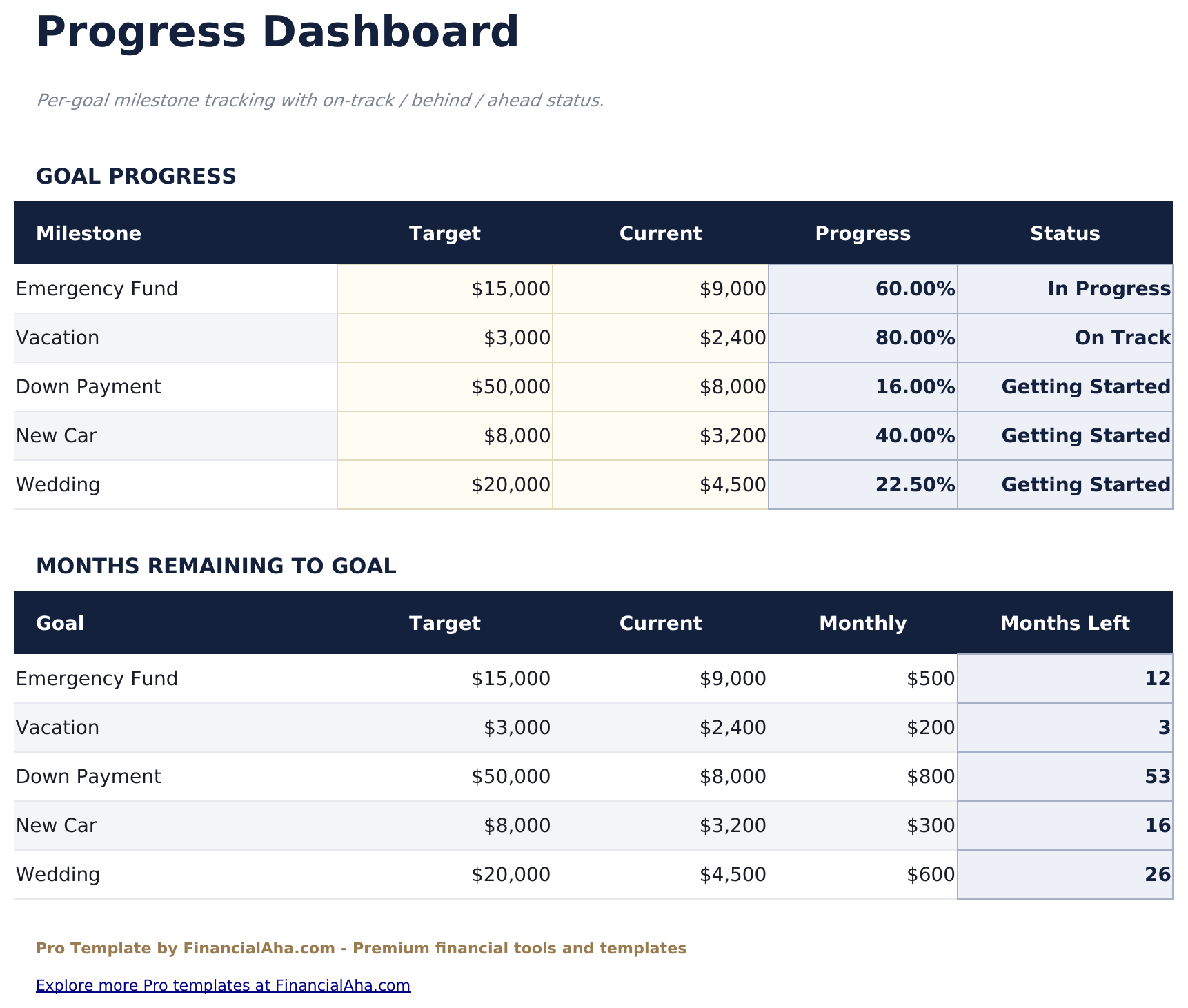
- Dashboard with 6 KPIs: total saved across all goals, total target amount, goals completed, goals in progress, average completion percentage, and next milestone
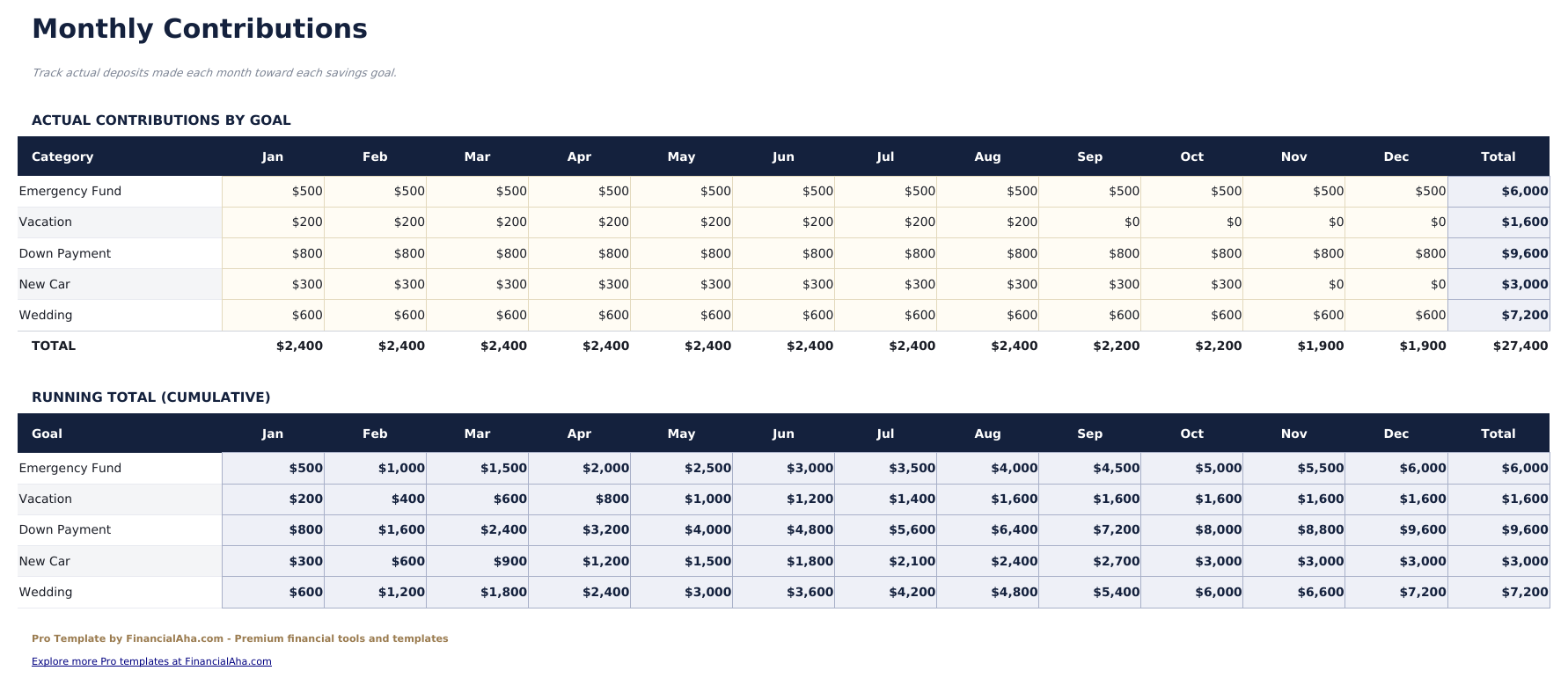
- Monthly contribution tracker logging deposits per goal with running balances and automatic progress updates
- Progress visualization with completion percentage bars and conditional formatting showing goals on track vs behind schedule
- Target date projections estimating when each goal will be reached at the current monthly contribution rate
- Priority ranking allowing you to order goals by importance and allocate contributions accordingly
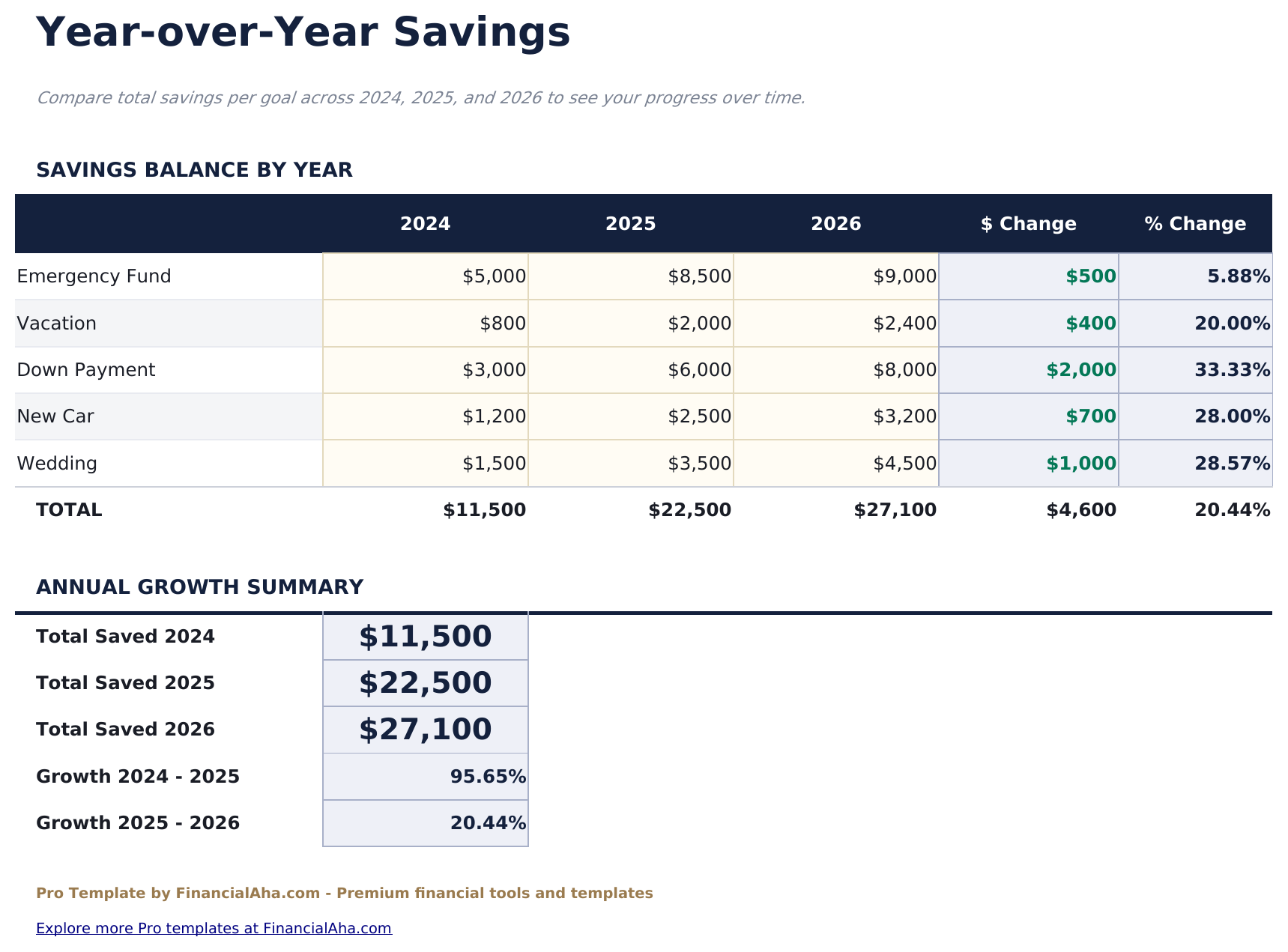
- Year-over-year savings summary comparing total contributions and goal completions across 3 years
- Works in Microsoft Excel, Google Sheets, and LibreOffice Calc with no macros required
Preview
See what's inside this template
How to Use This Template
Define your goals
Go to Goals Setup and enter each savings goal with name, target amount, priority level, and target date.
Log monthly contributions
Record deposits toward each goal in the Monthly Tracking sheet. Progress percentages update automatically.
Review progress
The Dashboard shows all goals with completion percentages, on-track indicators, and projected completion dates.
Compare year-over-year
The Yearly Comparison sheet shows total contributions and goal completions across 3 years for long-term tracking.
Built by Claude AI. Perfected by us.
We use Claude AI to draft each Pro template after deep research. Then our team steps in - refining the layout, stress-testing every formula, fixing edge cases, and polishing the design. The AI gets us 80% there. The last 20% is all human judgment.
One-time purchase. No subscription. Works in Excel & Google Sheets.
Frequently Asked Questions
How many goals can I track?
The Pro version supports up to 10 savings goals simultaneously - emergency fund, vacation, down payment, car fund, and any other targets you set.
How do target date projections work?
The template divides the remaining amount by your average monthly contribution to estimate how many months until each goal is reached. Dates update automatically as you log contributions.
Can I prioritize goals?
Yes. Set a priority level for each goal. The Priority Ranking view helps you decide how to allocate limited funds across competing savings targets.
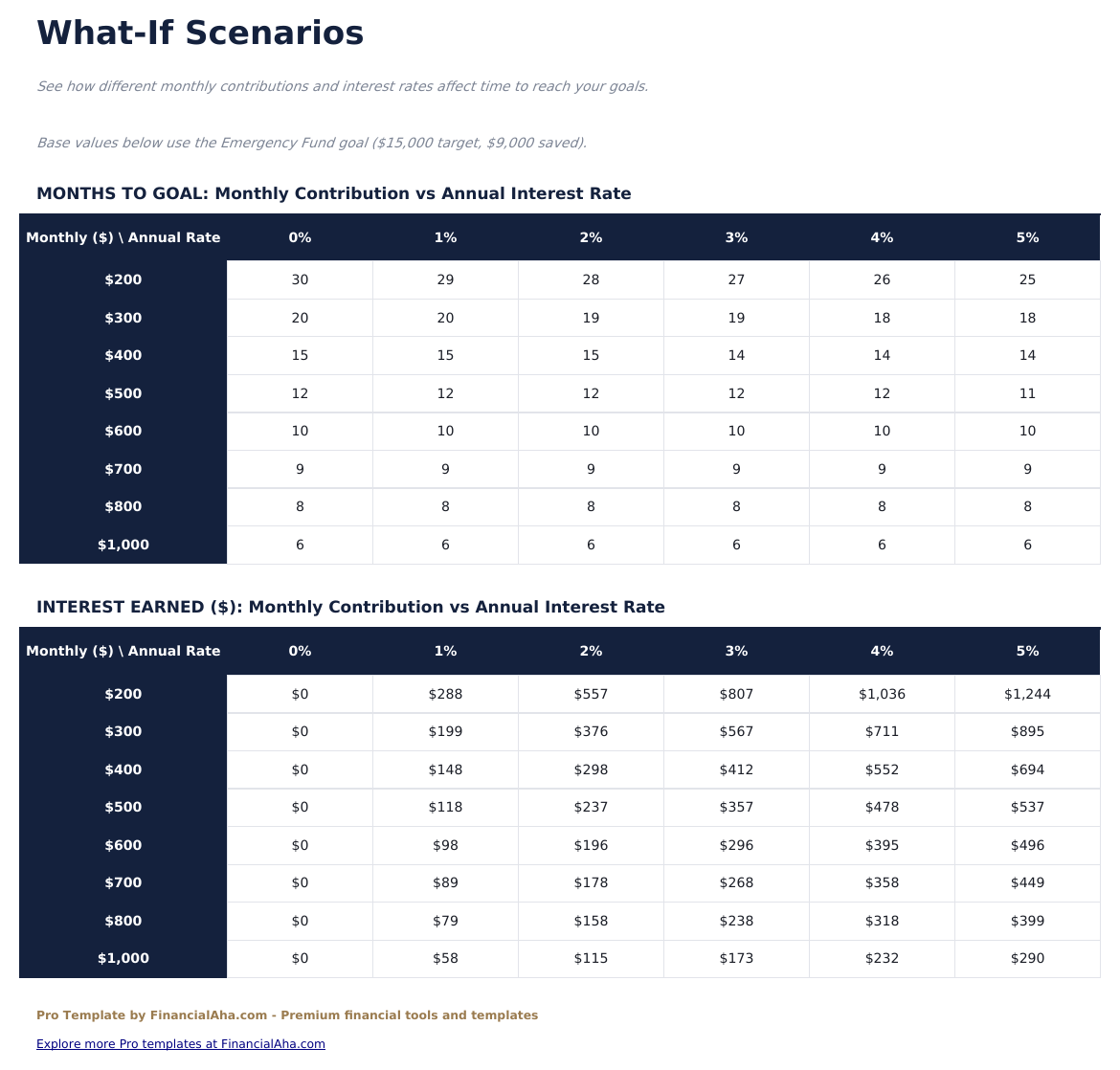
Does it track interest earned?
The template tracks contributions and balances. If your savings account earns interest, add the interest as a contribution entry to keep balances accurate.
Can I mark goals as completed?
Goals reaching 100% completion are automatically flagged as completed on the dashboard with the date they reached the target.
What do I get after purchase?
You receive an Excel file (.xlsx) that works in Microsoft Excel, Google Sheets, and LibreOffice Calc. Download it immediately after purchase - no signup or account required.
Is there a free version?
Yes. The free version of this template is available with basic features. The Pro version adds advanced analysis, more capacity, and additional sheets.
What if it does not work for me?
Contact us and we will help troubleshoot. The template works in Microsoft Excel, Google Sheets, and LibreOffice Calc with no macros required.
Looking for more Pro templates?
We offer Pro versions of our most popular spreadsheet templates with advanced features, more capacity, and deeper analysis.