Retirement Calculator Pro
Detailed retirement planning with multi-account tracking, Social Security estimates, withdrawal modeling, and 3-scenario comparison for conservative, moderate, and aggressive assumptions.
Free vs Pro
- Retirement projection with age, savings, and contribution inputs
- Dashboard with projected portfolio value
- Year-by-year projection table
- Works in Excel and Google Sheets
- Multi-account tracking for 401k, IRA, Roth, brokerage, and pension with individual growth projections
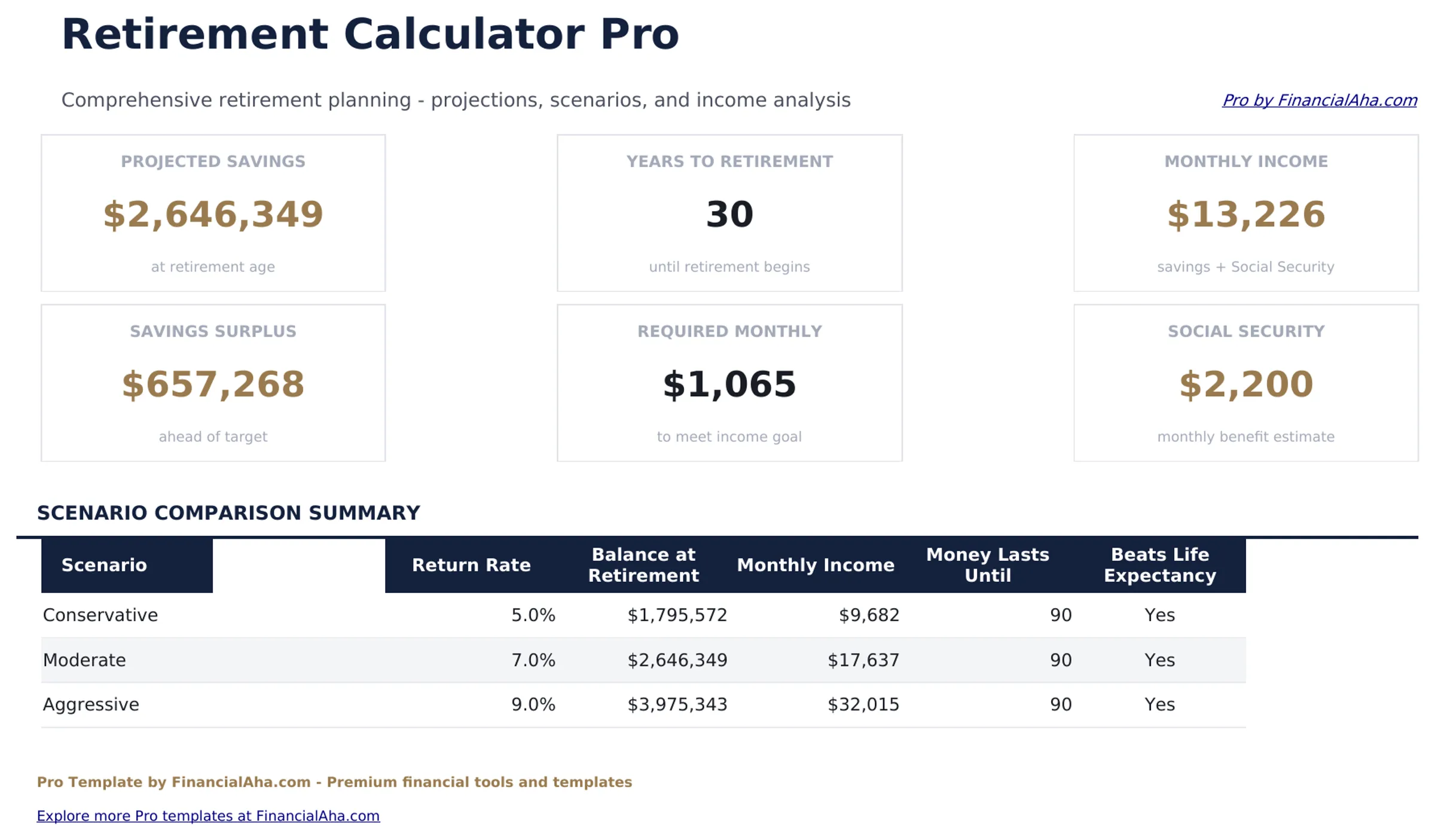
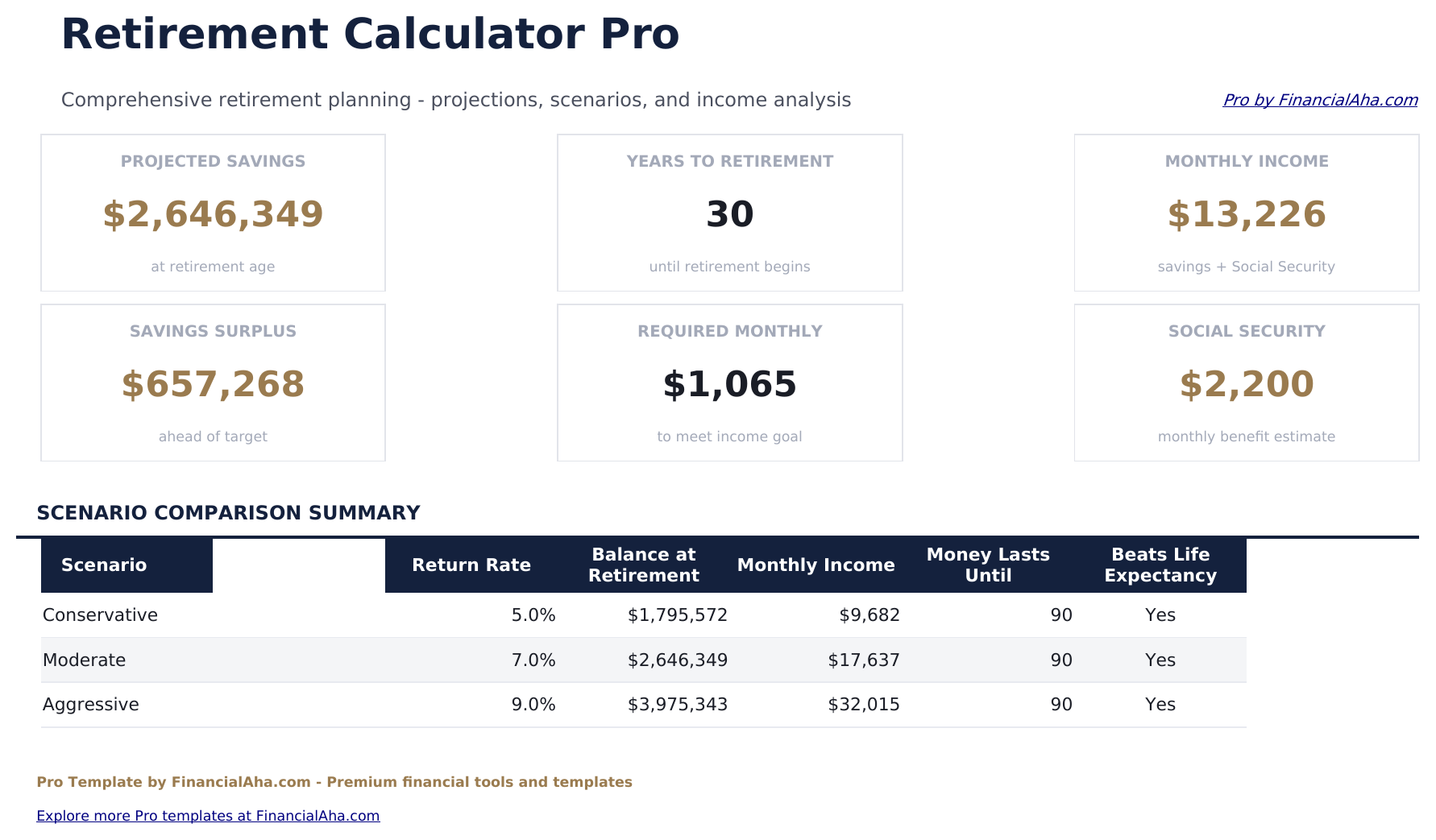
- Dashboard with 6 KPIs: total projected balance, savings gap, years to retirement, annual contribution total, projected annual income in retirement, and portfolio growth rate
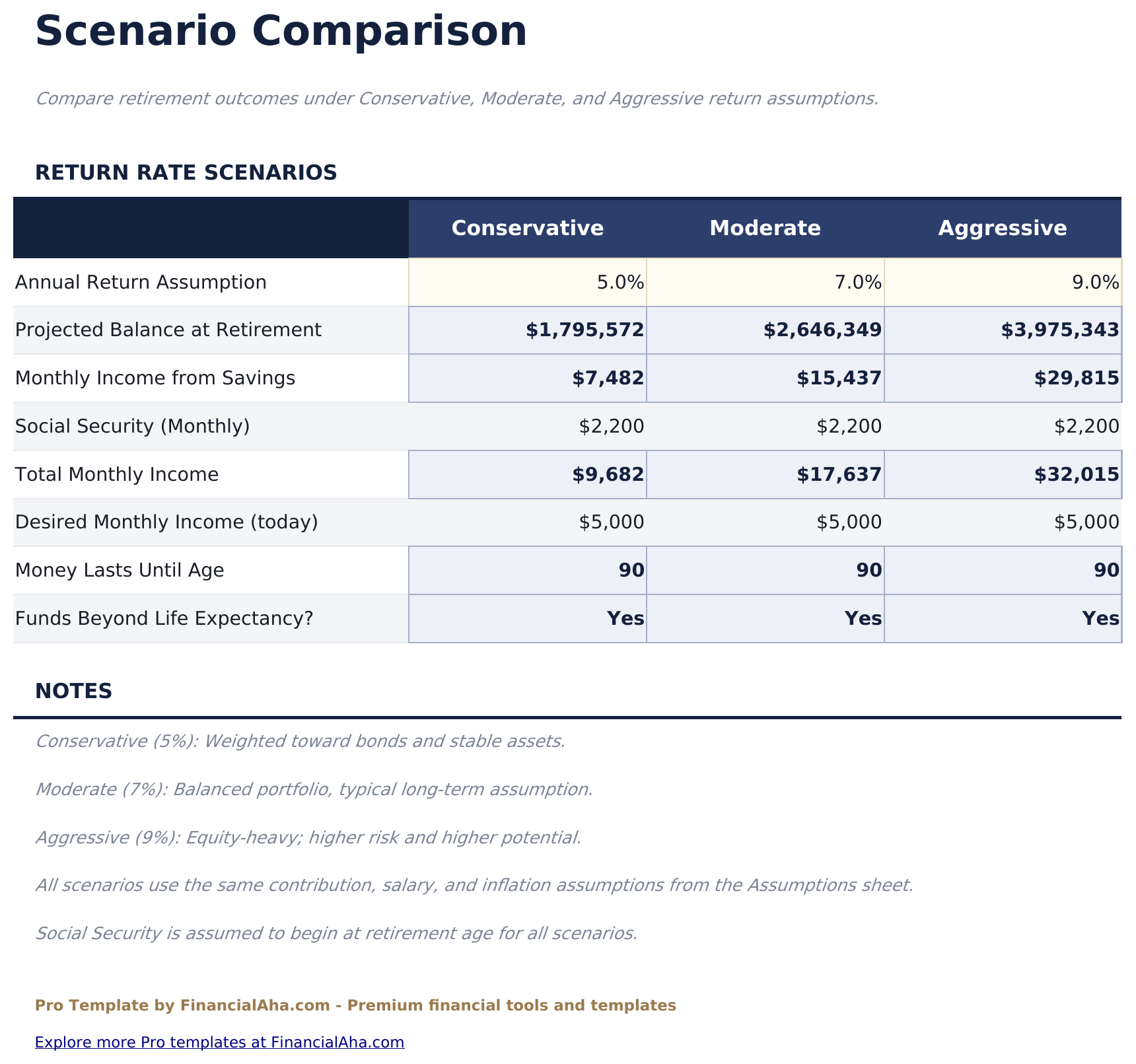
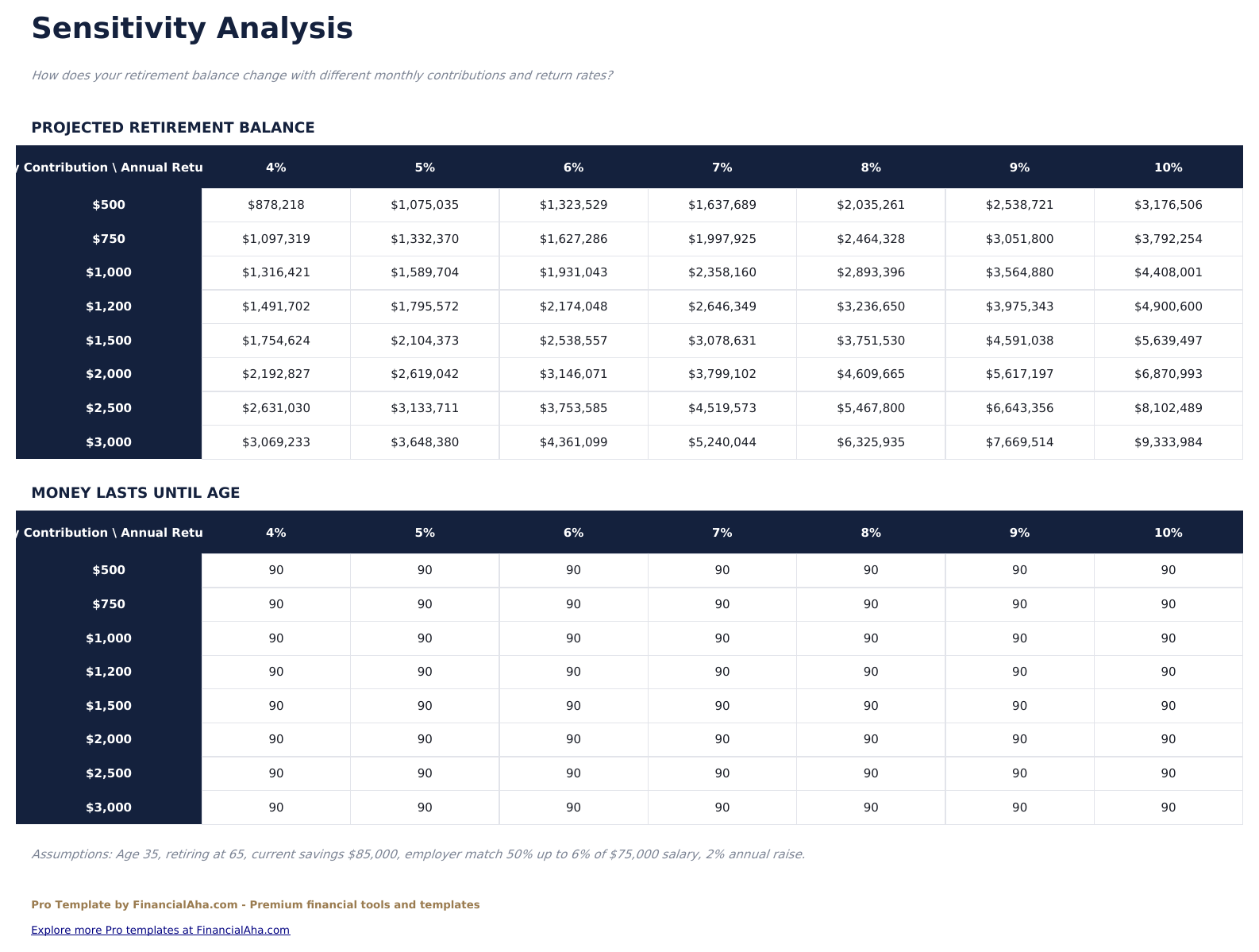
- 3-scenario comparison modeling conservative (5%), moderate (7%), and aggressive (9%) return assumptions side by side
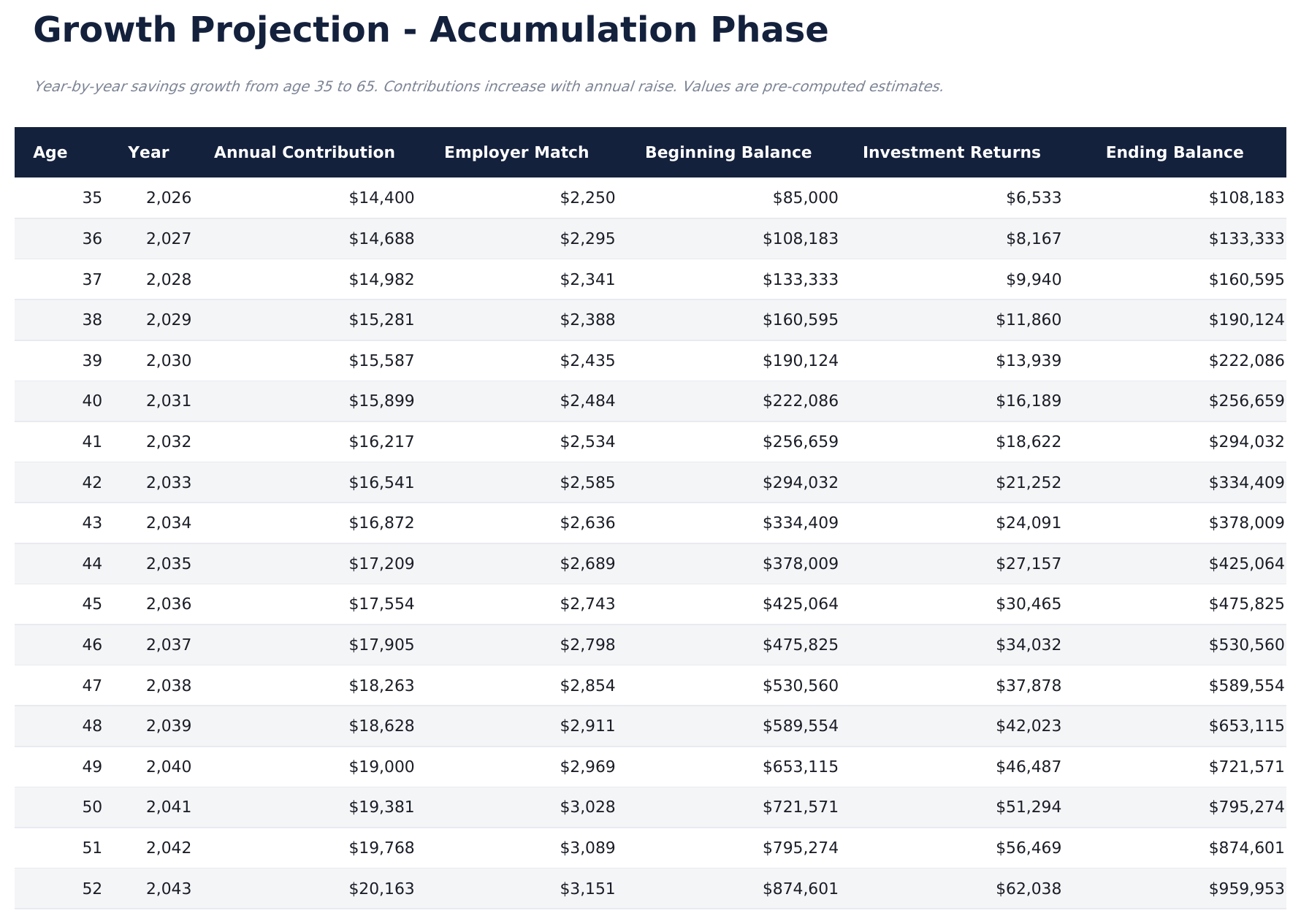
- Year-by-year projection table with contributions, employer match, growth, and ending balance per account
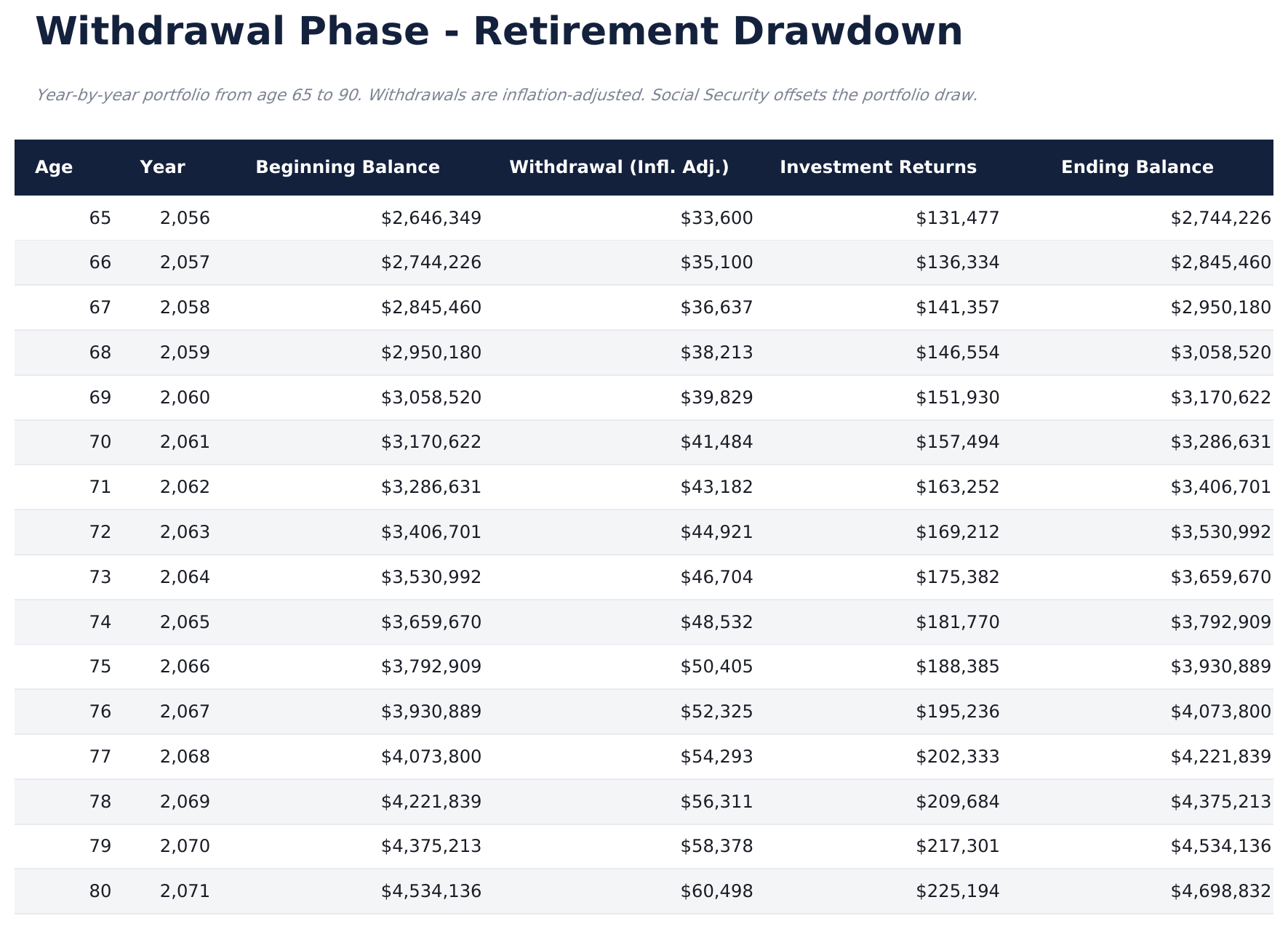
- Withdrawal phase modeling showing how long the portfolio lasts at different annual withdrawal rates
- Social Security estimate integration with fields for projected monthly benefit and claiming age
- Savings gap analysis comparing projected balance to estimated retirement needs with shortfall or surplus
- Works in Microsoft Excel, Google Sheets, and LibreOffice Calc with no macros required
Preview
See what's inside this template
How to Use This Template
Set up your accounts
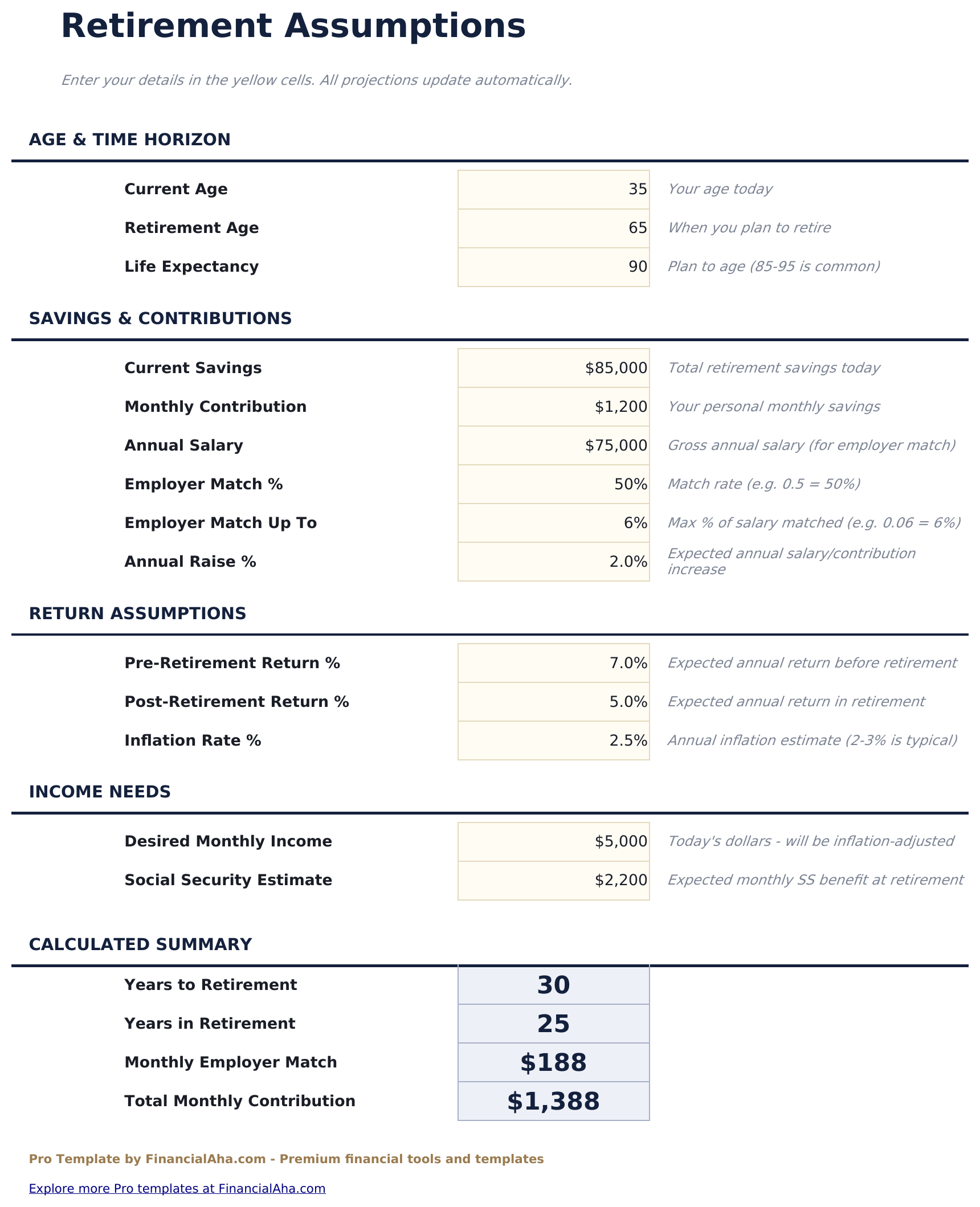
Go to Account Setup and enter each retirement account with current balance, annual contribution, employer match (if any), and expected return rate.
Review year-by-year projections
The Projection Table shows contributions, growth, and ending balance for each year from now until your retirement age.
Compare scenarios
The Scenario Comparison sheet models conservative, moderate, and aggressive return assumptions side by side.
Model withdrawals
The Withdrawal Phase sheet shows how long your portfolio lasts at different annual withdrawal rates during retirement.
Built by Claude AI. Perfected by us.
We use Claude AI to draft each Pro template after deep research. Then our team steps in - refining the layout, stress-testing every formula, fixing edge cases, and polishing the design. The AI gets us 80% there. The last 20% is all human judgment.
One-time purchase. No subscription. Works in Excel & Google Sheets.
Frequently Asked Questions
How many accounts can I track?
The Pro version supports multiple retirement accounts - 401k, IRA, Roth IRA, brokerage, and pension. Each has its own growth projection that feeds into the combined dashboard.
How does the scenario comparison work?
The template projects your portfolio under 3 return assumptions - conservative (5%), moderate (7%), and aggressive (9%) - showing the ending balance for each scenario side by side.
Does it model withdrawals in retirement?
Yes. The Withdrawal Phase sheet shows how long the portfolio lasts at different annual withdrawal rates, factoring in continued investment growth during retirement.
Can I include Social Security?
Yes. Enter your projected monthly Social Security benefit and claiming age. The dashboard factors this income into the retirement needs analysis.
Does it account for inflation?
The template shows nominal projections. For real (inflation-adjusted) estimates, reduce your return assumptions by the expected inflation rate.
What do I get after purchase?
You receive an Excel file (.xlsx) that works in Microsoft Excel, Google Sheets, and LibreOffice Calc. Download it immediately after purchase - no signup or account required.
Is there a free version?
Yes. The free version of this template is available with basic features. The Pro version adds advanced analysis, more capacity, and additional sheets.
What if it does not work for me?
Contact us and we will help troubleshoot. The template works in Microsoft Excel, Google Sheets, and LibreOffice Calc with no macros required.
Looking for more Pro templates?
We offer Pro versions of our most popular spreadsheet templates with advanced features, more capacity, and deeper analysis.