FIRE Calculator Pro
Comprehensive financial independence planning with multi-scenario FIRE targets, coast FIRE analysis, withdrawal rate modeling, and year-by-year portfolio projections.
Free vs Pro
- FIRE calculator with expenses, income, and savings rate inputs
- Dashboard with FIRE target and timeline
- Investment growth projections
- Works in Excel and Google Sheets
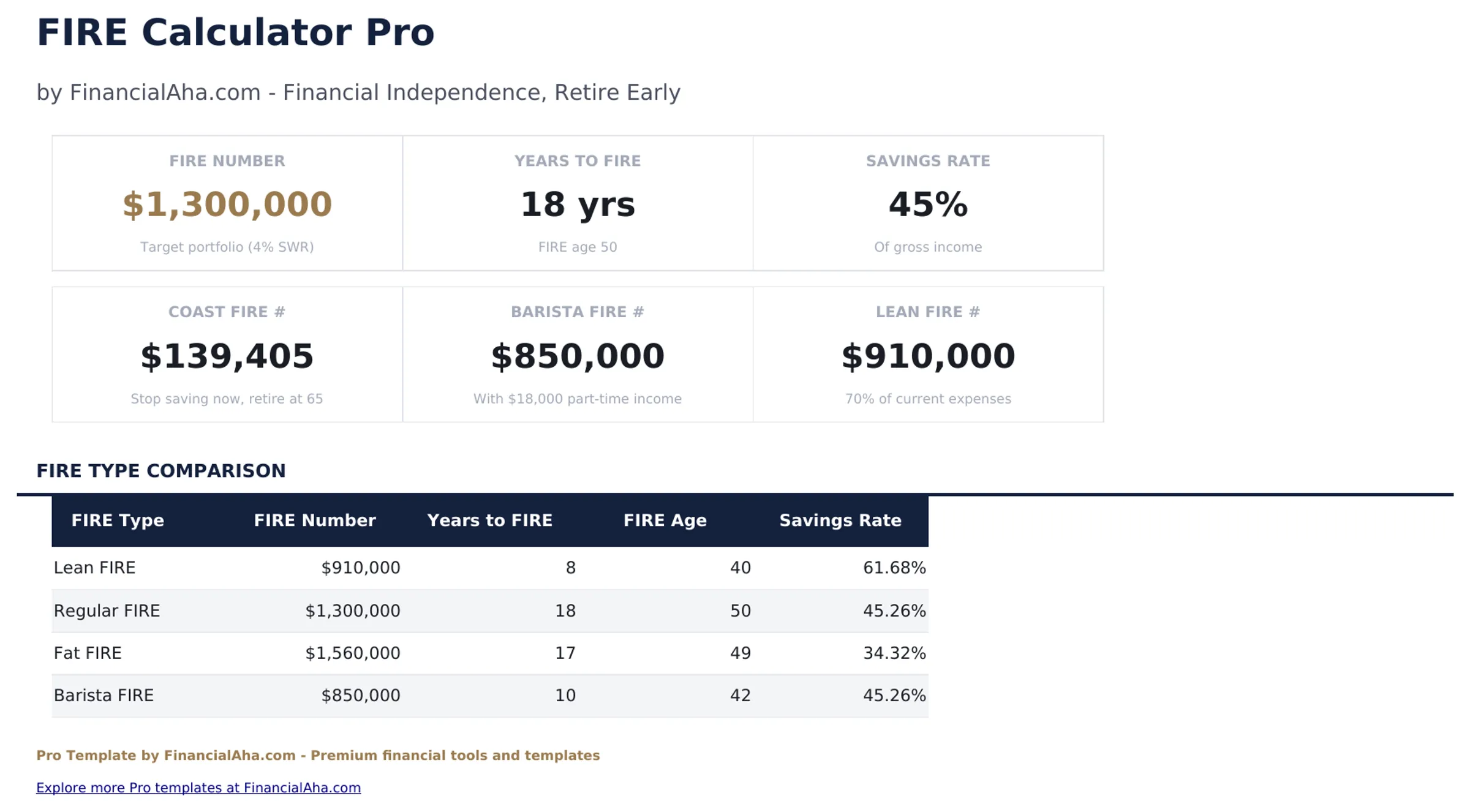
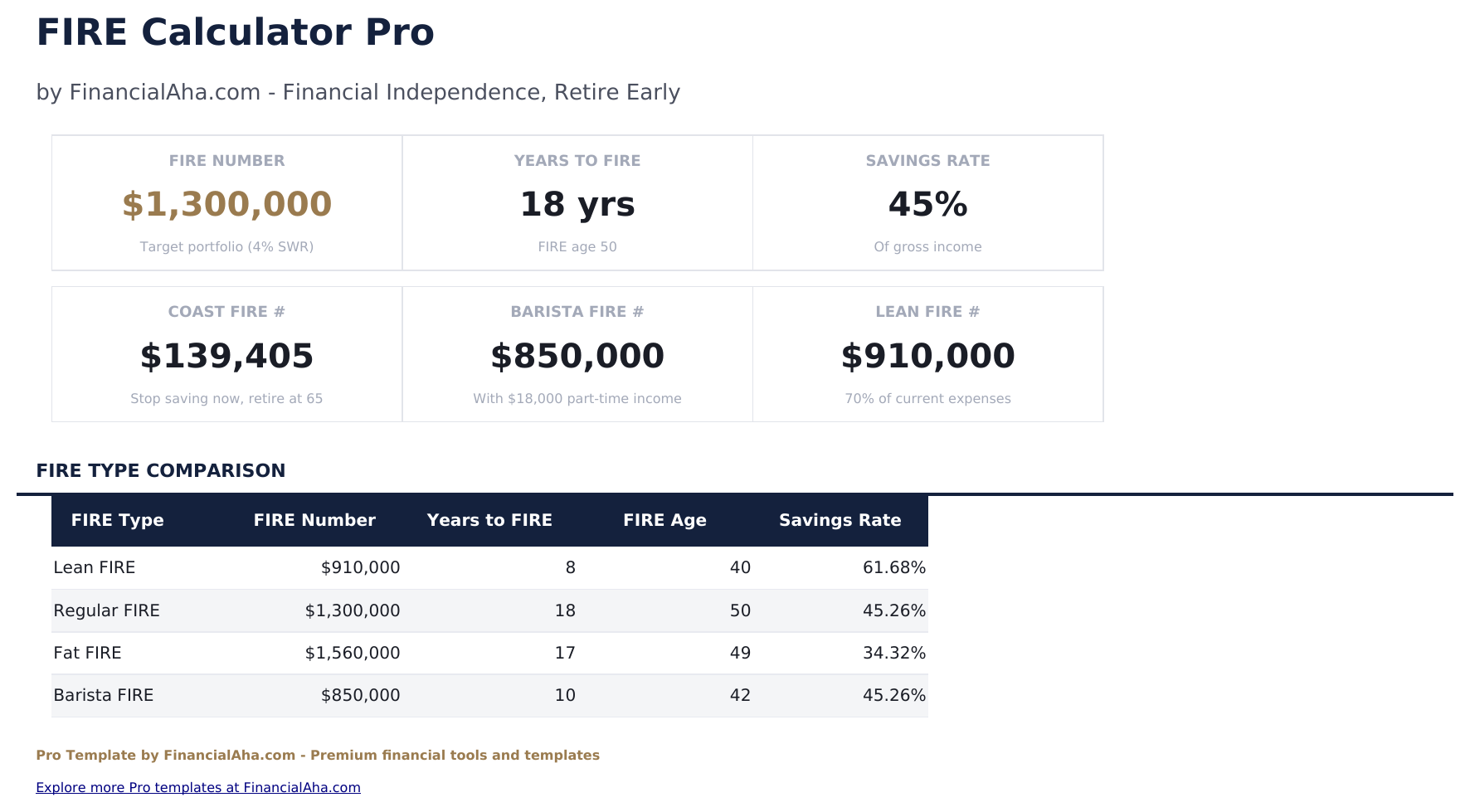
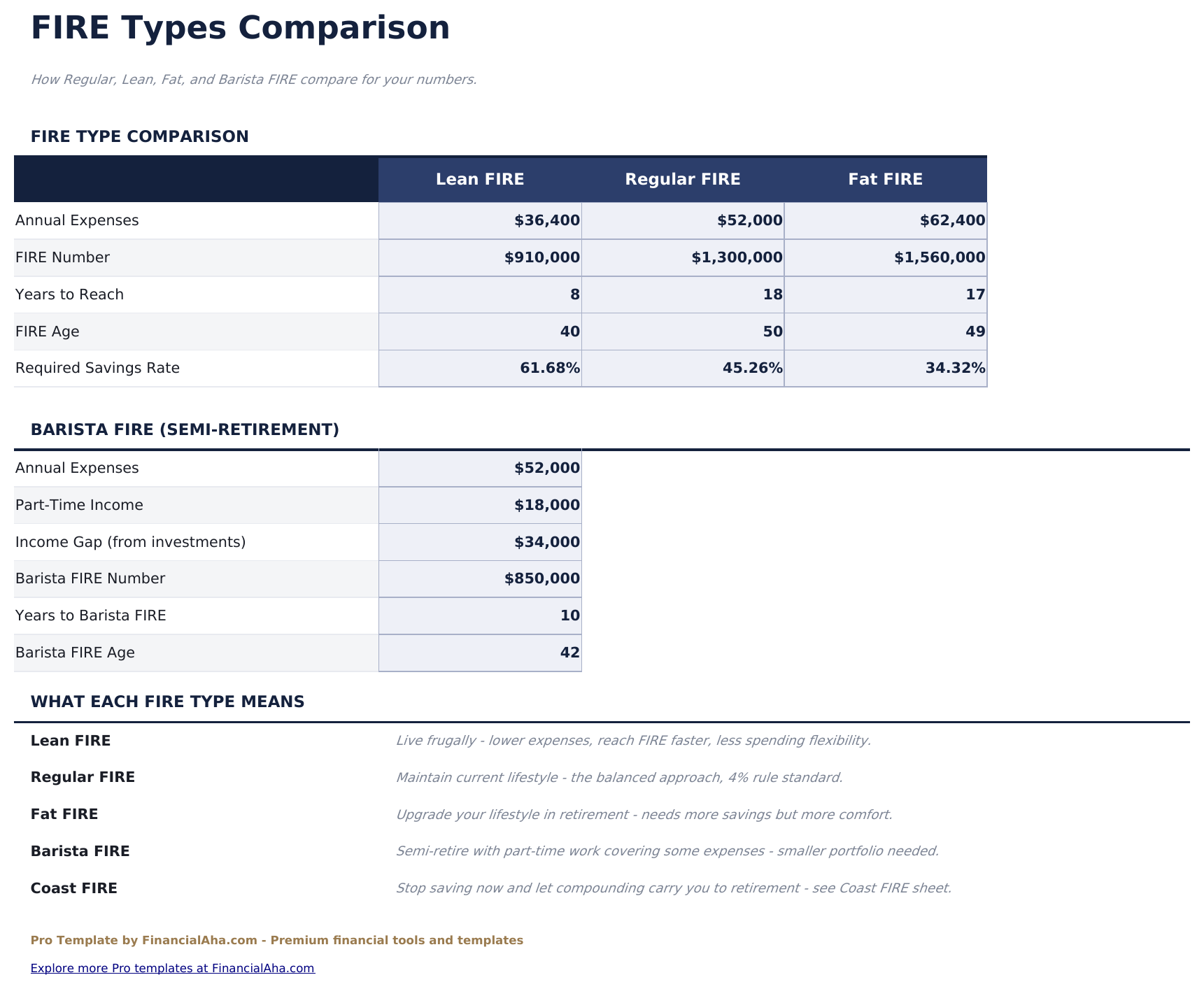
- Multi-scenario FIRE targets comparing lean, traditional, fat, and barista FIRE numbers side by side
- Dashboard with 6 KPIs: FIRE number, years to FIRE, current savings rate, portfolio value, annual expenses, and safe withdrawal amount
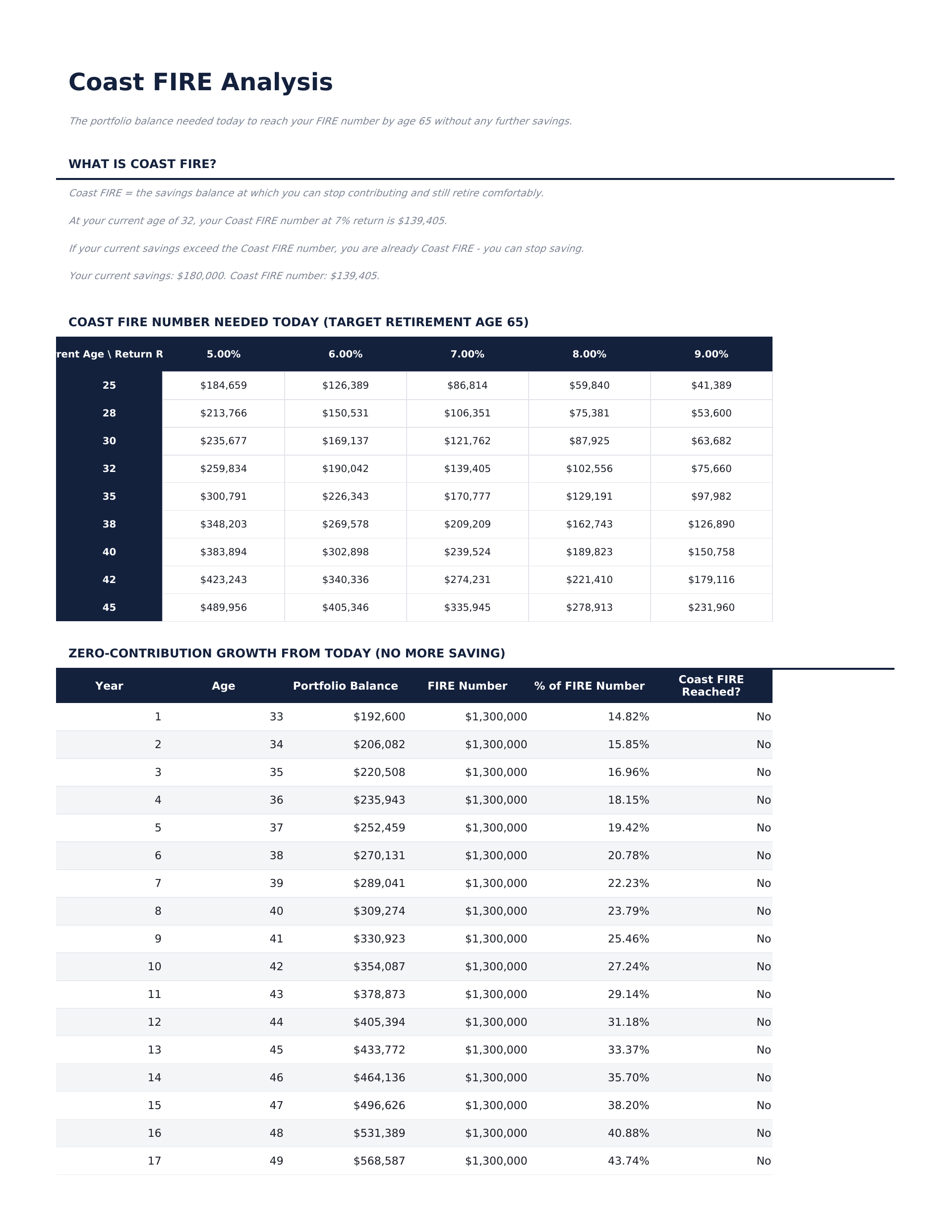
- Coast FIRE analysis showing when your portfolio can grow to the FIRE number without additional contributions
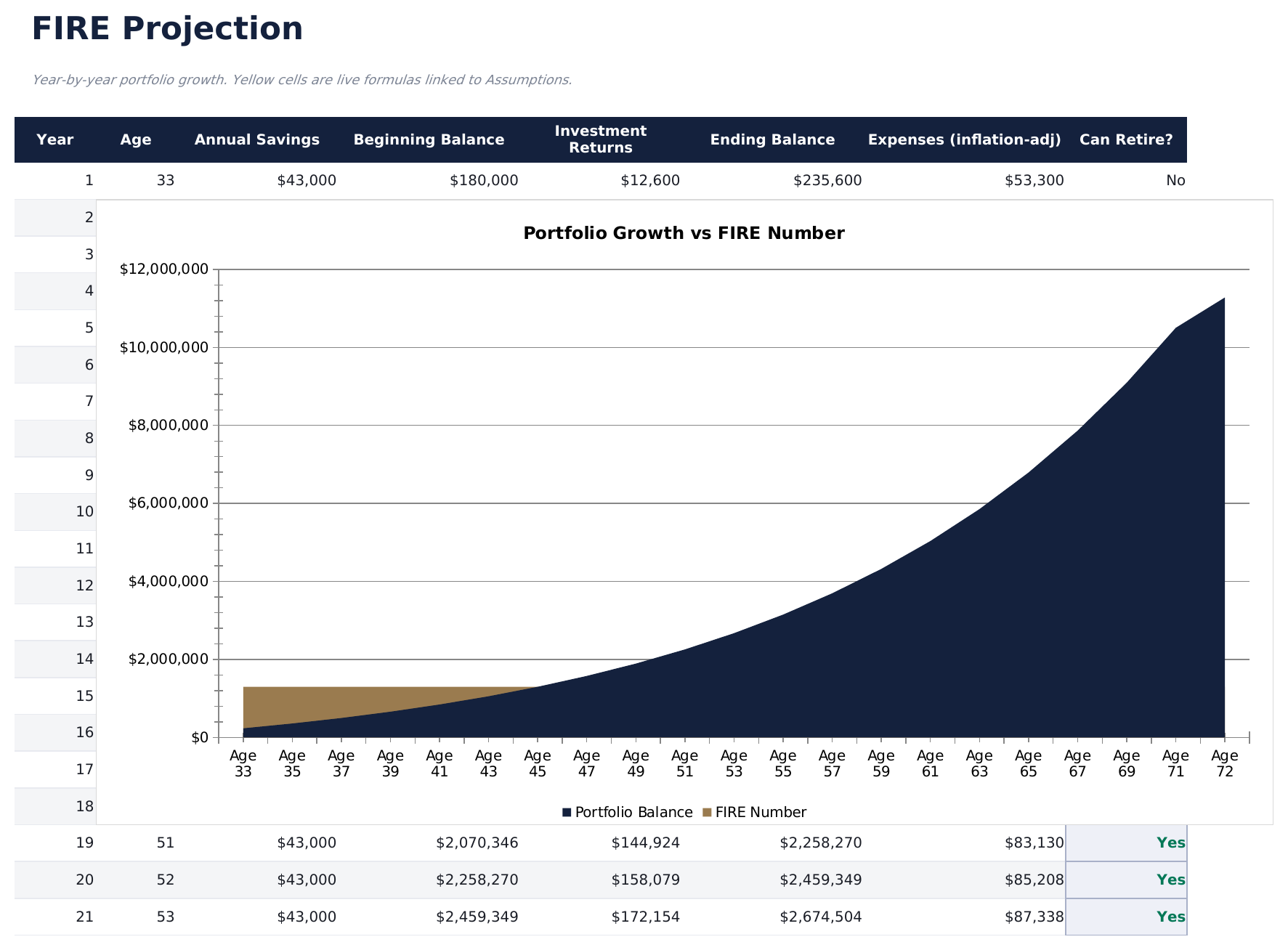
- Year-by-year portfolio projection showing savings, investment growth, and progress toward the FIRE target
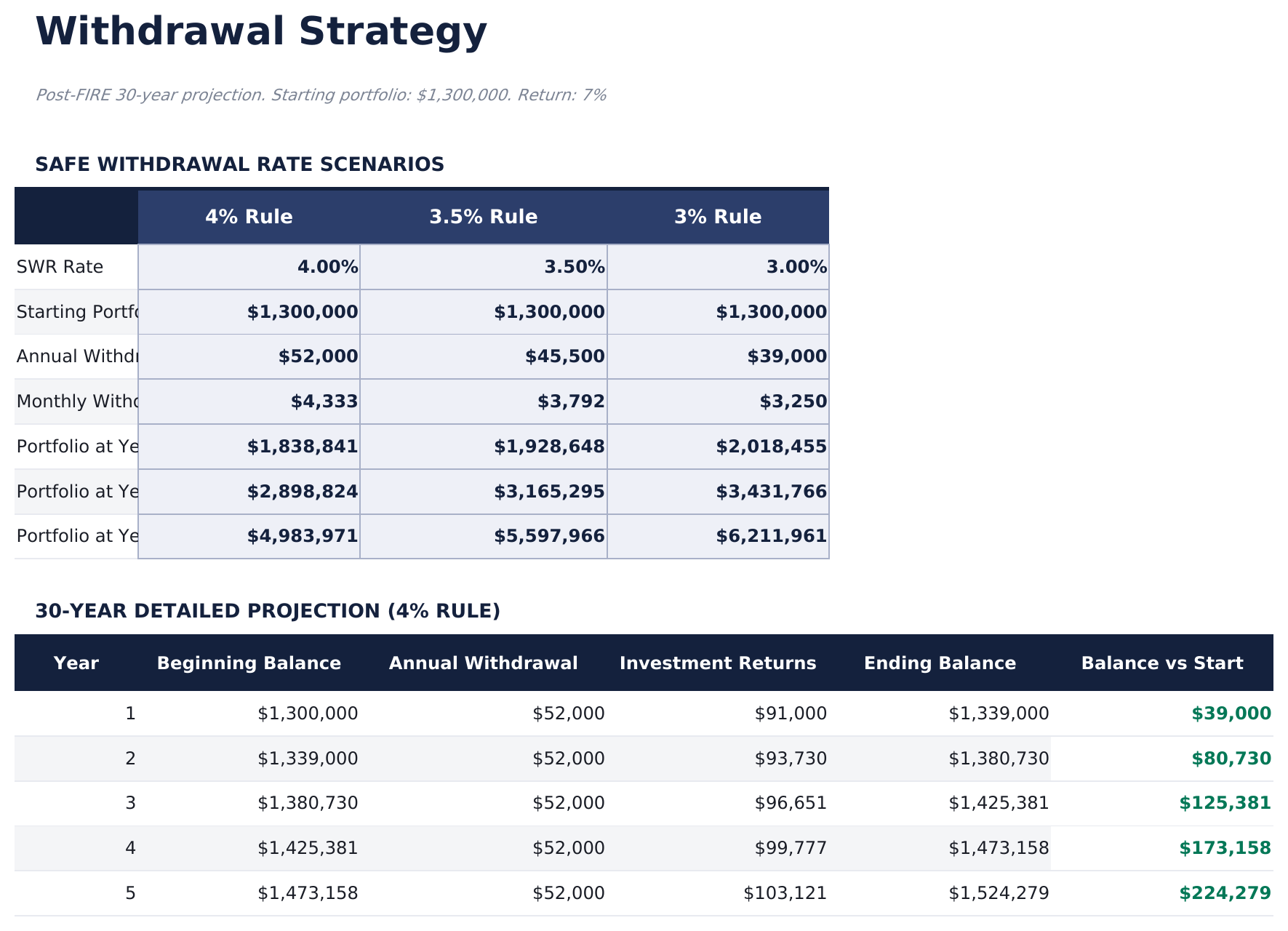
- Withdrawal rate modeling comparing 3%, 3.5%, 4%, and 4.5% rates with portfolio longevity estimates
- Savings rate impact analysis showing how increasing savings by 5% or 10% changes the FIRE timeline
- Post-FIRE income planning with fields for part-time work, Social Security, rental income, and other sources
- Works in Microsoft Excel, Google Sheets, and LibreOffice Calc with no macros required
Preview
See what's inside this template
How to Use This Template
Enter your financial details
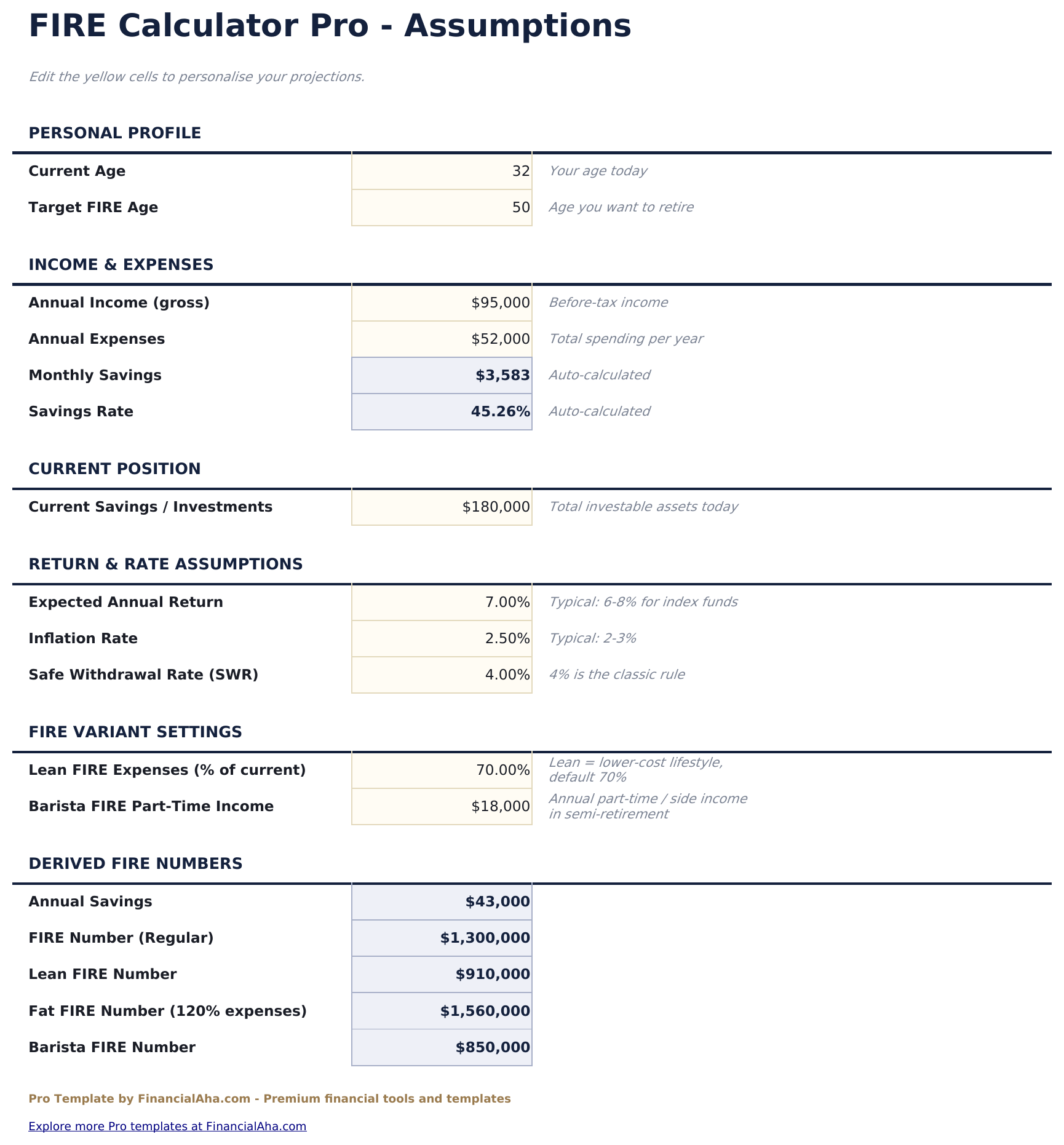
Go to FIRE Setup and enter annual expenses, annual income, current savings, savings rate, and expected investment return.
Review FIRE targets
The Dashboard shows lean, traditional, fat, and barista FIRE numbers with years to reach each target.
Check Coast FIRE
The Coast FIRE Analysis shows when your portfolio can coast to the FIRE number without additional contributions.
Model withdrawals
The Withdrawal Phase sheet compares portfolio longevity at different withdrawal rates to find a sustainable drawdown plan.
Built by Claude AI. Perfected by us.
We use Claude AI to draft each Pro template after deep research. Then our team steps in - refining the layout, stress-testing every formula, fixing edge cases, and polishing the design. The AI gets us 80% there. The last 20% is all human judgment.
One-time purchase. No subscription. Works in Excel & Google Sheets.
Frequently Asked Questions
What FIRE scenarios are included?
The template compares lean FIRE (minimal expenses), traditional FIRE (current spending), fat FIRE (comfortable spending), and barista FIRE (part-time income supplements portfolio withdrawals).
What is Coast FIRE?
Coast FIRE is the point where your portfolio is large enough to grow to your FIRE number by retirement age without any additional contributions. The Coast FIRE Analysis shows when you reach this milestone.
How does withdrawal rate modeling work?
The template projects portfolio longevity at 4 different withdrawal rates (3% to 4.5%). Lower rates mean a larger required portfolio but greater sustainability.
Can I include non-portfolio income?
Yes. The Post-FIRE Income section includes fields for part-time work, Social Security, rental income, and other sources. These reduce the amount needed from portfolio withdrawals.
Does it account for inflation?
Use real (inflation-adjusted) return rates in the setup for projections in today dollars. The template shows nominal projections by default.
What do I get after purchase?
You receive an Excel file (.xlsx) that works in Microsoft Excel, Google Sheets, and LibreOffice Calc. Download it immediately after purchase - no signup or account required.
Is there a free version?
Yes. The free version of this template is available with basic features. The Pro version adds advanced analysis, more capacity, and additional sheets.
What if it does not work for me?
Contact us and we will help troubleshoot. The template works in Microsoft Excel, Google Sheets, and LibreOffice Calc with no macros required.
Looking for more Pro templates?
We offer Pro versions of our most popular spreadsheet templates with advanced features, more capacity, and deeper analysis.