Emergency Fund Calculator Pro
Comprehensive emergency fund planning with detailed expense breakdown, multiple coverage scenarios, contribution tracking, and milestone projections.
Free vs Pro
- Emergency fund calculator with monthly expense inputs
- Dashboard with fund progress and target amount
- Contribution tracking with balance updates
- Works in Excel and Google Sheets
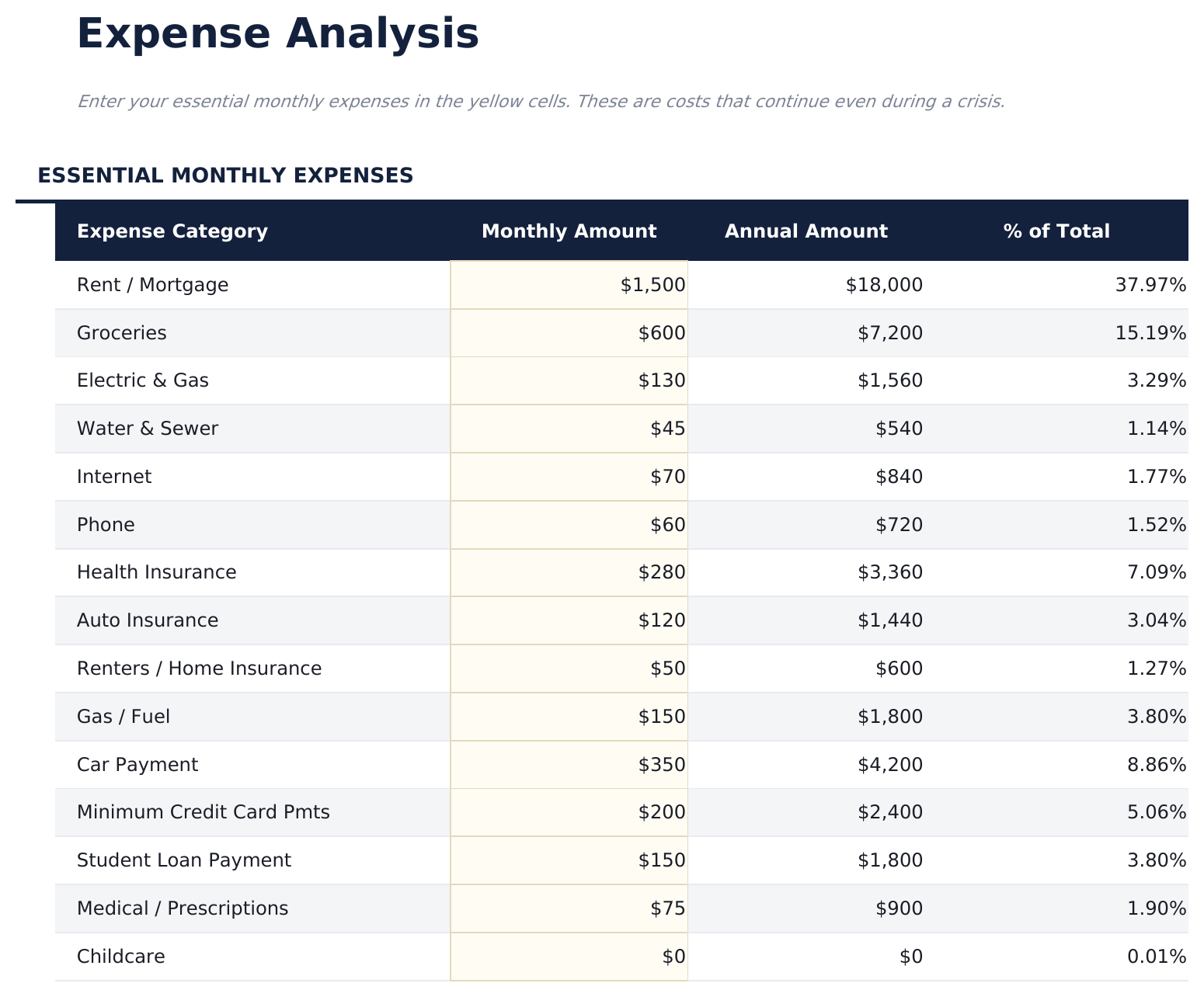
- Detailed expense breakdown with 15 categories including housing, food, insurance, utilities, transportation, medical, and debt payments
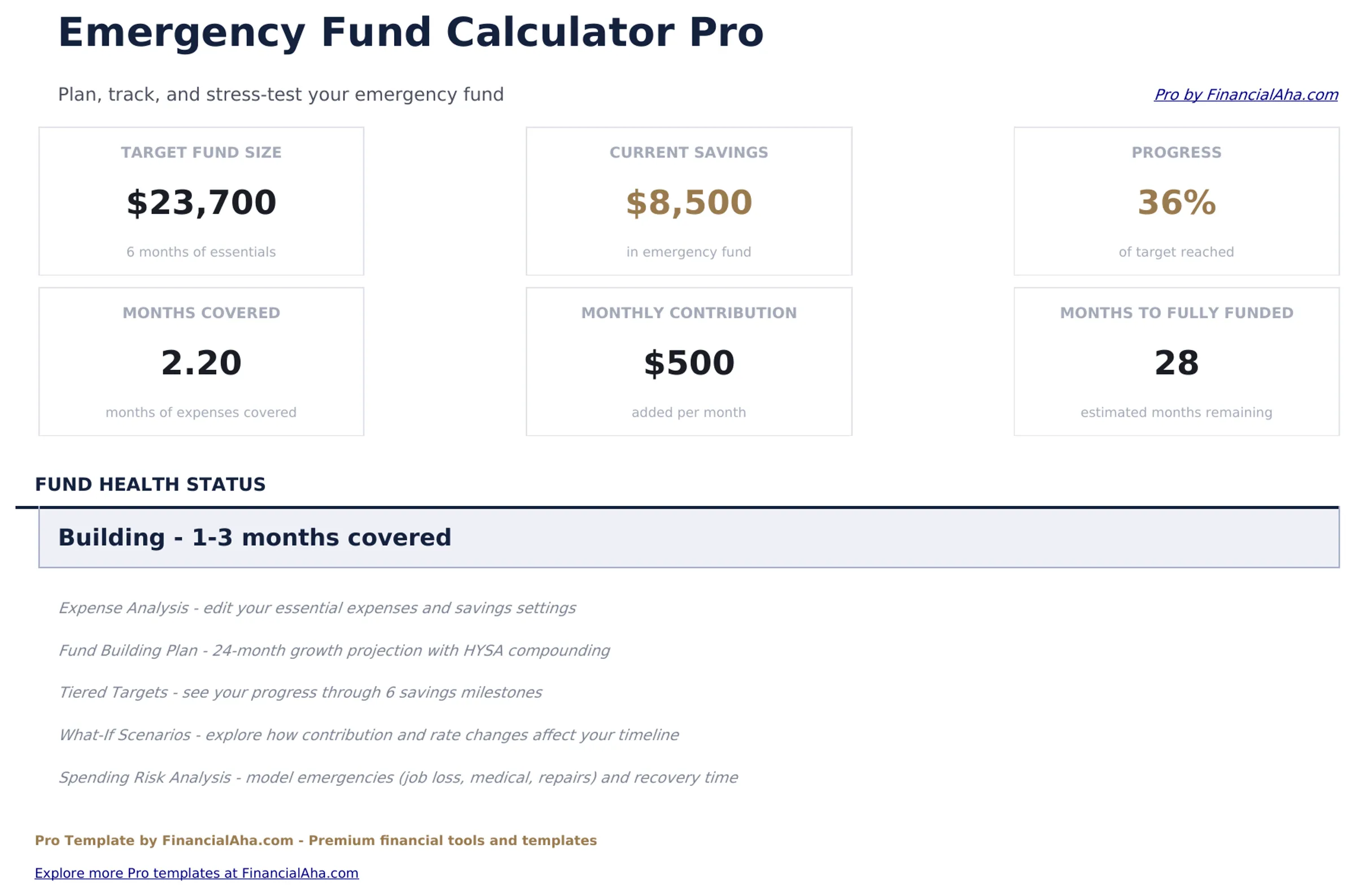
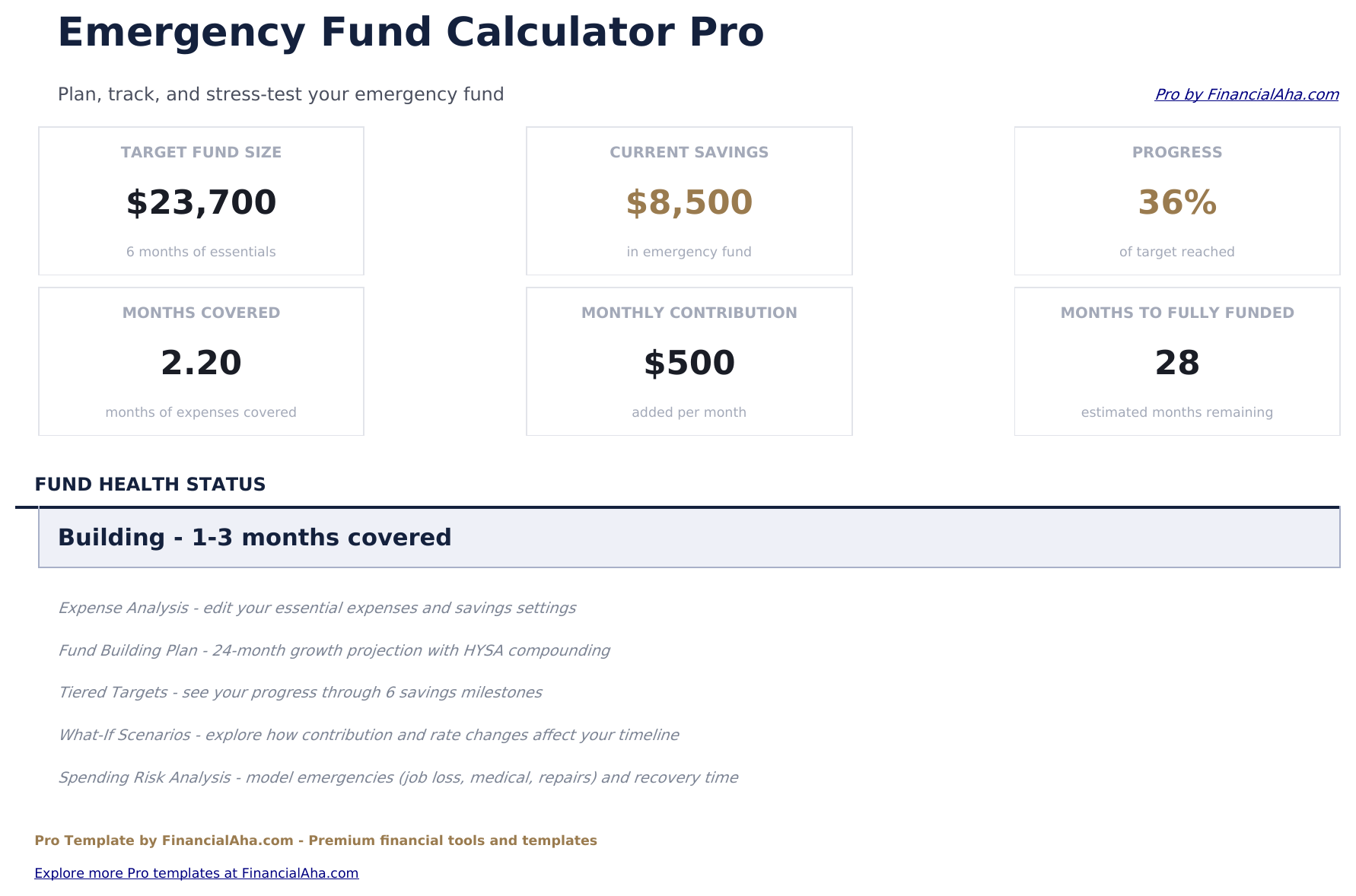
- Dashboard with 6 KPIs: target fund amount, current balance, percentage funded, monthly contribution, months to goal, and coverage months achieved
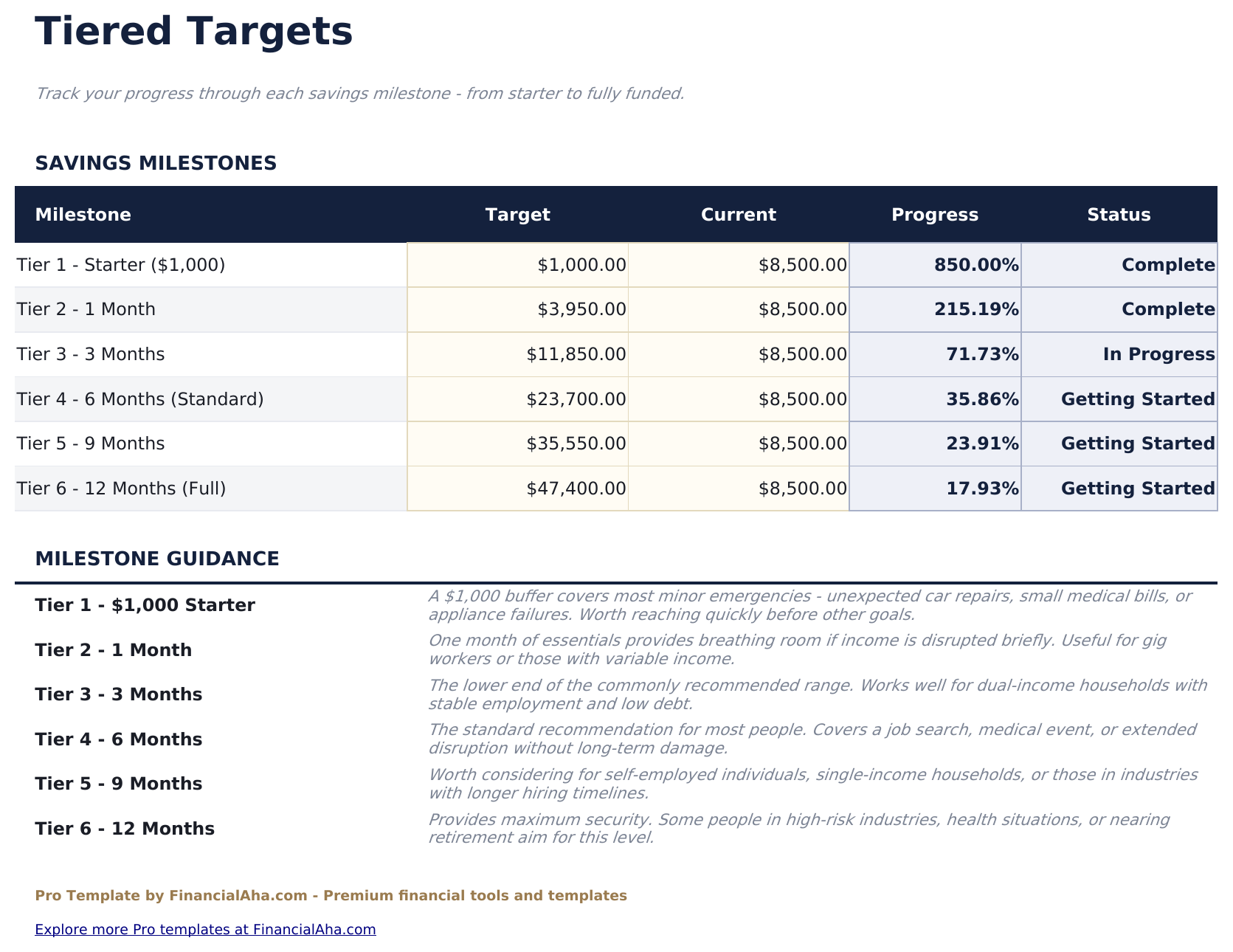
- Multiple coverage scenarios comparing 3-month, 6-month, 9-month, and 12-month targets side by side
- Monthly contribution tracker with running balance and automatic progress percentage updates
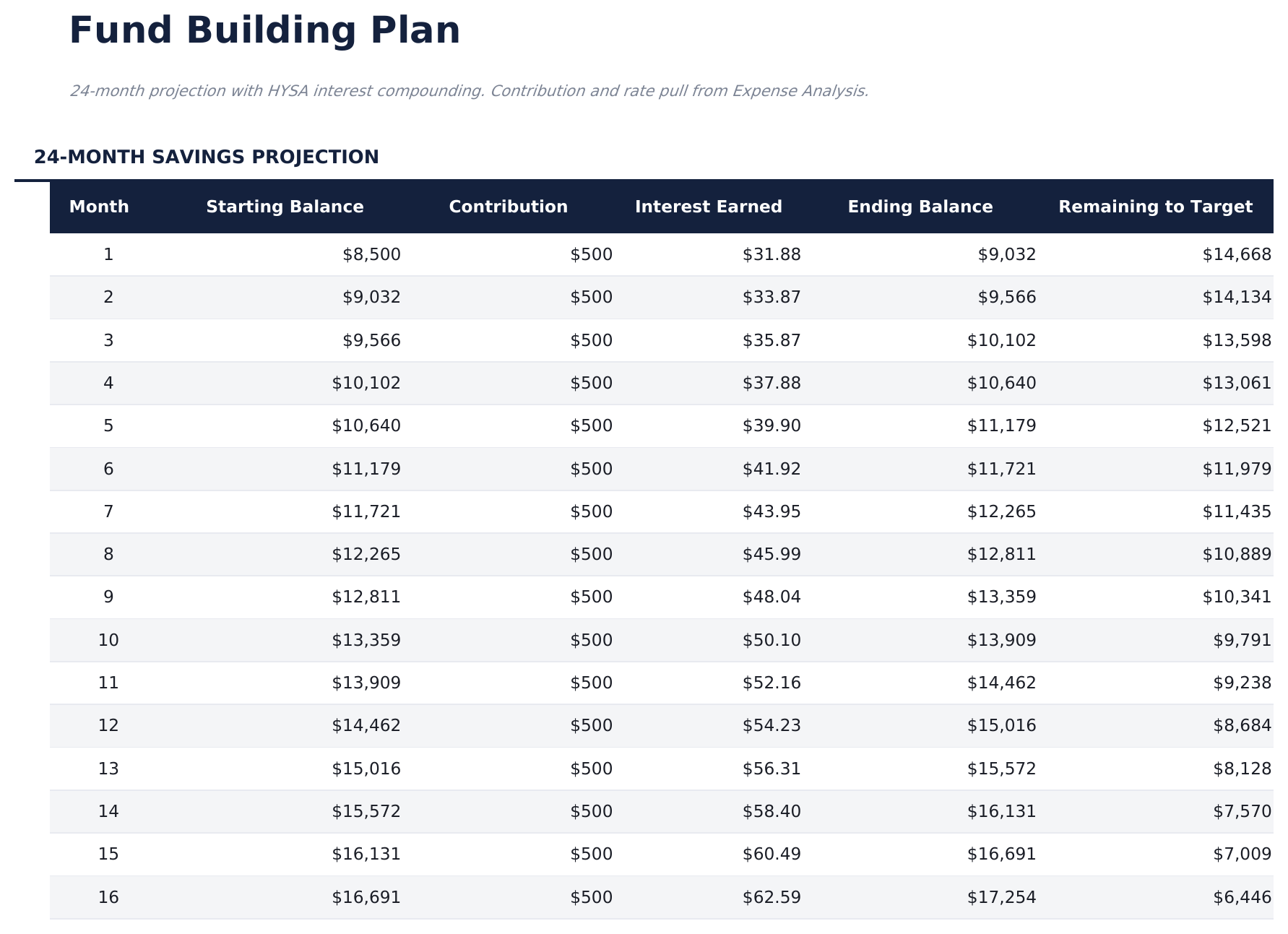
- Milestone projections marking 25%, 50%, 75%, and 100% funded dates based on current contribution rate
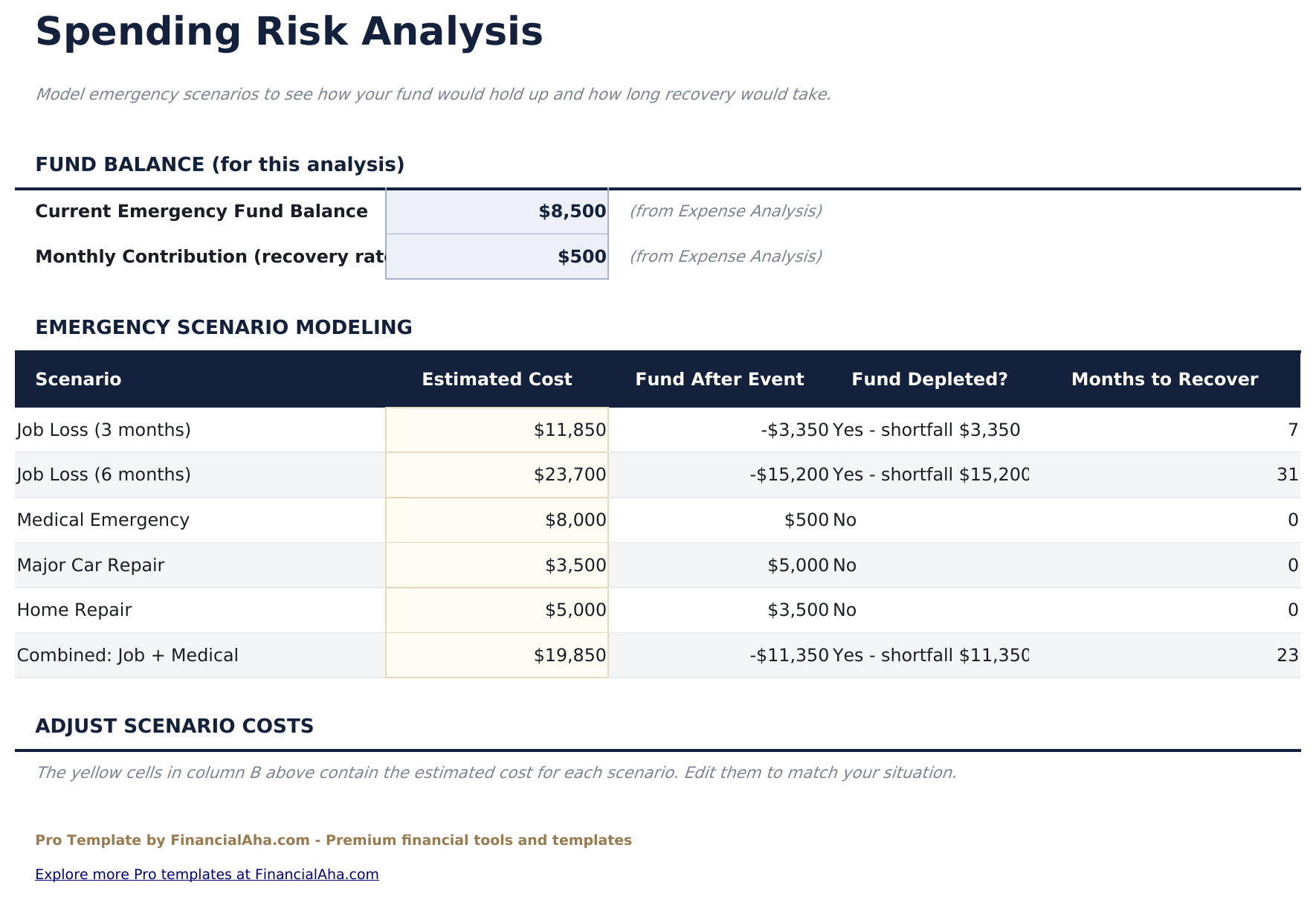
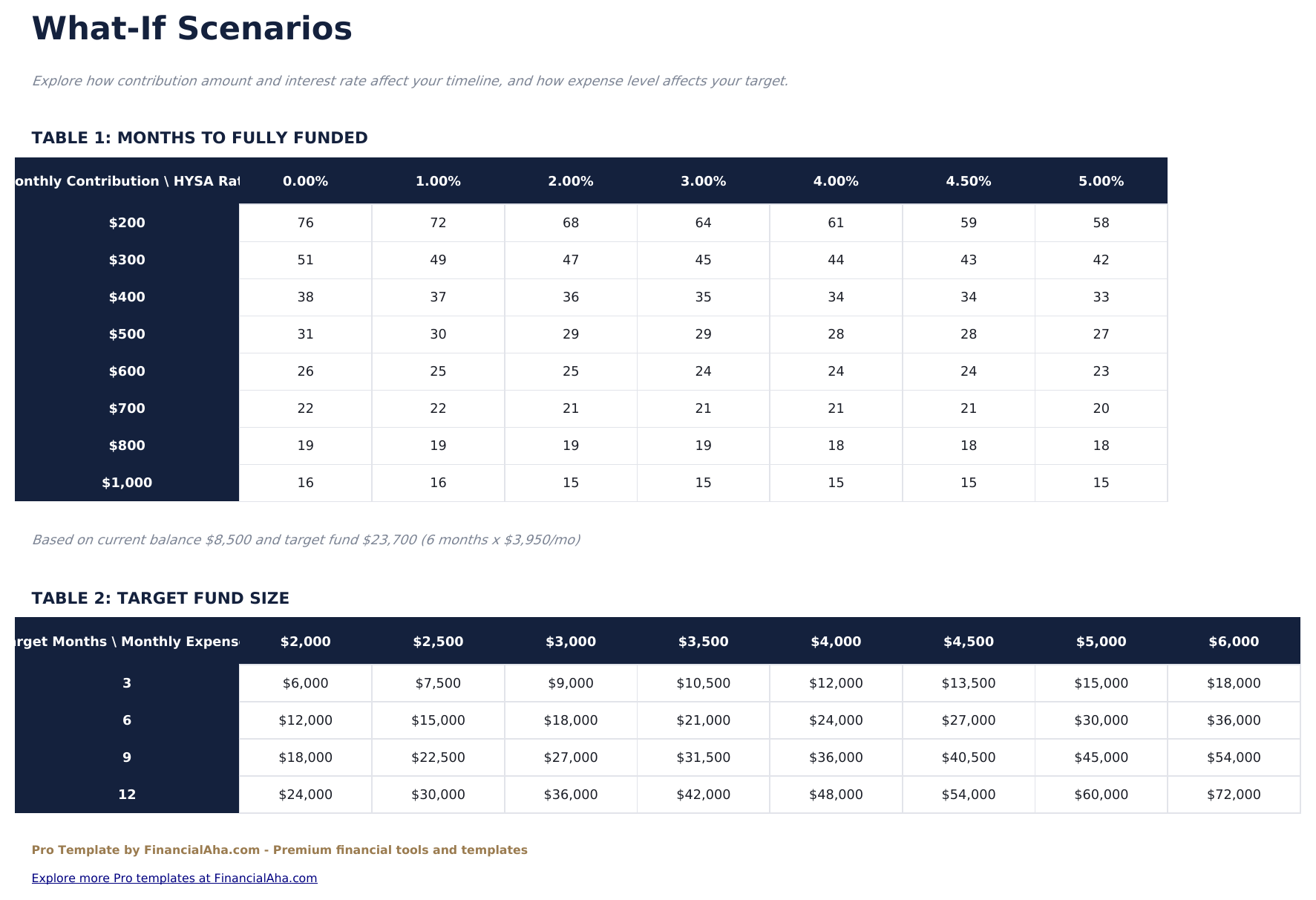
- Expense adjustment modeling showing how reducing expenses lowers the target and accelerates reaching the goal
- Year-over-year fund growth summary with annual contribution totals and interest earned
- Works in Microsoft Excel, Google Sheets, and LibreOffice Calc with no macros required
Preview
See what's inside this template
How to Use This Template
Enter monthly expenses
Go to the Expense Breakdown and enter essential monthly costs across 15 categories. The template totals them automatically.
Choose coverage level
Review the Tiered Targets sheet comparing 3, 6, 9, and 12 months. Select the target that fits your situation.
Log contributions
Record each deposit in the Contribution Tracker. The running balance and progress percentage update automatically.
Track milestones
The Tiered Targets sheet shows projected dates for reaching 25%, 50%, 75%, and 100% of your target fund amount.
Built by Claude AI. Perfected by us.
We use Claude AI to draft each Pro template after deep research. Then our team steps in - refining the layout, stress-testing every formula, fixing edge cases, and polishing the design. The AI gets us 80% there. The last 20% is all human judgment.
One-time purchase. No subscription. Works in Excel & Google Sheets.
Frequently Asked Questions
How is the target calculated?
The target equals your total monthly essential expenses multiplied by your chosen months of coverage. The Pro version breaks expenses into 15 categories for precision.
What coverage level is typical?
Common targets range from 3 to 12 months. The Tiered Targets sheet shows all four options side by side so you can choose the level that fits your situation.
How do milestones work?
The Tiered Targets sheet projects when your fund will reach 25%, 50%, 75%, and 100% of the target based on your current monthly contribution rate.
Can I adjust expenses over time?
Yes. Update expense amounts as your costs change. The target recalculates automatically and milestone projections adjust accordingly.
Does it track where the fund is held?
The template tracks the fund balance and contributions. Where you hold the fund (savings account, money market, etc.) is your choice - the math works the same.
What do I get after purchase?
You receive an Excel file (.xlsx) that works in Microsoft Excel, Google Sheets, and LibreOffice Calc. Download it immediately after purchase - no signup or account required.
Is there a free version?
Yes. The free version of this template is available with basic features. The Pro version adds advanced analysis, more capacity, and additional sheets.
What if it does not work for me?
Contact us and we will help troubleshoot. The template works in Microsoft Excel, Google Sheets, and LibreOffice Calc with no macros required.
Looking for more Pro templates?
We offer Pro versions of our most popular spreadsheet templates with advanced features, more capacity, and deeper analysis.