Subscription Tracker Pro
Track up to 50 subscriptions with category breakdown, annual projections, price history, and cancellation ROI analysis to see where recurring costs are adding up.
Free vs Pro
- Track up to 15 subscriptions with billing cycle and monthly cost
- Dashboard with total monthly and annual spend
- Category totals and renewal date reminders
- Works in Excel and Google Sheets
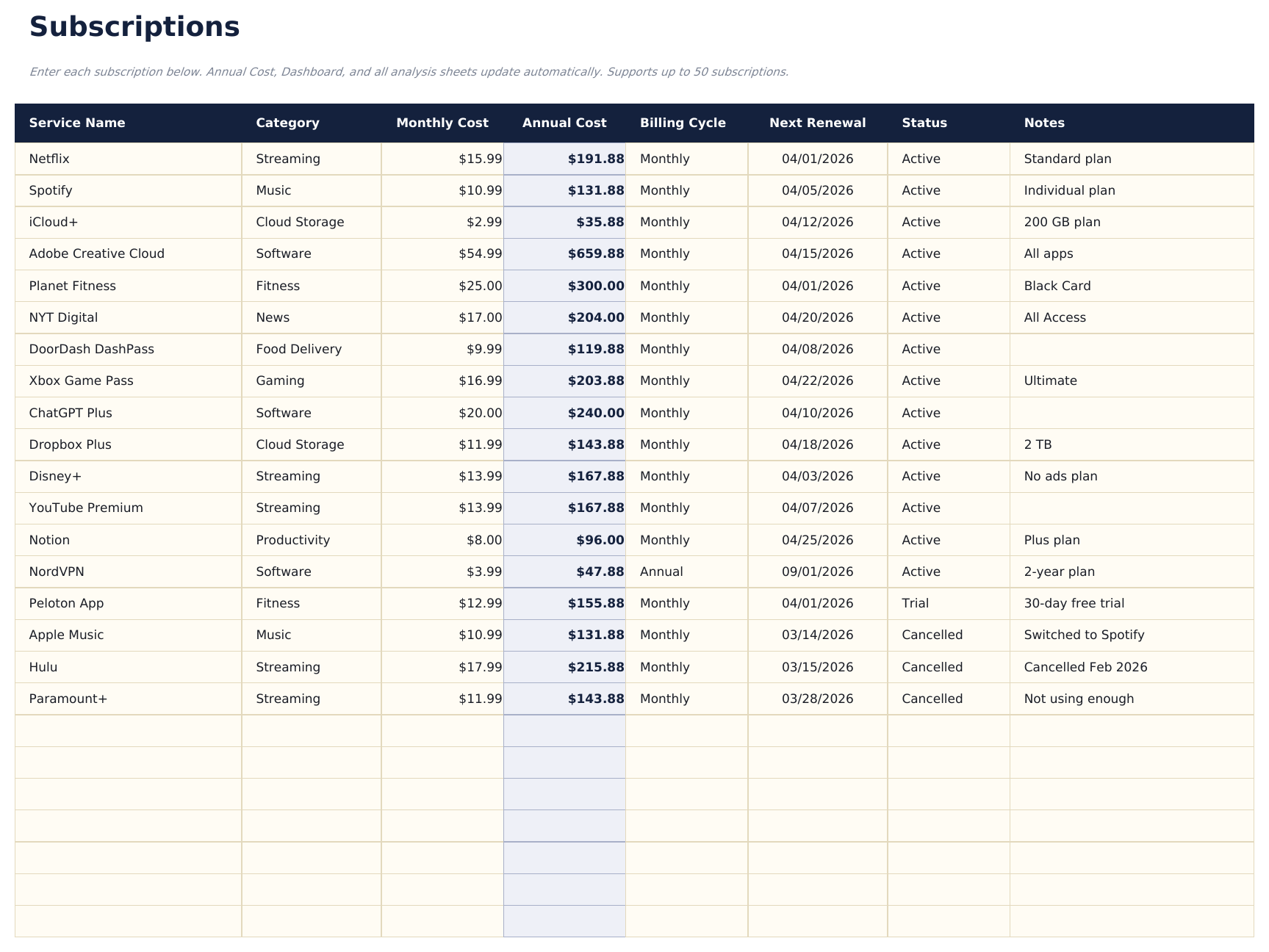
- Track up to 50 active subscriptions with name, category, billing cycle, monthly cost, annual cost, renewal date, and status
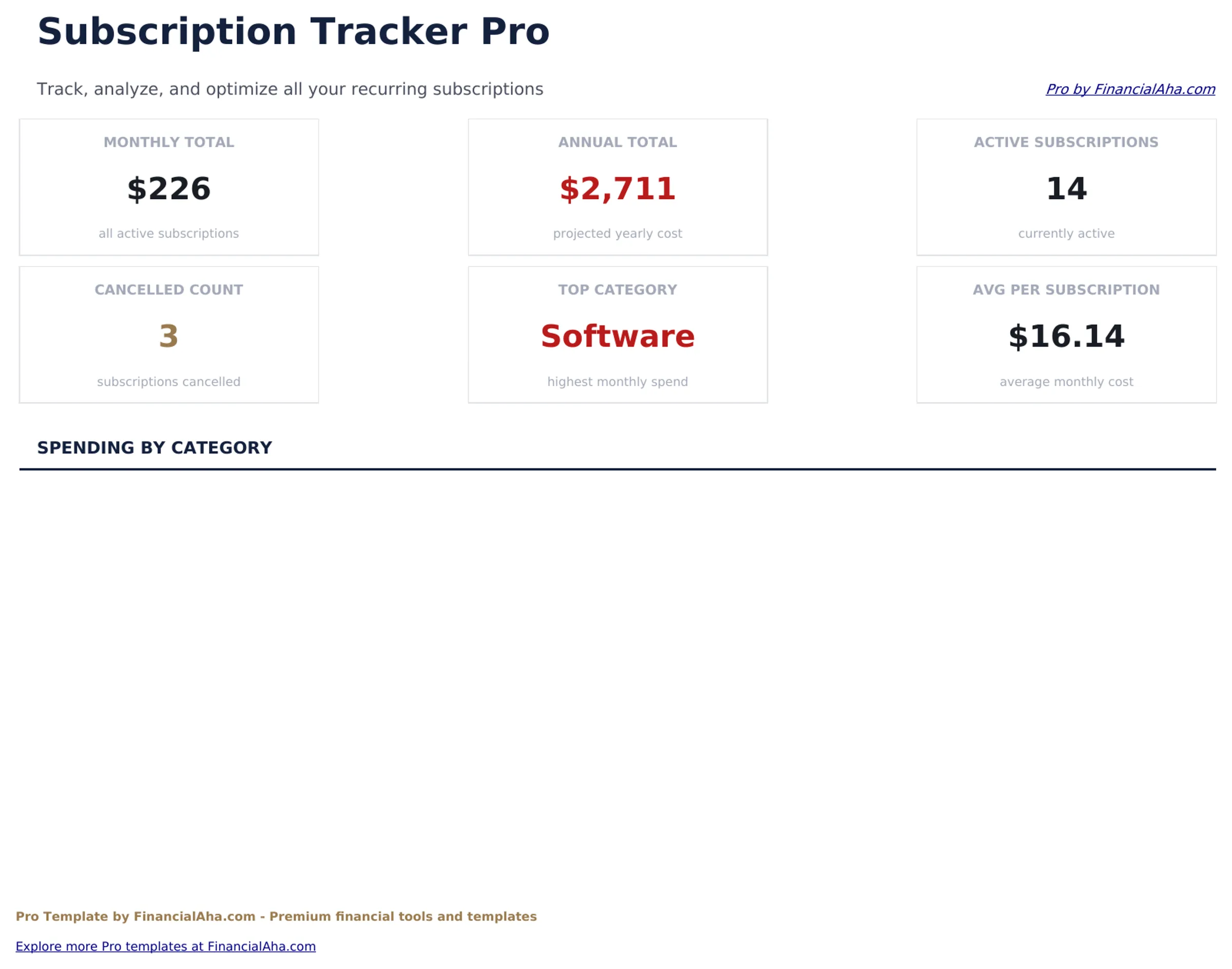
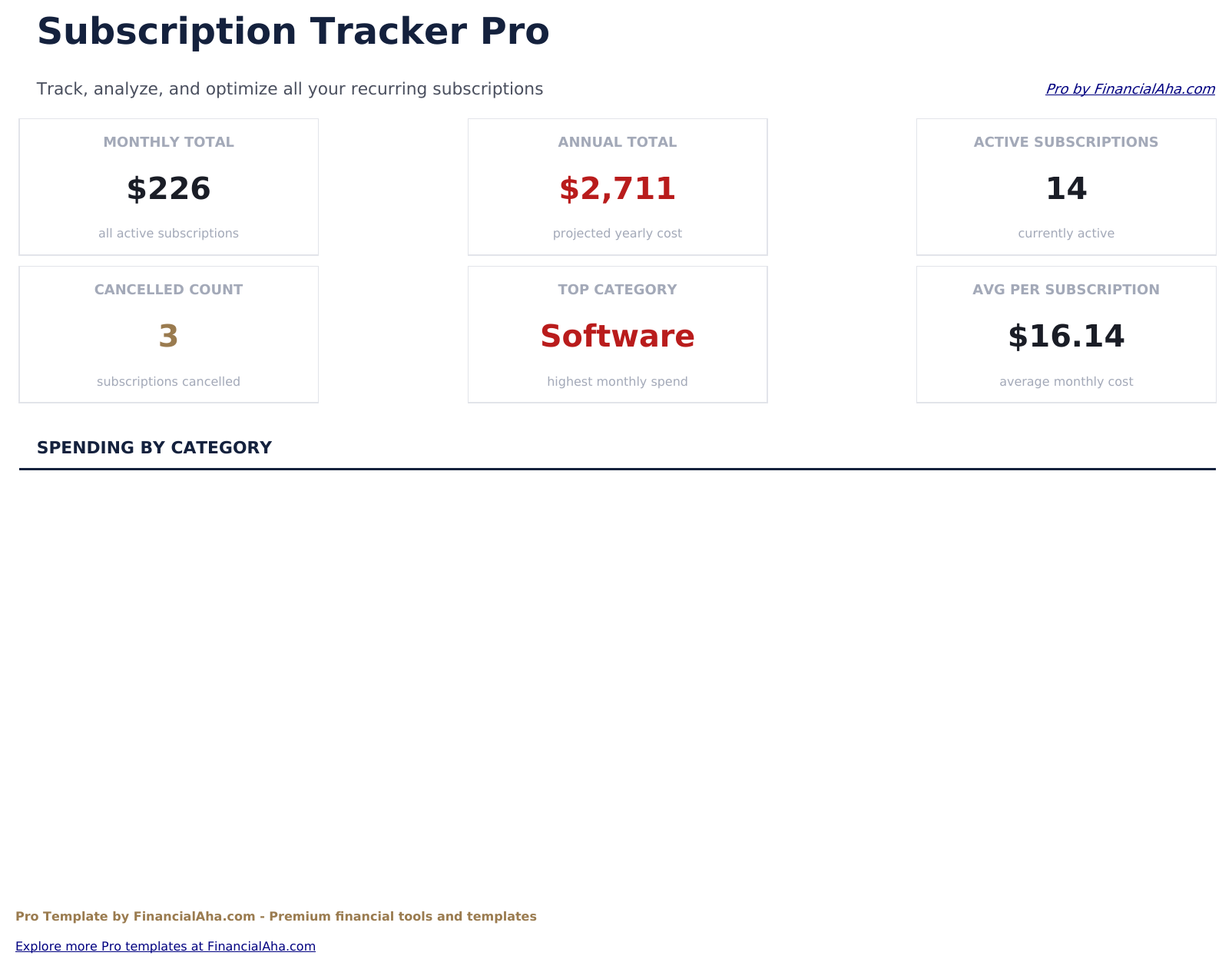
- Dashboard with 6 KPI cards: total monthly cost, total annual cost, subscription count, most expensive category, upcoming renewals (next 30 days), and inactive subscriptions
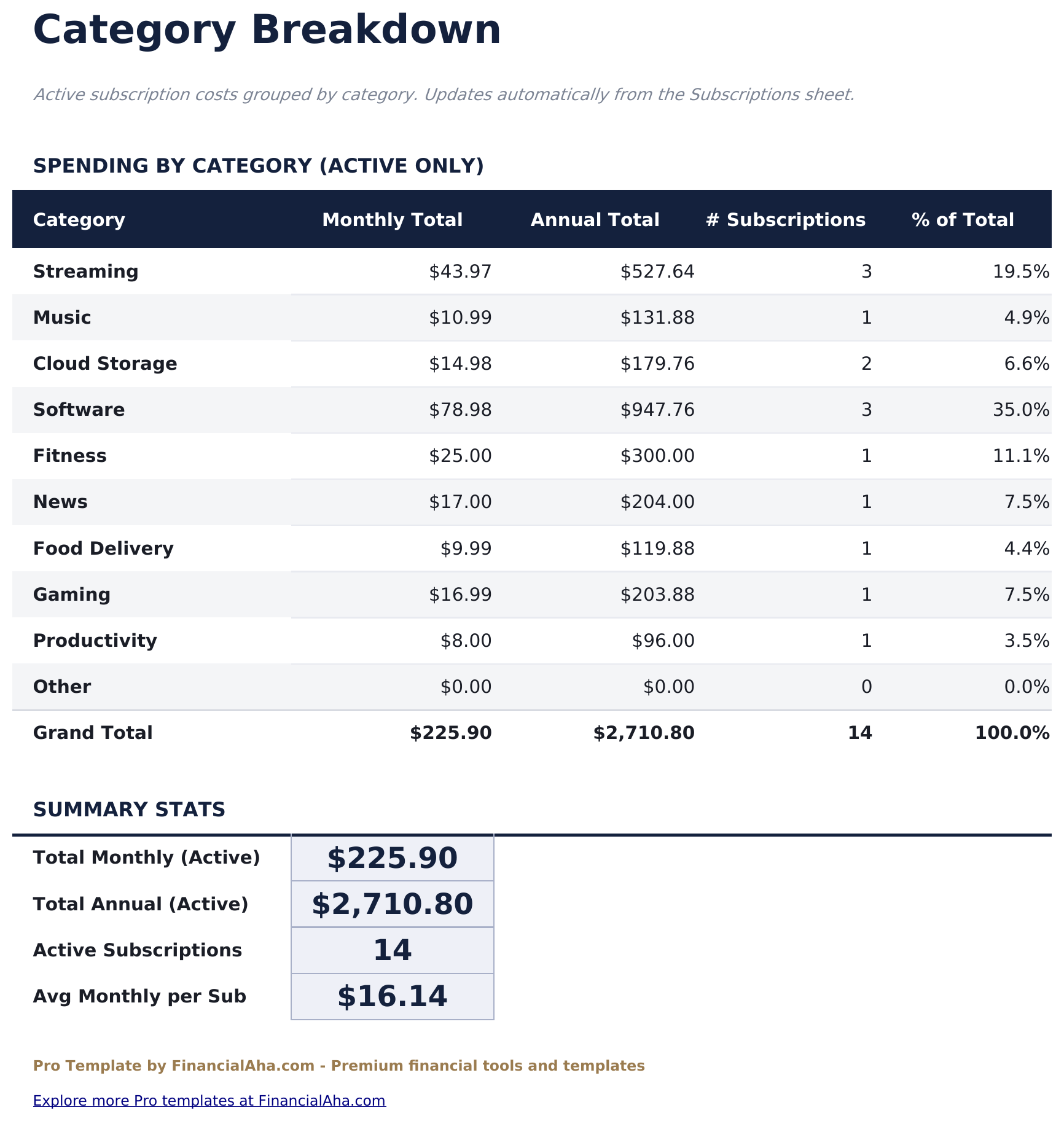
- Category Breakdown sheet showing monthly cost, annual cost, subscription count, and percent of total spend per category
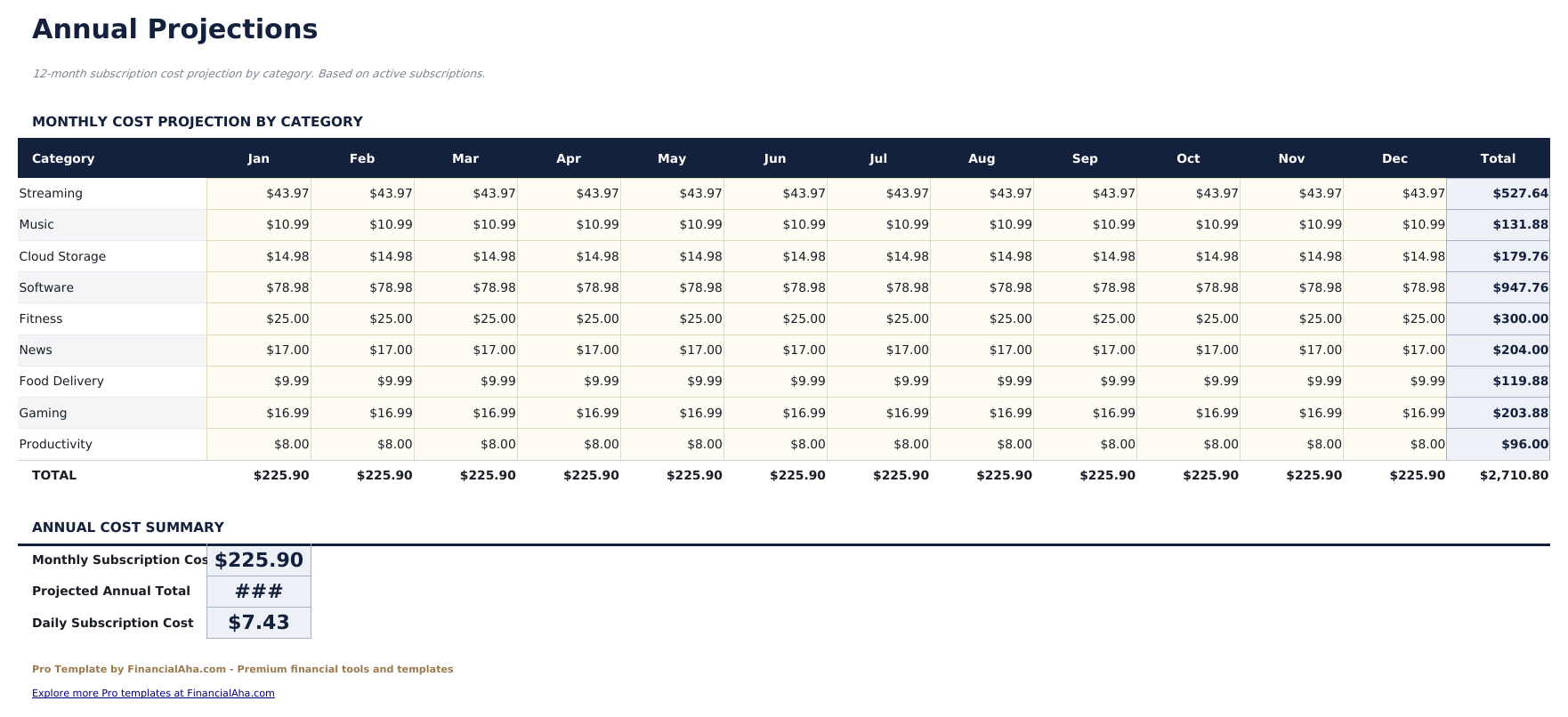
- Annual Projections sheet calculating 12-month forward cost per subscription and category totals based on billing cycle and current price
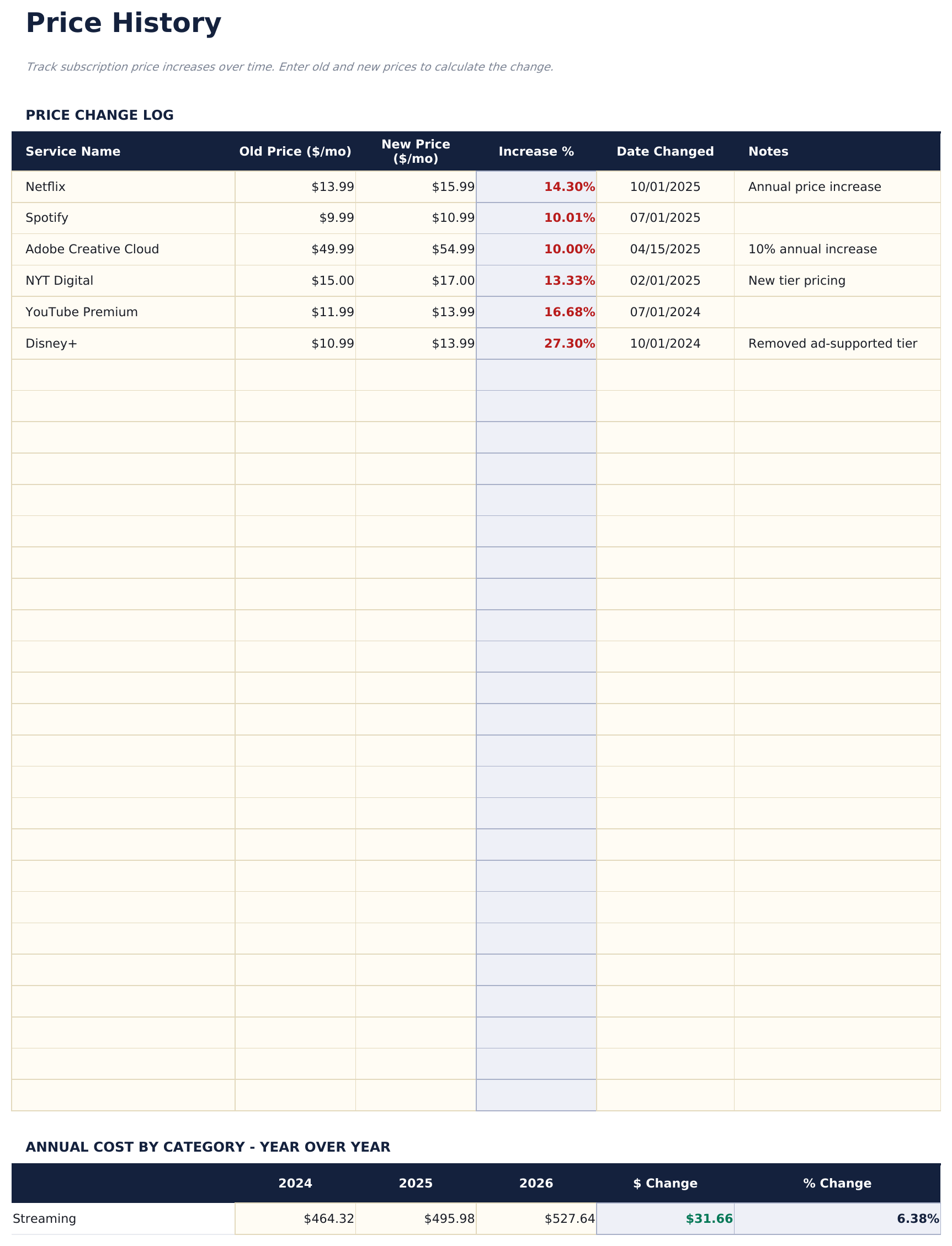
- Price History sheet for logging price changes per subscription over time - shows original price, current price, and cumulative price increase
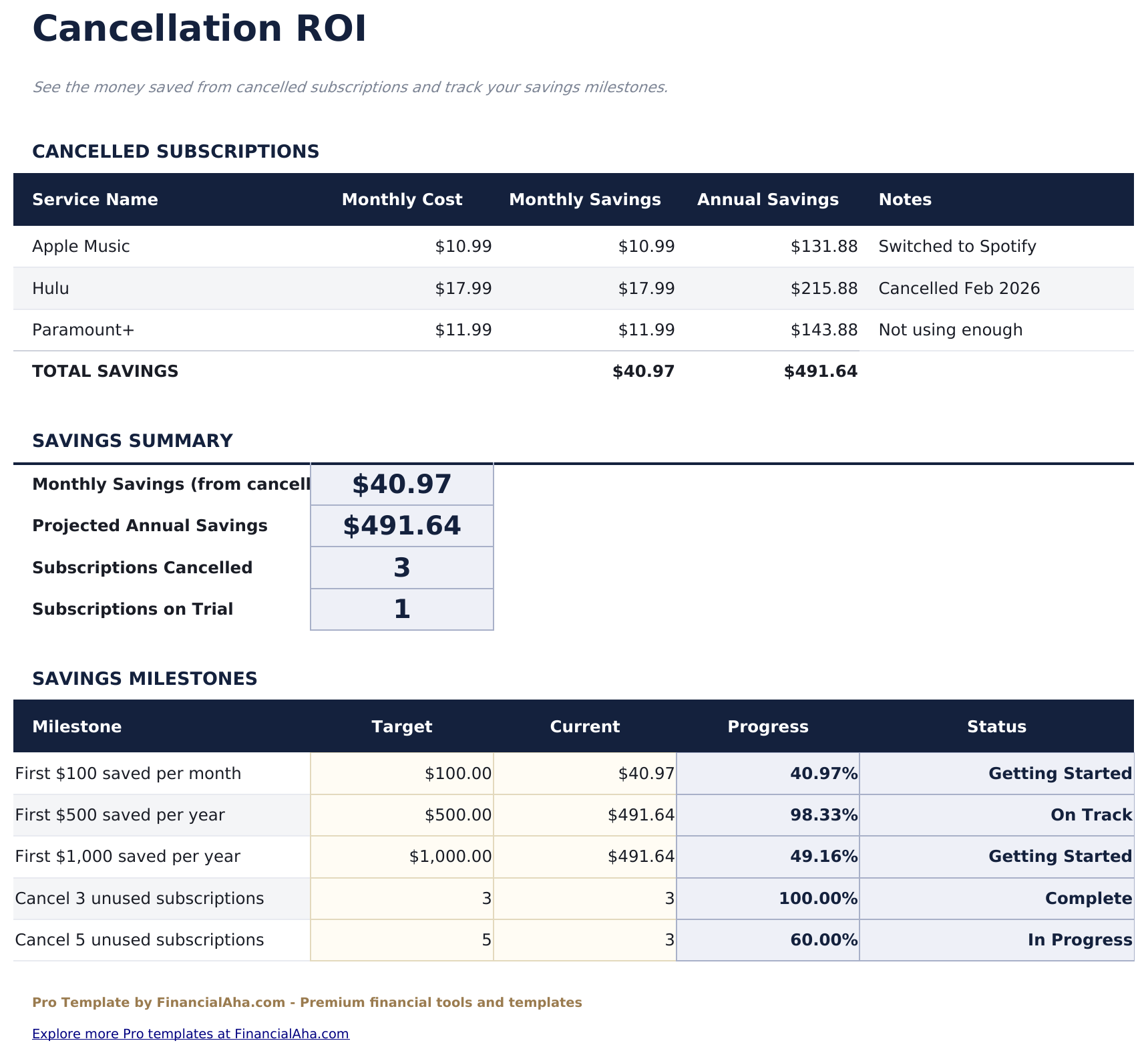
- Cancellation ROI sheet evaluating subscriptions by cost per use - enter estimated monthly usage hours to calculate cost per hour and flag low-value subscriptions
- Billing cycle support for monthly, quarterly, semi-annual, and annual subscriptions with automatic monthly equivalent calculation
- Works in Microsoft Excel, Google Sheets, and LibreOffice Calc with no macros required
Preview
See what's inside this template
How to Use This Template
Log all your subscriptions
Go to the Subscriptions sheet and enter each service with name, category, billing cycle, cost, renewal date, and status. Include paused or trial subscriptions in the status field.
Review category totals
The Category Breakdown sheet shows monthly and annual spend per category. Useful for spotting where most recurring costs are concentrated.
Track price changes over time
When a subscription raises its price, log the change in the Price History sheet. The cumulative increase column shows how much costs have drifted over time.
Evaluate what to cancel
In the Cancellation ROI sheet, enter your monthly usage per subscription. The cost-per-use ranking helps identify low-value services worth cancelling.
Built by Claude AI. Perfected by us.
We use Claude AI to draft each Pro template after deep research. Then our team steps in - refining the layout, stress-testing every formula, fixing edge cases, and polishing the design. The AI gets us 80% there. The last 20% is all human judgment.
One-time purchase. No subscription. Works in Excel & Google Sheets.
Frequently Asked Questions
How many subscriptions can I track?
The Pro version supports up to 50 subscriptions - more than triple the free version. Each row includes billing cycle, renewal date, category, and status fields.
How does the Cancellation ROI sheet work?
Enter your estimated monthly usage (in hours or sessions) for each subscription. The template calculates cost per use and ranks subscriptions from highest to lowest cost per hour. Worth reviewing when deciding what to cut.
Can I track subscriptions that have changed price?
Yes. The Price History sheet has a row per subscription for logging each price change with the date it took effect. The cumulative increase column shows the total price change over time.
How are annual projections calculated?
The Annual Projections sheet converts every subscription to a monthly equivalent and multiplies by 12 for the annual forward cost. Quarterly and annual billing cycles are normalized automatically.
What categories are available?
The dropdown includes Streaming, Music, Software, Gaming, News and Media, Fitness, Food and Delivery, Cloud Storage, Security, and Other. Each is tracked separately in the Category Breakdown sheet.
What do I get after purchase?
You receive an Excel file (.xlsx) that works in Microsoft Excel, Google Sheets, and LibreOffice Calc. Download it immediately after purchase - no signup or account required.
Is there a free version?
Yes. The free version of this template is available with basic features. The Pro version adds advanced analysis, more capacity, and additional sheets.
What if it does not work for me?
Contact us and we will help troubleshoot. The template works in Microsoft Excel, Google Sheets, and LibreOffice Calc with no macros required.
Looking for more Pro templates?
We offer Pro versions of our most popular spreadsheet templates with advanced features, more capacity, and deeper analysis.