Paycheck Budget Pro
Budget by paycheck rather than by month - with bi-weekly pay support, separate budgets for each paycheck, and a three-paycheck month tracker for bi-weekly earners.
Free vs Pro
- Set up a two-paycheck monthly budget with income and expense assignments
- Dashboard with monthly income, expenses, and remaining balance
- Basic paycheck-by-paycheck allocation
- Works in Excel and Google Sheets
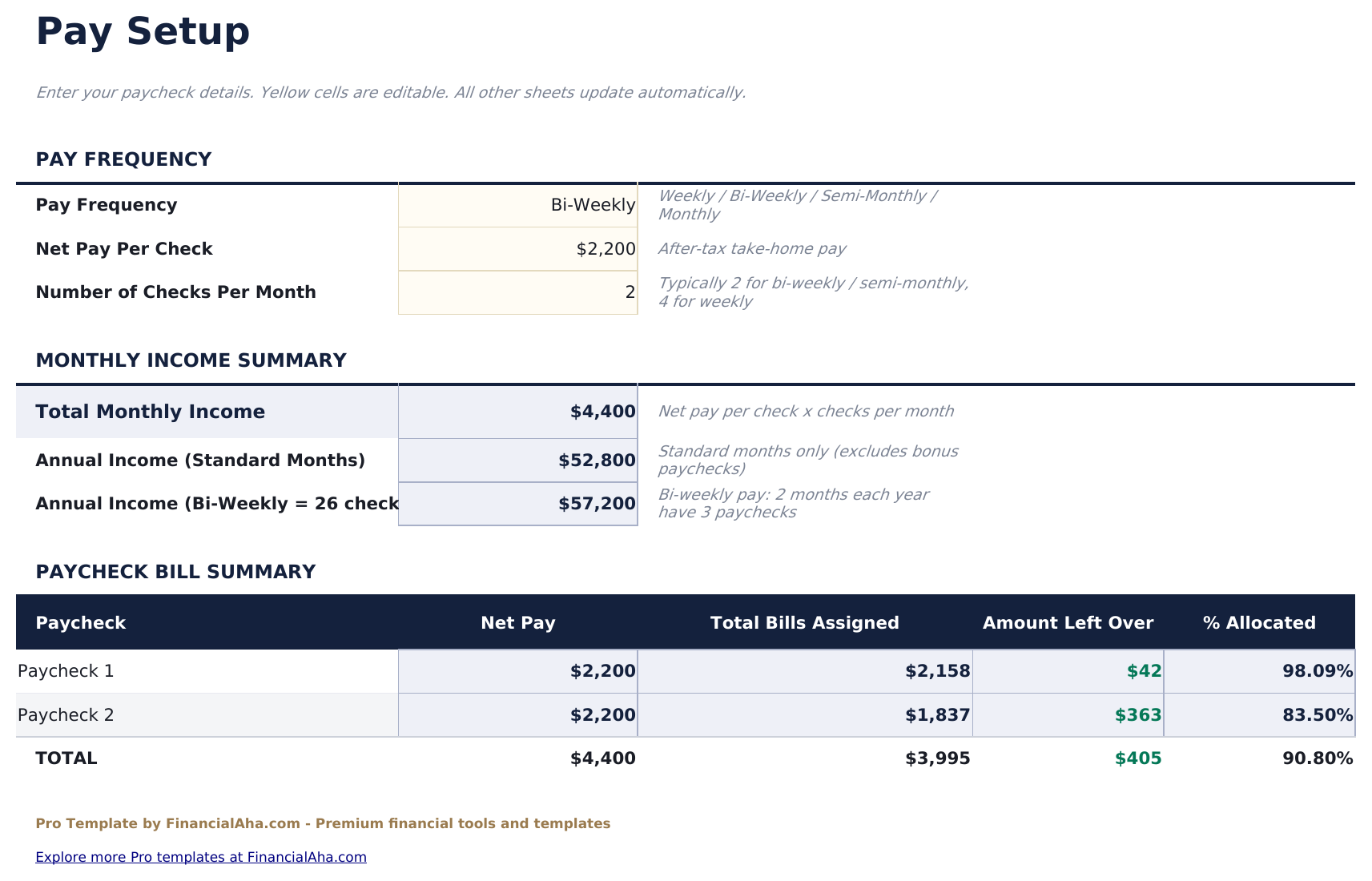
- Pay Setup sheet entering pay frequency, pay dates, and take-home amount per paycheck - supports weekly, bi-weekly, and semi-monthly pay schedules
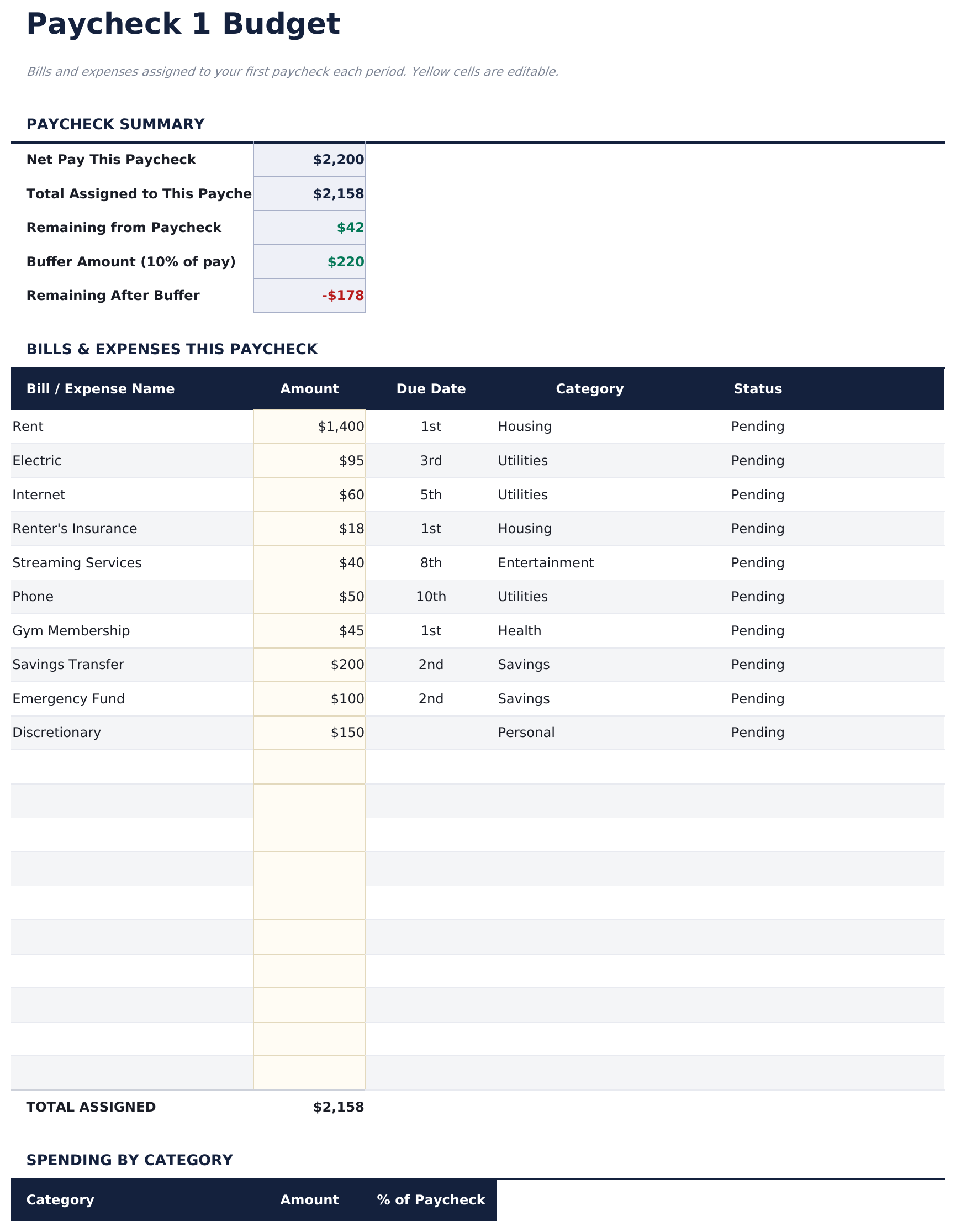
- Paycheck 1 Budget sheet assigning expenses and savings to the first paycheck of the month with a remaining balance tracker
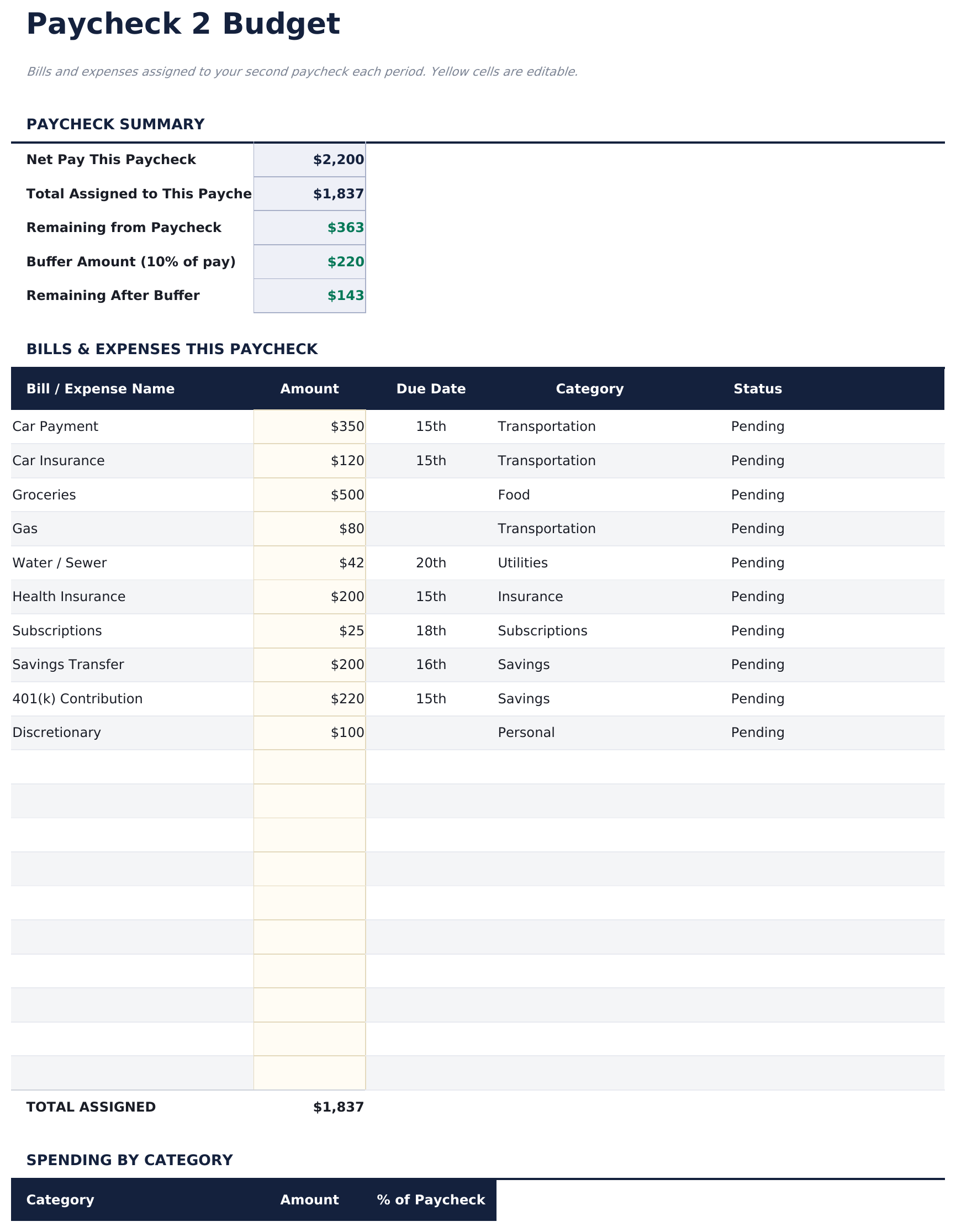
- Paycheck 2 Budget sheet assigning remaining expenses and savings to the second paycheck with final month balance
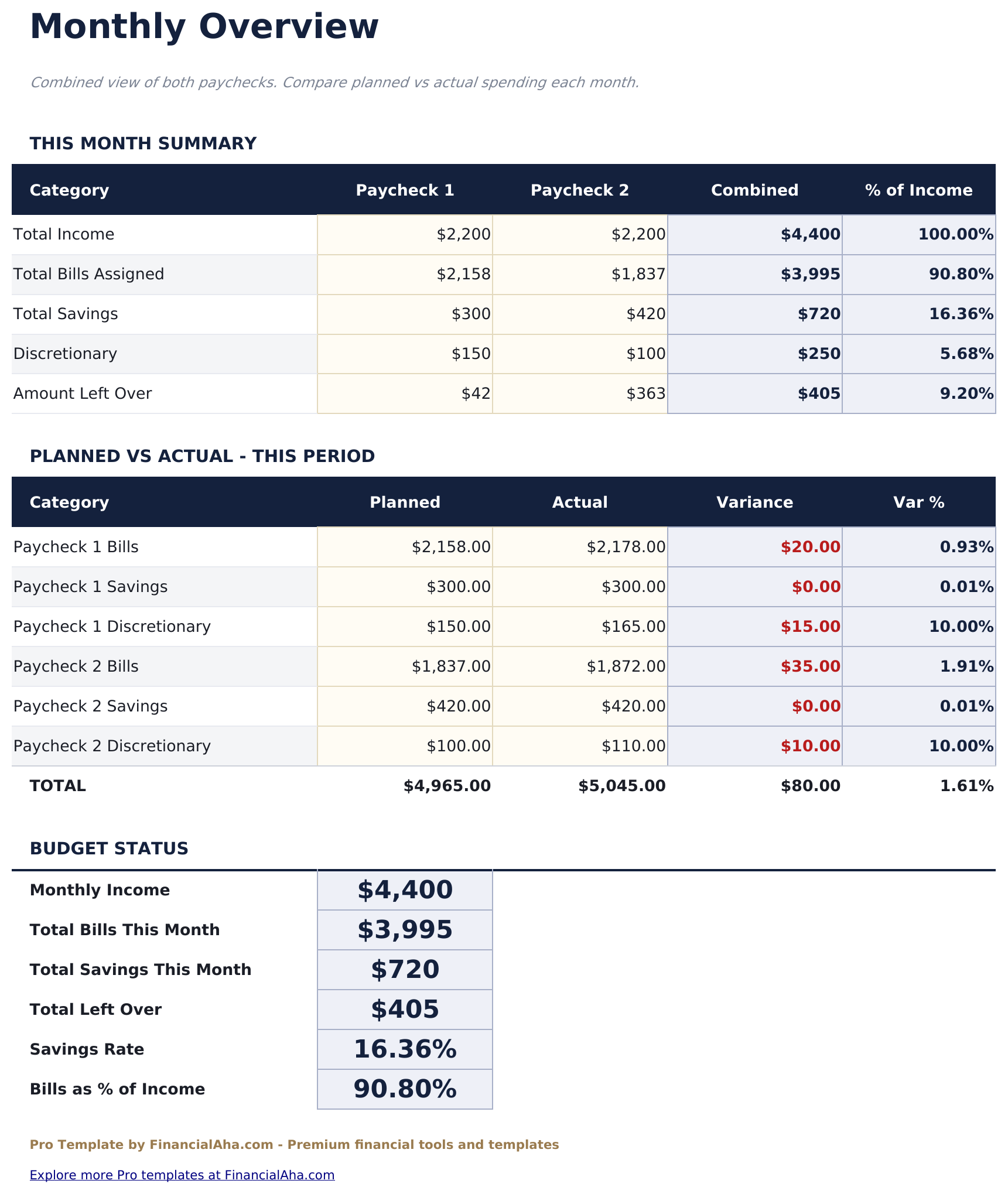
- Monthly Overview consolidating both paychecks into a single monthly view - total income, total expenses, and net savings for the month
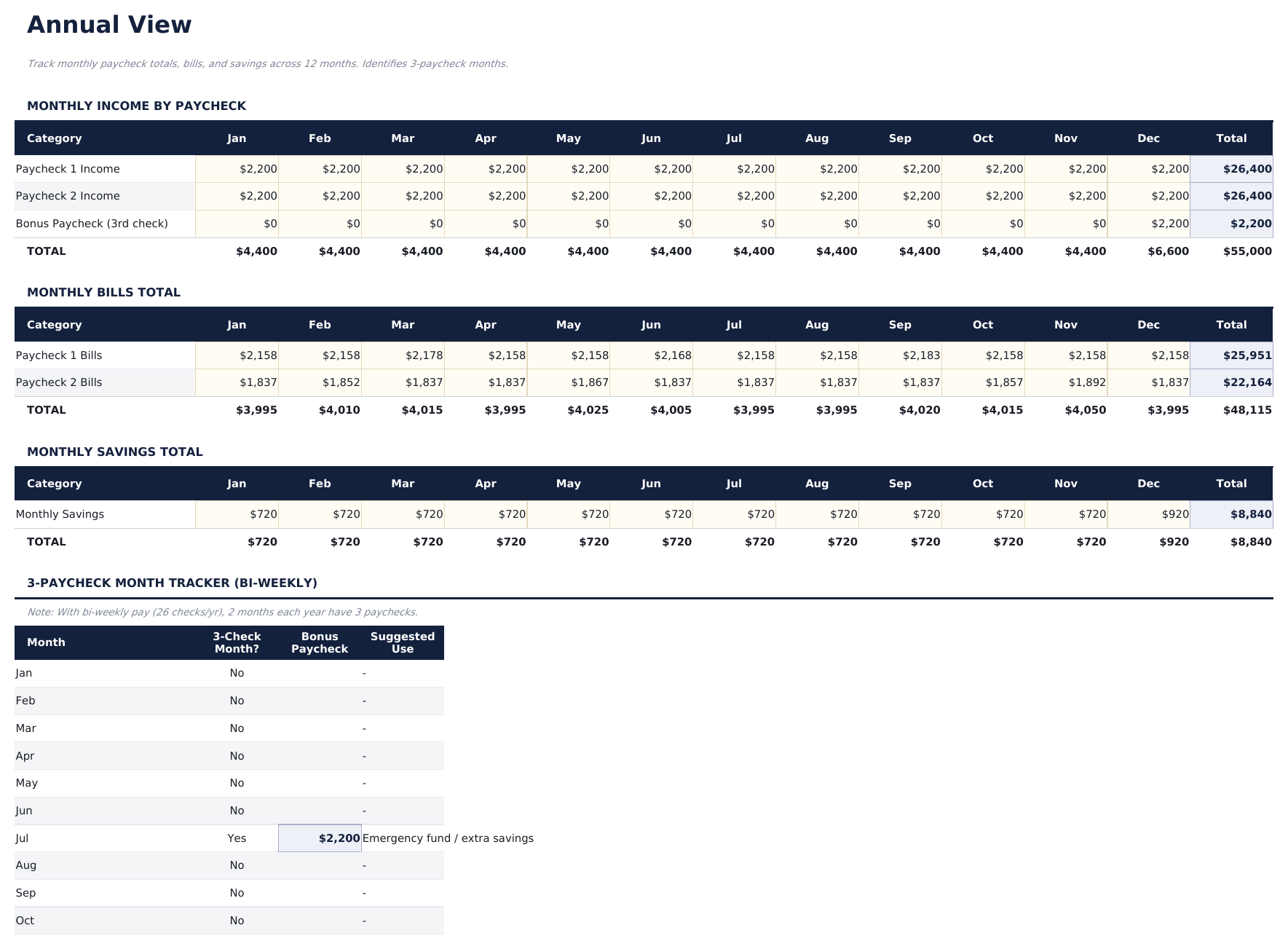
- Annual View showing planned and actual totals for all 12 months with annual income, expenses, and savings summary
- Three-Paycheck Month Tracker for bi-weekly earners - flags months where a third paycheck arrives and provides a dedicated allocation sheet for the extra paycheck
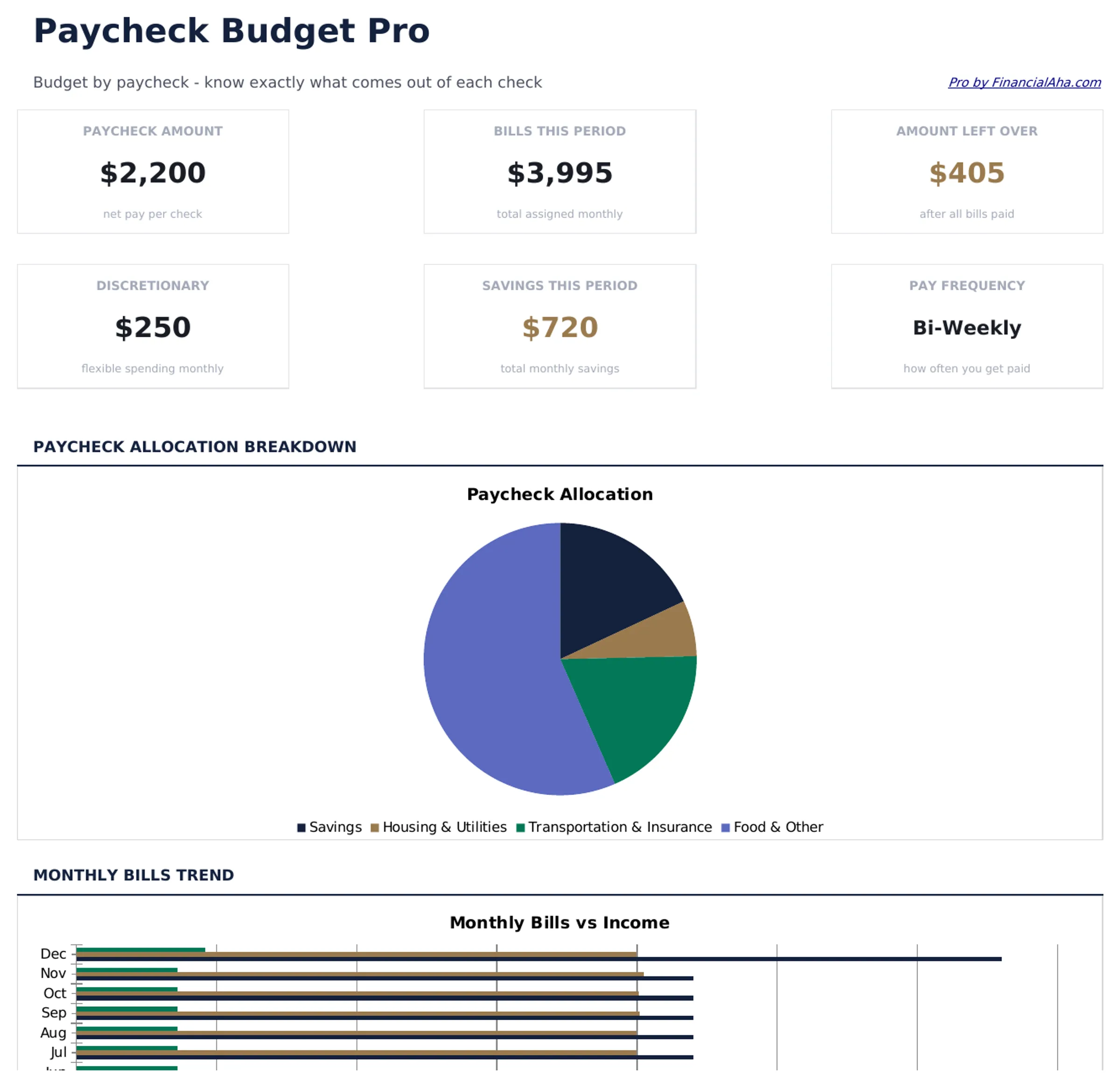
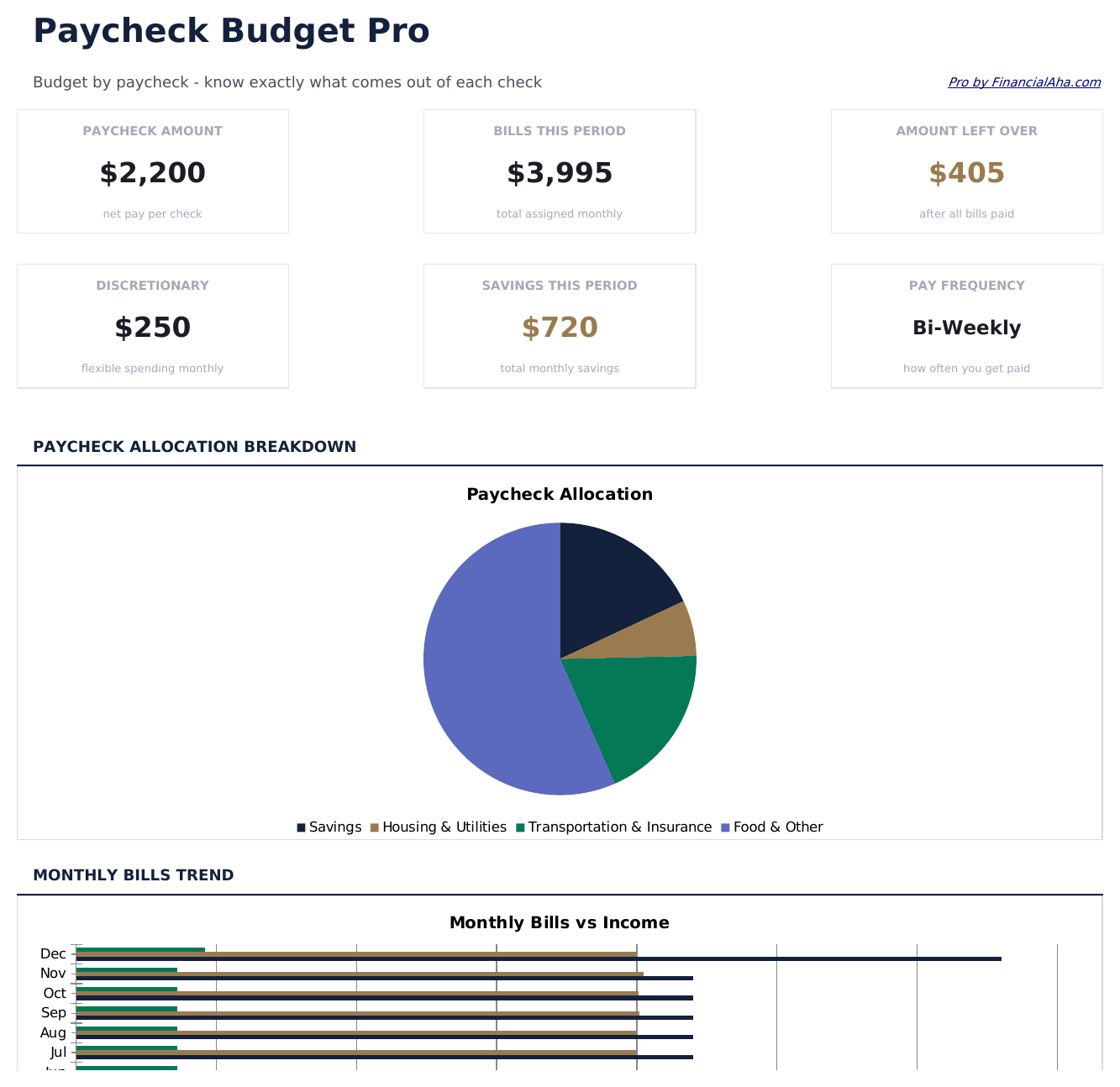
- Dashboard with 6 KPI cards: pay frequency, monthly take-home, paycheck 1 remaining, paycheck 2 remaining, monthly savings, and months with 3 paychecks this year
- Works in Microsoft Excel, Google Sheets, and LibreOffice Calc with no macros required
Preview
See what's inside this template
How to Use This Template
Configure your pay schedule
Go to Pay Setup and enter your pay frequency, take-home amount per paycheck, and the dates your paychecks typically arrive each month.
Assign bills to each paycheck
In Paycheck 1 Budget, assign expenses due after your first paycheck. In Paycheck 2 Budget, assign expenses due after your second paycheck. The remaining balance shows what is left after each paycheck covers its bills.
Handle three-paycheck months
The Three-Paycheck Month Tracker flags which months have an extra paycheck. Use the dedicated allocation sheet to plan how that paycheck will be used.
Review the monthly and annual picture
The Monthly Overview combines both paychecks into a monthly summary. The Annual View shows all 12 months with planned vs actual totals.
Built by Claude AI. Perfected by us.
We use Claude AI to draft each Pro template after deep research. Then our team steps in - refining the layout, stress-testing every formula, fixing edge cases, and polishing the design. The AI gets us 80% there. The last 20% is all human judgment.
One-time purchase. No subscription. Works in Excel & Google Sheets.
Frequently Asked Questions
What pay frequencies does this support?
The Pay Setup sheet supports weekly, bi-weekly (every two weeks), and semi-monthly (twice a month on fixed dates) pay schedules. The paycheck budget sheets are labeled Paycheck 1 and Paycheck 2 to work with any of these.
How does the three-paycheck month work?
Bi-weekly earners receive a third paycheck in two months each year. The Three-Paycheck Month Tracker identifies which months these fall in for your specific pay dates and provides a dedicated allocation sheet for that extra paycheck.
How do I decide which bills go to which paycheck?
One approach is to assign bills to the paycheck that arrives closest to their due date. The Paycheck 1 and Paycheck 2 budget sheets have a due date column to help with this alignment.
What does the Monthly Overview show?
It combines both paycheck budgets into a single view showing total monthly income, total expenses, and net savings for the month. Useful for comparing months at a glance without switching between paycheck sheets.
Can I use this for weekly pay?
Yes. Set pay frequency to weekly in Pay Setup. The Paycheck 1 and Paycheck 2 budget sheets work for any two-paycheck cycle. The Monthly Overview aggregates all paychecks in the month.
What do I get after purchase?
You receive an Excel file (.xlsx) that works in Microsoft Excel, Google Sheets, and LibreOffice Calc. Download it immediately after purchase - no signup or account required.
Is there a free version?
Yes. The free version of this template is available with basic features. The Pro version adds advanced analysis, more capacity, and additional sheets.
What if it does not work for me?
Contact us and we will help troubleshoot. The template works in Microsoft Excel, Google Sheets, and LibreOffice Calc with no macros required.
Looking for more Pro templates?
We offer Pro versions of our most popular spreadsheet templates with advanced features, more capacity, and deeper analysis.